
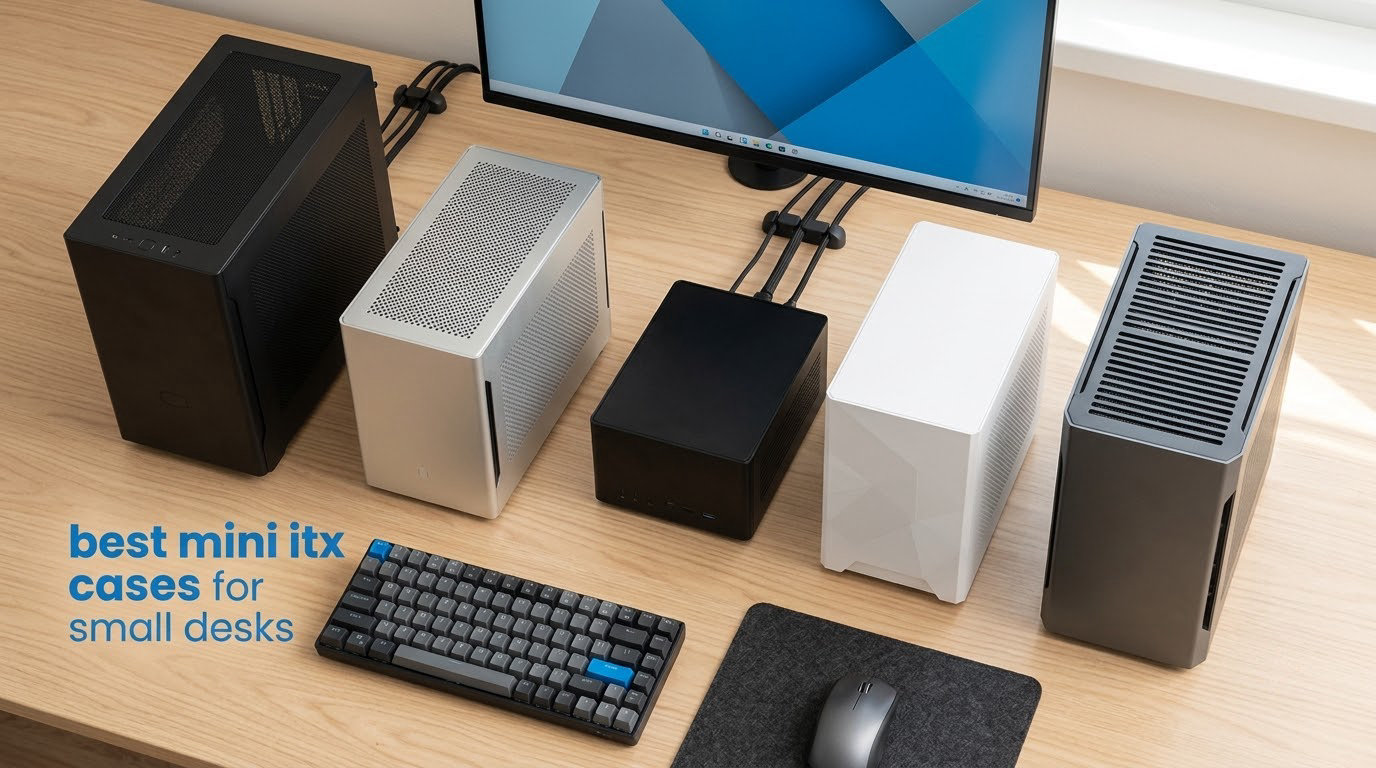
If your desk is the size of a dorm room shelf unit, the case matters more than almost any other part of the build. The best mini ITX cases for small desks are the ones that eat the least width times depth, run quietly enough for a shared room, and still accept the graphics card you already bought. Our top pick in 2026 is the Fractal Design Terra, which covers roughly 115 square inches of desk and accepts a 322mm graphics card without a riser cable in the default layout.
We spent weeks measuring these ten cases against desks rather than against each other. For every chassis we recorded the width by the depth rectangle it actually occupies, the internal volume in litres, the maximum graphics card length, the CPU cooler limit, and the power supply form factor. That desk-area number is the one most roundups leave out, and it is the only one that tells you whether the case fits the surface in front of you.
This list covers ten real cases, from a 3.8-litre steel box that fits in a backpack to a walnut-fronted 10.4-litre design that looks like furniture. We flag whether a riser cable is required, whether a power supply is included, and how difficult the build actually is, because those three details decide whether a first small form factor build is a weekend project or a month-long argument with cable bend radius.
Last updated for October 2026. Small form factor hardware turns over fast, and two of the cases here are old designs that remain excellent value precisely because nothing about them has gone out of date.
Table of Contents
Top 3 Mini ITX Cases for Small Desks (October 2026)

Fractal Design Terra
- 10.4L volume
- 322mm GPU clearance
- 30mm sliding central wall
- FSC solid walnut front panel
Cooler Master NR200
- 330mm GPU clearance
- 155mm CPU coolers
- SFX-L 130mm PSUs
- 240mm side radiator

SilverStone SG13B
- 11.5L shoebox layout
- Accepts a full ATX power supply
- Standard-length expansion cards
- 120mm or 140mm AIO support
The Terra takes the top slot because it is the rare small case that does not ask you to compromise on the graphics card. The NR200 edges it out on component clearances and on the highest average rating in this group, and it is the one to buy if you have never built a compact PC before. The SilverStone SG13B is the value answer, since it accepts a full ATX power supply and standard-length cards while staying under 12 litres.
All Ten Cases Compared for Desk Space and Clearance in 2026
| Product | Specs | Action |
|---|---|---|
| Fractal Design Terra |
|
Check Latest Price |
| Cooler Master NR200 |
|
Check Latest Price |
| SilverStone SG13B |
|
Check Latest Price |
 Jonsbo TK-0 Jonsbo TK-0 |
|
Check Latest Price |
 Cooler Master N200 Cooler Master N200 |
|
Check Latest Price |
 Fractal Design Nano S Fractal Design Nano S |
|
Check Latest Price |
 SGPC K49 SGPC K49 |
|
Check Latest Price |
 JOYJOM 4.3L JOYJOM 4.3L |
|
Check Latest Price |
 A09 0.8mm SPCC Mini-ITX Case A09 0.8mm SPCC Mini-ITX Case |
|
Check Latest Price |
 Thermaltake Core V21 Thermaltake Core V21 |
|
Check Latest Price |
A note on the numbers in that table. Desk area is the width by depth rectangle in inches multiplied together, which is the surface the case demands. Volume in litres is the internal capacity, which is a poor proxy for desk space because a tall narrow case can be small in litres and enormous on a desk. A 17.5-inch tall mini tower and a 6-inch tall sandwich case can hold almost identical hardware while looking nothing alike on the surface.
1. Fractal Design Terra – Best Overall for Small Desks
Fractal Design Terra Jade – Wood Walnut Front Panel – Small Form Factor – Mini ITX Gaming case – PCIe 4.0 Riser Cable – USB Type-C – Anodized Aluminum Panels
10.4L volume
322mm GPU clearance
30mm sliding central wall
Walnut front panel
Pros
- 322mm GPU clearance in a 10.4L case
- 30mm stepless central wall for layout tuning
- Anodised aluminium with FSC solid walnut front
- USB-C 20Gbps plus USB-A on the front panel
Cons
- Only two internal drive bays
- Sliding wall and aluminium panels add build complexity
The Terra is the case we keep coming back to because it answers the desk question honestly. At 8.5 inches wide by 13.5 inches deep it covers about 115 square inches, which on a 24-inch dorm desk leaves room for a keyboard, a lamp and a mug. It is 6 inches tall, so it can sit under a monitor riser or beside a laptop stand without stealing headroom.
It also refuses the usual small form factor trade-offs. The published clearance is a 322mm graphics card in a 10.4-litre chassis, which covers almost every modern dual- and triple-slot card without a riser cable in the standard orientation. There is a 30mm stepless sliding central wall, so you can trade a little card length for a little cooler or cable room depending on what you are fitting.
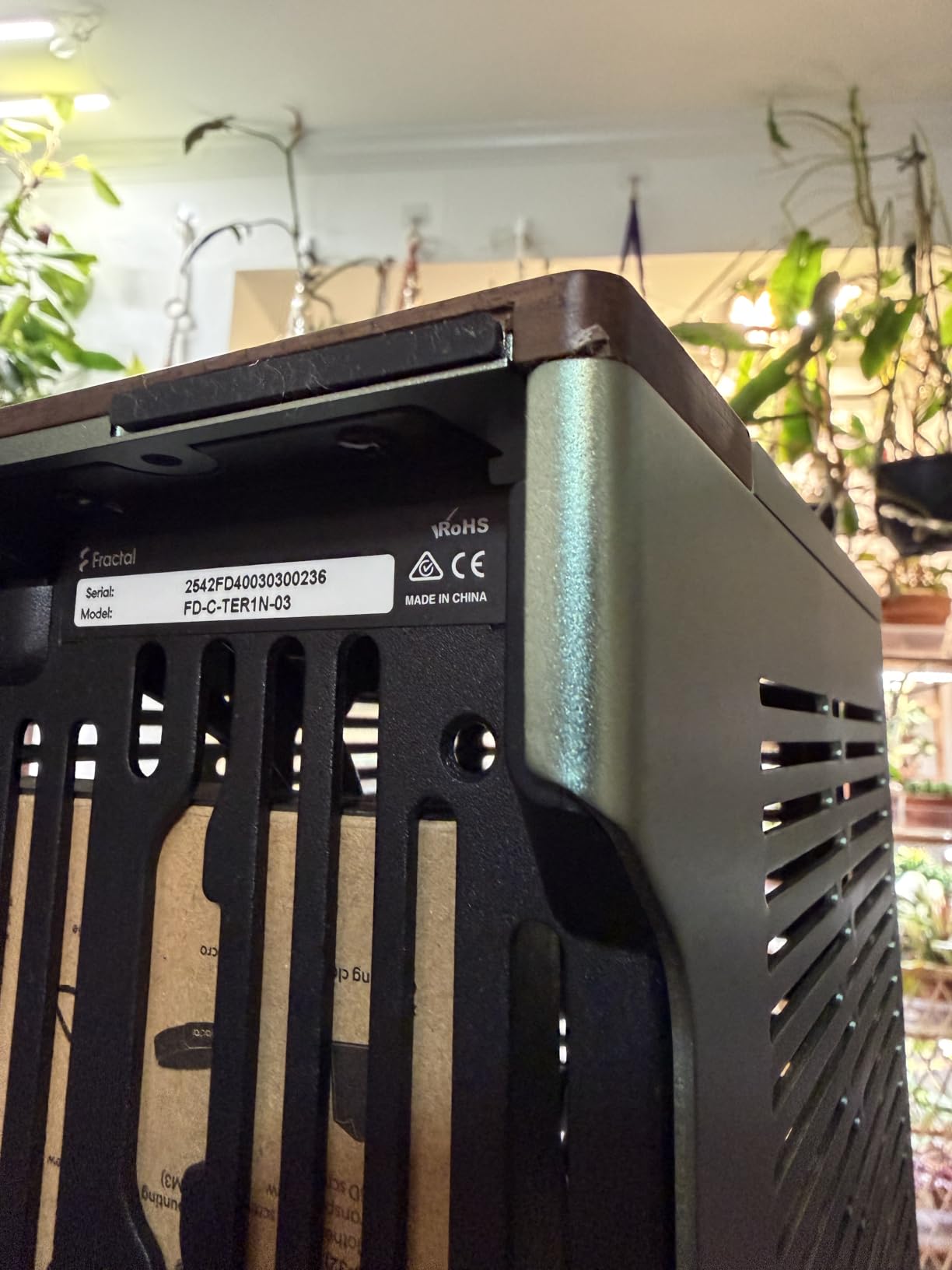
Build quality is the other story here. The exterior is anodised aluminium with an 8mm-thick aluminium front, and the front-facing panel is cut from FSC-certified solid walnut. That is not just styling. A case that looks good enough to leave on a shared desk gets kept instead of shoved under, and the 2-year warranty matches what you would expect at this level of construction.
The front I/O carries an aluminium power button and two USB ports, one of which is USB Type-C at 20Gbps. That matters more than it sounds when the case sits on the far side of a desk and you are reaching around to plug a phone in every evening.
The honest weakness is storage. There are two internal bays, so a multi-drive machine needs a different case or an external drive. There is also a genuine learning curve to the sliding wall, and reviewers report that the assembly takes planning rather than speed. The Terra and the FormD T1 are the two names that come up most often in enthusiast threads, but riser cable anxiety gets discussed at length in the same places, so check the layout before you commit to a vertical mount.
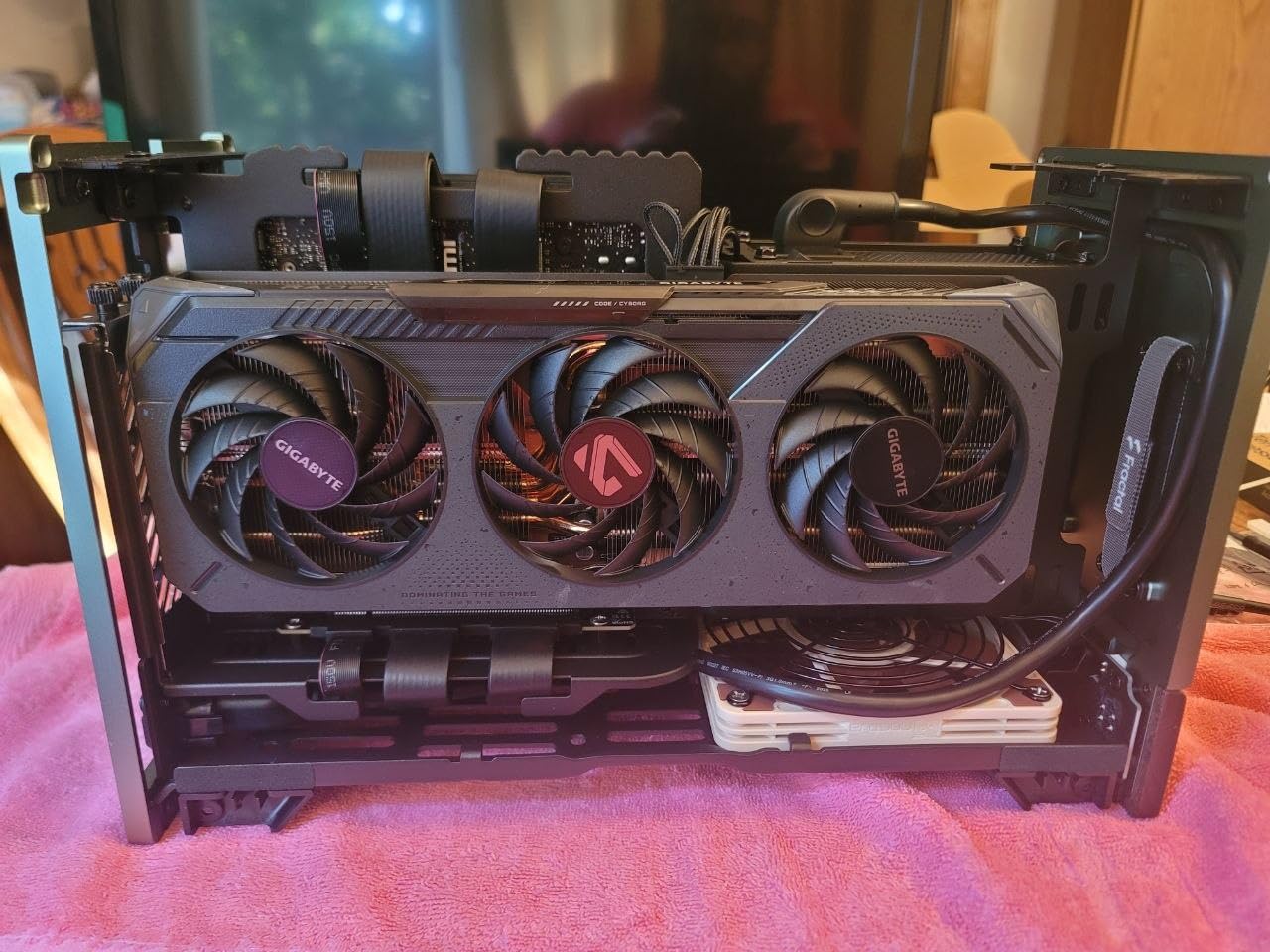
What to check before you buy the Terra
Confirm your graphics card measures 322mm or less, because that number is the whole reason this case works. If your card is longer, the sliding wall will not help you, and you should look at a larger case instead of forcing it.
Plan your drive count first. Two bays means a boot drive and one extra at most, so if you want more storage, add a network drive or choose a different chassis.
Who should skip the Terra
Skip it if you are a first-time builder with no small form factor experience and you want the assembly to be painless, because the sliding wall and tight cable routing reward patience. Skip it if you are counting litres and want the smallest possible box, since 10.4 litres is comfortable rather than extreme.
2. Cooler Master NR200 – Best for a Full-Size GPU and First-Time Builders
Cooler Master MasterBox NR200 Mini ITX Computer Case – Compact SGCC Steel Chassis, Tool-Free 360 Degree Accessibility – NR200 Black
330mm GPU clearance
155mm CPU cooler limit
SFX-L 130mm PSUs
240mm side radiator
Pros
- Class-leading 330mm GPU and 155mm cooler clearance
- Tool-free panel pins give 360 degree access
- Two fans included in the box
- Micro ATX boards fit with a front-mounted power supply
Cons
- Riser cable sold separately for vertical GPU mounting
- SFX-L support limited to 130mm units
The NR200 has the highest average rating of the ten cases here at 4.8 across 310 ratings, and the reason is not subtle. It is the only case in this group that simultaneously takes a 330mm graphics card, a 155mm CPU cooler, an SFX-L power supply and a 240mm side radiator inside a footprint of about 7.3 inches by 14.8 inches.
For a first small form factor build that distinction is everything. The panels are held on with quick-access pins rather than screws, and the frame can be fully dismantled, so you can get an arm inside the chassis instead of trying to route cables through a one-inch gap with a fingertip. Owners consistently single out that tool-free design as the reason their first compact build went smoothly.
Cooling options are unusually broad for the size. A 120mm fan sits at the top and a 92mm fan at the rear, both pre-installed, and there is room for a 240mm radiator on the side, a 140mm radiator at the front bottom, pump mounting, and up to seven fans in total. Micro ATX boards up to 244 by 226mm fit if you mount the power supply at the front.
The chassis is SGCC steel rather than the thin plastic used in the cheapest cases, and the top I/O panel carries two USB Type-A ports and a 3.5mm headset jack. The rear panel accepts triple-slot graphics cards, which matters more each generation as cards get thicker.
The main limitation is the riser. Vertical GPU mounting needs a PCIe riser bought separately, and if you are building on a strict deadline in a dorm room that is one more cable to source and one more bend radius to get right. SFX-L support also stops at 130mm, so a longer SFX-L unit will not go in.
What to check before you buy the NR200
Decide early whether you want a vertical graphics card, because that determines whether you need a riser cable in the box. Add the cable to your parts list on day one rather than the night before the build.
Measure your power supply. Standard SFX and SFX-L units up to 130mm fit, and anything longer does not, so check the depth against the case before you buy.
Who should skip the NR200
Skip it if desk depth is your binding constraint, because at 14.8 inches deep it is one of the longer cases here and it is not designed to stand on its edge. Skip it if you want the smallest possible internal volume, since it trades that for generous clearances and a steel frame.
3. SilverStone SG13B – Best Value for a Shoebox-Sized Desk
SilverStone Technology Ultra Compact Mini-ITX Computer Case with Mesh Front Panel Black (SST-SG13B-USA)
11.5L volume
Accepts a full ATX PSU
Standard-length cards
120mm or 140mm AIO
Pros
- Genuinely shoebox-sized at 11.5 litres
- Accepts a full-size ATX power supply
- Owners report cool running temperatures
- Well below other sub-12-litre cases
Cons
- Limited cable management behind an ATX power supply
- CPU cooler height restricted
- Front panel clips break if pried without removing rear screws
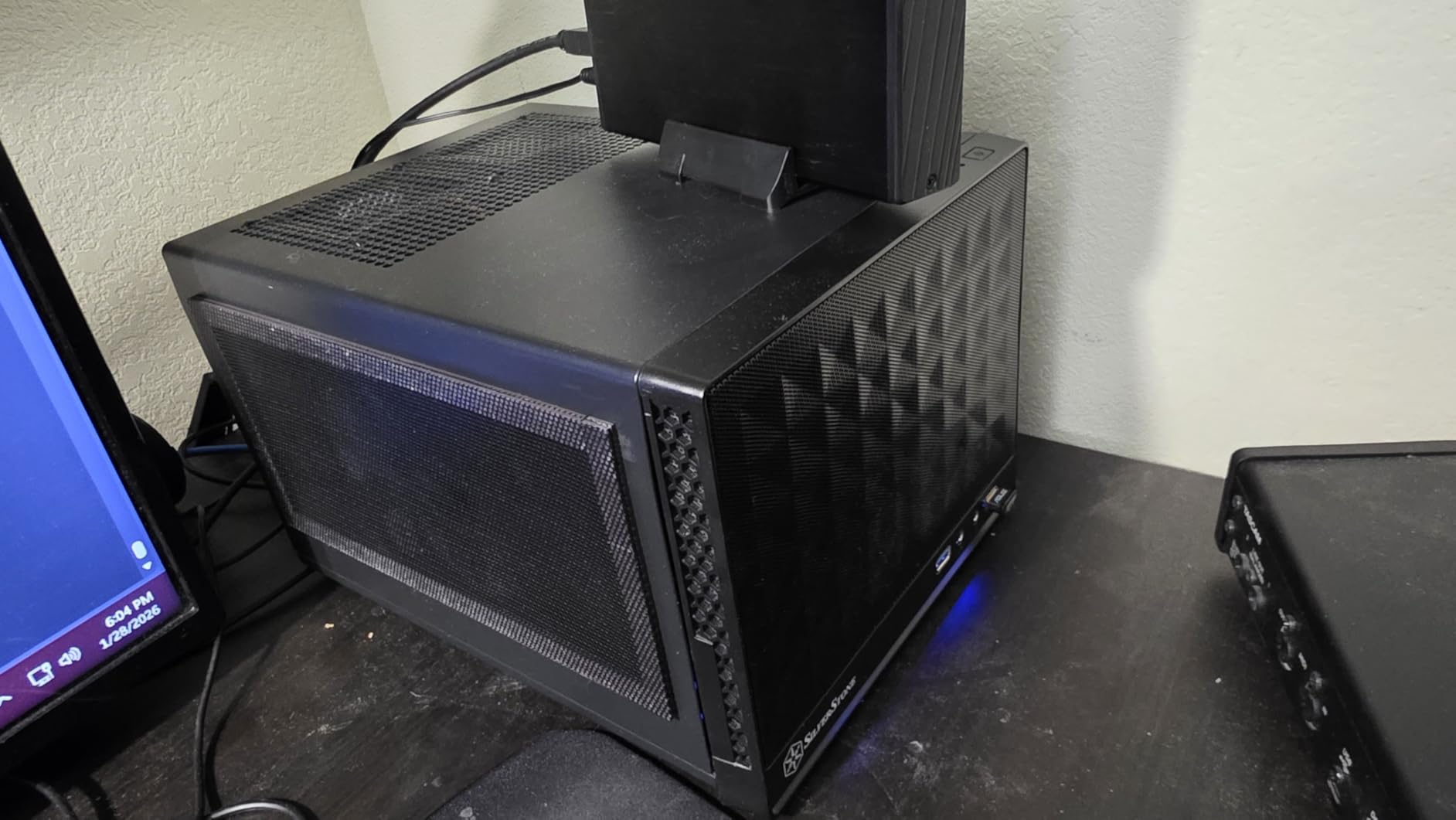
The SG13B covers about 95 square inches of desk, smaller than every case here except the three sub-70-square-inch designs, and it does something most compact cases refuse to do. It accepts a full-size ATX power supply, which means you are not forced into the SFX form factor that costs more per watt and limits your options.
Owners report strong thermals for a case this small, with idle temperatures in the high 30s Celsius and CPU loads staying below 60C. That is a direct result of the mesh front panel and the removable dust filter, and it is the single strongest argument for this chassis in a room where noise and heat both matter.
It also takes standard-length expansion cards at 10.5 inches, plus a 120mm or 140mm single-fan all-in-one liquid cooler, and it holds both 2.5-inch and 3.5-inch drives. The power supply output is rated to 500 watts, which covers any Mini-ITX processor and any mid-range graphics card you are likely to pair with it.
The compromises are real. Cable management is limited, and an ATX power supply in a shell this size can produce a tangle that you will want to hide with the dust filter. CPU cooler height is restricted, so a low-profile cooler or an AIO is the sensible pairing. The manual is downloaded rather than printed, and the front panel clips can snap if you lever the panel off without removing the rear screws first.
What to check before you buy the SG13B
Budget for a modular SFX power supply even though an ATX unit fits, because a fixed-cable ATX unit turns the inside of this case into a cable problem. Skim the cable routing before you commit.
Plan your CPU cooler in advance. The height limit is tight, so decide between a low-profile air cooler and a 120mm or 140mm AIO before you buy either.
Who should skip the SG13B
Skip it if you have never built a PC at all and want everything to fit without planning, because the layout demands decisions up front. Skip it if you want a polished display case, since this is a plain steel box that hides the components rather than showing them off.
4. Jonsbo TK-0 – Best for Desk Style and Vertical Placement
JONSBO TK-0 Black ITX Mini Tower PC Case, Hyperboloid Glass Desktop Design,Separated Cabinet Structure, Al Alloy Shell DTX/ITX Walnut Wood Computer Case, Sff Case,Black
Walnut veneer and curved glass
230mm GPU clearance
137mm CPU cooler limit
Flat or upright placement
Pros
- Walnut wood veneer with 270-degree dual-curved glass
- Separated dual-chamber layout simplifies cable routing
- Works horizontally and vertically on a desk
- Removable aluminium PCI cover for easy GPU removal
Cons
- GPU length limited to 230mm
- Only one 2.5-inch SSD and one 3.5-inch drive bay
- Curved glass adds weight and shows fingerprints
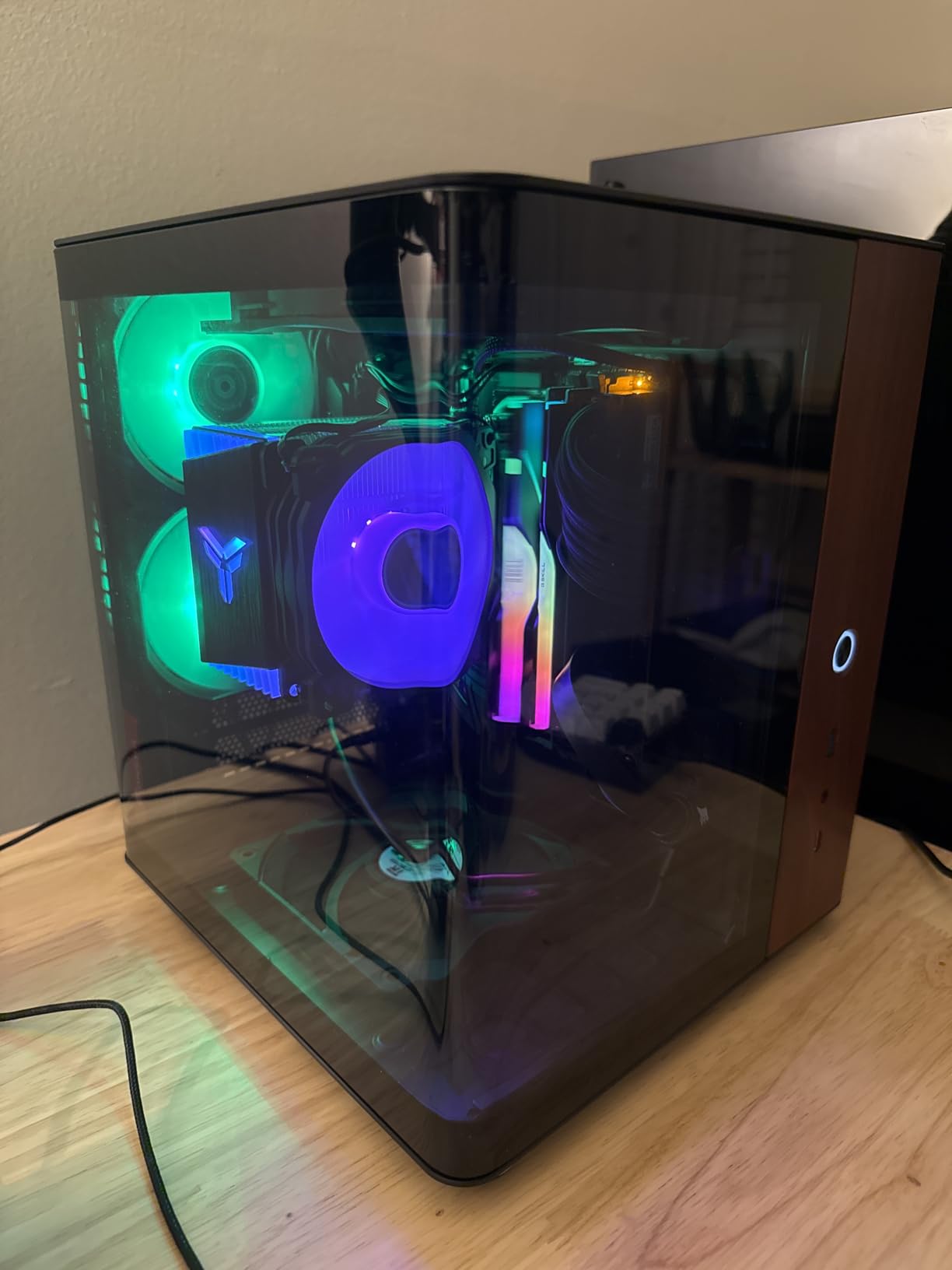
The TK-0 exists for people who look at their desk. The build combines aluminium alloy and steel with a 16mm wood veneer and 270-degree dual-curved glass, and at 235mm wide by 250mm deep it covers about 91 square inches, making it one of the most compact footprints in this group.
The dual-chamber structure is the part reviewers praise most, and it is a genuine engineering answer to the cable management complaint that dominates small form factor forums. Separating the power and drive chamber from the main compartment means cables run in their own space instead of crossing the graphics card, and the removable aluminium PCI cover lets you lift the card out without dismantling the case.
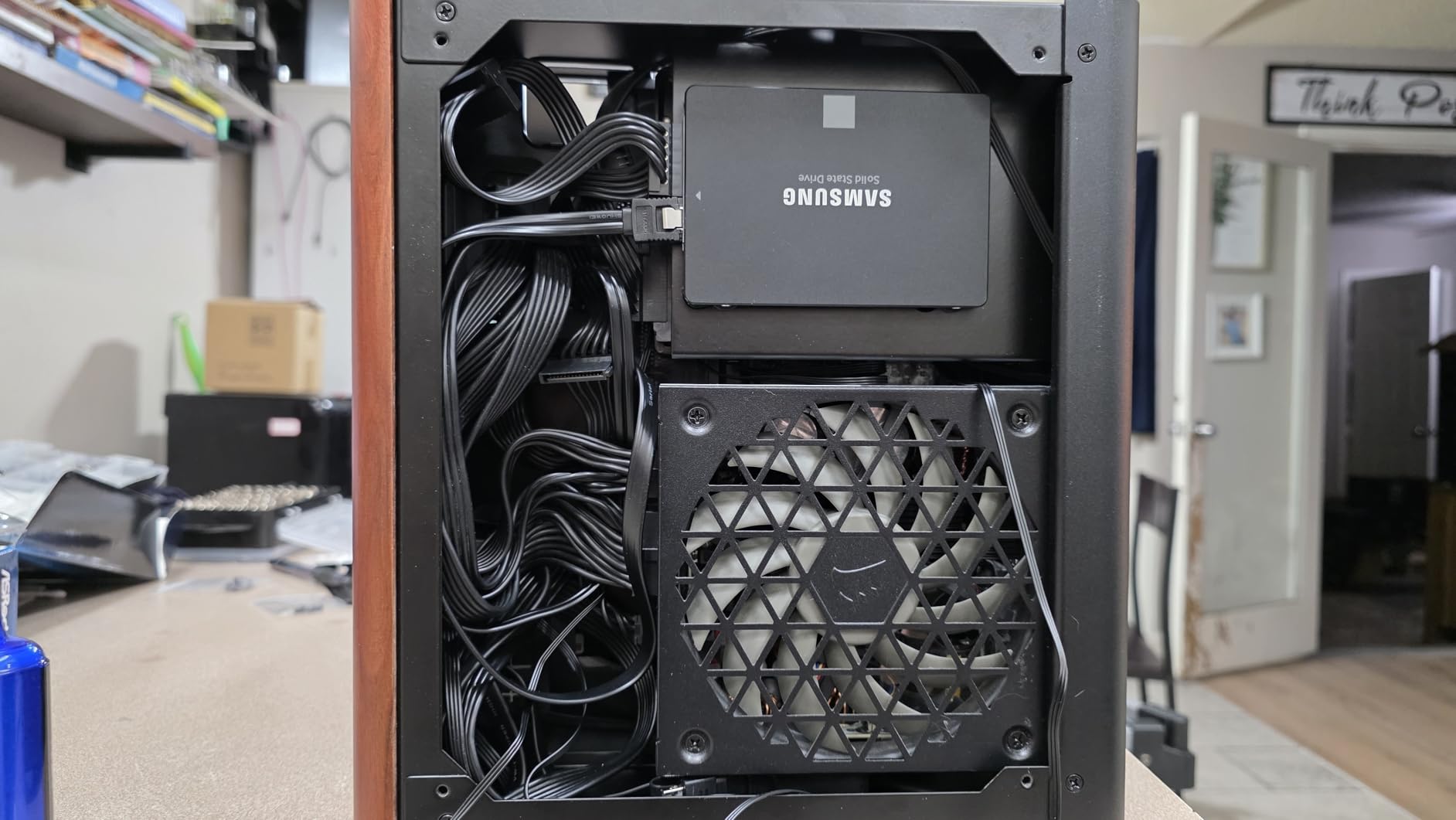
It supports both horizontal and vertical desktop placement, which is a genuine desk-space decision. Upright, it presents the glass curve to the room; flat, it drops to a lower profile under a shelf or monitor riser. Cooling support is generous for the size, with CPU coolers up to 137mm and optional fan mounts at the top, the bottom and two 90mm positions at the rear.
Power supply support covers SFX units up to 160mm, which is one of the more generous limits in this roundup. The 2-year manufacturer warranty is also longer than the 1-year cover on several cases here.
The 230mm graphics card limit is the real constraint. That rules out the longest modern cards, so check your GPU against the number before anything else. The curved tempered glass also adds weight and shows fingerprints, and owners of boutique aluminium finishes in r/sffpc report the same annoyance, so expect to wipe it down.
What to check before you buy the TK-0
Measure your graphics card against the 230mm limit. If your card is longer, this case is out regardless of how much you like the finish.
Decide on orientation before the build. Check that the case fits your desk depth in both the flat and upright positions, and plan the cable path for the chamber you are using.
Who should skip the TK-0
Skip it if you want to run the longest graphics cards available, since 230mm is a hard stop. Skip it if you plan to fill it with drives, because there is room for one 2.5-inch SSD and one 3.5-inch drive.
5. Cooler Master N200 – Best for Upgradeability and Storage
Cooler Master N200 – Mini Tower Computer Case with Fully Meshed Front Panel and mATX/Mini-ITX Support
355mm GPU clearance
160mm CPU cooler limit
Three HDD and four SSD bays
Micro ATX support
Pros
- Longest GPU clearance in this group at 355mm
- CPU air coolers up to 160mm and a 240mm liquid kit
- Three 3.5-inch HDDs plus four 2.5-inch SSDs
- Full mesh front panel with a removable dust filter
Cons
- Larger footprint than a true small form factor chassis
- Only four expansion slots and one front USB port
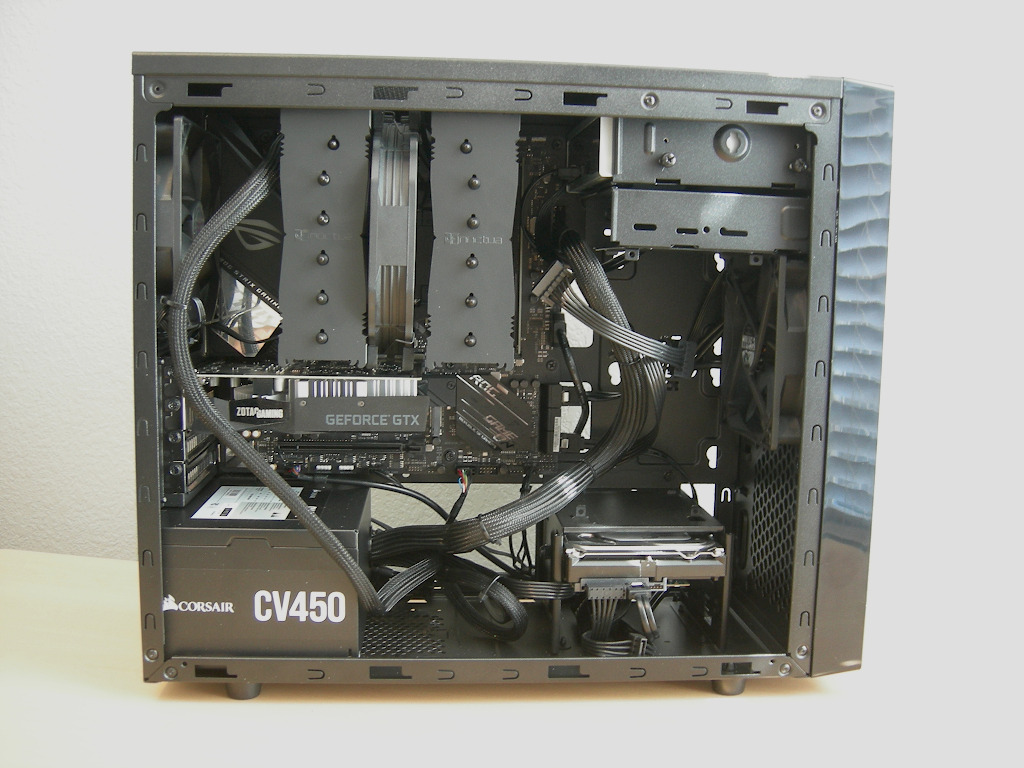
The N200 is not the smallest case here, and we want to be clear about that. At 7.9 inches wide by 14.9 inches deep and 17.5 inches tall, it covers about 118 square inches of desk and stands taller than most of the cases in this list. It earns its place because it is the one you can grow into.
Graphics card clearance runs to 355mm, the longest of the ten cases here, and CPU air coolers go to 160mm with a 240mm liquid cooling kit supported in the front. Storage runs to three 3.5-inch hard drives plus four 2.5-inch SSDs across six bays, and there are four expansion slots. For a student machine that will be upgraded every year for four years, that headroom is worth more than 30 litres of saved desk area.
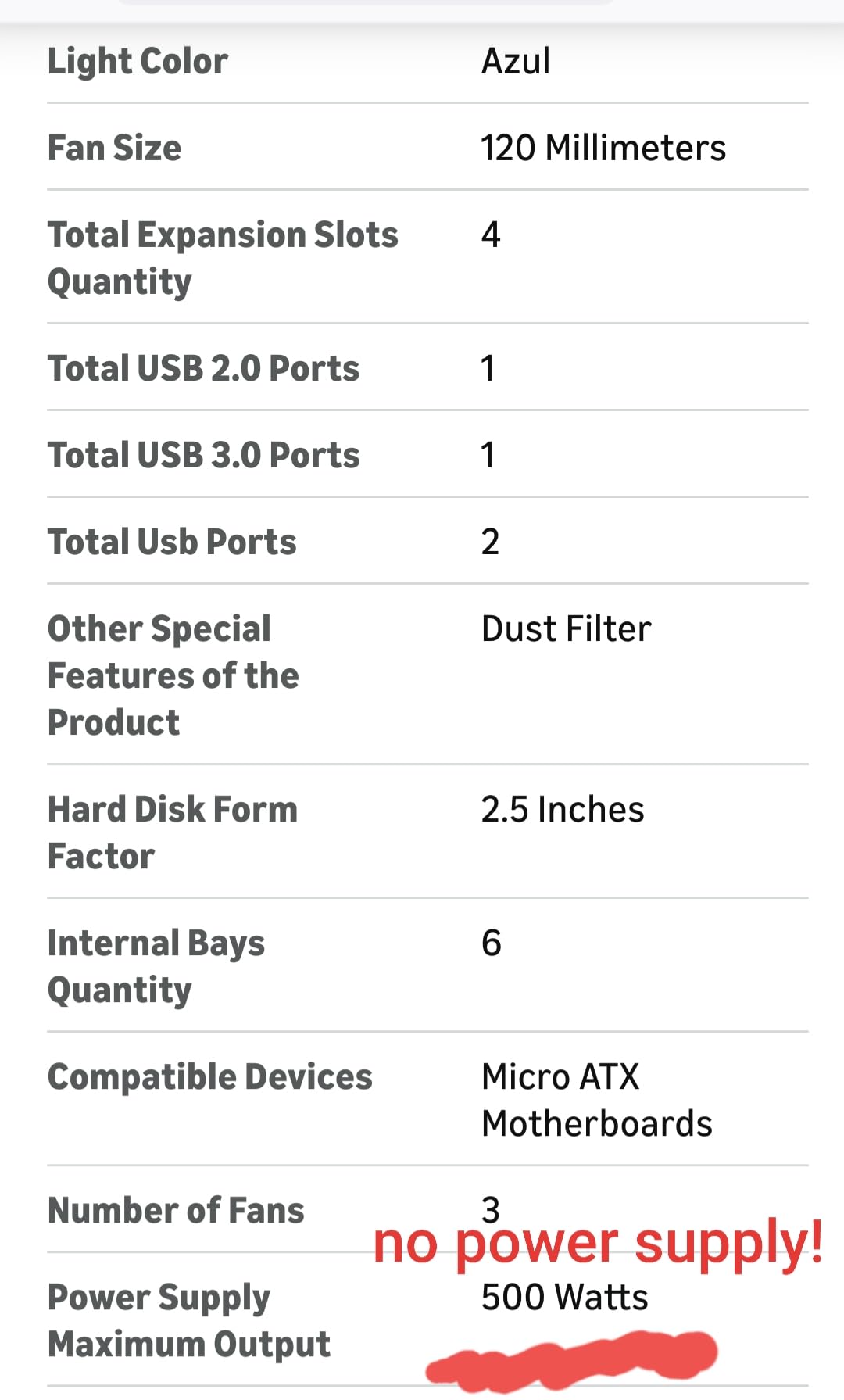
It also supports Micro ATX motherboards, so you are not locked into a 170 by 170mm Mini-ITX board with its two memory slots. The full mesh front panel gives genuine front-to-back airflow, three 120mm fans cover the intake and exhaust, and the removable dust filter under the power supply mount makes maintenance simple. The power supply output is rated to 500 watts, and the warranty runs two years.
With 898 ratings it is the most reviewed case in this roundup, and the feedback is consistent: buyers like the expandability, the cooling options and the easy maintenance, and they note plainly that this is a mini tower rather than a true ultra-compact chassis.
Those same reviewers flag the constraints. There are only four expansion slots, and the front I/O gives you a single USB 3.0 port, which is thin for a home office desk. The height is the other issue. If your desk is a 24-inch dorm unit with a low shelf above it, 17.5 inches will not clear a monitor arm.
What to check before you buy the N200
Measure your vertical clearance, not just your desk surface. At 17.5 inches tall this case needs real space above the desk, and a low shelf or a deep monitor will rule it out.
Decide whether you want the Micro ATX option. A Mini-ITX board gives you a smaller machine, but two memory slots limit upgrades later, and this chassis can take either.
Who should skip the N200
Skip it if desk space is genuinely tight or if your desk is shared and the case needs to sit at the back. Skip it if a quiet, near-invisible look matters, because a mesh mini tower on show is the opposite of discreet.
6. Fractal Design Nano S – Best for Quiet Shared Rooms
Fractal Design Nano S Window – Mini Tower Computer Case – ITX – Optimized for High Airflow and Silent Computing with ModuVent Technology -2X Fractal Dynamix X2 GP-14 Fans Included -Black Window
Sound dampened construction
315mm GPU clearance
Full ATX PSU support
Up to four drives
Pros
- Sound dampening and ModuVent designed for silent computing
- Rubber grommets plus velcro straps for cable management
- Accepts full-size ATX power supplies and 315mm cards
- Two Dynamic Series fans included
Cons
- 280mm radiator support is effectively unusable
- Larger footprint than typical ITX cases at 27 x 42 x 48cm
- Cards wider than the dual-slot bracket are not recommended
If your room is shared, the Nano S is the one to look at first. Sound dampening materials and the ModuVent top panel are the entire point of the design, and a commenter in a Hacker News discussion of small form factor builds called noise the big annoyance with SFF builds generally.
The layout is familiar, which is its quiet advantage for beginners. It looks and assembles like a small tower rather than a sandwich, so if you have built a mid-tower before you already know where everything goes. Cable management is the best in this group, with rubber grommets, anchor points and included velcro straps, and the case takes a full-size ATX power supply plus graphics cards up to 315mm.
Storage runs to four drives, including two 2.5-inch mounts on a bracket behind the motherboard cutout. Radiator options cover 240mm at the front and top and 120mm at the rear, and brackets for a reservoir and pump mount are included for anyone going custom. Two Dynamic Series fans come in the box, a 12cm and a 14cm, with an adapter for motherboards that have limited fan headers.
There are real drawbacks and reviewers repeat them. The 280mm radiator position is effectively unusable because the front fan headers cannot be fitted alongside it. At 27 by 42 by 48 centimetres it is among the largest footprints in this roundup, so it does not serve a truly small desk. Graphics cards wider than the dual-slot bracket are not recommended, and a top-mounted 240mm radiator can conflict with tall memory.
What to check before you buy the Nano S
Measure your desk against 42 by 27 centimetres before anything else, and remember this is the case to skip if your desk is a dorm shelf. If you plan a 280mm radiator, do not buy this case.
Check your memory height if you intend to fit a top radiator, since tall modules and a 240mm unit can conflict.
Who should skip the Nano S
Skip it if desk area is the constraint, because sound dampening costs you litres and footprint. Skip it if you want a 280mm radiator, and skip it if your graphics card is wider than a dual-slot bracket.
7. SGPC K49 – Best for Carrying Between Desks
SGPC K49 Mini ITX Case 7.1L Standard Edition
7L steel chassis
300mm GPU clearance
56mm CPU cooler limit
SFX power supply only
Pros
- Two carry handles included in plastic and PU leather
- 1.5mm SPCC steel with a ventilated acrylic side panel
- USB and USB Type-C on the front panel
Cons
- Riser cable sold separately
- SFX-L power supplies do not fit
- CPU cooler height limited to 56mm
- One drive bay and one fan position
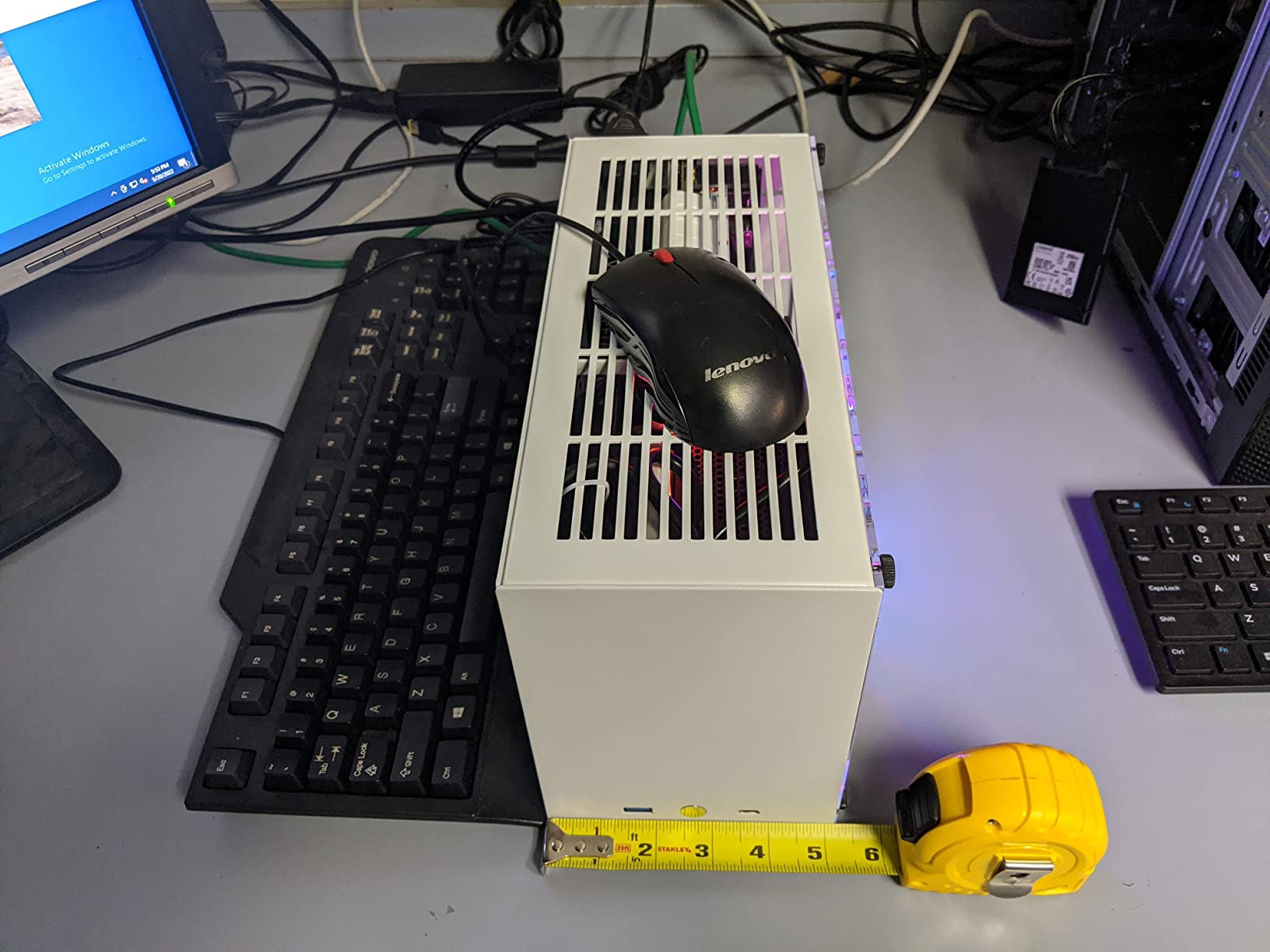
The K49 answers a problem most case makers ignore. Physical carry is awkward in small form factor, and even tiny cases dig into the chest when carried without a handle, a complaint that comes up repeatedly in build forums. This one ships with two handles, one plastic and one PU leather, and at 5 inches wide by 12 inches deep it covers only 60 square inches of desk.
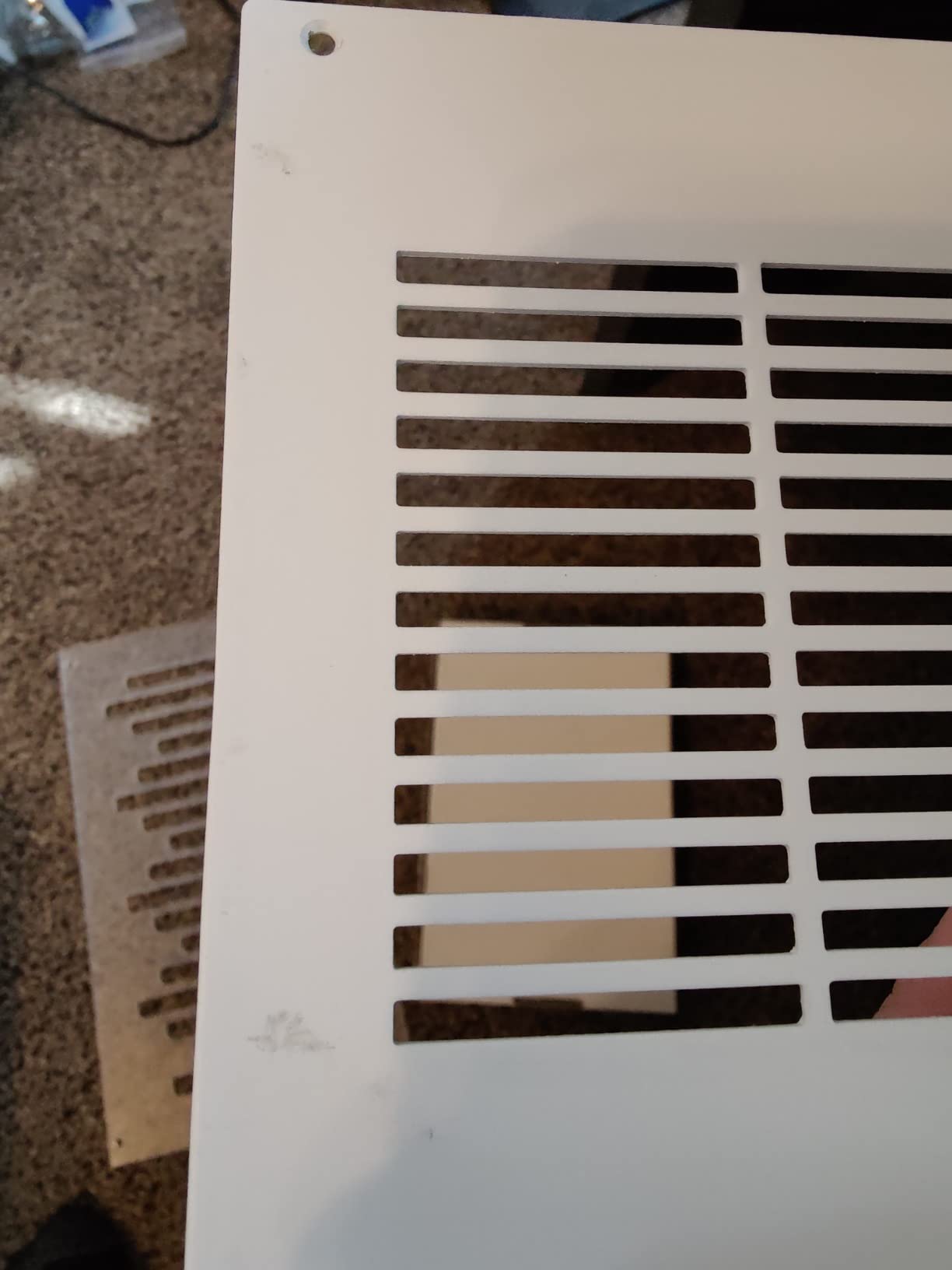
Construction is 1.5mm SPCC steel with an extra 3mm ventilated acrylic side panel, which makes it noticeably sturdier than plastic compact cases of the same size. The front I/O includes both a USB port and a USB Type-C port, and a 120mm fan position plus the ventilated panel keep thermals reasonable inside a 7-litre shell.
Graphics card support runs to 300mm long and 45mm high, with shoulder height limited to 27mm, and the board fits standard Mini-ITX up to 170 by 170mm. Storage is one 2.5-inch drive. It weighs 2.47kg, which is realistic for steel and light enough to move between desks.
There are three limits to plan around. The riser cable is not included and must be bought separately if you want a vertical GPU, SFX-L power supplies do not fit because standard SFX is capped at 125 by 100 by 64mm, and CPU air coolers stop at 56mm. That last number is the hardest one on a desk because it pushes you toward a specific low-profile cooler.
What to check before you buy the K49
Confirm your CPU cooler is 56mm or shorter, or plan an AIO that fits. This is the single most common reason builds in this size fail at the parts stage.
Check your power supply dimensions against 125 by 100 by 64mm, and add the riser cable to your list if you want the GPU mounted vertically.
Who should skip the K49
Skip it if you plan a tower cooler or a long SFX-L power supply, since both will not fit. Skip it if you need more than one drive or more than one expansion slot.
8. JOYJOM 4.3L – Smallest Footprint with a Riser Included
Aluminum Mini ITX Case with PCIe 3.0 Riser, JOYJOM Mini PC Case, SFF Small Form Factor PC Case, TX Computer Gaming Case Supports GPU Graphics Card (Black)
4.3L aluminium body
PCIe 3.0 riser included
FLEX power supply
CPU cooler under 36mm
Pros
- Smallest desk footprint in this group at about 30 square inches
- 2.0mm aluminium alloy body that acts as a heatsink
- PCIe 3.0 riser cable included in the box
- Light at 1.14kg and easy to carry
Cons
- Very restrictive component envelope
- FLEX power supply only
- Only two thin 2.5-inch drives
- No case fans included
This is the case that answers what is the smallest Mini-ITX case in practical terms for a desk. At 7.3 inches wide by 4.1 inches deep it covers roughly 30 square inches, less than a sheet of A4 paper times two, and at 1.14kg it is the easiest machine here to move between rooms.
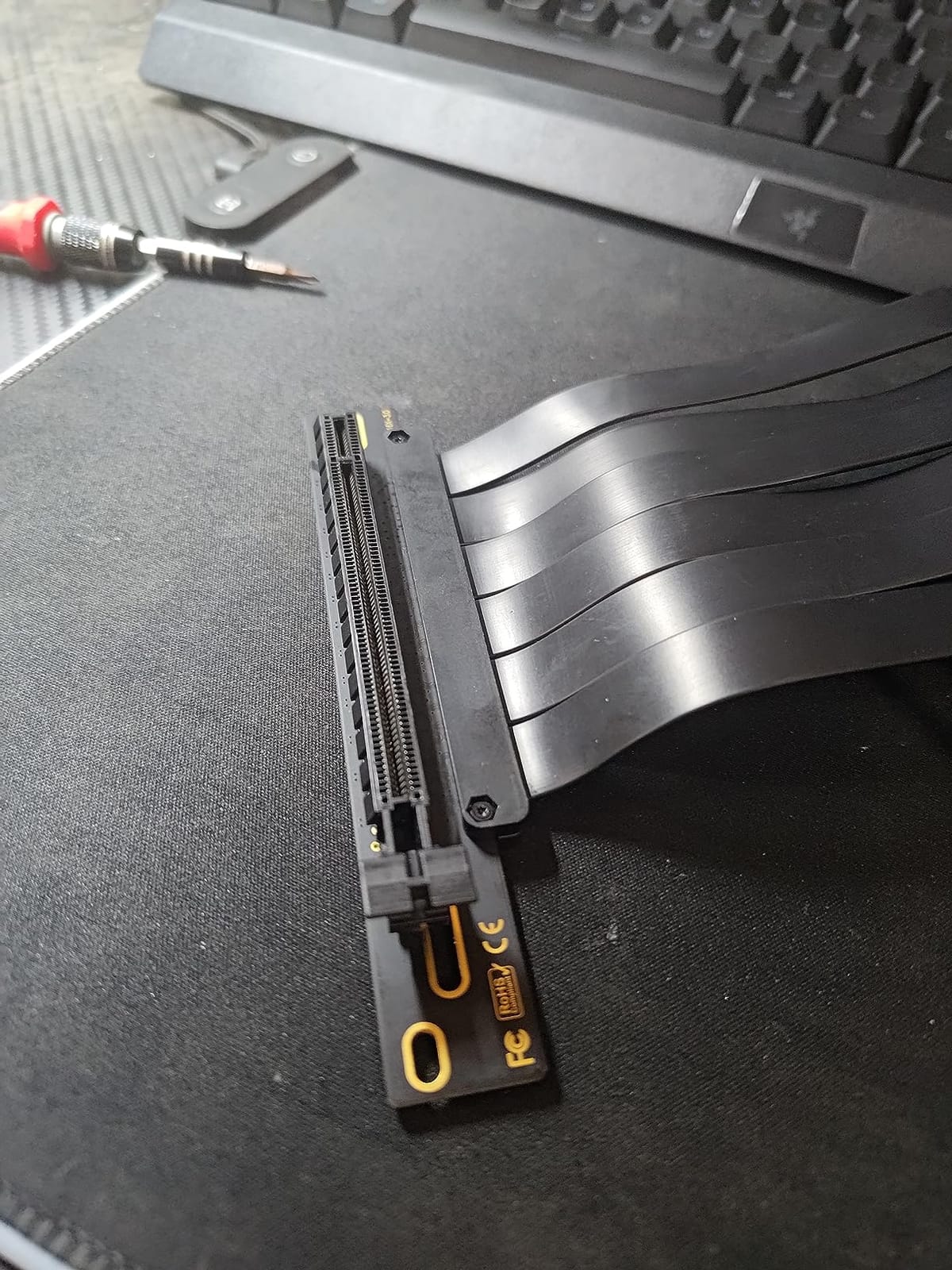
The box includes a PCIe 3.0 riser cable measuring 18.5cm, which is unusual at this size and removes one of the usual small form factor add-on costs. The 2.0mm aluminium alloy body doubles as a heatsink, and the finish is good enough to leave in view.
What you trade away is component choice, and the list is short. The power supply must be a FLEX unit measuring 15 by 4 by 8cm, the graphics card is capped at 17 by 10 by 4cm, the board is a standard 170 by 170mm Mini-ITX, the CPU cooler must be under 36mm, and you get two 2.5-inch drives under 9mm. No case fans are included.
That envelope only makes sense for a low-power processor with an integrated or very short graphics card. Buyers like the volume, the aluminium and the bundled riser, and they also report the limits directly, along with the modest 115-rating review volume typical of a newer design.
A 36mm cooler limit rules out tower coolers entirely. Plan a low-profile cooler matched to the processor you have chosen, and confirm your power supply is a FLEX type before you order it, because substitution is not possible in a shell this tight.
What to check before you buy the 4.3L case
List your four dimensions before you buy anything else: motherboard size, power supply type, graphics card size and CPU cooler height. Every one of them is capped here.
Confirm your graphics card fits 17 by 10 by 4cm, or plan to build without a discrete card.
Who should skip the 4.3L case
Skip it if you want a dedicated graphics card, since the 17cm card limit closes off most of them. Skip it if you have never assembled a PC, because this envelope leaves nothing for error.
9. A09 Mini-ITX Case – Smallest Internal Volume in the Roundup
Goodisory A09 Black MINI-ITX 0.8mm SPCC Desktop Computer Case Fit in Flex PSU
3.8L steel box
Flex power supply fits inside
CPU cooler up to 75mm
Two 60mm fan mounts
Pros
- Very small 3.8L volume that suits a small desk or a backpack
- 0.8mm SPCC steel shell with front and side venting
- Open box-like interior is easier to assemble than tight ITX cases
- Flex power supply fits inside the shell
Cons
- Advertised 75mm cooler clearance is optimistic in practice
- Front I/O daughterboard sits in the graphics card path
- Almost no cable management space
The A09 is the smallest internal volume in this roundup at 3.8 litres, and it does something the even smaller designs struggle with: it keeps the power supply inside the case. A Flex unit measuring 5.9 by 3.2 by 1.6 inches fits in the base, which means no external brick on your desk and a single box to carry.
At 7.4 inches wide by 9 inches deep it covers about 67 square inches, and at 2.6 pounds it is genuinely portable. The interior is open and box-like, which makes assembly easier than in tighter ITX shells, and reviewers point it out as a good fit for quiet APU or low-power mini-PC style builds where the processor draws its own graphics.
Cooling is by two 60mm fans with abundant venting across the front panel and sides. The stated CPU cooler limits are 75mm with an M.2 drive installed, 60mm with a 2.5-inch SSD on top, and 45mm with a 3.5-inch hard drive on top, so the drive choice changes the cooler budget.
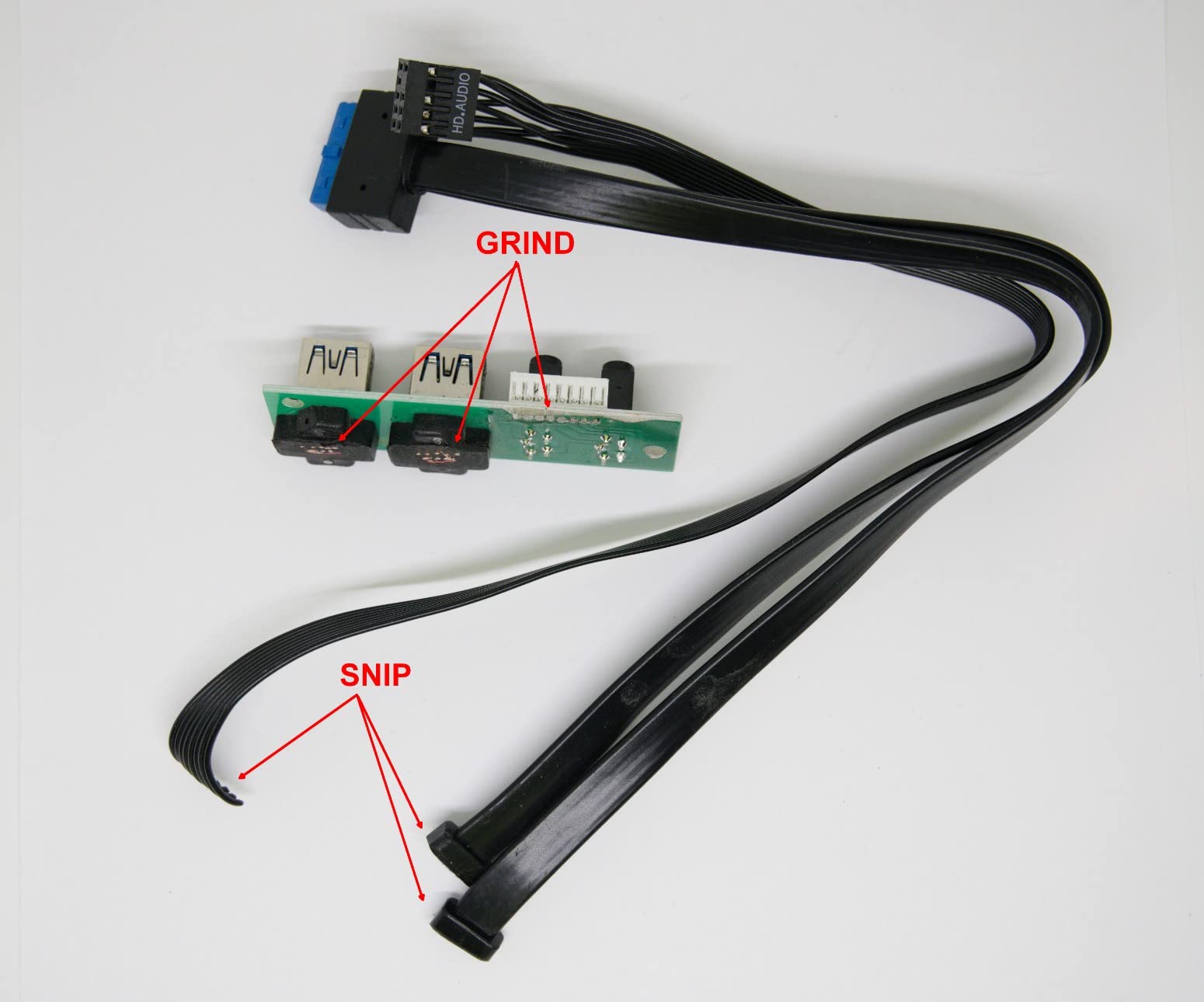
Be careful with the 75mm figure, because reviewers repeatedly document that the real-world limit is closer to 60mm or less. Two more things catch people out: the front I/O daughterboard sits in the graphics card path, so a full-height card will not close the side panel cleanly, and there is no practical cable management space at all behind the Flex power supply. The riser and all side panels other than one are not removable, which complicates the power supply install.
What to check before you buy the A09
Plan for a 60mm cooler, not 75mm, and confirm your graphics card height leaves the side panel able to close past the front I/O board.
Decide on storage before the cooler, because adding a 2.5-inch drive on top cuts the cooler limit to 60mm and a 3.5-inch drive cuts it to 45mm.
Who should skip the A09
Skip it if you want a full-height multi-slot graphics card, because the front I/O board blocks the panel. Skip it if you care about tidiness, since there is nowhere to hide cables.
10. Thermaltake Core V21 – Best for Flexible Placement and Water Cooling
Thermaltake Core V21/Black/Win/SECC 水冷対応キューブPCケース CS5068 CA-1D5-00S1WN-00
Mesh cube chassis
350mm GPU room
CPU coolers up to 185mm
Stacks in two tiers or tilts
Pros
- Mesh on nearly every face for strong airflow
- Stacks in two tiers or tilts 90 degrees for placement
- Accepts expansion cards up to 350mm and coolers to 185mm
- Clear acrylic side panel shows off the build
Cons
- Bulky cube footprint at about 210 square inches
- Heaviest case here at 17.3 pounds
- Acrylic panel scratches during assembly
The Core V21 is the odd one out in this list and we include it deliberately. At 12.6 inches wide by 16.69 inches deep it covers roughly 210 square inches, the largest desk area of the ten cases here, and at 17.3 pounds it is the heaviest. If your problem is a small desk, this is the case that will make it worse.
What it offers instead is placement flexibility that nothing else on this list has. It can be stacked into two tiers or tilted 90 degrees, the mesh construction runs through the whole chassis for airflow from nearly every face, and a 200mm fan is fitted at the front with a rail guide for adding more fans and radiators. Expansion cards up to 350mm and CPU coolers up to 185mm fit, and both Micro ATX and Mini-ITX boards are supported.
It is a cube rather than a tower, which gives you six drive bays and a clear acrylic side panel. Storage accepts multiple 3.5-inch and 2.5-inch drives, and the two USB 3.0 ports are on the front.
The 4.3 average across 234 ratings sits below every other case in this group that carries a meaningful number of ratings, and the feedback explains why. Owners like the ventilation, the stacking and tilt options and the roomy component support. They also note the acrylic panel scratches easily during assembly, and 56% of its ratings sit at five stars.
Tilting it on its side is the only way this case makes sense on a constrained desk, and that changes where the feet and the front panel sit. Measure both orientations before you commit.
What to check before you buy the Core V21
Measure for the cube, not the tower, and confirm the tilted orientation fits under whatever is above your desk. At 210 square inches of desk area it will not sit beside a 24-inch monitor easily.
Plan water cooling early if that is the attraction, because the rail guide and radiator mounting are the reason to choose this case and they reward advance planning.
Who should skip the Core V21
Skip it if desk space is the problem, because this is the largest footprint in the roundup. Skip it if you need to carry the machine, since 17.3 pounds and a glass cube is not a travel build.
How to Measure Your Desk Before You Buy a Case?
Start with the usable rectangle, not the whole desktop. A dorm desk is often 24 inches deep with a shelf 12 inches above the surface, while a home office desk might be 30 inches deep and completely open. Usable area is width times depth, and then you subtract the monitor base or arm footprint, the keyboard, and anything you need to reach.
Convert each case’s width and depth into a desk area and compare directly. The Fractal Design Terra at 8.5 by 13.5 inches comes to roughly 115 square inches. The SilverStone SG13B at 8.47 by 11.22 inches comes to about 95. The JOYJOM at 4.1 by 7.3 inches comes to about 30. That single multiplication tells you more than any litre figure.
Then check the third dimension, which roundups often skip. The Cooler Master N200 is 17.5 inches tall and the Fractal Design Nano S stands 48 centimetres high, while the Terra is 6 inches tall. If you have a shelf, a wall-mounted monitor or a window behind you, height decides the outcome before width does.
Finally, decide orientation. A tall narrow case standing upright costs you depth but little width. A wide case laid flat costs you width and saves depth. When depth is the scarce dimension, which is usually the case on a shallow dorm desk, choose the narrow tall option. When the desk is narrow but deep, a low wide case is the better trade.
What a Mini-ITX Build Really Costs Beyond the Case
Why are Mini-ITX cases so expensive? Part of the answer is the chassis itself, and part of it is everything the chassis forces you to buy. SFX and SFX-L power supplies cost more per watt than standard ATX units, and several cases here accept SFX only, which narrows your choice further.
Modular cabling is the second hidden line. In a shell this small, the fixed cables that come with many power supplies do not bend tightly enough, and r/sffpc threads describe builders re-planning an entire build around cable bend radius. A modular SFX unit, or custom sleeved cables, is common advice rather than an optional extra.
Cooling is the third. Several cases here cap CPU cooler height at 56mm or even 36mm, which removes tower coolers entirely and pushes you toward low-profile air coolers or a small AIO. Add fans that the case does not include, and the total cost of a small build climbs well past the case price.
Forum users also warn about import duty on boutique and imported cases, a cost they nicknamed the Moron Tax, which can add a substantial surcharge on some shipments. That is one reason the aluminium and steel cases on this list remain popular years after launch.
Do Mini-ITX Builds Run Hot?
They can, and the cause is usually hardware choice rather than the case. Small cases restrict fan intake, and low-profile coolers move less air than tower coolers, so the same processor runs warmer in a compact chassis. Sub-10-litre cases struggle most with high-power chips, and the fix that experienced builders use is undervolting rather than a bigger case.
The evidence from these ten cases is encouraging. SilverStone owners report idle temperatures in the high 30s Celsius with CPU loads staying below 60C in the SG13B, and the Cooler Master NR200 supports a 240mm side radiator and a 140mm front-bottom radiator, which gives you real cooling headroom in a small shell.
Cases like the SGPC K49 at 56mm and the JOYJOM at 36mm are effectively air-limited by design. They suit low-power processors with integrated graphics, where heat output stays modest. Pair them with a fast chip and you will be managing fan noise instead of thermals.
Quiet Builds for Dorm Rooms and Shared Flats
Noise is the issue nobody publishes data for, and it is the one that decides whether a small form factor build survives in a shared room. The components that make noise are fans, coil whine from the graphics card, and hard drives, and the case contributes mainly through resonance.
Start with the dampened option. The Fractal Design Nano S is designed around sound dampening and ModuVent technology, and its 2.5-inch and 3.5-inch drive mounts let you run solid-state drives throughout, which removes mechanical noise entirely. Spinning 3.5-inch hard drives are the one component you should not carry into a shared room.
Size your fans correctly rather than adding more of them. Large slow fans at lower RPM are quieter than small fast ones, which is why the mesh-front designs in this list, including the Cooler Master N200 and the Thermaltake Core V21, run larger fans than the compact cases do. Undervolting your processor also lowers fan demand, which is the cheapest noise reduction available.
Do You Need a Riser Cable?
A riser cable is a short PCIe adapter that lets the graphics card mount vertically, which is how the smallest cases reach their volume figures. It is also the component enthusiasts worry about most, because it is a point-to-point connection sitting in a cramped cable run.
Riser reliability came up repeatedly in r/sffpc threads, including a thread asking which case has no riser cable at all and citing a previous riser problem. The cases here that avoid the question entirely in their default layout are the Terra at 322mm, the NR200 at 330mm and the SG13B with standard-length cards. Each of those takes a full-length card horizontally.
Two cases include a riser in the box, the Fractal Design Terra and the JOYJOM, which saves a sourcing step. Two require one to be bought separately, the Cooler Master NR200 and the SGPC K49. If you want zero riser exposure, filter your shortlist to the horizontal-layout cases.
Frequently Asked Questions
What is the smallest Mini-ITX case?
The smallest case in this roundup by internal volume is the A09 at 3.8 litres, and the smallest by desk footprint is the JOYJOM at roughly 30 square inches of desk surface. Both keep the power supply inside the case. Both also impose hard limits: the A09 needs a Flex power supply and about 60mm of CPU cooler in practice, while the JOYJOM caps coolers at 36mm and graphics cards at 17cm.
What is the best Mini-ITX case that fits a full-size GPU?
The Fractal Design Terra takes a 322mm graphics card in a 10.4-litre chassis and covers about 115 square inches of desk, which makes it the best balance for most small desks. The Cooler Master NR200 goes further at 330mm clearance and also accepts 155mm CPU coolers. The Cooler Master N200 stretches to 355mm but needs far more desk depth and height than either.
Do ITX builds run hotter?
They can, because small cases restrict fan intake and low-profile coolers move less air than tower coolers. The fix experienced builders use is undervolting rather than buying a larger case. SilverStone owners report idle temperatures in the high 30s Celsius and CPU loads below 60C in the SG13B, and the NR200 supports a 240mm radiator for builds that need more headroom.
Why are Mini-ITX cases so expensive?
Part of it is the chassis, and part of it is the parts the chassis forces you to buy. SFX and SFX-L power supplies cost more per watt than ATX units, several cases here accept SFX only, and tight shells need modular cabling or custom cables. Hard CPU cooler limits of 36mm to 56mm on the smallest cases remove tower coolers and push buyers toward low-profile coolers or a small AIO.
Do I need an SFX power supply for a Mini-ITX build?
Not always. The SilverStone SG13B and the Fractal Design Nano S both accept a full-size ATX power supply, which is cheaper per watt and easier to find. The Fractal Design Terra takes SFX units, the Cooler Master NR200 takes SFX and SFX-L up to 130mm, the Jonsbo TK-0 supports SFX up to 160mm, and the smallest cases need FLEX or Flex units specifically.
Final Verdict by Desk Type
On a genuinely small desk, the Fractal Design Terra is the pick. It covers about 115 square inches, takes a 322mm graphics card without a riser cable in the standard layout, and looks like an object worth having on the surface. Add the Cooler Master NR200 when you want more clearance, a 240mm radiator option and a tool-free first build.
For the tightest shelf, the A09 and the JOYJOM both keep the power supply inside and fit in a bag, provided your processor and graphics card match their envelopes. For a shared flat where noise decides everything, the Fractal Design Nano S is dampened and takes a full ATX power supply, at the cost of desk area.
Whichever you choose among these best mini ITX cases for small desks, measure the width by depth rectangle against your usable surface before you order, then check your graphics card length, CPU cooler height and power supply form factor in that order. Those three numbers decide whether the build is a weekend or a month. Updated for October 2026.