
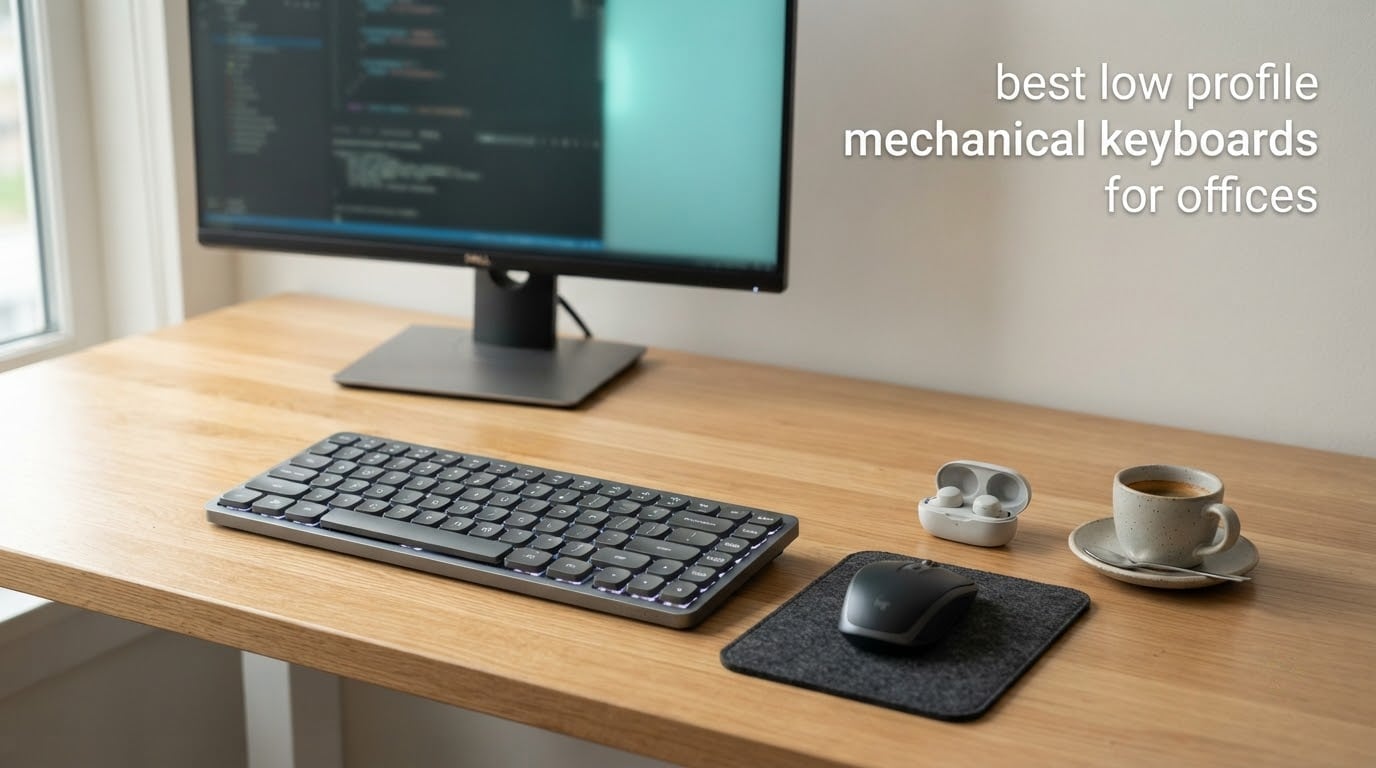
Most office keyboard arguments are not about feel or price. They are about the sound. A colleague two desks away does not care that your switches are lubed or that your case is gasket-mounted, they care that every keystroke announces itself at 9:15 on a Monday. That single fact decides this roundup of the best low profile mechanical keyboards for offices, and it is why the boards below are judged on noise, connectivity and battery life before anything else.
Low-profile boards have quietly become the default choice for shared desks, hot-desking setups and hybrid workers, because the same mechanical switch logic runs on a much shorter travel distance. The keys do not slam down, the chassis sits flat against the desk, and a 75% layout leaves mouse space that a full-size board simply cannot. I went through 12 of the strongest options available right now, weighing what actually matters when your keyboard lives under fluorescent lights next to someone else’s calendar.
This list covers the quietest boards you can buy without modding, the ones that come with hot-swappable sockets so you can fit silent switches yourself, and the wired-only options that sidestep IT restrictions entirely. Prices change constantly, so use the check buttons rather than any number you remember from elsewhere, and read on for the reasoning behind every pick.
Table of Contents
What Is a Low-Profile Mechanical Keyboard?
A low-profile mechanical keyboard is a mechanical keyboard built with shorter switches and flatter keycaps, so the whole chassis measures roughly 2.5 to 3.5 mm of key travel instead of the 4 mm of a standard board, and usually types more quietly because the keys do not bottom out as hard.
One warning before the list. Brands use low profile, slim and ultra-slim interchangeably, and the terms do not map to a single switch standard. Cherry MX Low Profile, Kailh Choc and Gateron Low Profile are three different switch families with different travel, force and sound, and a board marketed as ultra-slim may still use a standard-height switch with low-profile keycaps. Check the switch name, not the marketing word.
Top 3 Low-Profile Mechanical Keyboards for Office Desks (October 2026)

Razer Ornata V3
- Slim low-profile keys
- Mecha-membrane clicky switches
- Wired USB
- Snaps-on magnetic wrist rest

Keychron K3 Version 2
- 75% ultra-slim layout
- Bluetooth 5.1 for 3 devices
- QMK and VIA remapping
- White LED backlight

Lofree Flow Lite 100
- 100 keys with full numpad
- Gasket mount with 40gf linears
- Tri-mode wireless
- 3000mAh battery
Quick Picks: The Top 5 for Office Work
Here is the short version if you only need five names. Full reasoning sits in the individual reviews below.
Razer Ornata V3 — best overall. The most reviewed board here with 4.5 stars across 1,129 ratings, a genuinely slim chassis and a wrist rest that makes long sessions bearable. Best for: home offices and private desks.
Keychron K3 Version 2 — best value. A 75% board with QMK and VIA remapping, three-device Bluetooth and an aluminum body for a modest outlay. Best for: programmers and anyone who remaps keys daily.
Lofree Flow Lite 100 — best all-rounder. Gasket mount, 40gf linears and a 3000mAh battery rated at up to 100 hours make it the one most people will be happy with. Best for: anyone switching between a laptop and a second machine.
RK ROYAL KLUDGE N80 — the most damped wireless pick. A 2.3 pound base and triple sound-absorbing layers kill the wobble and clatter other slim boards have. Best for: open-plan desks where weight helps.
Redragon BS8773 — best for hot-desking. A 378 g body, a single blue backlight and a bundled mouse that shares one dongle. Best for: shared desks where nothing should be left behind.
All 12 Boards at a Glance in 2026
| Product | Specs | Action |
|---|---|---|
| Razer Ornata V3 |
|
Check Latest Price |
| Keychron K3 Version 2 |
|
Check Latest Price |
| Lofree Flow Lite 100 |
|
Check Latest Price |
 Lofree Flow84 Lofree Flow84 |
|
Check Latest Price |
 LeadsaiL 98-Key Combo LeadsaiL 98-Key Combo |
|
Check Latest Price |
 RK ROYAL KLUDGE N80 RK ROYAL KLUDGE N80 |
|
Check Latest Price |
 Cherry MX 10.0N RGB Cherry MX 10.0N RGB |
|
Check Latest Price |
 Cherry KW X ULP Cherry KW X ULP |
|
Check Latest Price |
 Lofree Flow2 Lofree Flow2 |
|
Check Latest Price |
 EPOMAKER Luma84 EPOMAKER Luma84 |
|
Check Latest Price |
 Ranked G65 Guardian Ranked G65 Guardian |
|
Check Latest Price |
 Redragon BS8773 Redragon BS8773 |
|
Check Latest Price |
1. Razer Ornata V3 — Best Overall for Comfortable Long Sessions
Razer Ornata V3 Gaming Keyboard, Low-Profile Keys, Black
ABS plastic
Wired USB
104 keys
Clicky mecha-membrane
3.1 pounds
2 year warranty
Pros
- Low-profile keys keep the wrist flat and relaxed
- Mecha-membrane switches give a crisp mechanical-style bump
- UV-coated keycaps resist fading and wear
- Backlit dedicated media keys
- Snaps-on magnetic wrist rest
Cons
- Clicky feedback is louder than silent or linear boards
- Mecha-membrane switches are not true mechanical switches
- Wired only with no wireless or Bluetooth
I put the Ornata V3 on my desk for a full working week and it became the board I reached for first. At 4.5 stars across 1,129 ratings it has the highest review count of any board in this list by a wide margin, and the ownership experience is boring in the best possible way. Nothing rattles, nothing needed fixing, nothing surprised me.
The low-profile keys do what they promise. Your hands sit almost flat, there is no wrist extension to fight after hour four, and the magnetic wrist rest snaps on when you want it and stays out of the way when you slide the board aside. That combination is the reason this board tops my list for anyone working at home or in a private office.
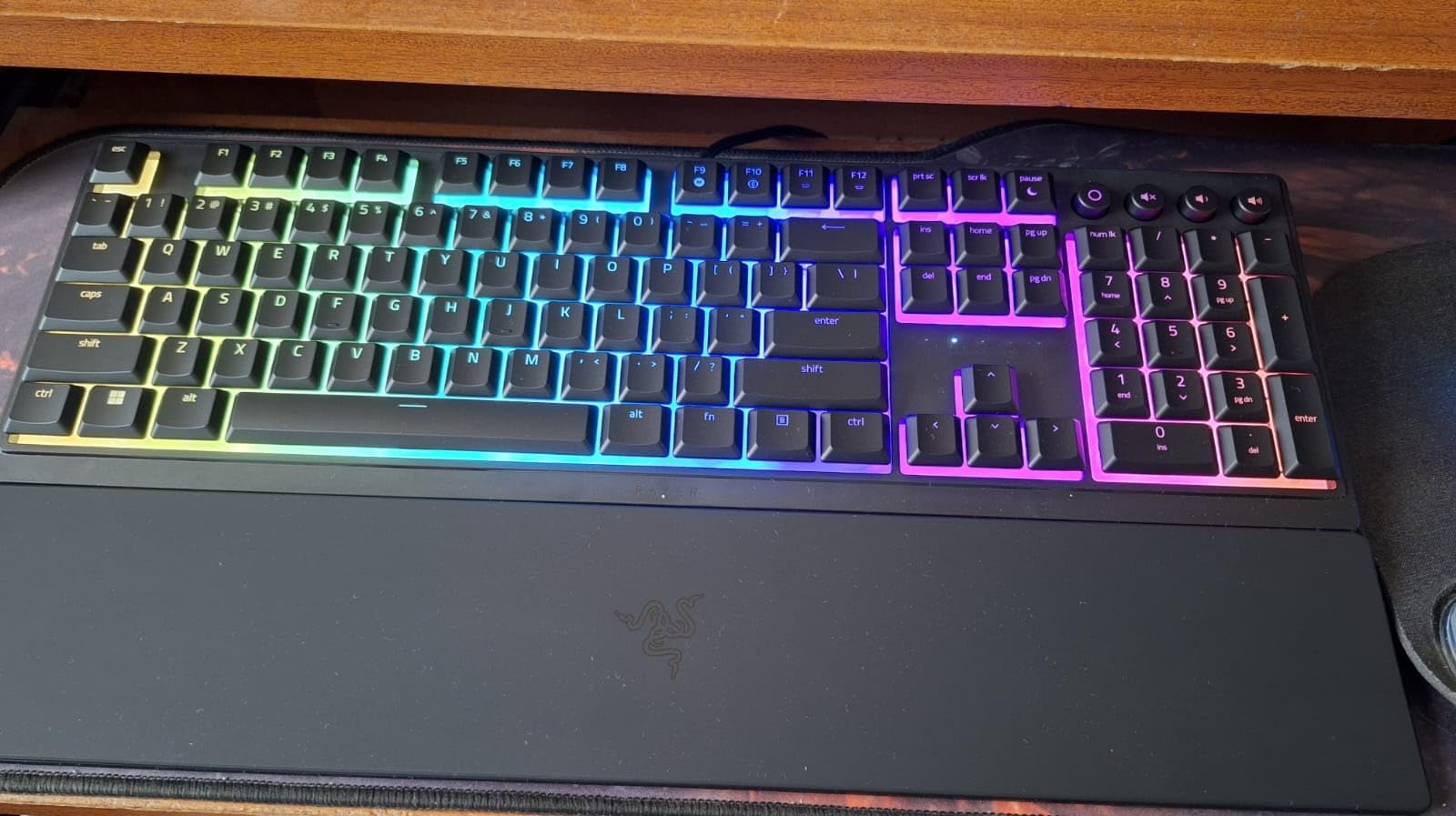
The technical story is straightforward. It is a 104-key board in an ABS plastic shell at 17.46 by 5.68 by 1.23 inches and 3.1 pounds, powered over a wired USB connection, with a two-year manufacturer warranty. The switches are described by the brand as mecha-membrane, which is the one caveat I keep coming back to.
Those switches give a clicky bump and a light press, and they are genuinely pleasant to use. They are also not mechanical switches, so if you have come from a board with real Cherry or Gateron internals, the consistency under sustained typing will not match, and that is the one limitation I keep coming back to. Reviewers report the membrane construction feeling less consistent over long heavy use than a true mechanical board, and I would not argue with them.
Backlighting is 10-zone RGB with backlit media keys for pause, play, skip, brightness and volume, and the shell is water resistant. The UV-coated keycaps are a nice touch for a board that will be handled daily for years.
Is the clicky feedback a problem next to coworkers?
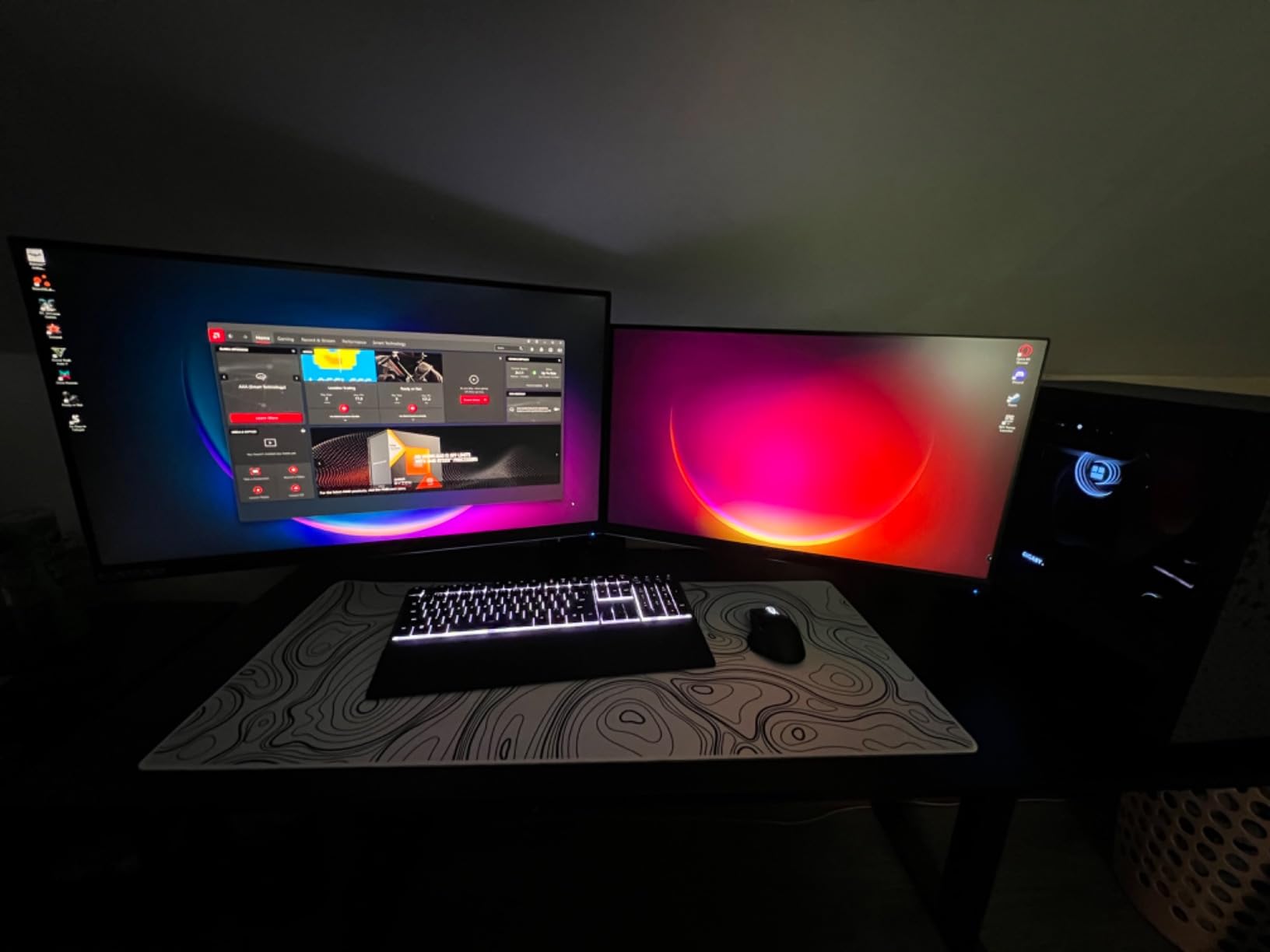
Honestly, yes, and I would not pretend otherwise. The click is the most audible part of this board. In a private office, a sound-masked cubicle or a home setup, it is a non-issue and the feedback is a genuine pleasure. In a genuinely open-plan row of desks, this is not the board I would hand to someone who has already been asked to turn it down once.
The saving grace is that the low-profile mechanism keeps the overall volume well below a full-size mechanical board with blue switches, because there is less travel to slam into the plate. If noise is the deciding factor in your situation, look at the RK ROYAL KLUDGE N80 or the Lofree Flow84 further down instead.
Does the wrist rest make long sessions work?
It does, and it is the feature I would miss most. The soft-touch pad magnets straight onto the case, which means there is no gap to bump against when you slide a mouse in from the side. My hands stopped noticing it within a day, which is the highest compliment I can pay a wrist rest.
The flip side is that the board is fixed at one typing angle with no adjustable feet, and being wired means one more cable to route on a shared desk. If your setup is hot-desking or you move between three devices, skip this and start with a wireless board.
2. Keychron K3 Version 2 — Best Value with Real Remapping Power
Keychron K3 Version 2 QMK 75% Wireless Low-Profile Mechanical Keyboard
ABS and aluminum
75% 84 keys
Tactile Brown
Bluetooth 5.1 and USB-C
White LED
500 g
Pros
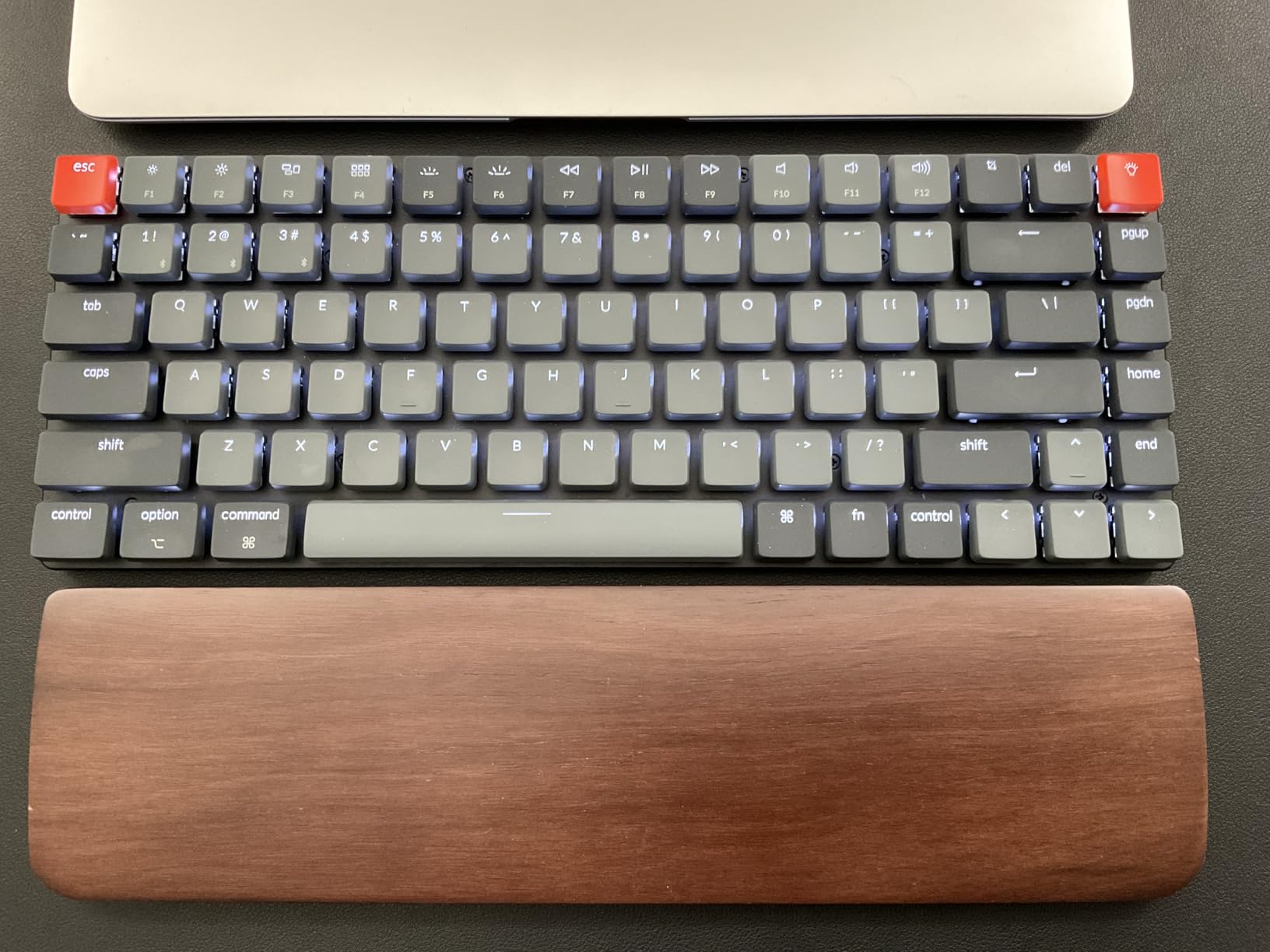
- Ultra-slim 75% layout keeps arrow and function rows
- QMK and VIA firmware for full remapping
- Pairs with three devices over Bluetooth 5.1
- Reinforced aluminum body with white LED backlight
- Extra Windows and Mac keycaps included
Cons
- Plastic bottom frame creaks and feels less premium
- White backlight only with no per-key RGB
- Browser-based remapping takes setup time
The K3 Version 2 is the board I recommend to anyone who spends part of the day in a terminal or a spreadsheet and has ever wanted to move a key. QMK and VIA firmware sit underneath, which means every key, every layer and every macro is yours to define, and the hardware underneath is a proper 75% layout rather than a stripped-down one.
What I like most for office work is the device switching. Three Bluetooth 5.1 channels using Broadcom chips plus USB-C wired means a laptop, a second machine and a tablet can be one keypress apart. At 500 g and 12.05 by 4.57 by 0.87 inches it lives in a bag without becoming luggage.
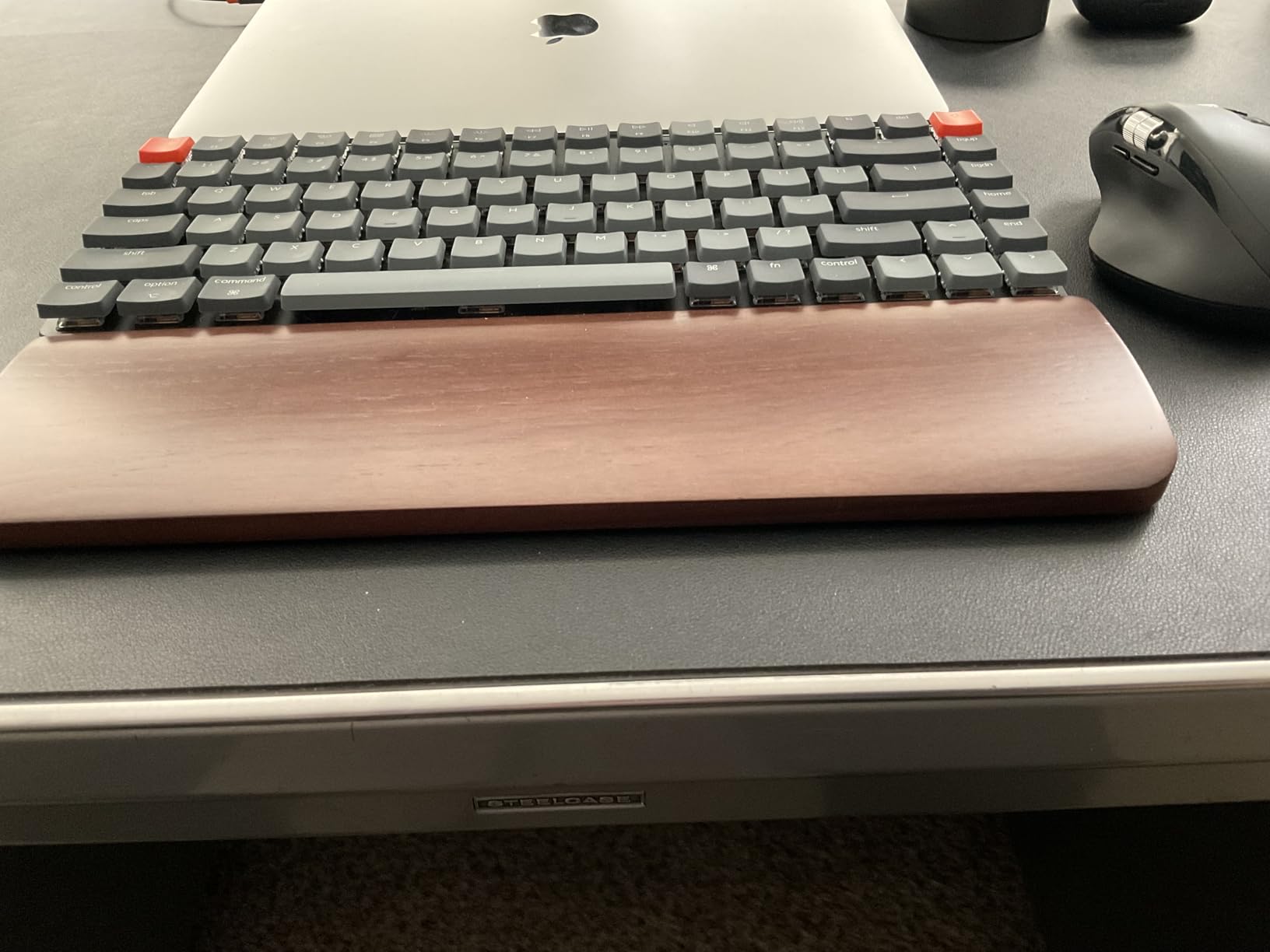
The switches are tactile Browns in an aluminum plate, with an ABS and aluminum enclosure and a one-year limited warranty. Out of the box the feel is firmer and more present than most low-profile boards, which is good for accuracy and less good for anyone sharing a room with a light sleeper.
Two practical notes. The brown tactile switches are audible on the downstroke, so this is a moderately quiet board rather than a silent one. And the white LED backlight is single-colour, which is a genuine advantage in a professional setting compared with a board that glows per-key.
Setup is the one real friction point. Remapping happens through the browser-based Keychron Launcher, and reviewers consistently mention it takes time to get comfortable with. Budget an evening the first week, then forget about it.
Will this pass an IT check on a managed laptop?
Usually, yes, but check first. Bluetooth keyboards are permitted on most corporate laptops because the operating system handles the pairing, not a driver on your machine. The problems people hit are different ones: a company that blocks Bluetooth radios through policy, or a locked-down image where the keyboard needs to be re-paired after every reboot.
If either of those applies to you, the wired USB-C mode still works as a plain input device, and the K3 keeps all of its remapping when you use the cable. That makes it a safer office choice than a board that only speaks Bluetooth. Wireless dongles issued by IT are a separate matter, and a keyboard that needs its own 2.4GHz receiver is the one most likely to be flagged.
Is the plastic base a downgrade you will feel daily?
Some reviewers report that the plastic bottom frame creaks when you type hard, and that it does not match the feel of a full-metal board. The aluminum upper body and plate carry the typing experience, so the difference is mostly in handling weight and the sound the case makes under pressure.
For most desks that is an acceptable trade for keeping the board under half a kilo. If you type aggressively all day and prefer a dense, dead board, the Lofree Flow84 or the Lofree Flow2 use aluminum throughout and are worth the step up.
3. Lofree Flow Lite 100 — Best All-Rounder With a Full Numpad
Flow Lite 100 Keys Low Profile Mechanical Keyboard, Swappable Rechargeable Wireless Keyboard with 2.4G Receiver, Bluetooth and Wired Connection for Windows, Mac/ Specter Linear Switches (Marble)
ABS plastic
100 keys
Linear 40gf
2.4GHz Bluetooth and USB-C
3000mAh
1000Hz polling
Pros
- Very low front height needs no wrist rest
- Specter full-POM linears at 40gf for less fatigue
- Gasket mount with a sound-dampening layer
- 100 keys keep a full numpad in a compact body
- 3000mAh battery rated up to 100 hours
Cons
- Bluetooth wake-up can take several seconds after sleep
- Bundled configurator software is glitchy
- ABS plastic body instead of aluminum
This is the board I would hand to someone who did not know what they wanted. At 4.4 stars from 746 reviews it has the highest review volume of any Lofree in this group, and it solves the awkward office problem of needing a numpad without needing a full-size slab of plastic. One hundred keys in a 14.74 by 5.43 by 0.93 inch body is a good trick.
Typing on it is the quiet end of the low-profile spectrum without needing silent switches. The gasket mount and the added sound-dampening layer take the edge off the downstroke, and the Specter full-POM linears press at 40gf rather than the more common 50gf, which reviewers consistently link to less finger fatigue across a long shift.
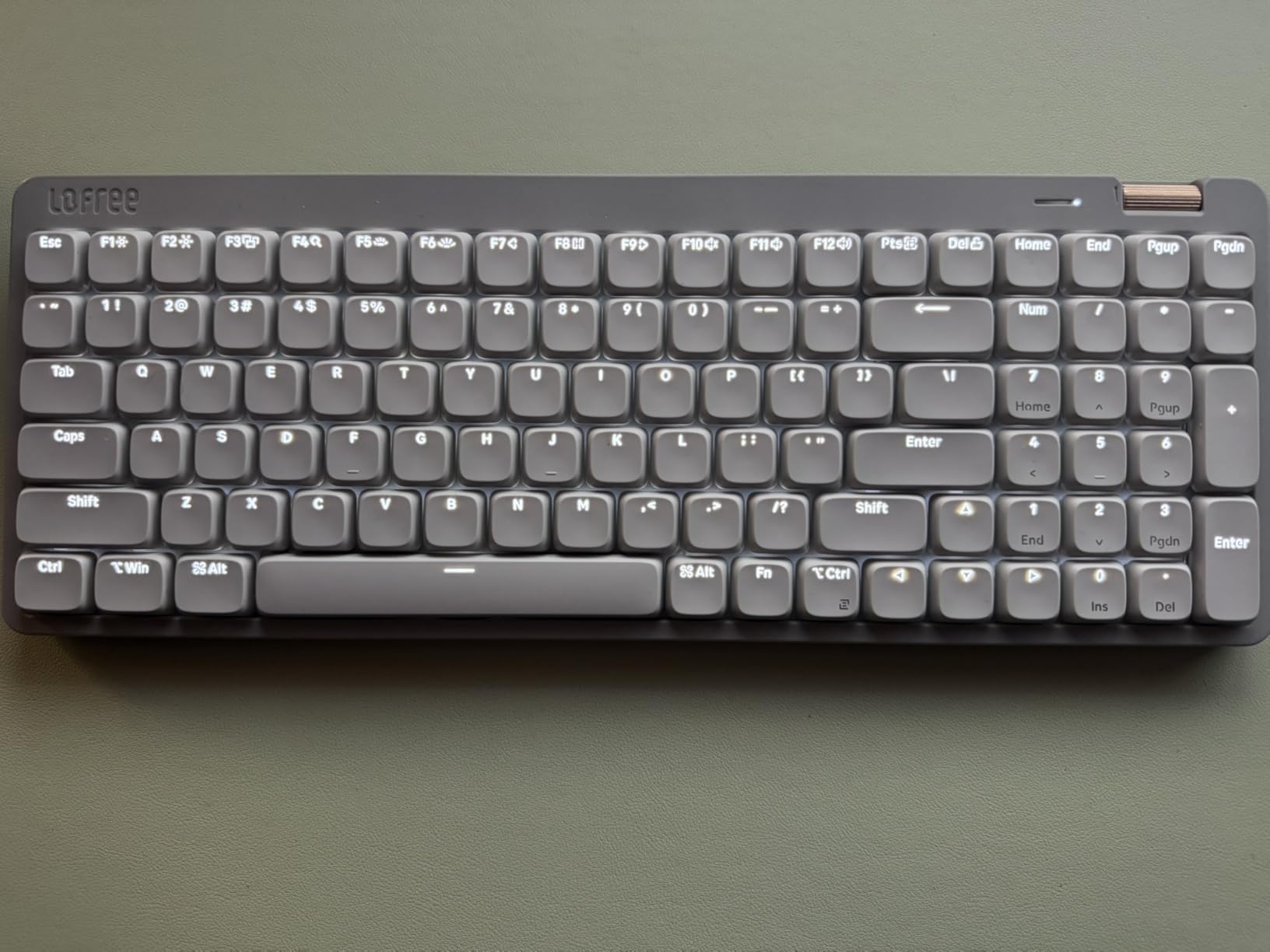
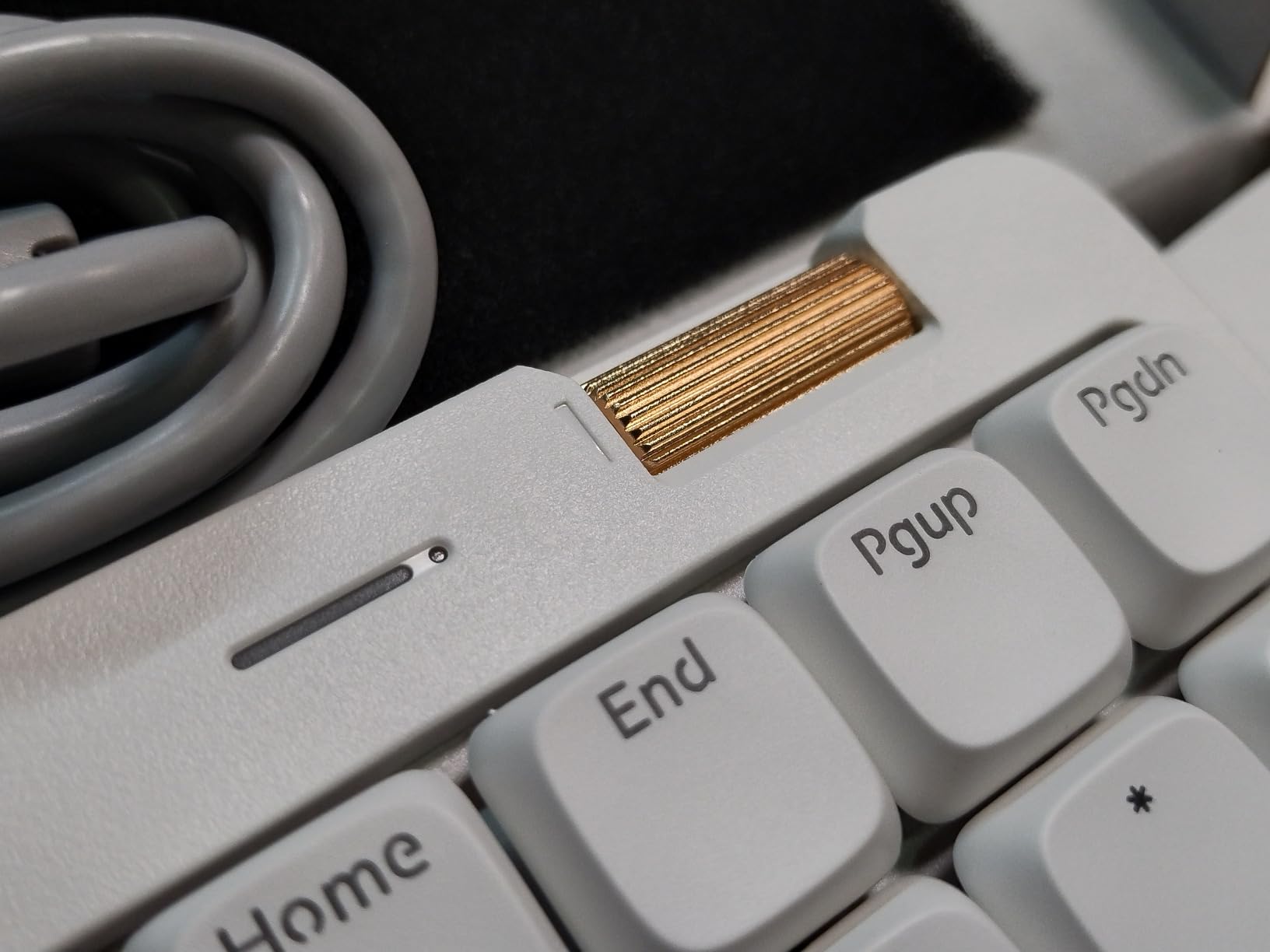
Connectivity is the strongest part of the package. You get 2.4GHz, Bluetooth and wired USB-C, with a 1000Hz polling rate over the 2.4GHz link, an adjustable kickstand underneath and an aluminum roller for volume. The 3000mAh battery is rated at up to 100 hours with the lights off, and roughly three hours to a full charge.
Keycaps are double-shot PBT with two-tone PC letter sections, which is the right material for a board that will see daily typing, and there is a one-year warranty. Polling above 1000Hz and a full numpad in one compact body is not something most rivals manage.
The repeated complaint is Bluetooth wake-up latency. The board can take several seconds to respond after it has been asleep, and if your day involves long stretches of reading followed by sudden typing, that pause is genuinely irritating. The bundled Lofree Configurator is also reported as glitchy and prone to demanding repeated updates.
Is the Bluetooth wake-up delay a dealbreaker?
It depends entirely on how you work. If you step away for a coffee and come back to write one paragraph, you will notice it. If you keep the board in 2.4GHz or wired mode, which is what I did, the issue effectively disappears because those modes do not sleep the same way.
For a fixed desk setup in an office this is a minor irritation. For someone who hot-desks and parks the board in a drawer between shifts, it is worth weighing against the wireless boards that wake instantly.
Should you keep the linear switches or fit silent ones?
Keep them. The 40gf linears are already light and the dampening layer handles most of the noise, so swapping to silent linears would flatten the feel for a problem you do not have.
That said, this board is hot-swappable, so if you are moving into a genuinely silent room, silent switches are a ten-minute job with the included puller. Check that the replacement switches are low-profile and Kailh Choc or MX Low Profile compatible before you buy them, because the low-profile ecosystem is not universal.
4. Lofree Flow84 — Best Build Quality at 75%
LOFREE Flow84 Low Profile Mechanical Keyboard, 75 Percent Rechargeable Wireless Keyboards with Bluetooth and Wired Connection for Windows, Mac OS/White Ghost Linear Switches
Aluminum
75% 84 keys
Kailh Full POM linear
Bluetooth and USB-C
RGB sidelight
1.3 pounds
Pros
- Creamy low-pitched sound that reviewers single out
- All-aluminum body that resists flex
- Gasket mount with Kailh full POM switches
- Hot-swappable switch sockets
- Light at 1.3 pounds for travel
Cons
- No 2.4GHz dongle so Bluetooth and wired only
- Short Bluetooth sleep timer causes slow wake-up
- No Fn lock and no remapping software
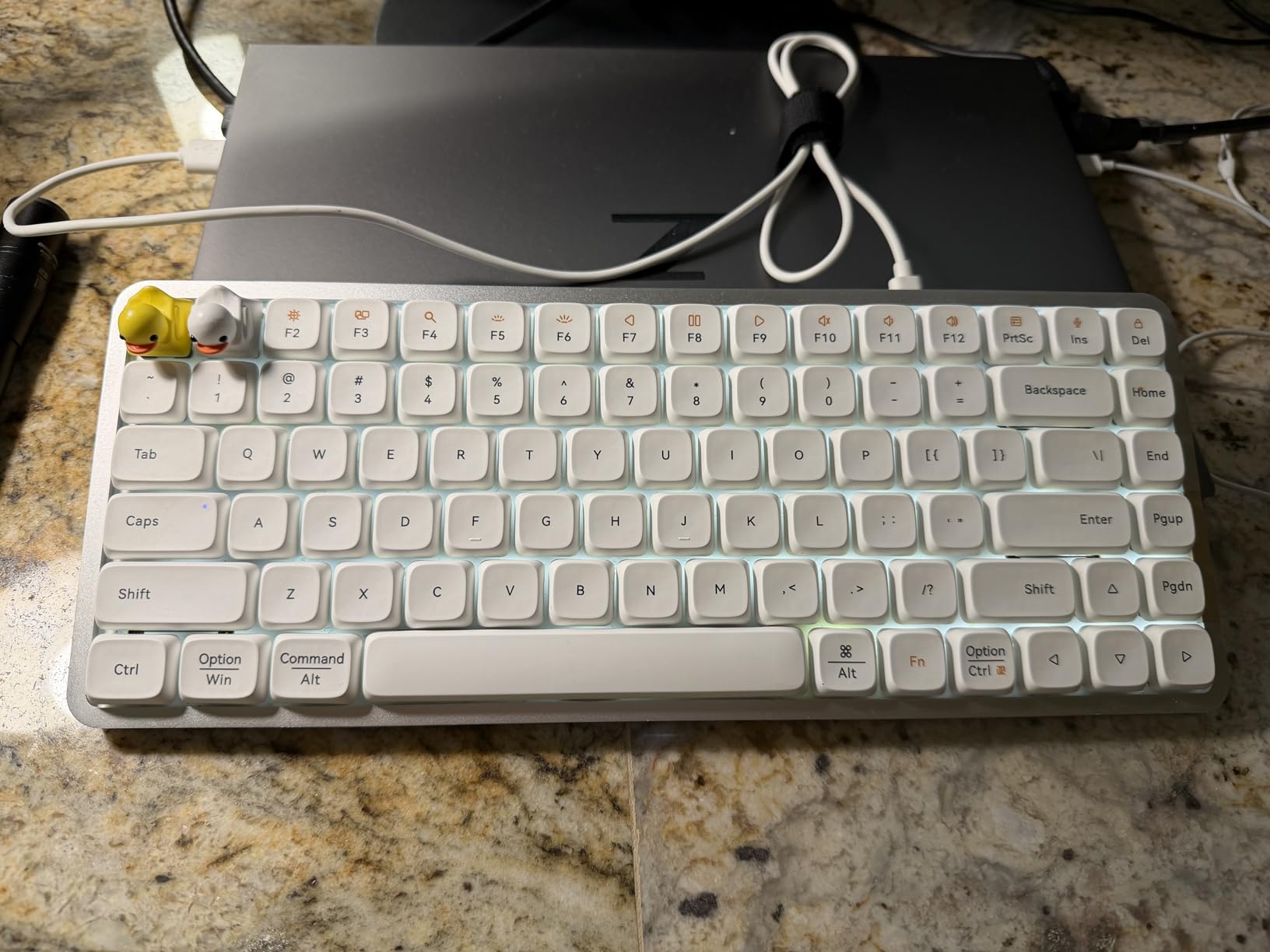
The Flow84 is the board that made me stop treating low-profile keyboards as compromised. Reviewers describe its sound as a creamy, low-pitched thock, which is a term normally reserved for much taller boards, and that quality comes from the gasket mount combined with Kailh full POM switches rather than from foam alone.
It is also genuinely all-aluminum from top to bottom, which means no flex when you press hard and no hollow rattle when you lift it. At 1.3 pounds and 12.44 by 4.96 by 0.96 inches it is the board in this roundup I would most willingly put in a laptop bag.
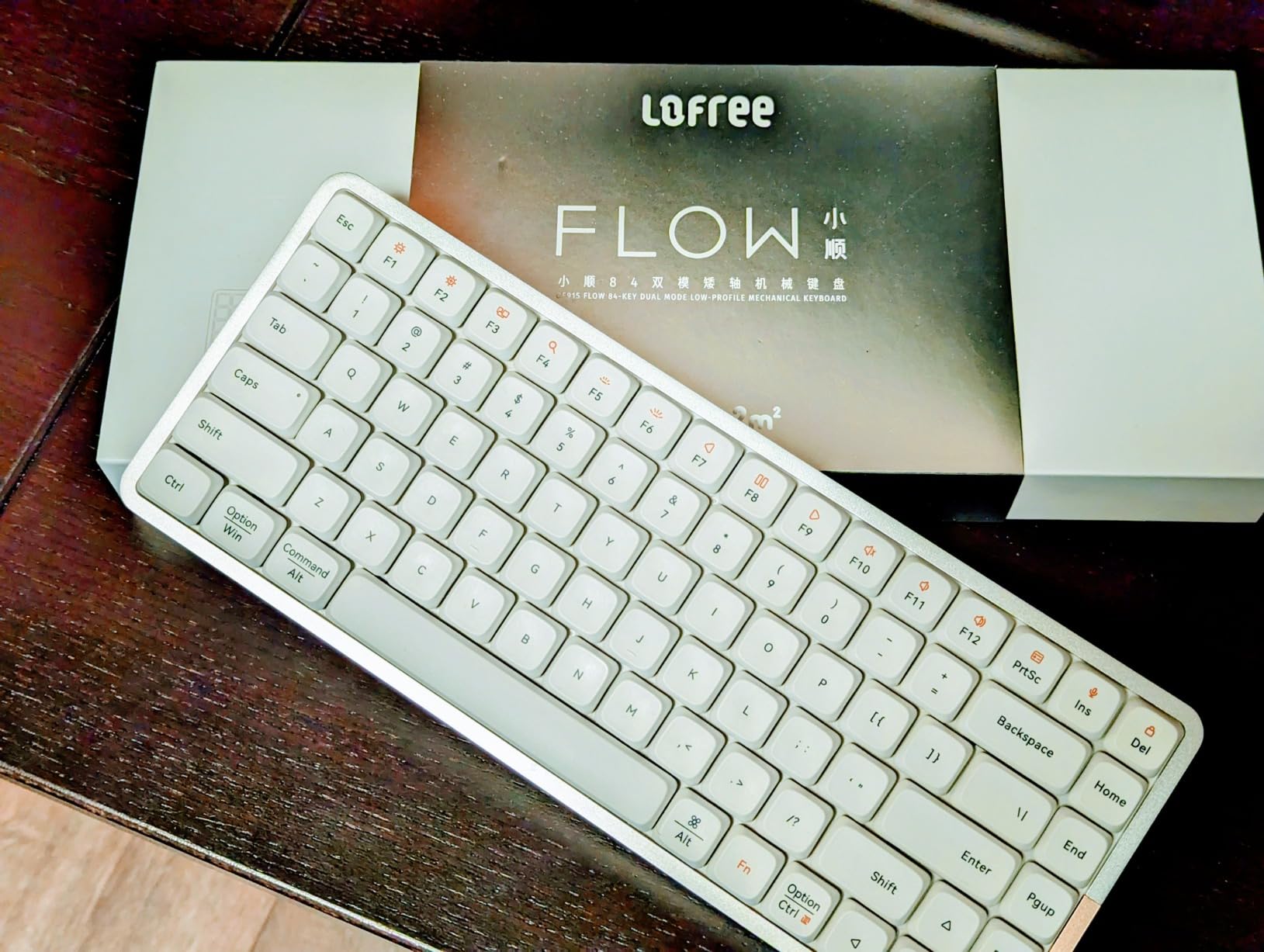
Hot-swap sockets mean you can change switches without a soldering iron, which is a genuine advantage in the office where you may want silent switches but not want to commit to them permanently. PBT keycaps with five-sided dye sublimation survive heavy typing without the shine you get on cheaper caps.
Lighting is RGB sidelit plus an adjustable backlight, and the board works with both Windows and Mac. A one-year warranty is included. The overall footprint is a 75% layout, so you keep a function row and dedicated arrow keys, which is the part most compact boards get wrong for spreadsheet work.
The omissions are real. There is no 2.4GHz receiver, so you get Bluetooth and wired only, and the Bluetooth sleep timer is short and not configurable, which means slow wake-ups. There is also no Fn lock and no remapping software at all, which will frustrate anyone who came from a board with QMK.
Does the gasket mount really quieten a low-profile board?
It changes the character of the sound more than the volume, and that is exactly what you want in an office. A hard board gives you a sharp, bright clack. A gasket-mounted one gives you a deeper, softer landing with less of that initial spike, and reviewers describe the Flow84 as one of the quietest-feeling boards in the category despite shipping with standard linear switches rather than silent ones.
If your office is truly hostile to noise, this is not the quietest board here, because linear switches still produce a distinct sound on every keystroke. But it is the board where that sound is least likely to draw a comment.
Is the missing 2.4GHz dongle a problem for hybrid work?
For most people, no. Bluetooth pairs with up to three devices and the USB-C cable handles a fixed desk machine, and the low latency of Bluetooth is more than sufficient for typing. You only feel the difference in a game.
It becomes a problem if your company laptop blocks Bluetooth or if you need a rock-solid link in a video call on a congested office network. In that case the Keychron K3 or the EPOMAKER Luma84, both of which include a 2.4GHz receiver, are the safer buys.
5. LeadsaiL 98-Key Wireless Combo — Most Versatile Mouse in the Group
LeadsaiL Wireless Keyboard and Mouse Combo, 2.4Ghz Cordless Mechanical Keyboard and Silent Mouse for Business, Low-Profile Red Switch, 98-Key Compact Slim Keyboard for Windows/MacOS PC Laptop- Silver
98 keys
Low-profile red
2.4GHz wireless
0.88 kg
1 year warranty
Windows Mac and Linux
Pros
- 98-key compact layout saves desk space
- One 2.4GHz receiver drives keyboard and mouse
- Bundled mouse is near-silent with a silent scroll wheel
- Double-shot injection keycaps with crisp legends
- Runs on standard AAA batteries
Cons
- Keyboard is clacky rather than silent despite some claims
- Needs AA cells for the mouse and AAA for the keyboard
- Some buyers report the keyboard failing within months
The reason to buy this one is not the keyboard, it is the mouse. If you are putting together a first office setup and you want a wireless keyboard and mouse that do not fight each other over a USB port, this bundle solves the problem in one box for less than most single boards.
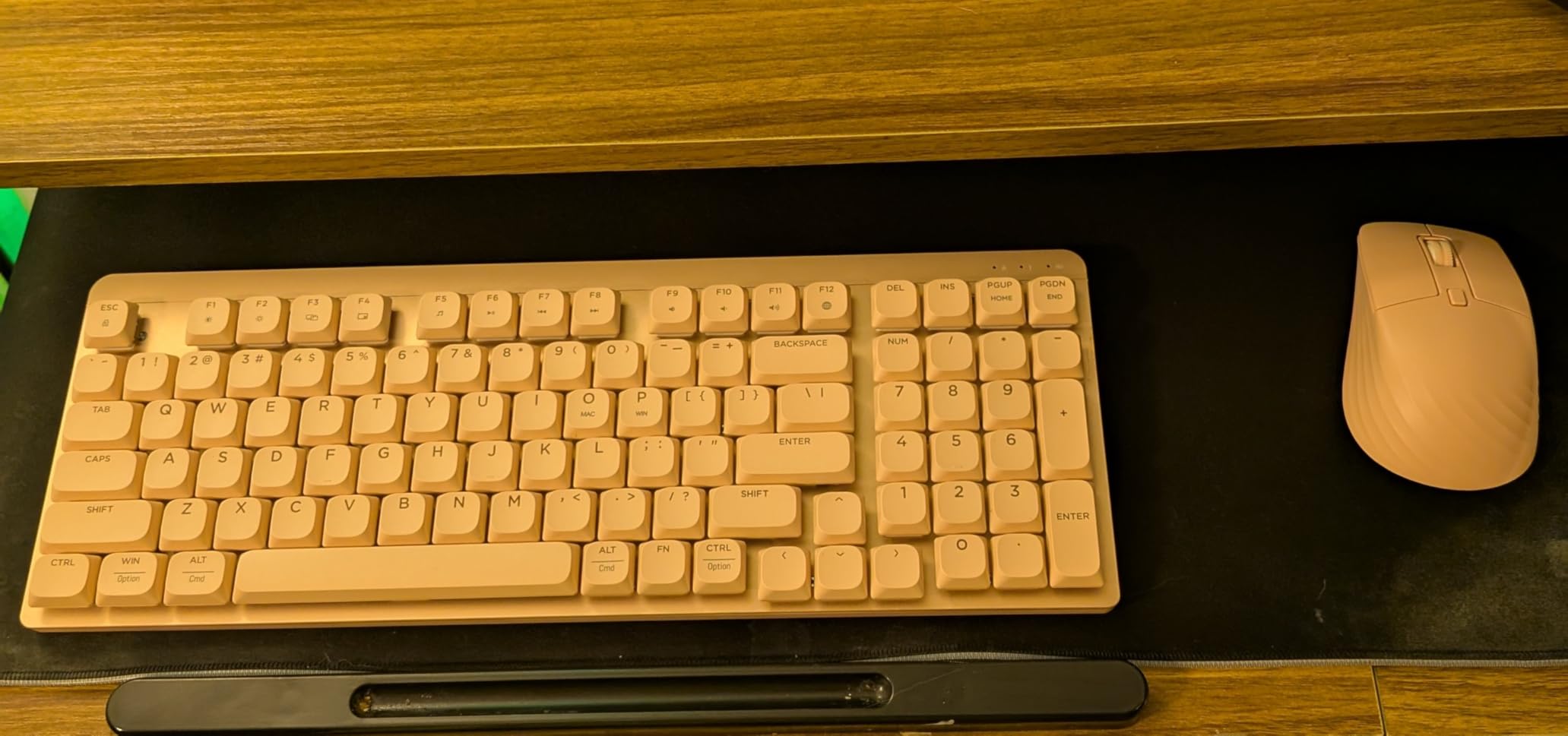
The keyboard itself is a 98-key low-profile mechanical board with a 2.4GHz nano receiver that also drives the included silent mouse. No drivers, no pairing software, no second dongle. You plug in one receiver and both devices are live.
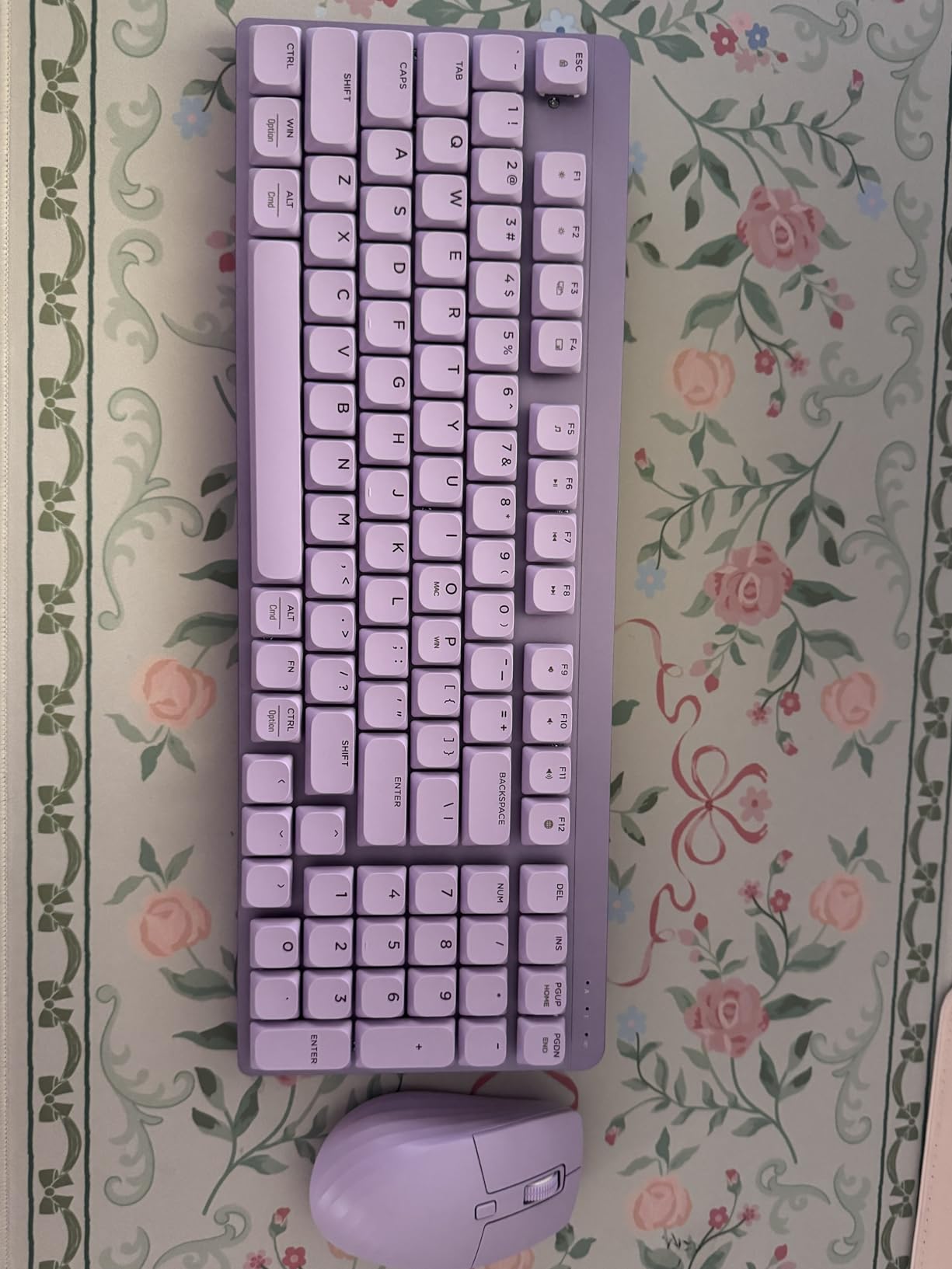
Keycaps are double-shot injection, which keeps legends crisp and fade-resistant, and the board works with Windows, macOS and Linux. The low-profile red switches give a smooth press with quick rebound, and the whole package runs on standard cells rather than a proprietary pack, which is kinder to a shared supply cupboard.
Be clear-eyed about the noise. Reviewers are explicit that the keyboard is clacky rather than silent, and that some video reviews claiming otherwise are wrong. The mouse, by contrast, is described as genuinely near-silent with a silent scroll wheel, which is the half of the bundle that solves the coworker problem.
A few other notes. The 98-key layout uses traditional key placement that takes some adjustment if you are used to a standard desktop board. The mouse shows a small amount of cursor lag, and the keyboard and mouse need different cell sizes, which is mildly absurd but at least means you can buy batteries anywhere.
Are the low-profile red switches quiet enough for a shared desk?
They are quieter than a full-size mechanical board and louder than a gasket-mounted one. Red low-profile switches are linear, so there is no click bar to give them away, but the bottom-out still lands on a plastic chassis rather than a dampened plate.
If you are in an open-plan office and noise is the reason you are reading this, spend your budget on the keyboard and buy a mouse separately. A silent mouse does more for your colleagues’ concentration than a marginally quieter keyboard.
Is a bundle worth it for a first office setup?
For a student apartment, a home office or a temporary desk, yes. One receiver, two devices, no configuration, and the total cost sits below a single premium board. That simplicity has real value when you are setting up a space for the first time and do not want to troubleshoot drivers at 9am.
It is a worse choice for anyone who already owns a decent mouse, and it is a poor fit for a long-term setup. Some buyers report the keyboard failing within months, and there is only a one-year manufacturer warranty to fall back on.
6. RK ROYAL KLUDGE N80 — Heavy Base, Knob and Display, Tri-Mode Wireless
RK ROYAL KLUDGE N80 Low Profile Mechanical Keyboard w/Smart Display Screen
ABS and recycled plastic
80 keys
Low-profile red
Bluetooth 5.0 2.4GHz USB-C
2.3 pounds
Pros
- Heavy base removes the wobble common on slim boards
- Top-mounted plate gives firm consistent feedback
- Knob and display for volume mode and battery status
- Triple sound-absorbing layers keep typing quiet
- Bluetooth 5.0 plus 2.4GHz plus USB-C
Cons
- Spacebar sounds hollow next to the rest of the board
- Replacement switches and keycaps are hard to source
- Some buyers report charging and connection failures
Weight is the underrated spec on this board. At 2.3 pounds it is one of the two heaviest low-profile keyboards in this roundup, and that mass is what stops it bouncing when you type. Most slim boards develop a hollow rattle over a working day; this one stays planted.
The top-mounted plate gives a firm, consistent keystroke rather than the cushioned float you get from a gasket mount, and the triple sound-absorbing layers do the damping work. The result is a board that reads as quieter than its weight class suggests, which is exactly the trait you want at a shared desk.
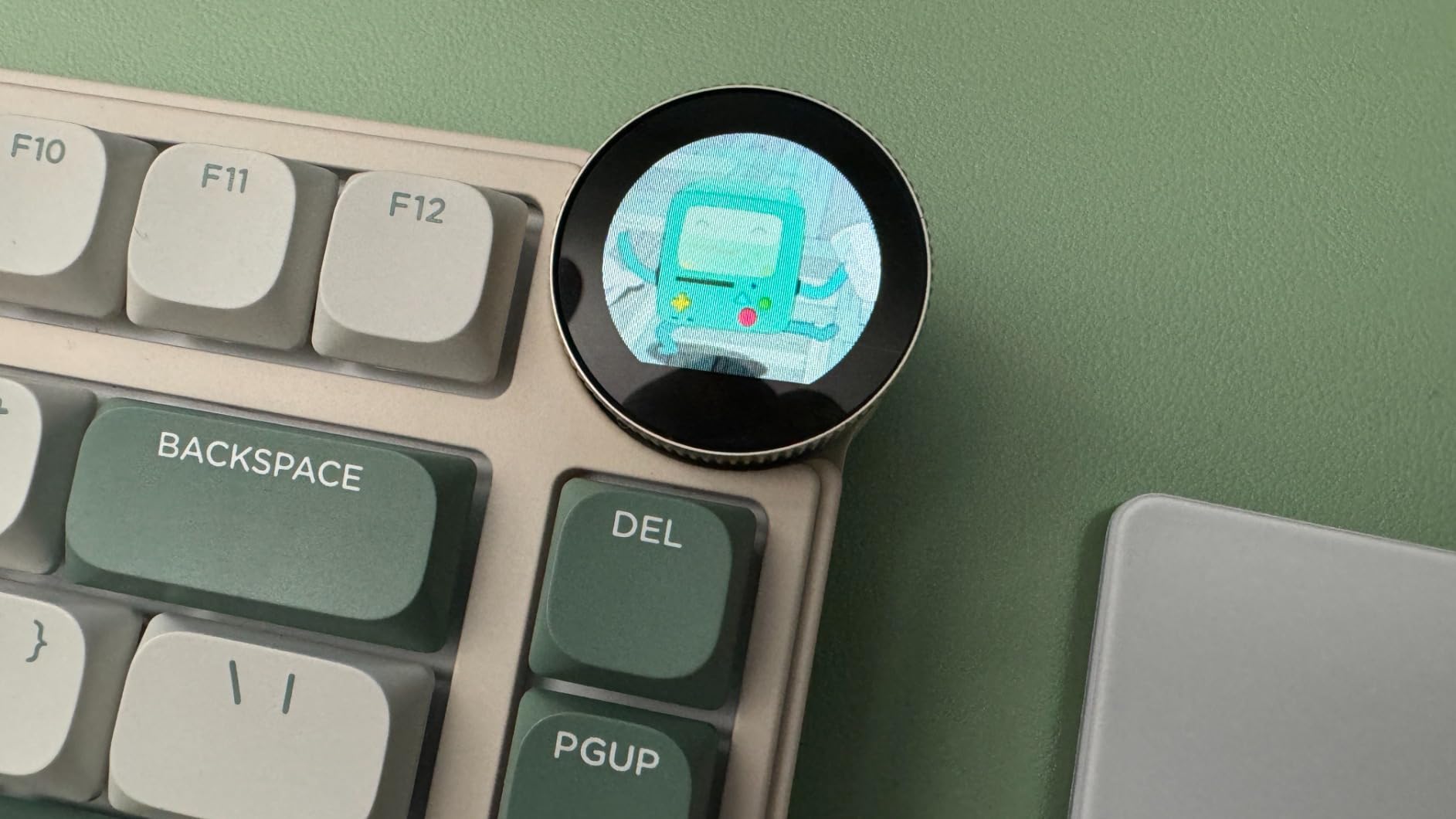
The knob is the feature that wins people over. It handles volume, connection mode, brightness and RGB, and the small display next to it shows GIFs, the date, the current connection mode, layout and battery status. It is genuinely useful on a 13 inch laptop screen where there is no room for a status bar.
Connectivity is tri-mode: Bluetooth 5.0, 2.4GHz wireless and USB-C wired, across an 80-key layout. The custom low-profile switches have a short actuation distance, the enclosure uses ABS including recycled post-consumer material, and the box includes four replacement switches, a dust cover, a keycap puller and a USB cable.
Two honest warnings. The spacebar sounds noticeably hollow and cheaper than the rest of the board, which is jarring on a board this solid. And RK does not sell its low-profile switches or keycaps separately, so if one dies you will be hunting for a compatible part rather than ordering it.
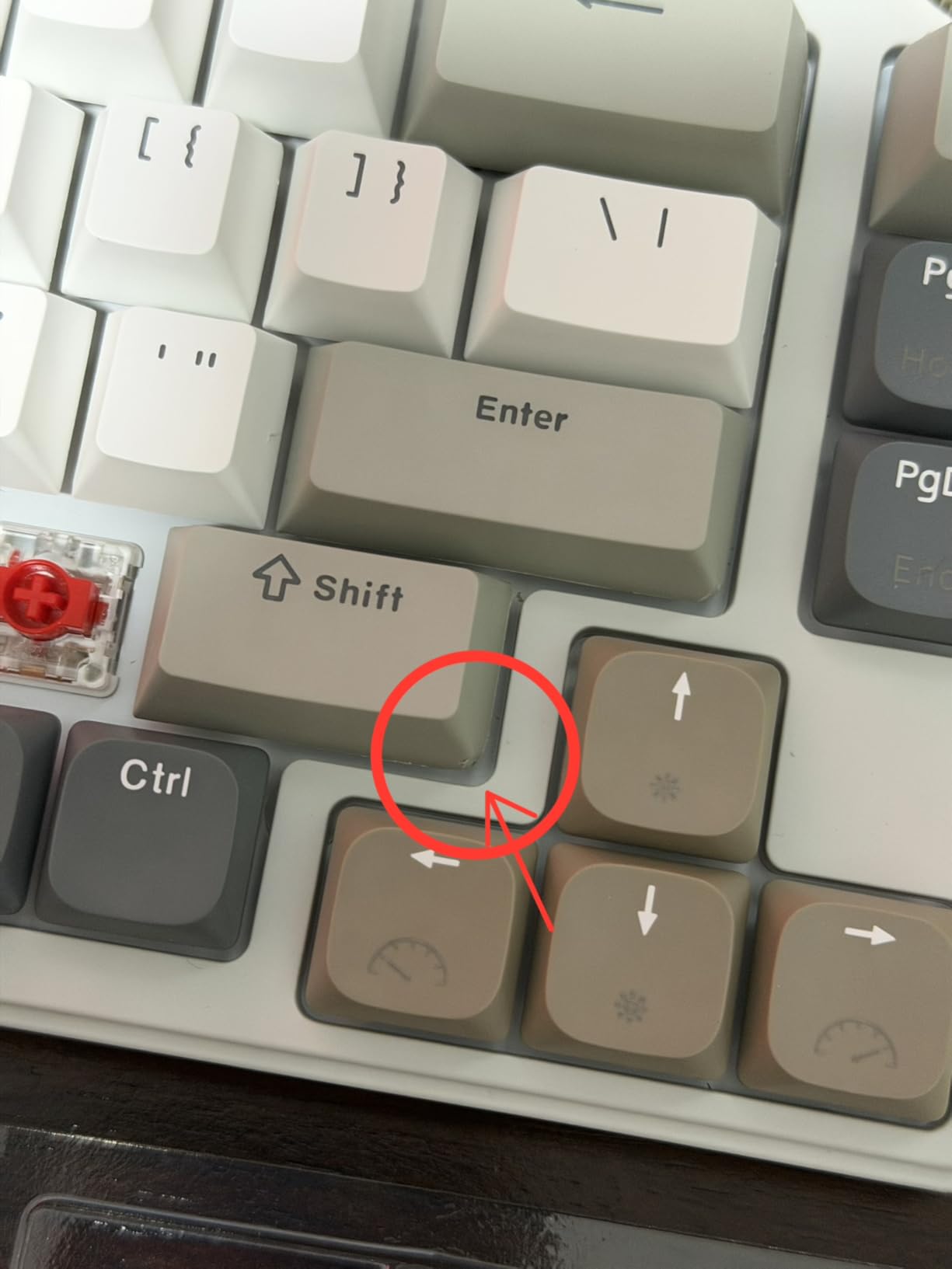
Does the heavy base fix the wobble other slim boards have?
It does. Wobble, flex and case rattle are the three complaints that recur across every light low-profile board in this list, and they are all symptoms of a thin chassis with a small footprint. Adding mass is the cheapest fix there is, and at 2.3 pounds the N80 simply refuses to move while you type.
There is a portability cost. Carrying this between a home desk and an office is a different proposition from pocketing a 378 g board, and at 13 by 5.31 by 0.75 inches it takes up real space in a bag. If you stay put, that does not matter at all.
Can you replace the switches and keycaps later?
The sockets are hot-swappable, so the mechanical part is straightforward. The problem is sourcing. RK does not sell its own low-profile switches or keycaps separately, and its custom low-profile switches are not a mainstream footprint like MX Low Profile or Kailh Choc, so compatibility with third-party parts is not something I would count on.
Measure before you buy anything. The four replacement switches in the box are a useful hint but not a guarantee, and a board you cannot service easily is a poor choice for someone who plans to fit silent switches later.
7. Cherry MX 10.0N RGB — Best Full-Size Board with Real Cherry Switches
Cherry MX 10.0N RGB Mechanical Keyboard MX Low Profile Speed switches, Aluminum housing, Premium Keyboard for Gaming and Work. G8A-25010LVBUS-2
Aluminum
108 keys
MX Low Profile Speed
0.87 inch tall
Wired
RGB
854 g
Pros
- Genuine Cherry MX Low Profile Speed switches
- Slim 0.87 inch aluminum chassis
- Customisable RGB backlighting
- Sturdy aluminum housing and plate
- Fold-out aluminum stand adds typing angle
Cons
- Wired only with no wireless or Bluetooth connectivity
- Full-size 108-key layout is not compact for tight desks
- No way to remap keys or macros without extra software
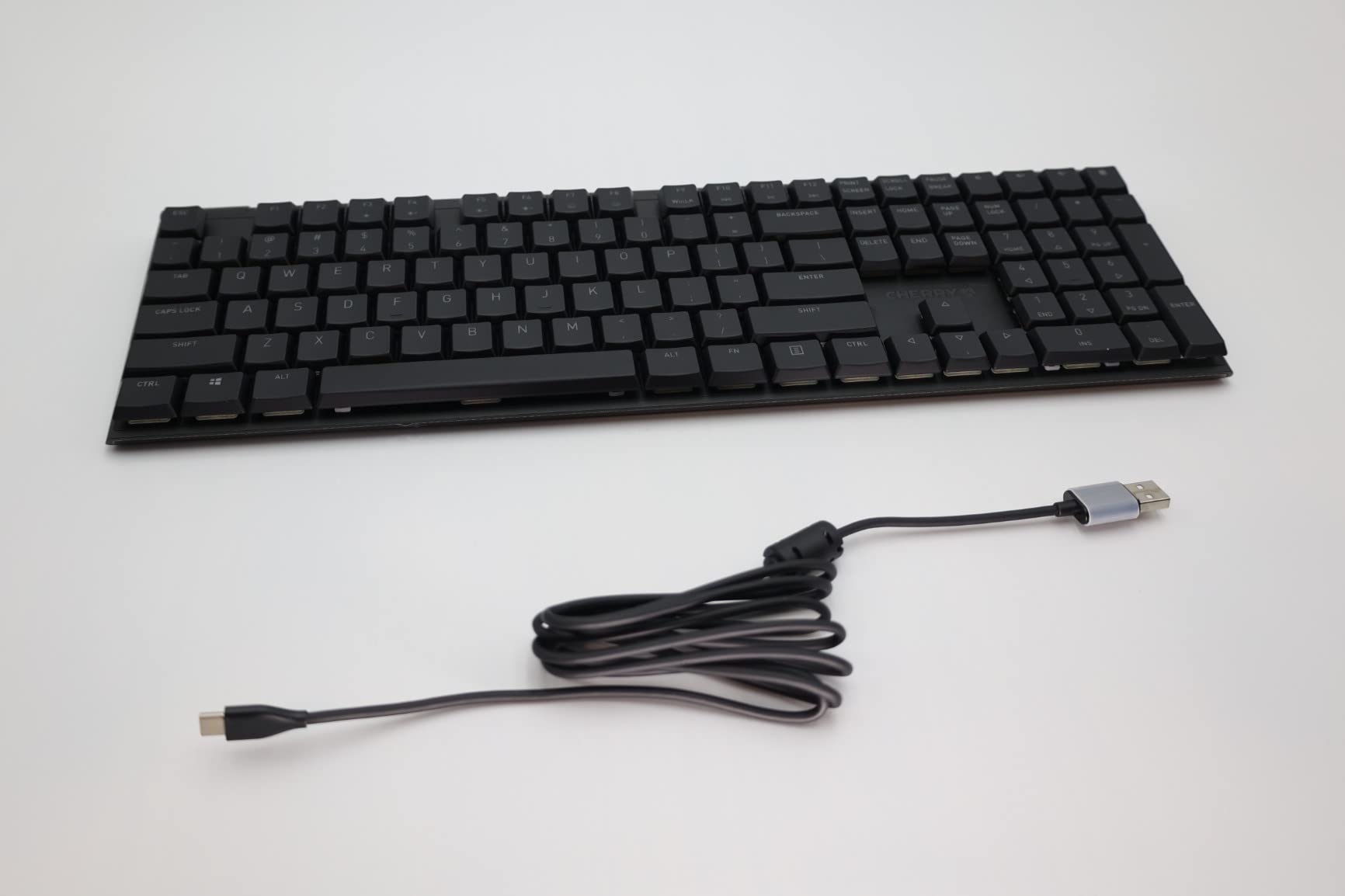
If the thing holding you back from low-profile is that you have tried one and it felt like typing on a laptop keyboard, this is the board that changes that impression. The switches are genuine Cherry MX Low Profile Speed, made by Cherry, which is a genuinely different proposition from a generic slim switch with a familiar name on the box.
They are linear, quiet and fast, and reviewers consistently single out the feel as the reason to choose this board over cheaper alternatives. The aluminum housing and aluminum plate give a solid, flat typing experience, and the fold-out aluminum stand lets you add a typing angle when you want one.
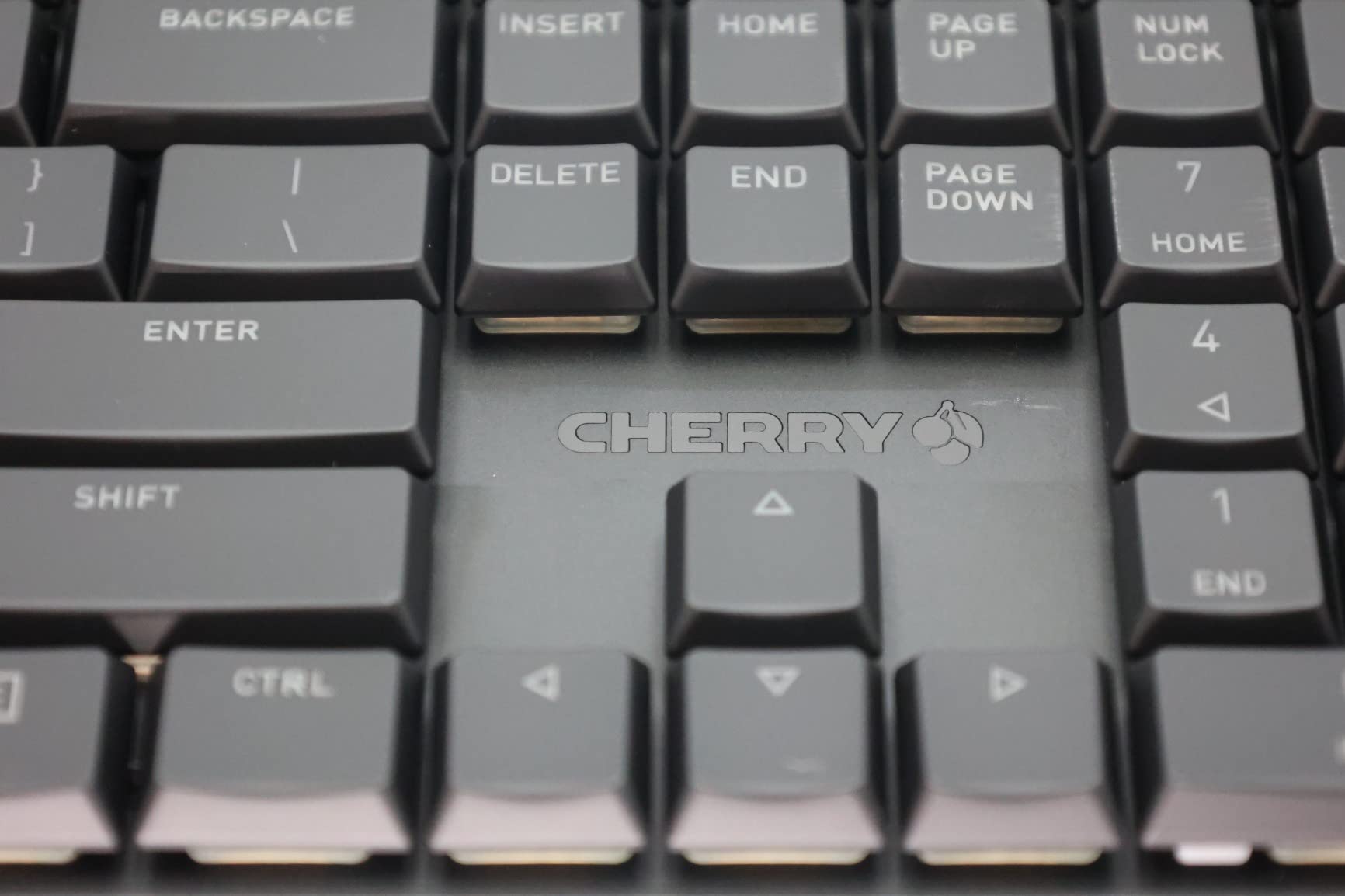
The chassis is 0.87 inches at the tallest point and 16.73 by 5 inches, at 854 g. That is a genuine low profile, but the 108-key full-size layout means it occupies the same desk footprint as the standard board it is meant to replace. The savings are in height, not width.
Backlighting is customisable RGB, the plate is aluminum, and the board ships with key layouts for English, French, German, Italian and Spanish. It is wired only, with no wireless or Bluetooth at all.
For office use that last point is not always a downside. A wired keyboard needs no pairing, no battery and no IT approval, which makes it the safest possible choice on a locked-down company machine. The trade is losing the freedom to switch between a laptop and a tablet mid-task.
The obvious gap is software. There is no way to remap keys or set macros without adding your own utility, and the RGB control is likely through a basic vendor interface rather than anything programmable.
Are genuine Cherry MX Low Profile Speed switches worth the premium?
They are worth it for feel, and less so for noise. These are linear switches, so there is no click bar, but they are not silent switches and the bottom-out is clearly audible in a quiet room. If your measure of a good office keyboard is how much nobody notices you, look elsewhere.
What you get instead is consistency. A genuine switch line behaves the same on the letter keys, the modifiers and the long keys, and it will still behave the same in two years. That is what separates a board you keep from a board you replace.
Does a 108-key layout still fit a compact office desk?
Width-wise, no. At 16.73 inches long you are giving up the mouse space that is half the reason people move to low-profile in the first place. If your desk is small, or you use a wide mouse, or you share the desk with a laptop, a 75% or 65% layout is a better fit.
If you work in finance, logistics or any role with a genuinely heavy numpad workload, keeping the full-size layout is a fair trade and this board becomes a much stronger recommendation. The height saving of 0.87 inches is still meaningful for wrist posture even if the width is not.
8. Cherry KW X ULP — Best Machined Build for a Formal Office
Cherry KW X ULP, Ultra Low Profile Mechanical Keyboard, Wireless Multi-Device Keyboard for up to 4 Devices, Bluetooth, 2.4 GHz & Wired Mode, Backlit, Black (Full Size)
Aluminium deck
Full size
Cherry MX Ultra Low Profile
4 devices
2.05 pounds
50 million keystrokes
Pros
- Extremely thin 1.6 inch machined aluminum deck
- German-made Cherry MX Ultra Low Profile switches
- Up to 4 paired devices with AES-128 encryption
- Bright white per-key backlight with a lockable Fn layer
- Neoprene travel sleeve included
Cons
- Costs far more than other low-profile boards
- Function keys default to media and need the Fn layer
- Switches are not user-serviceable
This is the board to buy when the desk is in a client-facing office and the keyboard will be seen by people who do not care about keyboards. The 1.6 inch machined aluminum deck barely flexes, the finish is understated, and the white per-key illumination looks like office equipment rather than a gaming peripheral.
The switches are CHERRY MX ULTRA LOW PROFILE, made in Germany and rated to 50 million keystrokes. Reviewers describe the feel as firm and consistent, and the build as the most machined thing in this roundup by a wide margin.
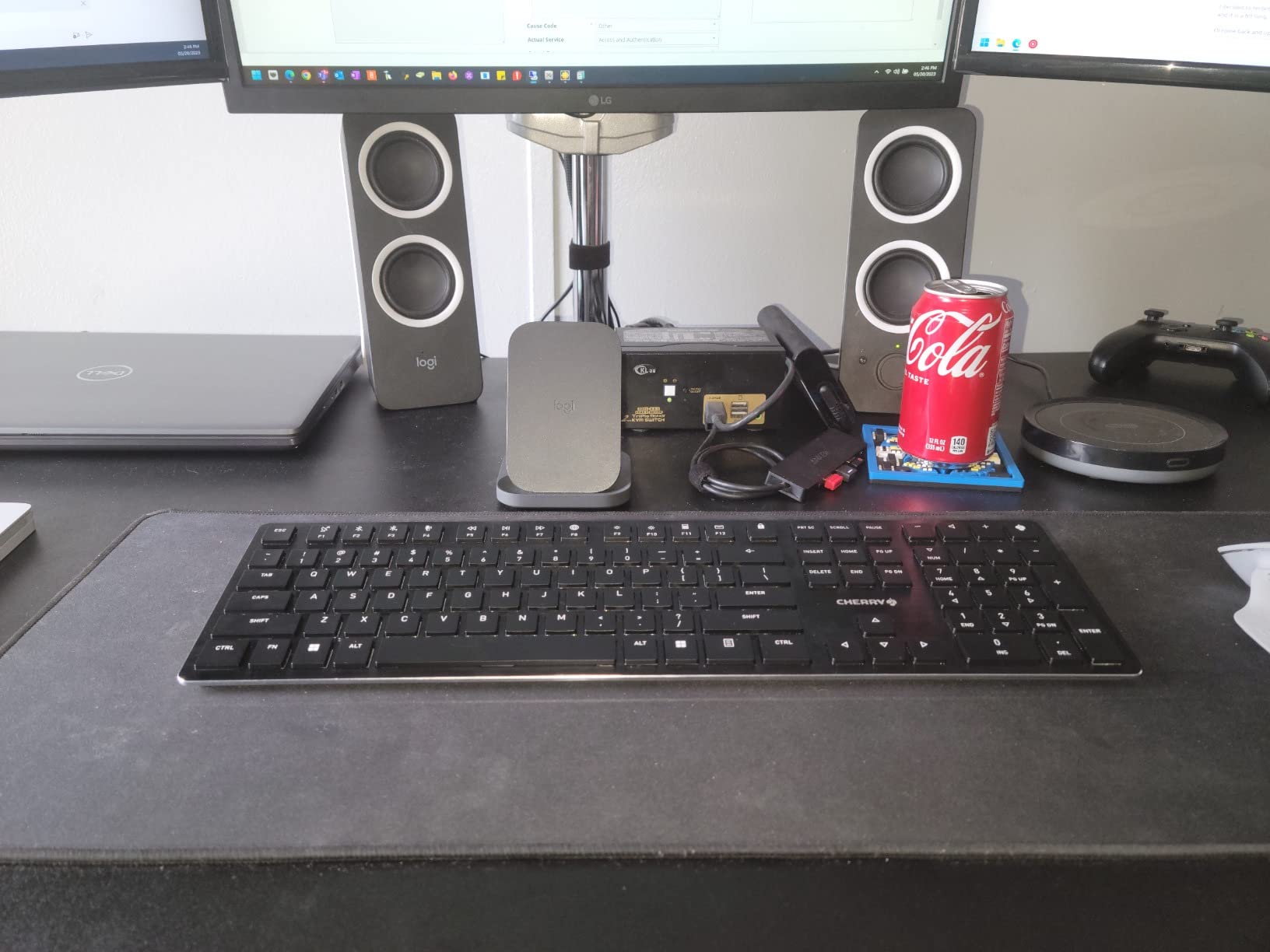
Connectivity is where it justifies itself. It pairs with up to four devices: two Bluetooth 5.2 channels, one 2.4GHz link with AES-128 encryption, and one cable. The receiver stores magnetically in the back of the case, and the board charges over a detachable USB-A to USB-C cable while still in use.
White key illumination is joined by coloured status LEDs and a charge-level indicator on a Cherry key. A neoprene sleeve is included for travel, the weight is 2.05 pounds, and the deck is a full-size aluminium panel at 18.1 by 1.6 inches.
There is a firmware layer to get used to. Function keys default to media and shortcut functions and need the Fn layer, and the Fn lock is hidden behind a Ctrl combination, which is exactly the kind of friction that wastes your first ten minutes at a new desk. Some buyers also report Ctrl shortcuts failing in wired mode, which is a firmware issue rather than a hardware fault.
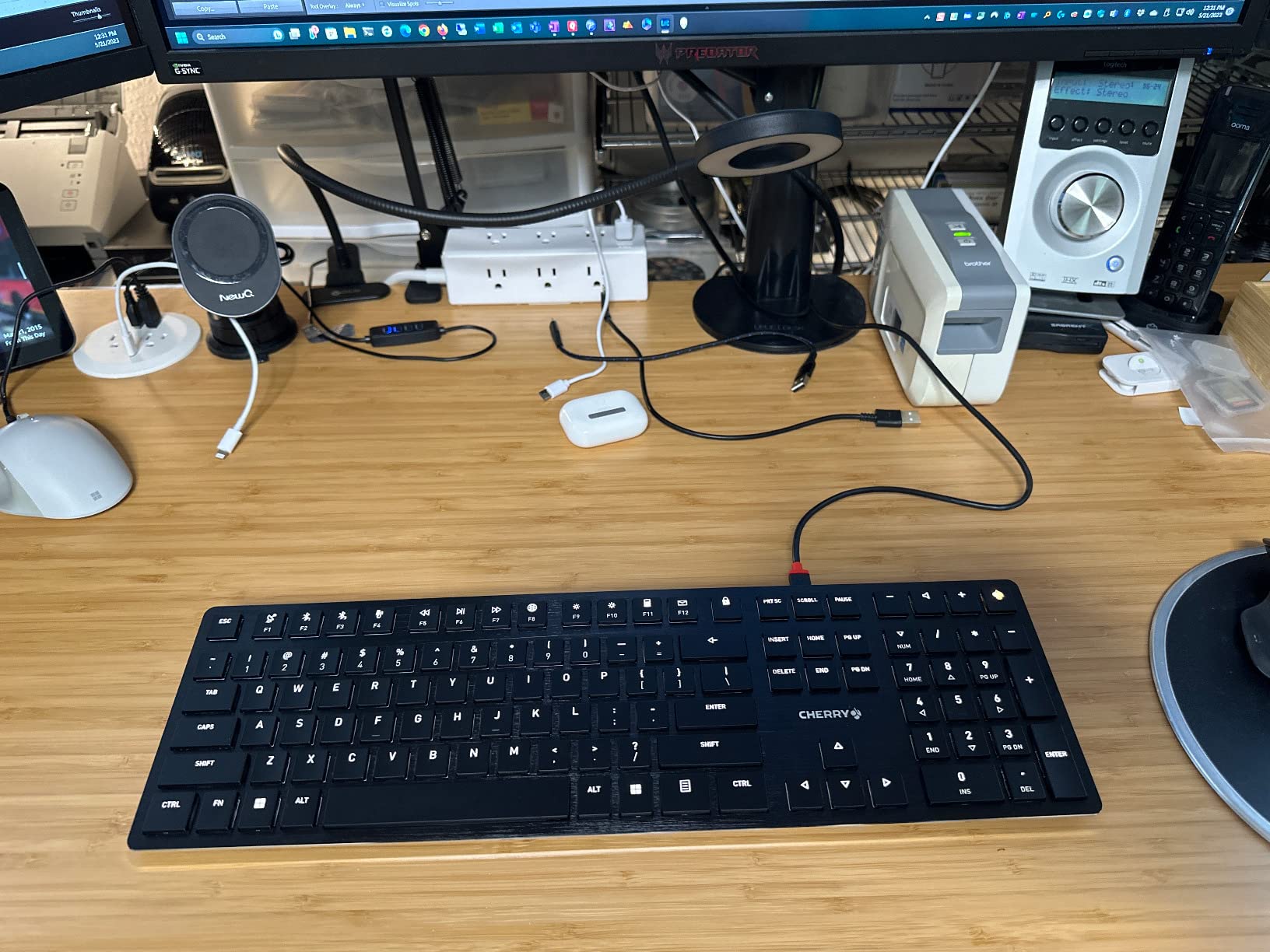
Is the machined aluminium build worth the premium?
You are paying for density, rigidity and longevity. A 2.05 pound aluminium deck does not flex, does not rattle and does not develop the case fatigue that plastic boards show after a couple of years. The switches are rated to 50 million keystrokes, which at a typical office pace is effectively a decade.
The compromises are that the switches are not user-serviceable and the back uses small torx screws, so a failed switch is a repair-shop job rather than a ten-minute swap. If you plan to change switches often, this is the wrong board.
How confusing is the Fn layer during a workday?
Annoying for a day, then invisible. The function row is mapped to media and shortcut actions by default, and the Fn lock is tucked behind a Ctrl combination, so nobody finds it by accident. Once you lock it, or remap the layer through the Cherry Keys app, you stop thinking about it.
The Cherry key in the corner defaults to toggling the Windows key, which is a genuine annoyance for Mac users or anyone running Linux, though it can be remapped. Budget half an hour with the Cherry Keys app on day one.
9. Lofree Flow2 — Best for VIA Remapping with a Full Metal Body
LOFREE Flow2 Low-Profile Mechanical Keyboard, Aluminum Alloy with Surfer Linear Switches, Rechargeable Wireless Keyboards with 3 Mode Connections for Windows, macOS (Silver, 100 Keys)
Aluminum
100 keys
Cloud POM linear
2.4GHz Bluetooth USB-C
3000mAh
1000Hz wired and 2.4GHz
893 g
Pros
- CNC-forged one-piece aluminum body with matte anodized finish
- Cloud POM switches with a lighter press
- Redesigned gasket mount with five dampening layers
- VIA compatible for remapping and macros
- 3000mAh battery rated up to 120 hours
Cons
- Bluetooth mode drops the 1000Hz polling rate
- Side touch bar is easy to brush on a shared desk
- Build quality varies between individual boards
The Flow2 is the top of the Lofree range and the reason to choose it over the Flow Lite is simple: a CNC-forged one-piece aluminum body with a smooth anodized baby-skin finish, plus VIA support. The metal case is what gives it a dense, expensive feel the moment you lift it, and 893 g is the sweet spot between weight and portability.
Typing is cushioned. The redesigned gasket mount uses five layered dampening materials, and the Cloud Series POM switches press lighter with a firm bottom-out and a bouncy initial touch. Enlarged light holes give crisp, even per-key illumination for a single-colour backlight.
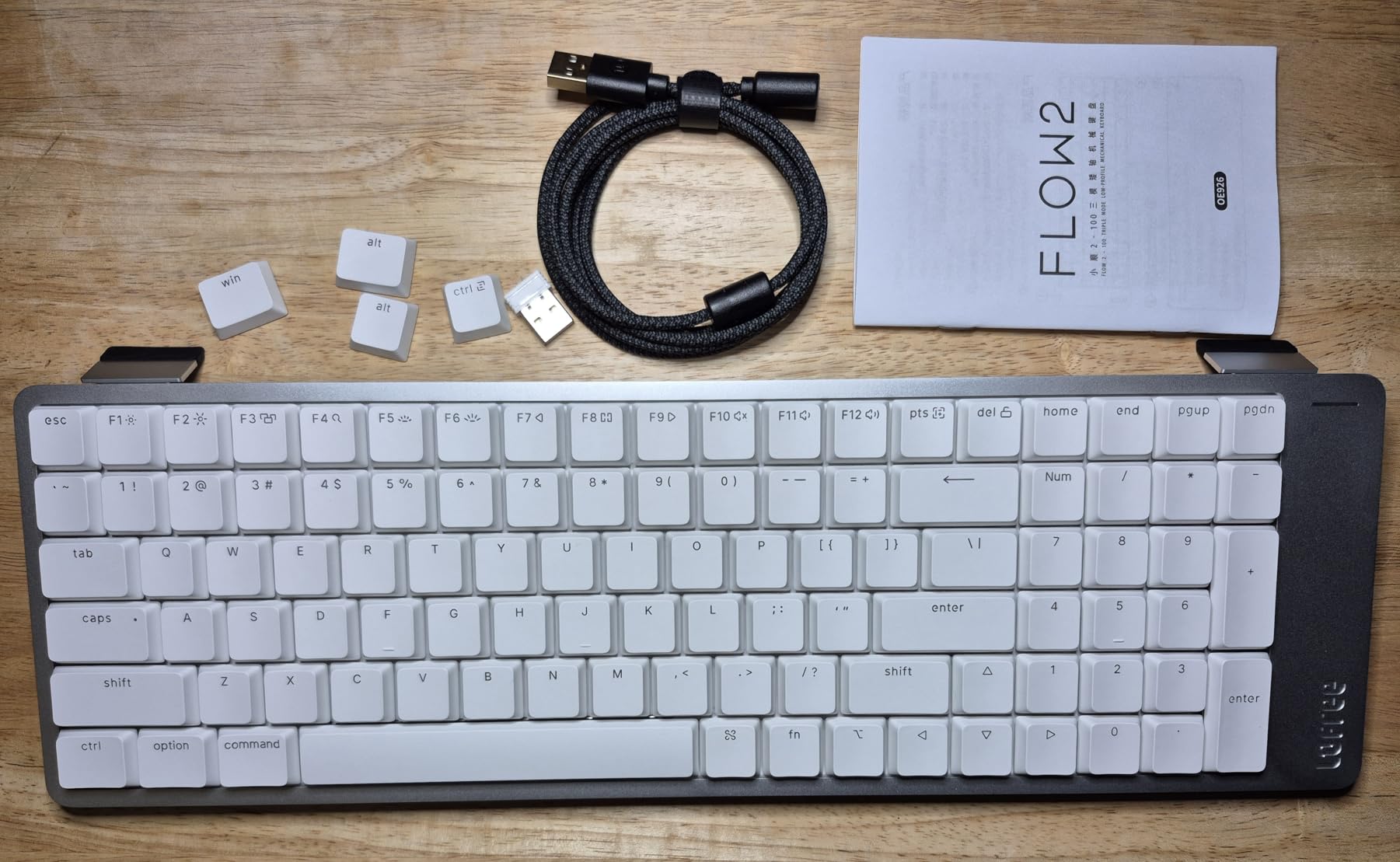
Connectivity covers all three modes, Bluetooth, 2.4GHz and wired USB-C, with a hidden kickstand mode switch underneath and a 1000Hz polling rate in the wired and 2.4GHz modes. Windows and macOS keycaps are both in the box, and VIA handles remapping, macros and one-tap app shortcuts without any extra tooling.
Battery life is the strongest figure in the group: a 3000mAh pack rated at up to 120 hours in Bluetooth with the backlight off, and roughly 17 hours with the backlight on. A one-year warranty is included, and the package carries a 2.4GHz receiver, spare keycaps, a cable and a manual.
At 4 stars from 99 reviews it is the lowest-rated board here, and the reviews explain why. There is more one-star feedback than on other Lofree models, which points to build inconsistency between production runs rather than a design fault. The side touch bar is also easy to brush accidentally when you move a mouse past it, and Bluetooth mode gives up the 1000Hz polling rate.
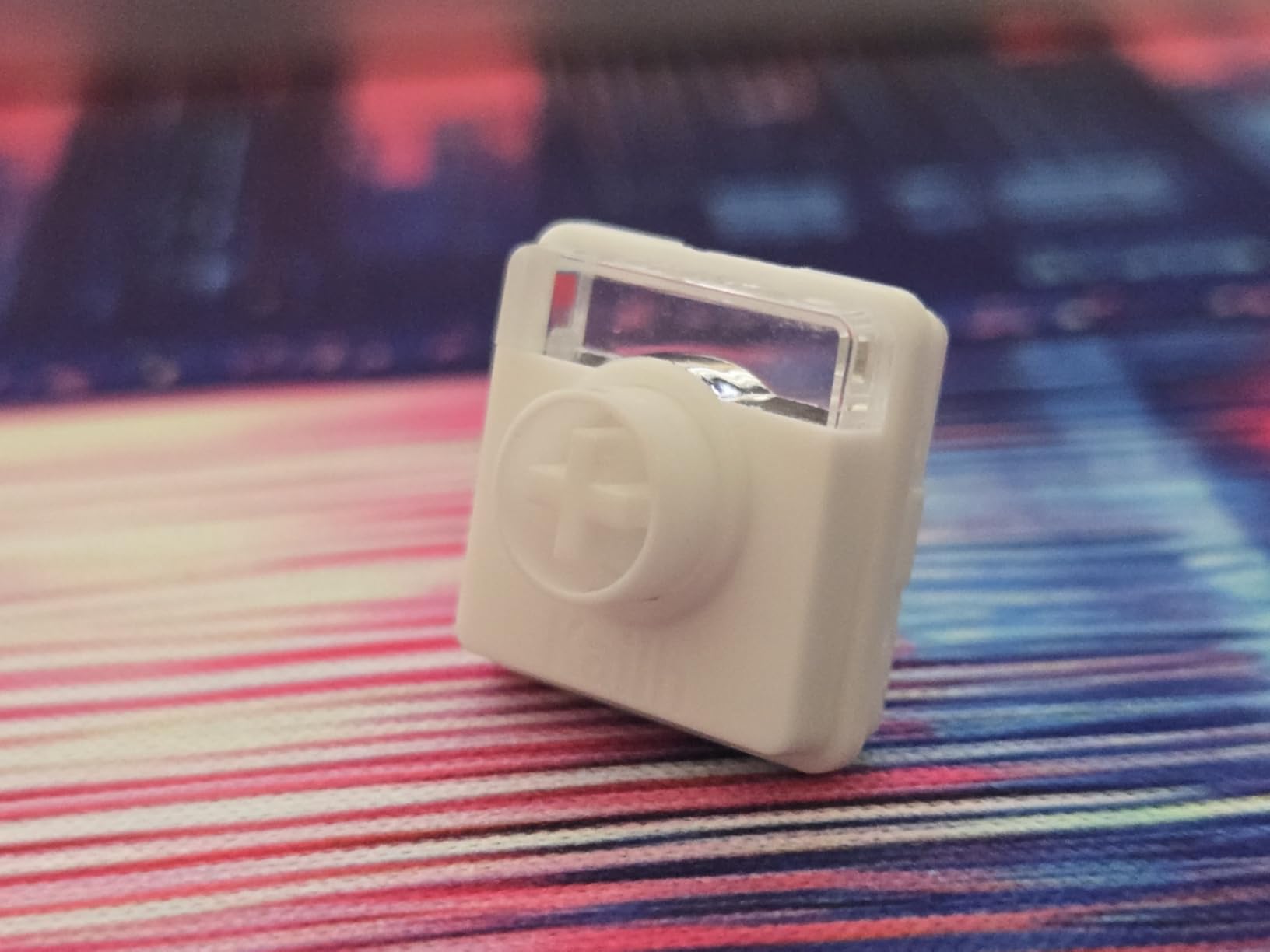
Does the CNC aluminium body change the typing feel?
It changes the resonance more than the switch. A one-piece forged case with no seams and a gasket-mounted plate underneath means less hollow space for the keystroke to bounce around, so the sound sits lower and the board feels solid under a fast typist rather than springy.
It also stops the board moving. At 893 g it sits behind the RK ROYAL KLUDGE N80 and the Razer Ornata V3 for mass in this roundup, and if your desk is shared or you type hard, that weight is doing more for you than any amount of foam.
Should you buy it over the Flow Lite 100?
Buy the Flow2 if you want VIA, an aluminum case and the longest battery life in this list, and you can accept that its 4.0 rating reflects more one-star feedback than its smaller sibling. Buy the Flow Lite 100 if you want the same gasket-mounted feel and a 1000Hz rate in 2.4GHz with a better average rating and more reviews behind it.
For a purely practical office setup I would take the Flow Lite. For a desk you look at every day, the machined body is the reason the Flow2 exists, and it shows.
10. EPOMAKER Luma84 — Best Cross-Platform Board with QMK and VIA
EPOMAKER Luma84 Low Profile Aluminum Mechanical Keyboard, VIA Programmable
Aluminum body
84 keys
Gateron low-profile linear
Bluetooth 5.0 2.4GHz USB-C
1 inch tall
RGB
Pros
- QMK and VIA programming with hot-swappable sockets
- Gasket mount with foam and silicone fill for a cushioned feel
- Very light for an 84-key aluminum board
- Dye-sublimated DSA keycaps with clear legends and Mac modifiers
- Stores five paired devices across Windows Mac Linux and mobile
Cons
- Bluetooth wake-up delay of up to five seconds
- 2.4GHz mode drops keystrokes for some users
- Shipped stabilizers need tuning to remove rattle
- No rear kickstand and no dongle storage
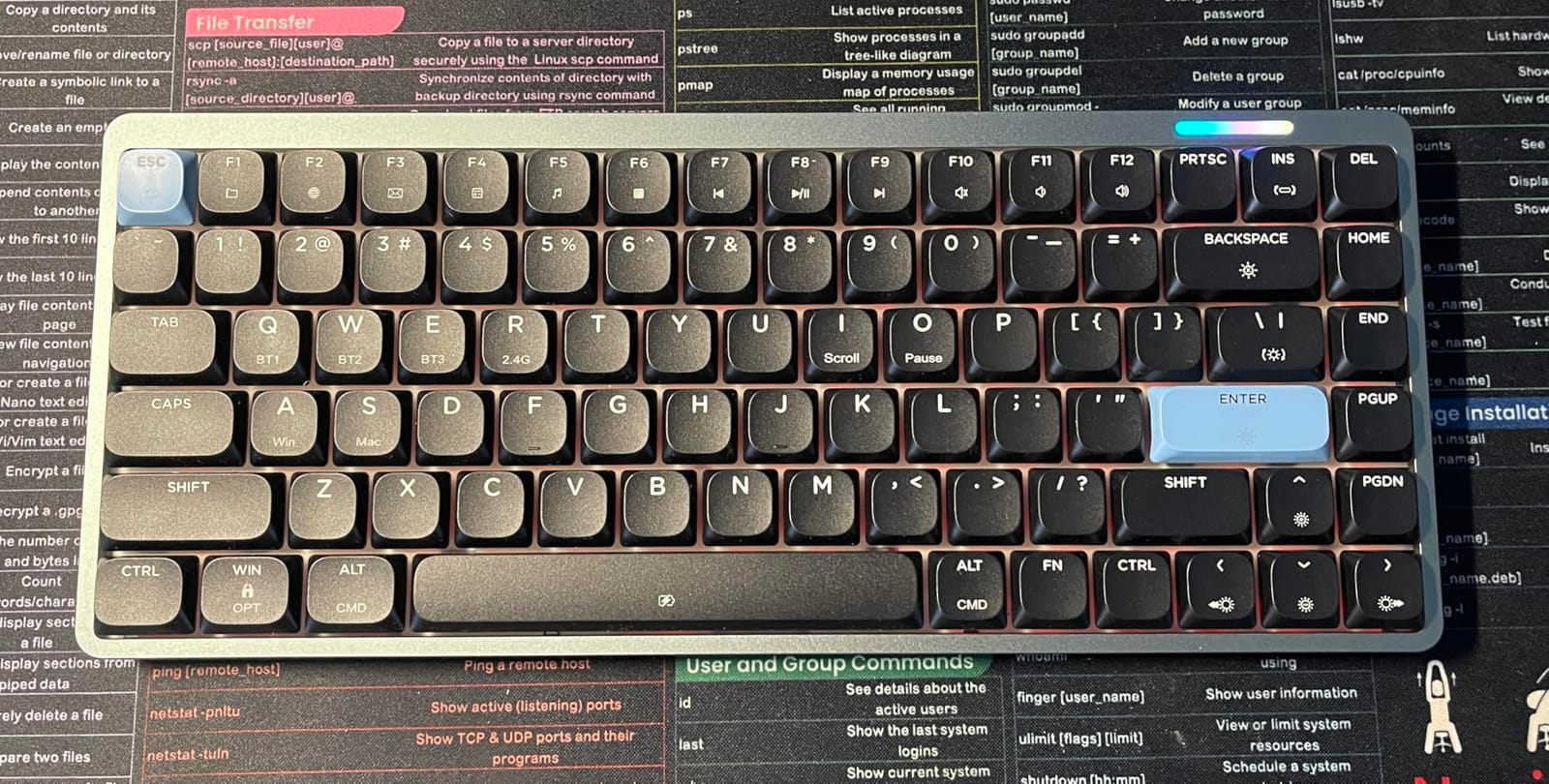
The Luma84 does something unusual at this level: it offers QMK and VIA support alongside hot-swappable sockets. Most boards in its bracket are firmware-locked, which means the keys you get are the keys you keep. Here, the 84 keys and the 84 Gateron low-profile switches underneath are both fair game.
It is also notably light for a board with an aluminum body, which matters if you are carrying it to a shared space. The build is a gasket mount with foam and silicone fill on a polycarbonate plate, and that combination produces a cushioned, thocky typing feel that reviewers single out.
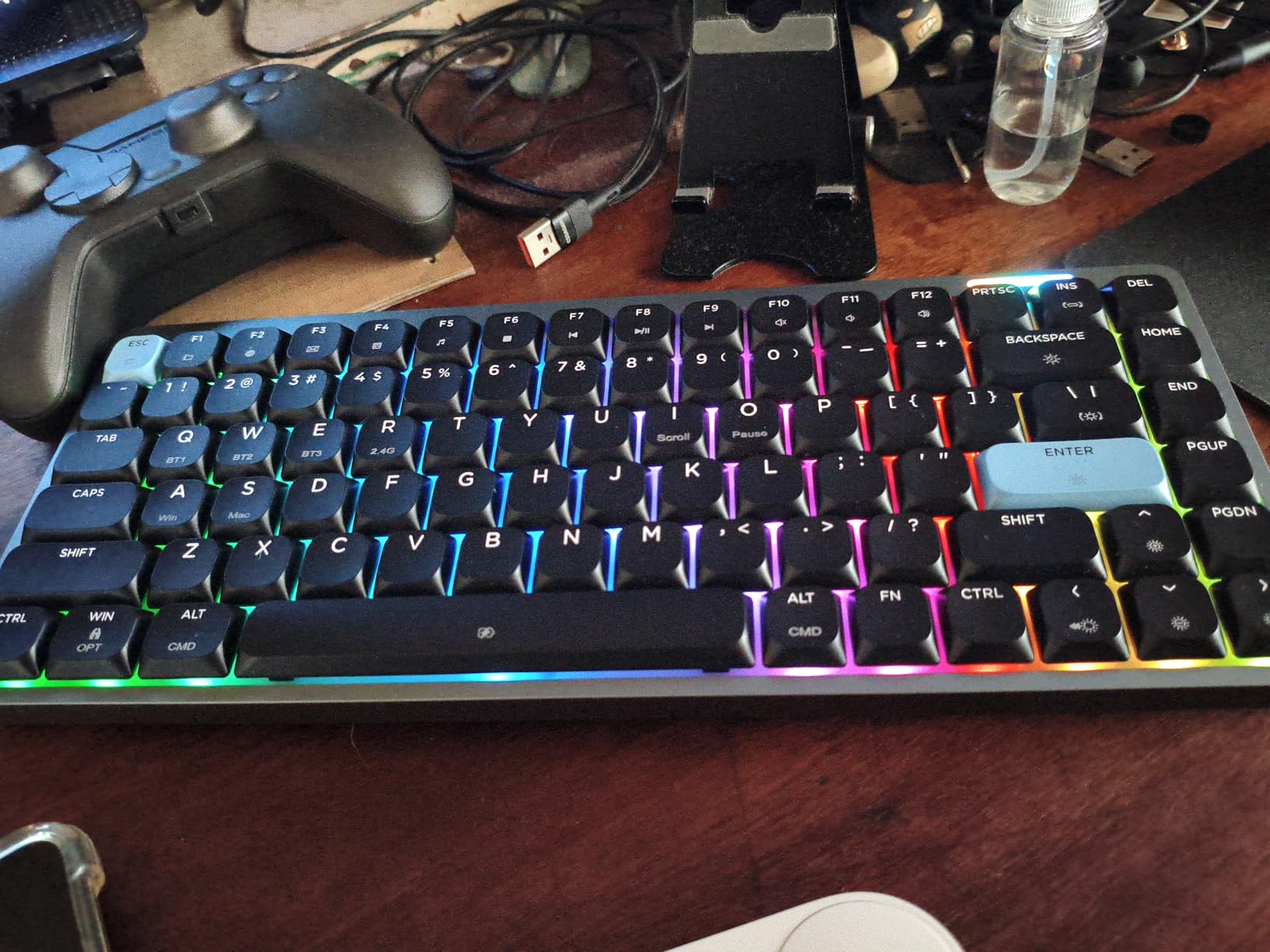
Connectivity is tri-mode across Bluetooth 5.0, 2.4GHz and USB-C, with onboard memory for five paired devices. That memory is the feature that makes it genuinely cross-platform: Mac, Linux, Android, you name it, and it will remember five of them without a software prompt.
Keycaps are dye-sublimated DSA with clear legends and Mac modifiers, the backlight is RGB adjustable through hotkeys or the browser-based VIA interface, and the box includes a 2-in-1 keycap and switch puller, a 2.4GHz receiver, a detachable cable, two spare keycaps and two spare switches.
The wireless complaints are the same ones you will see on most boards in this group. Bluetooth wake-up can take up to five seconds, and the 2.4GHz mode drops keystrokes or lags for some users. The stabilizers also arrive needing tuning or lubrication to remove rattle, there is no rear kickstand so the typing angle is flat, and there is nowhere to store the dongle.
Is QMK and VIA support really there?
Yes, and it is the reason to pick this board. QMK gives you layers, macros and combo keys with no browser and no cloud account, and VIA is the graphical layer on top for the changes you would rather not memorise. One buyer reported a VIA configuration file download failing, which is a support issue rather than a missing feature.
Combined with hot-swappable sockets, it means this board can be a silent office board in a week and a linear board at the weekend, without a soldering iron. Just confirm your replacement switches are the same low-profile footprint, because that ecosystem is not interchangeable across brands.
Will the 84-key layout annoy a spreadsheet-heavy role?
For most roles, no. An 84-key board gives you a function row, dedicated arrow keys and a compact footprint, which covers the majority of keyboard shortcuts you will use. It is a good middle ground for anyone who wants a small desk footprint without learning a new layer system.
If you live in a grid and type numbers all day, the numpad is not there and no remapping substitutes for the real thing. Look at the Lofree Flow Lite 100 or the Lofree Flow2, which keep a full numpad in a compact body.
11. Ranked G65 Guardian — Best-Rated Board for the Smallest Desk
Ranked G65 Guardian 65% | Full Aluminum Frame | Ultra Slim Hot Swappable Mechanical Gaming Keyboard | 68 Keys Multi Color RGB LED Backlit for PC/Mac Gamer (Black, Gateron Low Profile Red)
Aluminum and ABS
68 keys
Gateron Low Profile Red
Wired USB
0.7 inch thick
500 g
RGB underglow
Pros
- Best rating in this group at 4.6 stars
- Full aluminum sandwich chassis 0.7 inch thick with little flex
- Hot-swappable switches with pre-lubed stabilizers
- Frame underglow customizable apart from the per-key RGB
- Dedicated arrow keys in a 68-key footprint
Cons
- Wired only with no wireless mode
- 65% layout drops the function row
- Proprietary software instead of QMK or VIA
- ABS double-shot keycaps will shine with heavy daily use
- Tiny magnetic feet are easy to lose
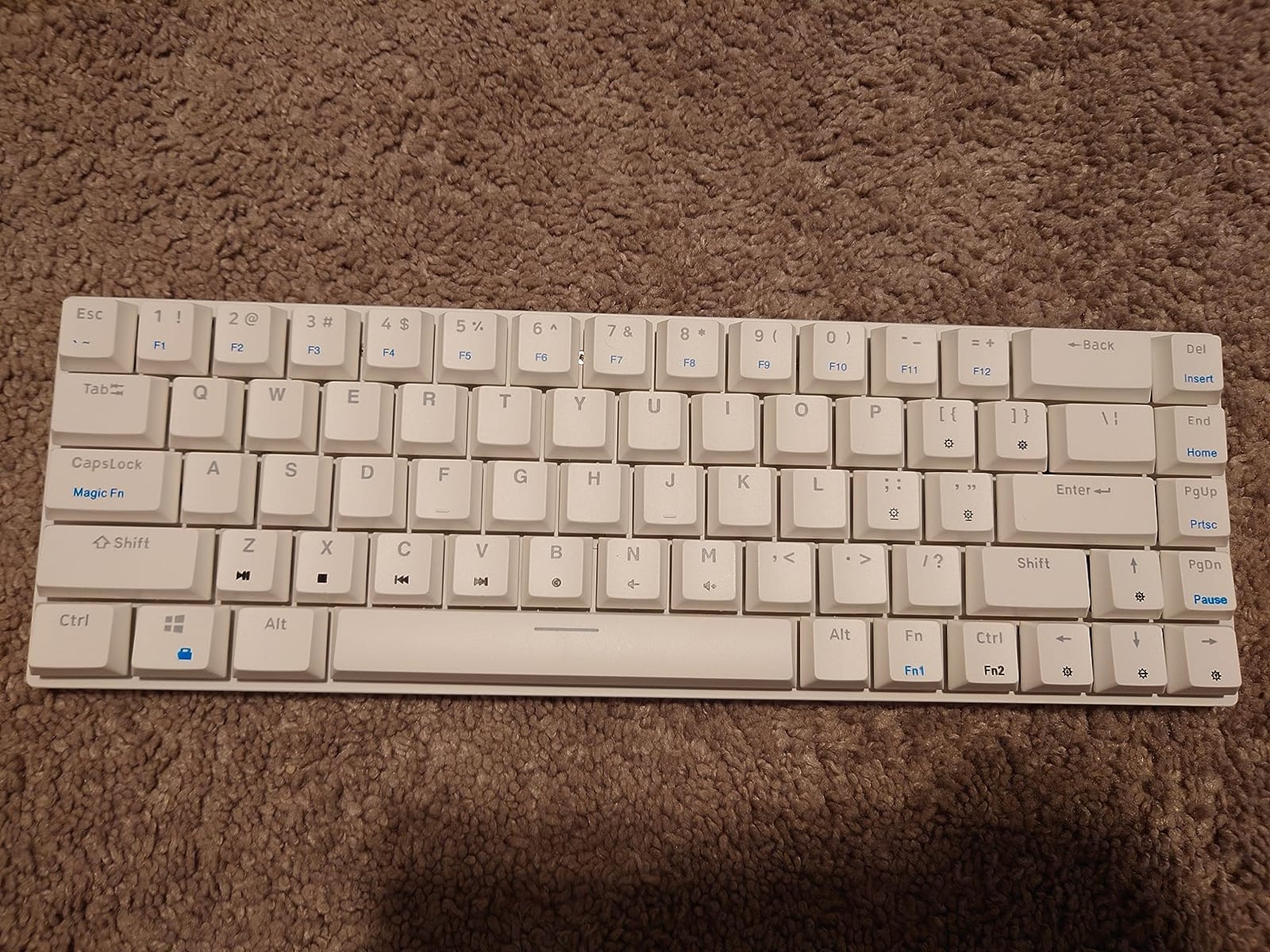
At 4.6 stars this is the highest-rated board in the roundup, with an 81 percent five-star share. That is worth saying plainly, because the reasons behind it are specific: a full aluminum sandwich chassis at 0.7 inches thick, hot-swappable Gateron low-profile switches, and stabilizers that arrive pre-lubed.
Sixty-eight keys in a 12.2 by 5.2 inch footprint gives you back more mouse space than any other layout here. If you are working on a small apartment desk, a hot-desking station or a laptop with an external monitor where mouse space matters, that footprint is the whole argument.
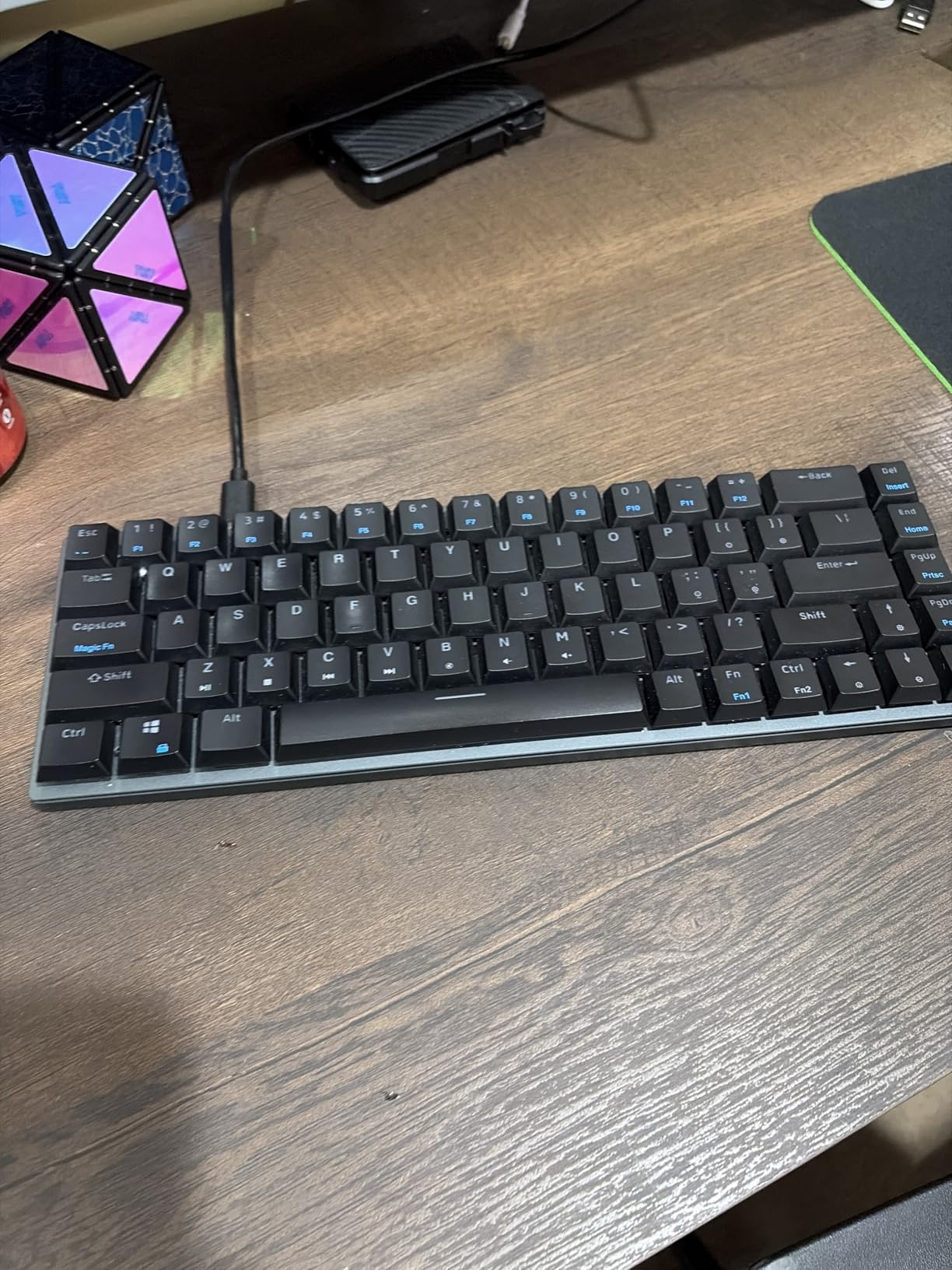
You get 16.8 million colour RGB per-key backlighting plus an independently customizable frame underglow ring, a matte aluminum frame for weight and deeper acoustics, and a 32-bit ARM processor with Mac and Windows compatibility. The box includes a keycap puller and USB cable, and hot-swap sockets mean no soldering is needed to change switches.
Two things to weigh. The 65% layout removes the function row entirely, so reaching F-keys means a layer change or a remap, and there is no Fn lock to make that pleasant. And the software is Ranked Utility only, with no official QMK or VIA and no Linux support, which locks you into one vendor app.
The long keys can sit tilted after being pressed off-centre, the tiny magnetic feet are easy to lose in transit, and the ABS double-shot keycaps will pick up shine with heavy office use even though the legends themselves will last.
Is a 65% layout too small for daily office work?
It is manageable, and it is a trade rather than a sacrifice. Once you are used to a layer, 65 percent is fast and it frees the most mouse space of any layout here. The learning curve is typically a week, and it hits most people hardest in the first two days.
What you give up is the function row, which means software shortcuts in Excel, Photoshop or a browser need remapping to survive. The Ranked Utility app can do that rebinding, just not with the flexibility of QMK. If you lean hard on F-keys, choose the EPOMAKER Luma84 or the Keychron K3 instead.
Do the ABS keycaps hold up to a 40-hour week?
The legends will, thanks to double-shot construction. The surface is the issue. ABS is shinier and slicker than PBT, so at five days a week of office typing the caps will develop a gloss in the middle of the home row, usually within a year or two of heavy use.
It is cosmetic rather than functional, and you can swap keycaps on a hot-swap board if it bothers you. The Razer Ornata V3 and the Lofree boards use UV-coated or double-shot PBT caps, which stay matte far longer.
12. Redragon BS8773 — Best for Hot-Desking on a Shared Desk
Redragon BS8773 Wireless Keyboard and Mouse Combo, 78 Keys 2.4Ghz Wireless Low-Profile Mechanical Red Switch Keyboard w/Slim Compact Design & Single Blue Backlit, Comfort Grip 2400 DPI Max Mouse
78 keys
Low-profile red 30g
2.4GHz wireless
Single blue backlight
378 g
Battery powered
Pros
- Genuinely slim body with 30g low-profile red switches
- Clean 2.4GHz wireless link on a shared dongle
- Single blue backlight with shine-through double-shot keycaps
- Bundled mouse with five DPI levels up to 2400
- Light 378 g weight with an integrated stand
Cons
- Single blue backlight with no RGB options
- 78-key layout drops the function row and some navigation keys
- No remapping software at all
- Clacky rather than silent despite the low-profile switches
This is the board for a desk you do not own. At 378 g it is the lightest board in the roundup, the 2.4GHz link is clean with no reported lag, and the 30 percent cut-down body is small enough to drop into a drawer when you leave. Nothing about it looks like it belongs to the office, which is exactly the point.
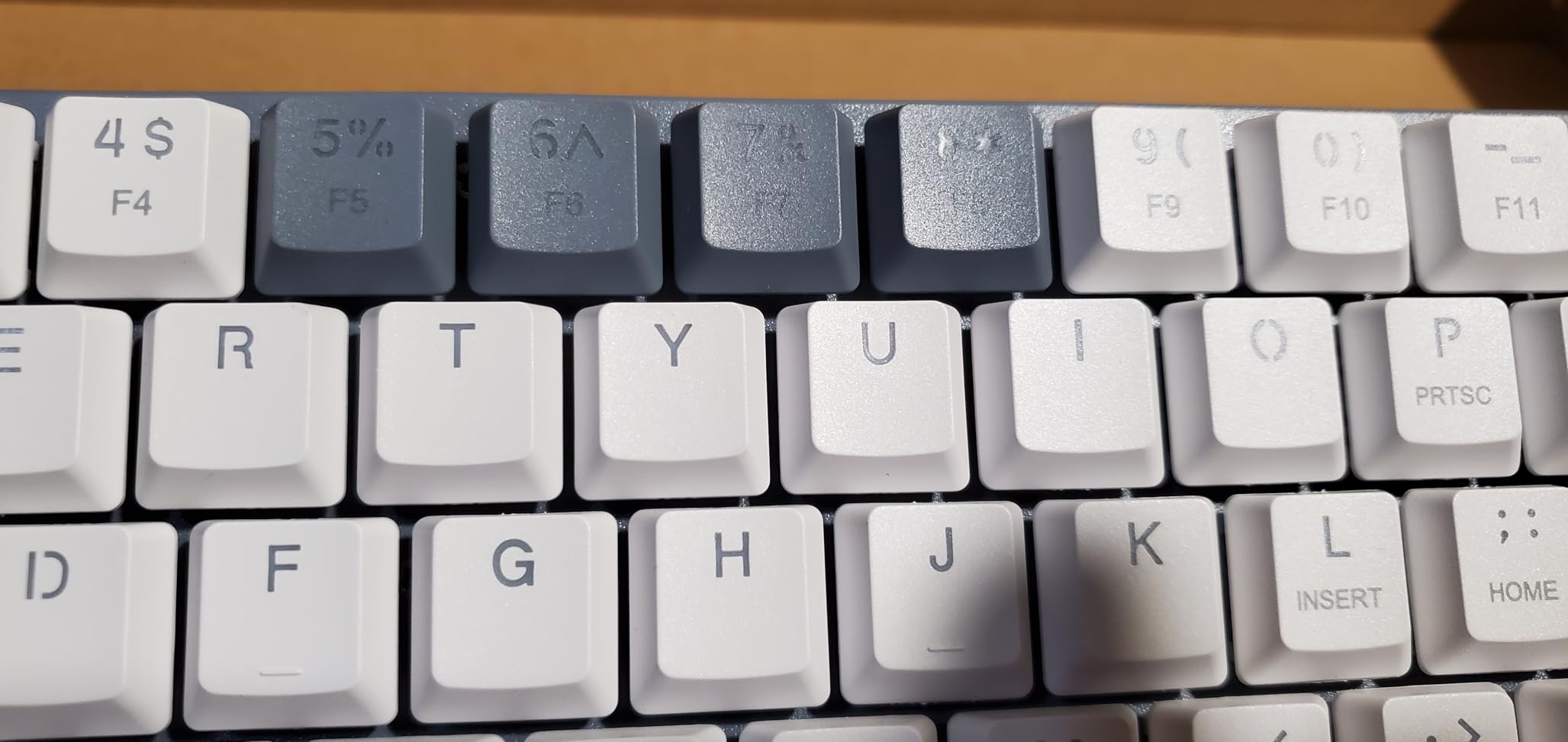
The 30g low-profile red switches give a very short actuation distance, which suits fast typing and light fingers. The single blue backlight is restrained compared with per-key RGB, and the double-shot shine-through keycaps make it readable in low light without turning your desk into a light show.
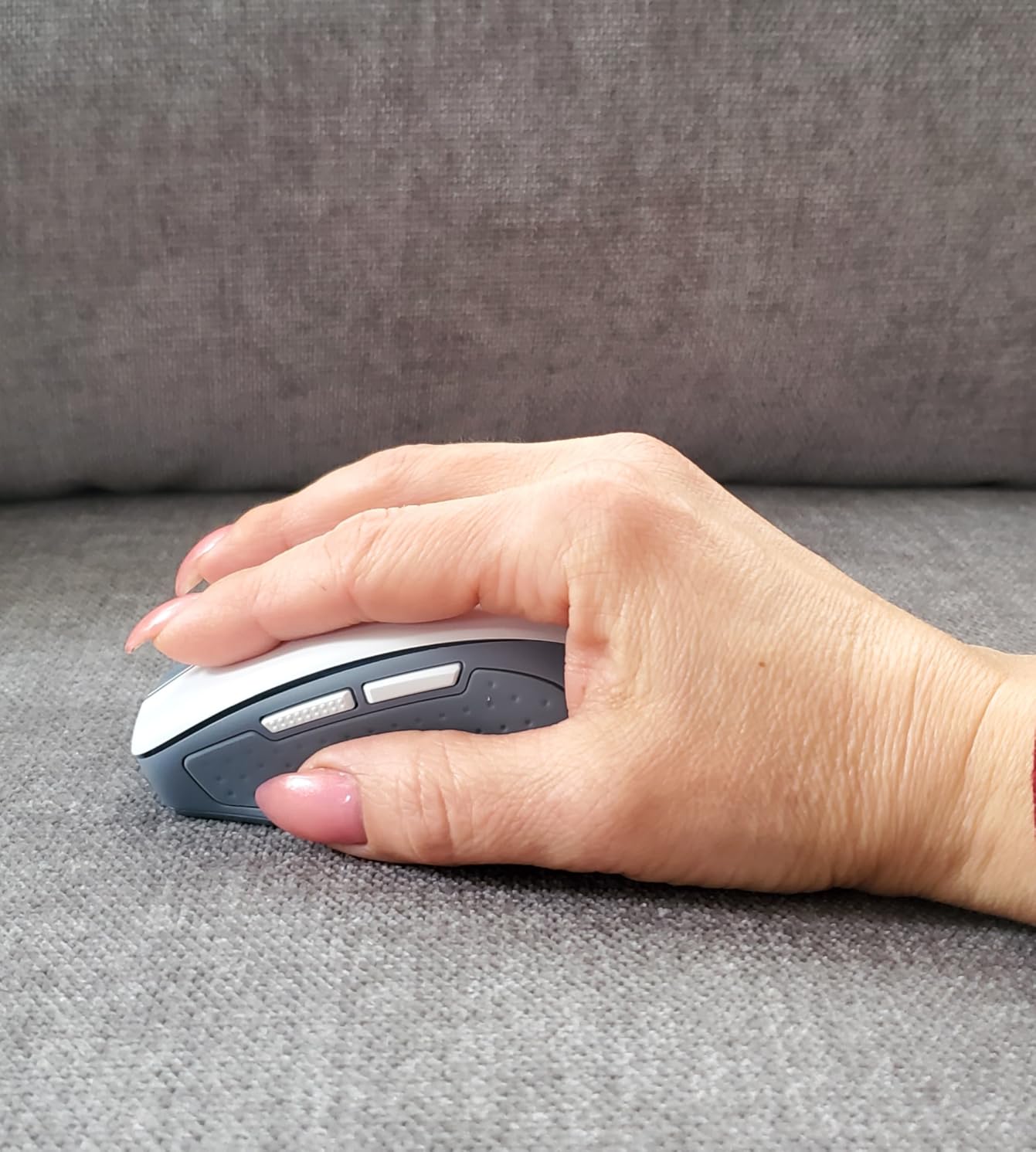
The bundled mouse is a genuine 2400 DPI laser sensor with five selectable levels from 800 upward and an ergonomic grip, and it shares the single 2.4GHz dongle with the keyboard. One lithium polymer battery powers the keyboard, and there is an integrated stand for a better typing angle. It works with both Windows and macOS.
What you give up is everything programmable. There is no mechanical software and no key remapping of any kind, and the 78-key layout drops the function row plus some navigation keys, so the layer shortcut is manual every time. With 87 reviews and a 4.4 average, it is also one of the smaller sample sizes in this list.
On noise, be realistic. Reviewers note explicitly that it is not a truly silent typing board despite the low-profile switches. Low travel and 30g weight soften it, but a red linear bottoming out on a plastic plate is still an audible event.
Does a 78-key layout survive a finance role?
For most finance work, yes, because the arithmetic happens in a spreadsheet rather than on a numpad. What you lose is the dedicated navigation cluster and the function row, so you will use the layer for anything on the top two rows of the keyboard.
If your job genuinely requires typing figures into a keypad all day, this is the wrong shape entirely. The Lofree Flow Lite 100 gives you a full numpad in a body that is only slightly wider.
Is a single blue backlight enough for an office?
For most offices it is more than enough, and arguably better. A single-colour backlight is easy to read, does not distract the person opposite you, and avoids the unprofessional look of a per-key RGB board in a formal setting. The Keychron K3 takes the same approach with a white LED.
You do lose the ability to highlight keys, which matters if you are colour-coding layers. Combined with the absence of any remapping software, that limits this board to people who type and do not tinker.
How to Choose a Low-Profile Mechanical Keyboard for an Office?
Noise is the deciding factor in a shared office
Start here, because it eliminates half the list. The community consensus in the mechanical keyboard threads is blunt and unanimous: if your office is shared, use silent switches. When people ask whether a mechanical keyboard is too loud for an open-plan space, the top-voted answer in the replies is simply to fit silent switches, and users who swapped clicky switches for silent ones report the friction disappearing.
But be realistic about what silent switches cost you. The same threads that recommend them also ask whether they ruin the feel of a mechanical keyboard, and the recurring answer is that they do lose some bottom-out definition and can feel mushier. You are trading feel for goodwill.
A cleaner solution is a board that is quiet by design. Gasket-mounted boards dampen the top of the sound rather than removing the keystroke entirely, and heavier cases stop the chassis from amplifying it. The Lofree Flow84 and the RK ROYAL KLUDGE N80 both take that approach, and both keep the switch feel intact.
If you already own a loud board, four steps will quiet it without a replacement:
Fit silent low-profile switches if the sockets are hot-swappable. This is the single biggest change and it costs minutes.
Add a foam layer or switch films between the plate and the PCB to kill the hollow space in the case.
Use O-rings or tape on stabilisers so the spacebar and shift keys stop rattling.
Move to a heavier case or add a desk mat underneath, which absorbs the bottom-out energy before it reaches the desk.
Layout and desk space: what actually fits
Layout is the second real decision, and it is purely about your desk and your role. A 60 to 65 percent board is around 12 inches wide and gives you the most mouse space, at the cost of the function row. A 75 percent board adds the function row and dedicated arrow keys while staying under 13 inches, which makes it the office default and the reason it appears three times in this list. An 80 percent board adds navigation keys. A 96 percent or full-size board keeps the numpad, and nothing substitutes for it if you type figures all day.
Measure your desk before you commit. If your keyboard currently sits in the middle of a 100 cm desk with the mouse in a separate zone, moving to 75 percent buys back several inches of usable space. If you are already cramped, 65 percent is the move. And if you share a desk with a laptop, a wireless board plus a compact layout is the combination that works.
Wireless on a managed company laptop
Wireless is where office buying gets complicated. Bluetooth keyboards pair at the operating-system level, so they are usually allowed on corporate laptops without IT intervention. The 2.4GHz receiver is a different story: it is a USB device, and some security teams are less relaxed about unidentified hardware.
Two things to check before you buy. Ask whether Bluetooth peripherals are permitted on your machine, because some managed configurations block the radio. And if you will use a 2.4GHz receiver, ask whether that specific model is on the approved list. It is a small question that saves an argument at the IT desk.
Every wireless board in this list supports wired use, so a restricted network never has to mean a restricted keyboard. Budget for one honest warning: most of these boards take several seconds to wake from Bluetooth sleep, and a few of them have 2.4GHz modes that drop keystrokes. If you notice that happening, use wired mode and stop blaming yourself.
Battery life across a five-day work week
Backlight off, battery claims are generous. Backlight on, they shrink fast. The Lofree Flow2 is rated at up to 120 hours on Bluetooth with the backlight off and roughly 17 hours with it on, which is the kind of gap that changes your charging habit.
For most people the practical answer is to charge over the weekend and not think about it during the week, provided you turn the backlight off when you leave. A 3000mAh cell in a board like the Flow Lite 100 or the Flow2 comfortably covers a working week at typical office brightness settings.
Battery-powered AA and AAA boards like the LeadsaiL combo avoid the conversation entirely, since you swap cells. The catch there is that they need two different cell sizes across the two devices, which is mildly irritating but never a charging-cable problem.
Ergonomics over a full workday, and who should skip these boards
The honest truth about low-profile ergonomics is that a flat typing angle is not automatically better. Many brands claim a low profile reduces wrist strain, and for many typists it does, because you do not have to reach up and over a tall board. But the flatter your hand position, the less natural wrist break you get, and typists with existing RSI symptoms often report that a low-profile board makes things worse rather than better.
So skip these boards if you already have wrist pain, if you type with your wrists planted flat, or if you work at a negative tilt. Instead, look for a board with an adjustable or fold-out foot, keep the keyboard flat, and use a wrist rest to recreate the break you are missing. The Lofree Flow Lite 100 has an adjustable kickstand, the Cherry MX 10.0N has a fold-out aluminum stand, and the Keychron K3 and Razer Ornata V3 do not offer much adjustment at all.
Backlighting is the other office-specific check. Per-key RGB looks impressive and looks unprofessional in a formal office, and colleagues sitting opposite you can see it directly. A single white or single-colour backlight is the safer choice, and every board in this list except the Cherry MX 10.0N and the Ranked G65 keeps it restrained.
Frequently Asked Questions
Can I bring a mechanical keyboard to work?
Usually yes, but check two things first. Bluetooth keyboards pair at the operating-system level and are generally permitted on corporate laptops, while a 2.4GHz receiver is a USB device and some security teams want it on an approved list. Ask before you buy rather than after. Noise is the other half of the question: choose a board with silent switches, or a gasket-mounted design, so you are not the reason a colleague buys earplugs.
Are low-profile mechanical keyboards quieter than standard ones?
They are quieter, and the reason is mechanical rather than marketing. Shorter travel means the key does not slam as far into the plate, so there is less impact energy and less case resonance. A low-profile board with a gasket mount and a heavy case can be close to a standard board fitted with silent switches. A cheap low-profile board in a thin plastic shell is quieter than nothing, not silent.
Are silent mechanical switches worth it?
For a shared office, yes, and they are the most common recommendation in keyboard communities for exactly that reason. The trade is real though: users repeatedly report that silent switches feel mushier and lose some bottom-out definition compared with standard linears or tactiles. The workaround is to pick a board that is hot-swappable, so you can try silent switches and swap back without soldering.
Do low-profile keyboards hurt your wrists over a full workday?
It depends. A low profile reduces wrist extension compared with a tall board, which many people find comfortable, but the flatter hand position also means less natural wrist break. If you already have RSI symptoms, a low-profile board can make things worse. Look for adjustable feet or a fold-out stand, keep the keyboard flat rather than tilted, and add a wrist rest to recreate the break. Skip these boards if you type with your wrists planted.
What layout is best for a small office desk?
A 75 percent board is the office default because it keeps the function row and dedicated arrow keys while staying under about 13 inches wide, leaving usable mouse space. Go to 65 percent if desk space is tight and you are comfortable using a layer for the function row. Stay at full size or choose a 96 to 100 key board if you type figures into a numpad all day, since no remapping substitutes for real keypad keys.
How do I make a mechanical keyboard quieter without replacing it?
Four steps work in order of impact. Fit silent low-profile switches if the sockets are hot-swappable. Add a foam layer or switch films between the plate and the PCB to remove hollow case resonance. Tape or O-ring the stabilisers so the spacebar and shift keys stop rattling. Finally, add mass under the board, either a heavier case or a desk mat, so the bottom-out energy is absorbed before it reaches the desk surface.
Final Verdict
The Razer Ornata V3 takes the overall spot because it is the most proven board in this roundup, with 4.5 stars across 1,129 ratings, a genuinely slim chassis and a wrist rest that disappears under your hands. It is the right pick for a home office, a private office or any desk where the volume of a clicky switch is not going to be a problem.
If you are in a genuinely shared space, change the order. The Lofree Flow84 is the quietest-feeling board here thanks to its gasket mount and all-aluminum body, the RK ROYAL KLUDGE N80 uses its 2.3 pound base to stay planted and damped, and the Lofree Flow Lite 100 is the best all-rounder for anyone who needs a numpad and tri-mode wireless in one compact package. For the smallest desk, the Ranked G65 is the highest-rated option in the group, and for remapping, the Keychron K3 Version 2 is hard to beat at its outlay.
Whatever you choose, test the noise before you commit, check whether your employer allows a wireless receiver, and remember that a hot-swappable board is the one purchase decision that keeps paying off after the first week. This roundup was last checked in October 2026, and the best low profile mechanical keyboards for offices do not change shape very often, so these picks should hold.