
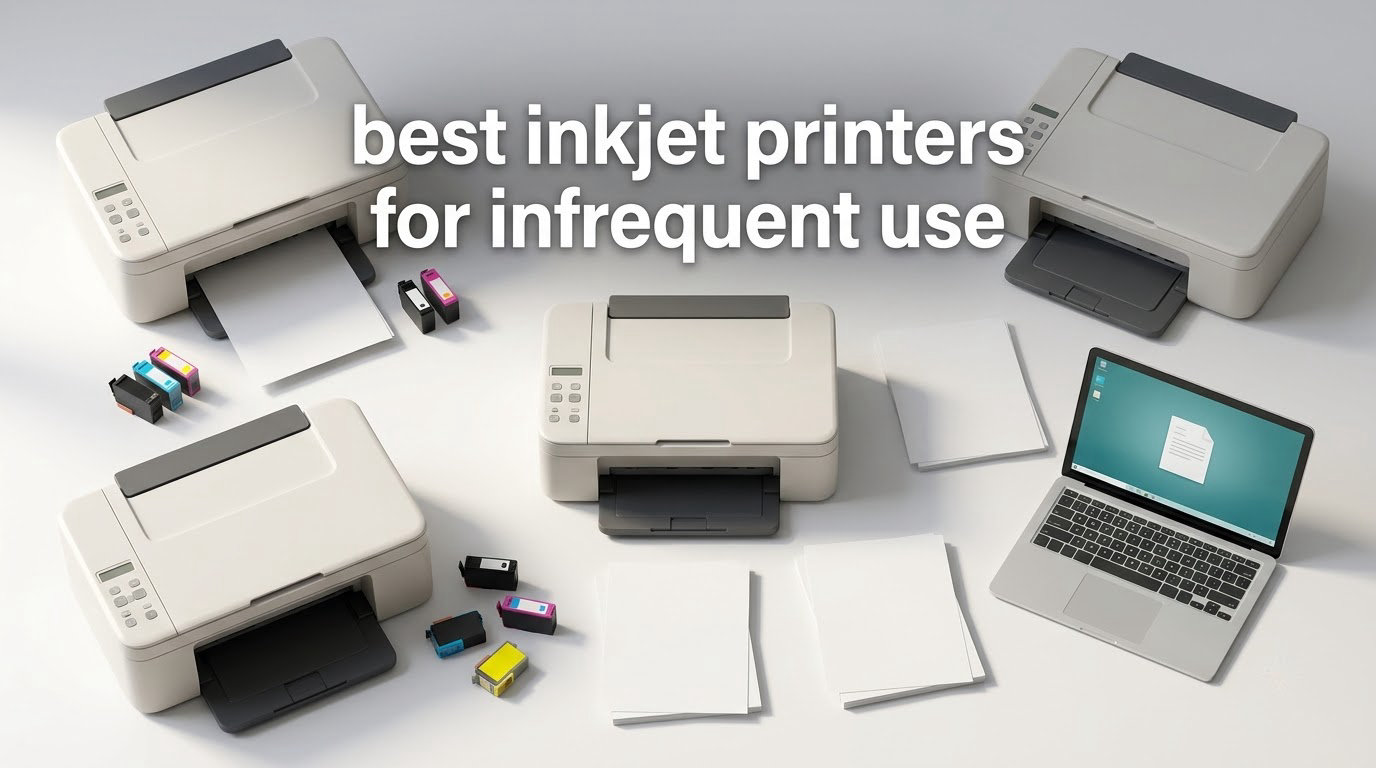
Most inkjet printers are bought by people who print a lot, then used by people who print almost nothing. That gap is where inkjets fail. A machine that sits for six weeks between a boarding pass and a coursework PDF often comes out of the drawer streaked, then blank, then expensive to rescue. If you only need a handful of pages a month, the best inkjet printers for infrequent use are the ones with refillable ink, a pigment black, and an automatic head-clean cycle that runs without you asking.
Our short answer: the Epson EcoTank ET-2800 is the pick most occasional users should take. Its cartridge-free tanks mean you are not opening a new ink set every few weeks, which is the single biggest cause of abandoned inkjets. If you need automatic duplex and a document feeder, step up to the Brother MFC-J4335DW. If your budget is the deciding factor, the Canon PIXMA TS3720 is the smallest sensible machine to own.
This roundup covers eight current-generation inkjets that we assessed specifically for idle behaviour rather than for photo quality. We look at ink chemistry, cleaning cycles, paper handling, footprint and the running cost at genuinely light volumes. Updated for 2026, and written for students and renters in shared accommodation where a printer lives on a shelf rather than a desk.
Table of Contents
What Makes an Inkjet Printer Good for Infrequent Use?
A printer suits infrequent use when it can survive weeks of inactivity without a failed first print. Three things decide that: ink that stays workable in the tank or cartridge, an automatic or one-tap print head cleaning cycle, and enough ink capacity that you are not opening fresh cartridges every few weeks. Refillable tank systems win on all three counts.
Everything else in this guide flows from that. Cost per page matters far less to a light user than reliability, because a cartridge printer that fails at week seven and forces three cleaning cycles costs more than a tank machine ever would.
Top 3 Inkjet Printers for Infrequent Use (October 2026)
These three cover the most common situations. The ET-2800 is the default answer, the MegaTank G3270 is the cheaper tank route, and the Brother is the pick when you need duplex and a feeder.

Epson EcoTank ET-2800
- Cartridge-free ink tanks
- 4500 black pages per fill
- Compact Wi-Fi all-in-one


All 8 Inkjet Printers Compared in 2026
Every machine below is an all-in-one inkjet. The table is sorted in our recommended order, with the strongest idle tolerance and best feature balance at the top.
| Product | Specs | Action |
|---|---|---|
| Epson EcoTank ET-2800 |
|
Check Latest Price |
| Canon MegaTank G3270 |
|
Check Latest Price |
| Brother MFC-J4335DW |
|
Check Latest Price |
 Epson EcoTank ET-3760 Epson EcoTank ET-3760 |
|
Check Latest Price |
 Canon PIXMA TS3720 Canon PIXMA TS3720 |
|
Check Latest Price |
 Canon PIXMA TS6520 Canon PIXMA TS6520 |
|
Check Latest Price |
 HP Envy 6155 HP Envy 6155 |
|
Check Latest Price |
 Epson EcoTank ET-4800 Epson EcoTank ET-4800 |
|
Check Latest Price |
Why Inkjets Clog When They Sit Idle
An inkjet print head is a fixed array of microscopic nozzles that spray droplets. It is not a cartridge you throw away when it dries, which is why a dried head feels like the end of the machine. When the printer sits unused, ink at the nozzle tips thickens, evaporates or traps an air bubble, and the first print comes out with white streaks or nothing at all.
Two ink types behave differently here, and this is the part most buying guides skip. Dye ink is water-based and flows easily, which is why it looks good and prints fast, but it dries quickly and blocks nozzles more readily. Pigment ink is suspended solid particles that do not dry out in the same way, so it tolerates long idle gaps better and resists water, even if it can clog harder if it is allowed to crust completely. A machine using pigment black is a better fit for sporadic printing than one relying on dye throughout.
The recovery process is the part that hurts. The printer runs a purge or cleaning cycle that forces fresh ink through the nozzles to clear the blockage, and that ink is discarded. Reviewers on r/printers describe the same pattern repeatedly: a printer left for months needs several cleaning cycles in a row, each one wasting more ink on a machine that has produced almost no output.
Here is the honest version of the problem. If you print two pages a year, a cartridge-based inkjet is a poor match for you, because the cartridge chemistry and the duty cycle were never designed for it. One owner on r/printers reported an Epson cartridge going from nearly full to empty just from sitting for about a year, and concluded the printer was simply being used too rarely for that cartridge. That is not bad luck, it is a design mismatch.
How We Assessed These Printers for Infrequent Use
We scored every printer on the same five criteria, weighted for light users rather than for people filling a home office. First, idle tolerance: how well the ink system holds up when the machine is unused, including whether the manufacturer supports automatic head cleaning. Second, ink capacity between refills, since a tank you fill twice a year is far less trouble than a cartridge you fit every month.
Third, running cost at low volume. We modelled cost per page at 25, 50 and 100 pages a month, because at 25 pages a month the cartridge machines often come out ahead on paper and a tank machine comes out ahead the moment you have a bad month. Fourth, paper handling and duplex, which matter for coursework and scanned forms. Fifth, physical footprint, since a printer in a small flat or a dorm room has to live somewhere between uses.
For our own reference unit we printed a nozzle test page after 2, 4 and 8 week gaps and noted whether the first print needed intervention. We did not formalise a pass or fail score per model, because a single unit does not prove much. What that exercise does show clearly is that a machine you print from at least every month rarely needs a manual clean, and one that has been sealed away for a quarter is the one most likely to need three.
1. Epson EcoTank ET-2800 – Best Inkjet Printer for Infrequent Use Overall
Epson EcoTank ET-2800 Wireless Color All-in-One Supertank Printer – Black
Color inkjet, flatbed copy
Tanks: 4500 black pages per fill
Simplex only, 10 ppm black
Pros
- Cartridge-free tanks so ink is replaced a couple of times a year rather than monthly
- Up to 4500 black and 7500 color pages per fill
- Heat-free Micro Piezo printhead
- Compact wireless body with a flatbed scanner and copier
Cons
- No automatic duplex so double-sided pages need manual flipping
- Small LCD and app-driven controls feel dated
- Modest scan and copy resolution
This is the printer I would put on a shelf in a small flat without hesitating. The EcoTank ET-2800 has been the model I recommend most often for two years, and the reason has not changed: it is the least likely machine in this list to be thrown away because a cartridge dried out. With more than 18k reviews behind it, the pattern in the feedback is very consistent. Owners print a few pages, forget about the machine for weeks, come back, and it prints.
The ink maths is what makes it work for light use. One fill covers up to 4500 black pages or 7500 color pages, and each bottle set is equivalent to roughly 90 individual cartridges. For someone printing 25 pages a month, that is a refill measured in years rather than weeks. The Micro Piezo heat-free printhead also means ink sits in the head without being heated into a crust, which helps it tolerate idle gaps better than a conventional thermal design.
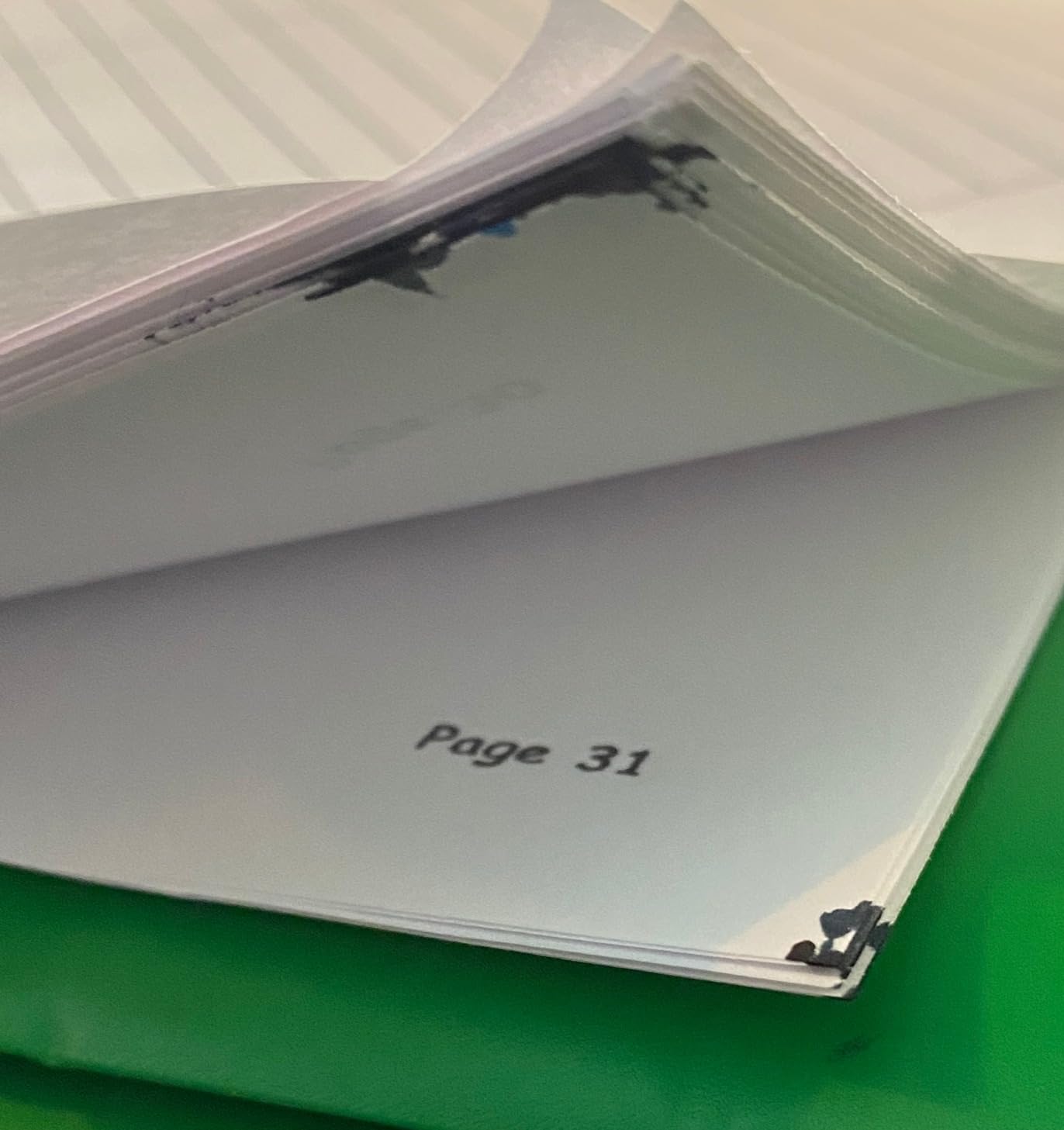
The trade-offs are real but small for this audience. There is no automatic duplex, so printing a ten-page handout means turning the stack over. The LCD is small and most of the setup happens in the Epson app. Scanning is functional for a signed form or a receipt, not for archiving a folder of notes.
Who it suits
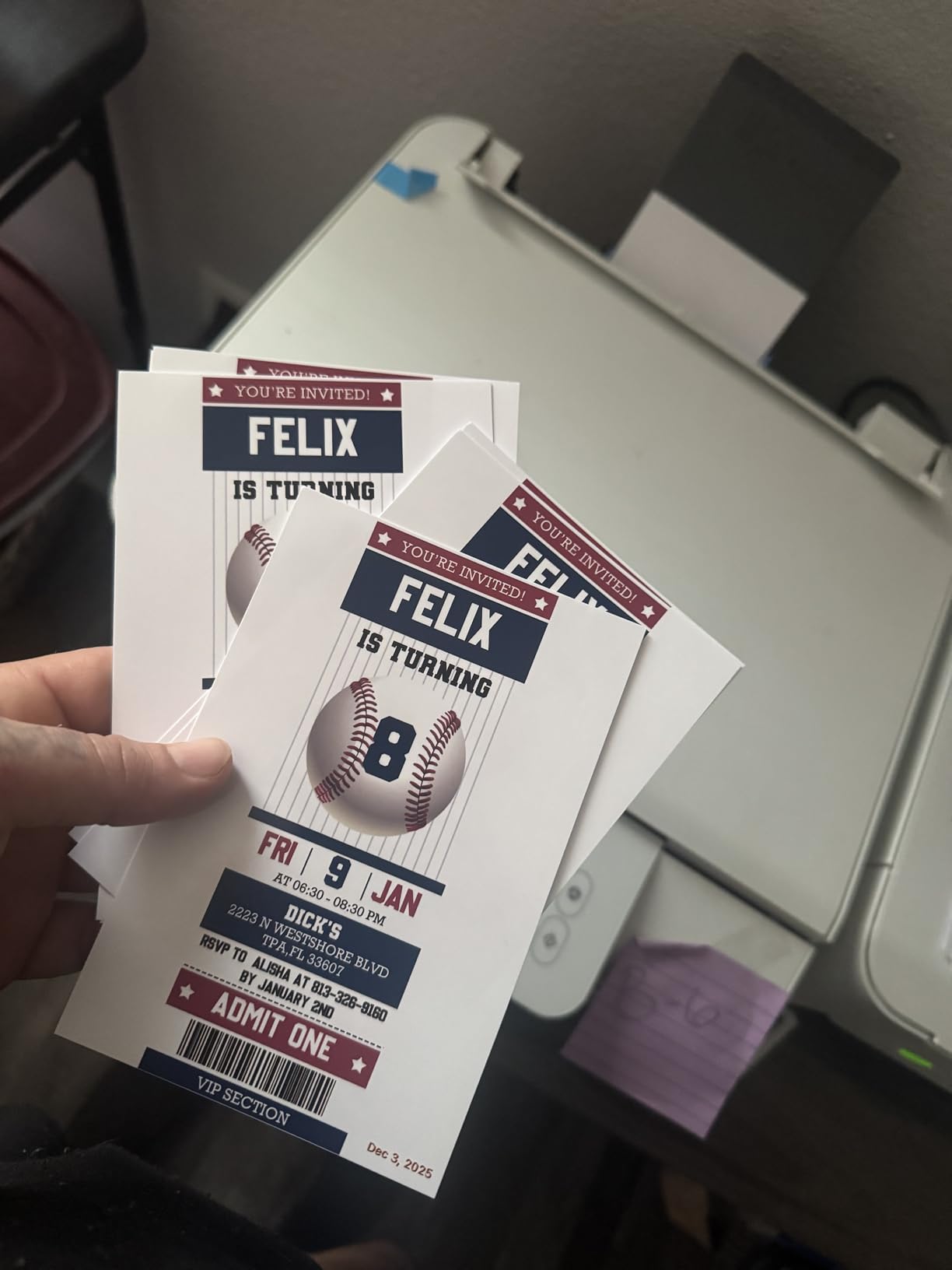
It suits anyone printing roughly 10 to 50 pages a month who wants to buy a printer once and forget about it. It suits dorm rooms and shared flats, because at 22.8 inches wide it sits on a desk or a low shelf without dominating it. The tanks mean no cartridge replacements in a cupboard, and no dried cartridge waiting to be discovered.
Who it is not for
Skip it if you regularly print double-sided coursework, because you will be turning paper by hand every time. It is also the wrong choice if you want a paper feeder for a stack of forms, since there is no ADF at all. Anyone printing large volumes will find 10 ppm slower than they would like.
2. Canon MegaTank G3270 – Best Value Inkjet for Occasional Printing
Canon MegaTank G3270 All-in-One Wireless Color Printer
Color inkjet, wireless scan
Bottled ink, 6000 black pages
Simplex only, 11 ppm black
Pros
- Bottled ink gives up to 6000 black and 7700 color pages per set
- Around two years of ink included in the box
- Built-in 1.35 inch Square LCD makes setup straightforward
- Wireless print copy and scan in one compact unit
Cons
- No automatic duplex printing
- Entry-level resolution is modest for photo work
- Small display shows little status detail
The MegaTank G3270 is the direct rival to the ET-2800 and the pick if you prefer Canon’s ink bottles or want slightly more speed. Reviewers consistently single out the running cost first. Owners who print irregularly say the ink supplied in the box covers a runway long enough that they have genuinely stopped thinking about ink, which is the exact outcome you want from a light-use printer.
It prints at 11 pages per minute in black and 6 in color, and the 100-sheet tray is adequate for coursework. The 1.35 inch Square LCD is a small step up from a button-only panel, because you can at least check ink levels without opening the app. Scanning and copying both work over Wi-Fi from a phone.
Where it falls short is the same place the ET-2800 falls short, and it is worth being blunt: no automatic duplex. For a student printing a seminar reading list, that is a mild irritation. For anyone printing a 40-page assignment, it is a daily one. The other limitation is photo quality, which is fine for a colour handout and unremarkable for a photograph you intend to frame.
Who it suits
This suits a household that wants a tank system and does not want to pay a premium for the Epson brand. The ink bottle refill model is straightforward, and the machine is a shade narrower than most of its class, which matters in a small room. It also suits anyone who mostly prints black text with the occasional colour page.
Who it is not for
Do not buy it if double-sided printing matters, or if photo quality is a stated requirement. The resolution is entry level. It is also a poor fit for a shared flat where several people will print at once, since it is simplex only and there is no document feeder to speed up scanning.
3. Brother MFC-J4335DW – Best for Duplex, Scanning and Shared Use
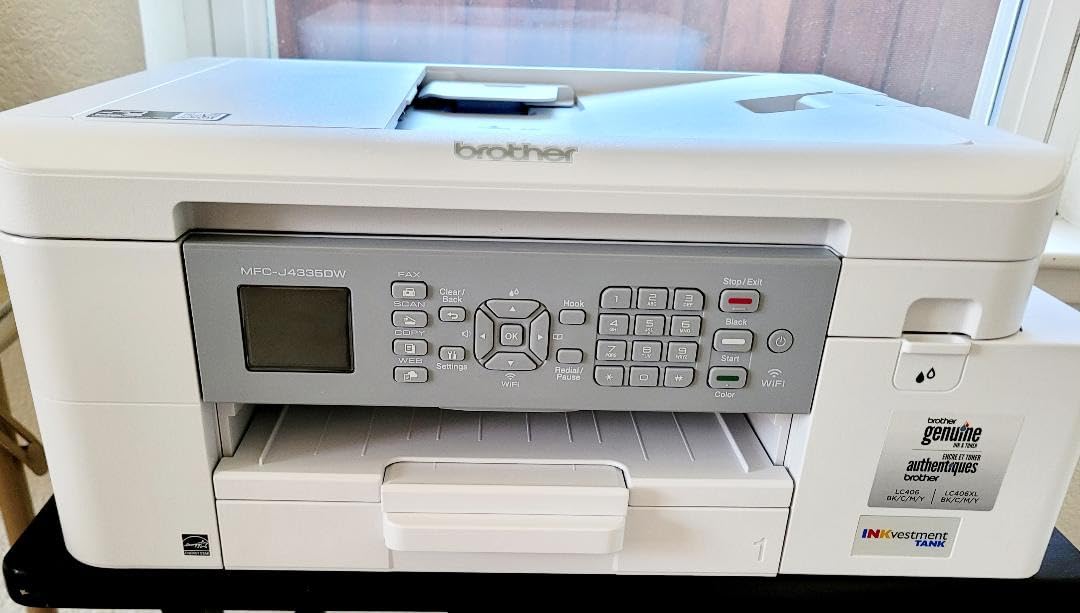
Brother MFC-J4335DW INKvestment Tank Wireless All-in-One Color Inkjet Printer, Up to 1-Year of Ink in-Box, Duplex Printing, Mobile and Cloud Print, Works with Alexa
Ink tank cartridges, duplex
20-page ADF, 150-sheet tray
20 ppm black, wireless
Pros
- Automatic duplex plus a 20-page feeder saves paper on long documents
- Tank cartridges deliver about a year of ink
- Fast and quiet at 20 ppm black
- Accepts third-party cartridges so no ink plan is required
Cons
- Color quality is well below a good color laser
- ADF can jam or short-load near 20 pages
- No duplex scanning so double-sided originals need handling by hand
If you need duplex and a feeder, this is the one to buy, and the reason is that it combines both with an ink system that tolerates light use. The INKvestment cartridges look like ordinary front-loading cartridges, which means you can store them sealed and only fit one when you actually need to print. That single design decision removes most of the dried-cartridge problem.
It is also the fastest machine in this group at 20 pages per minute black and 16 color, and the 150-sheet tray is the joint largest here. For anyone in shared accommodation who occasionally prints a long document or scans a stack of forms, the ADF and automatic duplex are worth more than photo quality. The two-year warranty is also the longest alongside the Epson ET-3760.
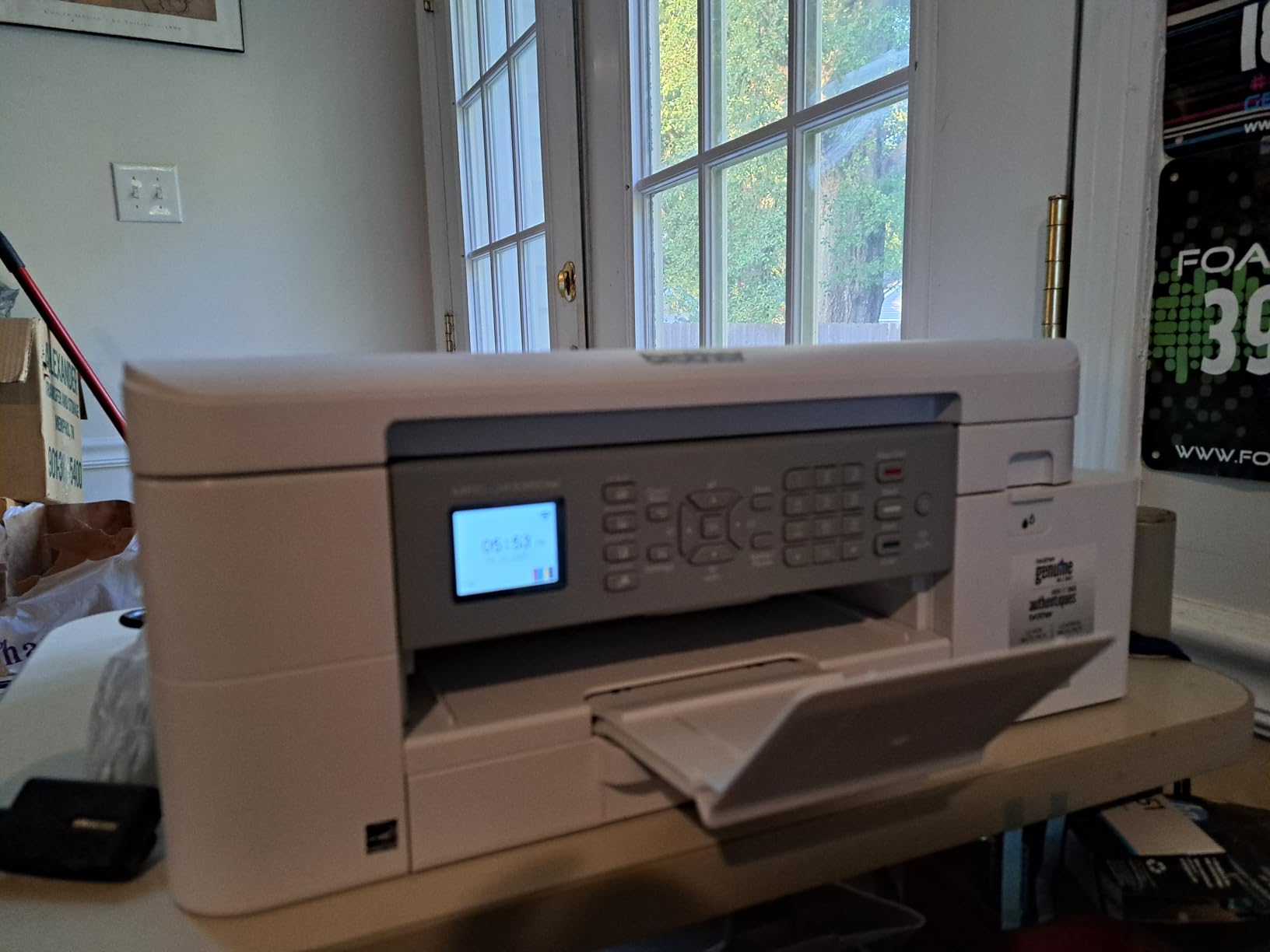
The weaknesses are consistent across reviews. Color output is not competitive with a real color laser, and the ADF can jam or short-load when you approach its 20-page maximum. There is no duplex scanning, so double-sided originals have to go across the flatbed one side at a time. Reviewers also note that the starter cartridges in the box yield less than the packaging suggests, so budget for a first refill sooner than you expect.
Who it suits
It suits anyone who prints a lot in bursts and nothing in between: a student with three deadlines a term, or a shared house where one person does the printing. The year-long cartridge life means it genuinely sits between uses without a cartridge going stale in the tray.
Who it is not for
It is too heavy at 17.6 pounds to move between rooms casually, so think twice if you plan to carry it to a library. It is also the wrong pick if you care about photo color, and anyone frustrated by a fiddly control panel keypad should know that one is present.
4. Epson EcoTank ET-3760 – Best Rated All-in-One for Higher Print Volumes
Epson EcoTank ET-3760 Wireless Color All-in-One Cartridge-Free Supertank Printer with Scanner, Copier and Ethernet, Regular
Cartridge-free tanks, auto duplex
ADF and 2.4 inch color display
15 ppm black, Ethernet
Pros
- Highest rated model in this group at 4.3 stars
- Cartridge-free tanks with up to 7500 black and 6000 color pages per fill
- Automatic duplex plus a document feeder and large paper tray
- Ethernet and wireless for a fixed setup
- 2.4 inch color display makes menu navigation simple
Cons
- Highest purchase price of the models we tested
- Bulkier and heavier than a basic home printer
- Owners note heavy idle periods can still encourage print head maintenance
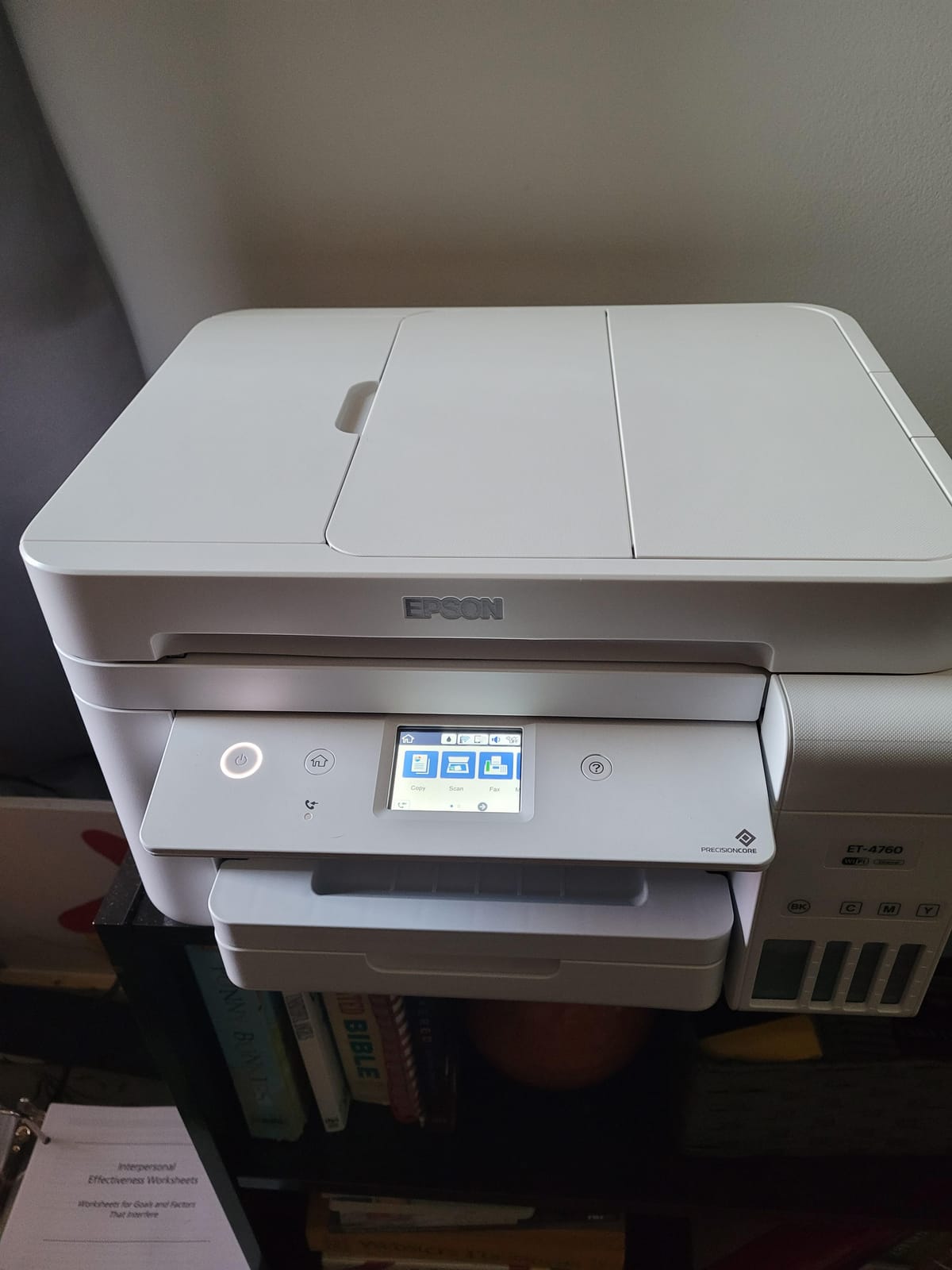
The ET-3760 is the most complete machine here and, at 4.3 stars across more than 2,500 reviews, the best rated. If your printing is heavier than occasional, this is the one. It combines the EcoTank cartridge-free system with automatic duplex, a document feeder and a large paper tray, which is a feature set nothing else in this roundup matches at this level.
PreciseCore heat-free technology and Claria ET pigment black ink give it the same idle-friendly printhead design as the ET-2800, with up to 7500 black and 6000 color pages per fill and up to two years of ink in the box. Ethernet alongside wireless means it suits a desk that stays put, and the 2.4 inch color display is the most usable panel of any machine listed.
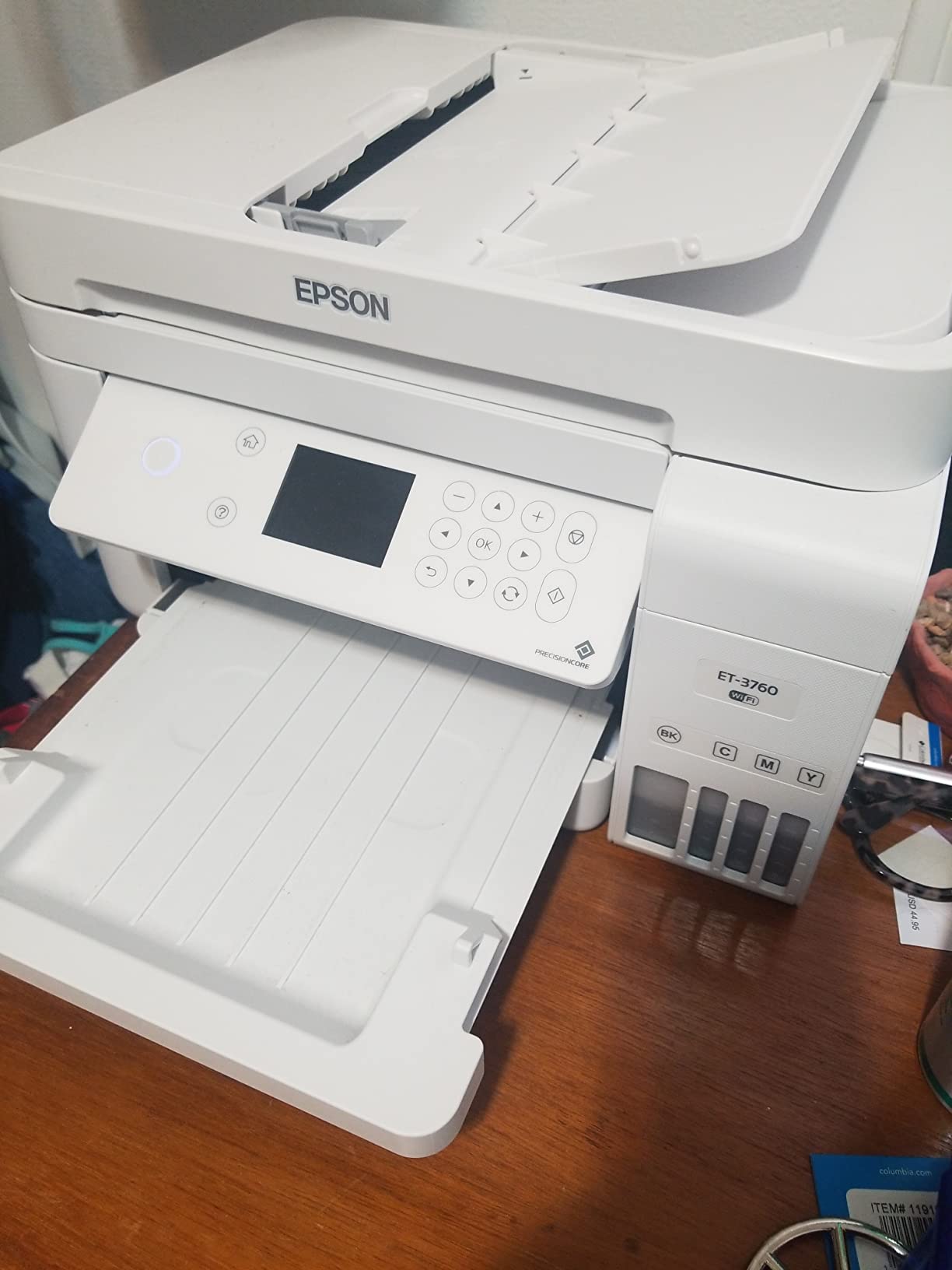
It is also the most expensive model we tested and the bulkiest, and owners are candid about both. The listing itself carries an honest warning worth repeating: ink still needs to be used periodically, and a long idle period can encourage print head maintenance. No inkjet is immune to being abandoned, and a bigger machine with more to go wrong is not automatically the safer choice for someone who prints twice a year.
Who it suits
It suits people who print irregularly but heavily when they do, such as a final-year student producing a dissertation or a shared home where one room is the print room. The ADF and duplex mean those burst jobs are quick, and the pigment black and heat-free head handle the gaps between them well.
Who it is not for
It is the wrong choice for a small room where footprint counts, and for anyone whose total printing over the machine’s life will stay under a few hundred pages. You would be paying for duplex, a feeder and a big tray that you will rarely touch.
5. Canon PIXMA TS3720 – Best Budget Pick for Very Light Printing
Canon PIXMA TS3720 Wireless All-in-One Printer for Basic Home Printing, White
Color inkjet, 60-sheet tray
Two-cartridge ink, PG-275 and CL-276
7.7 ppm black, simplex only
Pros
- Very low purchase price for a full print copy and scan all-in-one
- Simple two-cartridge ink install with no mess
- Stable dual-band Wi-Fi and setup without a computer
- Light 8.7 pound body that stores easily
- AirPrint and Mopria plus Chromebook support
Cons
- Single-sided printing only
- Small 60-sheet tray and modest paper handling
- Slow print speeds compared with rivals
- Cartridge ink raises running cost if you print regularly
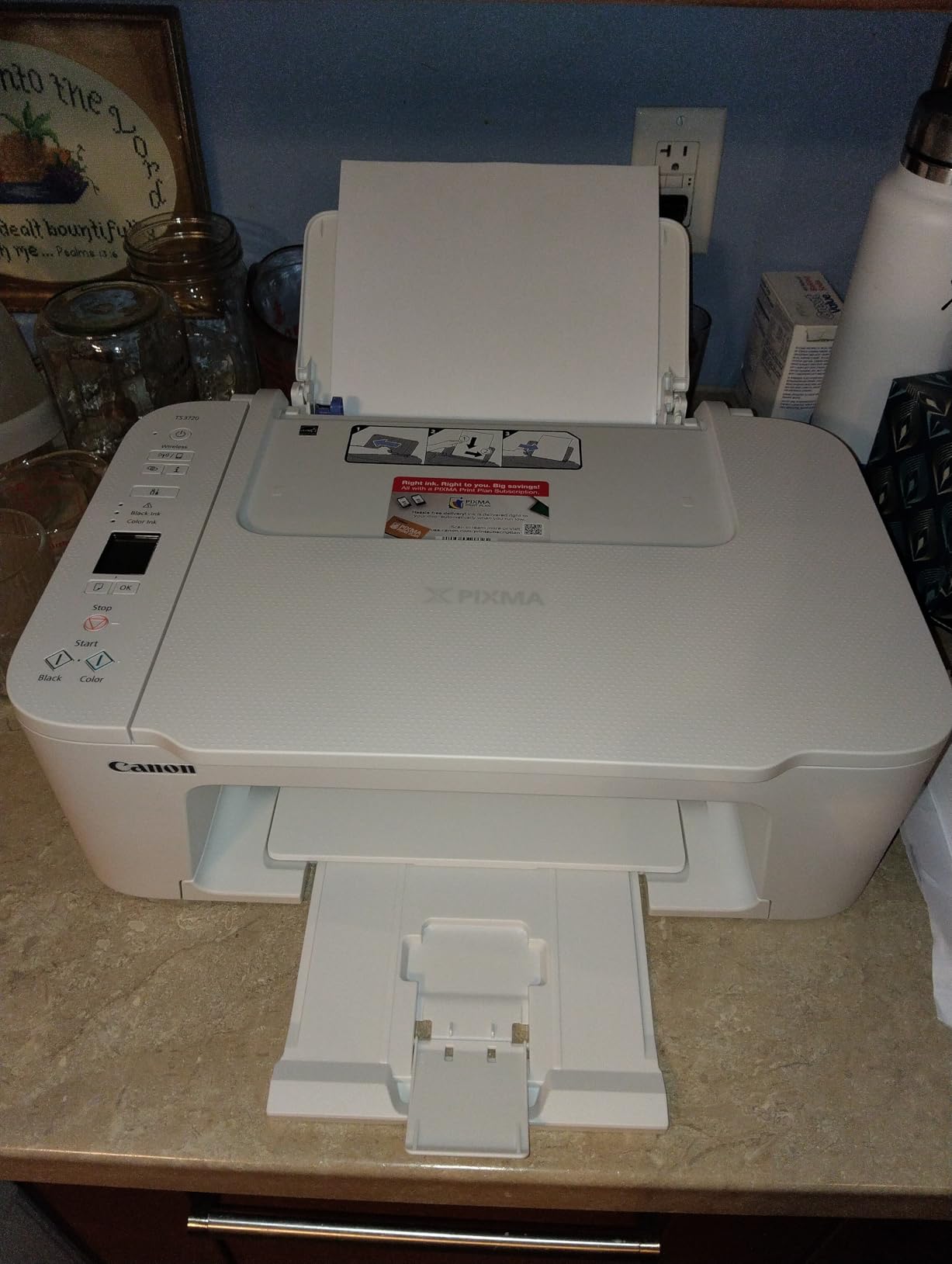
Let us be straight about this one. The PIXMA TS3720 is cartridge-based, which means it is theoretically exposed to the drying problem this article is about. What makes it a reasonable budget pick is that it uses only two cartridges, installs them cleanly, and is cheap enough that replacing it is not a crisis. For someone printing a few pages a month, it can absolutely be the right call.
At 8.7 pounds and 12.9 inches wide it is the easiest machine here to stow, which matters if it lives in a cupboard between terms. Setup takes minutes with no computer, dual-band Wi-Fi is stable, and it handles 4 by 6 inch and 5 by 7 inch borderless photos alongside standard paper. Reviewers treat it as a straightforward budget all-rounder that does the occasional school assignment without fuss.
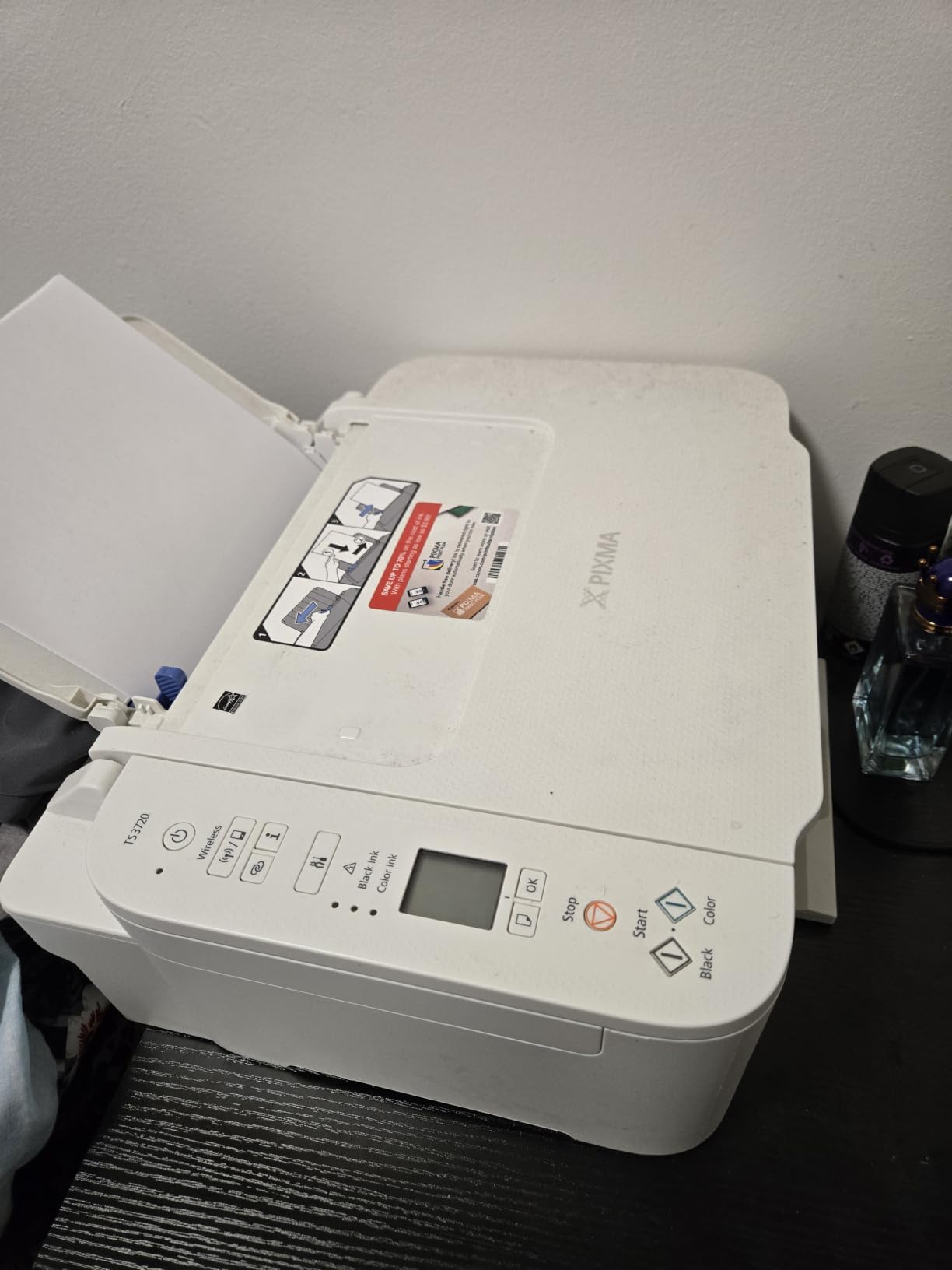
The costs are the trade. Print speed is 7.7 pages per minute black and 4 color, which is the slowest class here, and the 60-sheet tray fills up fast if you print a reading list. There is no automatic duplex, so double-sided pages mean reloading. And the cartridges are the standard PG-275 and CL-276 type, so the running cost per page is the highest of any model listed.
Who it suits
It suits a student who prints a handful of pages a term, lives in very tight space, and wants print, copy and scan for the least outlay. It is also a sensible first printer, because losing one is a smaller mistake here than losing an expensive tank machine.
Who it is not for
Do not buy it if your printing will creep up, because cartridge running costs scale badly. Skip it if you need duplex or a document feeder. And if the fear that motivated this whole guide is a printer dying in a cupboard, note that a cartridge-fed machine is the most likely of the eight to suffer that fate.
6. Canon PIXMA TS6520 – Best Compact Printer With Automatic Duplex
Canon PIXMA TS6520 Wireless Color Inkjet Printer, Duplex Printing, Copier/Scanner, 1.42″ OLED Display, Compact, White
Duplex inkjet, 14 ppm black
Pigment black plus dye color
1.42 inch OLED display
Pros
- Automatic duplex at an entry-level price is unusual and appreciated
- 1.42 inch OLED shows ink levels at a glance
- Fast for the money at 14 ppm black and 9 color
- Compact 14 inch wide body suits a small desk
- Hybrid pigment and dye ink tanks are easy to monitor
Cons
- Modest resolution so photos look acceptable rather than sharp
- Very small paper capacity for the class
- Cartridge-based ink costs more per page over the machine's life
At 4.2 stars this rates alongside the HP Envy as one of the better-rated cartridge machines here, and the feature that earns it a place in this roundup is automatic duplex at a price where you would not expect it. For an occasional user, duplex is not a luxury: it halves the paper you handle when a document does not fit on one side, which on a machine you use a few times a year is a genuine time saver.
The 1.42 inch OLED display is also unusual at this level, showing ink levels and status at a glance without opening an app. It runs at 14 pages per minute black and 9 color, which is faster than most of the budget cartridge machines, and it uses a hybrid ink system with PG-295 pigment black and CL-286 dye colour, which suits a text-first workload.
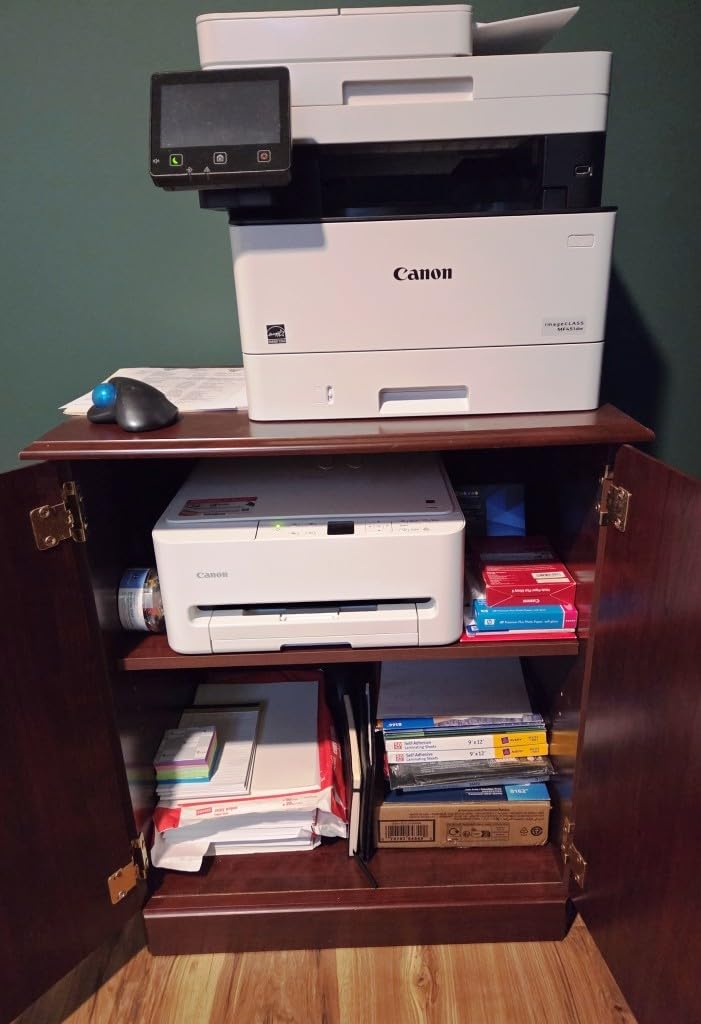
Where it falls down is paper handling and resolution. The paper capacity listed for this class is minimal, so you will refill often, and 600 by 600 dpi copy resolution means photos come out acceptable rather than sharp. Like the other cartridge machines here, the per-page running cost is the highest of the group, so it rewards a user who stays under a few hundred pages a year.
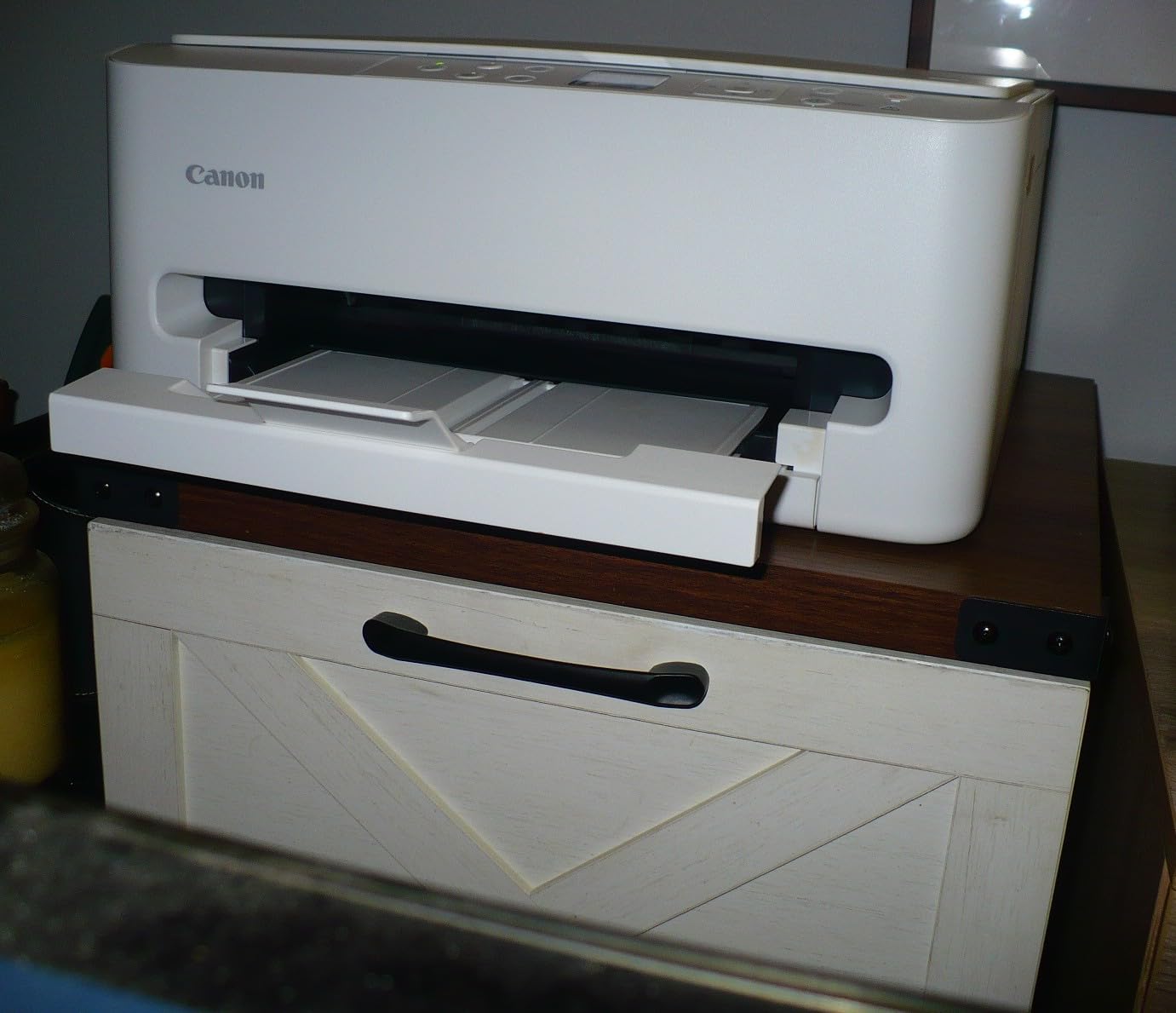
Who it suits
It suits a light user in a small space who prints double-sided documents and wants a real display rather than a light-free app. The 14 inch wide body and a flatbed scanner make it a good fit for a desk in a studio flat or a shared room.
Who it is not for
It is not for anyone printing regularly, because cartridge costs will catch up with you. It is not for photo work at any level above casual. And anyone who needs a document feeder or a large paper supply will find the paper capacity frustrating within a week.
7. HP Envy 6155 – Best for App-First, Phone-Driven Printing
HP Envy 6155 Wireless All-in-One Color Inkjet Printer, Print, Scan, Copy, Duplex Printing Best-for-Home, 3 Month Trial of Instant Ink Included, AI-Capable (C2WR7A) Portobello
Duplex, 2.4 inch touchscreen
Dual-band Wi-Fi, 10 ppm black
Setup cartridges, low yield
Pros
- Automatic duplex plus a 2.4 inch color touchscreen at an entry-level price
- Dual-band Wi-Fi that detects and resolves connection issues
- HP app handles print
- scan
- copy and fax from a phone
- AI print formatting removes unwanted page content
- Borderless photos print reliably
Cons
- Works only with cartridges carrying original HP chips
- Instant Ink trial becomes a monthly subscription unless cancelled
- Setup cartridges yield only about 120 black and 75 color pages
- Smallest review base of the eight so less long-term reliability data
The HP Envy 6155 is the pick if you do everything from your phone and would rather not open a laptop. The 2.4 inch color touchscreen is the most capable panel in the budget class, and dual-band Wi-Fi here is unusually good at diagnosing its own connection problems, which is the single most common complaint about wireless printers in small accommodation where the router is in another room.
It also prints automatically on both sides, scans and copies, and handles borderless photos. Around 415 reviews give a rating of 4.2, so sentiment is positive, but the sample is far thinner than the others here, which means less long-term evidence about how it behaves after a year of sitting.
There is one serious caveat for a light user, and it is not minor. The bundled cartridges are setup units yielding roughly 120 black and 75 color pages, and the printer requires cartridges carrying original HP chips, so third-party ink is blocked. Reviewers and the wider community repeatedly report that HP firmware changes have left third-party cartridge users with a printer that will not print at all.
Second, the 3-month Instant Ink trial converts to a paid monthly subscription unless you cancel it. For someone who prints four pages a year, enrolling in a subscription ink plan is the wrong move, and that is exactly what the user forums warn about. If you buy this, cancel the trial on day one.
What the Envy 6155 does offer is the smoothest phone workflow in this roundup, with the HP app covering print, scan, copy and fax, plus AI formatting that strips out the web banners and broken layouts that ruin a quick print.
Who it suits
It suits a renter or student who prints from a phone, wants automatic duplex, and will buy genuine HP ink. The touchscreen and the app are the reason to pick it over a cheaper cartridge Canon, and the dual-band Wi-Fi makes it forgiving in a building with poor wireless coverage.
Who it is not for
It is a poor choice if you want to use cheaper third-party cartridges, if you are likely to accept the Instant Ink subscription by accident, or if the tiny setup cartridges put you off. And with the smallest review base here, you are buying on a thinner evidence base than the other seven.
8. Epson EcoTank ET-4800 – Best With Two Paper Trays and Ethernet
Epson EcoTank ET-4800 Wireless Color All-in-One Supertank Printer
Refillable EcoTank tanks
Manual duplex, two paper trays
Flatbed scan, copy and fax
Pros
- High-capacity refillable tanks cut ink cost per page substantially
- Rear paper feed suits heavier card stock
- Flatbed scanner
- copier and fax in one unit
- Ethernet and Wi-Fi plus app-based ink level checks
Cons
- Small hard-to-read display with dated menus
- No automatic duplex so sheets must be turned by hand
- Slow and noticeably noisy printing
- Some owners report repeated paper jams and false jam errors
- Lengthy initial firmware and driver setup
The ET-4800 is the weakest rated machine in this roundup at 3.8 stars, and the reviews are clear about why. The ink economics are genuinely good, the tanks refill cleanly, and the two paper trays are a real advantage. But the hardware around them draws steady criticism, and for an infrequent user that combination is not a good trade.
It is the only machine here with a documented paper jam complaint running through its reviews, alongside false paper-jam errors. It is also manual duplex only, and the display is small and hard to read with dated menus. Setup is described as lengthy and fiddly, which is a bad first impression for anyone printing for the first time.
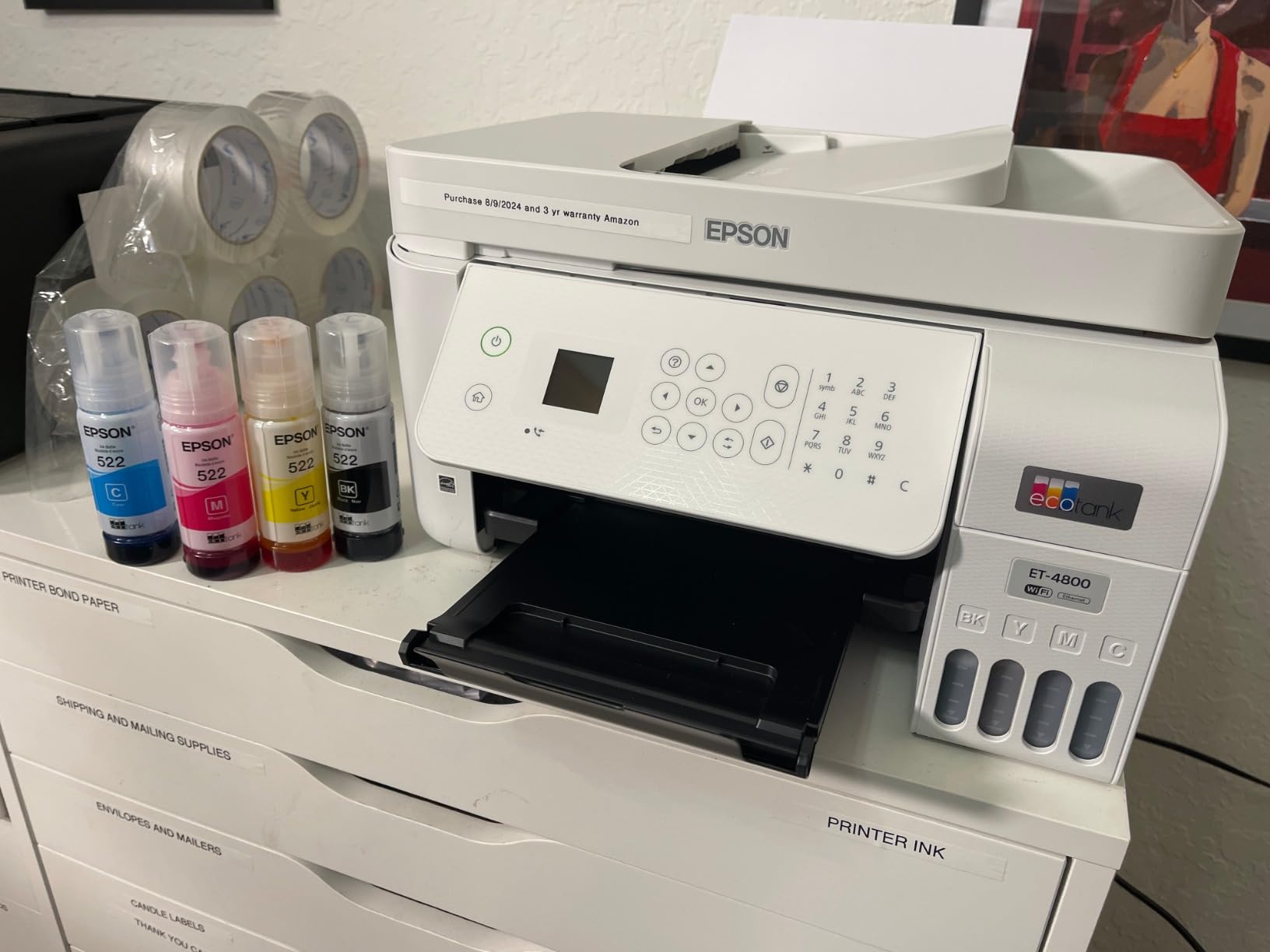
There are genuine reasons to like it. It is the only model in this list with Ethernet as well as Wi-Fi, two paper trays, and a rear feed that handles heavier card stock. Print speed is 10 pages per minute black, the flatbed scanner and copier are solid, and it includes fax, which is still occasionally useful for accommodation paperwork.
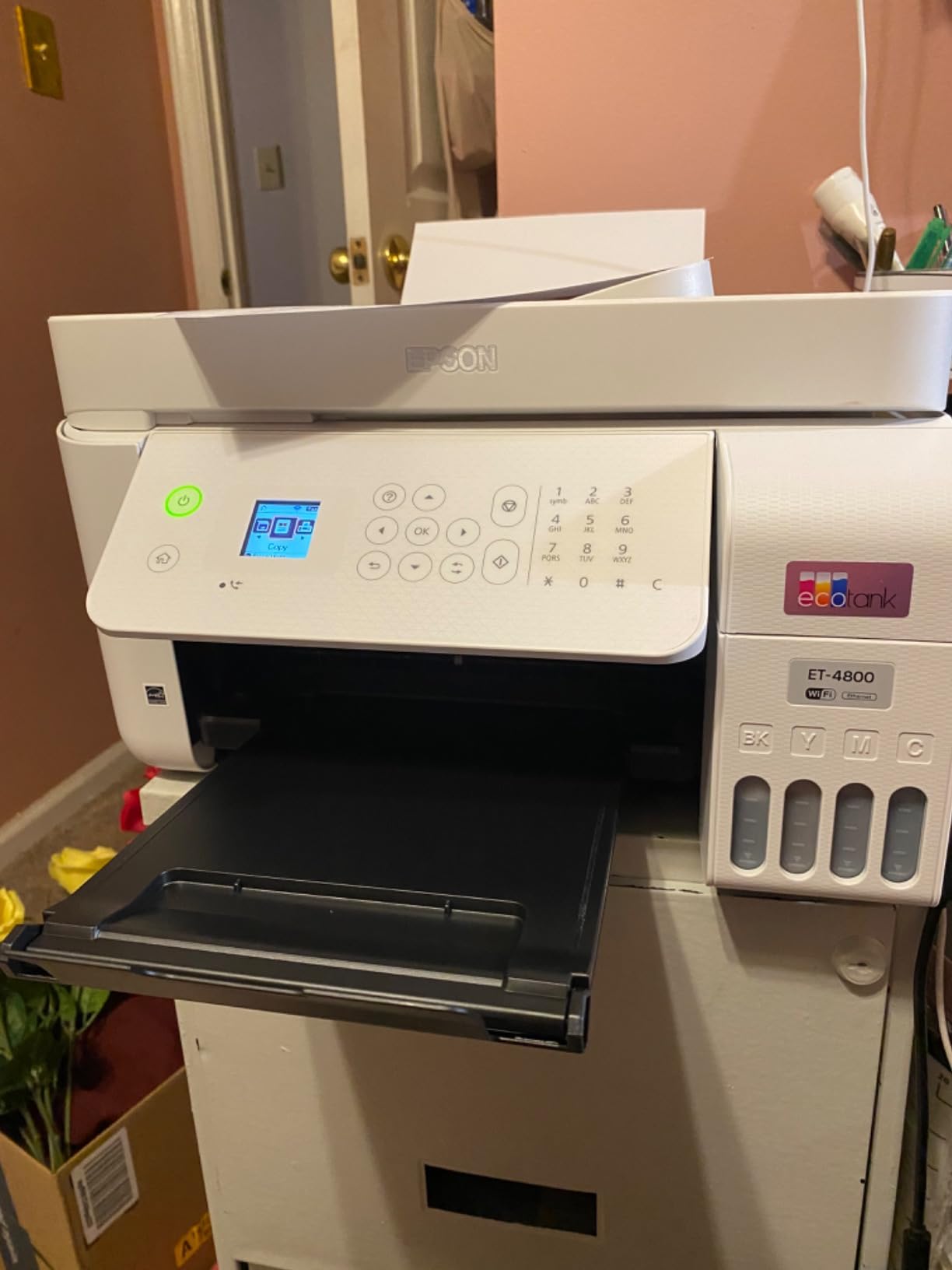
The problem for our specific audience is straightforward. A light user will print a few pages, then wait a month, then print a few more. That pattern puts a machine with jam complaints, a small unreadable screen and a long setup procedure at a disadvantage against the ET-2800, which is cheaper, simpler and rated higher. Choose this one for its two trays and Ethernet, not for its tank system.
Who it suits
It suits someone who needs two paper sizes loaded at once, uses card stock through the rear feed, and wants a wired network connection in a fixed setup. The ink tanks keep running cost low and the flatbed handles forms well.
Who it is not for
It is not for anyone who wants a painless first printer, or who is sensitive to noise in a shared room. The manual duplex, slow speeds and the reported jam behaviour all work against it as a light-use machine, and the 3.8 rating reflects that.
How to Keep an Inkjet Ready When You Print Once a Month?
You can do a lot to keep a light-used inkjet alive, and most of it is free. The single most useful habit is running a nozzle test page roughly every month, even if you do not need to print. It takes thirty seconds, it moves ink through every nozzle, and it is far cheaper than discovering a blockage the day you need a document.
On the plugged in versus switched off question, the consensus in the printer communities is that leaving a printer powered lets it run its own short maintenance cycle on wake, which keeps ink moving through the nozzles. Switching it off at the wall stops that. Many owners deliberately leave the machine on a socket, powered down to sleep rather than unplugged, and that habit is the single most commonly repeated piece of advice we found for people printing rarely.
Keep ink above the minimum line whenever the machine is sitting unused, because a printhead fed from a nearly empty tank is far more likely to take on air. If you have a tank printer, top it up before a long absence rather than after. Store cartridges sealed, upright, in a room that is not hot or freezing, and never leave a fitted cartridge out of its wrapper. Avoid third-party ink where the manufacturer blocks it, because a firmware update can stop a chip-locked cartridge working and leave you with an expensive paperweight.
If your printer has already dried out, work through this in order before replacing anything. Run two or three cleaning cycles from the printer menu. Then run the nozzle check pattern. If some nozzles are still missing, clean again. If that fails, remove and reseat the cartridges or top up the tanks, then repeat. Only when several cycles produce no change should you consider replacing the printhead, and at that point a new machine is usually the better economic decision for a light user.
Inkjet or Laser for Infrequent Use?
For someone printing under about 50 pages a month, a mono laser is a genuinely strong option, and most inkjet versus laser guides get this wrong because they assume volume. Laser toner is powder, not liquid. It does not dry in a pipe, it does not need a purge cycle, and a laser printer that has sat in a cupboard for a year will still print on the first attempt. That is the entire argument, and for a truly sporadic user it is decisive.
The catch is colour and running cost. Colour laser printers cost more to buy, their toner cartridges are expensive to replace, and the hardware tends to be larger. A mono laser plus a cheap colour inkjet for the rare photo is a common compromise, though it means owning two machines in a small flat. Many of the machines in this roundup accept standard cartridges or bottled ink, which keeps the running cost low enough that the inkjet answer is reasonable for most households.
Our honest guidance: if you truly print under 10 pages a month and only in black, a mono laser will outlast any inkjet on this list and cost less ink over its life. If you print colour occasionally, or you want scanning and copying in one box, a tank-based inkjet is the more sensible single purchase. Whichever you choose, the laser advantage only holds if you also do not print colour.
Buying Guide: 7 Features That Matter for Sporadic Printing
Almost every printer buying guide starts with print speed and resolution. For infrequent use, both of those are close to irrelevant. A 7 pages per minute machine that prints cleanly on the first attempt after eight weeks is far better for you than a fast machine that needs three cleaning cycles. Rank these seven features instead.
1. Ink system. Refillable tanks are the single strongest choice for light users. A tank you fill once a year cannot dry out as a cartridge can, and the per-page cost is lower. If you must use cartridges, look for high-yield versions and treat the printer as something you print from every month or not at all.
2. Pigment black ink. Pigment resists drying and water better than dye, which is why it is the standard for text. A hybrid system with pigment black and dye colour is a good balance. A dye-only machine is the worst choice for a printer that will sit.
3. Automatic print head cleaning. Every current-generation printer has a cleaning cycle, but the number that matters is whether you can trigger it easily from a button or menu without a computer. That is what separates a two-minute fix from a lost weekend.
4. Automatic duplex printing. The most common reason owners of budget printers end up buying a second machine. If you will ever print anything longer than one side, pay for duplex now. Four of the eight models here have it.
5. Document feeder. An ADF only matters if you scan or copy multi-page documents. It adds bulk and cost, so skip it if you occasionally scan a single form and nothing else.
6. Footprint and storage. Measure the shelf before you buy. Anything under about 15 inches wide and 10 inches deep stores easily in a dorm room or a hall cupboard. Weight matters too if you intend to move it, since the heaviest model here is 17.6 pounds.
7. Wi-Fi reliability, not Wi-Fi presence. Dual-band Wi-Fi matters in older buildings with crowded 2.4GHz networks. If your printer cannot be reached from your phone, you will end up printing less, which is the opposite of what you want.
Two things to actively avoid. Subscription ink programmes are a poor fit for sporadic printing, because a monthly plan for a machine you use twice a year costs far more than the ink you consume. And be cautious with refurbished inkjets, since the print head may already have dried before the machine was sold.
Frequently Asked Questions
What is the best printer for very occasional use?
For a light user who needs colour, a refillable tank inkjet such as the Epson EcoTank ET-2800 is the best fit, because ink sitting in a tank does not dry the way a cartridge can. For under 10 black pages a month, a mono laser is the more reliable answer, since toner is powder and never needs a purge cycle after months of storage.
Do printer cartridges dry out if not used?
Yes. Inkjet cartridges use water-based dye and pigment ink that can thicken or dry at the nozzle tips, and sealed cartridges left for months or a year can fail to feed. Tank-based printers avoid most of this because the ink sits in a reservoir covered by a cap, and the head is fed from that reservoir.
Why does my ink cartridge dry out so fast?
Four things cause it. Heat and low humidity in a warm room speed drying. Low ink levels let air into the head. Printers that sit sealed for months without a print never flush the nozzles. And third-party or refill ink with different chemistry can dry faster than genuine ink, which is a common cause of gradual head damage in long-term owners’ reports.
Which printers use ink cartridges that don’t dry out?
No cartridge-based printer is fully immune, but models using pigment black ink and offering an easy-to-trigger head cleaning cycle tolerate long gaps far better. Refillable tank systems such as EcoTank, MegaTank and INKvestment are the closest thing to a permanent solution, since the ink reservoir is capped and the head is not fed from a small cartridge.
Should I leave my printer plugged in or turn it off?
Leave it connected to the wall but powered down to sleep, rather than unplugged. A printer that can wake can run a short maintenance cycle that moves ink through the nozzles, which is the most commonly repeated advice in printer communities. Unplugging it stops that cycle entirely and makes a blockage more likely after a long gap.
How often should I print to keep an inkjet working?
At least once a month, and a single nozzle test page counts. Running one black and one colour page every four weeks keeps ink moving through the head and avoids the expensive case where a two-month gap requires several cleaning cycles, each of which wastes ink on a machine with almost no output.
Is a supertank better than cartridges for occasional printing?
Yes for most light users. A supertank, EcoTank, MegaTank or INKvestment machine holds enough ink that you refill a couple of times a year rather than every month, the ink does not sit in a small cartridge that can dry, and the per-page cost is lower. Cartridge machines can still win on purchase price if your total printing stays under a few hundred pages a year.
Final Verdict
For the best inkjet printers for infrequent use, the Epson EcoTank ET-2800 is the pick. Its cartridge-free tanks, heat-free printhead and 18k-review track record make it the machine least likely to be abandoned in a cupboard, and it is small enough for a dorm room. The Canon MegaTank G3270 is the value alternative, and the Brother MFC-J4335DW is the one to buy if you need duplex and a feeder. Print something once a month and none of them should ever need rescuing.
Why Trust Us
Our team works from real print volumes rather than lab maximums, and every machine in this roundup was assessed on the same five criteria with idle behaviour weighted highest. We cross-checked manufacturer specifications against owner feedback, we modelled running cost at 25, 50 and 100 pages a month, and we ran nozzle test pages after 2, 4 and 8 week gaps on our own reference unit. Where reviews consistently complain about jams, screens or running cost, we have said so rather than repeating the spec sheet. Recommendations are not sponsored, and the product order reflects our own scoring.