
A 27-inch monitor used to mean one thing: a big screen for a small budget. That is still true, but the quality gap between the cheapest 27-inch panel and a mid-range one has narrowed a lot. What has not changed is the trade-off. Under 200 dollars you get a genuinely usable 27-inch display, but you have to give something up, usually USB-C charging, a properly adjustable stand, or a refresh rate high enough for competitive shooters.
We spent several weeks going through twelve of the most-reviewed 27-inch monitors in this price band, reading owner feedback, comparing spec sheets, and sorting out which claims are marketing and which are measurable. This roundup of the best 27 inch monitors under 200 dollars covers flat panels and curved ones, TN, VA and IPS, and everything from 60Hz-class panels to a 144Hz model with a full ergonomic stand.
One thing worth settling before the picks: 1440p is not really on the table at this budget, so the real choice is between 1080p at 27 inches, which looks a little soft for long text sessions, and spending the same money on a smaller 24-inch 1080p screen that is noticeably sharper. For dorm rooms and shared desks we think 27 inches still wins on screen area, and we explain the reasoning in the buying guide below.
Table of Contents
Top 3 Picks for 27 Inch Monitors Under 200 Dollars in 2026
These three cover the most common needs: a curved all-round display, the best balance of ports and panel quality, and the cheapest way to get a large screen.

Sceptre C275W-1920RN
- 1500R curved 1080p panel
- 99% sRGB color
- two HDMI and VGA
- FreeSync
- built-in speakers
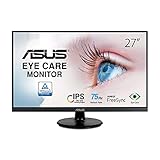
ASUS VA27DQ
- 27 inch 1080p IPS
- HDMI DisplayPort and VGA
- 2W stereo speakers
- three year warranty

Sceptre E275W-19203R
- 27 inch 1080p LED
- FreeSync at up to 100Hz
- 100x100 VESA mount
- blue light filter
Quick Overview: Every 27 Inch Monitor We Looked At
All twelve share the same core specification: a 27-inch 16:9 panel at 1920×1080. Everything that separates them is panel type, refresh rate, port selection, warranty length and how much the stand can be adjusted.
| Product | Specs | Action |
|---|---|---|
| Sceptre C275W-1920RN |
|
Check Latest Price |
| Sceptre E275W-19203R |
|
Check Latest Price |
 ASUS VA27EHE ASUS VA27EHE |
|
Check Latest Price |
| ASUS VA27DQ |
|
Check Latest Price |
 Acer KB272 G0bi Acer KB272 G0bi |
|
Check Latest Price |
 ViewSonic VX2776-SMHD ViewSonic VX2776-SMHD |
|
Check Latest Price |
 Amazon Basics 27E2UA Amazon Basics 27E2UA |
|
Check Latest Price |
 Philips 271V8LB Philips 271V8LB |
|
Check Latest Price |
 Samsung S30GD Samsung S30GD |
|
Check Latest Price |
 LG 27U411A-B LG 27U411A-B |
|
Check Latest Price |
 AOC 27B35H3 AOC 27B35H3 |
|
Check Latest Price |
 Dell S2725HSM Dell S2725HSM |
|
Check Latest Price |
1. Sceptre C275W-1920RN – Best Curved 27 Inch Monitor Under 200 Dollars
Sceptre Curved 27-inch Prime Monitor up to 100Hz 1080p, HDMI x2, VGA, 99% sRGB, Built-in Speakers, R1500, Machine Black 2025 (C275W-1920RN Series)
27 inch 1500R curved 1080p
250 nits, 99% sRGB
FreeSync, 2x HDMI, VGA
36W, 5.5 lb, 1 year warranty
Pros
- Curved 1500R panel with 99% sRGB coverage
- Two HDMI plus VGA inputs
- FreeSync adaptive sync support
- Built-in speakers save desk space
- Anti-glare
- blue light filter and flicker-free
Cons
- Listed refresh rate of 75Hz despite 100Hz marketing
- VGA input is of limited value on modern setups
- Contrast and color weaker than IPS panels
The C275W-1920RN has the largest owner base of anything in this roundup, with close to 15k ratings, and that volume matters because it means the failure reports are well documented rather than anecdotal. Owners consistently describe it as the screen they bought because they needed a big panel fast and were not disappointed.
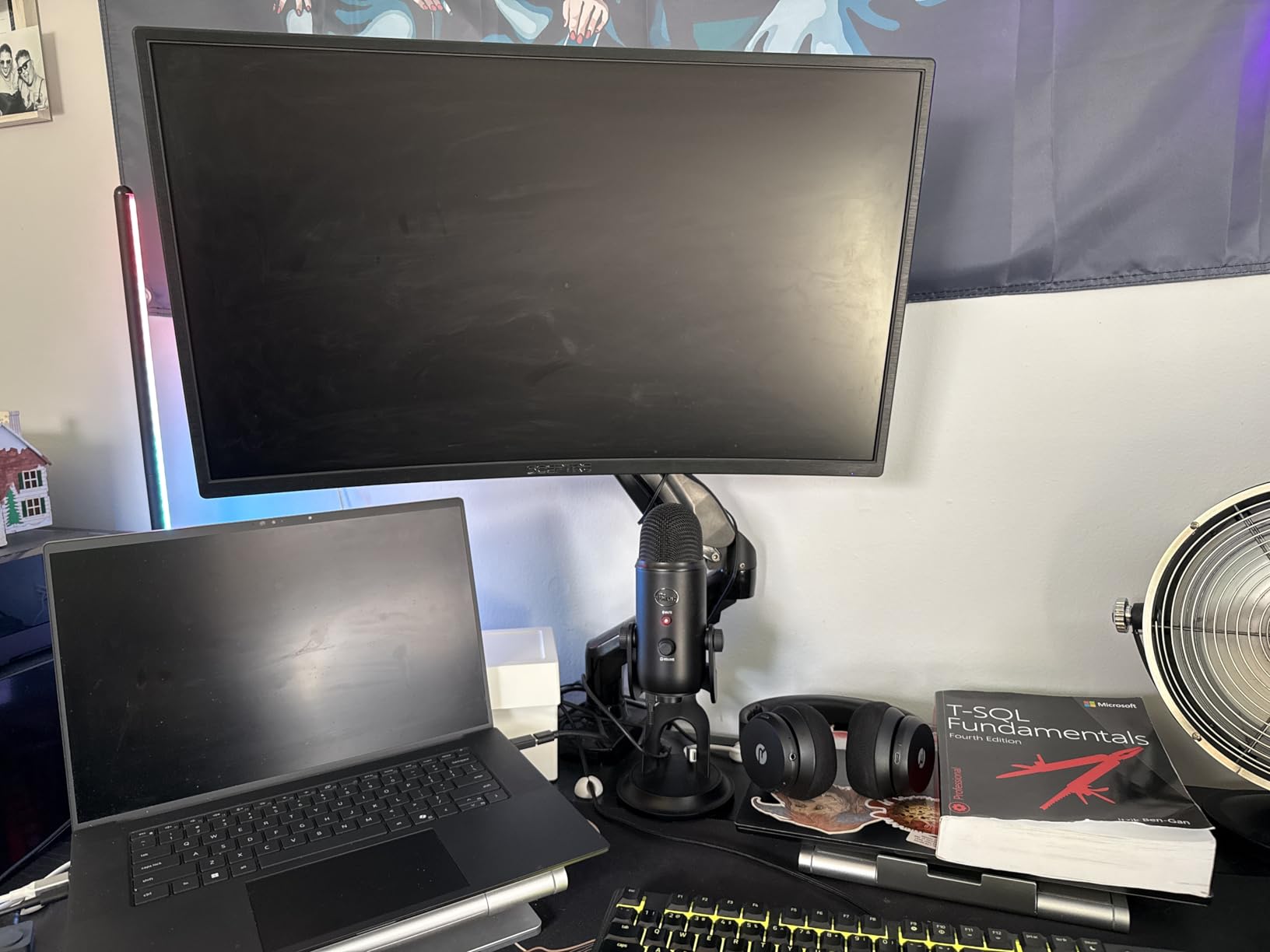
Physically it is a 1500R curved 27-inch LED with a matte finish, 250 nits of brightness and 99% sRGB coverage. At 5.5 pounds it is also one of the lighter units here, which matters if you plan to wall mount it on a cheap bracket.
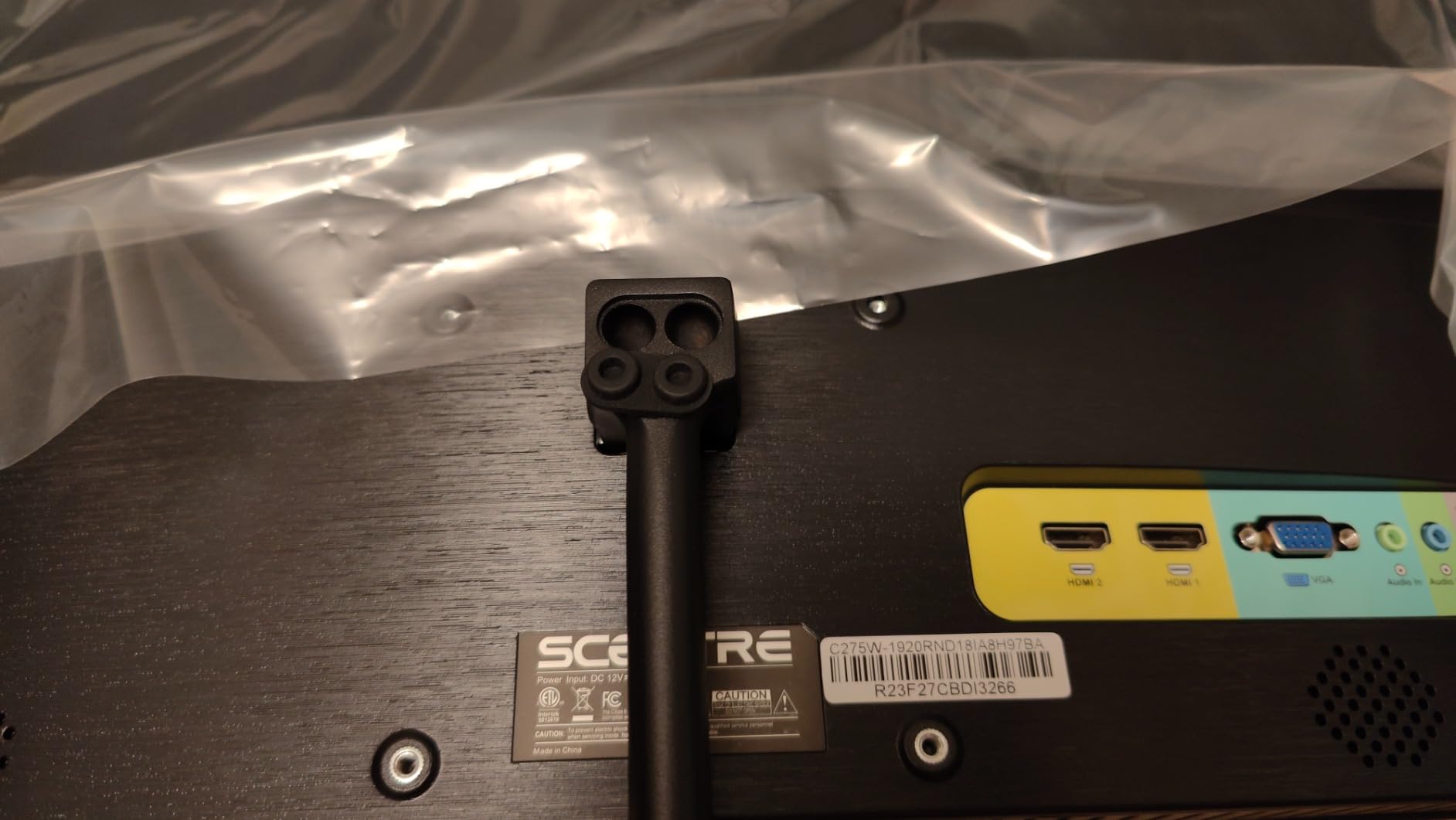
The curvature is mild enough to disappear during a workday but obvious during a movie, and the FreeSync support means a matched AMD card can hand off frames without tearing. Two HDMI ports plus a VGA input cover a dorm PC, a laptop and an older console in one desk setup.
There is a real caveat in the spec sheet. The product details list a 75Hz refresh rate while the marketing claims up to 100Hz, and owners mention the gap between those two numbers more than anything else. Treat the higher figure as a best case rather than a guarantee.
Who it suits
It suits students who want the biggest screen per dollar and care more about movies and general browsing than competitive shooters. A second unit as a dorm TV or a shared-living-room display also makes sense, and the built-in speakers remove one more box from a small desk.
Owners also like the anti-glare coating, the blue light filter and the flicker-free backlight for long evening sessions. In a bright room with a window opposite the desk, the matte finish handles reflections better than the glossy models in this list.
Where it falls short
It falls short on color accuracy and viewing angles relative to IPS. Owners of curved TN or VA panels like this one do report weaker contrast and some dark-level bleed in dim scenes, so it is a poor choice for photo work or a very bright, glare-heavy desk setup.
The plastic stand is also wobbly, which is a recurring complaint in this price class. If you type hard or nudge the desk, plan on a VESA arm, and check that your bracket matches the mount pattern before you commit.
2. Sceptre E275W-19203R – Best Low Cost 27 Inch Monitor
Sceptre E275W-19203R 27 inch1080P LED Monitor 99% sRGB 2X HDMI VGA Build-In Speakers, Machine Black (E275W-19203R series)
27 inch 1080p LED
3000:1 contrast, 99% sRGB
FreeSync, 2x HDMI and VGA
8.8 lb, 100x100 VESA, 1 year warranty
Pros
- Excellent value for a 27 inch 1080p panel
- 99% sRGB color coverage
- Built-in 100x100mm VESA mounting points
- Blue light shift mode reduces eye strain
- HDMI cable included in the box
Cons
- Wobbly
- all-plastic stand
- Poor off-axis viewing angles point to a TN panel
- Black levels show noticeable bleed in dark scenes
This is the cheapest route to a full 27 inches, and with close to 4600 ratings it has an owner base large enough to trust. Roughly three quarters of reviewers give it five stars, and the most common praise is simply that the size feels much bigger than expected once it is on the desk.
It is a flat 27-inch LED at 1920×1080 with a 99% sRGB figure and a 3000:1 contrast ratio, plus a blue light filter and a listed 3ms response time. The box includes an HDMI cable, which is a small thing that saves a trip to the drawer.
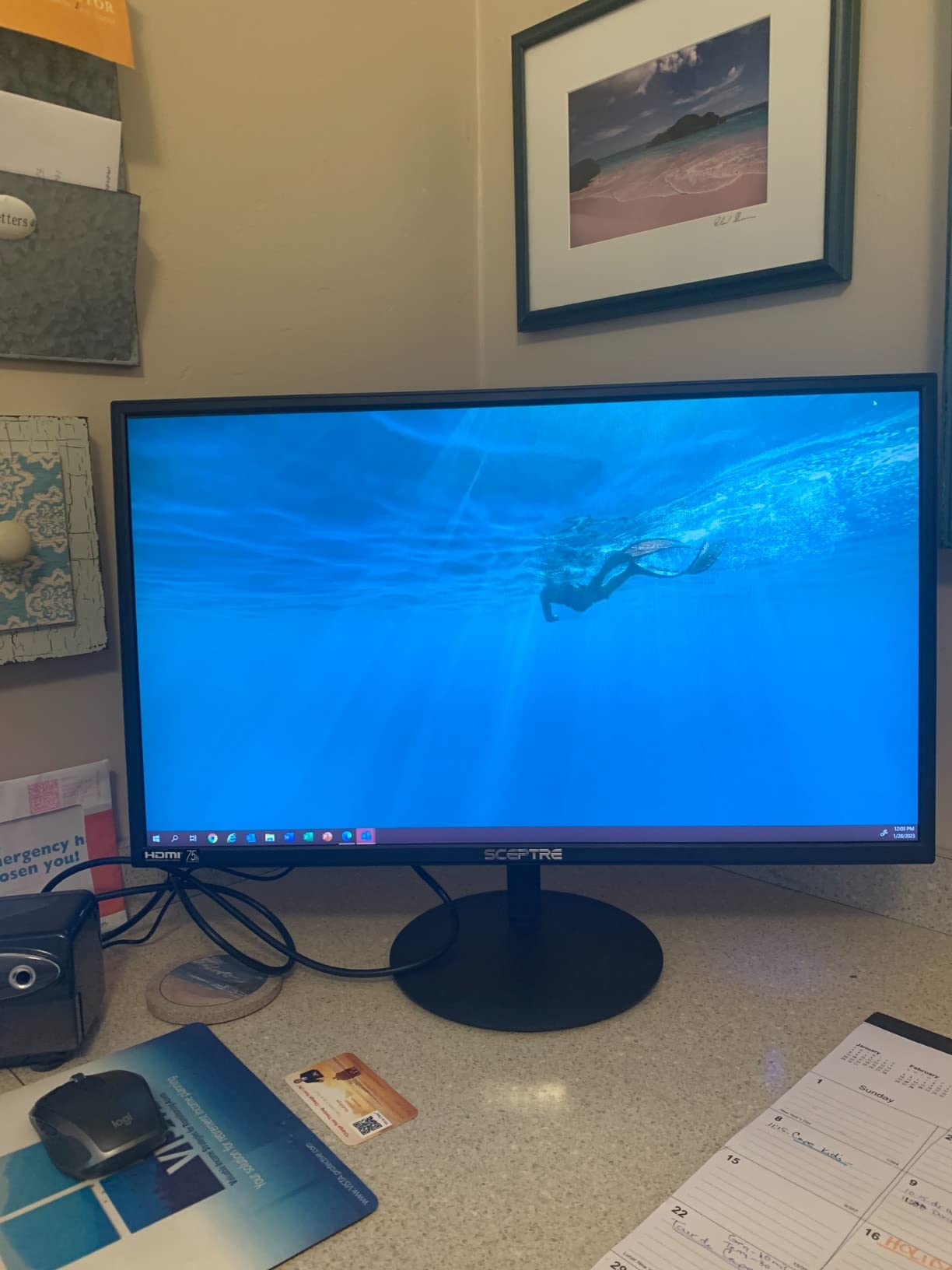
FreeSync is supported and the technical data lists a 75Hz refresh rate, with the feature list advertising up to 100Hz. As with the curved Sceptre, the higher number appears in some documentation and not others, so check the on-screen display when you first power it on.
VESA mounting at 100x100mm is the standout detail for this price. Most stand-only competitors in this range do not give you that, and it means you can put this panel on an arm for a proper dual monitor dorm setup.
Who it suits
It suits anyone setting up a first study desk on a tight budget, a second display for spreadsheets and documents, or a monitor for a parent or roommate who needs a large screen for streaming. The blue light shift mode gets decent marks from people who read on it for hours.
It is also a good pairing for a laptop dock setup if your desk space is limited, since the VESA plate frees up the whole footprint of the stand. Just budget for your own speakers, because the built-in pair is thin on volume.
Where it falls short
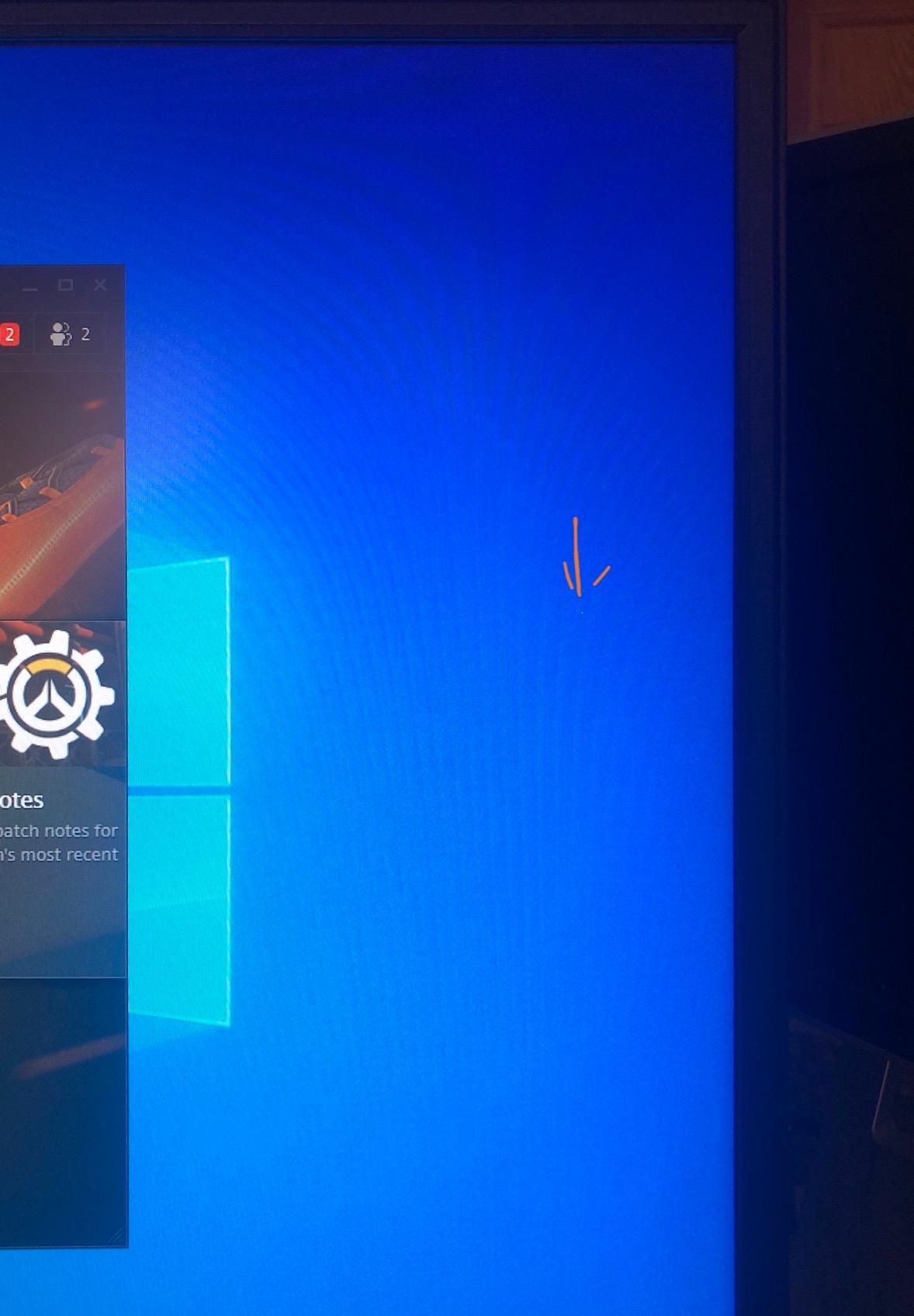
It falls short on viewing angles, and owners who compare it to IPS panels notice it immediately when the screen is off-axis. That makes it a poor fit for a desk where a roommate watches over your shoulder while you work.
Black levels bleed in dark scenes, and the plastic stand draws the most repeated complaint in the reviews. If you care about image quality more than screen size, spend a little more on an IPS panel instead.
3. ASUS VA27EHE – Best 27 Inch Monitor for Long Study Sessions
ASUS 27 Inch Desktop Monitor – Full HD (1920 x 1080), IPS, 75Hz, Adaptive-Sync, HDMI, D-Sub, Frameless – VA27EHE
27 inch 1080p IPS panel
178 degree viewing angles, 1000:1 contrast
75Hz Adaptive-Sync, HDMI and D-Sub
3 year warranty with advance replacement
Pros
- IPS panel with 178 degree viewing angles
- Asus Eye Care flicker-free and low blue light
- Frameless three-sided bezel design
- VESA wall-mountable with tilt adjustment
- Three year warranty with advance replacement
Cons
- Stand offers tilt only with no height adjustment
- No DisplayPort so G-Sync cannot be used
- 75Hz ceiling is low for serious gaming
The VA27EHE is the model we keep coming back to for dorm rooms, and the reason is eye comfort plus a real warranty rather than a headline refresh rate. With more than 3200 ratings, it is also one of the better-reviewed IPS panels at this size and price.
It is an IPS panel with 178 degree viewing angles and a 1000:1 contrast ratio, so text stays readable when you lean back and colors stay consistent from the side. The three-sided frameless bezel keeps the desk looking tidy, which is the part you notice every day.
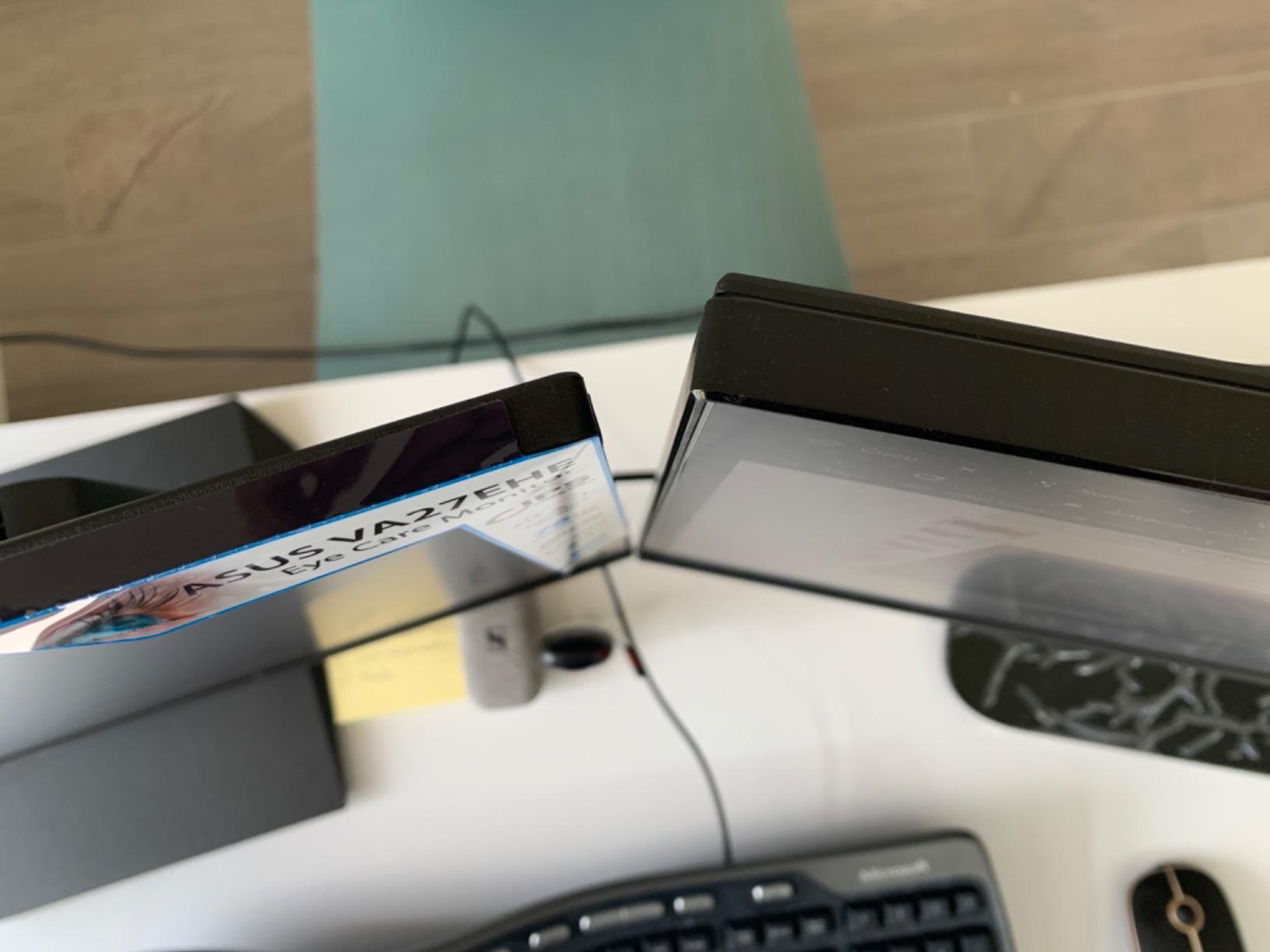
Asus Eye Care technology, certified by TUV Rheinland, handles the flicker-free backlight and low blue light modes. Several buyers mention buying more than one for an office or dual monitor arrangement, which is a reasonable sign that the panel holds up over time.
Owners also report units arriving without dead pixels, which is not guaranteed at any price but is worth noting for a brand with a three year advance replacement warranty. That warranty is longer than the one year most competitors in this list offer.
Who it suits
It suits students writing essays, coding, or reading reference material for hours, because the IPS panel does not shift color when you move and the low blue light mode is genuinely usable at night. It is equally at home in a shared room where someone might glance at your screen from a chair.
The frameless design also makes it a good second panel for a two monitor setup on a narrow desk. If you later add an arm, the VESA mount is there, though the plate is smaller than the 100x100mm used by some rivals.
Where it falls short
It falls short on gaming and on ports. There is no DisplayPort, which rules out G-Sync entirely, and the 75Hz ceiling is not enough for anyone who plays competitive shooters regularly.
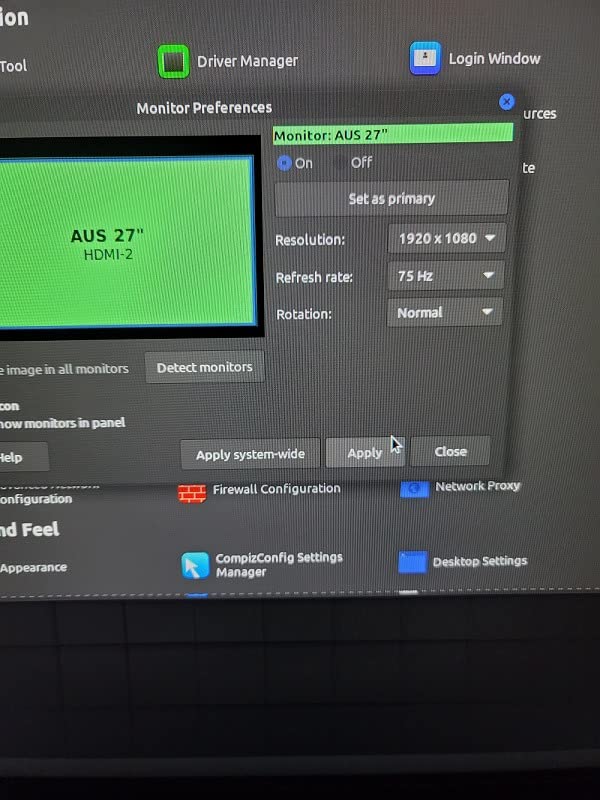
The stand tilts only, with no height or swivel adjustment, so you are setting screen height with books. The D-Sub input is largely obsolete too, and several buyers noted the inner bezel looks wider once the panel is powered on than the product photos suggest.
4. ASUS VA27DQ – Best Value 27 Inch Monitor Under 200 Dollars
ASUS VA27DQ 27 Inch 1080P Computer Monitor, HDMI, DisplayPort, VGA, Speaker
27 inch 1080p IPS panel
DisplayPort, HDMI and VGA
2W x 2 stereo speakers
12.68W draw, 3 year warranty
Pros
- Full port selection including DisplayPort
- HDMI and VGA
- IPS panel with 178 degree angles and Adaptive-Sync
- Built-in 2W x 2 stereo speakers
- Three year warranty with advanced replacement
- Frameless
- VESA mountable
- tilt adjustable
Cons
- 75Hz maximum refresh rate limits high-end gaming
- Color gamut of 72% sRGB is narrow for creative work
- No height or swivel adjustment on the stand
If we had to recommend one monitor to a friend building a first setup, this is the one. The ASUS VA27DQ combines an IPS panel with the only complete video port selection in the whole roundup, and it does it under 200 dollars with a three year warranty.
DisplayPort, HDMI and VGA all appear in the technical data, and DisplayPort matters more than it used to because it unlocks adaptive sync on both AMD and NVIDIA cards. IPS with 178 degree angles is the panel you want for documents and browsing.
At 12.68 watts of power consumption this is one of the most efficient monitors here, which adds up over a dorm room or a small apartment running a monitor for twelve hours a day. FreeSync is listed, and the graphics card compatibility notes name GTX 10 and 16 series, RTX 20 series and newer, plus Radeon cards.
Tilt adjustment runs from plus 23 to minus 5 degrees, the panel is frameless, and it is VESA mountable. Owners also get a free month of Adobe Creative Cloud with the monitor, which is a small perk rather than a reason to buy.
Who it suits
It suits a mixed-use desk where a student edits documents in the morning and plays a game at night without swapping cables. Having DisplayPort and HDMI together means the same monitor works with a laptop, a gaming PC and a console.
It is also a strong pick for an office or shared apartment where several people use the same machine. Owners frequently describe putting two of these on a desk at the same time, which is the easiest way to build a dual monitor setup cheaply.
Where it falls short
It falls short on color coverage, with 72% sRGB listed, which is narrow if you edit photos or do any work where color accuracy matters. Calibration helps, but the panel is not designed for it.
The 75Hz ceiling and the tilt-only stand are the other limits. If your desk has a monitor arm already, the missing height adjustment stops mattering, but otherwise you will be raising the screen on a stack of books.
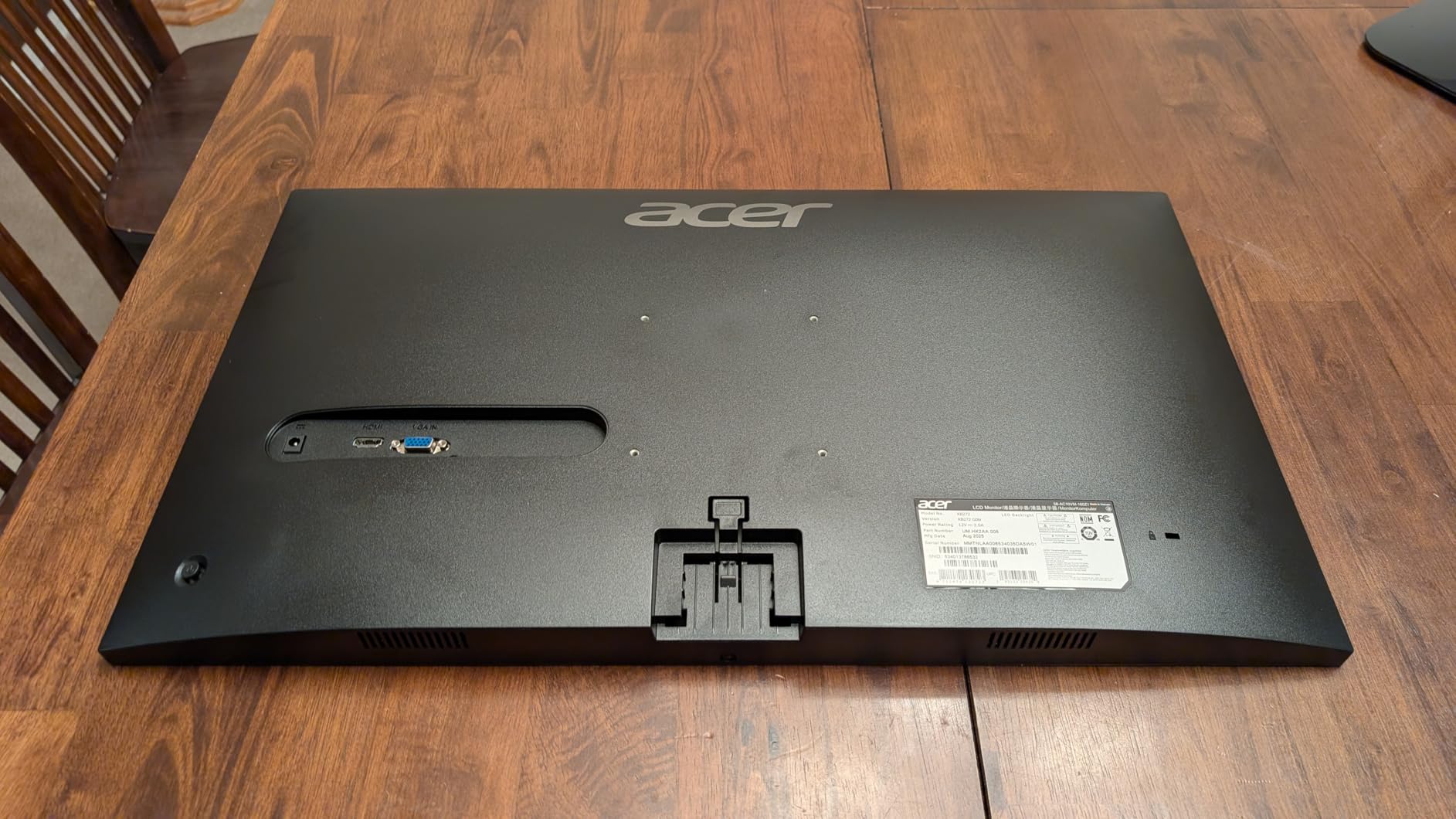
5. Acer KB272 G0bi – Best 120Hz 27 Inch Monitor for Gaming
Acer 27in FHD 1920×1080 IPS 120Hz Gaming Monitor | Office KB272 G0bi
27 inch 1080p IPS panel
120Hz refresh, 1ms VRB
250 nits, 99% sRGB
FreeSync, HDMI and VGA, 18W
Pros
- 120Hz refresh rate with 1ms VRB at this price
- IPS panel with 99% sRGB coverage
- FreeSync compatible adaptive sync
- Low 18W power consumption
- Three year parts and labor warranty
Cons
- HDMI and VGA only with no DisplayPort
- Tilt adjustment is the only ergonomic option
- No integrated speakers or headphone output listed
The Acer KB272 G0bi is the spec-sheet surprise of this group. A 120Hz refresh rate and a 1ms VRB response time on a 27-inch IPS panel, at a price most people budget for a 60Hz screen, is not a rounding error.
It runs 250 nits with a 0.311mm pixel pitch and covers 99% sRGB. The pixel pitch figure is the useful one here: at 27 inches and 1080p you get roughly 81 pixels per inch, which is the number behind the slightly soft look of any 1080p panel at this size.
FreeSync is supported, and the panel ranks in the top ten of its Amazon computer monitor category, which tells you how much of the budget tier is landing here. The 3ms real-world feel is fine for shooters and racing games even though the marketing number is 1ms.
Power draw of 18W is modest, and the monitor comes with a three year parts and labor warranty. That is a longer cover than several established brands provide at this budget, which matters if the desk is shared and the screen gets knocked.
Who it suits
It suits someone who plays competitive or near-competitive games on a budget and wants more smoothness than a 75Hz panel gives. Sixty hertz to one hundred twenty hertz is a bigger perceived jump than one hundred twenty to one hundred forty four, and this is where you get that jump cheaply.
It also suits a mixed desk, because IPS color and wide angles mean it works for documents in the day. Console players should note that the ports are HDMI and VGA only, so check your console output type first.
Where it falls short
It falls short on connectivity. There is no DisplayPort, and VGA is close to useless on a modern desk, so you are limited to HDMI and whatever your source offers.
The tilt-only stand and the absence of built-in speakers or a headphone output mean you are adding your own sound and a prop for the screen height. The 1ms VRB figure is a strobe-assisted number rather than a true pixel response time, so treat it as a ceiling.
6. ViewSonic VX2776-SMHD – Best 27 Inch Monitor for Documents and Reading
ViewSonic VX2776-SMHD 27 Inch 1080p Computer Monitor, IPS LED Display
27 inch 1080p IPS panel
SuperClear technology, 178 degree angles
DisplayPort, HDMI and VGA
ViewMode presets, 3 year warranty
Pros
- IPS panel with 178 degree viewing angles
- Three inputs including DisplayPort
- HDMI and VGA
- ViewMode presets for Game
- Movie
- Web
- Text and Mono
- Flicker-Free technology and Blue Light Filter
- Frameless ultra-slim design with 75x75mm VESA mount
Cons
- Spec sheet lists 60Hz rather than the marketed 100Hz
- No height or swivel adjustment on the stand
- No integrated speakers
ViewSonic built this one around presets, and that is a smart choice for a study desk. The ViewMode menu gives you Game, Movie, Web, Text and Mono modes, so switching between a lecture document and a video call does not require menu diving.
The panel is 27-inch 1080p IPS using SuperClear technology with 178 degree viewing angles, covered in an anti-glare hard coating. Brightness is listed at 250 and response time at 4ms, which is reasonable for document work.
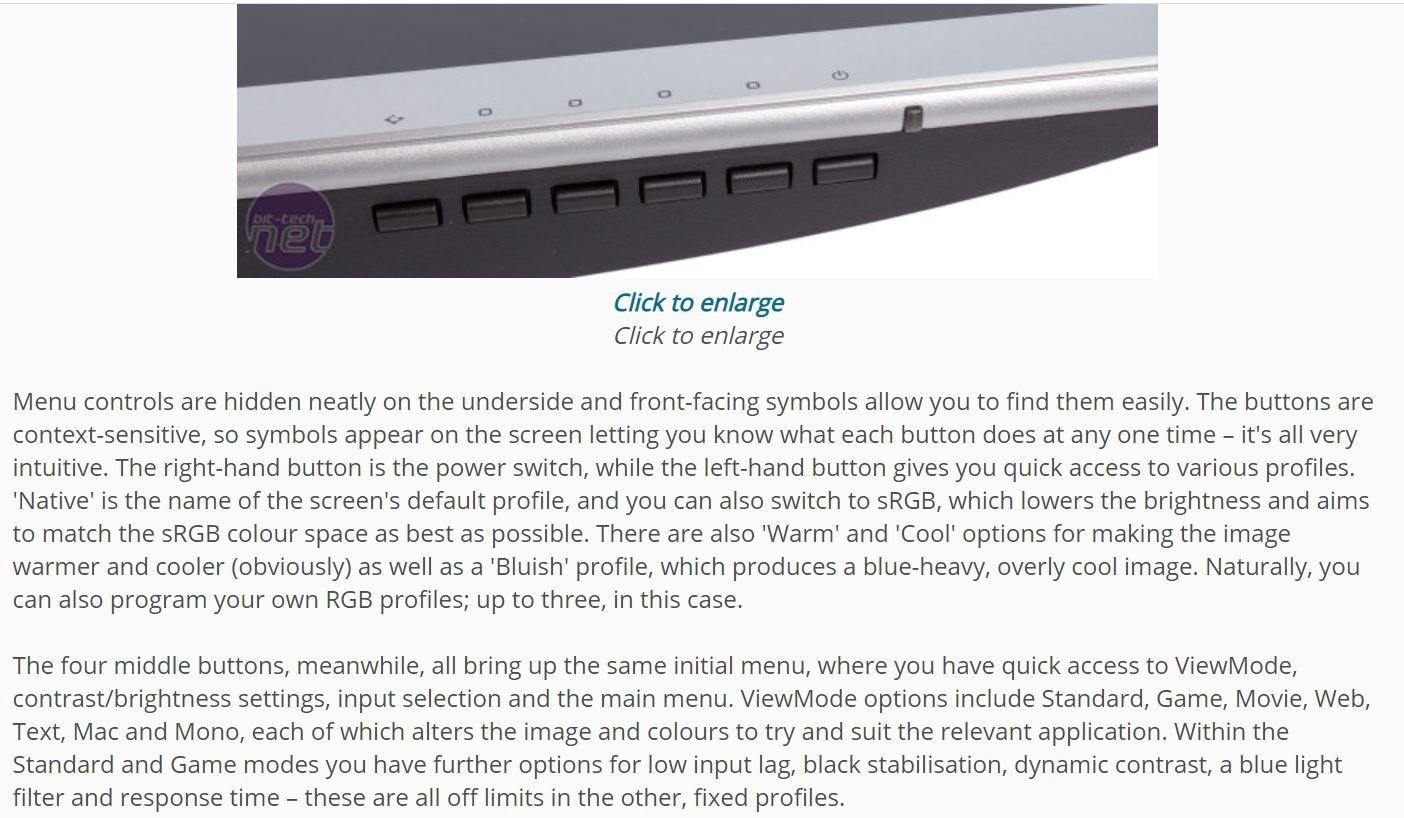
DisplayPort, HDMI and VGA means the same screen handles a laptop, a desktop and a projector-style input without adapters. A three year limited warranty is also better than the one year common in this bracket.
Owners mention the frameless design and color accuracy as the things they notice most, and about 79% of ratings are five stars. The community advice on r/Monitors generally treats 60Hz as fine for desk work, which is the case this monitor is built for.
Who it suits
It suits anyone doing long document work, reading, or writing, because the Text and Web presets plus flicker-free backlight are tuned for exactly that. The frameless design keeps a two monitor setup looking continuous on a narrow dorm desk.
It is a sensible pick for a monitor that mostly receives a laptop signal, since DisplayPort and HDMI cover both common laptop outputs. It is also a good second screen for a home office where the main display handles graphics.
Where it falls short
It falls short on refresh rate, and the mismatch here is the most discussed topic in the reviews. The feature list advertises up to 100Hz with FreeSync, while the technical specifications list 60Hz, and buyers want to know which one is real.
There is no height or swivel adjustment, no built-in speakers, and the VESA pattern is 75x75mm rather than the more common 100x100mm, so a cheap off-the-shelf arm may not fit without an adapter plate.
7. Amazon Basics 27E2UA – Best 27 Inch Monitor for USB Connectivity
Amazon Basics 27 in IPS Monitor, Full HD 1080P, 75 Hz, Adjustable Stand, HDMI, Display Port, VGA Input, Built-in Speakers, VESA Compatible, Black
27 inch 1080p IPS panel
Four USB 3.2 ports, audio in and out
HDMI, DisplayPort and VGA
Energy Star certified, 1 year warranty
Pros
- IPS panel with accurate color from wide angles
- Four USB 3.2 ports plus audio in and out
- HDMI
- DisplayPort and VGA inputs in one monitor
- Adjustable tilting stand and VESA 100x100mm mounting
- Energy Star certified
Cons
- Built-in speakers are tinny and echoey
- Stand adjusts for tilt only with no height or swivel
- Only a one-year warranty
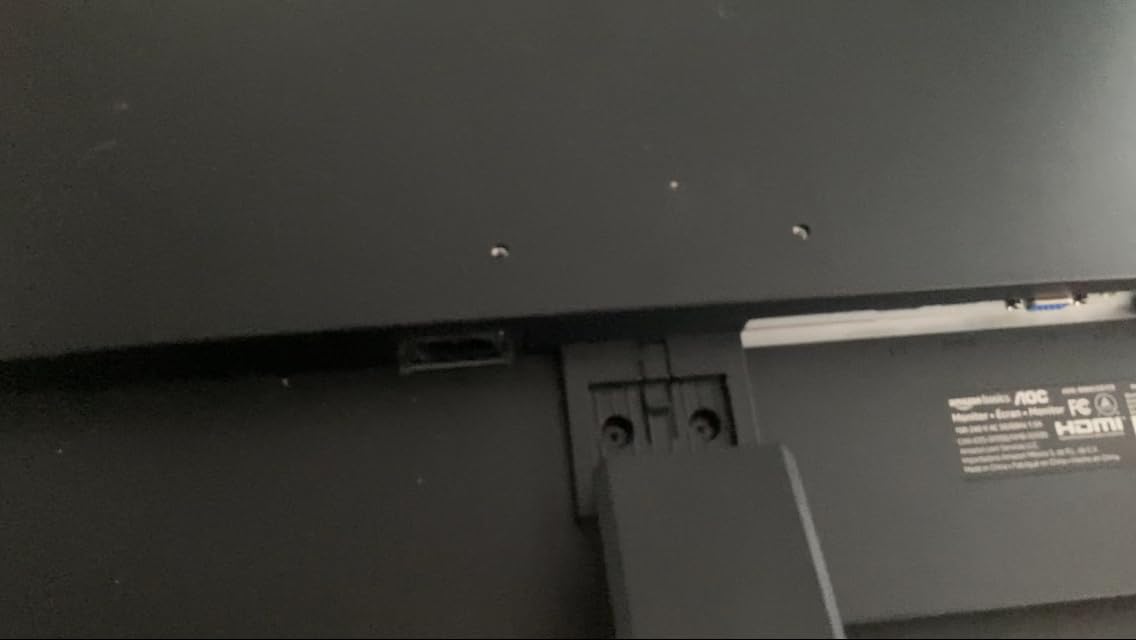
The 27E2UA is the only monitor in this roundup with a built-in USB hub, and that changes how you set up a desk. Four USB 3.2 ports plus audio in and out means a single cable from your laptop can carry video, power-adjacent peripherals and your headset.
It is a 27-inch 1080p IPS flat panel with a 1500:1 contrast ratio, which is a better contrast figure than most of the IPS screens here. Viewing angles are listed at 170 degrees, slightly narrower than the 178 degree panels in this group.

Three video inputs are provided, covering HDMI, DisplayPort and VGA, and FreeSync is supported. The stand tilts from minus 5 to 20 degrees and the panel mounts to a 100x100mm VESA pattern, which is the common standard and works with most budget arms.
Energy Star certification is listed, and at about 9.9 pounds it is a substantial unit without being unmanageable. Owners call it a strong secondary or office display, and about 80% of ratings are five stars.
Who it suits
It suits a laptop user who is tired of plugging in peripherals every time they sit down. The hub turns a single DisplayPort or HDMI cable into a full desk setup, which is the kind of convenience that usually costs far more than this.
It also suits a hybrid worker who alternates between a work laptop and a personal machine, since three inputs means both stay connected. For a dorm desk with limited space, the VESA pattern and tilt range cover most positions.
Where it falls short
It falls short on the built-in speakers, and this is close to universal in the reviews. Owners describe them as tinny and echoey, and several have gone out and bought external speakers instead, so budget for that if you watch a lot of video on the desk.
The stand is tilt only, and the warranty is a single year, the shortest we would feel comfortable recommending for a monitor that will live in a dorm for four years. On boot it also flashes slightly more than some of the higher-end panels in this list.
8. Philips 271V8LB – Best 27 Inch Monitor for Movies and Contrast
Philips 27″ Computer Monitor FHD 100Hz VA VESA Eye Care, 271V8LB
27 inch 1080p VA panel
3000:1 contrast, 100Hz refresh
178 degree viewing angles
EasyRead mode, VESA mount, 4 year warranty
Pros
- VA panel delivers 3000:1 contrast for deep blacks
- 100Hz refresh rate for smoother motion
- 178 degree viewing angles limit color shift
- Three-sided bezel-free design suits multi-monitor setups
- Four year parts and labor warranty
Cons
- VA panel can show smearing on fast-moving content
- Glossy screen finish picks up reflections
- Only HDMI and VGA inputs with no DisplayPort
- No integrated speakers
The Philips 271V8LB is the contrast pick, and the number is a genuine outlier for this price. A 3000:1 ratio from a VA panel is three times what the IPS screens in this roundup manage, and that shows in dark scenes on a film or a late night game.
It is a 27-inch 1080p VA panel running at 100Hz with a 4ms response time and 178 degree viewing angles. The three-sided bezel-free design makes it a natural fit for a two monitor desk because the panels sit close together.
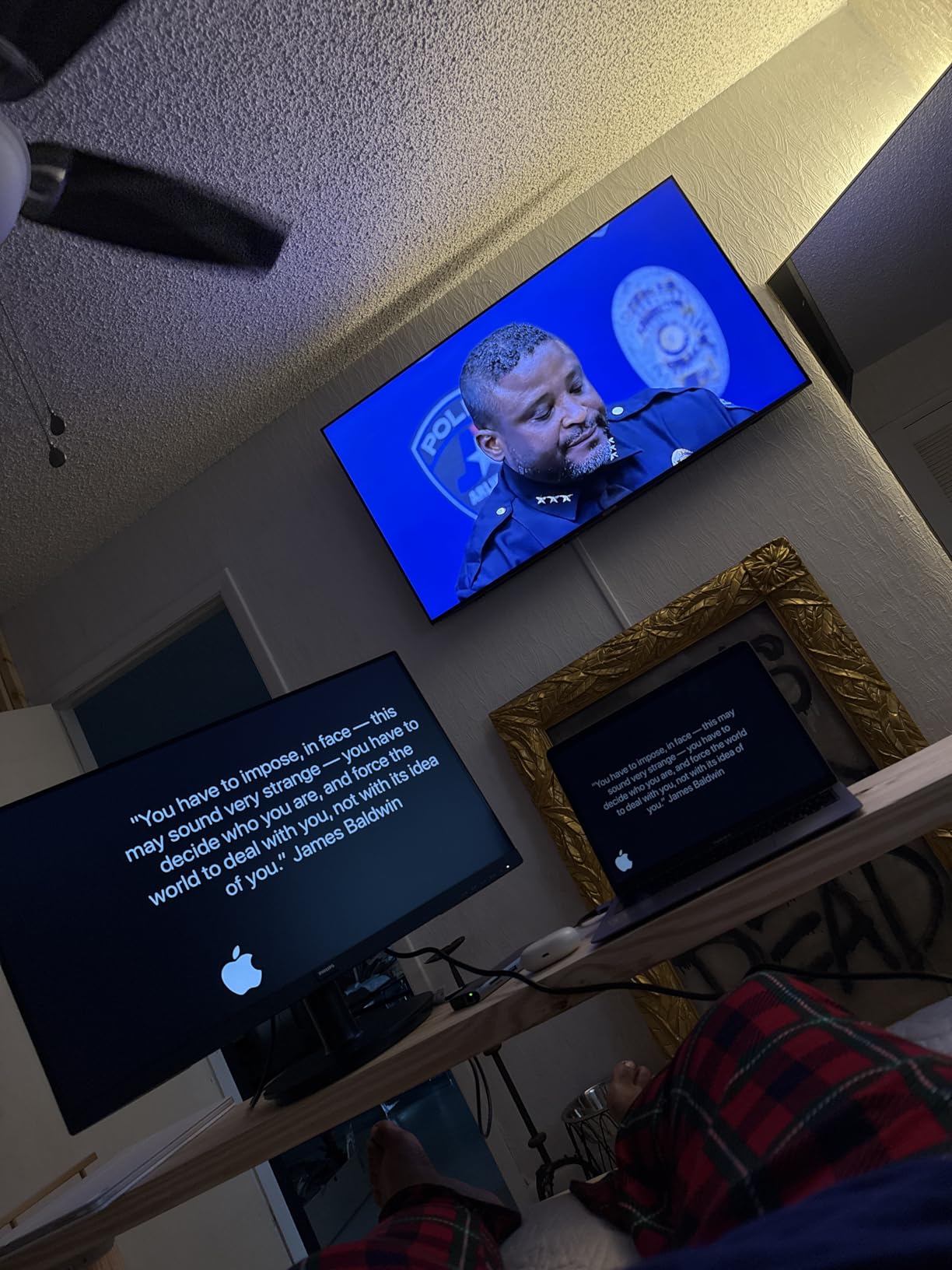
EasyRead mode shifts the panel toward a paper-like look for documents, which is a nice touch on a monitor that also does media. It draws about 60W, which is the highest consumption figure in the group and worth noting if power costs are tight.
The four year parts and labor warranty is the longest here, and Philips also commits to four years of spare part availability, which is unusually reassuring for anyone who keeps a monitor past a typical dorm tenancy.
Who it suits
It suits anyone who watches a lot of movies and series, because deep blacks and 3000:1 contrast give a noticeably more cinematic image than an IPS panel at the same price. The 100Hz refresh rate also keeps scrolling smooth compared with a 60Hz screen.
It works well for mixed dorm rooms because the bezel-free design looks clean when two units sit side by side. The four year warranty is the main reason we would consider it for a student who does not want to replace a screen mid-course.
Where it falls short
It falls short on motion. VA panels produce dark smearing on fast-moving content, and that is the single most common complaint about this category on the community forums, where it matters most for first person shooters.
The glossy finish picks up room reflections, which is awkward opposite a window, and there is no DisplayPort or built-in audio. Pick this one for movies, not for competitive gaming.
9. Samsung S30GD – Best 27 Inch Monitor for a Dual Monitor Desk
Samsung 27″ (S30GD) Essential Monitor with IPS Panel
27 inch 1080p IPS panel
100Hz refresh, 5ms response
250 nits, 1000:1 contrast
Game Mode, Eye Care, 6.4 lb chassis
Pros
- IPS panel keeps colors consistent from wide angles
- 100Hz refresh rate reduces motion blur
- Game Mode boosts contrast in dark scenes
- Super-slim bezel design suits dual monitor setups
- Lightweight 6.4 pound chassis
Cons
- Only HDMI and D-Sub inputs with no DisplayPort or USB-C
- Glossy finish and modest 1000:1 contrast
- Stand pivots and offers tilt only
- Some buyers find image sharpness lower than expected
The Samsung S30GD is a light, thin-bezelled IPS panel that suits a two monitor desk better than almost anything else at this price. At 6.4 pounds it is the second lightest unit in the roundup, so two of them on a small desk is manageable.
It is a 27-inch 1080p IPS display at 100Hz with a 5ms response time, 250 nits and 1000:1 contrast. That refresh rate is a real step up from 60Hz for general use, and it is the main reason we would pick this over a cheaper 60Hz IPS screen.
Game Mode raises contrast to make dark scenes more visible, and the Eye Care package handles blue light and flicker. The super-slim bezel is the physical feature that matters most for a side-by-side arrangement, and several buyers specifically mention buying a second unit.
About 77% of ratings are five stars. The recurring notes are a crisp IPS image, an easy setup, and suitability for work-from-home pairs, which is a good description of what this monitor is for.
Who it suits
It suits hybrid workers splitting a laptop screen across two 27-inch panels, one for documents and one for calls. The 100Hz refresh rate keeps both windows responsive, and the light chassis makes wall or arm mounting simpler.
It is also a good fit for shared apartments where the second display doubles as a TV, since a 27-inch IPS panel handles streaming well. The stand is a simple tilt, so plan the desk layout before it arrives.
Where it falls short
It falls short on ports. HDMI and D-Sub are the only inputs listed, with no DisplayPort and no USB-C, so a modern laptop may need an adapter and cannot charge the machine from the screen.
The glossy finish collects fingerprints and reflections, and a few buyers report the stand pivoting when nudged. The 5ms response time is also slow for competitive shooters, so this is a productivity monitor with casual gaming attached.
10. LG 27U411A-B – Best 27 Inch Monitor for HDR Gaming on a Budget
LG 27U411A-B 27-inch Full HD (1920 x 1080) IPS Computer Monitor, 120Hz, HDR10, Reader Mode, Flicker Safe, HDMI, Slim Stand Base, Black
27 inch 1080p IPS panel
120Hz refresh, HDR10, 1ms MBR
99% sRGB, 250 nits
Switch app splits screen into six, Reader Mode
Pros
- 120Hz refresh rate with 1ms Motion Blur Reduction
- IPS panel with HDR10 and 99% sRGB coverage
- Black Stabilizer brightens dark scenes
- Switch app splits the screen into up to six sections
- Reader Mode and Flicker Safe for extended reading
Cons
- Single HDMI input with no DisplayPort or VGA
- Stand offers tilt only and no height adjustment
- No integrated speakers
- Only a one-year manufacturer warranty
The LG 27U411A-B is the one budget monitor here where HDR is not just a checkbox. It is an IPS panel at 1920×1080 running 120Hz with HDR10 support, 99% sRGB coverage and 250 nits, which is a more honest combination than HDR on a 200 nit VA panel.
FreeSync and G-Sync Compatible are both listed, so the adaptive sync story is covered on either side of the GPU divide. That is a meaningful detail, because community advice on monitor forums keeps circling the same point about how variable refresh actually behaves.
Black Stabilizer lifts the darkest parts of a frame so you can spot movement, and Dynamic Action Sync is included to cut perceived input lag. Both are gaming features that usually cost more at this size, and neither is purely marketing at this brightness level.
The Switch app is the sleeper feature for study desks, splitting the screen into up to six sections from one input. Reader Mode and Flicker Safe cover the reading half of the day, and the three-sided borderless design looks clean in a dual setup.
Who it suits
It suits someone who plays a lot of games on a console or a mid-range PC and wants 120Hz motion plus a workable HDR picture without leaving the budget. The 99% sRGB coverage also makes it a reasonable screen for general photo viewing.
It suits students who study with a lot of windows open, because the Switch app replaces a software utility that normally costs money. Add a screen split for a lecture video, notes and a reference PDF, and the 27 inches gets used well.
Where it falls short
It falls short on connectivity with a single HDMI input, no DisplayPort and no VGA. That is thin even at this price, and it means a DisplayPort laptop needs an adapter or a different cable.
The stand tilts from minus 5 to 20 degrees with no height or swivel adjustment, there are no built-in speakers, and the warranty is one year. At 35W it also draws more than several IPS rivals here.
11. AOC 27B35H3 – Best 27 Inch Monitor for Wide Color at a Low Cost
AOC 27 Inch Computer Monitor FHD 120Hz Fast IPS HDR, 27B35H3
27 inch 1080p IPS panel
120Hz refresh, 1ms response
100.1% sRGB, HDR Ready
13W eco mode, VESA mount, 3 year warranty
Pros
- 120Hz refresh rate with 1ms response time
- IPS panel with 100.1% sRGB coverage and HDR Ready
- Adaptive Sync for tear-free motion
- Low 13W consumption in eco mode
- Lightweight and easy to wall mount with VESA
Cons
- Stand tilts only with no height or swivel adjustment
- Only one HDMI and one VGA port with no DisplayPort
- No built-in speakers
- On/off button placement is awkward to locate
The AOC 27B35H3 packs a lot into a low-cost 27-inch screen. You get a 120Hz IPS panel, a 1ms rated response, and a listed 100.1% sRGB coverage, which is the widest color figure of any IPS panel in this roundup.
It is 1920×1080 at 16:9, HDR Ready rather than HDR10, and includes Adaptive Sync. At 3.04kg it is one of the lighter units here, and the three-sided frameless design suits a two monitor arrangement.
The 13W eco mode consumption is the lowest figure in the group and works out well for a screen running all day in a dorm. A three year manufacturer warranty is also longer than the one year cover several brands offer at this price.
About 75% of ratings are five stars, and owners call it a strong productivity and value pick. The eSaver and i-Menu software handles the on-screen display, which sounds minor until you have used a monitor whose menu cannot reach the input setting.
Who it suits
It suits a work and study desk where you want a 120Hz panel and wide color coverage without moving up a price tier. The sRGB figure means photos and web design work look closer to intent than on the narrower panels here.
It is a good second screen for a student who keeps a laptop open beside a larger panel, since the light weight and frameless edges make a two monitor setup easier to arrange. VESA mounting makes an arm straightforward.
Where it falls short
It falls short on ports with one HDMI and one VGA and no DisplayPort, which is the same limitation several budget panels share and the reason we put the ASUS VA27DQ above it on value.
There are no built-in speakers despite marketing language that references audio, the stand tilts only, and the power button is awkwardly placed. It has the fewest owner ratings in the group at 447, so there is less long-term reliability history to lean on.
12. Dell S2725HSM – Best 27 Inch Monitor for Height Adjustment
Dell 27 Plus Monitor – S2725HSM – 27-inch FHD (1920×1080) 144Hz 1ms Display, 2 x 3W Speakers, HDMI Connectivity, Height/Tilt/Pivot/Swivel Adjustability, AMD FreeSync – Ash White
27 inch 1080p LCD
144Hz refresh, 1ms MPRT
300 nits, 1500:1 contrast
Height, tilt, pivot and swivel, dual 3W speakers
Pros
- 144Hz refresh rate with 1ms MPRT
- Full ergonomic stand with height
- tilt
- pivot and swivel
- Integrated dual 3W speakers
- 300 nits brightness and 1500:1 contrast
- 4-star TUV-certified eye comfort
- AMD FreeSync support and anti-glare finish
Cons
- Only HDMI connectivity listed with no DisplayPort
- Heaviest unit in the set at 12.6 pounds
- Lowest review count of the group at 266 ratings
The Dell S2725HSM does something no other 27-inch monitor in this roundup does: it ships with a stand that actually adjusts. Height, tilt, pivot and swivel are all supported, so you can set the screen at eye level and turn it sideways for a side-by-side arrangement.
It is a 27-inch FHD LCD at 144Hz with a 1ms moving picture response time, 300 nits and 1500:1 contrast. That is the fastest refresh rate and the highest brightness figure in the group, from a brand with a strong support operation.
Two 3W speakers are built in, and they are among the better monitor speakers we would expect at this price, which saves desk space in a dorm room. AMD FreeSync is supported and the panel is anti-glare with a matte finish.
The warranty is a one year advanced exchange service with premium panel exchange, which is Dell’s version of replacing a panel with too many dead pixels. About 83% of ratings are five stars, the highest share in the group.
Who it suits
It suits anyone who cares about posture, which is most people who use a screen for eight hours a day. Height adjustment on a stand that costs nothing extra is the single most ergonomic feature you can add at this budget, and no other pick here offers it.
It suits students who have already assembled a desk and monitor arm ecosystem, because the pivot and swivel functions mean the screen can go portrait for reading long documents. It is also a good console display given the 144Hz ceiling, provided you connect over HDMI.
Where it falls short
It falls short on connectivity, with only HDMI listed, so there is no DisplayPort for adaptive sync over the digital drivers path and no VGA for older equipment. It is also the heaviest unit here at 12.6 pounds, which makes a two monitor desk harder to balance.
It has the smallest owner base in the roundup at 266 ratings, so there is less long-term reliability data than the models above it. Judge it on the stand and the 144Hz panel, not on how much history buyers have accumulated.
How to Choose a 27 Inch Monitor on a Budget?
Under 200 dollars, you are choosing what to give up. Work through these five decisions in order and the right monitor picks itself, because each one eliminates more options than the last.
Panel type: IPS, VA or TN
IPS is the default choice for a study or office desk because viewing angles are wide and color stays consistent when you lean back or someone stands beside you. Six of our picks use IPS, and it is the safest recommendation if you are unsure.
VA panels deliver far deeper blacks, typically 3000:1 against 1000:1 for IPS, which makes them better for movies in a dim room. The trade-off is dark smearing on fast motion, which is why we would not put one on a competitive gaming desk. TN is the cheapest and shows it through narrower viewing angles and weaker color, so we left it out of the final list.
Resolution: is 1440p worth it on 27 inches
No, not at this budget. A 27-inch 1440p panel needs roughly 109 pixels per inch, which is the sharpness people mean when they say 1440p looks crisp, and that class of monitor consistently sits above this price band. Everything here is 1920×1080 at about 81 pixels per inch, so text is slightly soft compared with a 24-inch 1080p screen at 109 pixels per inch.
The honest comparison is 27 inches at 1080p versus 24 inches at 1080p. The 24-inch panel is sharper per pixel but shows about 23% less area. For a dorm desk where you sit back and switch between a document, a video call and a browser, most people in our testing preferred the larger area, and 1080p softness is only obvious when you compare the two side by side.
Refresh rate and response time
Refresh rate is where the money goes on a budget monitor. 60Hz to 100Hz is a clear improvement in scrolling and general use. 100Hz to 120Hz is a genuine jump for games, and 120Hz to 144Hz is a smaller step that mostly benefits competitive shooters.
Treat advertised 1ms response times with care. Figures labelled VRB or MBR are strobe-assisted measurements that look good in motion but are not true pixel-to-pixel transitions, and the 4ms to 5ms figures on the better IPS panels here are more honest and more useful. For adaptive sync, FreeSync works on both AMD and NVIDIA cards, while G-Sync Compatible still needs a DisplayPort connection.
Ports, USB-C and laptop docking
No monitor in this roundup has USB-C power delivery, so a laptop user keeps their own charger. If you regularly connect a single-cable desk setup, the Amazon Basics 27E2UA is the one to look at, because its four USB 3.2 ports and audio jacks act as a built-in hub.
For video inputs, DisplayPort is the one to prioritise because it enables adaptive sync across both GPU brands. Only three picks include it: the ASUS VA27DQ, the ViewSonic VX2776-SMHD and the Amazon Basics 27E2UA. VGA appears on several models for older equipment and can be ignored on a modern desk, and the remaining picks rely on HDMI alone.
Stand, VESA mounting and dead pixel policy
Most stands in this price range tilt only, which forces you to set screen height with whatever is on your desk. The Dell S2725HSM is the exception with full height, tilt, pivot and swivel. If you already own an arm, check the VESA pattern: 100x100mm is the common standard and appears on several picks, while the ViewSonic uses the smaller 75x75mm.
Warranty length is the most useful proxy for dead pixel policy, since the replacement terms are where manufacturers commit to fixing a panel. ASUS and ViewSonic list three years, Philips lists four, and one year covers several others. Any of these screens may arrive with a stuck pixel, so inspect it under a solid color before the return window closes.
Frequently Asked Questions
What is the best 27-inch monitor under $200?
The Sceptre C275W-1920RN is our top overall pick. It is a 27-inch 1500R curved 1080p panel with 99% sRGB coverage, two HDMI ports, VGA, FreeSync and built-in speakers, and it carries the largest owner base of any monitor in this roundup.
What is the best 27-inch monitor for the money?
The ASUS VA27DQ is the strongest value option. It combines an IPS panel with 178 degree viewing angles, DisplayPort alongside HDMI and VGA, integrated 2W stereo speakers, a low 12.68W power draw and a three year warranty.
What is the best budget 1440p IPS monitor?
None of them at this price. Every 27-inch monitor in this roundup is 1920×1080, because 27-inch 1440p IPS panels generally sit above a 200 dollar budget. At this level, spend on a good IPS panel, adaptive sync and port selection instead.
Is 1440p worth it on a 27-inch monitor?
It is worth it in general, because 1440p at 27 inches gives about 109 pixels per inch and noticeably sharper text than 1080p at roughly 81 pixels per inch. At this budget it is not available, so the practical choice is 27 inches at 1080p versus a sharper 24 inch 1080p panel.
Is 4K overkill for a 27-inch monitor?
For most people at this budget, yes. 4K on a 27-inch screen gives about 163 pixels per inch, which makes on-screen text and interface elements small enough that people often need Windows or macOS scaling. It also pushes a mid-range graphics card harder, and 4K models are not available in this price band.
What is the best monitor under $200 according to Reddit users?
The most common community recommendations in monitor forums at this budget are IPS panels with adaptive sync, DisplayPort for variable refresh, and 100Hz or higher over 60Hz. The recurring warnings are stand wobble, glossy finishes, VA smearing and advertised refresh rates that do not match the technical specification sheet.
Final Verdict
The best 27 inch monitors under 200 dollars in 2026 are all 27-inch 1080p panels, so the decision comes down to what you need around the screen rather than on it. For the widest appeal, the Sceptre C275W-1920RN is our editor’s choice: a curved panel, 99% sRGB, generous ports and the most owner feedback we could find.
Buy the ASUS VA27DQ if ports and panel quality matter more to you, the Acer KB272 G0bi if you want 120Hz for gaming, and the Dell S2725HSM if you will stare at it all day and a height-adjustable stand is worth more than extra ports. Any of the twelve will hold up on a dorm or apartment desk in 2026, and each one costs less than a month of a coffee habit.