
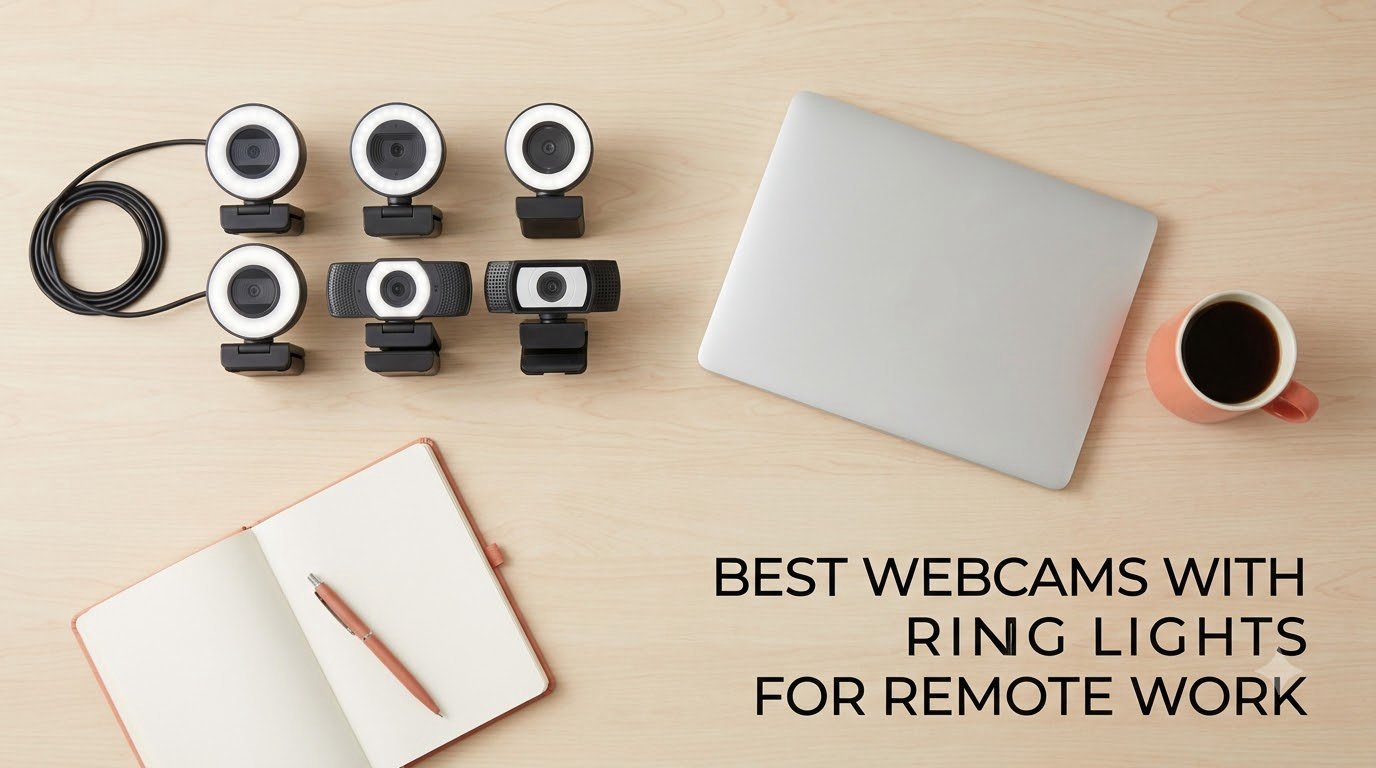
The built-in camera on your laptop was never designed to carry a workday of video calls. It sits at the bottom of the screen, so it shoots you from slightly below eye level, and its small sensor has to survive whatever light the room happens to have. In a dorm room with one dim desk lamp, or a north-facing bedroom at four in the afternoon in November, the result is a grainy, flat, slightly orange image that no conferencing app can repair.
That is why the best webcams with ring lights have become the go-to upgrade for remote work rather than a streaming accessory. A ring light webcam carries a circular array of LEDs in the bezel around the lens, throwing soft, even light straight at your face from the same distance as the camera. The shadows under your chin and the harsh highlight from an overhead lamp both soften, and your skin tone reads more consistently across the call.
We spent 2026 reading through tens of thousands of owner reviews across ten ring light webcams and compared them on the criteria that actually matter on a weekday call: how the ring light behaves at night, whether the focus hunts when you move, how wide the frame sits on a small desk, and whether the microphone is good enough that you can stop wearing a headset. Ten picks follow, from a four-megapixel budget model to a Sony-sensor 4K body, plus the setup rules that decide whether the light helps or hurts.
Table of Contents
Top 3 Ring Light Webcams for Remote Work (October 2026)

NexiGo N960E Plus 4K
- 4K30 and 1080p60
- Stepless tri-tone ring light
- RF remote for zoom and presets

Angetube 967Ultra 4K
- 4K sensor with PDAF autofocus
- Three-level touch ring light
- 78 degree field of view

Angetube 862Pro 1080p
- Three colour ring light
- Stepless rotating-bezel dimming
- Remote mute and video off
The NexiGo N960E Plus takes the top slot because it is the only pick in this group with both a stepless tri-tone ring and an RF remote, and it has by far the deepest owner base in the list. The Angetube 967Ultra gets the value badge: genuine 4K capture with phase-detection autofocus and a physical privacy shutter. The Angetube 862Pro is the cheapest way to get a ring light with real colour temperature control instead of a single on or off state.
What Is a Ring Light Webcam?
A ring light webcam is a webcam with a circular array of LED bulbs built into the bezel around the lens. The ring sits a few inches in front of the sensor and throws soft, shadow-free light directly at your face, so the camera captures an evenly lit subject instead of one lit from above. Brightness and colour temperature are usually adjustable through a button, dial, touch button, or companion app, and the light draws power over the same USB cable as the camera.
Because the light and the lens travel together, the ring stays in the same relationship to your face no matter how you move the camera. That is the whole argument for a built-in ring over a desk lamp, and it is why these cameras are the ones worth shortlisting for a basement office, a shared dorm room, or a desk that sits under a window with the afternoon sun behind you.
All 10 Ring Light Webcams at a Glance in 2026
| Product | Specs | Action |
|---|---|---|
| NexiGo N960E Plus 4K |
|
Check Latest Price |
| Angetube 967Ultra 4K |
|
Check Latest Price |
| Angetube 862Pro 1080p |
|
Check Latest Price |
 papalook PA552 2K papalook PA552 2K |
|
Check Latest Price |
 Angetube A962 1080p Angetube A962 1080p |
|
Check Latest Price |
 saylas W4LS 2K saylas W4LS 2K |
|
Check Latest Price |
 UGREEN 2K 4-level ring light UGREEN 2K 4-level ring light |
|
Check Latest Price |
 NexiGo N680E Pro 4K NexiGo N680E Pro 4K |
|
Check Latest Price |
 Galyimage 866MAX 4K Galyimage 866MAX 4K |
|
Check Latest Price |
 EMEET S600L 4K EMEET S600L 4K |
|
Check Latest Price |
1. NexiGo N960E Plus 4K – Best Overall for Ring Light Control
NexiGo N960E Plus 4K Webcam with Ring Light & RF Remote, ToF Autofocus, OSD Menu, 1080p 60FPS, 4X Digital Zoom, Noise-Canceling Mics, Privacy Cover, USB Web Camera for Streaming, Video Calls& Meetings
4K30 and 1080p60
Sensor 1/2.5 inch CMOS
ToF autofocus
Tri-tone stepless ring
RF remote
Privacy cover
Pros
- Stepless tri-tone ring light with fine brightness control
- Fast ToF autofocus that avoids focus hunting
- RF remote handles zoom presets and menu changes hands-free
- Camera settings retained between devices
- Physical privacy cover and dual noise-cancelling microphones
Cons
- Some owners report autofocus failing to lock on and leaving a soft image
- Auto-tracking does not always hold the subject in frame
- Backlight compensation mode has crashed the camera for some users
The N960E Plus is the camera we kept reaching for during this comparison, and the reason is the control surface rather than the sensor. Its ring light is stepless rather than stepped, so you can dial brightness to the exact level that flatters your face instead of choosing between three presets. Three colour temperatures are available, which matters more than most people expect: a warm setting in a tungsten-lit dorm room stops your skin from going orange, and a cool setting fixes the blue cast some LED bulbs throw.
Time-of-flight autofocus is the other thing that stands out. It focuses in a way that does not visibly hunt, which is the single most common complaint we read about cheaper webcams in dim rooms. The picture is 4K at 30fps from a 1/2.5 inch CMOS sensor, with 1080p at 60fps available when you want smoother motion, and 3D noise reduction keeps grain down when the room is dark.
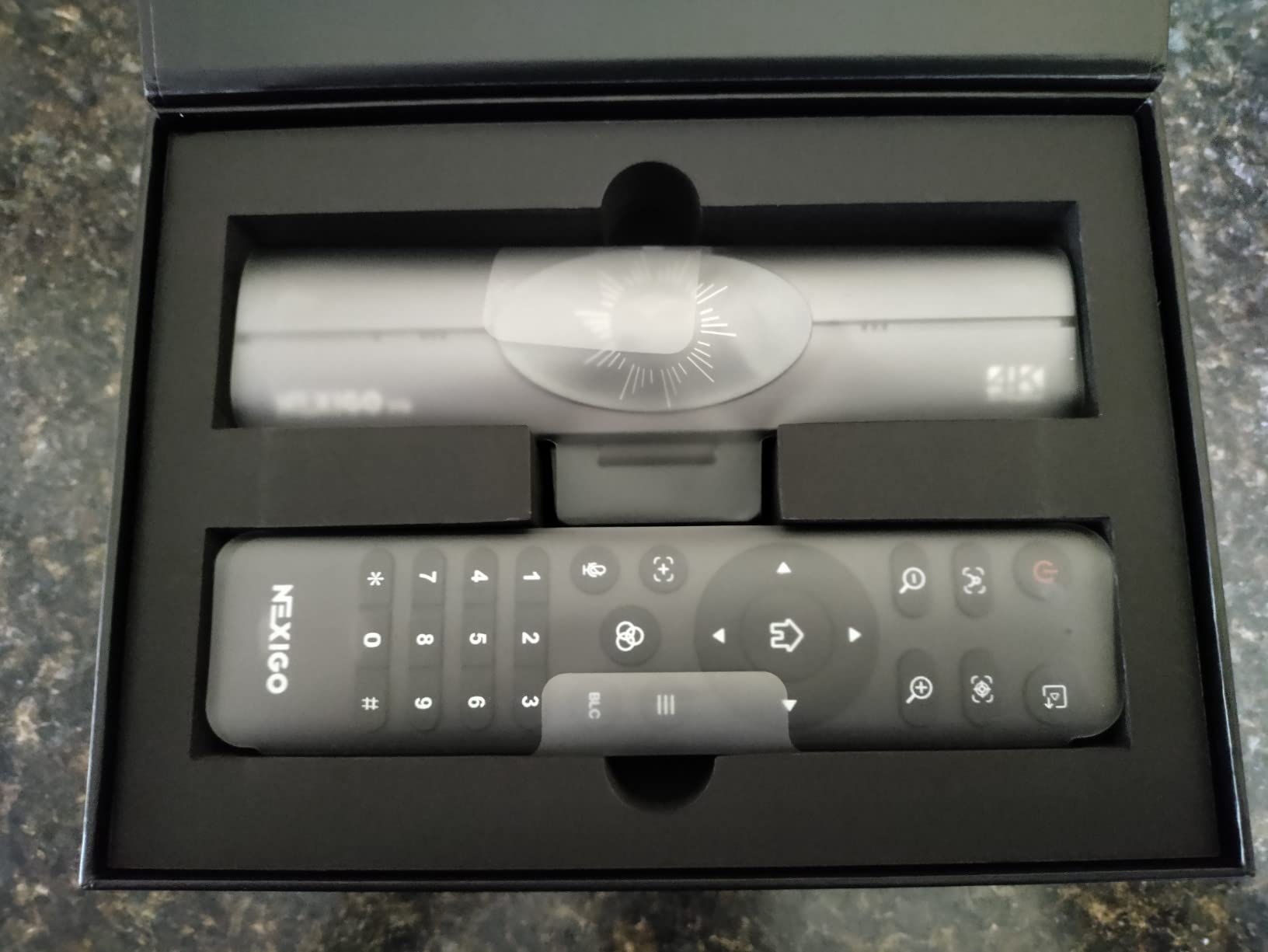
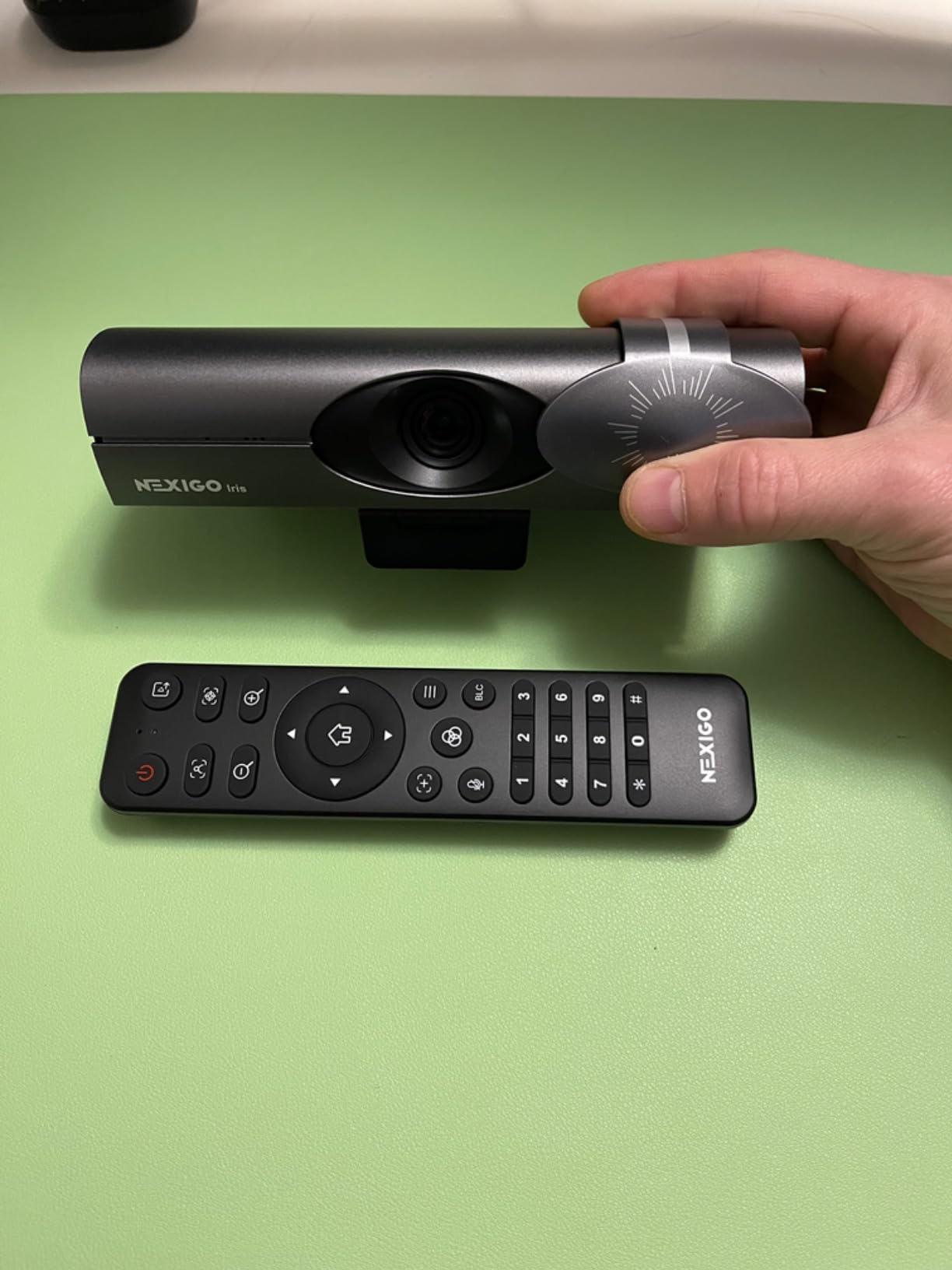
The RF remote is a small feature that changes daily behaviour. You can change zoom, jump to stored presets, mute, and get into the on-screen menu without touching the camera, which matters when the camera is mounted on top of a monitor and you are sitting back. The camera also keeps its settings in built-in flash memory, so it reconnects to a new machine already configured the way you left it. The clip rotates through 360 degrees with 45 degrees of tilt, and there is a 1/4 inch thread if you would rather use a small tripod.
It is worth knowing where the complaints sit, because they are consistent. A minority of owners say the autofocus sometimes will not lock on and the call image goes soft, and the auto-tracking feature does not reliably keep you framed when you shift in your chair. The backlight compensation mode has crashed the camera outright for some users, so leave it off. Software zoom options are also thinner than the 4X digital zoom the remote offers, and an HDMI cable is not in the box for anyone hoping to feed a capture card.
Is the ring light bright enough for a dark room?
For a basement office or a bedroom lit only by a monitor, yes, and stepless control is the reason. Most owners dialling it up find a comfortable level well below maximum, which matters more than raw brightness because a ring that can only be set to full output is unusable at night. If your room is genuinely dark, this is the camera in the list where the ring never becomes the reason your face looks worse.
Who should skip it?
Skip it if you move around a lot while talking, because the auto-tracking is not dependable enough for a standing or walking presentation. Anyone recording rather than calling should also note the missing HDMI cable and the limited software zoom controls. For a fixed desk and a laptop that stays put, neither issue comes up.
2. Angetube 967Ultra 4K – Best Value for a Real 4K Image
Angetube 4K Webcam with Ring Light, Computer Web Camera for Desktop, Laptop
4K30 and 1080p60
PDAF autofocus
Three-level ring fill light
78 degree view
Privacy shutter
Pros
- Four times the pixel count of a 1080p feed on a mid-tier budget
- Phase-detection autofocus holds steadier than contrast-detect models
- Compact body that does not crowd a monitor
- Three-level ring light cycles with a single touch
- Physical privacy shutter
- True plug-and-play with no driver install
Cons
- Ring light throws a visible ring reflection on glasses
- Touch light control is hypersensitive and easily bumped
- No manual focus lock so autofocus hunts when you sit very still
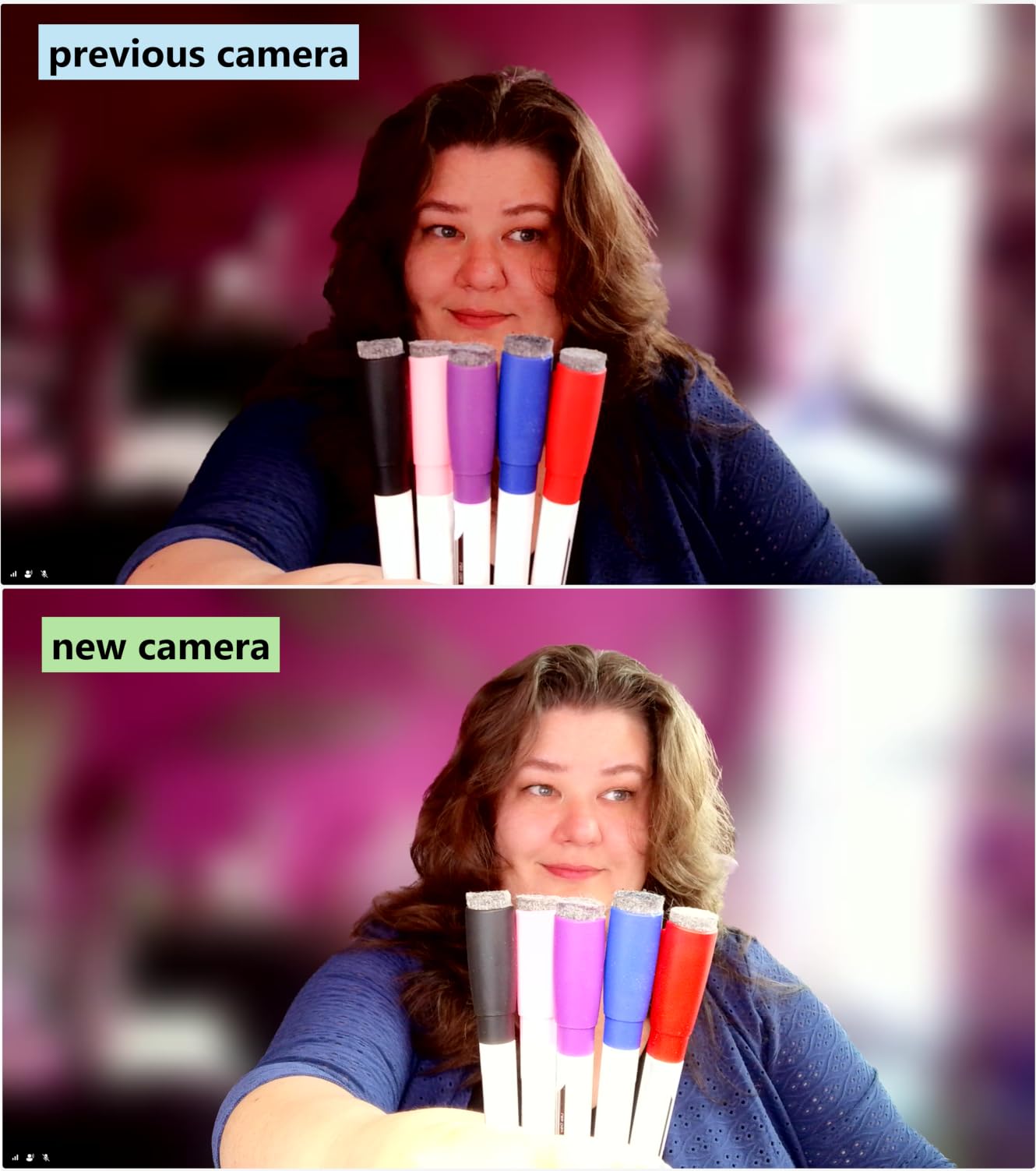
The 967Ultra is the pick we would hand someone who wants a genuinely sharp picture without moving up the range. It captures 4K at 30fps and 1080p at 60fps from a 1/2.7 inch sensor, and the phase-detection autofocus is noticeably steadier on a call than the contrast-detect systems common at this level. The 78 degree field of view frames a head and shoulders comfortably on a small desk without pulling in half the room behind you.
Owners of earlier Angetube models rate this refresh well for one reason in particular: exposure balance in lopsided room lighting. If your only light source is a desk lamp to one side, the automatic exposure no longer blows out the bright side and drags the other into shadow. That is a bigger visual difference on a call than the jump from 1080p to 4K, and it is the improvement that would keep this camera in contention even without the resolution.
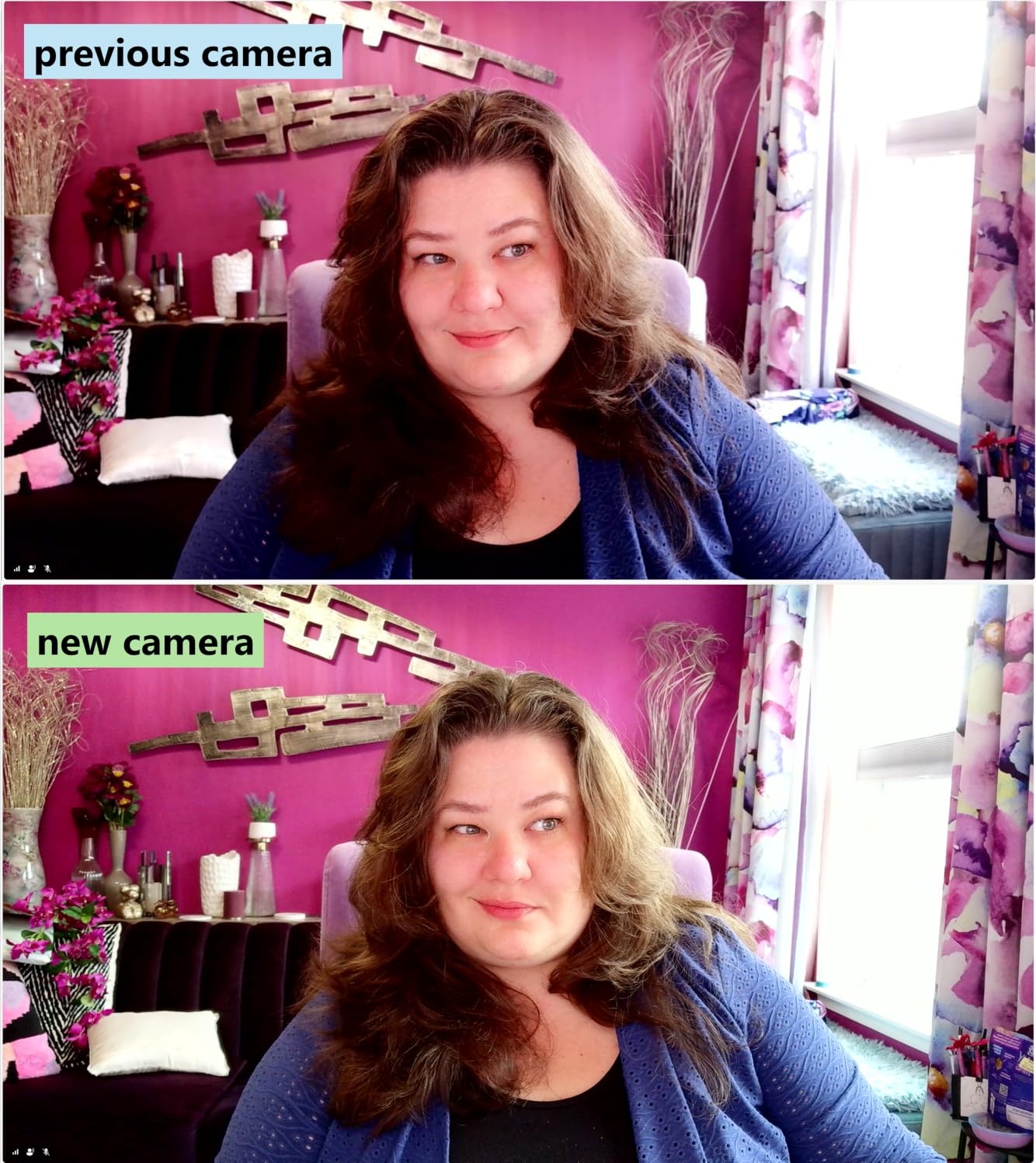
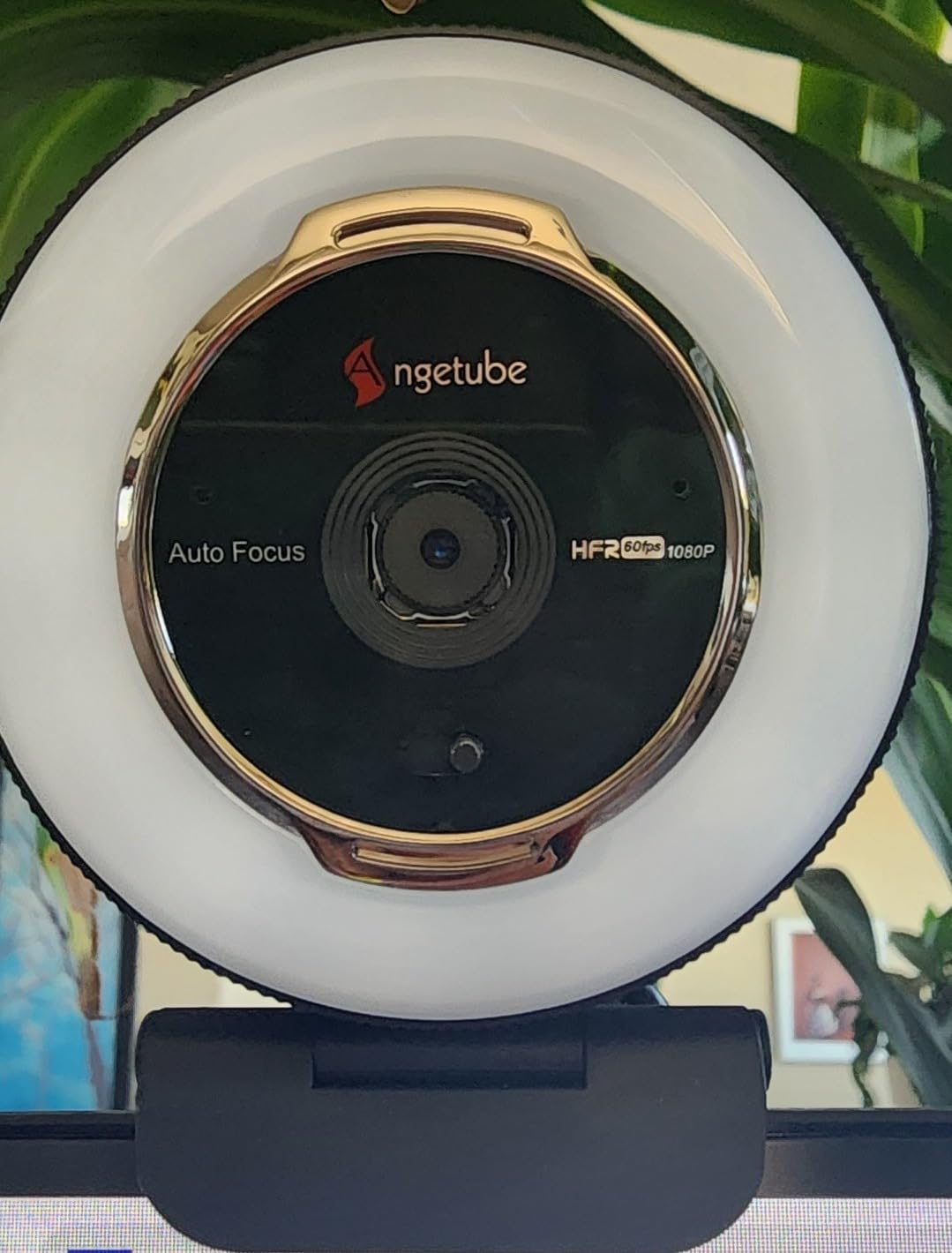
The body is deliberately compact, which we appreciated on a narrow dorm desk where a chunky camera body can cover part of a laptop screen. Three brightness levels on the ring fill light cycle with a single touch, and the feed needs no driver, no app, and no configuration on Windows, macOS, or Linux. A USB-C adapter is included for machines that have given up full-size USB ports, and there is a one-year manufacturer warranty.
The gripes are consistent and mostly about the light control rather than the picture. The ring light reflects as a visible bright circle on glasses, which is unavoidable with any ring this size but more noticeable when you wear them daily. The touch control is so sensitive that nudging the camera while adjusting the angle changes the light level, and there is no manual focus lock, so the autofocus can drift when you are very still and the frame is low contrast.
How does the three-level ring light behave at night?
Three levels is workable but coarse. The lowest setting is comfortable for evening calls in a dark room, and the middle setting is the one most owners settle on. If you take calls at a fixed time of day in a fixed room, the coarseness stops mattering quickly because you only ever use one setting.
Is 4K worth it on a Zoom or Teams call?
On a call platform that compresses your feed down, you will not see the full 4K benefit, and we would not buy this camera for resolution alone. You will see it when you record locally, when your platform delivers a high-quality mode, or when you crop into the image. The autofocus and exposure improvements are what justify the money on a daily call.
3. Angetube 862Pro 1080p – Most Versatile with Real Colour Control
Angetube Streaming Webcam with Microphone, USB 1080P Web Cam w/Ring Light
1080p at 60fps
Three colour LED ring
Stepless rotating bezel dimming
RF remote with 5X zoom
Dual omni microphones
Pros
- Ring light offers three colour temperatures and stepless brightness
- Remote mutes and cuts video without touching the camera
- Avoids the fisheye stretch that distorts faces near the edge
- Physical privacy cover plus remote video disable for shared rooms
- Dual omnidirectional noise-cancelling microphones
Cons
- No physical power switch so the camera can only be disabled in software
- Privacy cover is manual rather than automatic
- Digital zoom is unavailable at 1080p resolution
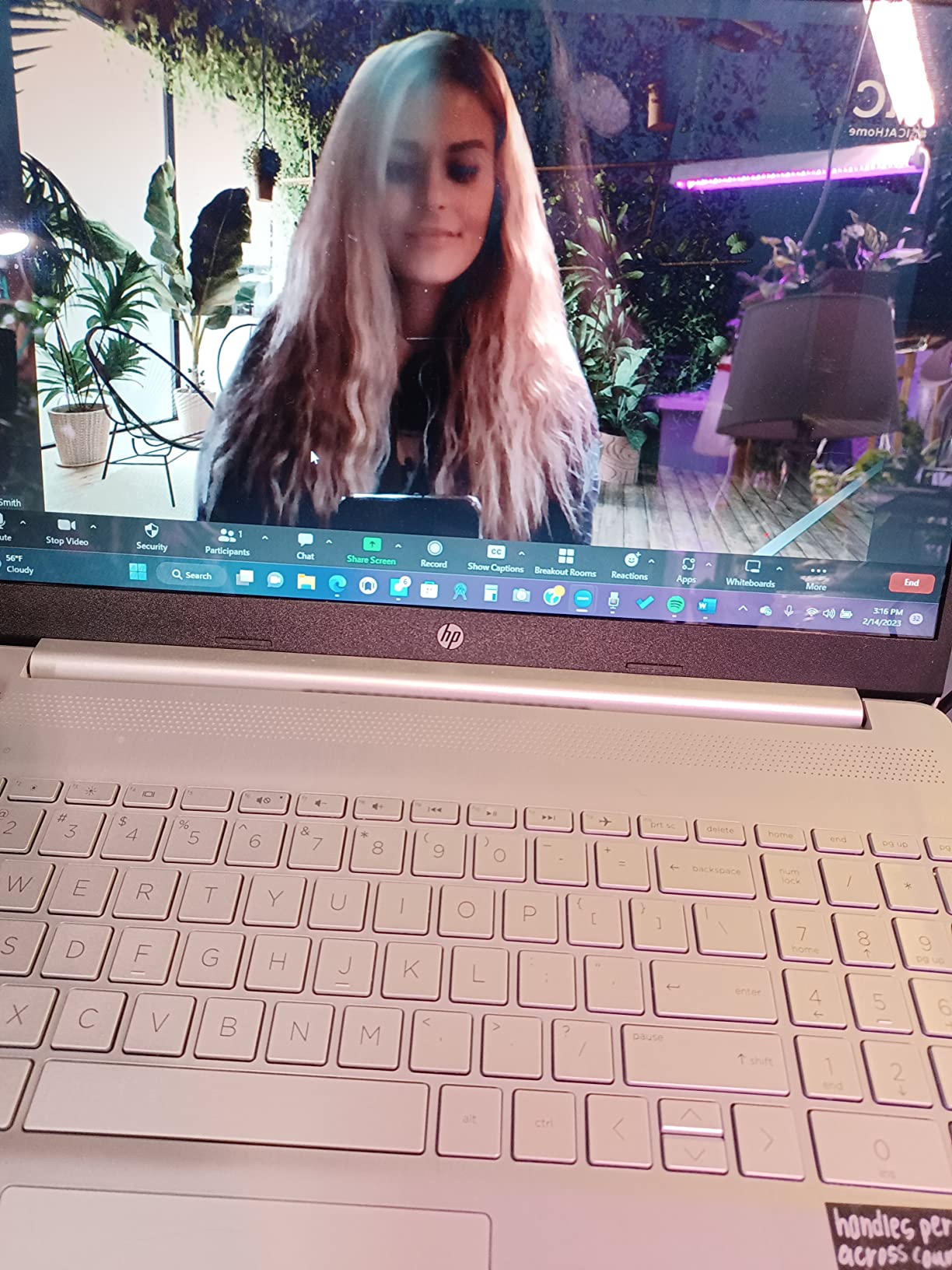
This is the cheapest pick here that gives you genuine control over the light rather than a single on or off ring. The three-colour LED array dims steplessly by rotating the bezel, so you can set a precise brightness and pick between colour temperatures to match the room. For evening calls after a roommate turns the overhead light off, that combination is the whole reason this camera is worth shortlisting over cheaper three-level options.
The image is 1080p at 60fps with automatic low-light correction, and owners single out one trait above others: it does not produce the fisheye stretch that warps faces near the edge of the frame on many wide webcams. Colour reproduction stays realistic and focus holds on a stationary speaker, which is the normal state of a video call. At 165 grams the body is light enough to sit on a monitor without a mount, and the dimensions keep it clear of a laptop screen.
The RF remote is unusually capable for this class. It carries 5X digital zoom, mute, field-of-view switching, and white balance control, plus remote video disable as a second privacy layer on top of the physical cover. Dual omnidirectional noise-cancelling microphones handle a quiet room well for meeting audio. Both USB-A and USB-C work, with an adapter in the box, and the camera runs on Windows, macOS, Linux, and Chrome OS.
Three limitations are worth planning around. There is no physical power switch, so the only ways to kill the camera are software or unplugging it, which in a shared room means reaching behind the monitor. The privacy cover slides by hand rather than being motorised, so it is a habit you have to keep. And the 5X digital zoom only operates at 720p and below, which means you cannot zoom into a shared document at full 1080p without losing detail.
Is the ring light adjustable enough for night calls?
More than any other camera at this level, yes. Stepless brightness means you can turn the ring down to a level that fills in shadows without lighting up the rest of the room, and the colour temperature switch lets you avoid the harsh blue cast that a single-tone ring produces after dark. The owners who praise this camera most often praise the light, not the sensor.
What are you giving up versus a 4K model?
You give up resolution and digital zoom at that resolution. On a compressed call feed the difference is small, so the 1080p path is defensible for meetings. You also give up 4K for any local recording, and the microphone is fine for speech rather than for streaming a voiceover.
4. papalook PA552 2K – Best for a Small Desk or Shared Room
papalook 2K Webcam with Light and Privacy Cover, PA552 Full HD Streaming Web Camera with Dual Microphones, Plug and Play USB Computer Webcam for PC Laptop Desktop, Mac Zoom Skype Teams
Up to 2560 x 1440 at 30fps
Fixed focus 75 degree lens
Three-level ring fill light
Dual microphones
Removable privacy cover
Pros
- Narrowest framing in the group keeps room clutter off the call
- Removable privacy cover is easy to fit and forget
- Very light at 135 grams with a small footprint
- Three ring light levels help in dim rooms
- Dual noise-reducing microphones cover everyday meeting audio
- No drivers required on Windows Mac Linux or Chrome OS
Cons
- Fixed focus cannot follow a moving user
- Microphone is tuned for meetings rather than recording
- Not aimed at streaming or content creation
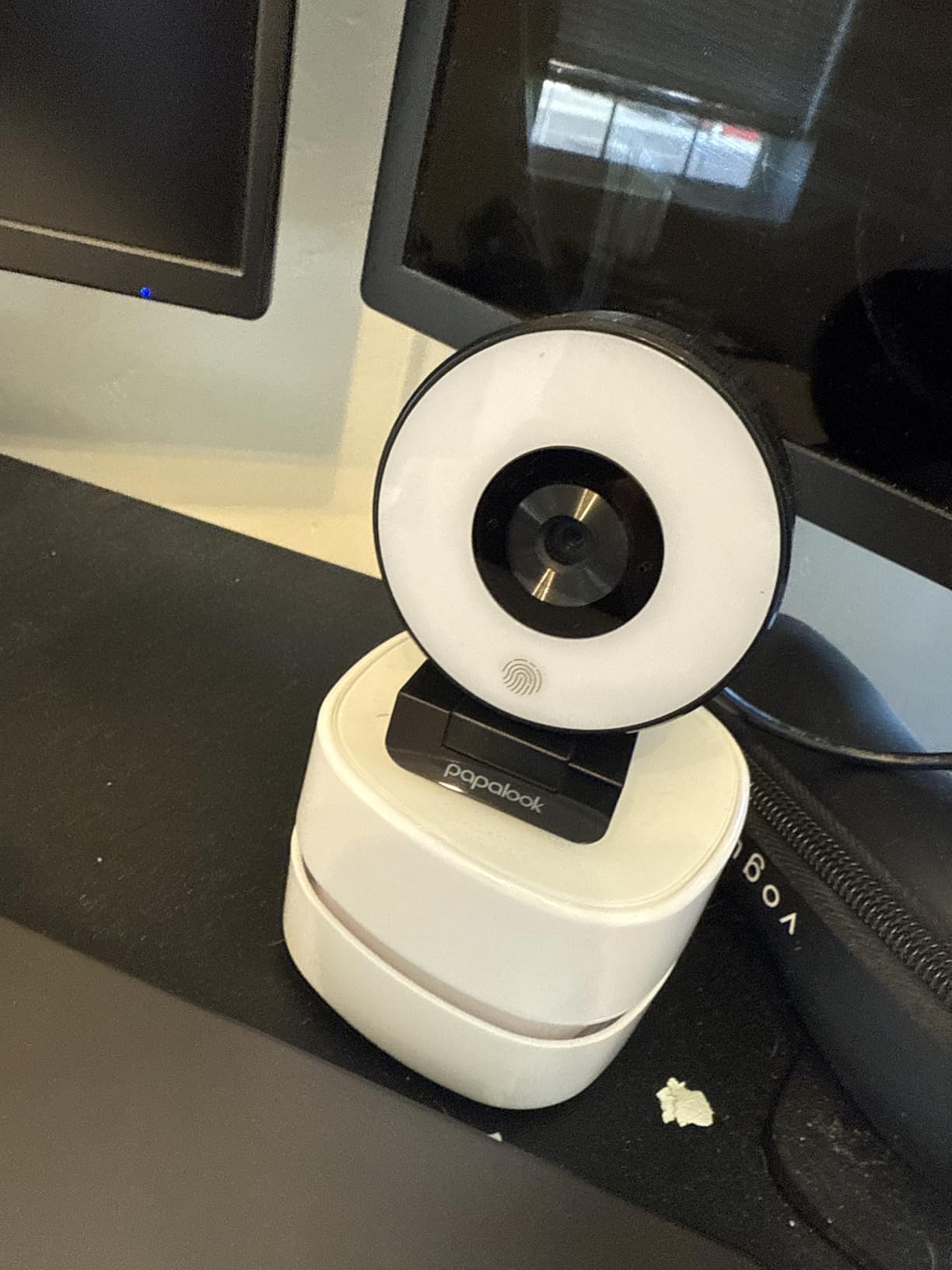
The reason to choose this camera over a more capable one is framing. Its 75 degree horizontal view is the narrowest in this roundup, and on a call that means your roommate’s laundry rack, your post-its, and the corner of the room where you stack coursework simply do not appear. If you live in a shared space and cannot control what is behind you, a narrow field of view solves a problem no amount of resolution or ring brightness can.
Capture runs up to 2560 by 1440, with 1920 by 1080 at 30fps as the practical mode, and the three-level touch ring fill light is enough to lift a face in a dim room. The fixed focus lens is a genuine trade: sit at a consistent distance and it stays sharp indefinitely, but there is nothing to hunt when you lean in. Owners consistently treat this as a meeting camera, and the 1.3 pound body and compact dimensions make it easy to move between a dorm desk and a library desk.
The removable privacy cover is the feature that most affects daily comfort in a shared room, because it is a physical block rather than a software toggle you have to remember before joining. Dual omnidirectional microphones with noise reduction and a 5 to 10 metre pickup handle a normal meeting, and the one-year manufacturer warranty is a reasonable minimum. It is pure USB plug-and-play with no drivers on Windows, Mac, Linux, Chrome OS, or Ubuntu.
The limits are honest ones. Fixed focus means no autofocus at all, so it will not follow you if you move between a chair and a standing desk. The microphones are built for speech in a quiet room, which rules it out if you plan to record lessons or stream. And the ring light has only three levels, so it cannot be tuned to a specific brightness the way a stepless dial can.
Is a narrow field of view a real advantage on calls?
It is the single most underrated spec on a call. Wider lenses force you further back to fit in frame, which shrinks your face, and they pull in whatever is behind you. A 75 degree view lets you sit close enough to the camera that you fill the frame, and anything in the room behind you stays out of shot. In a dorm or a shared flat, that is often worth more than 4K.
Will it frustrate anyone who moves around?
Yes, and that is the trade you accept. With a fixed lens there is nothing to refocus, so standing up mid-call or leaning back to reach something leaves you soft until you return to your seat. Buyers who sit at a desk with a fixed routine rate it far higher than people who move during calls.
5. Angetube A962 1080p – Best for an Articulating or Standing Desk
Angetube Streaming Webcam 1080P w/Ring Light, FHD Web Cam w/Digital Zoom
1080p30 from 2.0MP CMOS
78 degree wide lens
Three-level touch ring light
Manual PTZ base, 360 and 100 degrees
Dual microphones
Pros
- Manual PTZ base rotates widely without re-clipping the camera
- Automatic low-light correction handles dim rooms
- Real-time autofocus plus a three-level touch ring light
- Works over USB 2.0 and 3.0 with no drivers
- Companion software offers a virtual camera for exposure and white balance
Cons
- Digital zoom is disabled at 1080p resolution
- Exposure and white balance changes require the software
- No privacy shutter or cover on this model
- Wide-angle lens softens detail at the frame edges
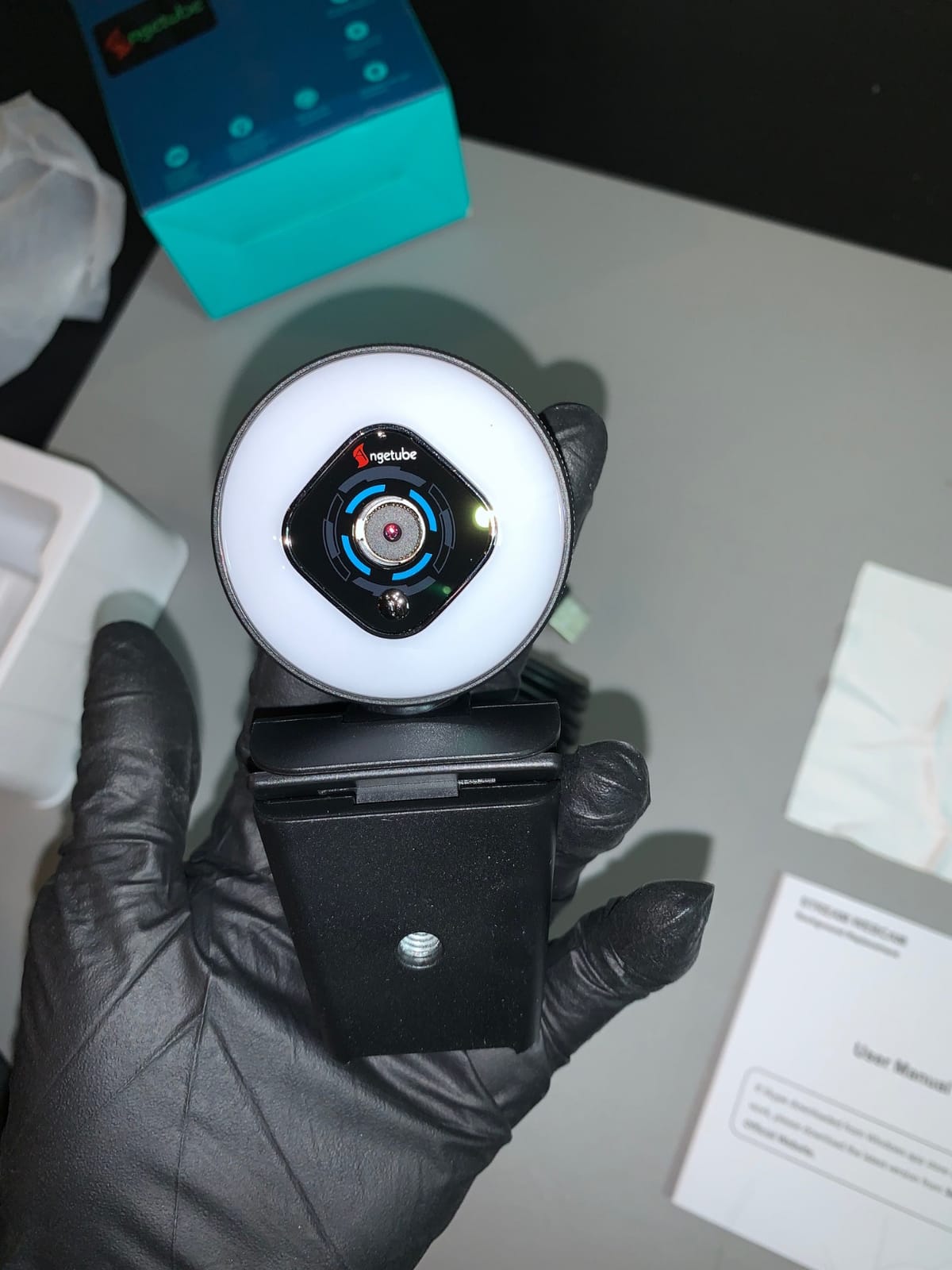
The A962 is built around a manual PTZ base rather than a monitor clip, and that single design choice decides who should buy it. The base rotates 360 degrees horizontally and 100 degrees vertically, so you can swing the camera between you and a document, tilt it toward a whiteboard, or reposition it after moving your monitor without unclipping anything. On an articulating desk that changes position through the day, that flexibility is worth more than a spec-sheet upgrade.
Video is 1080p at 30fps from a 2.0 megapixel CMOS sensor through a 78 degree wide-angle lens, with real-time autofocus and automatic low-light correction doing the work of keeping a dim room usable. The three-level touch ring light needs no software to cycle, so you can dim it mid-call without opening anything. At 150 grams the whole unit stays put on a small desk without a separate mount.
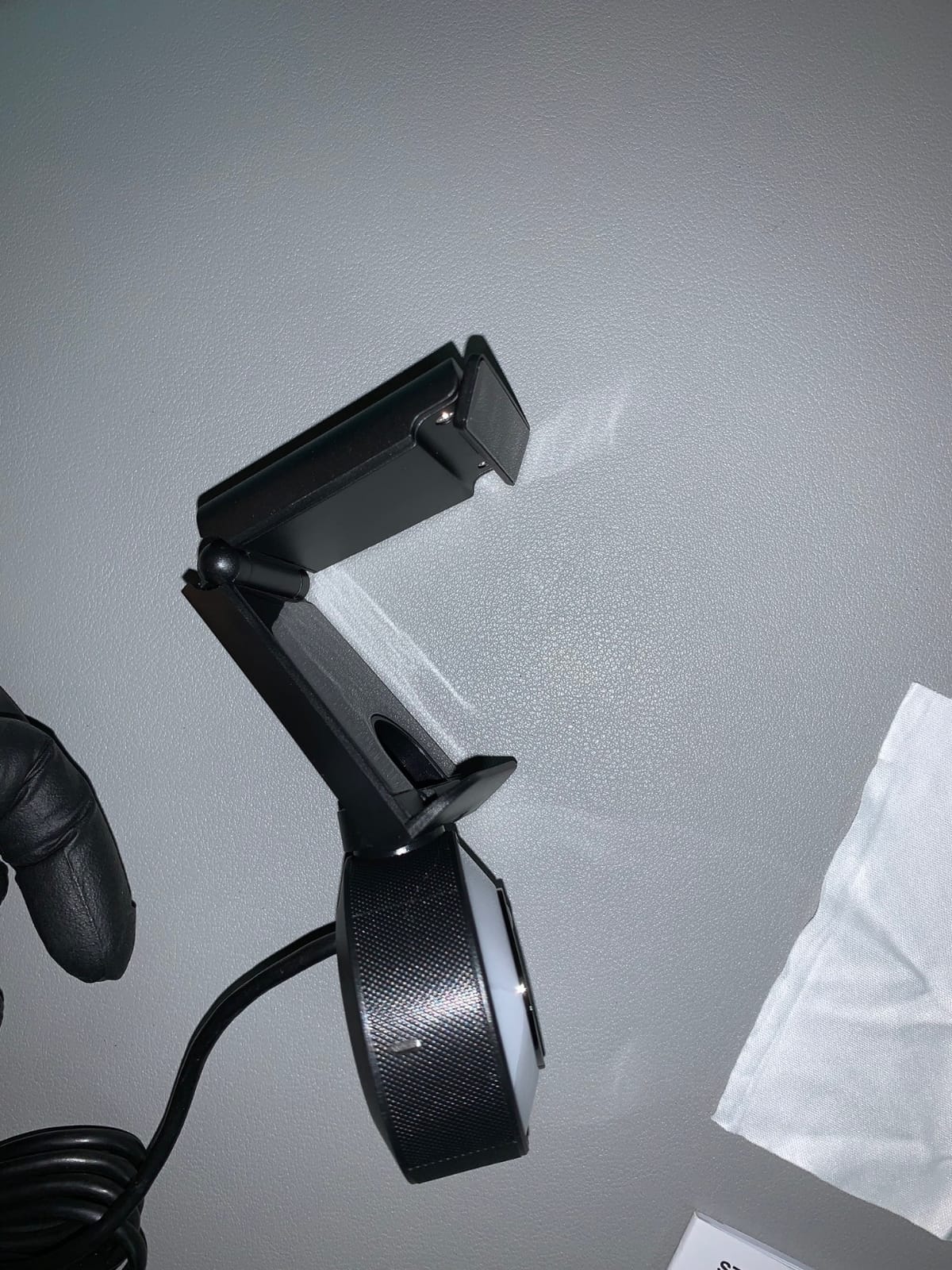
Dual noise-canceling microphones are adequate for call audio, and the body includes a clip option for people who would rather not use the base. Compatibility is broad: it runs over USB 2.0 and 3.0 with no driver install, and the companion software registers a virtual camera if you want to adjust exposure, white balance, or filters inside a streaming or recording app rather than on the hardware.
There are two things to know before you commit. Digital zoom is unavailable at 1080p, so the 5-level zoom control only helps if you drop resolution. And there is no privacy shutter or cover at all on this model, which in a shared room means relying entirely on the mute button or unplugging the cable. The wide-angle lens also softens detail at the extreme edges of the frame, so avoid sitting so close that your head touches that border.
Why does a manual PTZ base matter for remote work?
Because camera position changes more often than people plan for. You move your monitor, you switch from a chair to a standing desk, you want to show a sketch or a printed page. A base with 360 degrees of horizontal and 100 degrees of vertical movement handles all of that by hand in a second, and it also lets you park the camera pointing away from the room when you are not on a call.
What does the software add that the hardware does not?
Exposure, white balance, and filter adjustments, plus a virtual camera output for recording apps. None of that is available from the ring light or the touch controls, so this is a camera for someone who is comfortable installing a small piece of companion software. If you only ever join calls, ignore it entirely.
6. saylas W4LS 2K – Best for RGB Ambient Setups and Console Sharing
saylas 2K Webcam with Lights, HD Webcam for PC, 2K@60FPS Web cam with Microphone, 65° FOV, Autofocus, Noise Cancellation, Privacy Cover, Web Camera for Computer/Laptop, USB Streaming Computer Camera
2K60 and 1080p60 from 4MP sensor
Ring light with three levels plus RGB
65 degree field of view
Autofocus
Privacy slide cover
Pros
- 2K at 60fps from a 4 megapixel sensor at a low cost
- Three brightness levels plus RGB ambient effects around the ring
- Autofocus is fast and steady in normal seated use
- Small unobtrusive body with both a tripod and a clip mount
- Privacy slide cover and a 1.5 metre cable included
- Genuine plug-and-play with no driver or software
Cons
- Autofocus struggles when the user moves around
- Privacy cover plastic is stiff and one review reported it snapping off
- Cable length is on the short side
- Some owners report colour glitching or the feed dropping mid-call
The W4LS is the only pick here that adds RGB ambient effects around the ring on top of its three brightness levels, and that is the feature people either love immediately or never touch. Used properly it reads as a soft coloured glow behind the light ring rather than a gaming light show, which makes it easy to signal on a call that you are in a lecture or a study session without saying anything.
Underneath, the camera is more serious than the styling suggests. It captures 2K at 60fps as well as 1080p and 720p at 60fps from a 4 megapixel sensor, which is a higher frame rate at high resolution than most rivals in this group manage. Autofocus is fast and holds steady for a seated speaker, dual microphones use noise and echo cancellation with a 5 metre pickup, and the 65 degree field of view is the second tightest here after the papalook.
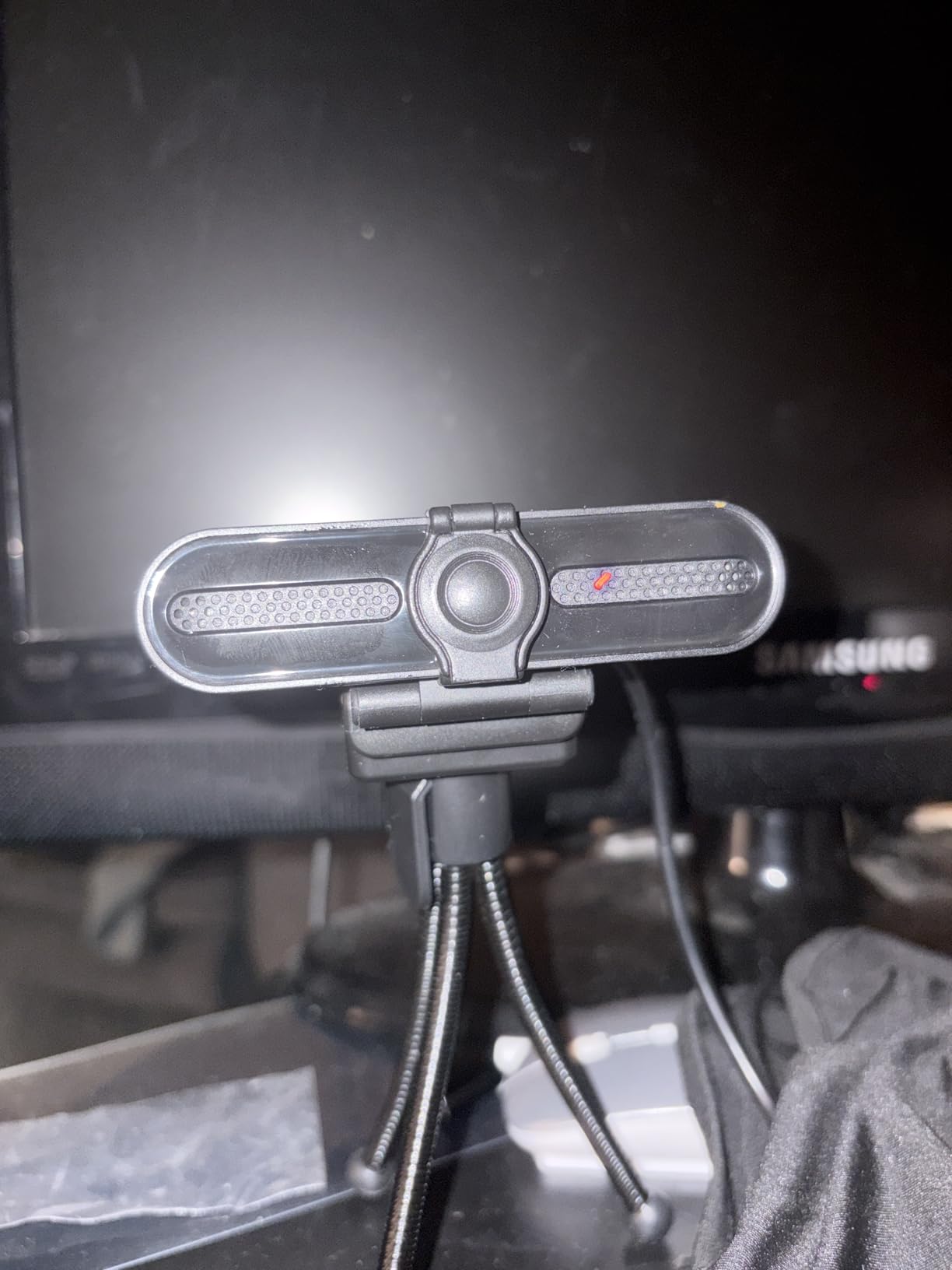
It mounts three ways, which suits a student who changes location: a built-in clip, an included tripod, and a standard thread between them. The privacy slide cover is a physical block rather than a software switch, a 1.5 metre cable is included, and there is a 30-day money-back window with two years of maintenance service behind it. It works with Mac and Windows from XP through 11, and with Zoom, Teams, FaceTime, and Google Meet, with no drivers or software required.
This one carries the lowest average rating in the group, and the reasons are consistent rather than mysterious. Autofocus struggles when you move around the desk rather than staying in one spot, the privacy cover plastic is stiff and brittle enough that one owner reported it snapping off, and the cable is short enough to matter if your camera sits behind a large monitor. A handful of owners also report colour glitching, focus hunting, or the feed dropping out mid-call under heavy system load.
Does the RGB ambient mode actually help on work calls?
Not for lighting your face, which is what the three brightness levels are for. Its value is signalling and mood: a dim coloured glow reads as ambient rather than studio lighting, and it makes a small room feel less clinical on camera. If you share a room and take calls late at night, it also gives you a light source that is not bright enough to disturb someone asleep.
Is 60fps at 2K useful for meetings?
For a seated person talking, the difference between 30 and 60fps is modest. It becomes obvious when you gesture, hold something up to the camera, or teach, where motion smoothness reads as a higher-quality image. It also matters if you record locally, which is where the 2K resolution earns its keep.
7. UGREEN 2K 4-Level Ring Light – Best for Multi-Device Use
UGREEN 2K Webcam with 4-Level Ring Light
2K at 30fps from 4MP CMOS
Four ring modes, two warm and two cool
Sliding privacy cover
80 gram body
80 degree field of view
Pros
- Four ring light modes with two warm and two cool tones
- Sharp 2K image from a 4 megapixel sensor at 80 grams
- Integrated sliding privacy cover needs no separate accessory
- Works on Windows Mac Linux Android and Switch 2
- USB-A to USB-C adapter included in the box
Cons
- Fixed focus lens with no autofocus
- 2K output limited to 30fps rather than 60fps
- Lowest average rating in the group with a notable one-star share
What separates this camera from the other budget picks is the light itself. Four ring modes means two warm and two cool settings, which is a wider usable range than a three-level single-colour ring gives you, and it is the part of the specification that most affects how you look in a room with mixed lighting. If you work in the evening under one warm bulb, or near a window that pushes cool daylight across your face, having both ends of the temperature range matters.
The camera captures 2K at 30fps from a 4 megapixel CMOS sensor through an 80 degree prime lens, and at 80 grams it is the lightest body in this roundup by a wide margin. That weight is genuinely useful for a clip-on setup on a thin dorm monitor. The sliding privacy cover is integrated rather than a separate part, so it cannot be lost, and dual noise-reducing microphones cover call audio. A USB-A to USB-C adapter is included.
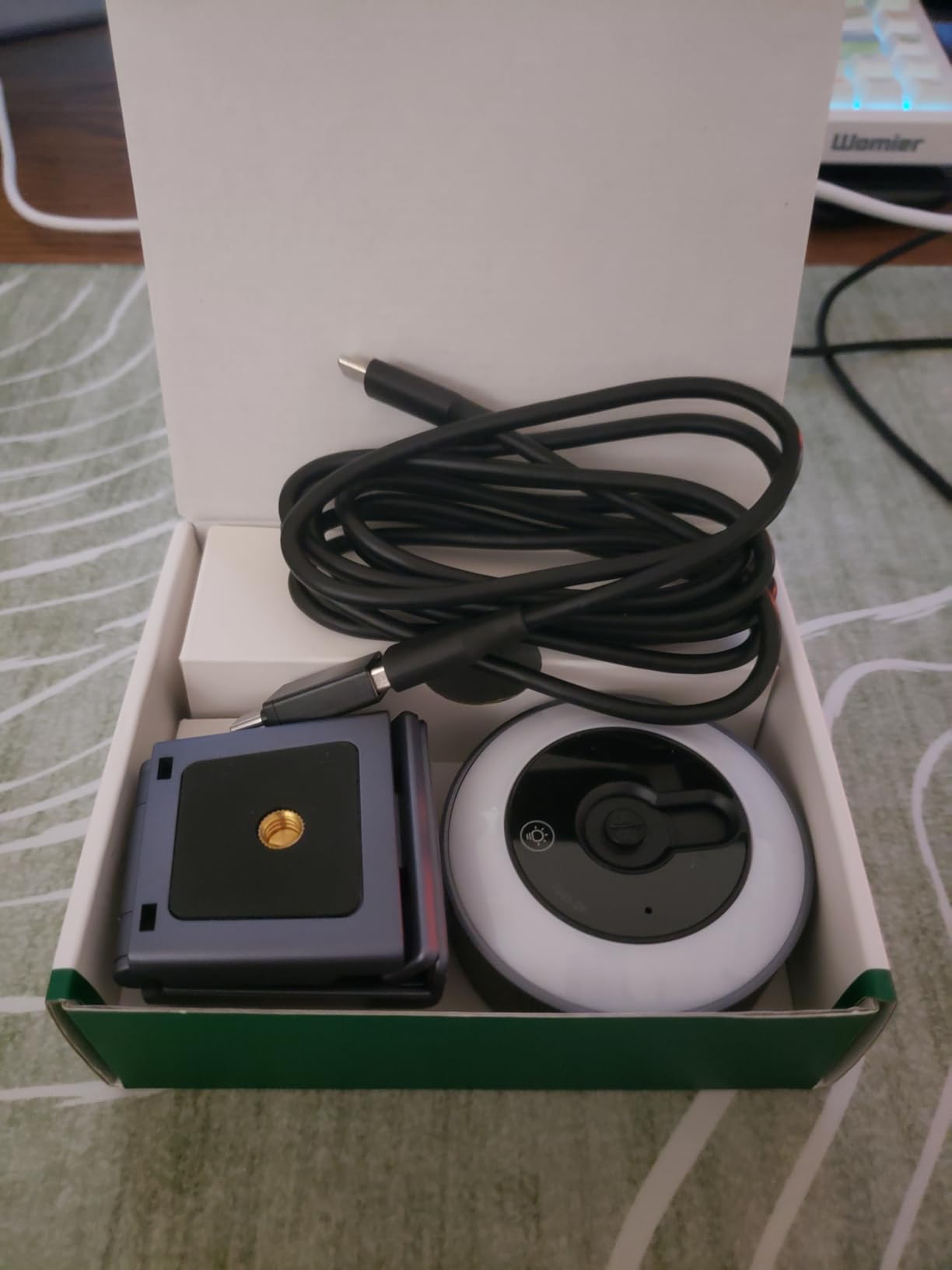
Platform support is the other reason this one is on the list. It works on Windows, Mac, Linux, and Android devices, and it is listed for the Switch 2, which makes it one of the few cameras here that also serves a console for streaming or face chat. Nothing about it depends on a companion app, so it is a safe choice on a shared or managed computer where installing software is not an option.
It also carries the weakest owner feedback in the group, with the lowest average rating and a meaningful share of one-star reviews. The stated limitations are fixed focus with no autofocus at all, and 2K output capped at 30fps. There is no zoom, and the 80 degree field of view is wide enough that you will want to sit fairly close to keep your face filling the frame.
Is four ring light modes better than three brightness levels?
For a fixed room at a fixed time of day, no. Three levels is enough to find a workable setting. Four modes help if your lighting changes during the day, because the two warm and two cool settings let you match the room rather than accepting a colour cast, and the warmer modes are useful at night when a bright cool ring makes you look alert in an unsettling way.
Why does it rate lowest despite the good spec sheet?
Fixed focus is the honest answer, along with a 30fps ceiling on 2K output. Several owners in the one-star group describe the image hunting or softening when they shift position. If you sit still at a desk, neither issue bites, which is why the rating sits where it does rather than lower.
8. NexiGo N680E Pro 4K – Best for Sony Sensor Clarity
NexiGo N680E Pro 4K Webcam with Ring Light, PDAF Autofocus, 1080p 60FPS, Dual Noise-Canceling Mics, Privacy Shutter, USB Plug-and-Play for Zoom, Teams, Twitch, Google Meet
Sony 1/2.5 inch 4K sensor
PDAF autofocus
Tri-tone ring with outer dial
Dual microphones
80 degree clip and tripod mount
Pros
- Sony 1/2.5 inch sensor delivers sharp true-to-life 4K detail
- Unusually bright ring with three temperatures and a stepless outer dial
- PDAF autofocus is faster and steadier than standard autofocus
- Built-in privacy shutter
- Flexible 80 degree clip plus a 1/4 inch tripod mount
Cons
- Output resolution depends on the camera software you open it with
- Smallest review base of the NexiGo models here
- Less long-term reliability history than the higher-volume picks
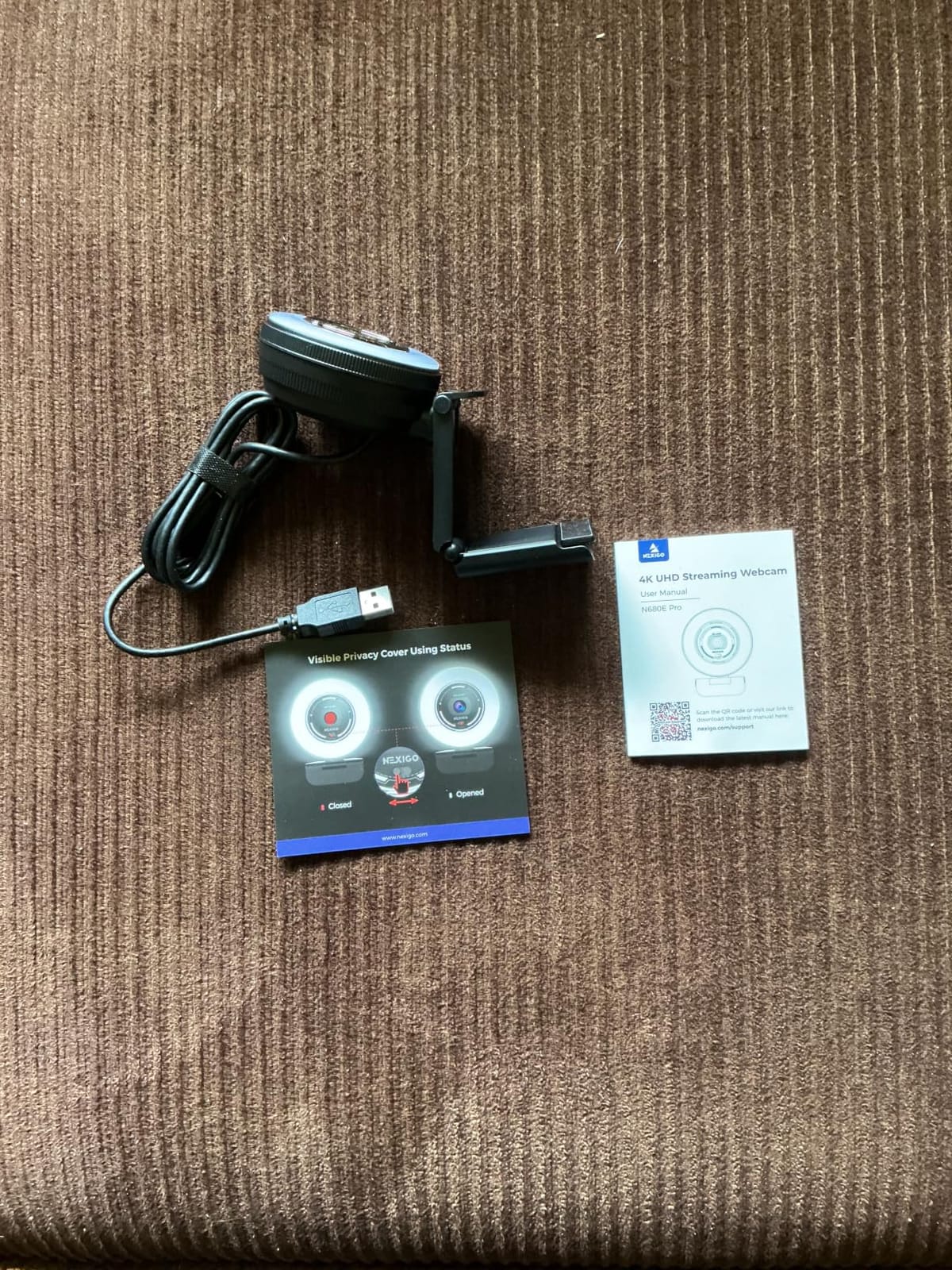
The N680E Pro is built around a Sony 1/2.5 inch 4K sensor behind a coated lens, and that sensor is the reason it produces the cleanest 4K image in this group. Owners describe the detail as sharp and the colour as true to life rather than processed, which matters if you are recording a lecture, presenting to clients, or sitting on calls in a room where auto-exposure tends to tint everything.
The ring light is unusually bright for a built-in, and it is controlled by a stepless outer dial with three colour temperatures rather than touch buttons. That combination is what makes it easy to use: you turn the dial until your face looks right and you are done. Phase-detection autofocus is faster and steadier than the standard contrast-detect systems used by cheaper cameras, and 1080p at 60fps is available when you want smoother motion.
Dual noise-reducing microphones keep voice clear on calls, and the built-in privacy shutter is a proper physical cover rather than a software toggle, which is worth having in a shared room. The 80 degree flexible clip suits most monitor edges, and a 1/4 inch tripod mount covers everything else, including a small standing desk tripod. Setup is USB-A plug-and-play with no driver install.
Two caveats come up in the feedback. Final output resolution depends on the software you open the camera with, so in some applications you may not get the 4K you expected until you change a setting. And with a small review base compared with the higher-volume picks, there is less long-term reliability history to draw on, which matters if you are furnishing a shared room and need something that will survive a year of being knocked.
Does the Sony sensor make a visible difference on a call?
It shows most clearly in low light, where a larger sensor gathers more usable detail before the noise reduction starts smoothing faces. In a bright room at 1080p on a compressed call, you would be hard pressed to tell it apart from a good 1080p camera. The gap opens up when you record locally or when you sit in a dim room, which is exactly where the ring light helps.
Is the brightness dial better than touch controls?
For nightly use, yes. A physical dial gives you continuous control, so you can find the exact level that fills in shadows without lighting up the whole room, and you can repeat that setting by feel. Touch buttons get bumped when you adjust the camera angle, which is an irritation we read about repeatedly with lighter touch controls.
9. Galyimage 866MAX 4K – Best for Ring Light Fine-Tuning
Galyimage 4K Webcam with Ring Light & Built-in Microphone for PC Streaming
4K30 and 1080p60
1/2.5 inch CMOS sensor
Three colour temperatures with stepless rotary ring
TOF autofocus
Sliding privacy cover
Pros
- Ring light with three colour temperatures and infinitely dimmable brightness
- Highest average rating in this group with strong five-star feedback
- 4K and 1080p60 from a 1/2.5 inch CMOS sensor
- Time-of-flight autofocus locks onto faces quickly
- Sliding privacy cover and dual noise-cancelling microphones
Cons
- Digital zoom only with no optical zoom
- Not listed with a remote control or mounting accessory
- Small review base means limited long-term reliability history
The 866MAX is the pick for anyone whose main frustration is that ring lights are either off or blinding. Its ring fill light has three colour temperatures and stepless rotary dimming, so you can set a precise brightness the way you would set a desk lamp dial. Owners who came to it specifically for the light are the ones who rate it most highly, and it carries the strongest average rating in this group.
Image quality is solid for the class. It captures 4K at 30fps and 1080p at 60fps from a 1/2.5 inch CMOS sensor through a 78 degree wide-angle lens, with time-of-flight autofocus that locks onto faces quickly even when you move rather than sitting rigidly. Dual noise-cancelling microphones do a reasonable job of keeping keyboard and air-conditioning noise out of your voice, and a sliding privacy cover is built into the body.
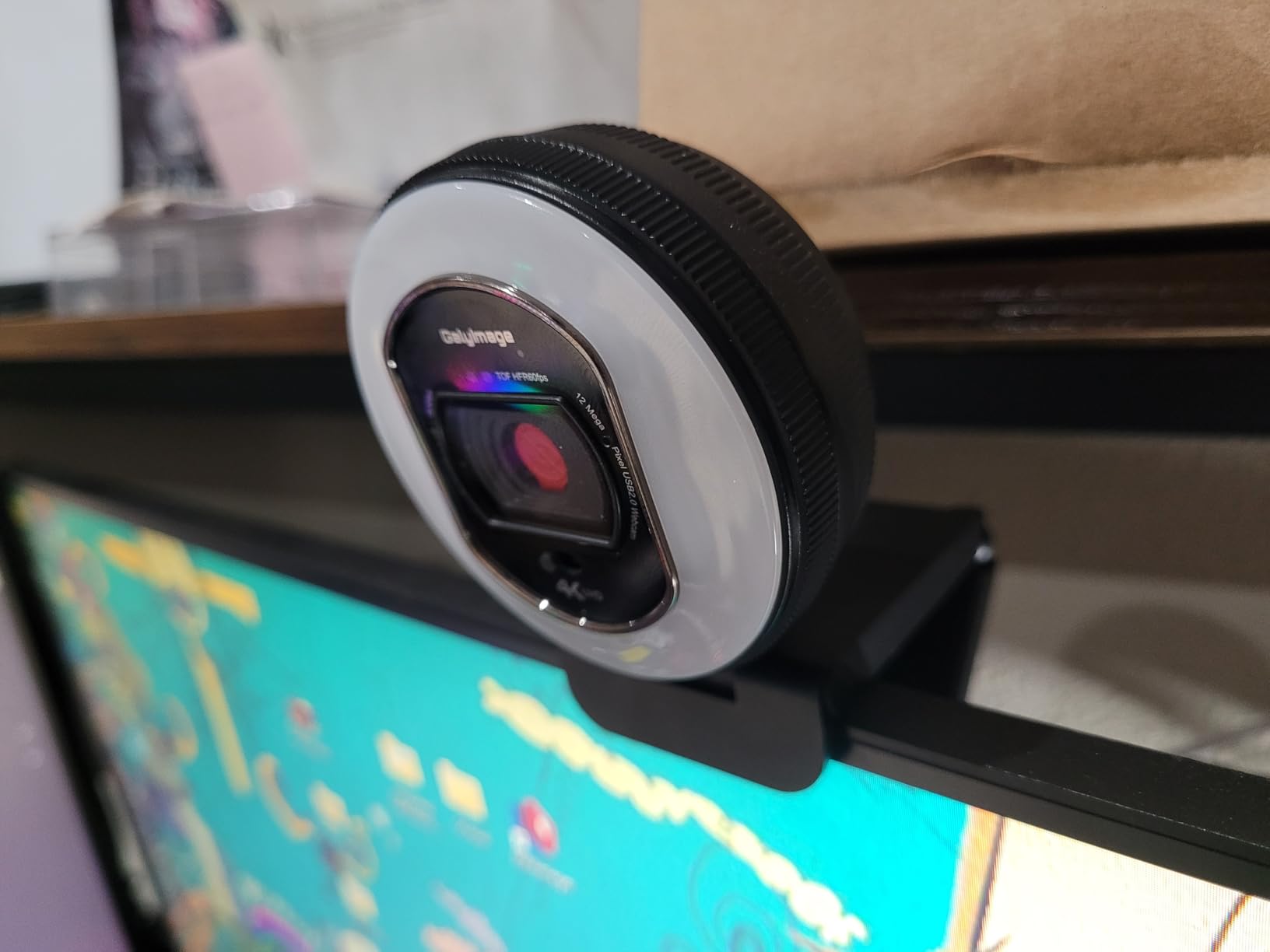
It runs over USB with no driver install on Windows, Mac, and Linux, weighs 5.76 ounces, and measures compactly enough to sit on a monitor without covering part of a screen. There is an 18-month manufacturer warranty, which is the longest coverage attached to any pick here, and that is meaningful for a device that lives on a clamp above a screen.
Three things to weigh. Zoom is digital only, with no optical zoom, so there is no clean way to frame tightly on a document. No remote control or mounting accessory is listed, so if you want to adjust settings from your seat you are reaching for the dial. And the review base is small, which means the excellent rating reflects fewer long-term owners than the higher-volume picks, so you are buying on recent experience rather than a long record.
Is an infinitely dimmable ring better than preset levels?
Yes, and it is the reason this camera stands apart. Preset levels force you to choose between too dim and too bright, which is precisely the problem on a call that starts in daylight and ends after dark. A stepless dial lets you set the ring for the light you have in the room right now, and adjust it once when the sun goes down.
Is the highest rating in the group enough to trust it?
Not on its own. A small pool of ratings tells you recent buyers are happy, not that the unit will survive years of daily clamping. If you want the best-rated option and intend to keep it for a while, look at the warranty length and buy somewhere that makes returning it straightforward.
10. EMEET S600L 4K – Best for Software Tuning and Mixed Lighting
EMEET S600L 4K Webcam for Streaming with Ring Light, 1/2″ Sensor, 0.2S PDAF
1/2 inch Samsung sensor, true 4K30
0.2 second PDAF autofocus
73 degree field of view
Four-mode ring light with physical dial
EMEET STUDIO software
Pros
- Largest sensor here at 1/2 inch for strong low-light detail
- 0.2 second autofocus from 10cm to infinity
- Four ring modes including natural white and ambient light
- Physical dial plus EMEET STUDIO software for image tuning
- Reliable on Windows macOS and Linux including OBS
- Built-in privacy slider with a flexible rotating mount
Cons
- Built-in microphones sound thin and treble-heavy
- Some buyers find the ring light weaker than they expected
- Recording status LED is dim and hard to see
- One reviewer could not record in 4K or use zoom
The S600L is the pick for a mixed-lighting room. Its ring light has four modes, including cool white, warm white, natural white, and an ambient setting, and it auto-balances exposure so the ring does not blow out your forehead while the rest of the room falls into shadow. That exposure balancing is the specific behaviour that makes a face look evenly lit rather than lit from the front, and owners consistently mention colleagues noticing the difference.
The sensor is the largest in this roundup at 1/2 inch from Samsung, and it delivers true 4K at 30fps and 1080p at 60fps. Autofocus is rated at 0.2 second from 10cm to infinity, so it handles leaning in and standing up. The 73 degree field of view sits in the middle of the group, close enough to head-and-shoulders framing without feeling claustrophobic, and the mount offers 360 degrees of rotation, plus or minus 15 degrees of tilt, and a 1/4 inch thread.
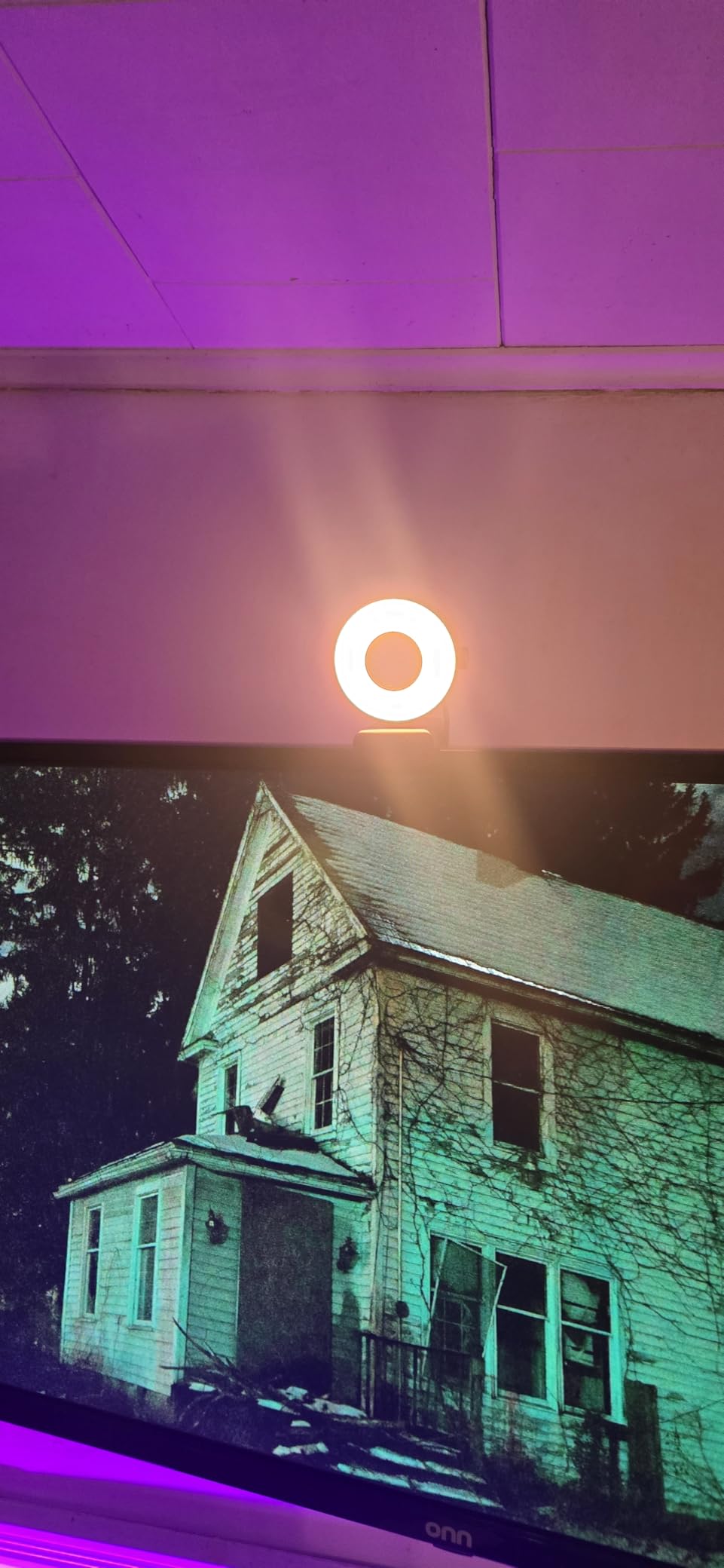
There is a physical dial for brightness and lighting mode, and EMEET STUDIO software handles image and beauty effects for anyone recording rather than just calling. It works reliably on Windows, macOS, and Linux, including inside OBS and TikTok Live Studio, and the built-in privacy slider gives you a physical block for shared rooms. A 6.6 foot USB-C cable and a USB-C to A adapter are included, the body weighs 5.6 ounces, and there is a two-year warranty.
The repeated criticism is audio. The dual microphones with a 10 foot pickup sound thin and treble-heavy next to a laptop or headset microphone, so for anything beyond a meeting you will want external audio. Several buyers also found the ring light weaker than they expected for a camera bought for its light, and the recording status LED is dim enough to be easy to forget. One reviewer reported being unable to record in 4K or use zoom, which is worth checking against your own software before you rely on those modes.
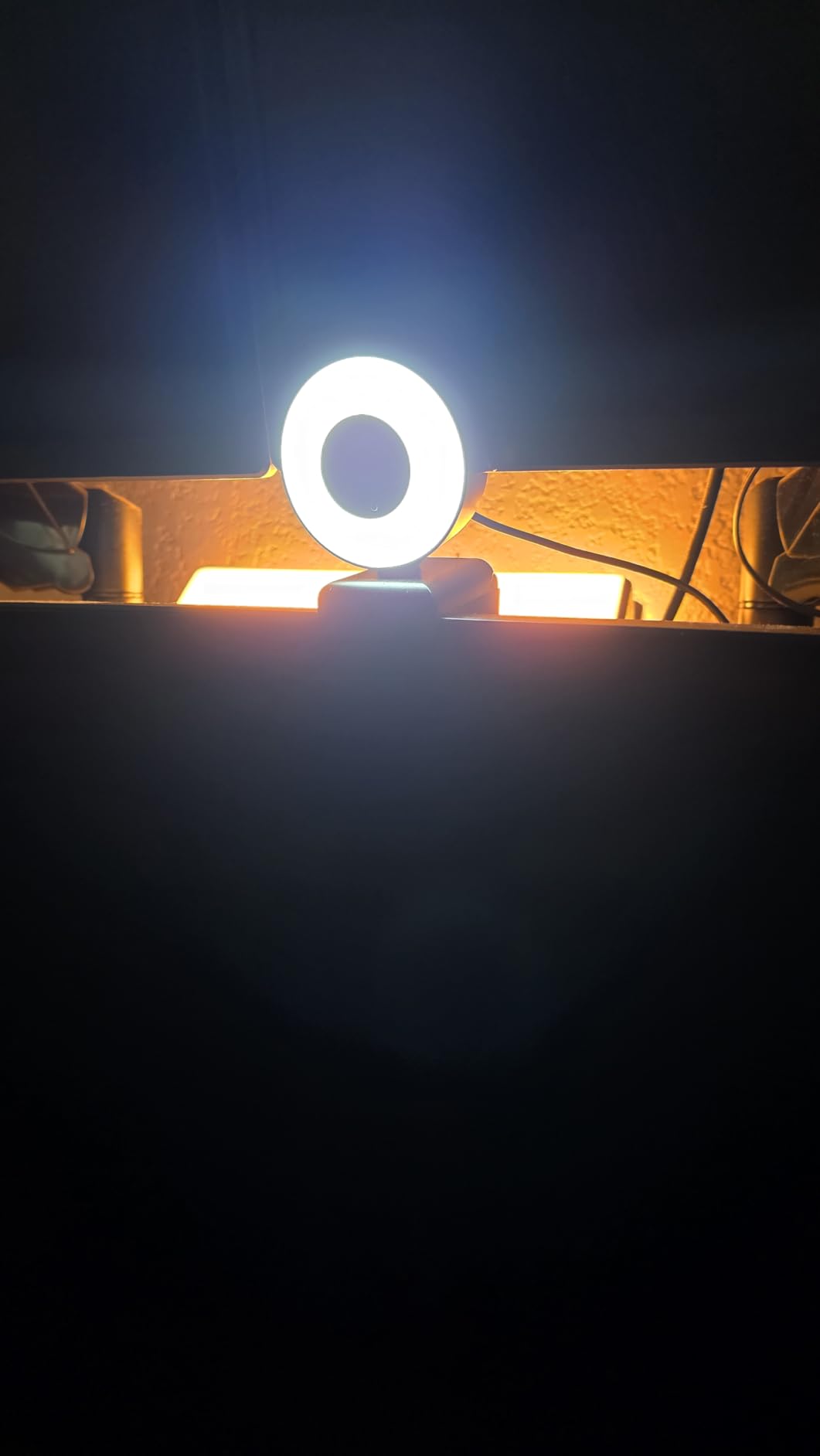
What does a four-mode ring light actually change on camera?
Mostly the colour of the light, and that is not a small thing. Cool white suits a cool room and a bright window, warm white suits evening and tungsten bulbs, natural white is the neutral option for mixed conditions, and ambient adds colour without the hard front light. Combined with exposure balancing, it is the reason this camera handles a lopsided room better than most.
Is it worth it if you already own a headset microphone?
Very much so, because the ring light and sensor are where the image quality lives. Treat the built-in microphones strictly as a fallback, plug in whatever headset or desk mic you already have, and this camera solves the part of the problem that actually makes you look bad on calls.
Ring Light Webcam vs Separate Ring Light vs Software Auto Light Correction
A built-in ring light is not automatically better than a standalone ring on a desk, and treating it as the only answer is how people end up disappointed. Here is the honest comparison for a remote work setup, whether you already own a camera without a light or are starting from the laptop.
Built-in ring light webcam. One device, one cable, and a guarantee that the light stays in a fixed position relative to the lens. That fixed relationship is the real advantage: a ring that never moves keeps shadows off your face and keeps you evenly lit without adjustment. The compromise is reach. The light sits inches from your face, so it lights your face brilliantly and does almost nothing for the rest of the room, and a ring small enough to sit on a monitor cannot throw enough light backward to light your face from a distance.
Separate ring light on a desk stand. You can put the camera 2 to 3 feet away and the light with it, which produces a softer, more natural falloff than any compact ring, and you can move the light off-axis when you want a bit of shaping rather than a flat frontal look. You also get a bigger physical light for the same money. The costs are desk space, a second stand, and the discipline to keep the ring and the lens aimed together every time you move something.
Software auto light correction. Every platform applies some form of auto exposure and auto white balance, and it costs nothing. What it cannot do is add light. Software brightens a dark image and reveals noise and colour blotches along with the face, which is why owners of high-resolution cameras in dim rooms often look worse on calls than people who simply added a lamp. Treat software as a finishing pass on top of real light, not a replacement for it.
Our view after working through all ten cameras: if you are buying a webcam now and your room is dim, buy the ring light built in. If you already own a good camera, a separate ring on a stand at 2 to 3 feet will give you a better-lit image than any built-in ring in this roundup.
How to Choose a Ring Light Webcam
Start with the room, not the resolution. A windowless basement, a north-facing bedroom, and a dorm lit by one desk lamp all need light, and light is what the ring provides. A bright room with a window behind you needs the opposite problem solved: move so the window is in front of or beside you, because a backlit setup turns you into a silhouette no ring light can fix from the far side of the desk. Only after the room is sorted does resolution matter.
Prioritise stepless brightness over raw brightness. The reason we rank the N960E Plus and the 866MAX so highly is continuous dimming. A three-level ring is fine in a room you use at one time of day, and frustrating in a room that goes from afternoon to midnight. Every ring in this roundup is bright enough for a dim room; the difference between them is how precisely you can set it.
Check colour temperature, not just brightness. Warm and cool settings let you match the room so your skin tone stays natural. This matters most in mixed lighting, where a single-tone ring either fights your overhead bulb or fights the daylight. Three temperatures is a reasonable minimum, and four is better if the room genuinely changes during the day.
Get the field of view right for your desk. Anything under 70 degrees frames you tightly and hides clutter, which is a gift in a shared room. Anything around 80 degrees needs you to sit closer to keep your face filling the frame, and softens detail at the edges. Wider still tends to stretch features near the border, so sit back from the edge of the image rather than trying to fill it.
Decide whether autofocus matters to you. Time-of-flight and phase-detection autofocus hold focus without the pulsing you get from contrast-detect systems in low light. Fixed focus never hunts, which is a virtue if you sit still, and a limitation if you move. Test the distance you actually sit at, because autofocus that works at 60cm can struggle at arm’s length on a small sensor.
Treat the microphone as a fallback. Across this group the repeated pattern is that built-in microphones handle a quiet room for meeting audio and fall short for recording. If you already wear a headset for calls, ignore the microphone entirely and judge the camera on light and image. If you plan to teach or stream, plan on external audio from the start.
Look for a physical privacy control in shared rooms. A sliding or removable cover beats a software toggle every time, because software requires remembering. In a dorm or shared flat, that is the difference between a camera you can leave mounted and one you take down after every meeting.
Be realistic about 4K and 60fps. Most call platforms compress your feed well below what the camera captures, so a 4K sensor mostly benefits local recording and any high-quality mode your platform offers. What does not get compressed away is lighting, colour, and whether the focus is steady, which is exactly where the ring light earns its place in the spec sheet.
How to Set Up and Dim Your Ring Light
Put the camera at eye level first. A laptop camera at the bottom of the screen shoots you from below, and no amount of light fixes the unflattering angle. Prop the monitor or clamp the camera so the lens sits at or just above your eye line. This is the single biggest improvement most people can make, and it costs nothing.
Sit close and centre yourself. With a compact ring built into the bezel, the light is always inches from your face, so the image looks flat but even. If you can frame your head and shoulders with a little space above your head, you have the distance right. Sit further back and the ring does less, because its output drops off with distance.
Turn the ring down for evening calls. The most common complaint we read about ring lights is that they are too bright at night, and the answer is that most people never touch the control. Start at the lowest setting and raise it only until your face is evenly lit. If the room is dark, you will need very little, and a dim ring that lights only you is far less disruptive to a roommate than a bright one lighting the whole desk.
Never let a light source sit behind you. A window, a bright lamp, or a television behind your head makes you a silhouette regardless of how good the camera is. Move so the brightest thing in the room is in front of you or directly to one side, and then let the ring fill the shadows that remain.
Dim the ring, do not turn it off, at night. Turning the ring off entirely returns you to the overhead lamp and the shadow under your chin, which is the problem you bought the camera to solve. A low ring level plus a warm colour temperature is the combination that works for late sessions without lighting up the room.
Give the camera power from a fixed port. All ten of these run over USB, and switching ports or machines is what causes the dropped feeds and lost settings that owners report. If the camera supports it, confirm your call app is selecting the external camera and not the laptop’s built-in one, because that is the most common reason a new webcam seems to make no difference.
Ring Light Webcams for Dorm Rooms and Shared Spaces
Student housing changes the calculus on webcams in ways a home office does not. Rooms are small, walls are thin, desks are narrow, and the person you live with is fifteen feet away with their own light on and their own calls to take. A ring light solves the first two of those problems and makes the third worse unless you control the brightness.
Small desks argue for field of view and weight. A tight 65 to 75 degree view, as on the saylas W4LS and the papalook PA552, keeps your roommate’s side of the room out of frame entirely, which is the most effective privacy measure available and costs nothing. Weight matters too, because an 80 gram body on a thin dorm monitor is far less likely to slide or pull the panel forward than a heavier clip.
Thin walls and roommates argue for light discipline. A full-brightness ring on a monitor in a shared room is a lamp pointed at the ceiling, and it is visible from anywhere in the flat. Every camera here has a low setting, and the stepless dials on the NexiGo N960E Plus, the NexiGo N680E Pro, and the Galyimage 866MAX let you find a level that fills in shadows on your face without lighting the walls. Those three are the ones we would choose for a room someone else sleeps in.
Privacy has two layers, and you want both. A physical cover, which the NexiGo N960E Plus, the Angetube 967Ultra, the Angetube 862Pro, the saylas W4LS, the UGREEN 2K, the NexiGo N680E Pro, the Galyimage 866MAX, and the EMEET S600L all include, stops the image rather than just the transmission. Software muting alone still leaves a live camera pointed at a shared room, and in a room where you might step away from the desk mid-call, the cover is what makes the difference.
The one camera in this group to treat carefully in a shared room is the Angetube A962, because it has no privacy shutter or cover at all. Its manual PTZ base gives you a partial answer, since you can physically rotate the camera away from the room when you are off a call, but the gap is worth knowing about before you mount one above a shared desk.
Frequently Asked Questions
What is the best webcam for remote workers?
The NexiGo N960E Plus is our top pick because it combines a stepless tri-tone ring light with time-of-flight autofocus and an RF remote, and it has the deepest owner base in this group. The Angetube 967Ultra is the runner-up if you want 4K detail with phase-detection autofocus at a lower tier.
What is the best ring light for using with a webcam?
If your camera has no light, the best ring light for it is a standalone ring on a desk stand placed 2 to 3 feet away, opposite the camera at eye level. A built-in ring is more convenient and always correctly positioned, but it only lights your face, not the room. Whichever you choose, the ring must sit in front of you rather than behind.
What are some webcams that can be controlled remotely?
The NexiGo N960E Plus and the Angetube 862Pro both ship with an RF remote that handles zoom, mute, field-of-view changes, and menu access without touching the camera. The NexiGo N680E Pro and the Galyimage 866MAX use physical dials for ring light brightness, and the EMEET S600L pairs a physical dial with EMEET STUDIO software for exposure and white balance.
What is the best budget webcam with ring light?
The Angetube 862Pro is the best budget choice, because it is the cheapest camera here with three colour temperatures and stepless brightness via a rotating bezel, plus an RF remote that can mute and disable video. If you need a tighter frame in a shared room, the papalook PA552 is narrower and lighter, at the cost of fixed focus.
What webcam works best in a dimly lit room?
In a dim room, prioritise a stepless ring light over resolution, and the three that dim most precisely are the NexiGo N960E Plus, the Galyimage 866MAX, and the NexiGo N680E Pro. The EMEET S600L also auto-balances exposure so the ring does not blow out your face, and the saylas W4LS captures 2K at 60fps for a brighter overall image.
The Final Verdict
If you are buying one camera for remote work this year, the NexiGo N960E Plus is the one we would put on the monitor. The stepless tri-tone ring is the most useful thing on it, the time-of-flight autofocus does not hunt in a dark room, and the RF remote means you can mute and reframe without reaching for the camera. For a tighter budget, the Angetube 862Pro gives you real colour temperature control and stepless dimming, which is the feature that actually determines whether a ring light helps you or annoys you at night.
Two choices depend on your room rather than your spec sheet. In a shared space, go narrow and pick up a physical privacy cover, which points you to the papalook PA552 or the saylas W4LS. In a mixed-lighting room where no single setting works, go to the EMEET S600L with its four ring modes and exposure balancing. Whatever you choose, get the lens to eye level and turn the ring down before dark, and you will look better on every call than you did with the laptop camera.