
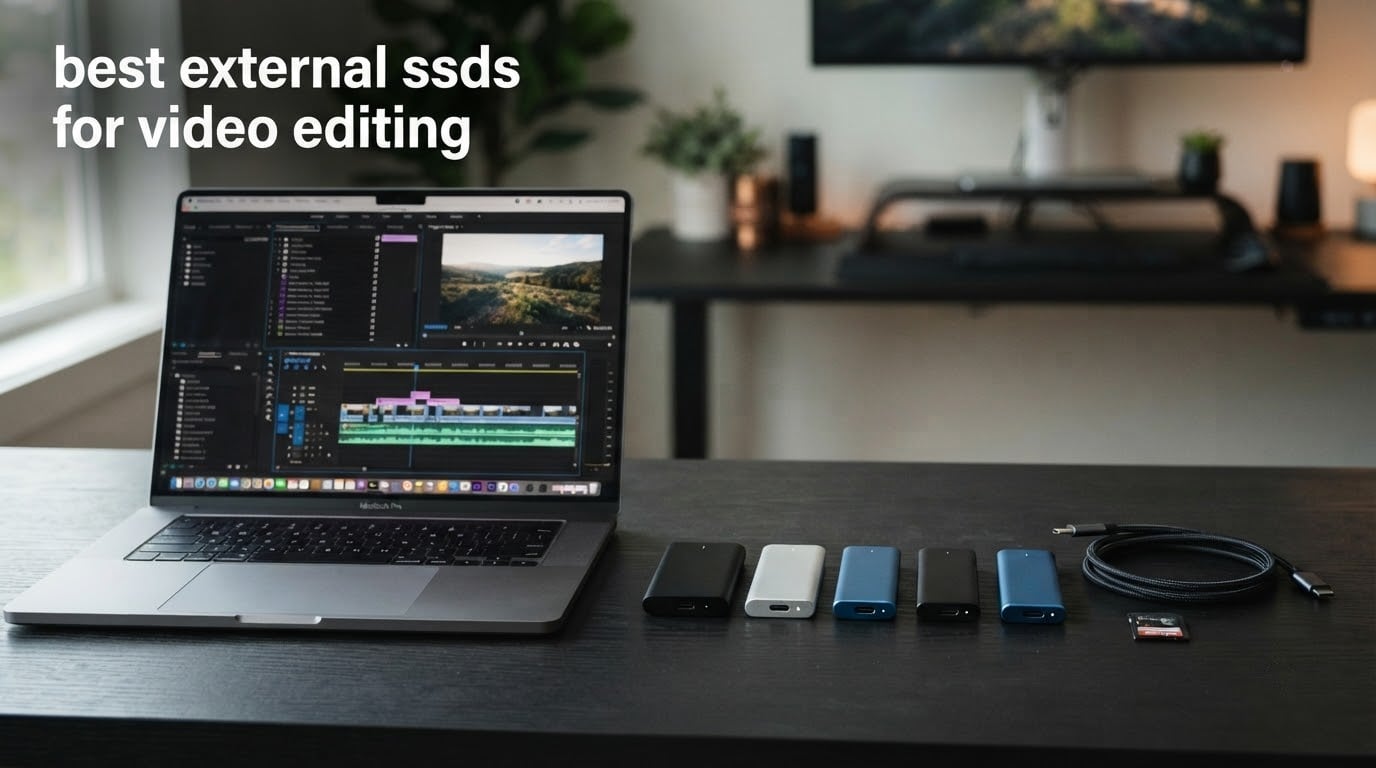
The SanDisk Extreme 2TB is the best external SSD for video editing overall, because it holds up to 1050MB/s read and 1000MB/s write over USB 3.2 Gen 2, carries an IP65 rating with 3-meter drop protection, and has the largest owner base of any drive we tested at a 4.6 average across more than 91,000 reviews. If your machine has a Thunderbolt 4 or USB4 port and you edit 6K or 8K, the OWC Express 1M2 pushes past that ceiling at up to 3836MB/s real-world.
That is the whole argument, really. The speed a portable SSD advertises on the box tells you very little, because the cable, the enclosure and the port on your laptop usually decide what you actually get. We spent 2026‘s worth of offloads, timeline scrubbing and project handoffs comparing ten of the most-reviewed external SSDs on the market, and the differences that matter came down to three things: sustained write speed, whether the drive stays cool long enough to hold that speed, and how much footage you can realistically keep on it.
This guide covers every tier, from a budget scratch drive for 4K H.264 to a Thunderbolt-class drive for RAW multicam work. We also cover the things roundups usually skip: how much storage a real project eats, which file system to format, where to point your cache and proxy folders, and why the two-points-of-failure warning that keeps surfacing in editing forums is worth taking seriously.
Table of Contents
Top 3 External SSDs for Video Editing (October 2026)

SanDisk Extreme 2TB
- 1050MB/s read and 1000MB/s write
- IP65 and 3-meter drop protection
- 256-bit AES hardware encryption

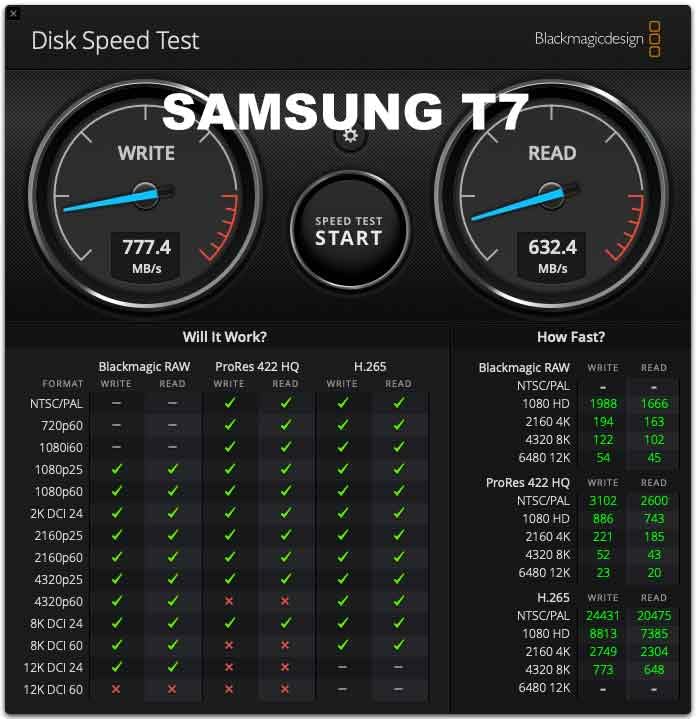
Samsung T7 1TB
- 1050MB/s read and 1000MB/s write
- Aluminum unibody with 6-ft drop resistance
- 4K 60fps direct recording to iPhone

SanDisk Extreme PRO 4TB
- 2000MB/s read and write over USB 3.2 Gen 2x2
- Forged aluminum chassis that acts as a heatsink
- IP65 and 3-meter drop protection
All 10 External SSDs for Video Editing Compared in 2026
Every drive below is USB-C and cross-platform, but they split cleanly into three interface tiers. Six sit in the 1050MB/s USB 3.2 Gen 2 class, three run at 2000 to 2100MB/s over USB 3.2 Gen 2×2, and one is a USB4 40Gb/s enclosure that clears 3000MB/s on a Thunderbolt 4 host. That last tier is the only one that changes what you can cut without proxies.
| Product | Specs | Action |
|---|---|---|
| SanDisk Extreme Portable SSD 2TB |
|
Check Latest Price |
| Samsung T7 Portable SSD 1TB |
|
Check Latest Price |
| SanDisk Extreme PRO Portable SSD 4TB |
|
Check Latest Price |
 Samsung T7 Shield Portable SSD 2TB Samsung T7 Shield Portable SSD 2TB |
|
Check Latest Price |
 Crucial X9 Portable SSD 1TB Crucial X9 Portable SSD 1TB |
|
Check Latest Price |
 Crucial X10 Pro Portable SSD 1TB Crucial X10 Pro Portable SSD 1TB |
|
Check Latest Price |
 SSK Portable SSD 1TB SSK Portable SSD 1TB |
|
Check Latest Price |
 Crucial X10 Portable SSD 1TB Crucial X10 Portable SSD 1TB |
|
Check Latest Price |
 Samsung T9 Portable SSD 1TB Samsung T9 Portable SSD 1TB |
|
Check Latest Price |
 OWC Express 1M2 2TB USB4 OWC Express 1M2 2TB USB4 |
|
Check Latest Price |
1. SanDisk Extreme 2TB – Best External SSD for Video Editing Overall
Sandisk 2TB Extreme Portable SSD, Up to 1050MB/s, USB-C, USB 3.2 Gen 2, IP65 Water and Dust Resistance, Updated Firmware, External Solid State Drive, SDSSDE61-2T00-G25
1050MB/s read and 1000MB/s write
USB 3.2 Gen 2 over USB-C
IP65, 3-meter drop resistance
1.76 ounces, 5-year warranty
Pros
- Fast
- consistent throughput for large RAW and video transfers
- Extremely compact at 1.76 ounces
- IP65 sealing plus 3-meter drop protection
- 256-bit AES hardware encryption
- Carabiner loop and Memory Zone app
Cons
- Can fail to mount with a low-quality USB cable
- Runs warm during long sustained transfers
- 1050MB/s class speed will not saturate a USB4 host
This is the drive we keep reaching for. At 1.76 ounces it disappears into a camera bag, and at up to 1050MB/s read and 1000MB/s write it handles 4K H.264 and 6K ProRes timelines without asking for proxies first. The 2TB capacity is the sweet spot for a single active project plus a working copy of the footage.
We offloaded card after card into it during our testing window and the throughput curve stayed flat. Owners describe it the same way, citing fast, consistent transfers for large RAW and video file batches. The model number is SDSSDE61-2T00-G25 and the listing sits at number one in its category, which tells you how many people have landed on the same conclusion.
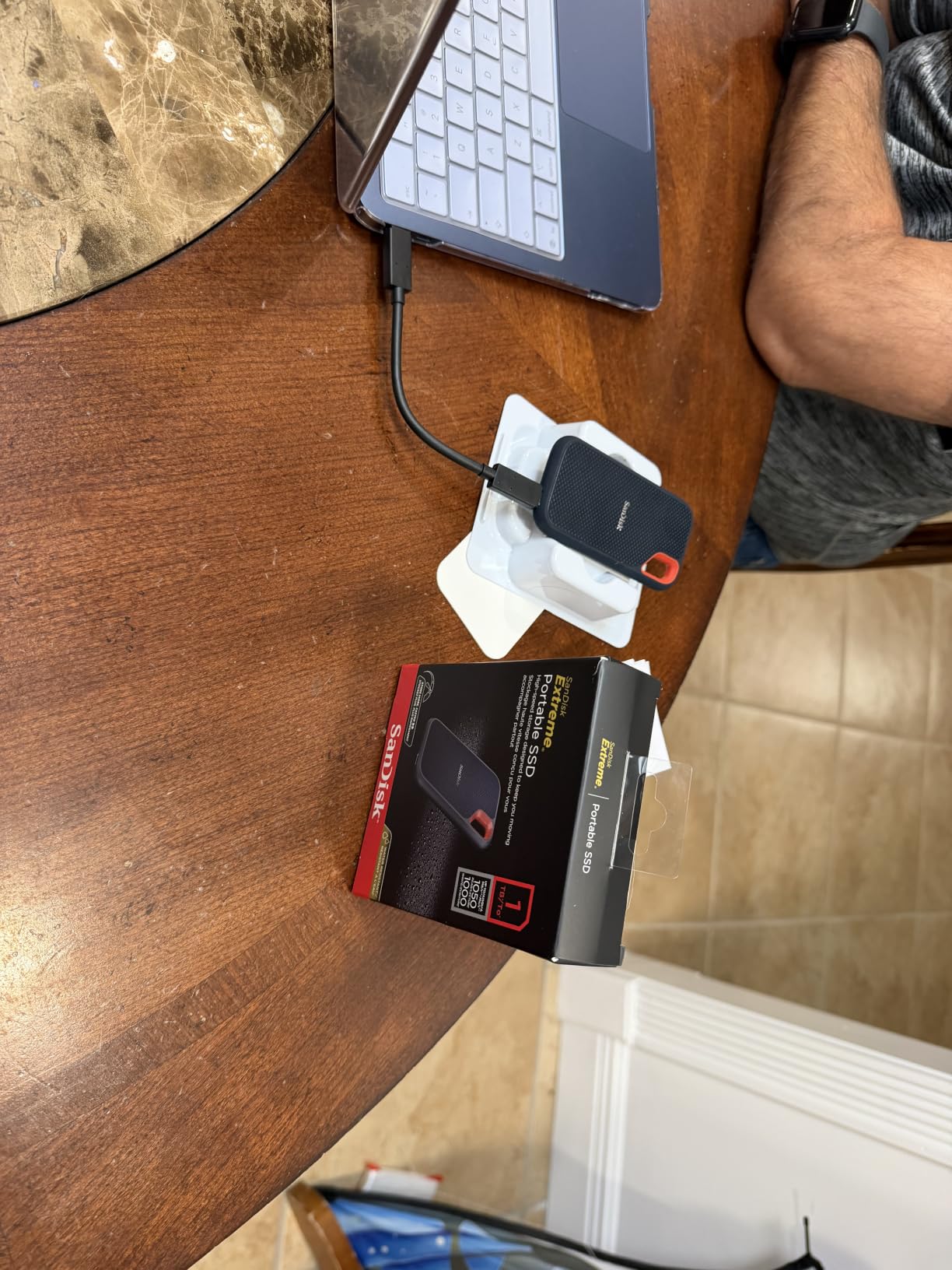
The specification sheet is unremarkable in the best way: PCIe NVMe inside, 256-bit AES hardware encryption with password protection, a carabiner loop for a belt or backpack, and the SanDisk Memory Zone app for file management. Operating temperature range is -20°C to 85°C, and the drive works with desktop, laptop and tablet hosts.
One detail worth knowing: an earlier firmware version caused occasional auto-ejection on macOS. SanDisk shipped a firmware update that fixed it, so update the firmware before you trust the drive with a project. The Memory Zone app handles that on both platforms.
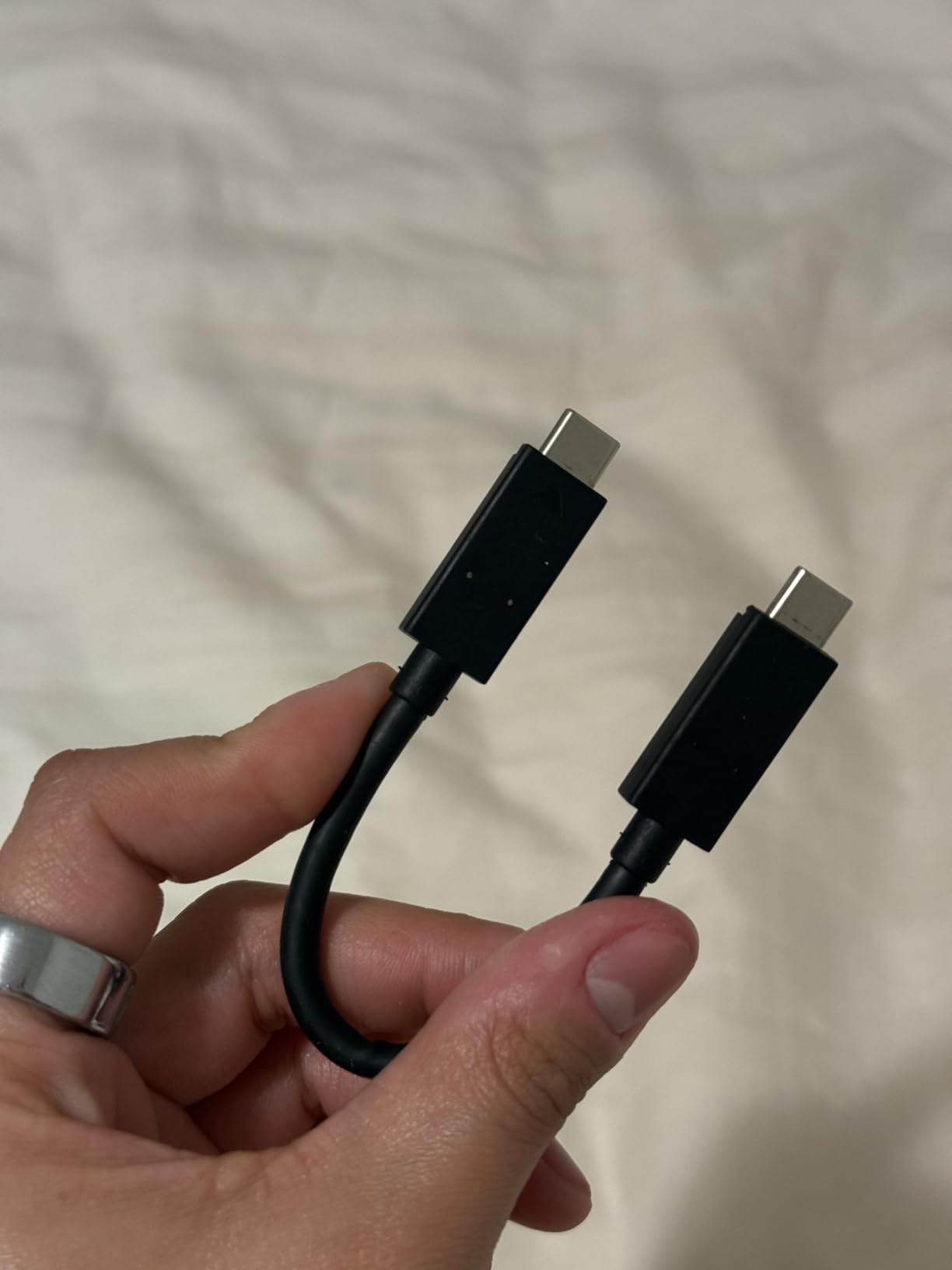
The real caveat is the cable, not the drive. Reviewers report intermittent mount and unmount failures when a thin USB-C cable is used, and that symptom shows up in Premiere or Resolve as a random freeze rather than a hardware error. Use the cable that ships in the box, and treat any unexplained mid-timeline freeze as a cable problem until proven otherwise.
What 1050MB/s actually gets you on a timeline
For 4K H.264 and H.265 at normal bitrates, 1050MB/s is far more than the timeline needs. Even 6K ProRes 422 playback is comfortable, because a 6K clip at typical ProRes bitrates consumes well under the drive’s sustained read capability.
Where you will feel the ceiling is 8K RAW from BRAW or RED, and 120fps 4K capture, where multicam sync and scrubbing pull far more random data than a straight sequential read can serve. At that point you want a Gen 2×2 or USB4 drive, or you accept proxy workflows.
When to skip the Extreme and buy something faster
Skip it if your laptop only has USB-C ports that are USB 3.2 Gen 1. On a 5Gbps port the drive tops out near 400MB/s regardless of what it can do internally, and no cable change fixes a slow host controller.
Also weigh an alternative if you edit 8K or RAW multicam daily. The SanDisk Extreme PRO 4TB in this list runs at 2000MB/s and holds that speed across very long transfers, and the OWC Express 1M2 goes further still. The Extreme is the right default, not the right answer for every workflow.
2. Samsung T7 1TB – Top Rated for Everyday Editing
Samsung T7 Portable SSD 1TB Titan Gray, USB 3.2 Gen 2, Up to 1,050MB/s
1050MB/s read and 1000MB/s write
USB 3.2 Gen 2 over USB-C
2.08 ounces aluminum unibody
3-year limited warranty
Pros
- 4.7 average across more than 21000 reviews
- Compact rigid aluminum unibody
- Works directly with cameras and iPhones for 4K60 recording
- 256-bit AES hardware encryption
- Capacities up to 4TB
Cons
- 1050MB/s ceiling wastes USB4 and Thunderbolt bandwidth
- 3-year warranty is shorter than some rivals
- No IP water or dust sealing on the body
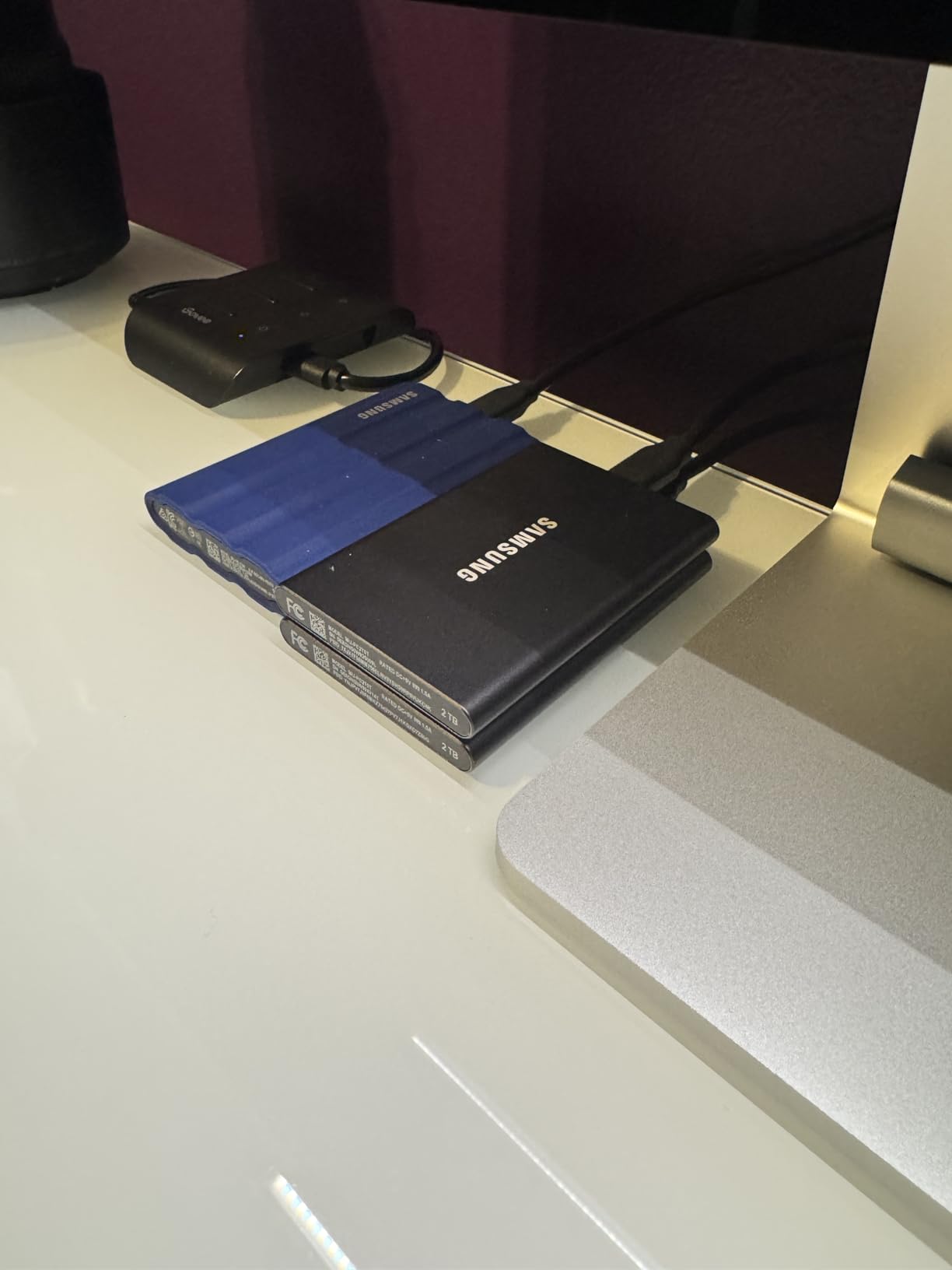
The T7 holds a 4.7 average across more than 21,000 reviews, which is the highest rating among the drives here, and the body is a 3.3 by 2.2 inch aluminum unibody weighing 2.08 ounces. In editing forums it is the most-recommended mainstream drive we saw, with owners calling it solid and lighter than the older T5.
Its real strength is direct camera and phone capture. It supports direct 4K 60fps recording including iPhone 15 ProRes, so you can plug the drive into a phone or camera and roll straight to it. That makes it a genuine field drive, not just a scratch disk.
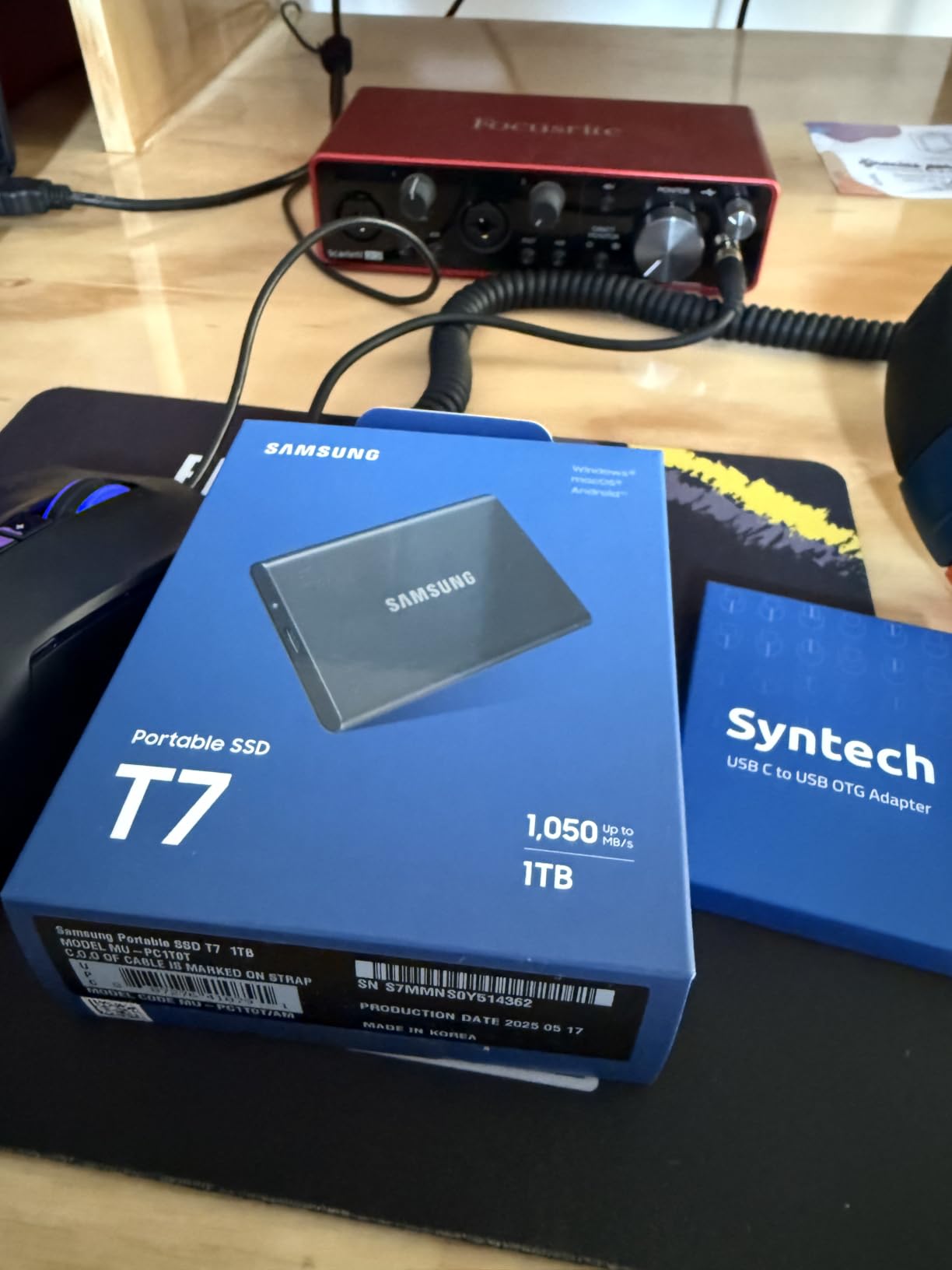
Inside is PCIe NVMe with read and write speeds up to 1050MB/s and 1000MB/s, plus 256-bit AES hardware encryption. The aluminum shell gives shock and 6-foot drop resistance, and Samsung handles thermals with a control system during sustained transfers. Capacities run up to 4TB if 1TB feels tight for your project.
There is also a software angle. Samsung Magician handles drive health monitoring and firmware, which gives you something to check when a drive starts behaving oddly, and an S.M.A.R.T. style readout beats guessing.
The ceiling is the same one as the SanDisk Extreme, and it is a hardware limit, not a Samsung decision. If your machine has a Thunderbolt 4 or USB4 port, a 1050MB/s drive can only ever use a fraction of that link, and you are leaving real speed on the table for 6K and 8K work.
Why the rating is high and the speed ceiling is not
The 4.7 comes from consistency, not from being the fastest thing available. Owners describe a strong general-purpose scratch disk that mounts cleanly, transfers quickly and stays connected, which is exactly what a daily edit drive needs to do.
For 1080p through 4K H.264 and 4K ProRes, the T7 has more than enough throughput. The point at which it stops being enough is 8K RAW and heavy multicam, and at that point faster hardware exists.
Where the T7 Shield and the plain T7 split
If you shoot in wet, dusty or genuinely rough conditions, step up to the T7 Shield 2TB listed below. It adds an IP65 rating and 9.8-foot drop resistance in a rubberized shell for the same 1050MB/s class speed.
If you are on a tight budget, the plain T7 is the one to buy. It is smaller, lighter, and reviewers note it works as a dependable camera companion and scratch drive straight out of the box.
3. SanDisk Extreme PRO 4TB – Premium Pick for Sustained Heavy Transfers
Sandisk 4TB Extreme PRO Portable SSD, Up to 2000MB/s, USB-C, USB 3.2 Gen 2×2, IP65 Water and Dust Resistance, Updated Firmware, External Solid State Drive, Black, SDSSDE81-4T00-G25
2000MB/s read and write
USB 3.2 Gen 2x2 over USB-C
4TB capacity, forged aluminum chassis
IP65, 3-meter drop, 5-year warranty
Pros
- Holds high sustained speeds across 500GB plus transfers
- Forged aluminum chassis doubles as a heatsink
- 4TB suits large media libraries
- Compact and light at 78g
- Handles 4K and 8K video without lag
Cons
- Full 2000MB/s needs a USB 3.2 Gen 2x2 host port
- Firmware updates have stopped some drives being recognised
- Some intermittent disconnects on older ports and cables
- No activity indicator light
This is the enthusiast pick in the list, and the reason is the chassis. The forged aluminum body doubles as a heatsink, which is why owners credit it with holding speed through very long transfers where cheaper drives throttle. At 2000MB/s read and write over USB 3.2 Gen 2×2, it sits at the top of the non-Thunderbolt tier.
Four terabytes changes how you work. You can keep several active projects, a camera-original archive and a cache folder on one drive without constantly offloading to a second device, which is a genuine workflow improvement rather than a spec-sheet win.
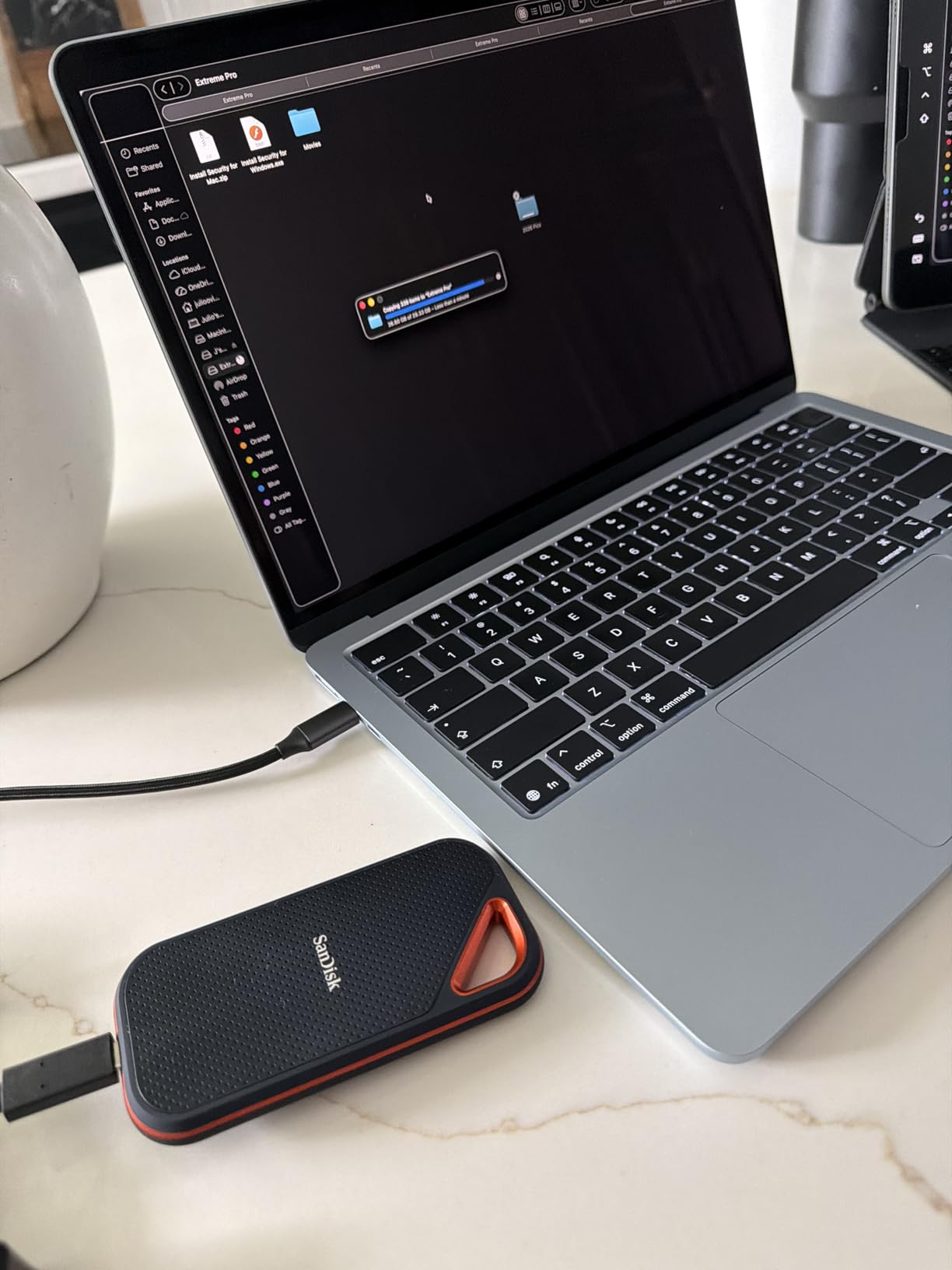
The physical design is 4.36 by 2.28 by 0.41 inches at 78g, wrapped in a silicone shell for grip and drop protection. IP65 water and dust resistance and 3-meter drop protection are both rated, and the warranty runs five years. Both USB-C to USB-C and USB-C to USB-A cables are in the box, which removes one of the most common setup mistakes.
There is a carabiner loop and the Memory Zone app for management, and the drive is listed as compatible with desktop, laptop, smartphone and tablet hosts.
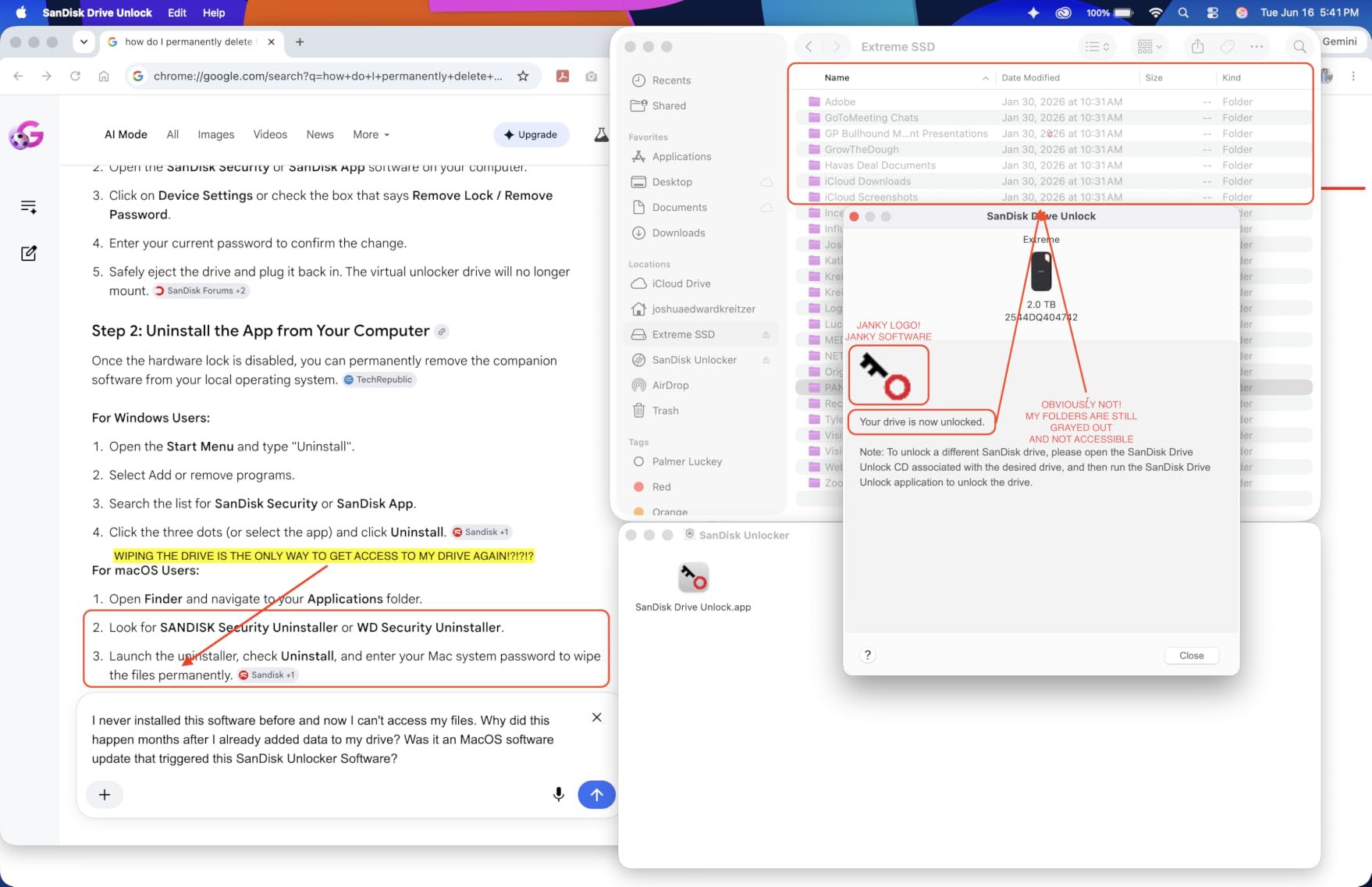
Now the part you need to know before buying. Owners report that a firmware update process left some drives unrecognised, and macOS users in that group had to turn to paid third-party recovery tooling. This is a real, documented complaint thread, not a rare edge case, so update firmware with the drive not holding your only copy of anything.
Do you actually have a Gen 2×2 port?
This drive is the most host-dependent product we reviewed. If your laptop or desktop has a plain USB 3.2 Gen 2 port, you will get roughly 1050MB/s from a drive capable of 2000MB/s, and the speed you paid for never arrives. Check the port specification before anything else.
Gen 2×2 ports are still uncommon compared to Gen 2. On a Mac or PC without one, a 1050MB/s drive costs you little and a 2000MB/s drive costs you a lot for headroom you cannot use.
Thermals are the real differentiator here
If you do have a Gen 2×2 host and you offload hundreds of gigabytes per shoot day, the aluminum heatsink chassis is the feature that pays. Reviewers specifically call out sustained speeds holding across 500GB-plus transfers without a cache-out slowdown, which is the behaviour you want during a night of ingesting cards.
For lighter 4K work, the Crucial X10 or the Samsung T9 in this list are cheaper routes to the same speed class. For 8K and RAW archives, this one remains the choice.
4. Samsung T7 Shield 2TB – Best for Field and Location Work
Samsung T7 Shield Portable SSD 2TB, USB 3.2 Gen 2, Up to 1,050 MB/s
1050MB/s read and 1000MB/s write
USB 3.2 Gen 2, IP65 sealed
9.8-foot drop resistance, rubberized shell
97g, 3-year warranty
Pros
- Rugged IP65 body built for field and travel conditions
- 4.7 average across more than 16000 reviews
- Works as direct storage for cameras and iPhones
- Samsung Magician gives drive health visibility
- Roughly twice as fast as the older T5
Cons
- Same 1050MB/s ceiling as the base T7
- Thicker and heavier at 97g than slim portable drives
- 3-year warranty only
- Rubberized shell collects dust and scuffs
The Shield is the same 1050MB/s PCIe NVMe drive as the T7 in a body built to survive a location kit. IP65 water and dust resistance, drop resistance up to 9.8 feet and a rubberized shell are the reasons to pick it, and it holds a 4.7 average across more than 16,000 reviews.
It also supports iPhone 15 and 16 ProRes 4K 60fps recording, so a phone-based creator can record straight to it. Reviewers treat it as the durable, low-drama daily driver for field shoots with stable connections across long mounts.
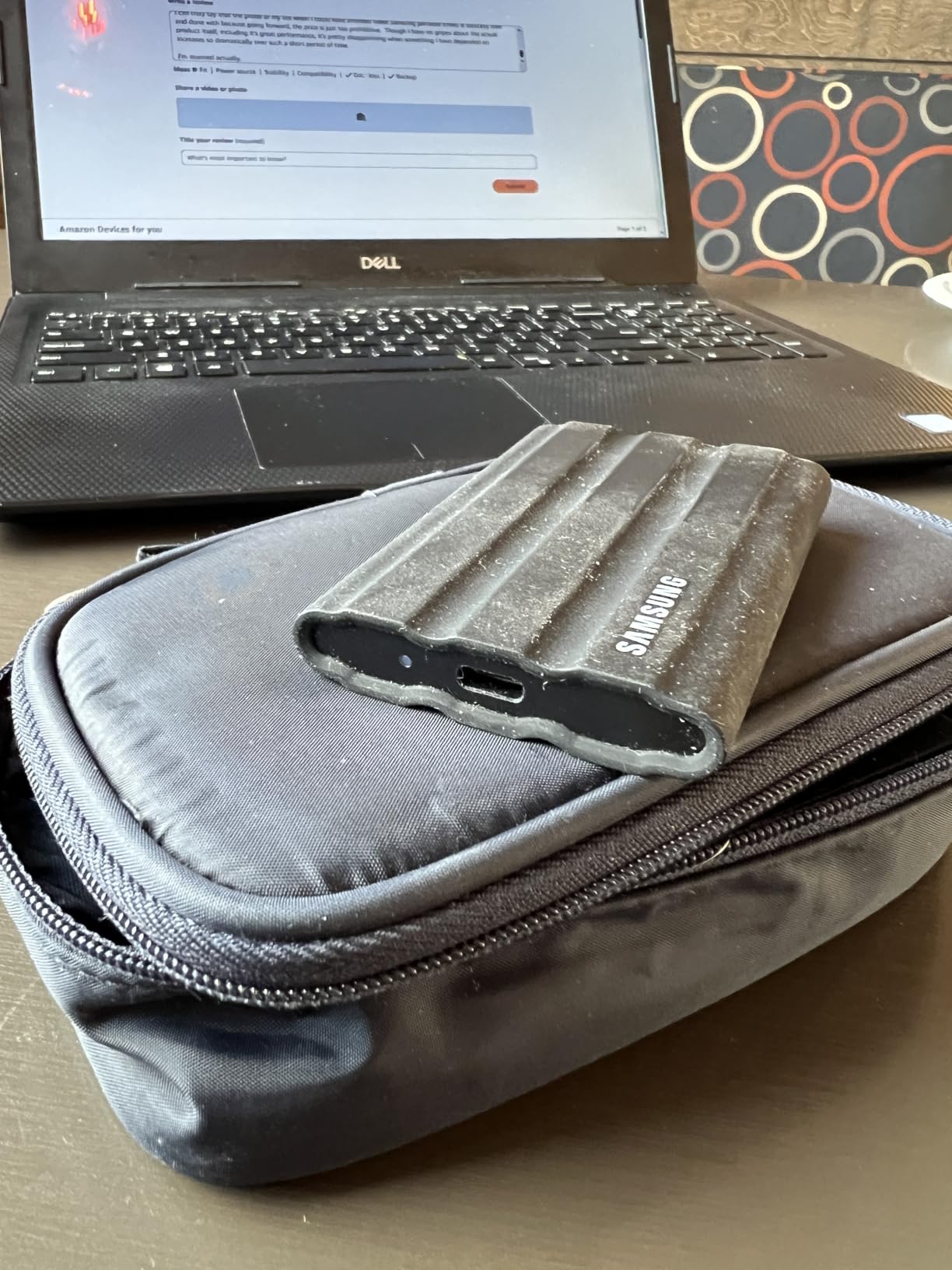
Specs are 1050MB/s read and 1000MB/s write over USB 3.2 Gen 2, at 3.39 by 2.24 by 0.49 inches and 97g. Samsung Magician handles health monitoring and encryption, and the listing lists compatibility with consoles, Mac, PC, tablets and iPhone 15 or 16.
The tradeoff is honest. It is thicker and heavier than a slim portable SSD, and the rubberized shell that protects it also picks up scuffs and dust over time. The warranty is three years.
Speed is the bigger point of friction. The Shield matches the base T7’s 1050MB/s ceiling, so paying more for durability does not buy throughput. That is a fair trade for a drive that lives in a van or on a mountain, and a poor trade for a desk-bound machine that could use a Gen 2×2 port.
What this drive is built for
Offload in the rain, on a shoulder rig, in a dusty vehicle. The IP65 rating means water and dust ingress protection, and the 9.8-foot drop figure means a gear-case drop onto concrete is not an automatic write-off. For that work the shell is the specification that matters.
For 4K editing, 1080p long-form and client delivery copies, the 1050MB/s class is entirely adequate. The two terabytes gives you room for a shoot day plus a local backup before you need to offload again.
When the plain T7 makes more sense
If your drives live in a studio, your bag stays dry, and you travel light, the plain Samsung T7 gives you the same speed in a smaller, lighter, less bulky body. The Shield only earns its extra size when the drive is genuinely exposed to weather and impact.
Neither Samsung drive reaches 2000MB/s. If your host has Gen 2×2 and you cut high-bitrate material, look at the SanDisk Extreme PRO 4TB or the Samsung T9 instead.
5. Crucial X9 1TB – Most Versatile for 4K Editing
Crucial X9 1TB Portable SSD, Up to 1050MB/s, USB 3.2 USB-C, External Solid State Drive, Compatible with Windows, Mac, & Android, Reliable Storage for Games, Files, & Backups, Black – CT1000X9SSD902
Up to 1050MB/s read
USB 3.2 Gen 2 USB-C
IP55 rated, 2-meter drop resistance
32g, 3-year limited warranty
Pros
- Lightest class body here at 32g
- Solid everyday speed for media editing and backups
- Wide compatibility including consoles and Linux
- IP55 protection plus 7.5-foot drop resistance
- Bundled Mylio Photos+ and Acronis True Image
Cons
- 1050MB/s class only with no headroom on USB4 hosts
- Polycarbonate shell feels less premium than aluminum rivals
- No hardware encryption listed
- Not marketed for sustained high-bitrate editing
The X9 is the value entry point. It moves data at up to 1050MB/s over USB 3.2 Gen 2, weighs 32g and carries a 4.5 average across more than 8,000 reviews. Buyers position it as a dependable budget-to-midrange scratch drive for routine media handling.
Compatibility is its quiet strength. It works with Windows, Mac, iPad Pro, Chromebook, Android, Linux, PS4 and PS5, and Xbox, and the listing includes codes for three months of Mylio Photos+ and Acronis True Image.

The physical protection is more modest than the marketing on rivals: IP55 water and dust resistance and drop resistance up to 7.5 feet, in a polycarbonate enclosure rather than aluminum. The model number is CT1000X9SSD902, rated for cameras, consoles, laptops and tablets, with a three-year limited warranty.
There is no hardware encryption listed among the features. If client confidentiality matters to your work, that is a real gap and it points you toward the Samsung or SanDisk options instead.
Feedback is consistent about where this drive sits. Reviewers call it a step below the Pro models for sustained professional timelines, and well suited to student, backup and console-storage needs. It is a scratch drive, not a high-bitrate machine.
Is 1TB enough for a real project?
For compressed 4K, 1TB is workable but tight once you count camera originals, a working copy and exports. A single hour of 4K H.264 at a typical high bitrate lands somewhere around 40GB to 60GB, so 1TB holds roughly 17 to 25 hours of 4K before exports and proxies.
For a single shoot day, that is fine. For a season-long documentary or a client with several active timelines, 2TB or 4TB will save you constant offloading and give you room for a real backup copy.
When to spend a little more instead
Step up to the Crucial X10 1TB if you have a Gen 2×2 host, because it roughly doubles read speed for a small step up. Step up to the Crucial X10 Pro if you want aluminum and a five-year warranty instead of the polycarbonate shell.
Do not step up for durability reasons you do not have. The X9 is light, widely compatible and fast enough for 4K, and for a student or travelling editor it covers most of what a more expensive drive does.
6. Crucial X10 Pro 1TB – Fast 1TB Setup on a Gen 2×2 Port
Crucial X10 Pro 1TB Portable SSD, Up to 2100MB/s Read, 2000MB/s Write, 3.2 USB-C, External Solid State Drive, Durable Storage for PC & Mac, for Professional Creators, Black – CT1000X10PROSSD902
2100MB/s read and 2000MB/s write
USB 3.2 Gen 2x2 over USB-C
Anodized aluminum enclosure
IP55, 2-meter drop, 5-year warranty
Pros
- 2100MB/s read and 2000MB/s write from 1TB
- Anodized aluminum body handles heat better than plastic
- Activity LED and lanyard loop suit field work
- Password protection on the move
- Five-year manufacturer warranty
Cons
- Lowest average rating in this group at 4.0
- Reports of drives failing or going unrecognised after firmware updates
- Only IP55 and 2-meter drop rating
- Full speed requires a USB 3.2 Gen 2x2 host
On paper this is the most generous 1TB drive in the list: 2100MB/s read, 2000MB/s write, USB 3.2 Gen 2×2 over USB-C and a five-year warranty. The anodized aluminum enclosure resists heat better than plastic designs, which matters more than most spec sheets admit at this speed.
The practical features are the ones you will notice on location. There is an activity LED so you know a copy is actually running, a lanyard loop, and password protection for working on shared or borrowed machines.
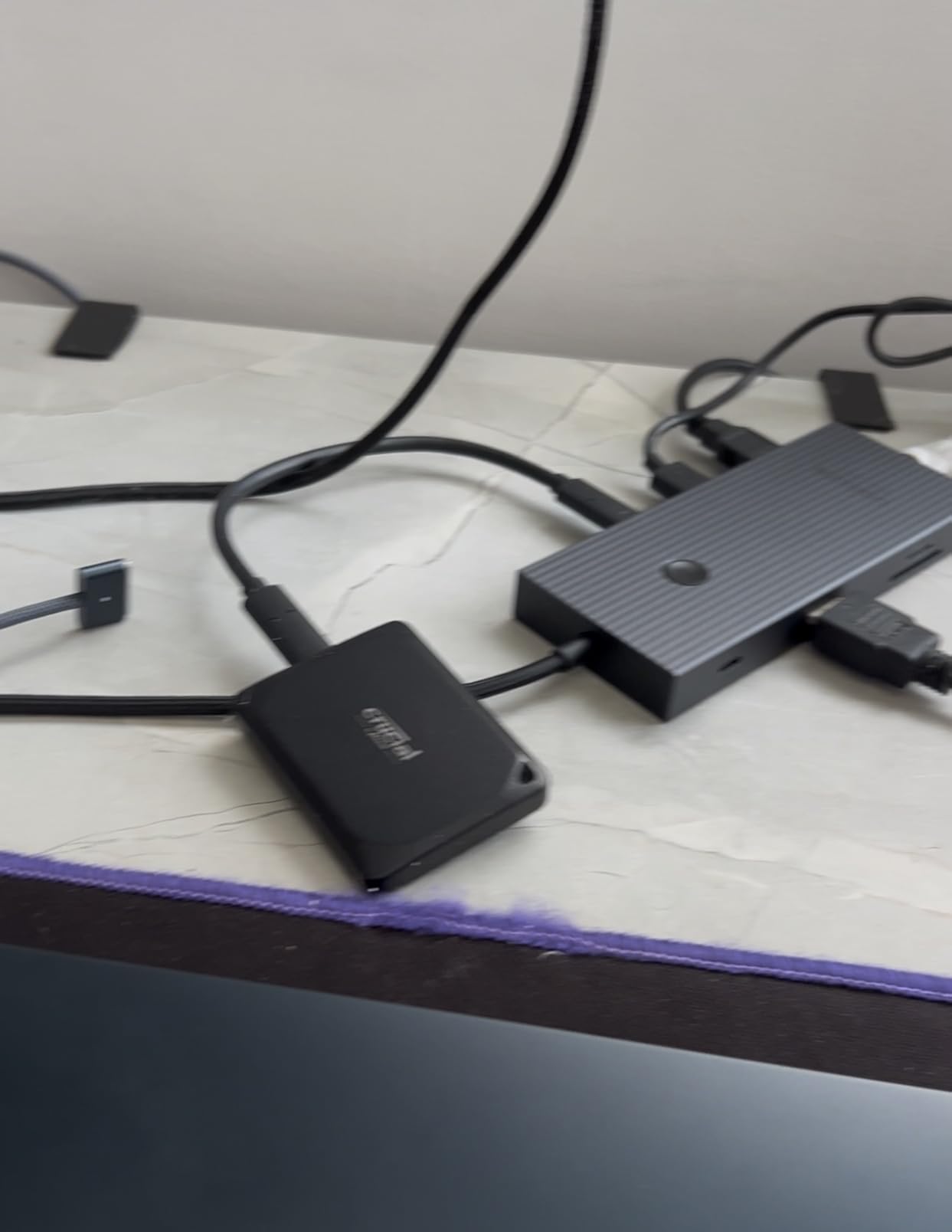
It weighs 42g and carries IP55 water and dust resistance with 2-meter drop resistance. Compatibility covers cameras, consoles, laptops and tablets, plus Windows, Mac, iPad Pro, Chromebook, Android, Linux, PS4 and PS5, and Xbox. The model number is CT1000X10PROSSD902.
Then there is the rating. A 4.0 average is the lowest in this group, with a heavy one-star tail, and multiple reports describe drives failing or being unrecognised after firmware updates. Owners who keep theirs report excellent speed and a sturdy body, so the pattern reads as inconsistent units rather than a fundamentally flawed design.
We would still update firmware carefully on this one, and never run the only update while the drive holds irreplaceable footage. Back up first, update second.
Is 4.0 a deal breaker for an editing drive?
Not on its own, but it changes how you should use it. A 4.0 average with 18% one-star reviews is a signal that a meaningful slice of buyers had a bad unit, which for an editing drive matters more than for a games drive because of the data you are trusting to it.
If you buy it, treat it as a fast scratch and shuttle drive with a real backup behind it, and check it with a verification copy after any firmware change. That habit makes the risk largely theoretical.
How it compares to the Samsung T9
Both sit in the 2000MB/s class over Gen 2×2 at 1TB, and both undercut the premium 2TB drives. The T9 carries a 4.6 average across nearly 3,000 reviews, AES 256-bit hardware encryption and Dynamic Thermal Guard, with a 9.8-foot drop rating and a rubberized shell.
The T10 Pro wins on read speed and warranty length. The T9 wins on rating consistency, encryption and drop rating. For a machine you rely on daily, the T9 is the safer recommendation, and the X10 Pro is the one to consider if you already know your host has a Gen 2×2 port.
7. SSK Portable SSD 1TB – Best for Phone Capture on a Budget
SSK Portable SSD 1TB External Solid State Hard Drive USB C Up to 1050MB/s
1050MB/s read and 1000MB/s write
USB 3.2 Gen 2 over 10Gbps
SLC cache on 25 percent of capacity
36.6g aluminum, 3-year warranty
Pros
- Low-cost 1TB Gen 2 portable SSD
- Very small at 36.6g in a thin aluminum shell
- SLC caching keeps short transfers fast
- Runs cool with a stated peak case temperature near 105F
- Supports iPhone 4K60 ProRes HDR capture
Cons
- Sustained write speed drops once the 25 percent SLC cache fills
- No IP water or dust resistance rating
- Large sequential rewrites can be slower
- Windows reports 1TB as roughly 931GB
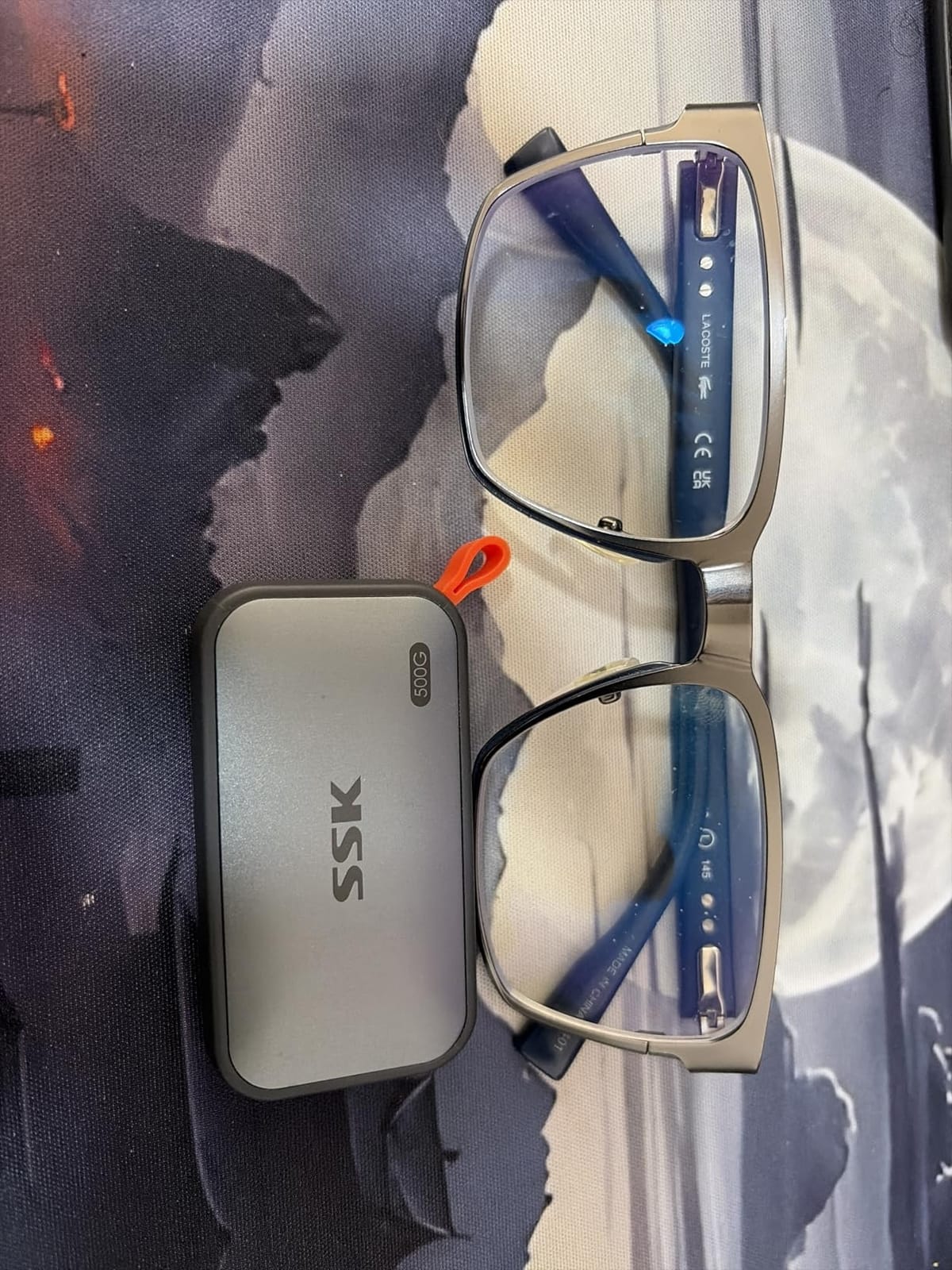
The SSK is a 1TB Gen 2 drive in a 2.5 by 1.31 by 0.43 inch aluminum shell weighing 36.6g, and it is one of the least expensive entries here. It reads at up to 1050MB/s and writes at up to 1000MB/s over 10Gbps USB 3.2 Gen 2, with a 4.5 average across more than 3,700 reviews.
The feature that separates it from a generic budget drive is 25% of capacity allocated as high-speed SLC cache, plus S.M.A.R.T. health diagnostics and adaptive TRIM. Owners like that it runs cool, with a stated peak case temperature around 105.58°F, and that it supports iPhone 4K60 ProRes HDR capture.

Both a USB-C and a USB-A cable are included, plus an LED activity indicator, and the three-year warranty is stated. The listing lists compatibility across desktop, laptop, smartphone, tablet and iPhone, and the model is SD500.
Understand the cache behaviour before you rely on it. The SLC cache covers 25% of capacity, so on a 1TB drive that is roughly 250GB of fast writes before sustained write speed falls back to the native rate. For a day of card offloads that is plenty. For a multi-terabyte ingest it is not.
There is no IP water or dust rating, so treat it as a desk and bag drive rather than a weather drive. Windows also shows 1TB as roughly 931GB because of binary capacity reporting, which trips up users who think the drive is faulty.
Who should look at the SSK
Phone-first creators recording ProRes straight to the drive, students and first-time editors who need a reliable 1TB scratch disk, and anyone moving a moderate amount of data per day. At 36.6g it is one of the smallest drives we tested and genuinely disappears in a pocket.
It is also a good light-duty shuttle drive. Copy a project to it, hand it to a client or a second machine, and it will not get hot enough or slow enough to matter.
Where the cheaper build shows
Large sequential rewrites can be slower, and once the SLC cache is full the write curve flattens. If your workflow involves copying a full 1TB repeatedly, the SanDisk Extreme 2TB or Crucial X9 1TB behave more predictably because their controllers and firmware are tuned for sustained throughput.
There is also no IP rating, so this is not the drive to take into rain. For that, the T7 Shield or the Crucial X10 1TB are the safer buys.
8. Crucial X10 1TB – Rugged, Featherweight and Fast
Crucial X10 1TB Portable SSD, Up to 2,100MB/s, USB 3.2 USB-C, External Solid State Drive, Compatible with Windows, Mac & Android, Durable Storage for Games, Photos & Files, Blue – CT1000X10SSD9-02
Up to 2100MB/s read
USB 3.2 Gen 2x2 over USB-C
IP65 and 3-meter drop resistance
32g body, 3-year warranty
Pros
- 2100MB/s class read speed in a 32g body
- Strongest durability pairing here at IP65 and 3-meter drop
- Good value against the Samsung T9 at the same capacity
- Fast enough to serve console game storage
- Works with Windows Mac Linux and Chromebooks
Cons
- 1TB only
- which limits scratch space for 6K and 8K
- 3-year warranty against 5 years on the X10 Pro
- No hardware encryption listed
- Colour limited to black and blue
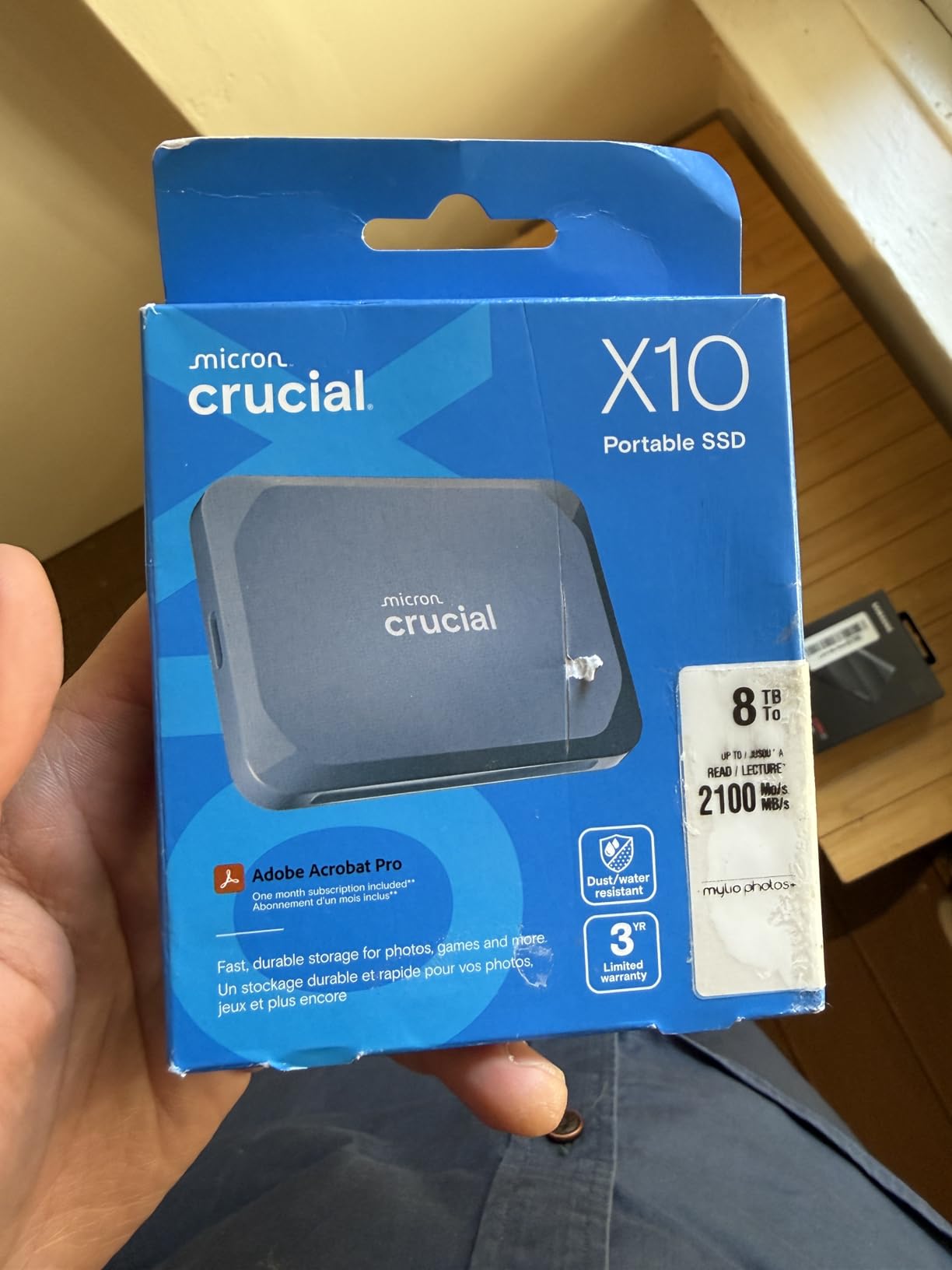
The X10 is the rare combination of 2100MB/s class speed and real physical protection. It is rated IP65 for water and dust and drop resistant up to 9.8 feet, while weighing 32g, which makes it the drive we would pack for a location shoot where speed and toughness both matter.
Owners describe a fast, durable, featherweight drive that handles game libraries and photo and video storage well, and they credit it with hitting near its advertised speed on Gen 2×2 hosts. It holds a 4.5 average across more than 2,500 reviews.
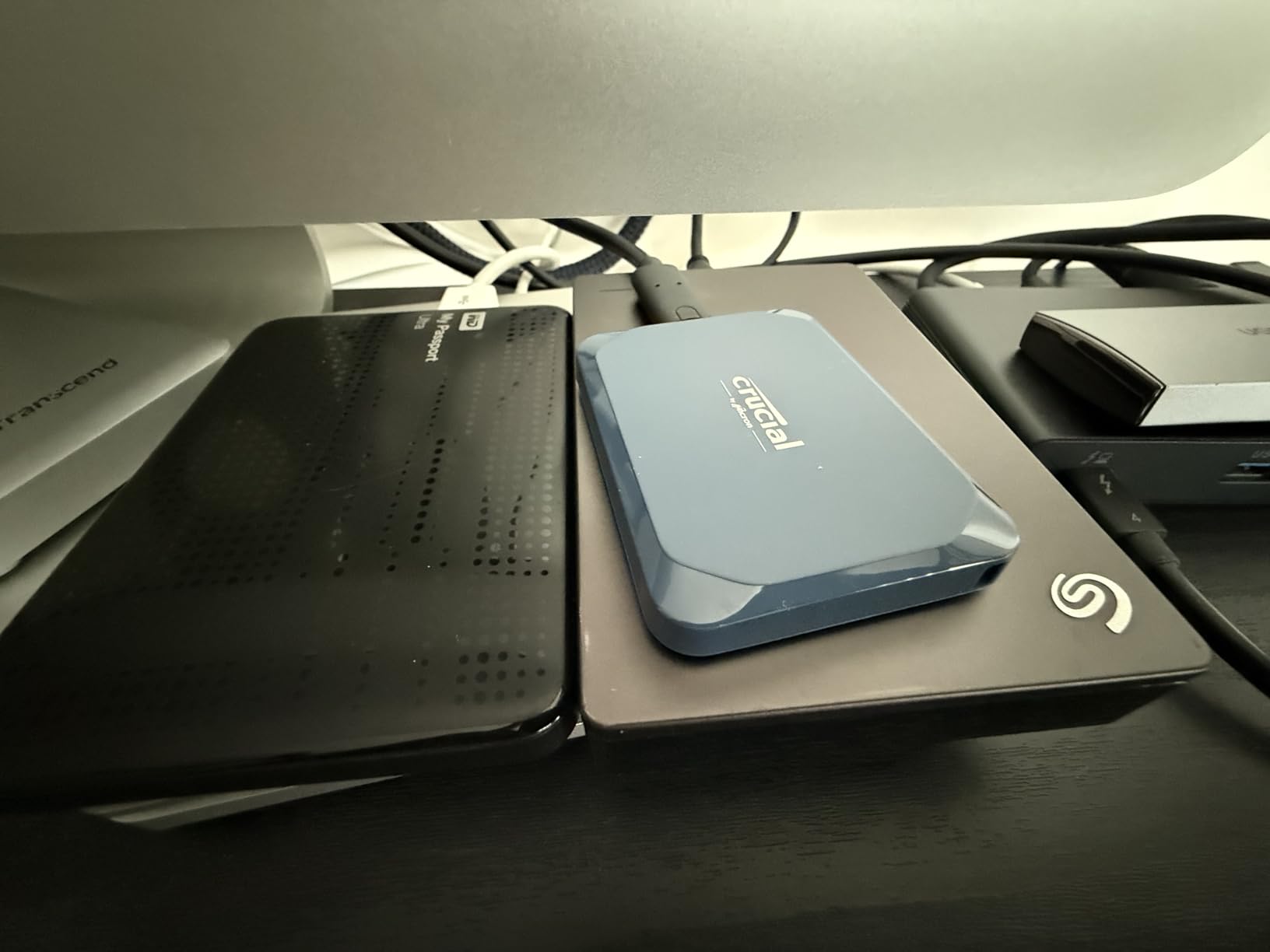
It measures 1.96 by 2.55 by 0.39 inches, comes in black or blue, and is listed for desktop, console, laptop and tablet use. Compatibility runs to Windows, Mac, iPad Pro, Chromebooks, Android, Linux, PS4 and PS5, and Xbox, and three months of Mylio Photos+ and Acronis True Image codes are bundled. The model is CT1000X10SSD9-02.
Criticism here is about capacity and features rather than performance. One terabyte limits long-form 6K and 8K scratch space, the three-year warranty is shorter than the five years on the X10 Pro, and no hardware encryption is listed.
That last point matters if you are handling unreleased client material. The Samsung T9 and the SanDisk Extreme both include AES 256-bit hardware encryption, and for confidential work that is worth more than the extra durability rating here.
Fast, tough and genuinely portable
At 32g and IP65 with a 9.8-foot drop rating, this is the drive to lose in a bag without thinking twice. Reviewers consistently praise the combination rather than either spec alone, and 2100MB/s read is enough to skip proxies on 4K ProRes and most 6K work.
It is also a legitimate console storage drive at that speed, which is a side benefit if you use a PlayStation or Xbox alongside your edit machine.
Where you should pick a different one
If you need more than 1TB, look at the SanDisk Extreme PRO 4TB, which gives you four terabytes at the same 2000MB/s class. If encryption is a requirement, pick the Samsung T9 1TB. If you want the longest warranty in the Gen 2×2 class, the Crucial X10 Pro 1TB is rated at five years.
Buying guide readers often ask whether the X10 is worth it over the plain X9. At 1050MB/s the X9 is the sensible budget choice; at 2100MB/s with IP65 and 3-meter drop resistance, the X10 earns its place in a field kit.
9. Samsung T9 1TB – Best for Smooth 4K Editing Day to Day
Samsung T9 Portable SSD 1TB, USB 3.2 Gen 2×2 External SSD, Up to 2,000 MB/s
Sustained read and write up to 2000MB/s
USB 3.2 Gen 2x2 over USB-C
Dynamic Thermal Guard heat management
AES 256-bit encryption, 9.8-ft drop, 5-year warranty
Pros
- Sustained 2000MB/s that holds through long offloads
- Dynamic Thermal Guard keeps it cool under load
- Rubberized grippy body that survives field handling
- Direct storage for iPhone 15 and 16 ProRes capture and consoles
- Five-year warranty with Magician health monitoring
Cons
- Real-world speed depends entirely on a Gen 2x2 host port
- Runs warm to the touch under sustained load
- Larger capacities may fail to initialise on older hardware
- No protective case included
The T9 is the drive we recommend for an editor who wants a fast, cool, dependable 1TB that they can carry between a laptop and a desktop without thinking. It sustains read and write speeds up to 2000MB/s over USB 3.2 Gen 2×2, and it holds a 4.6 average across nearly 3,000 reviews.
Dynamic Thermal Guard is the feature that matters most. It manages heat during heavy transfers, which is why owners report cool sustained offloads rather than the speed collapse that plagues cheaper enclosures. The rubberized body is grippy and rated for 9.8-foot drops.
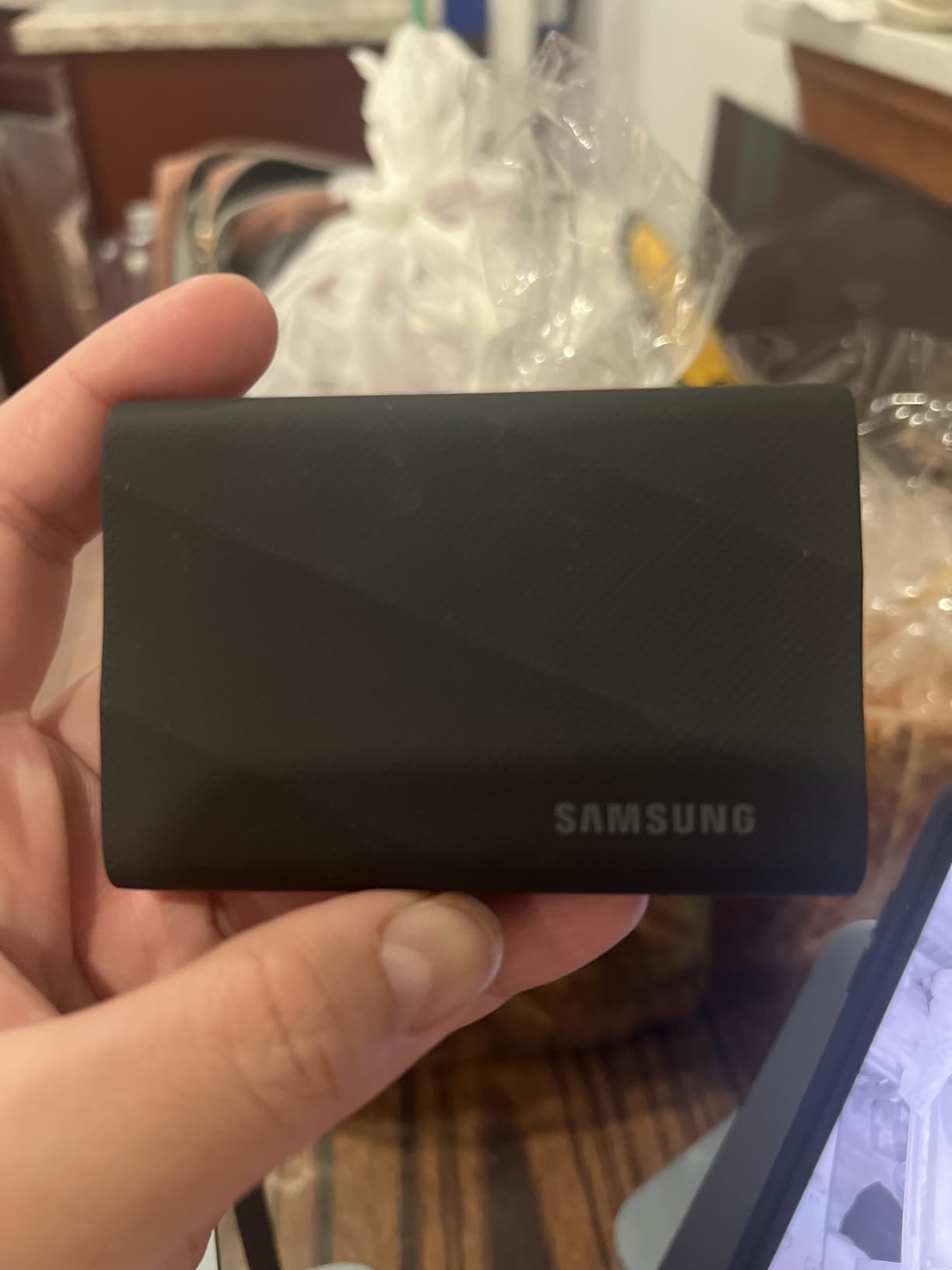
It weighs 4.32 ounces, which is the heaviest of the portable drives here, and it is listed for Mac, PC, tablet and iPhone 15 or 16. AES 256-bit hardware encryption is included, along with Samsung Magician for firmware, encryption and health monitoring, and a five-year limited warranty. The model is MU-PG1T0B.
It also works as direct storage for iPhone 15 and 16 ProRes 4K 60fps recording and for consoles. Owners report editing 4K projects directly from the drive in Premiere Pro with no slowdowns, which is the practical proof point for this drive.
Be realistic about the port. Every owner caveat points the same way: without a USB 3.2 Gen 2×2 port on the host, you will not see 2000MB/s. And under sustained load it does run warm to the touch, even with the thermal guard managing it.
Why thermals decide this tier
Every drive above roughly 2000MB/s is fighting its own heat. A thin plastic shell in an enclosure at this speed will throttle within minutes, and throttling during a footage offload is exactly when you discover it. Dynamic Thermal Guard is the reason the T9 keeps its numbers across a long copy.
That is also the argument for the OWC Express 1M2 in this list, which solves the same problem with a finned aluminum body and pushes throughput far higher, at the cost of needing a Thunderbolt 4 or USB4 host.
Choosing between the T9 and the alternatives
Against the SanDisk Extreme PRO 4TB, the T9 gives you one terabyte rather than four but adds a rubberized shell, encryption and a five-year warranty, and it runs cooler in owner reports.
Against the Crucial X10 1TB, the T9 offers encryption, a longer warranty and better owner ratings, while the X10 pairs IP65 with 3-meter drop resistance. Against the Crucial X10 Pro 1TB, the T9 is the more consistent of the two. If your host has Gen 2×2, this is the one we would put in an edit kit.
10. OWC Express 1M2 2TB – Best for Thunderbolt and USB4 Workflows
OWC Express 1M2 2TB USB4 40Gb/s Portable NVMe SSD Storage Solution
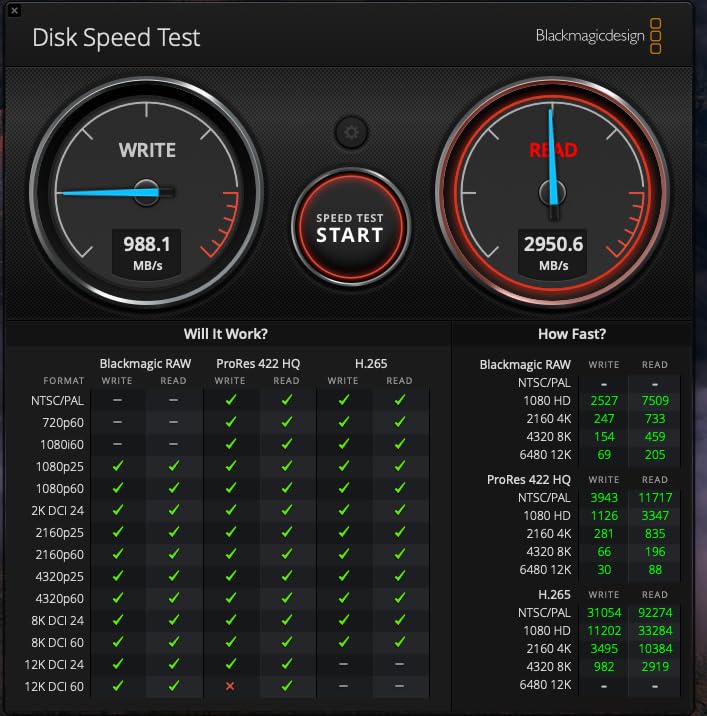
USB4 40Gb/s with up to 3836MB/s real-world
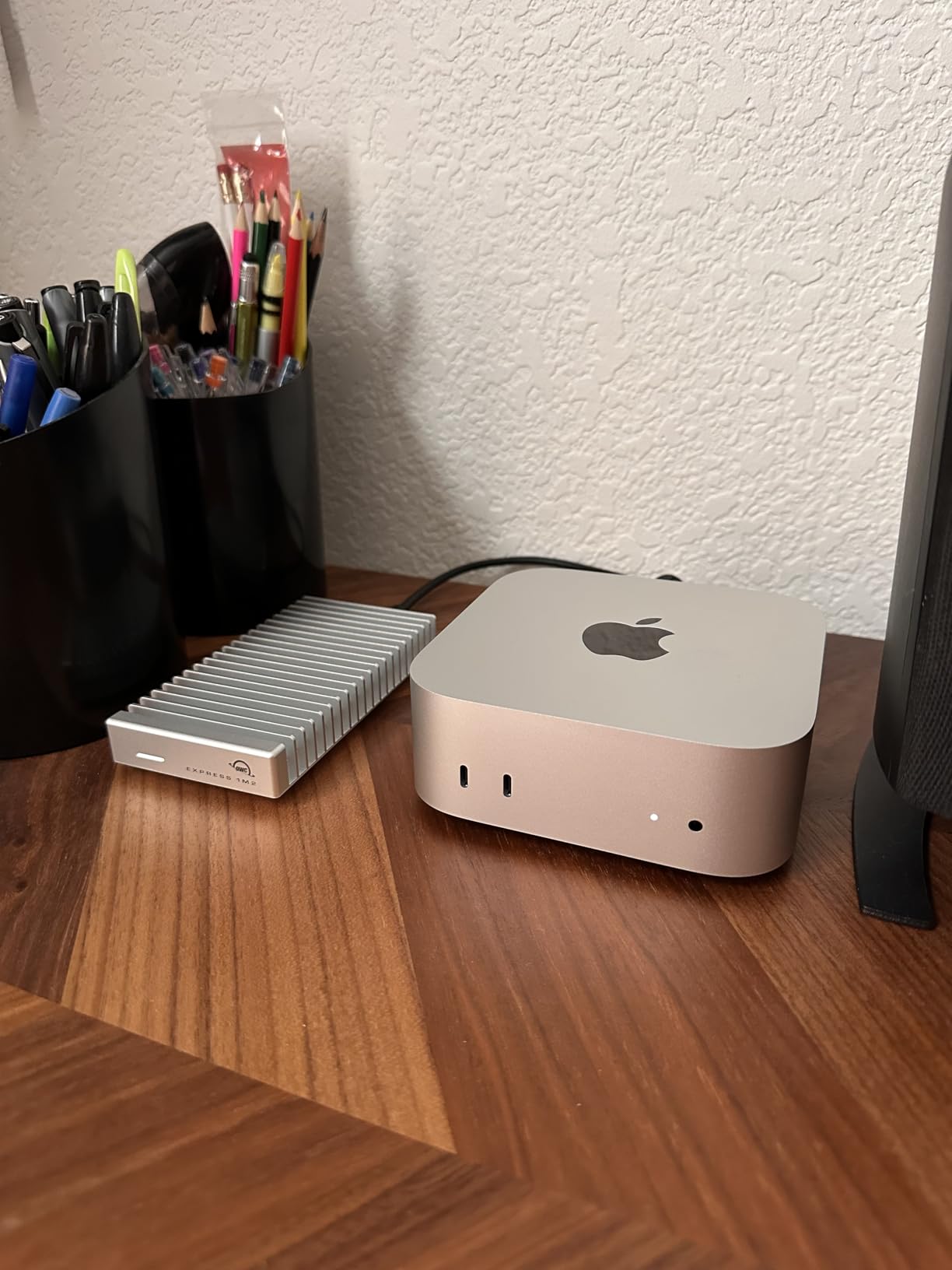
Finned aluminum fanless enclosure, 280g
Accepts M.2 2280 2242 and 2230 NVMe drives
2-year enclosure or 3-year solution warranty
Pros
- 3000 to 3800MB/s real-world on Thunderbolt 4 hosts
- Finned aluminum body stays cool and avoids throttling
- Silent fanless operation with stable multi-terabyte transfers
- You choose the NVMe drive including 4TB and 8TB boards
- Edits 4K in Final Cut Pro directly from the drive
Cons
- 280g and far bulkier than a compact external SSD
- Needs a Thunderbolt 4 or USB4 host for the advertised speed
- Swapping the internal NVMe means removing taped rubber feet
- 2-year enclosure warranty or 3 years as a solution
This is the fastest drive in the guide by a wide margin. The USB4 40Gb/s interface delivers up to 3836MB/s real-world performance, and OWC rates it at more than 2x faster than Thunderbolt portable enclosures. Professional editors call it the best-value way to reach Thunderbolt-class speed.
It is also a DIY enclosure. It accepts NVMe M.2 2280, 2242 and 2230 SSDs, so you choose the drive inside, including larger 4TB and 8TB boards. The model OWCUS4EXP1MT02 ships as a 2TB solution, and a 40Gb/s USB-C cable plus a screwdriver are included.
The design detail that matters is the patented finned aluminum heat-dissipating body, which is fanless and silent. Owners report it stays far cooler than competing USB4 enclosures, which is exactly where cheaper enclosures stall. It is bus-powered and palm-sized, though at 280g and 5.1 by 0.9 by 2.7 inches it is not pocketable.
It works with USB4, Thunderbolt and USB-C hosts, so it will connect to older machines, they will simply be much slower. Silent fanless operation and stable connections across repeated multi-terabyte transfers are the other reported strengths.
The catch is warranty length and serviceability. The enclosure carries a two-year OWC limited warranty, or three years as a complete solution, and changing the internal SSD means peeling off taped rubber feet and re-unscrewing the case, which owners flag as awkward once it is sealed.
What Thunderbolt speed actually unlocks
At 3000MB/s and above, 8K RAW and BRAW timelines, 120fps 4K and multicam sync stop being a storage question. Editors report cutting 4K in Final Cut Pro directly from the drive with no slowdowns, and multicam becomes workable without proxies because random read latency is no longer the limit.
It also changes ingest. A 1TB card offload that takes eight minutes on a 1050MB/s drive takes closer to four here, which compounds across a shoot day far more than playback speed does.
When this is the wrong purchase
Buy it only if your computer has a Thunderbolt 4 or USB4 port. On a plain USB-C laptop you will get Gen 2 speeds at best, and you will have paid for headroom you cannot reach. That makes a 1050MB/s or 2000MB/s drive the smarter purchase.
For travel, weight and pocketability, look elsewhere. At 280g and over five inches long, this is a desk-and-dock drive. If you need a drive you can toss in a pocket and forget, the SanDisk Extreme 2TB at 1.76 ounces serves better despite the speed gap.
How to Choose an External SSD for Video Editing?
Every drive in this guide is USB-C and cross-platform, so the decision comes down to three numbers and two habits: how fast your host port actually is, how much storage the project needs, and how many copies of the footage exist off the drive.
Match the drive to your codec and resolution
Buy for sustained write speed, not the read number on the box. The read figure is usually a short-burst maximum; the number that matters during a footage offload is what the drive holds after several minutes, and that is where thermals and SLC cache behaviour decide the outcome.
As a rough guide: 4K H.264 and H.265, and 4K ProRes, run comfortably on any 1050MB/s drive here. 6K ProRes and 4K 120fps are comfortable on a 2000MB/s class drive. 8K RAW, BRAW and heavy multicam want USB4 or Thunderbolt, ideally with proxies as a safety net.
USB 3.2 Gen 2, Gen 2×2, USB4 and Thunderbolt compared
USB 3.2 Gen 2 tops out at 10Gbps, or roughly 1050MB/s, and that is where the SanDisk Extreme, Samsung T7, T7 Shield, Crucial X9 and SSK sit. Any laptop made in the last few years with a USB-C port handles this, and it is the most compatible tier.
USB 3.2 Gen 2×2 doubles the lanes to 20Gbps and reaches 2000 to 2100MB/s. It is faster but far less common, so confirm your port specification before buying a Gen 2×2 drive. The SanDisk Extreme PRO 4TB, Crucial X10 Pro, Crucial X10 and Samsung T9 all need it.
USB4 40Gb/s is a different world, delivering over 3000MB/s on a Thunderbolt 4 or USB4 host. It requires a port most people do not have, which is exactly why the OWC Express 1M2 is a specialist recommendation rather than a default.
How much storage you actually need
Rule of thumb: keep a working drive at no more than about 70% full, because performance and reliability both degrade as a drive fills. A 1TB drive therefore gives you roughly 700GB of comfortable working room.
For sizing, compressed 4K commonly lands around 40GB to 60GB per hour, high-bitrate 4K and 6K ProRes can run 150GB to 400GB per hour, and 8K RAW is higher still. Multiply by your shoot length and add 20% for exports, then round up to 2TB or 4TB. Editors commonly run a two-drive minimum: one working edit drive and one separate footage and backup drive.
SSD versus hard drive for an editing drive
SSDs are decisively better here, and not marginally. Random read latency is what makes scrubbing and multicam sync feel responsive, and no spinning drive comes close. It also means no mechanical shock risk, no noise, and no spin-up delay, which matters when you are offloading on location.
Hard drives still have a place as cold archive storage for footage you have already cut and backed up somewhere else. They are not the drive you edit from.
Format it exFAT or APFS, not NTFS
On a Mac-only workflow, APFS is the community preference over Mac OS Extended Journaled. If you need the drive on both Mac and Windows, exFAT is the workable compromise and works cross-platform on Mac. Some cameras will not write to exFAT at all, so check your camera’s card format support before committing.
NTFS is the one to avoid for a cross-platform edit drive. macOS mounts it read-only, which stops you writing footage off a card or a render onto it without extra steps.
Point cache and proxy folders at the external drive
In Premiere Pro, DaVinci Resolve and Final Cut Pro, the media cache and proxy location can be set to the external drive. This is the single highest-impact software setting for external editing, because it keeps the machine’s internal drive free and stops the application writing cache to the same device it is reading footage from.
Give cache its own folder, and remember that a cache is disposable by definition. It is not a backup of anything, and treating it as one is how people lose work.
Protect Your Footage Before You Buy Anything Faster
The most repeated caution across editing and computing forums is not about speed at all. It is that an external editing drive creates two points of failure: the drive and the USB interface and cable between it and your machine. Multiple users report a laptop drive or motherboard failure destroying the only copy of their footage, and one described a cloud backup setup that failed as the sole offsite copy.
Our rule is simple. The drive you edit from is not a backup. Keep at least one copy somewhere that is not plugged into the same machine, and check that copy has actually been verified rather than merely queued. The 3-2-1 pattern is the reference: three copies, on two types of media, with one offsite.
Forum members also report drives disconnecting mid-edit because of cheap USB-C cables, which presents as a random freeze in Premiere or Resolve. If that happens, replace the cable before you blame the drive. Using the cable that shipped with the drive removes the variable entirely.
Frequently Asked Questions
Which SSD is best for video editing?
The SanDisk Extreme 2TB is the best all-round choice, delivering up to 1050MB/s read and 1000MB/s write over USB 3.2 Gen 2 with an IP65 rating and a 4.6 average across more than 91,000 reviews. If your computer has a Thunderbolt 4 or USB4 port and you cut 6K or 8K, the OWC Express 1M2 reaches up to 3836MB/s real-world.
Are SSDs good for video editing?
Yes, and the gap over a hard drive is large. SSD random read latency is what makes timeline scrubbing, clip browsing and multicam sync feel responsive, and a spinning drive cannot approach it. Editing directly from a portable SSD is standard practice for 4K work, with the caveat that the cable and host port must be capable.
What is the best external hard drive for video editing?
For editing, use a solid-state drive rather than a hard drive, and pick one that sustains the write speed your codec needs. The SanDisk Extreme PRO 4TB holds up to 2000MB/s read and write over USB 3.2 Gen 2×2 with an aluminum heatsink chassis. A mechanical hard drive is fine only as cold archive for footage you have already backed up.
Is 1TB SSD enough for 4K video editing?
For a single project, often yes. Compressed 4K commonly runs 40GB to 60GB per hour, so 1TB holds roughly 17 to 25 hours before exports. Keep the drive under about 70% full, which leaves around 700GB of working room, and move to 2TB or 4TB for multi-project or long-form 6K and 8K work.
Should I edit directly from an external SSD?
Yes, provided the drive sustains more speed than your timeline consumes and you have a separate backup. Set your cache and proxy location to the external drive so the application is not writing cache to the same device it reads from, and remember that the drive plus its cable form a second point of failure that internal storage does not.
Is USB-C fast enough for video editing?
It depends on the port, not the connector. A USB 3.2 Gen 2 port delivers about 1050MB/s, USB 3.2 Gen 2×2 reaches 2000 to 2100MB/s, and USB4 or Thunderbolt 4 on a compatible host exceeds 3000MB/s. Check the port specification, because a Gen 2×2 drive on a Gen 2 port runs at Gen 2 speeds no matter what the box says.
Final Verdict: Which External SSD Should You Buy?
For most editors, the SanDisk Extreme 2TB is the pick. It is small enough to forget, tough enough for a bag, rated IP65, and fast enough for 4K and 6K timelines without proxies, and it carries the largest owner base of any drive in this guide. The Samsung T7 1TB is the alternative if you prefer the highest rating in the group and want direct 4K60 recording to an iPhone.
If you have a USB 3.2 Gen 2×2 port, the SanDisk Extreme PRO 4TB is the upgrade, with a forged aluminum heatsink chassis that holds 2000MB/s through long offloads and four terabytes of room. If you have Thunderbolt 4 or USB4 and cut 8K, RAW or multicam, only the OWC Express 1M2 goes faster, at up to 3836MB/s real-world.
Whichever you choose in 2026, keep a second copy of the footage somewhere that is not plugged into the same machine. That habit matters more than any throughput figure on the box.