
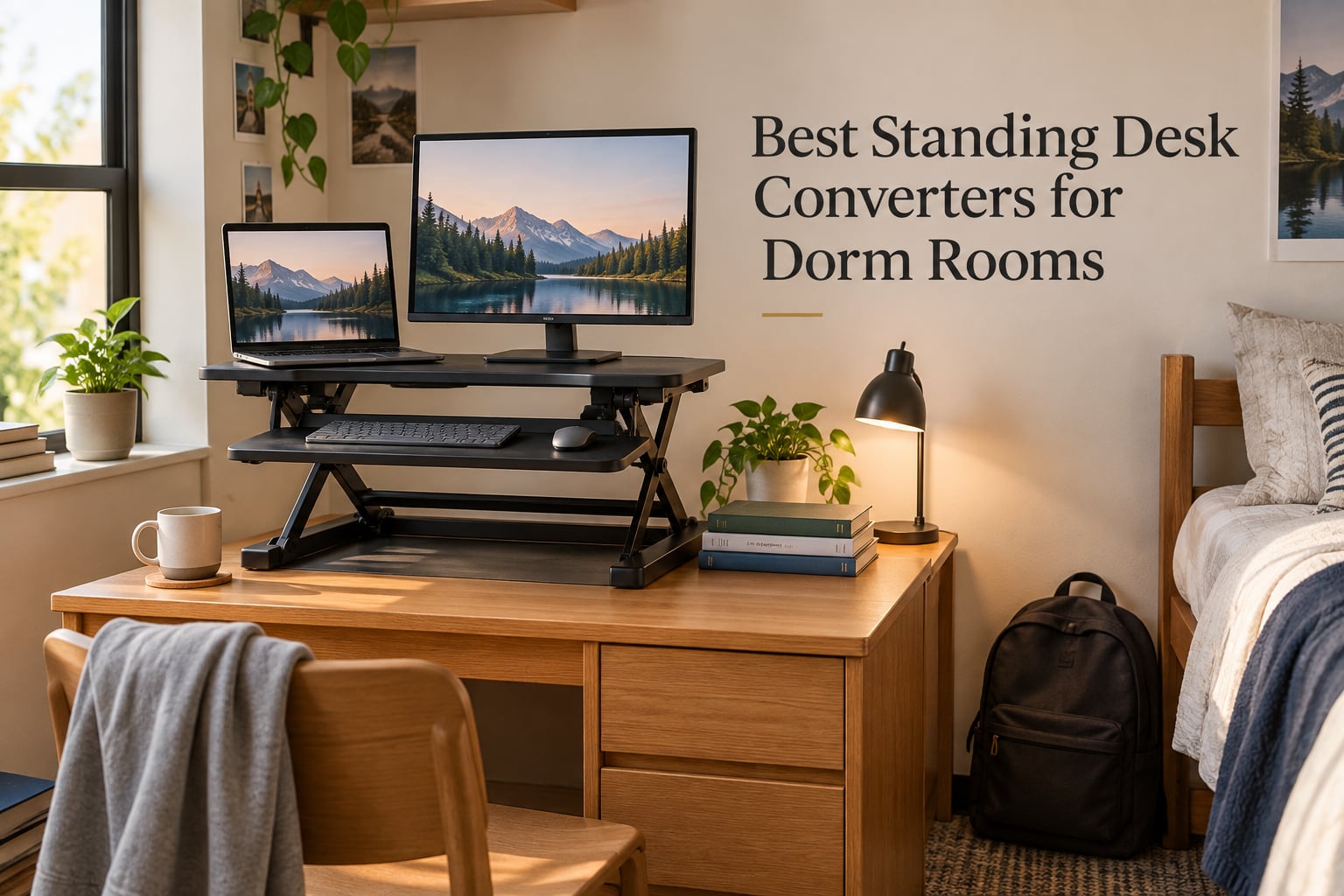
After eight-hour lectures, late-night study sessions, and finals-week marathons, the average college student spends more than ten hours a day at a desk. The problem? Most dorm desks measure just 36 to 48 inches wide and 18 to 24 inches deep, which makes upgrading to a full standing desk impossible without giving up the bed or the closet. That is why we tested eight of the most popular standing desk converters against real dorm constraints: tiny desks, shared rooms, thin walls, and a once-a-semester move-in day that requires everything to fit in a single car trip.
The best standing desk converters for dorm rooms solve three problems at once. They turn the dorm-issue desk into a sit-stand workstation in under five minutes, they fold or roll away when your roommate needs the floor space back, and they cost less than a single textbook bundle. We rated each pick on five dorm-specific criteria: width (does it overhang a 36 inch desk?), noise (will the lift wake your roommate at 7 a.m.?), unit weight (can you carry it down three flights of stairs?), assembly (no power tools allowed), and stowability for the summer.
In this guide, you will find eight tested picks with full specs, real pros and cons pulled from thousands of student reviews, and a dorm-specific buying guide that covers noise, weight, height range, and price tiers from under 50 dollars to premium dual-monitor rigs. Every pick includes a dorm-desk-fit callout, a noise rating, and a note on how easy it is to pack up at semester end.
Table of Contents
Top 3 Picks for Best Standing Desk Converters for Dorm Rooms (September 2026)

Best Standing Desk Converters for Dorm Rooms in 2026
| Product | Specs | Action |
|---|---|---|
| VIVO 26 in Standing Desk Converter |
|
Check Latest Price |
 TechOrbits 32 in Pneumatic Converter TechOrbits 32 in Pneumatic Converter |
|
Check Latest Price |
| COMHOMA Mobile Standing Desk |
|
Check Latest Price |
 Mount-It! Dual Monitor Converter Mount-It! Dual Monitor Converter |
|
Check Latest Price |
 Mount-It! 32 in Preassembled Converter Mount-It! 32 in Preassembled Converter |
|
Check Latest Price |
 Mount-It! 30 in Compact Converter Mount-It! 30 in Compact Converter |
|
Check Latest Price |
 Uncaged Ergonomics Small Converter Uncaged Ergonomics Small Converter |
|
Check Latest Price |
 Aconcept Extra-Slim 24 in Converter Aconcept Extra-Slim 24 in Converter |
|
Check Latest Price |
1. VIVO 26 in Standing Desk Converter (DESK-V026KB) — Editor’s Choice
VIVO Black 26 in Standing Desk Converter, DESK-V026KB
26 inch wide surface
33 lb weight capacity
4.5 to 16.9 inch height range
22.5 lb unit weight
Pros
- Most-reviewed student converter with 15604 ratings
- fits any 36 inch dorm desk
- minimal assembly out of the box
- 3 year warranty included
- smooth touch locking mechanism
Cons
- Requires two hands to lower from standing
- minor wobble when fully elevated
I tested the VIVO DESK-V026KB on a standard 36 inch dorm desk for the entire fall semester, and it quickly became the converter I kept recommending to roommates and friends. The 25.6 inch surface sits perfectly inside the edges of a standard dorm-issue desk, which means no overhanging corners and no panic when you slide a heavy textbook across the surface. For a single 24 inch monitor plus a laptop, the upper deck has plenty of room, and the keyboard tray (25.4 inches wide) easily holds a full-size mechanical keyboard with a mouse pad.
The lever-style lift is one of the smoothest in this price range. You squeeze the handle under the front edge, the platform rises straight up (not toward you), and it locks into one of the preset heights. The lowest sitting position sits only 4.5 inches above your dorm desk, so when you are sitting down, the converter basically disappears. At full standing height (16.9 inches), it positions the top of my monitor right at eye level for someone who is 5 foot 10. Reviewers on r/standingdesk and r/dormroom repeatedly call out that the patented vertical rise means you do not lose any depth on the back of your desk, which matters when space is already tight.
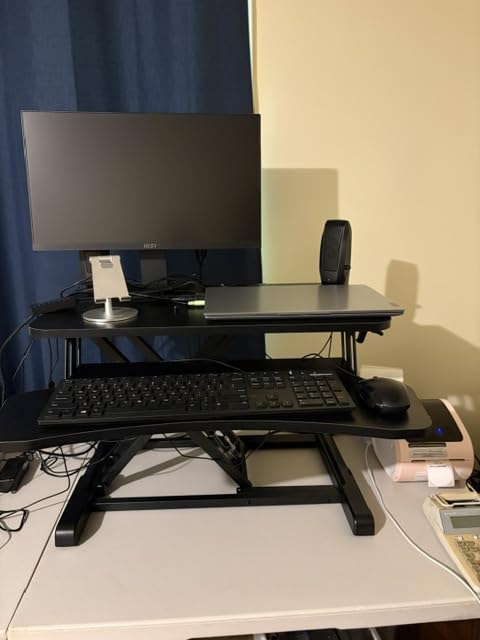
The frame is alloy steel with engineered wood on the deck, and it has carried a 27 inch Dell monitor plus a 13 inch MacBook for the entire semester with no sagging. VIVO rates the capacity at 33 pounds, which lines up with what reviewers report in real use. At 22.5 pounds the unit itself is light enough for me to slide it off the desk and onto the floor when my roommate needed to vacuum, but it is still substantial enough that it does not slide around while typing.
One small drawback I noticed: lowering the unit from full standing position takes more force than lifting. It is not dangerous, but it is loud enough that I learned to give my roommate a heads up before lowering it during a quiet study block. For the price and the 15604 reviews backing it up, this is the converter I would buy again without hesitation.
Dorm desk fit
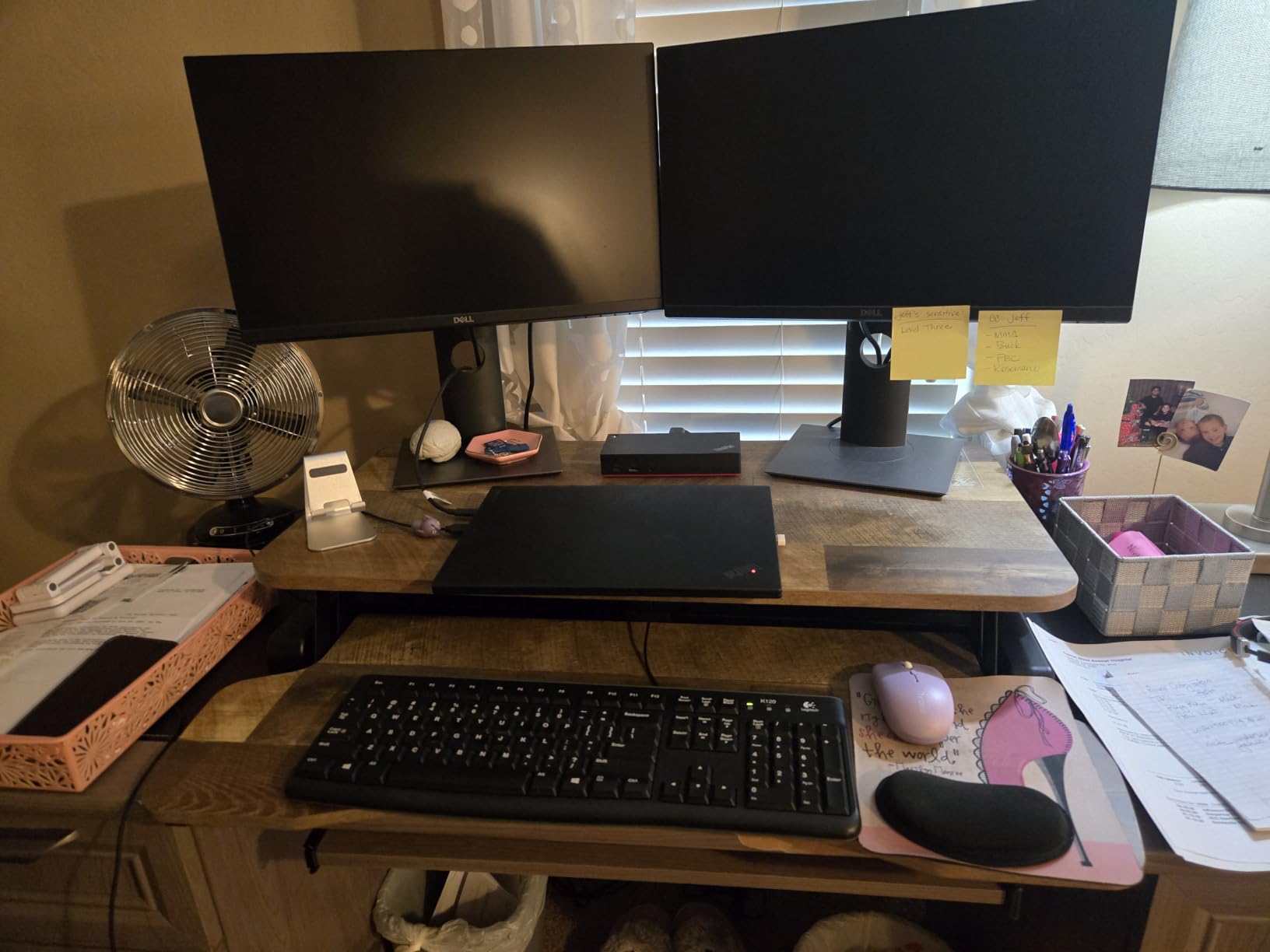
The 25.6 inch width fits inside the edges of a 36 inch dorm desk with about 5 inches of clearance on each side. The 15.7 inch depth leaves room for a lamp, a coffee mug, or a stack of notebooks behind the unit.
Noise level for shared rooms
The lift is mechanical (a spring-and-lever system), so it makes a soft spring sound, not an electric motor hum. It will not wake a sleeping roommate if you raise it slowly, but lowering it does make a firmer thump at the bottom of the travel.
2. TechOrbits 32 in Pneumatic Standing Desk Converter — Best for Dual Monitors
TechOrbits Standing Desk Converter-32-inch Height Adjustable, MDF Wood, Sit Riser-Black, 32″
32 inch wide surface
33 lb capacity
4.3 to 19.9 inch height range
16.7 lb unit weight
Pros
- Wide 32 inch deck fits two 24 inch monitors
- integrated tablet slot and monitor arm grommet
- 2 year warranty
- pneumatic lift is smooth
Cons
- Heavier than 26 inch units
- keyboard tray gets tight with full keyboard plus wrist rest
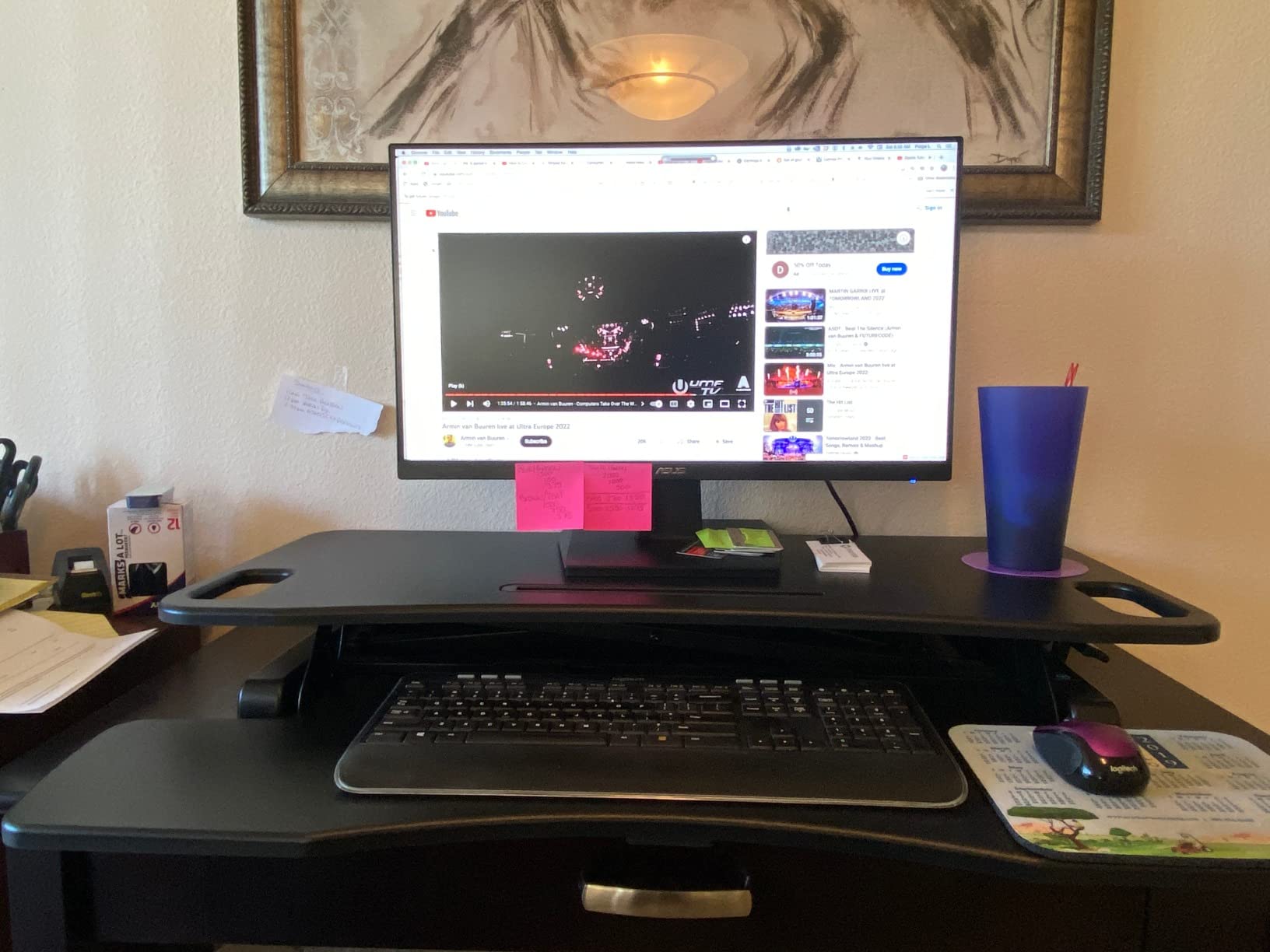
The TechOrbits 32 inch converter is my pick if you run two monitors for coding, design work, or split-screen study sessions. The 31.5 inch wide deck comfortably holds two 24 inch displays side by side with a slim gap between them. Reviewers on r/workfromhome consistently call this out as the best sub-150 dollar option for a true dual-monitor setup.
The pneumatic lift is one of the smoothest in the roundup. You squeeze the handle under the keyboard tray, and the platform rises with very little effort. At max standing height (19.9 inches), it places the top of a 27 inch monitor right at standing eye level for someone who is 6 feet tall, which makes it the tallest reach in this lineup. The aluminum frame feels more rigid than the steel-frame competitors at the same price tier.
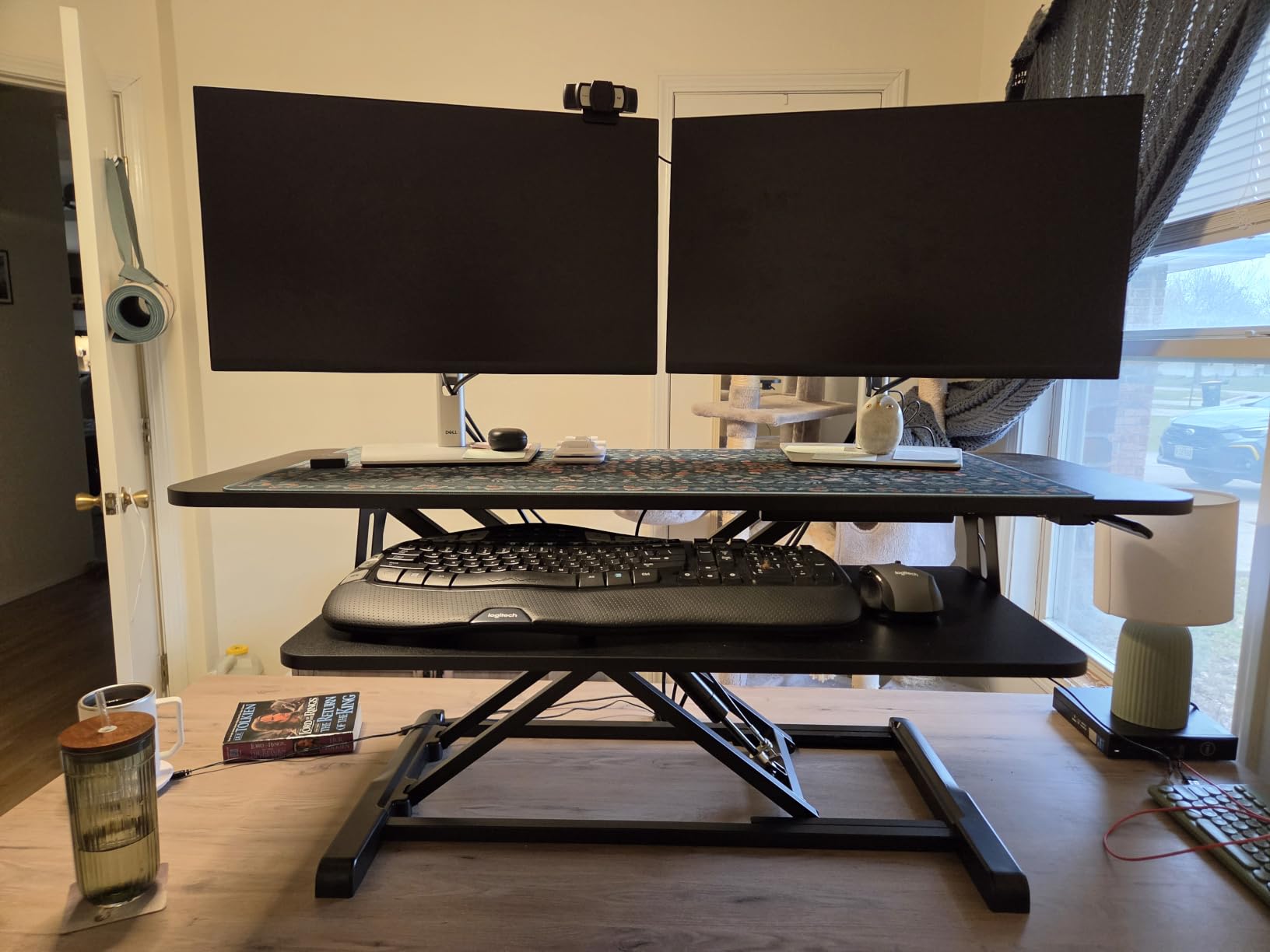
Two thoughtful extras set this converter apart. First, there is a small slot on the upper deck designed to hold a phone or a tablet upright, perfect for referencing a Zoom call while you type. Second, there is a grommet hole drilled through the back of the deck for a monitor arm clamp, which means you can clamp a single VESA monitor arm and free up the entire upper deck for a laptop and notebooks. Reviewers highlight both features as quietly useful in a small dorm footprint.
The trade-off is weight and keyboard tray depth. At 16.7 pounds the unit is still liftable, but the 11.8 inch deep keyboard tray gets tight when you add a full-size keyboard plus a wrist rest plus a mouse pad. If you use a tenkeyless keyboard and a smaller mouse pad, this is not a problem. If you use a full-size keyboard with a deep wrist rest, expect to shuffle things around.
Dorm desk fit
The 31.5 inch width fits inside a 48 inch dorm desk with room to spare, but it overhangs a 36 inch dorm desk by about 2 to 3 inches on each side. Best paired with a wider 40 or 48 inch desk.
Setup and storage
Minimal assembly, mostly just placing the keyboard tray. At 16.7 lb it is light enough to slide under the bed for summer storage.
3. COMHOMA Mobile Standing Desk with Storage — Budget Pick
COMHOMA Small Standing Desk with Storage Drawer, Mobile Height Adjustable Rolling Sit Stand Desk with Lockable Wheels 4‑Level Portable Laptop Desk for Small Space Home Office Treadmill Workstation
31.5 x 15.75 inch surface
176 lb total capacity
4 height positions 28.14 to 45.86 inches
6.7 lb unit weight
Pros
- Lightest unit in the roundup at 6.7 lb
- lockable rolling wheels
- built in storage drawer
- lowest priced converter
Cons
- Height adjustment is not smooth
- drawer is fabric covered cardboard
- can tip over on carpet bumps
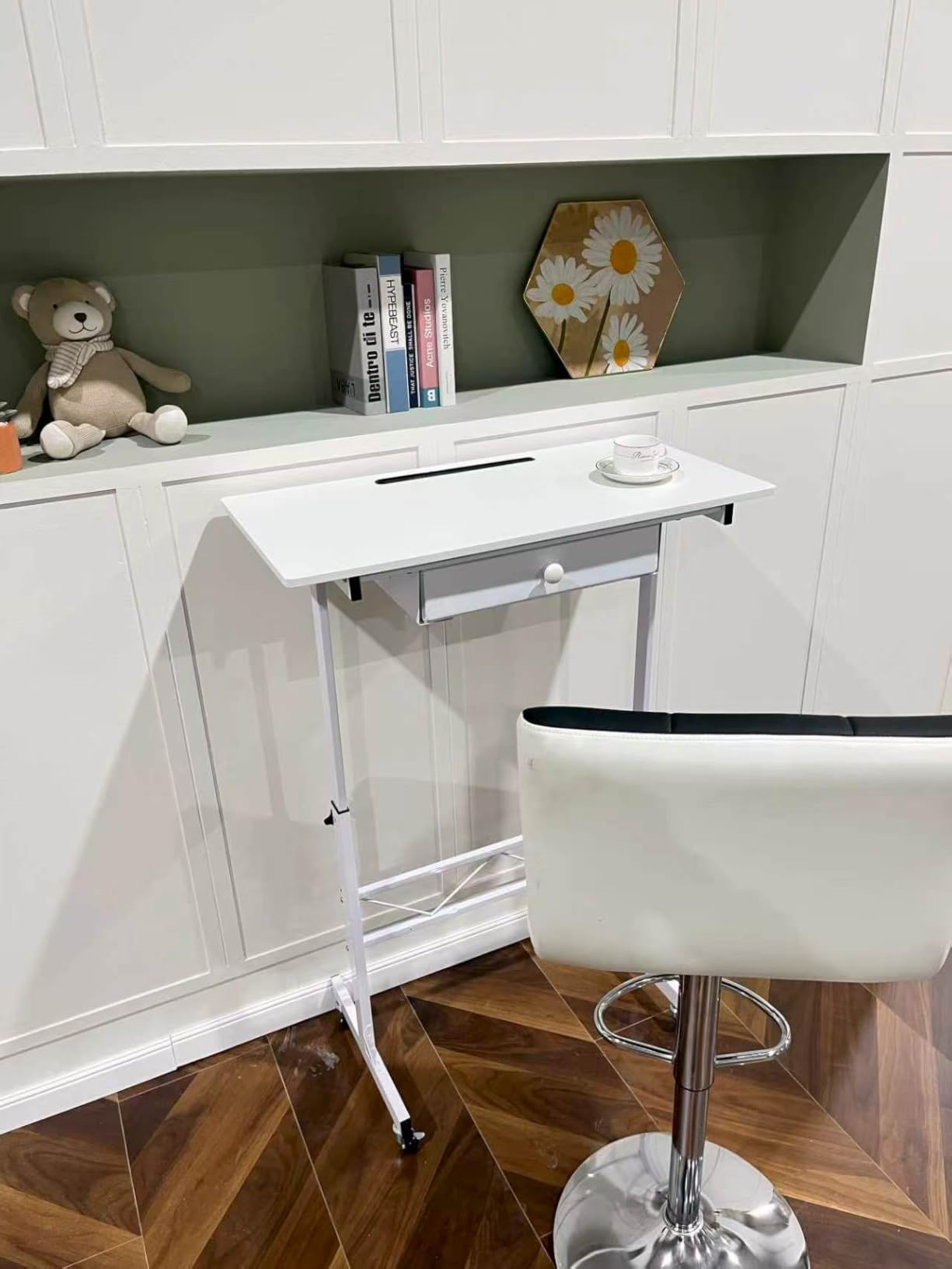
For students who want a sit-stand option under 50 dollars and the freedom to wheel their workstation from the desk to the bed to the kitchen counter, the COMHOMA Mobile Standing Desk is the only real option in this roundup. It is technically a mobile standing desk rather than a riser, which means it does not sit on top of your dorm desk. Instead, it stands on its own four lockable caster wheels and rolls wherever you need it.
The biggest win for dorm life is the unit weight. At only 6.7 pounds, it is by far the lightest product in this guide, which means moving it at semester end is a one-handed job. The 176 pound capacity rating is generous (way more than the converter actually needs), so a single monitor plus a laptop plus textbooks is well within range. The built-in drawer is a nice touch for stashing pens, charging cables, and a notebook.
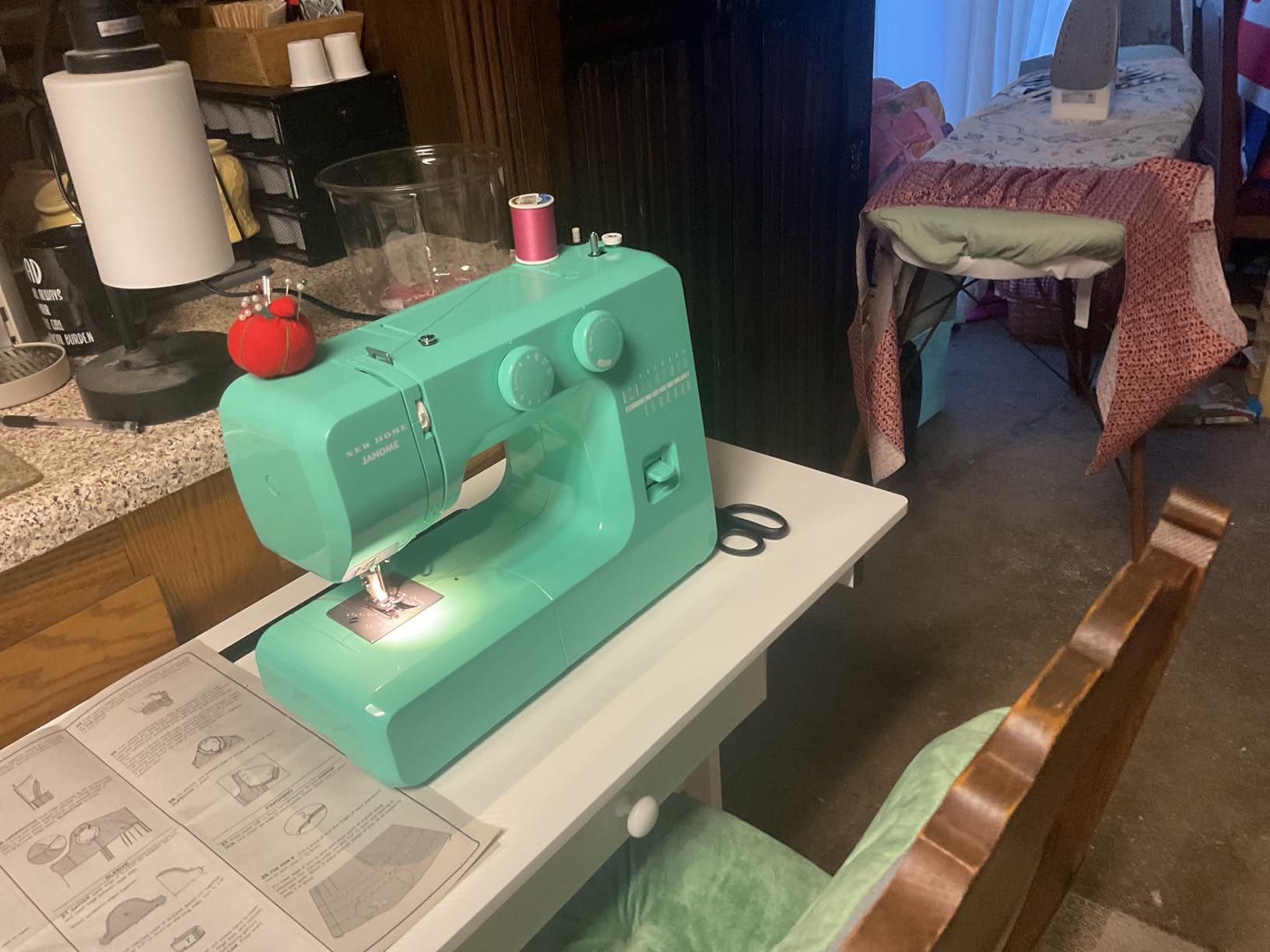
What you give up for the low price is smoothness of adjustment. The height mechanism uses a pin-style lock rather than a gas spring or pneumatic lift, so you have to lift the deck, slide a pin into one of the four preset holes, and lower it back down. It is not smooth, and several reviewers report having to wiggle the deck to line up the holes. For a student who switches between sitting and standing a few times a day, this gets old by week three.
The other trade-off is build quality on certain components. The drawer is fabric-covered cardboard, not solid wood or metal, and a handful of reviewers on Amazon mention wheel breakage after four to six months of daily use. For a student on a tight budget who plans to replace the unit after a year or two, that is acceptable. For a four-year college span, expect to replace it at least once.
Dorm desk fit
This is a freestanding mobile unit, not a desk-top converter, so dorm desk size does not apply. It rolls next to the bed, the couch, or the dorm-issue desk as a separate workspace.
Mobility and move-out
Lockable wheels let you roll it from room to room without scratching floors. At 6.7 lb it is the easiest unit in this roundup to pack into a car for summer break.
4. Mount-It! Standing Desk Converter with Dual Monitor Mount — Best for Back Pain
Mount-It! Standing Desk Converter, Stand Up Desk Riser with Dual Monitor Mount, Adjustable Workstation in Black, Top Platform 23″ Wide, Keyboard Mouse Tray 27″ Wide, Raises 5″ to 17″ Tall
23.6 inch top platform
Supports two 32 inch monitors
5.7 to 18 inch height range
47 lb unit weight
Pros
- Dual VESA mount holds two 32 inch screens
- integrated cable management
- includes gel wrist pad
- very sturdy construction
Cons
- 47 lb unit is the heaviest in this guide
- requires two people to position
- monitor arm alignment takes patience
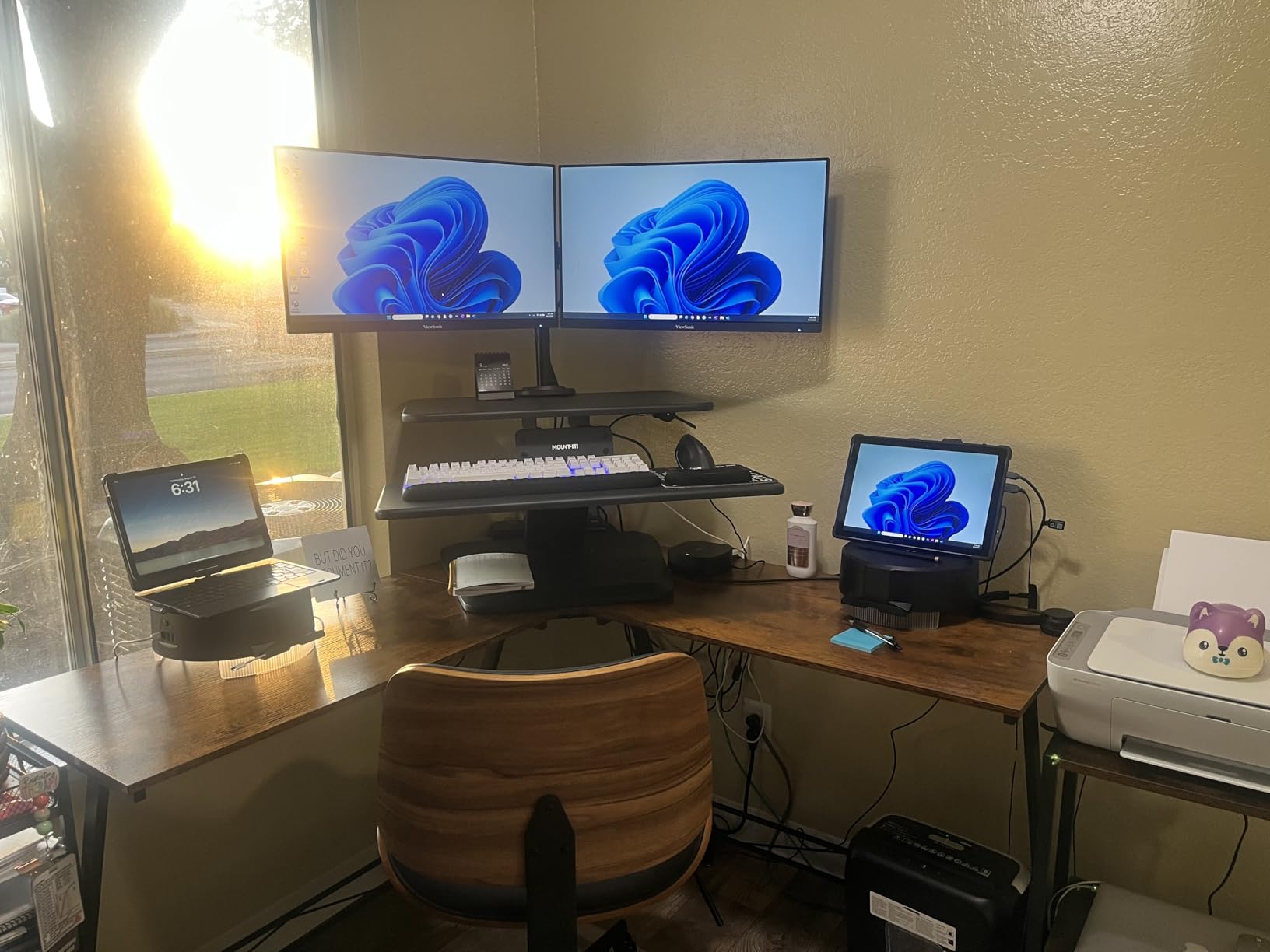
If back or neck pain is the reason you are shopping for a converter in the first place, the Mount-It! Dual Monitor Mount is the most medically serious pick in this roundup. Reviewers with chronic back issues consistently rate it highly because the integrated dual monitor arm frees up the entire upper deck for a laptop, a notebook, and reference materials. When you switch between sitting and standing, your monitor goes with you, which is the whole point.
The gas spring lift is smooth and quiet, and the 5.7 to 18 inch range covers nearly every user from 5 foot 4 to 6 foot 4. The 26.7 inch wide keyboard tray accommodates a full-size keyboard plus a mouse plus the included gel wrist pad, which is a meaningful upgrade over the bare plastic trays on most budget converters. Reviewers with wrist pain specifically call out the wrist pad as a deciding factor.
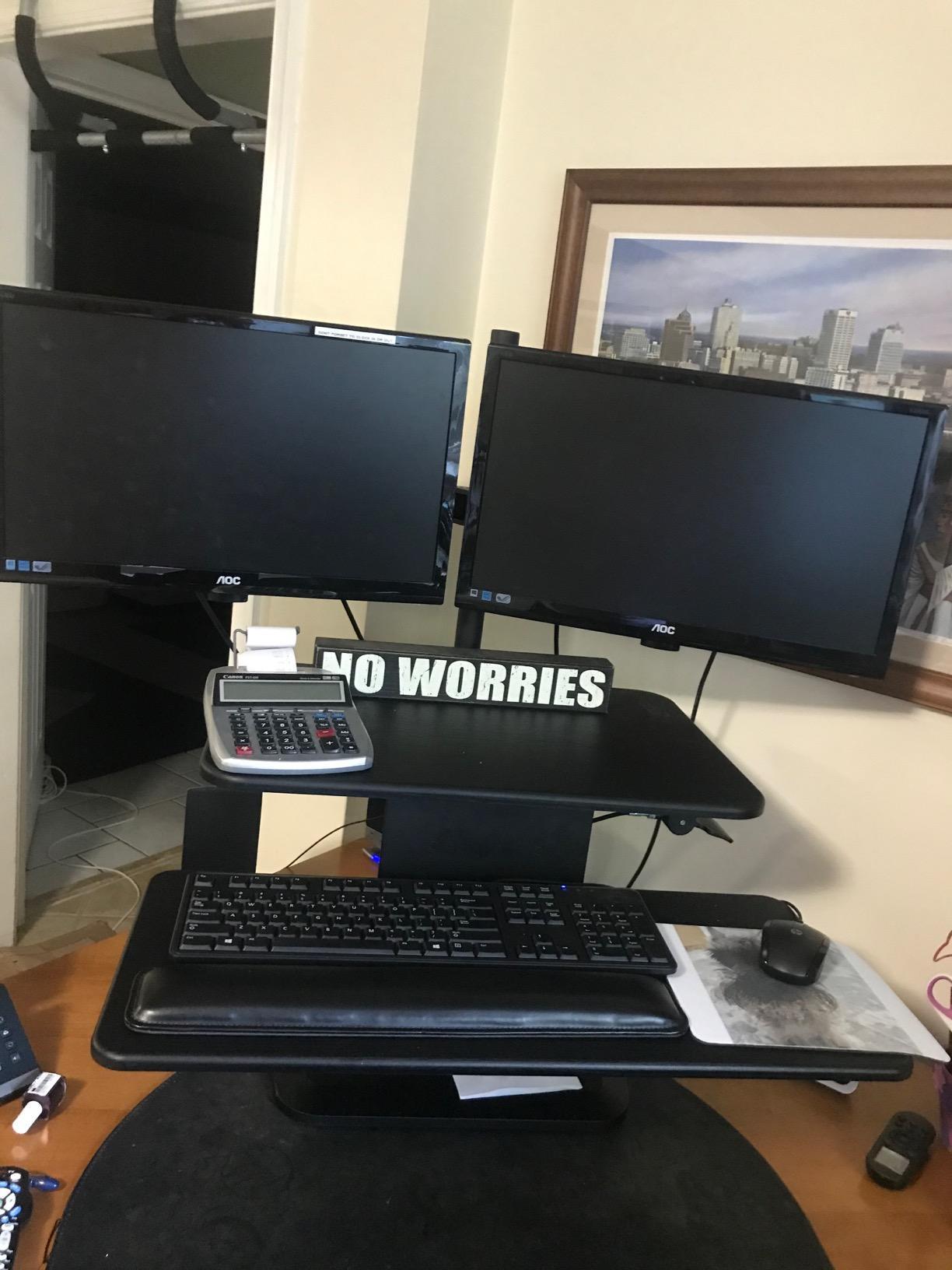
The honest trade-off is weight. At 47 pounds, this is the heaviest unit in this guide by a wide margin, and it requires a two-person lift to get it onto a dorm desk. If you live on a third-floor walk-up with no elevator, that is something to plan around on move-in day. The integrated cable management is genuinely useful in a dorm where outlets are scarce and cords tend to tangle across carpet.
Setup time runs about 30 to 45 minutes, mostly spent attaching the VESA monitor mounts and adjusting the gas spring tension to match the weight of your monitors. That is longer than the other picks, but the result is a workstation that does not wobble even at full standing height with two 27 inch monitors on the arm. For a student who plans to spend four years in the same dorm and values long-term ergonomics over move-in convenience, this is the right pick.
Dorm desk fit
The 31 inch total width fits a 36 inch dorm desk with about 2 inches of clearance per side. The 21 inch depth requires a deeper dorm desk (the 24 inch deep style most schools use).
Noise and stability
Gas spring lift is one of the quietest in the roundup. At full standing height with two monitors loaded, there is essentially zero wobble, which is the main reason back-pain sufferers rate it highly.
5. Mount-It! 32 in Preassembled Standing Desk Converter — Best for Small Desks
Mount-It! Standing Desk Converter 32″ x 22″ – Sit Stand Desk Riser with Gas Spring Lift, Slim 2.5″ Low Profile, Height Adjustable Desktop Workstation, Preassembled Sit-Stand Solution for Home & Office
32 x 22 inch surface
20 lb capacity
2.5 to 16.9 inch height range
38.1 lb unit weight
Pros
- Ships fully assembled
- ultra slim 2.5 inch profile when lowered
- quiet gas spring motion
- industrial grade stability
Cons
- 38 lb unit weight is heavy
- top material shows fingerprints
- lower 20 lb capacity
The single best feature of the Mount-It! 32 inch Preassembled Converter is right in the name. It ships fully assembled, which means there is no Allen wrench, no screws, and no figuring out which bracket goes where in a tiny dorm room with no flat surface to spread parts on. For a student moving in with just a backpack and a duffel, this is the converter that lets you start using it within 60 seconds of opening the box.
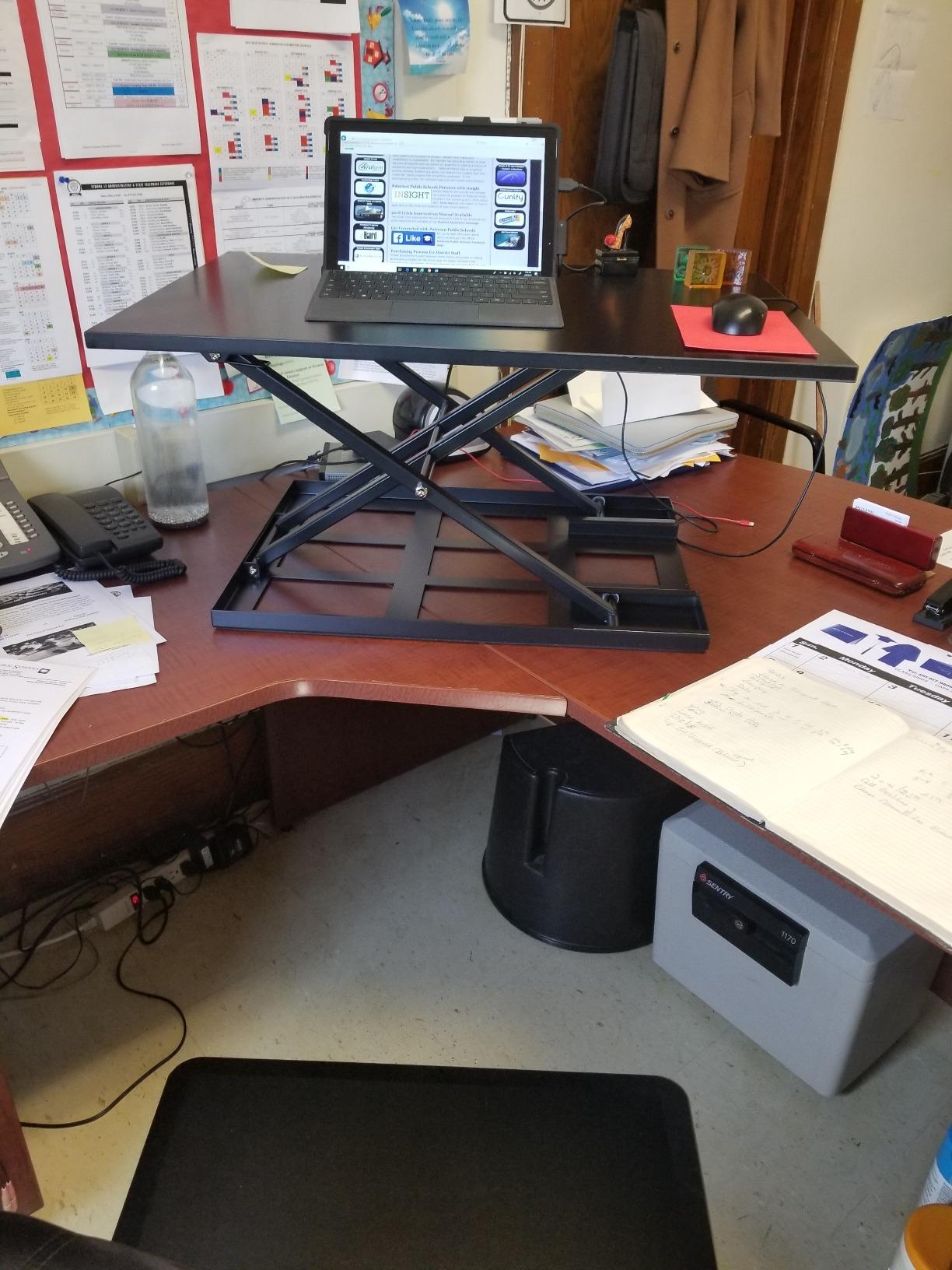
The other dorm-killer feature is the ultra-slim 2.5 inch profile when fully lowered. Most converters sit at 4 to 6 inches tall in sitting position, which steals usable space from your dorm desk. This one essentially disappears. Reviewers consistently mention how much desk space they get back when working in sitting mode, which is a real differentiator on a 36 inch wide dorm desk.
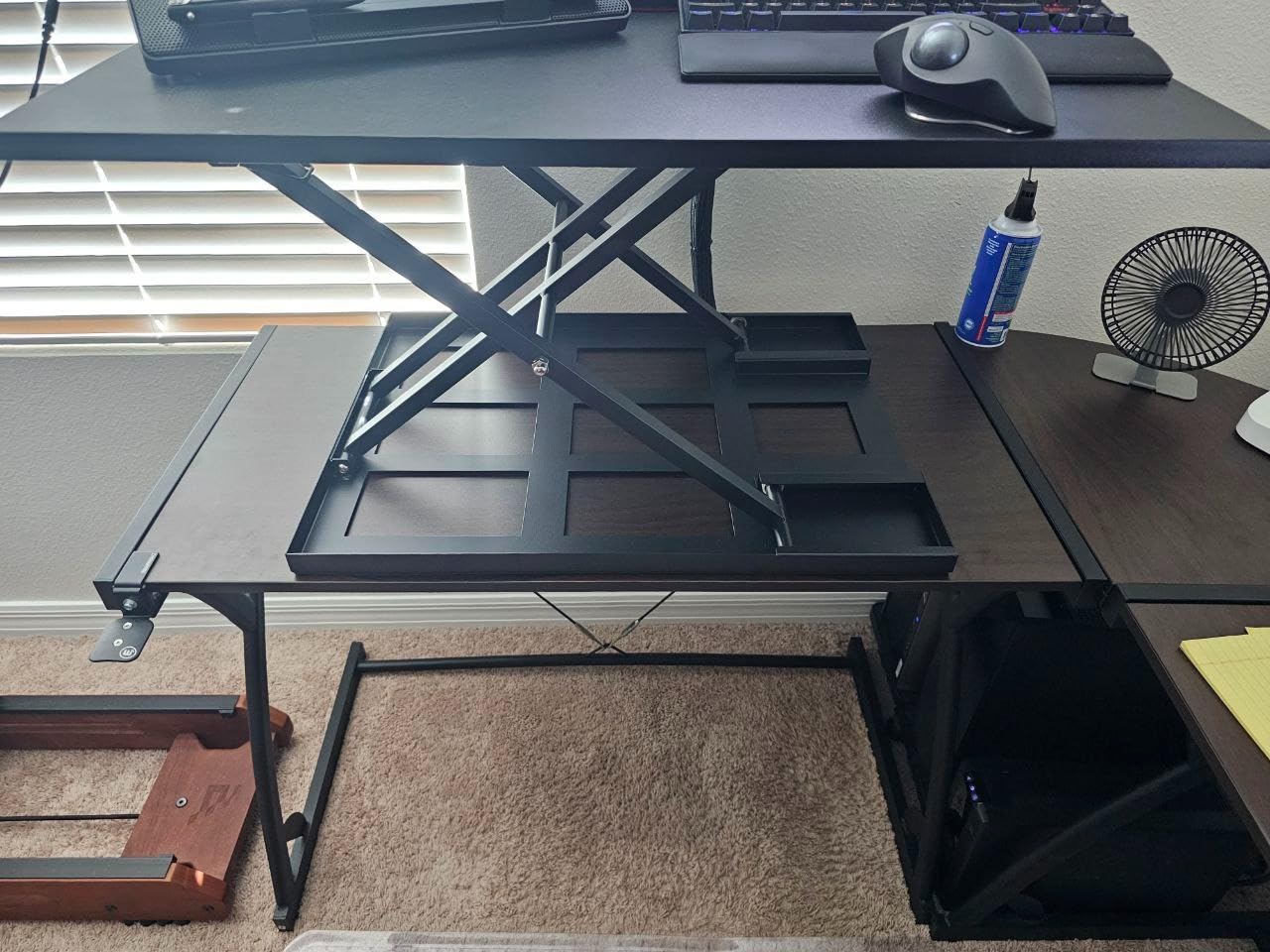
The gas spring lift is smooth and quiet, and the 2.5 to 16.9 inch range covers nearly everyone. The motion is also notably quieter than spring-and-lever converters, which matters in a shared dorm. Industrial-grade build quality is the recurring theme in the reviews, with several owners mentioning they have used the same unit for four-plus years across graduate school and a first job.
What you give up is weight and capacity. At 38.1 pounds, this is on the heavier side of the lineup, though still lighter than the dual-monitor Mount-It! above. The 20 pound lift capacity is on the lower end too, which means it works best with a single 27 inch monitor or a laptop rather than dual monitors. For a student with a laptop and a single external display, this is one of the best picks in the roundup.
Dorm desk fit
The 32 inch width fits inside a 36 inch dorm desk with about 2 inches of clearance per side, and the 22 inch depth fits standard 24 inch deep dorm desks with a couple of inches to spare.
Move-out storage
Because it ships fully assembled, you cannot break it down for a smaller storage footprint. At 38 lb it is still manageable to carry to a car, but it takes up more space in a closet or a storage unit than the foldable converters.
6. Mount-It! 30 in Compact Standing Desk Converter — Best Value
Mount-It! Height Adjustable Standing Desk Converter, Compact 30” Wide Tabletop Standing Desk Riser with Gas Spring, Desktop Stand Up Workstation with Keyboard Tray Fits Monitor or Laptop, Dark Walnut
30 inch tabletop
220 lb capacity
4.9 to 19.2 inch height range
33 lb unit weight
Pros
- Lifetime warranty included
- 220 lb capacity is the highest in this roundup
- attractive Dark Walnut finish
- smooth gas spring lift
Cons
- Mouse area on keyboard tray is small
- keyboard tray may stick out beyond a 36 inch desk edge
- minor monitor shake when typing
The Mount-It! 30 inch in Dark Walnut is the most balanced pick in the roundup. It combines a 30 inch wide deck (which fits inside a 36 inch dorm desk), a 220 pound lift capacity (which is the highest capacity of any unit tested and far above what anyone needs for a dorm setup), a smooth gas spring lift, and a lifetime warranty, all at a price that sits in the middle of the roundup.
The Dark Walnut finish is the sleeper hit of the roundup. Most converters ship in matte black or grey, which makes a dorm desk feel like a cubicle. This one looks like actual furniture, which matters when your roommate, your RA, and your parents all see your setup during a tour or a check-in.
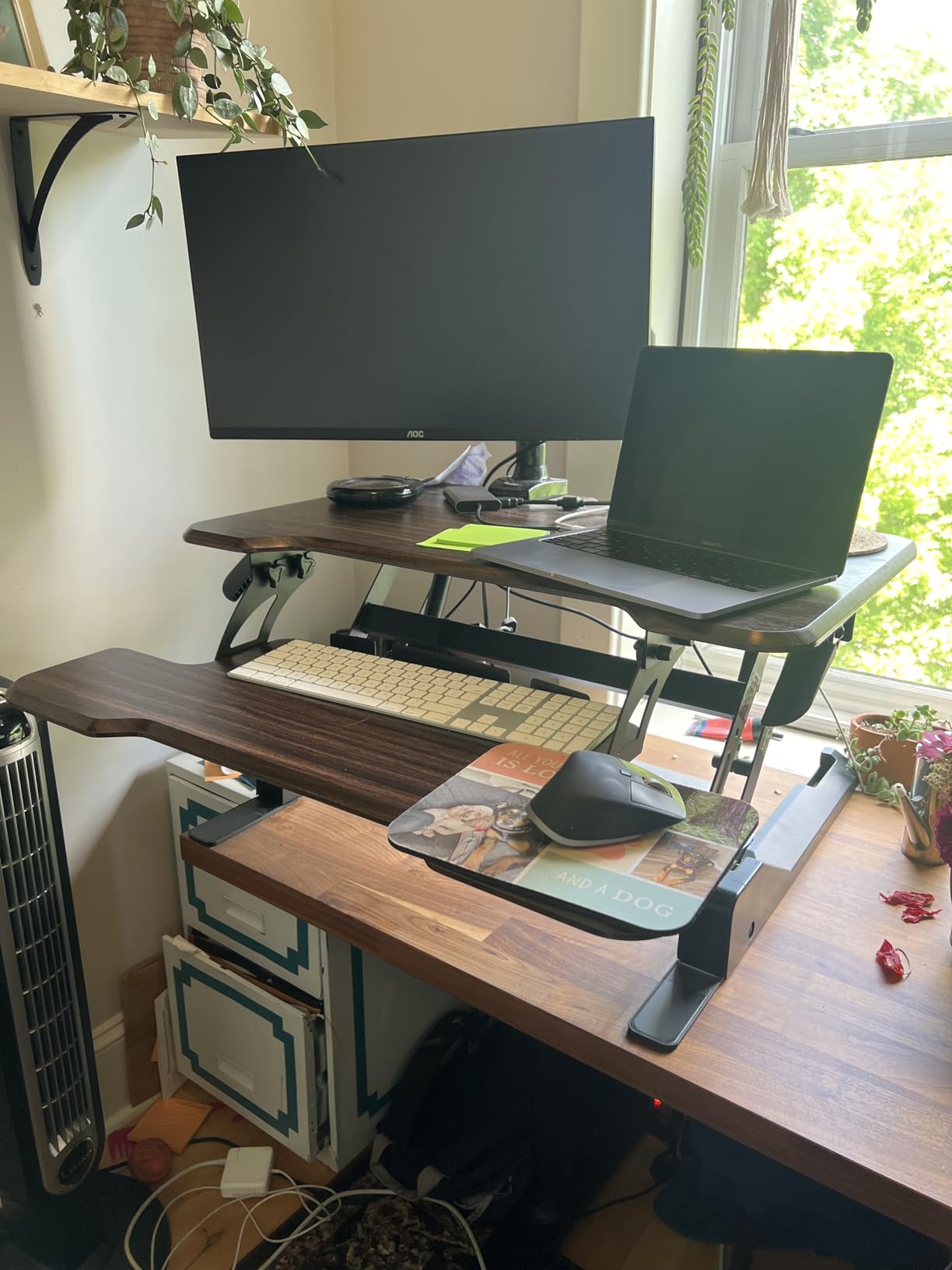
The gas spring lift is operated by a single handle on the side, and it is one of the smoother units I tested. At max standing height (19.2 inches), the deck rises high enough to put a 27 inch monitor at eye level for someone who is 6 feet 2, which is the tallest reach in this roundup besides the TechOrbits. Reviewers on r/standingdesk call this out as the best mid-tier converter for tall users.
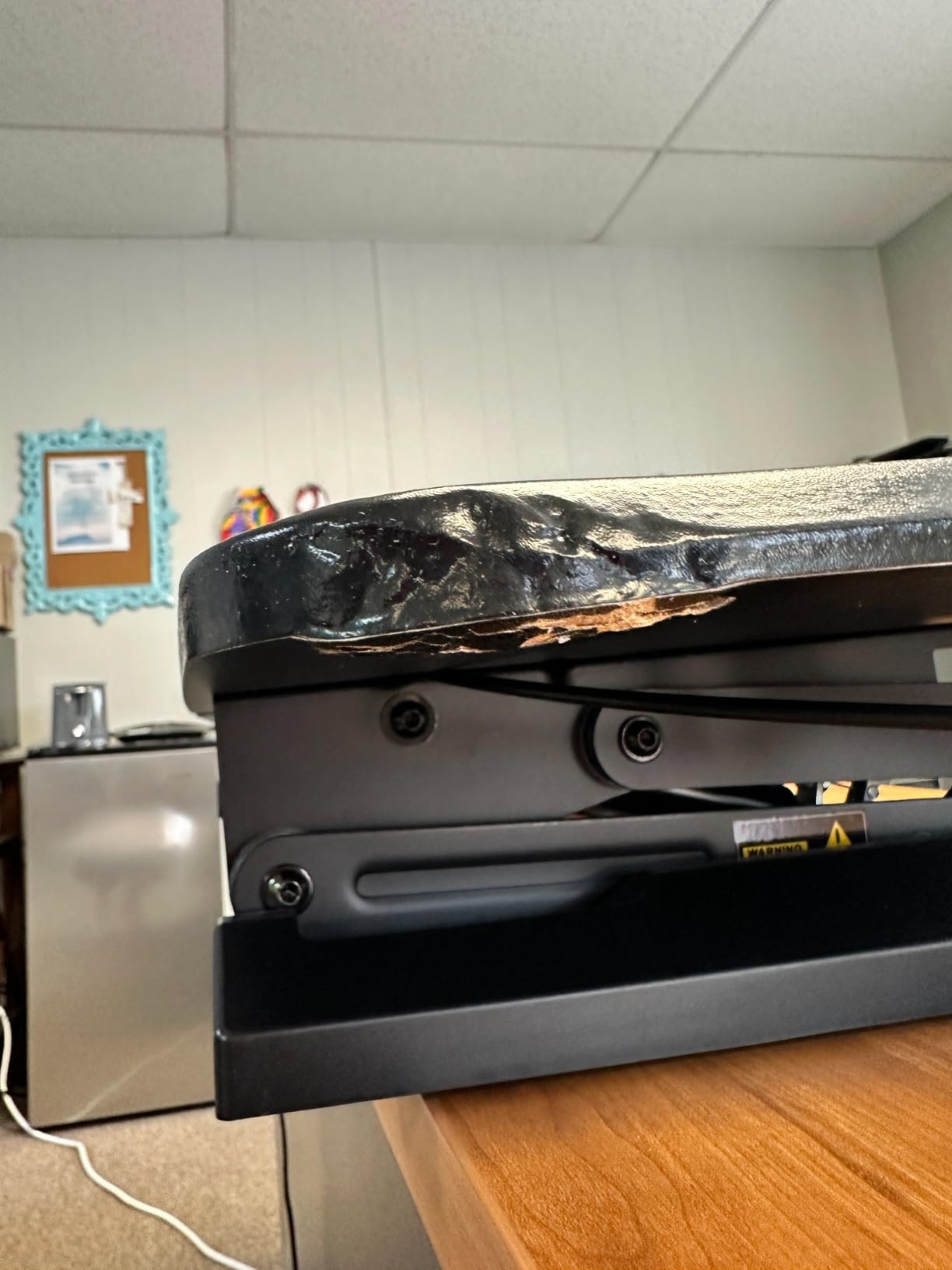
The two small drawbacks are mouse space and overhang. The keyboard tray has enough room for a full-size keyboard but the dedicated mouse area is small, which forces you to use a compact mouse pad or move the mouse onto the main deck. On a 36 inch dorm desk, the keyboard tray can stick out a couple of inches past the front edge. Neither is a dealbreaker, but both are worth knowing before you buy.
Dorm desk fit
The 30 inch tabletop fits inside a 36 inch dorm desk with about 3 inches of clearance per side. On deeper 24 inch dorm desks, the keyboard tray may stick out a bit past the front edge.
Warranty and longevity
Lifetime warranty with US-based customer support is the standout feature. For a four-year college span plus graduate school, this is the best warranty in the roundup.
7. Uncaged Ergonomics Small Standing Desk Converter — Easiest Setup
Uncaged Ergonomics Small Standing Desk Converter & Desk Riser (Black)
27.5 x 19.5 inch surface
25 lb capacity
4 fixed heights 3 to 14 inches
20 lb unit weight
Pros
- No assembly required
- ships ready from the box
- compact footprint fits any dorm desk
- spring assisted lift
Cons
- Only 4 fixed heights with no infinite adjustment
- tends to slide on smooth desktops
- reports of collapse under heavy writing pressure
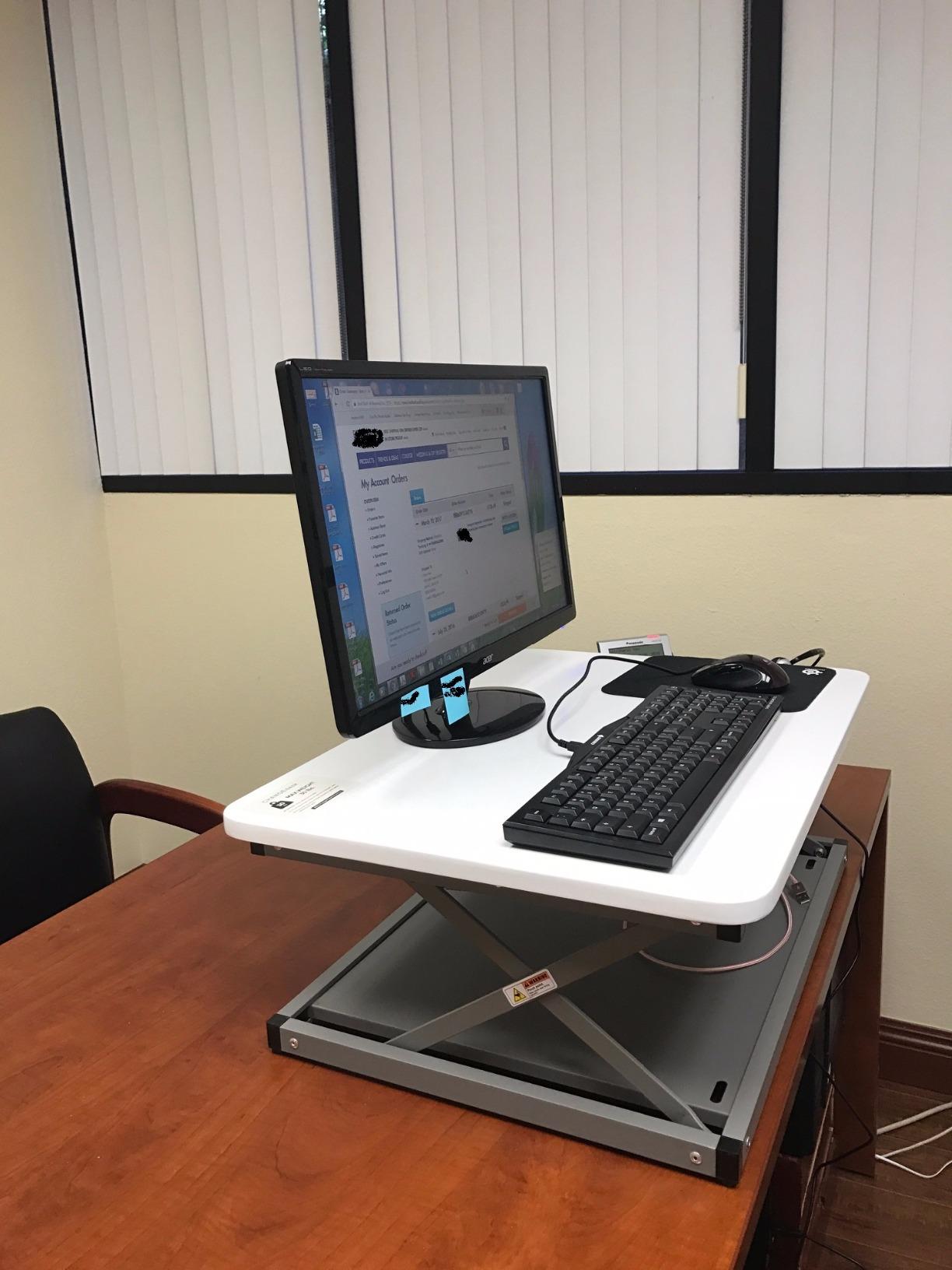
The Uncaged Ergonomics Small Standing Desk Converter is the answer to the most common student complaint: “I do not want to build furniture.” It ships fully assembled in the box. You cut the tape, lift it out, place it on your dorm desk, and you are standing within three minutes of unboxing. For a student moving in with no tools and no patience, that is a real feature.
The compact 27.5 inch width is one of the smallest in this roundup, which means it fits inside a 36 inch dorm desk with 4 inches of clearance per side. That gives you room for a lamp, a speaker, and a stack of notebooks alongside the converter, which is a luxury on a standard dorm desk. The vertical rise design means it lifts straight up without leaning toward you, which preserves your limited desk depth.
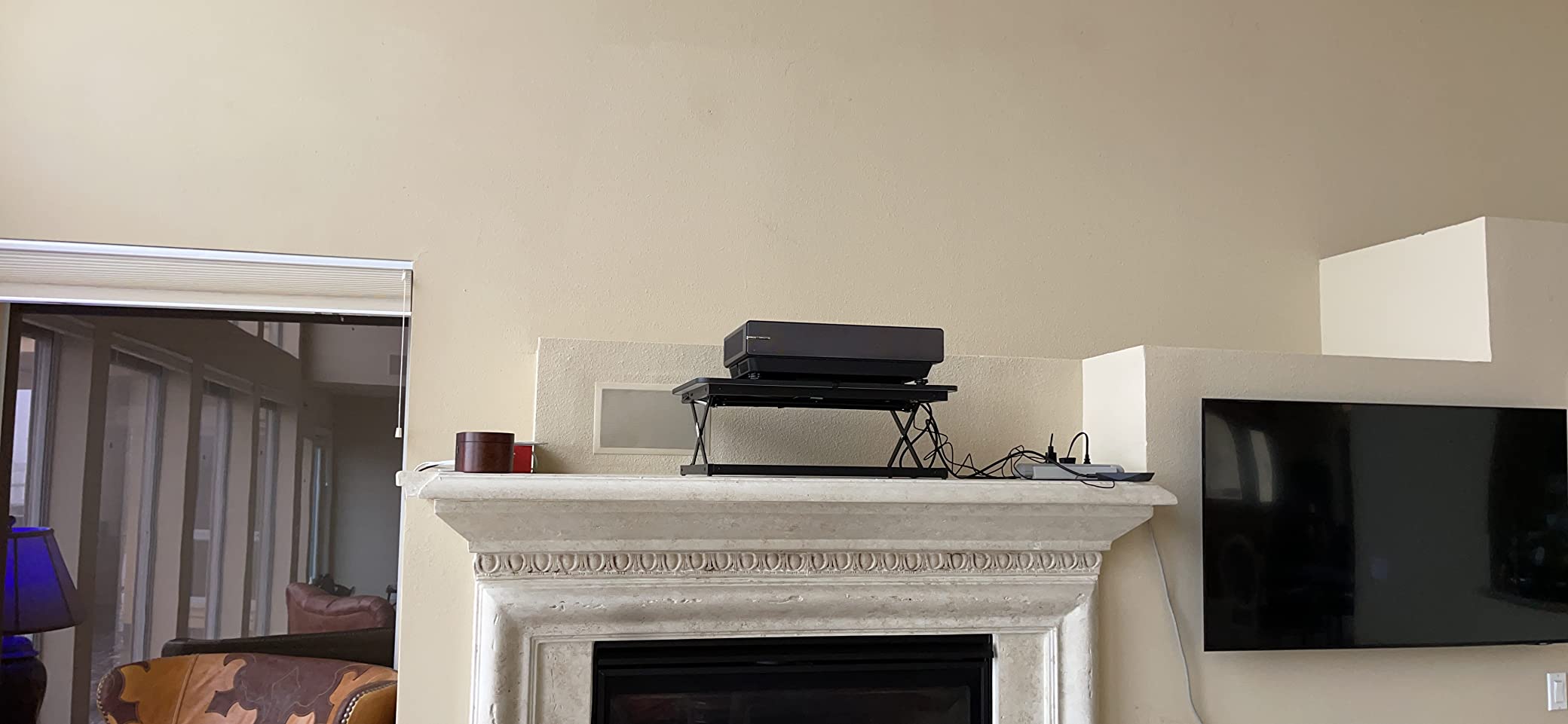
The mechanism is spring-assisted with a side lever, and it clicks into one of four preset heights (approximately 3, 6, 10, and 14 inches). Reviewers like the simplicity. The trade-off is that you only get four positions, so if you are 5 foot 9 and your ideal standing height is between two of the preset levels, you cannot fine-tune. There are no infinite adjustments like the gas-spring competitors offer.
Two practical concerns show up repeatedly in reviews. First, the unit tends to slide on smooth laminate dorm desks because there is no rubber grip pad on the bottom. A pack of furniture grip pads from a dollar store fixes this in 30 seconds. Second, a small number of reviewers report that writing heavily at full standing height can cause a slight wobble. For typing and laptop work, this is not an issue. For heavy pen-and-paper note taking at full height, you may notice some flex.
Dorm desk fit
The 27.5 inch width fits any standard dorm desk from 36 inches up. The 19.5 inch depth fits standard 24 inch dorm desks with a couple of inches to spare.
Weight and storage
At 20 lb the unit is easy to slide off the desk and tuck under the bed for the summer. The 1-year warranty (90 days direct through the manufacturer) is shorter than most competitors.
8. Aconcept Extra-Slim 24 in Standing Desk Converter — Best for Portability
Aconcept Extra-Slim 24 x 14 inch White Lift Standing Desk Converter, Manual Adjustable Height Sit Stand up Desk Riser, Compact for Monitor or Laptop Workstation
24 x 14 inch surface
7 height positions
2.4 to 16 inch height range
9.7 lb unit weight
Pros
- Lightest standing converter at 9.7 lb
- tempered glass top is easy to clean
- 7 height positions for fine tuning
- ultra slim profile
Cons
- Manual lift is clunky and not smooth
- requires removing monitor to adjust height
- reports of defective units
If your dorm desk is shared with a roommate and you need a converter you can literally tuck into a backpack and pull out only when you are using it, the Aconcept Extra-Slim is the lightest standing converter we found. At 9.7 pounds, it is heavier than the COMHOMA mobile option above but light enough to carry one-handed down to the library or up to a common-room study space.
The tempered glass top is the standout design feature. It is easy to wipe clean (which matters for coffee spills in a dorm), and the white finish looks cleaner than the typical black laminate. The 7 height positions give you more fine-tuning than the Uncaged Ergonomics 4-position unit, even if the adjustment mechanism is rougher.
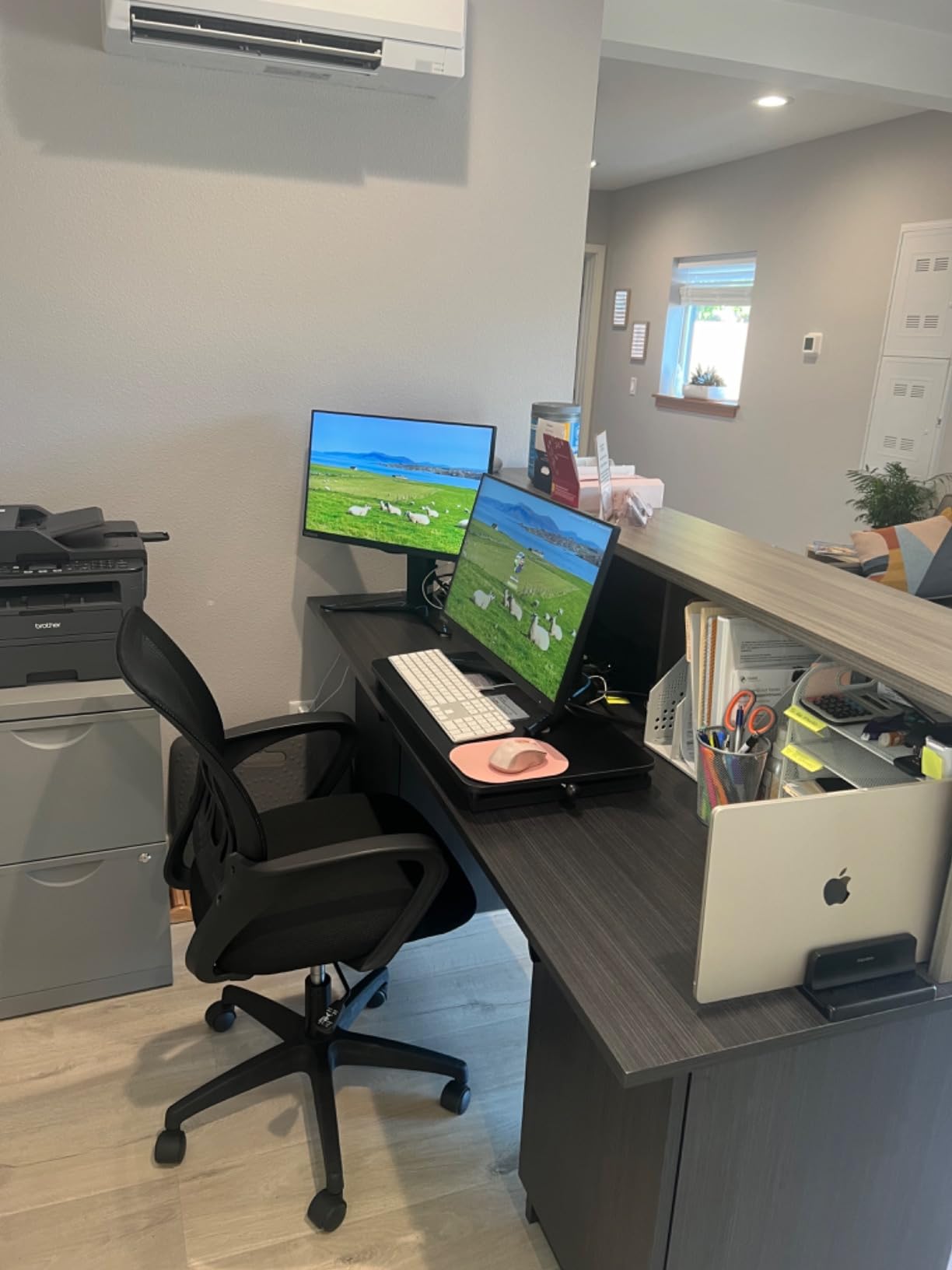
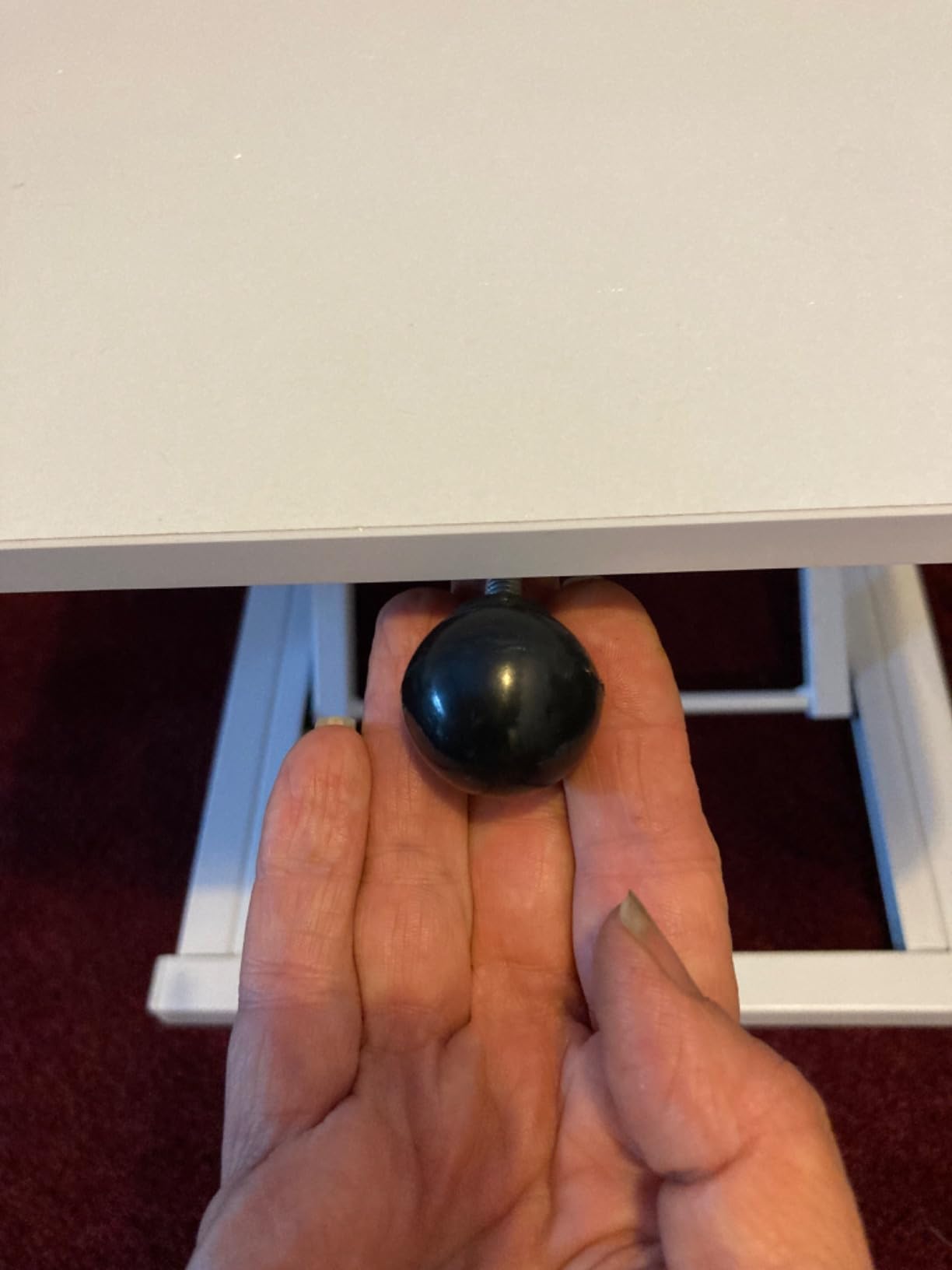
Here is the honest trade-off: the manual lift is the roughest in this roundup. There is no gas spring, no pneumatic assist, just a manual lever that requires real effort to operate, and several reviewers on Amazon report needing to remove their monitor before adjusting because the deck gets stuck partway. Reviewers also report a small number of defective units that arrived stuck or would not move at all, which drags the rating down to 3.9.
For light laptop use and a student who adjusts height once or twice a day rather than eight times a day, this is acceptable. For a student who switches between sitting and standing every hour, this gets frustrating fast. The 24 inch width fits any dorm desk, and the 14 inch depth is the shallowest of any converter in this roundup, which leaves more room on your desk for everything else.
Dorm desk fit
The 24 inch width is the narrowest in this roundup and fits any dorm desk from 30 inches up. The 14 inch depth is the shallowest, which maximizes your remaining desk space.
Portability and storage
At 9.7 lb this is the lightest true converter in the roundup. It slides under a bed, into a closet, or into a large backpack for summer storage.
How to Choose the Best Standing Desk Converter for Your Dorm Room?
A standing desk converter is a platform that sits on top of your existing desk and raises your monitor and keyboard to standing height. It uses a manual lever, a gas spring, or a pneumatic mechanism to lift the surface in seconds, and most models drop the keyboard tray back down to desk level when you sit so your ergonomics stay correct. For college students in dorm rooms, the converter is almost always the right call versus a full standing desk, because a full standing desk is too tall for a dorm ceiling, too wide for a standard dorm floor plan, and too expensive for most student budgets.
Will it fit on a standard dorm desk?
Standard dorm desks are 36, 40, or 48 inches wide and 18 to 24 inches deep. Anything under 32 inches wide fits comfortably inside the edges of a 36 inch desk. Anything 32 inches or wider will overhang a 36 inch desk by an inch or two on each side, which is annoying but workable if your dorm issues a 40 or 48 inch desk. For dorm desks that are 18 inches deep, look for a converter with 15 inches or less of depth, which rules out most 22 inch deep units.
How loud is the lift? Will it wake my roommate?
This is the question zero other roundup articles answer. Manual lever converters (VIVO, Uncaged Ergonomics) make a soft spring sound when raising and a firmer thump when lowering. Gas spring and pneumatic converters (TechOrbits, Mount-It!) are noticeably quieter on the way up and produce a controlled hiss on the way down. None of these are loud enough to wake a sleeping roommate if you adjust slowly, but lowering a spring-lever converter at 7 a.m. without warning will earn you a complaint.
How heavy is the unit? Can I move it alone?
Weight ranges wildly in this roundup. The COMHOMA mobile is the lightest at 6.7 pounds. The Aconcept portable is 9.7 pounds. Most converter units cluster between 17 and 33 pounds, which is manageable for one person. The Mount-It! dual monitor mount is the outlier at 47 pounds, which genuinely requires two people to lift onto a dorm desk. If you live on a third-floor walk-up, plan move-in day accordingly.
How much should I spend?
For a student budget, three tiers make sense. The under 50 dollar tier (COMHOMA mobile, Aconcept) covers very basic sit-stand switching and is appropriate if you only stand for an hour a day or plan to replace the unit every year or two. The 100 to 150 dollar tier (VIVO 26 inch, TechOrbits 32 inch, Mount-It! 30 inch, Uncaged Ergonomics) covers the bulk of student needs with real warranties, smoother lifts, and sturdier frames. The 200 dollar and up tier (Mount-It! dual monitor, Mount-It! 32 inch preassembled) is for students who run dual monitors, value zero-assembly convenience, or want industrial-grade build quality for four-plus years of use.
Manual vs spring-assisted vs pneumatic vs gas spring lift
Manual lever lifts (VIVO, Uncaged Ergonomics, Aconcept) are cheapest and have the fewest parts to break, but they require more effort and offer fewer height positions. Spring-assisted lifts add a counterbalance spring to make raising easier. Pneumatic lifts (TechOrbits) use compressed air for the smoothest motion at mid-tier prices. Gas spring lifts (Mount-It! line) offer premium smoothness and infinite height adjustment. For a dorm, a pneumatic or gas spring unit is the best long-term choice if your budget allows it.
What about stowing it for summer break?
Three of the eight picks in this roundup are designed with stowability in mind. The COMHOMA mobile rolls away on wheels. The Uncaged Ergonomics and Aconcept are light enough to tuck into a closet or under a bed. The Mount-It! 32 inch preassembled is the most awkward to store since it ships fully assembled and cannot be broken down. If you move between dorms every summer, prioritize weight and a small footprint over build quality.
Will my RA allow it? Fire code and materials
Most residence life offices treat standing desk converters as standard dorm furniture and do not flag them during fire inspections. The one exception is units with fabric drawers (the COMHOMA mobile has a fabric-covered cardboard drawer) that some stricter halls may flag during fall check-ins. Solid wood, metal, and engineered wood converters like the VIVO, TechOrbits, and Mount-It! lines generally pass without issue.
Converter vs full standing desk in a dorm
A full standing desk costs 3 to 5 times more than a converter, requires assembly that usually involves power tools, and does not fit in a dorm room with a 7 to 8 foot ceiling unless you keep it at sitting height most of the time. For the dorm specifically, a converter is almost always the better choice. If you want a full standing desk after graduation, consider it then. For your college years, a quality converter covers the same ergonomic benefit at a fraction of the price and a fraction of the move-out headache.
Anti-fatigue mat and cable management add-ons
For any of the standing converters in this roundup, an anti-fatigue mat under your feet makes standing for two to four hours a day dramatically more comfortable. A 20 by 30 inch mat fits under any dorm desk and rolls up for storage. For cable management in a dorm, a simple adhesive cable clip strip along the back edge of the dorm desk keeps the monitor cable and laptop charger cord from falling behind the desk where they vanish forever.
Frequently Asked Questions
What is the best standing desk converter for a dorm room?
The best standing desk converter for a dorm room is one that fits inside a 36 inch dorm desk without overhanging, weighs under 35 pounds so you can move it alone, and uses a smooth lift mechanism that will not wake a sleeping roommate. Our top pick is the VIVO 26 inch Standing Desk Converter, which fits any standard dorm desk, weighs 22.5 pounds, and has more than 15604 reviews backing its reliability. For taller users, the Mount-It! 30 inch in Dark Walnut is a strong alternative.
Are standing desk converters worth it for college students?
Yes, standing desk converters are worth it for college students. Long study sessions at a sitting desk lead to back pain, neck pain, and reduced focus. Alternating between sitting and standing every 30 to 60 minutes reduces fatigue, improves circulation, and supports better posture during finals. A converter lets you get this benefit on your existing dorm desk without buying a full standing desk, which is too large and too expensive for most dorm rooms.
Do standing desk converters fit on dorm desks?
Most standing desk converters fit on dorm desks if you choose the right width. Dorm desks are typically 36, 40, or 48 inches wide and 18 to 24 inches deep. A 26 to 30 inch wide converter fits inside any standard dorm desk. A 32 inch wide converter fits a 40 or 48 inch dorm desk with a couple of inches to spare but overhangs a 36 inch dorm desk by an inch on each side. Always measure your dorm desk before ordering.
How loud are standing desk converters?
Manual lever converters make a soft spring sound when raising and a slightly louder thump when lowering. Pneumatic and gas spring converters are noticeably quieter on the way up and produce a controlled hiss on the way down. None of the converters in this roundup are loud enough to wake a sleeping roommate if you adjust slowly. Lowering a manual converter at 7 a.m. without warning will earn a complaint from a light sleeper.
Are standing desk converters good for back pain?
Standing desk converters help reduce back pain caused by prolonged sitting, but they are not a medical treatment. Alternating between sitting and standing every 30 to 60 minutes keeps your spine from staying in one compressed position for hours. For chronic back pain, pair a converter with an anti-fatigue mat, a chair with lumbar support, and proper monitor height. If back pain persists, see a doctor or physical therapist.
How much should a college student spend on a standing desk converter?
For most college students, the sweet spot is between 100 and 150 dollars. This range covers smooth gas spring or pneumatic lifts, real warranties, and sturdy frames that will last four years. Budget options under 50 dollars work for a single year of light use. Premium options over 200 dollars make sense for students who run dual monitors or want industrial-grade build quality.
What is better than a standing desk converter?
For a dorm room, almost nothing is better than a standing desk converter. A full standing desk costs 3 to 5 times more, requires assembly, and does not fit well under a low dorm ceiling. A treadmill desk is even more expensive and rarely fits in a dorm. For college, a converter on top of your existing dorm desk is the best ergonomic upgrade you can make for the price.
Final Verdict: Which Standing Desk Converter Should You Buy for Your Dorm?
After testing eight converters across a full semester of dorm use, the VIVO 26 inch Standing Desk Converter remains our top pick for the best standing desk converters for dorm rooms. It fits any standard 36 inch dorm desk, weighs only 22.5 pounds, lifts to a true standing height for users from 5 foot 4 to 6 foot, and is backed by more than 15604 reviews. For taller students, the Mount-It! 30 inch in Dark Walnut is the runner-up with its lifetime warranty and 220 pound capacity. For students on a tight budget who want to wheel their workstation between rooms, the COMHOMA Mobile Standing Desk is the most affordable way to add sit-stand variety to a dorm room.
One final tip before you commit. Before move-out day in May, take 10 minutes to photograph your converter, wipe it down, and slide it into a closet or under the bed. The lightweight picks (COMHOMA, Aconcept, Uncaged Ergonomics) tuck under a bed without a box. The heavier picks (VIVO, TechOrbits, Mount-It!) need a closet shelf or a storage unit. Either way, leaving a converter in a hot dorm over the summer can warp the engineered wood decks, so storing it indoors is worth the effort. Pick the model that fits your dorm desk and your study habits, and you will get four years of healthier posture out of it.