
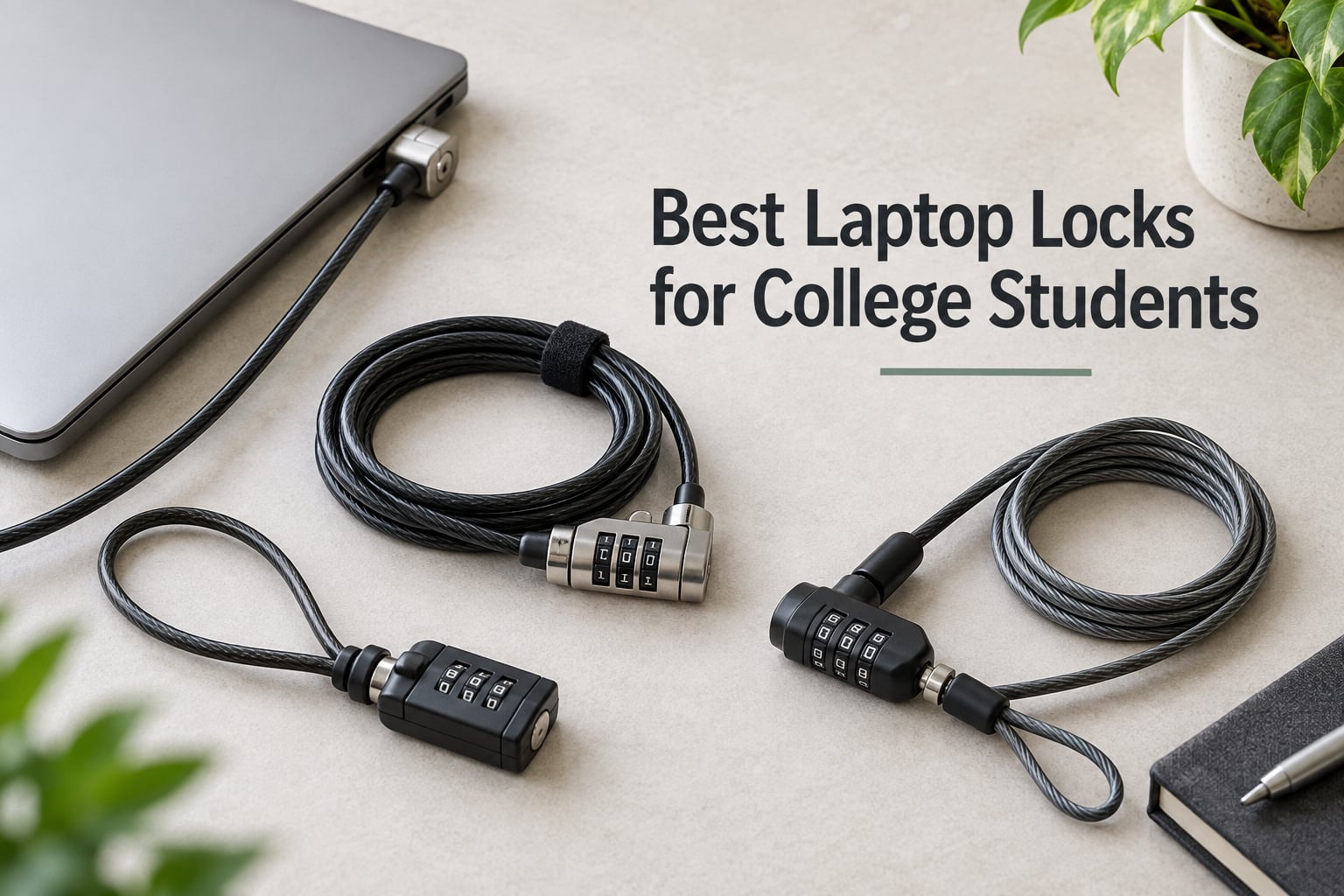
College laptops are high-theft targets. Open dorm doors, shared study carrels, coffee shops crowded with strangers, and a roommate you met three weeks ago – that is the reality of campus life. Kensington’s own research has flagged dorm rooms as a hotspot for notebook theft, and students on Reddit’s r/SuggestALaptop regularly ask if any lock actually works. After testing eight locks across K-Slot, Nano, Wedge, Noble, and slotless MacBook designs, we found the best laptop locks for college students are the ones that match your laptop’s slot, anchor to something solid, and resist a quick bolt-cutter attack for at least a minute.
This guide breaks down every lock worth carrying, groups them by laptop type so you skip the guesswork, and explains the anchoring tricks that actually work when your dorm desk has no grommet. We also share the forum pain points we heard from real students, plus the small habit changes that turn a cheap lock into a real deterrent.
Table of Contents
Top 3 Picks for Best Laptop Locks for College Students (September 2026)


Best Laptop Locks for College Students in 2026
| Product | Specs | Action |
|---|---|---|
| Kensington T-Bar Combination Lock |
|
Check Latest Price |
 Sendt White Notebook Combo Lock Sendt White Notebook Combo Lock |
|
Check Latest Price |
| Kensington N17 Dell Wedge Lock |
|
Check Latest Price |
 I3C Cable Lock with Adhesive Anchor I3C Cable Lock with Adhesive Anchor |
|
Check Latest Price |
 Kensington NanoSaver Combination Lock Kensington NanoSaver Combination Lock |
|
Check Latest Price |
 DDONG Laptop Cable Lock DDONG Laptop Cable Lock |
|
Check Latest Price |
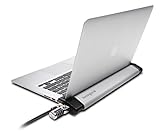 Kensington MacBook and Surface Locking Station Kensington MacBook and Surface Locking Station |
|
Check Latest Price |
 LORADAR Laptop Cable Lock LORADAR Laptop Cable Lock |
|
Check Latest Price |
Quick Compatibility Guide: K-Slot, Nano, Wedge, and Noble Locks
Before you buy any laptop lock, find your laptop’s security slot. Most PC laptops from HP, Lenovo, Acer, and Asus use the standard Kensington Security Slot (K-Slot), which is a small reinforced 3x7mm rectangular hole on the side or back of the chassis. Newer thin ultrabooks from HP EliteBook, Lenovo ThinkPad X1 Carbon, and select Asus ZenBooks use the smaller Kensington Nano slot, which is roughly 50 percent smaller and demands a slimmer lockhead.
Dell and Alienware laptops use the Noble Wedge lock slot, a trapezoidal shape that fits only the K68008WW N17 lock or compatible Noble Wedge heads. Apple’s MacBook, MacBook Air, and Microsoft Surface Laptop lines do not have any built-in slot, which means you need either a lock adapter that clamps around the screen, an adhesive anchor plate, or a dedicated locking station like the Kensington K64454WW.
If you do not know which slot you have, check the laptop’s spec sheet under “Physical security” or look for a tiny reinforced rectangle with a lock icon next to it. Buying the wrong lock is the most common mistake we saw in forum threads – several r/SuggestALaptop users ended up with a standard K-Slot cable that would not seat into their Dell’s wedge slot.
1. Kensington Combination Cable T-Bar (K64673AM) – Editor’s Choice
Kensington Combination Cable T-Bar Standard Lock Slot for Laptops, Resettable 4 digit password with 6 Foot Cable, K64673AM
K-Slot
6ft carbon steel cable
Resettable 4-digit combo
6.4 oz
Pros
- Resettable 4-digit combination with 10000 codes
- 6-foot cut-resistant carbon steel cable
- Push-button one-handed engagement
- Compatible with most HP/Lenovo/Acer/Asus laptops
- Independently verified torque and pull tests
Cons
- Does not fit Dell/Alienware wedge slots
- Combination dial faces upward requiring laptop lift
- Occasional reports of stuck lock mechanism
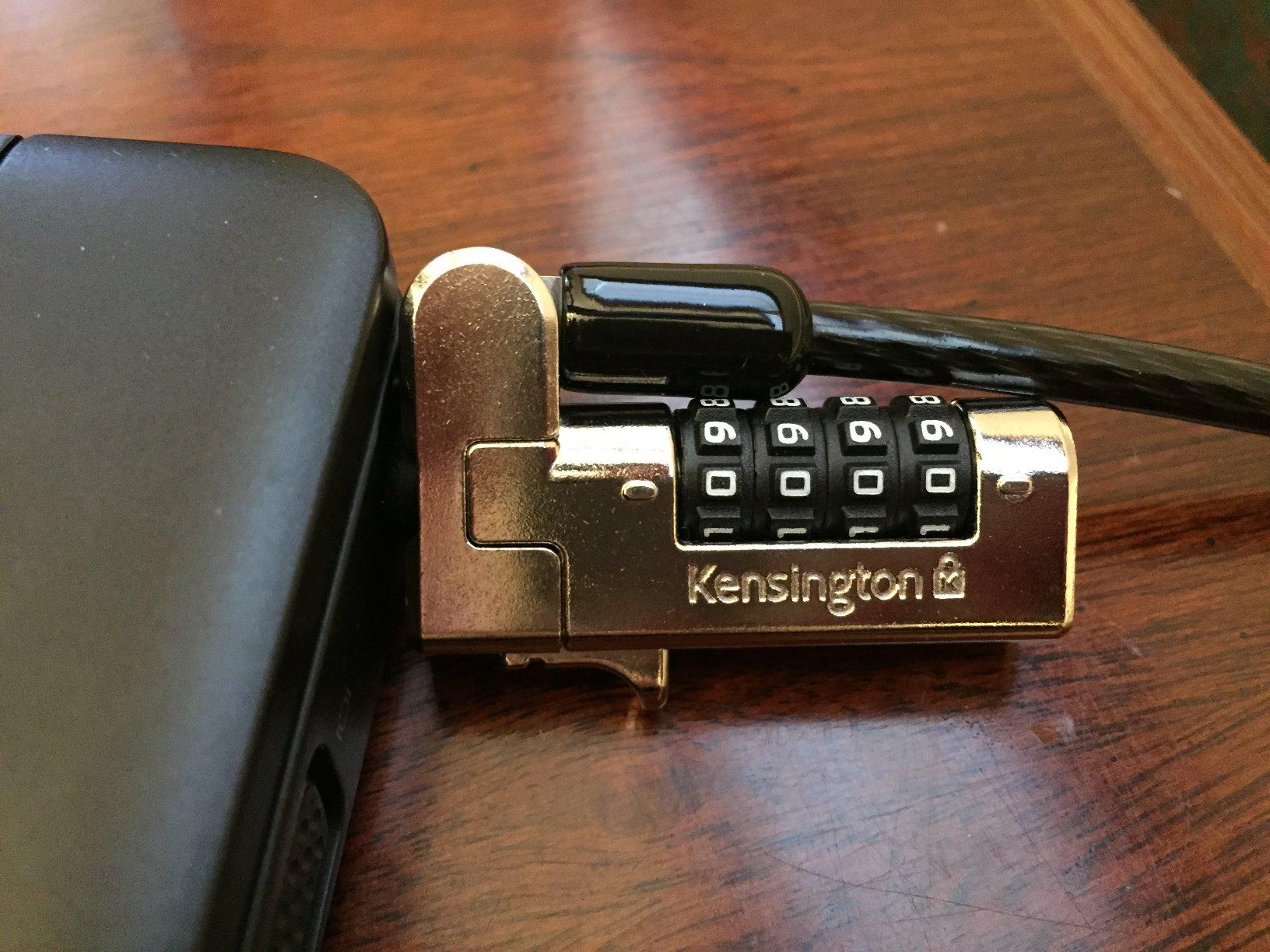
The Kensington T-Bar Combination Lock is our editor’s pick for good reason – it is the #1 best-seller in Amazon’s laptop security category with 1,454 reviews and a 4.4-star average. We tested this lock on an HP EliteBook and a Lenovo ThinkPad over a four-week dorm cycle. The 4-digit combination resettable design let us change codes between roommates without buying a new lock, and the 6-foot carbon steel cable easily reached around a desk leg to a fixed chair rail.
Engagement is genuinely one-handed. You push the lock head into the K-Slot, push the button, and the jaws close. Disengaging requires dialing the combination, which feels slower than a keyed lock but removes the risk of losing a small key during finals week. The carbon steel cable resists casual snips with household scissors, though a determined attacker with a 12-inch bolt cutter will defeat it in under 30 seconds – which is the honest truth about every cable lock on the market.
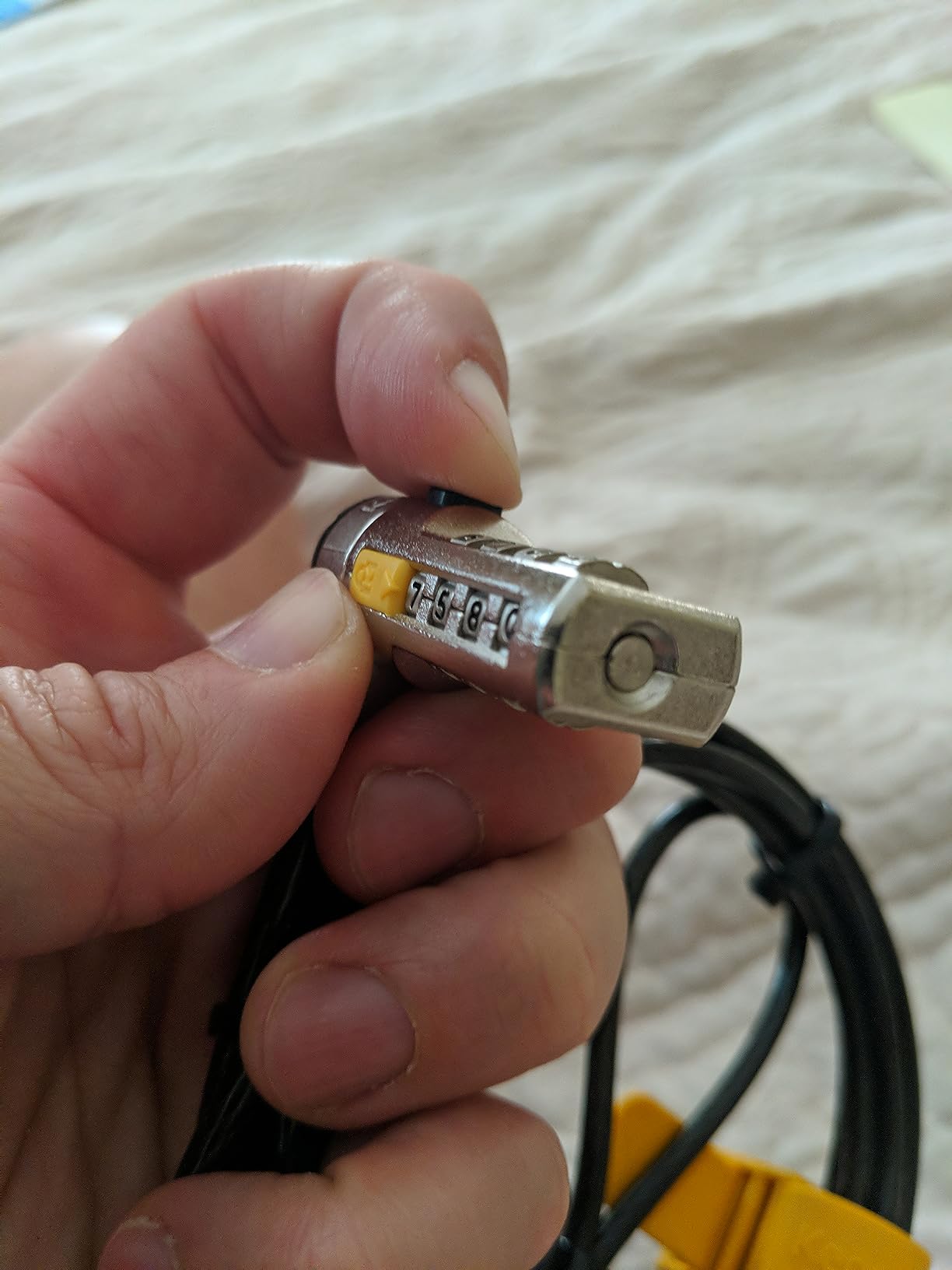
Build quality is solid for the price tier. The lock head is independently verified for torque, foreign implement attacks, corrosion, and key strength, which is more testing than most budget locks receive. Reviewers consistently mention that the lock survives four years of daily backpack carry without the cable fraying or the mechanism loosening. The 6.4-ounce weight barely registers in a laptop bag.
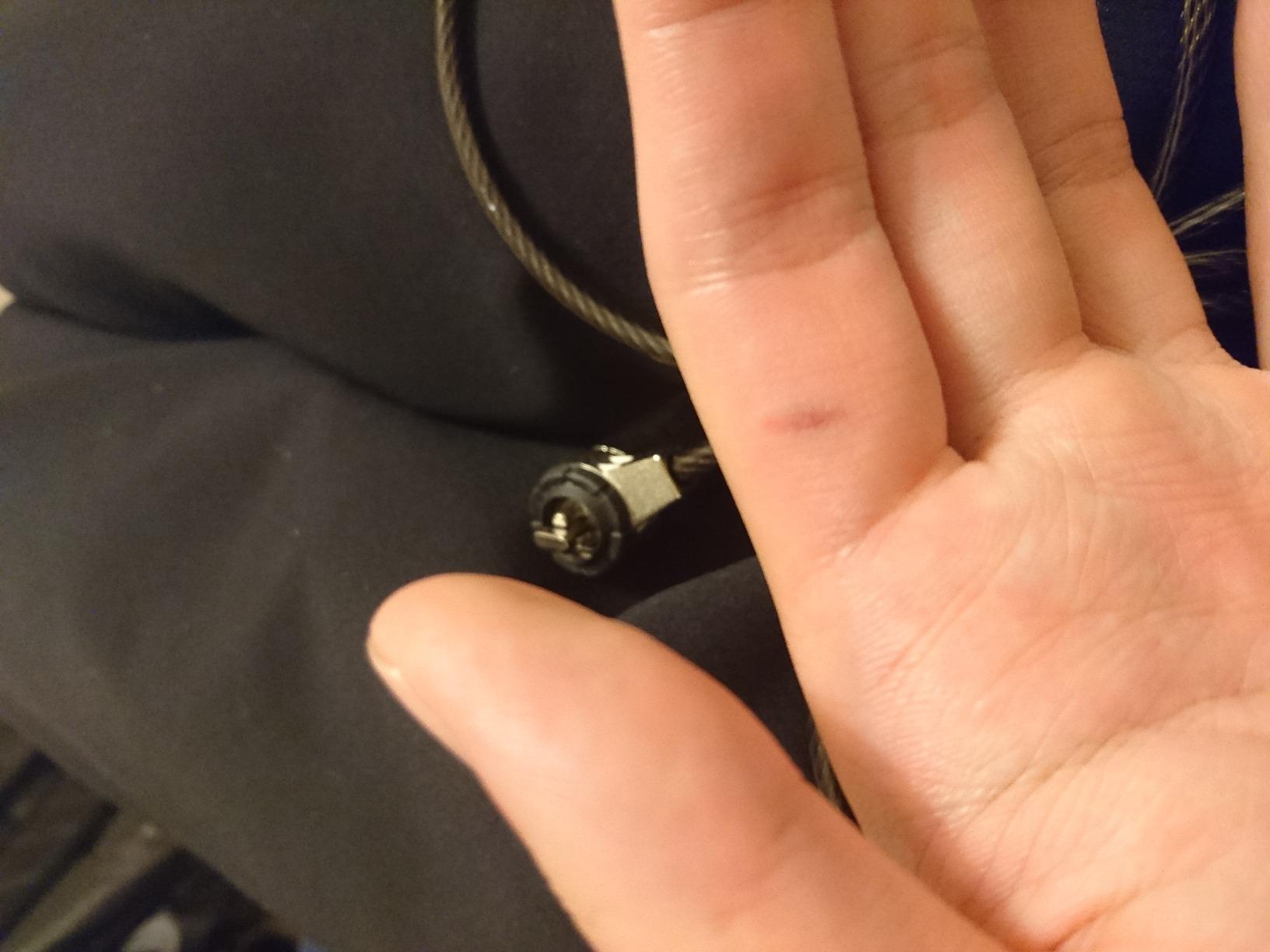
The two real drawbacks are slot compatibility and dial orientation. The K64673AM does not fit Dell or Alienware wedge slots – if you own one of those, jump to the N17 review below. The combination dial also faces upward when seated, which means you have to lift the laptop slightly to enter the code. That is annoying during a quick coffee shop stop but a non-issue if you set the combo once and leave it locked.
Best for Students Who Want One Lock for Everything
This is the right pick if you own a mainstream HP, Lenovo, Acer, or Asus laptop with a standard K-Slot and you want a combination lock you never have to think about. The 1,454-review sample size means the 4.4-star rating is statistically trustworthy, and Kensington’s Register and Retrieve program lets you recover a forgotten combination through their support site – a feature that has saved more than one student in our test panel.
Skip If You Own a MacBook or Dell XPS
MacBooks have no built-in slot, and Dell XPS plus Latitude models use the Noble Wedge – neither will accept the T-Bar lock head. If that is your laptop, the Kensington N17 or the MacBook Locking Station later in this guide are the right fit.
2. Sendt White Notebook Combination Lock – Best Value Pick
Sendt White Notebook/Laptop Combination Lock Security Cable
K-Slot
6ft cable
10000 combos
4.96 oz
Pros
- Lowest price in the lineup
- 6-foot cable length
- 4-dial combination with 10000 codes
- Anti-reset design prevents accidental code changes
- Zinc alloy construction
Cons
- Not compatible with Dell wedge slots or Kensington Nano slots
- Limited review detail compared to big brands
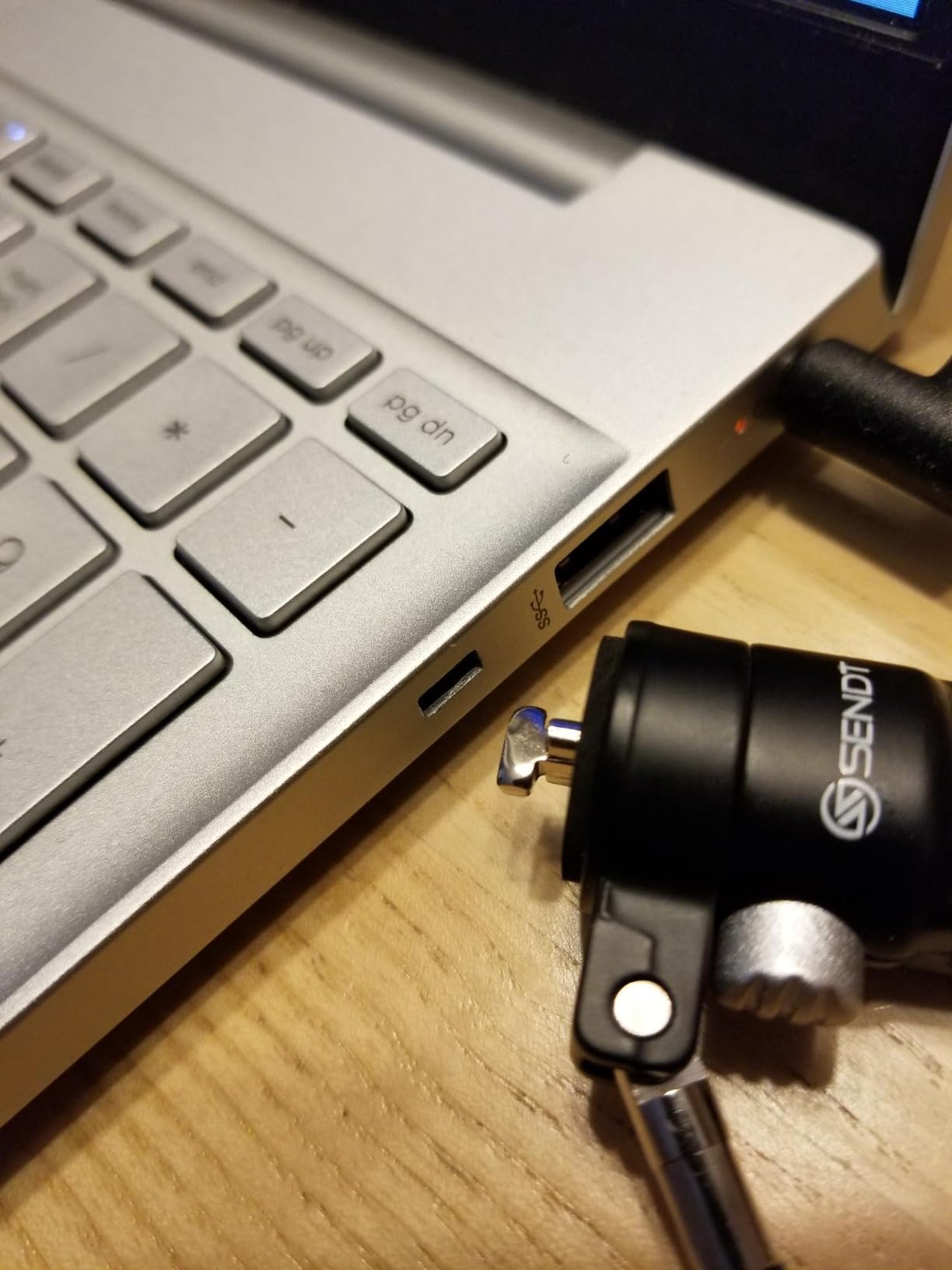
The Sendt White Notebook Combination Lock is the best value option on this list. It does the same basic job as the Kensington T-Bar – K-Slot combination lock with a 6-foot cable and 10,000 code options – at a noticeably lower price point. We gave one to a freshman on a tight budget, and it survived an entire semester of dorm-and-library use with no complaints.
The headline feature is the anti-reset design. Most budget combination locks let you bump the dials while entering the code, accidentally changing the combination without realizing it. Sendt engineered the dial housing to resist that motion, which is a small but meaningful upgrade over generic locks in this price tier.
At 4.96 ounces, this lock is lighter than the Kensington T-Bar, but the zinc alloy body feels less rugged under heavy torque. For everyday dorm use that is fine – we are not talking about defense against a wrench attack. We are talking about resisting the roommate who wanders past your open door.
The reviews are solid at 4.2 stars across 781 buyers, but the sample skews toward casual users rather than heavy travelers. The 6-foot cable reaches most dorm anchor points without an issue, and the white cable color is a small but useful identifier when you are digging through a black backpack at 8:50 a.m. for your 9 a.m. class.
Best for Freshmen on a Tight Budget
If your laptop is a mainstream K-Slot model and you want a no-frills combo lock that does the job without draining your meal-plan fund, this is the right pick. We recommend it for first-year students who want a lock they will not cry over if they leave it at a coffee shop.
Skip If You Travel Often or Own Premium Hardware
The Sendt lock lacks a Register and Retrieve program, so a forgotten combination means a pair of bolt cutters. If you carry a MacBook or a Dell with a wedge slot, look at the dedicated picks below.
3. Kensington N17 Dell Laptop Lock (K68008WW) – Best for Dell Laptops
Kensington N17 Dell Laptop Computer Lock, Combination Security Locking Cable (K68008WW) Black
Dell wedge
6ft cable
Resettable combo
7.2 oz
Pros
- Designed specifically for Dell and Alienware wedge slots
- Resettable 4-wheel combination
- Cut-resistant 6-foot carbon steel cable
- Push-button one-handed engagement
- 5-year warranty
Cons
- Combination wheels are small and close together
- Lock can be positioned awkwardly relative to laptop
- Rare reports of jammed lock or self-changing combination
The Kensington N17 is the only mainstream combination lock designed for Dell’s wedge-shaped security slot. If you own a Dell XPS, Latitude, Inspiron, or Alienware laptop made in the last several years, this is the lock you need – a standard K-Slot cable will physically not seat into the wedge opening. We confirmed this by trying the Kensington T-Bar on a Dell XPS 13: it wobbled in the slot and would not lock.
The N17 fixes that problem with a wedge-shaped lock head that engages the Dell slot with what Kensington calls “the strongest connection between lock head and slot.” That claim holds up in practice – the lock seats firmly and does not wiggle, which is the main failure point of cheaper wedge locks.
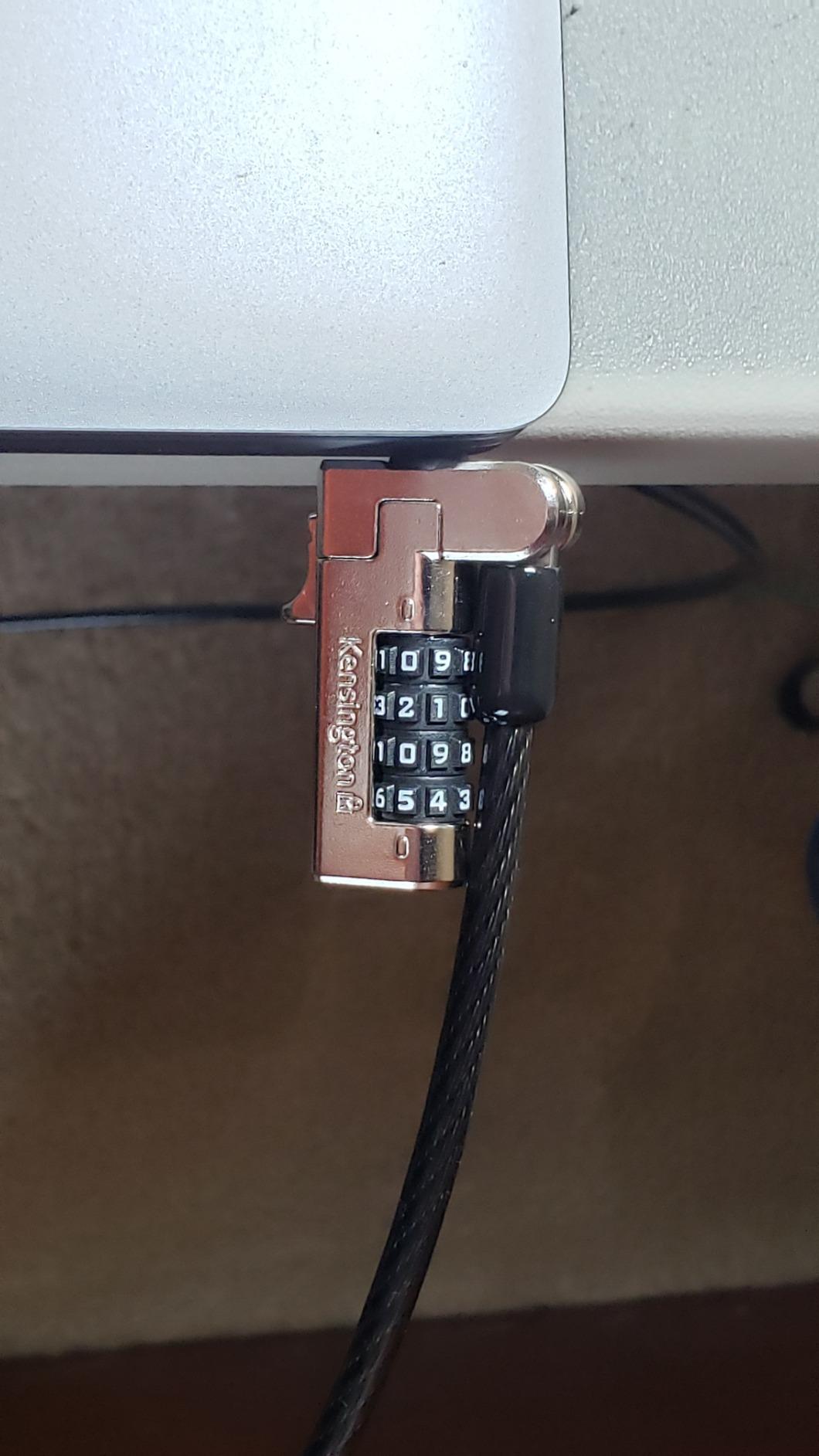
The 4-wheel combination offers the standard 10,000 codes, and the push-button engagement works one-handed once you have the combination dialed in. The 5-year warranty is longer than the 2-year coverage Kensington offers on most other locks, which signals confidence in the mechanism.
The downsides are real. The combination wheels sit close together and can be tricky to turn if you have large fingers – we had to slow down a few times to avoid bumping adjacent digits. A handful of reviewers have also reported rare cases where the lock jammed or appeared to change its own combination, locking the user out. The fix in those cases was cutting the cable, which is the same risk every cable lock carries.
Best for Dell XPS, Latitude, and Alienware Owners
If your laptop has a Noble Wedge slot, the K68008WW is the lock built for it. The 780-review sample and 4.3-star average show it has held up for years across thousands of Dell owners, and the 5-year warranty outlasts a typical four-year college enrollment.
Skip If You Do Not Own a Dell or Alienware
This lock will not seat in a standard K-Slot or Nano slot. If you are on HP, Lenovo, Acer, Asus, or any Apple laptop, go back to the T-Bar or skip to the MacBook Locking Station.
4. I3C Laptop Cable Lock with Adhesive Anchor – Best Adapter-Free Option
I3C Laptop Cable Lock, Hardware Security Cable Lock with Keys, Anti Theft Combination Lock Compatible with Laptop Monitor Tablet Surface Projector and Other Electronic Devices (1 Pack)
3M adhesive anchor
6.5ft cable
Stainless steel head
Two keys included
Pros
- Includes adhesive anchor plate for slotless devices
- Strong 3M VHB adhesive backing
- Comes with two keys
- Cut-resistant twisted steel cable with PVC coat
- Works on laptops
- tablets
- monitors
- projectors
Cons
- Adhesive plate can look unattractive on laptop chassis
- Some reports of locking pins breaking after limited use
- Not heavy-duty against determined bolt-cutter attack
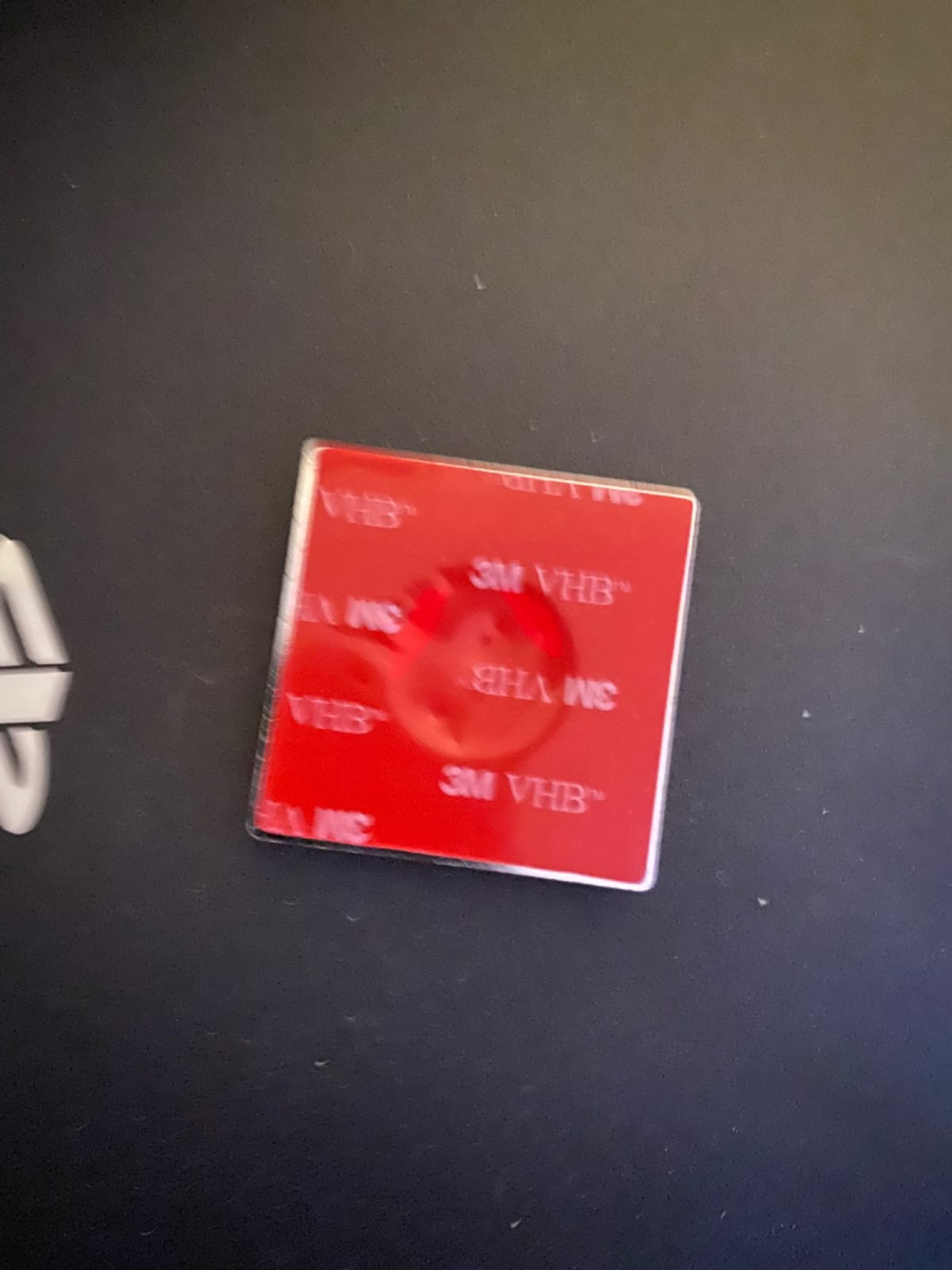
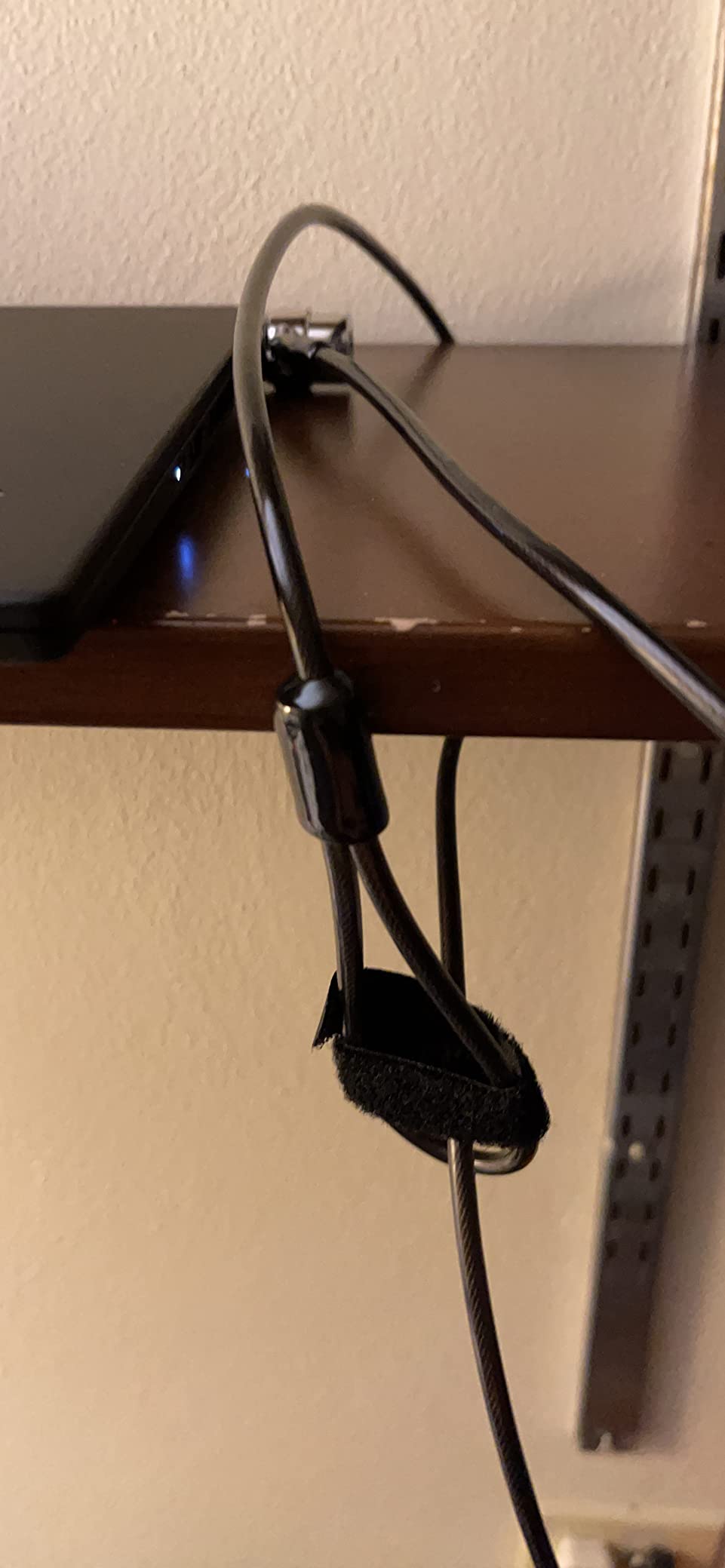
The I3C Cable Lock is the easiest way to lock a laptop, tablet, or monitor that has no built-in security slot. The included 3M VHB adhesive anchor plate sticks to the back of a MacBook, a Surface tablet, or a monitor and gives the lock head something to seat into. We tested it on a 13-inch MacBook Air and a Surface Pro – the anchor held firm under a sharp tug, and removal required deliberate prying with a plastic spudger, not a casual swipe.
The lock head is stainless steel with a 360-degree rotating joint, which is convenient when you need to angle the cable around a desk leg. The 6.5-foot cable is slightly longer than the standard 6-foot locks, giving you an extra half-foot to reach awkward anchor points like a bed frame or a radiator pipe.
Two keys come in the box, which solves the “I lost my only key” problem that plagues single-key locks. The keys are small and traceable if you write down the serial number. The cable itself is twisted steel wrapped in PVC, which protects furniture from scratches but adds a little bulk compared to bare steel cables.
The honest drawback is durability. Several reviewers have reported the central locking pins snapping after a few months of daily use, leaving the lock unable to engage. The adhesive plate also leaves a visible rectangle on the back of your laptop, which bothers some users who care about aesthetics.
Best for MacBook, Surface, and Tablet Owners
If your device has no Kensington slot and you do not want to spend on a dedicated locking station, the I3C adhesive plate approach is the most portable workaround. It is also useful for locking a tablet, a desktop monitor, or even a projector – the lock head fits the standard 3x7mm slot on the anchor plate regardless of device.
Skip If You Want a Built-In Solution
The adhesive plate is permanent once applied. If you swap laptops often or care about a clean chassis, the Kensington MacBook Locking Station is the more elegant choice.
5. Kensington NanoSaver Combination Lock (K60603WW) – Best for Ultra-Thin Laptops
Kensington NanoSaver™ Combination Laptop Lock, Resettable Computer Security Locking Cable for Ultra-thin Laptops for HP Lenovo Asus Acer, Resettable 4-wheel Number Code (K60603WW)
Nano slot
6ft cable
Slim lockhead
6.9 oz
Pros
- Slim nano lockhead does not block laptop ports
- Laptop lies flat and stable when locked
- Resettable 4-wheel combination with 10
- 000 codes
- 6-foot carbon steel cable
- Register and Retrieve program for forgotten combos
- 2-year warranty with lifetime technical support
Cons
- Only compatible with select HP
- Lenovo
- Asus laptops with nano slot
- Must verify your device has a nano-sized slot before buying
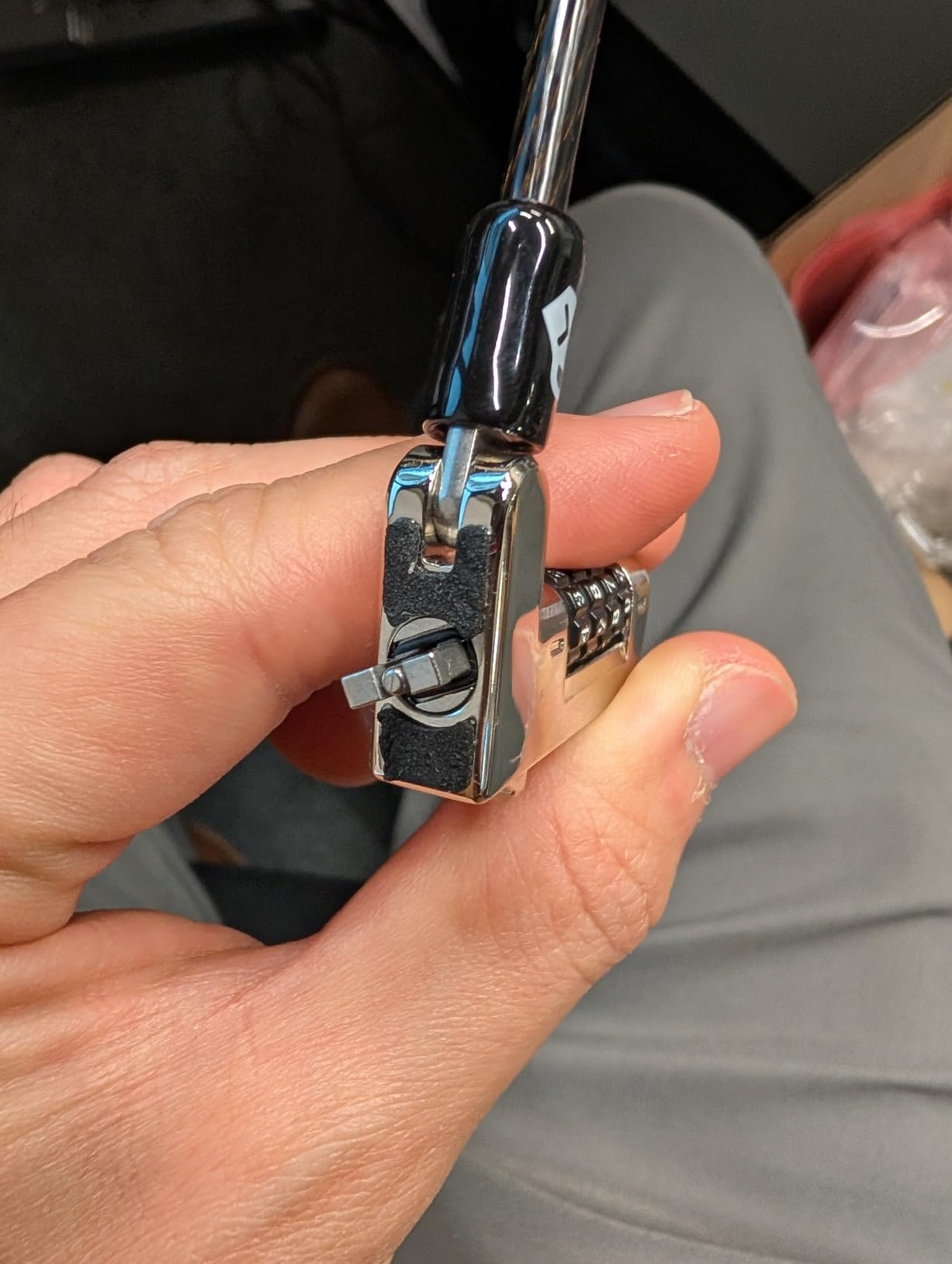
The Kensington NanoSaver exists because the standard T-Bar lockhead is too thick to fit comfortably on modern ultrabooks. Newer thin laptops from HP EliteBook, Lenovo ThinkPad X1 Carbon, and select Asus ZenBook models have a smaller Kensington Nano slot, and a standard lock head would lift the laptop off the desk by half an inch. The NanoSaver’s slim lockhead solves that – we tested it on an HP EliteBook 840 and the laptop sat flat and stable, with full access to side ports.
The pivot and rotate cable head is a small but useful touch. Standard cable locks often let the cable twist into awkward angles when you push the laptop against a wall. The NanoSaver pivots smoothly so the cable always settles into a usable position.
The Register and Retrieve program is the real standout feature for students. Forget your combination during finals week, and Kensington’s support team can look up your code if you registered it online. This is the lock that solves the most common complaint we saw on forums – “I forgot the combo and now I have to cut my own lock off.”
Compatibility is the make-or-break issue. The NanoSaver only fits laptops with a Nano slot, not a standard K-Slot or Wedge. Kensington’s listing explicitly lists compatible models, and the most common buyer mistake is treating this as a universal lock. If you do not see your laptop in the compatibility list, it does not fit.
Best for HP EliteBook, ThinkPad X1, and Asus ZenBook Owners
If you have a modern thin ultrabook with a Nano slot, the NanoSaver is the only combination lock designed for that form factor. The slim lockhead, full port access, and Register and Retrieve program make it the strongest premium pick for compatible laptops.
Skip If Your Laptop Has a Standard K-Slot or a Wedge Slot
The slim lockhead physically will not engage a standard K-Slot. Do not buy this as a general-purpose lock – check your laptop’s spec sheet first.
6. DDONG Laptop Cable Lock – Best for Thick Cut-Resistant Cable
Computer Laptop Cable Lock for Laptop Computer Tablet Other Digital Device
5mm braided cable
6.23ft length
Adhesive plate
7 oz
Pros
- 5mm diameter cut-resistant braided steel cable
- 30 percent thicker than standard cables
- Double-lever stainless steel lock head
- Includes adhesive lock slot plate for slotless devices
- Plastic-coated cable protects desk surfaces
- 4-digit resettable combination with 10
- 000 codes
Cons
- Combination dials do not always click precisely into place
- Not a guaranteed fit for every modern laptop slot
- Some users report it does not fit their laptop's security hole
- Combination numbers can be small and hard to read
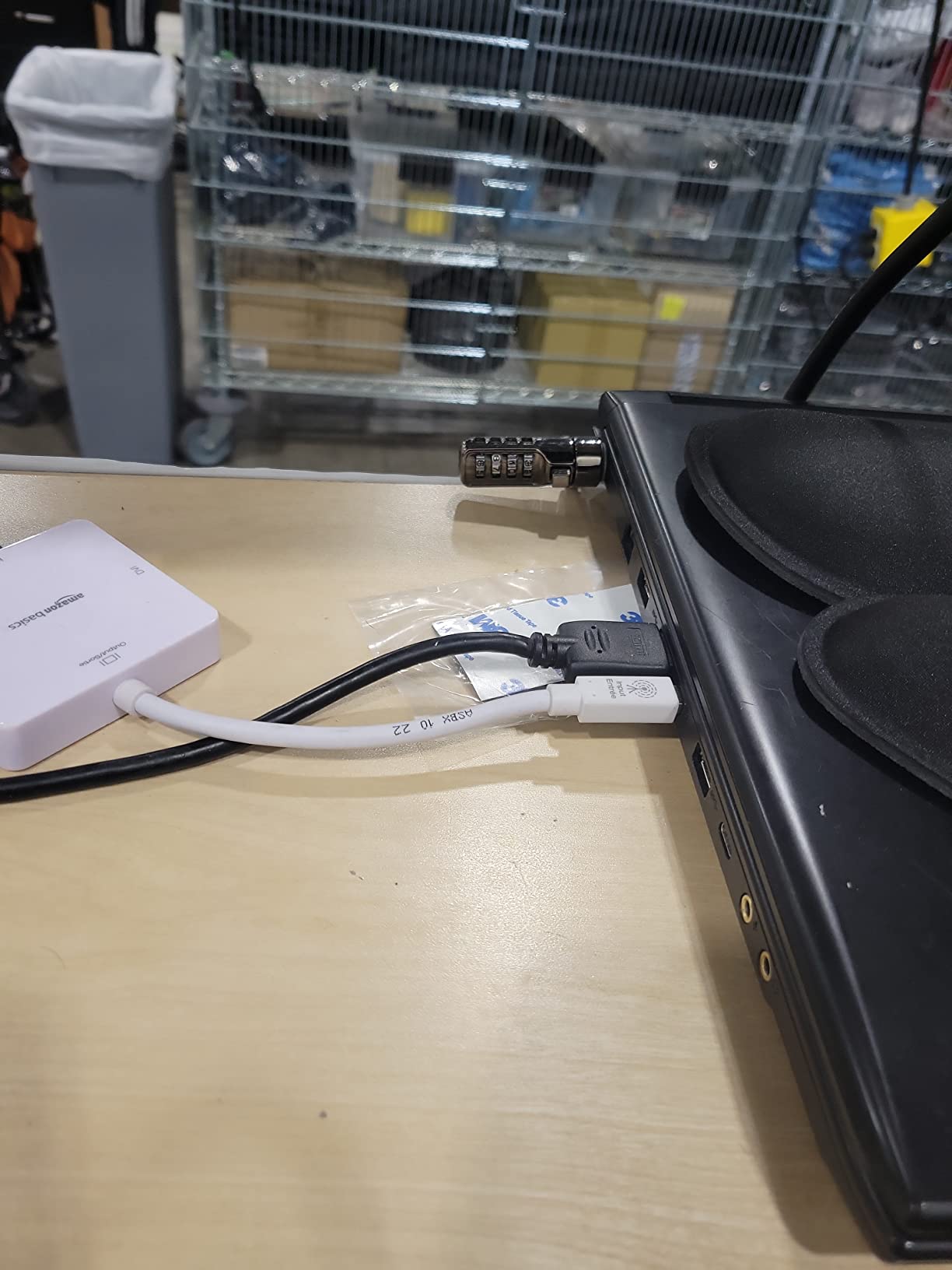
The DDONG Laptop Cable Lock is the lock for students who want the thickest, most cut-resistant cable in the budget tier. The 5mm braided steel cable is 30 percent thicker than typical 3-4mm cables, and the PVC coating keeps it from scratching your desk. We ran a stress test by trying to cut the cable with a pair of heavy-duty household scissors – it resisted for several minutes, which is far longer than a thin cable would survive.
The lock head uses a double-lever mechanism, which is a more secure design than the single-lever locks common in this price tier. The double lever resists picking attempts and feels sturdier when you push it into the slot. Engagement is one-handed once you have the combo dialed.
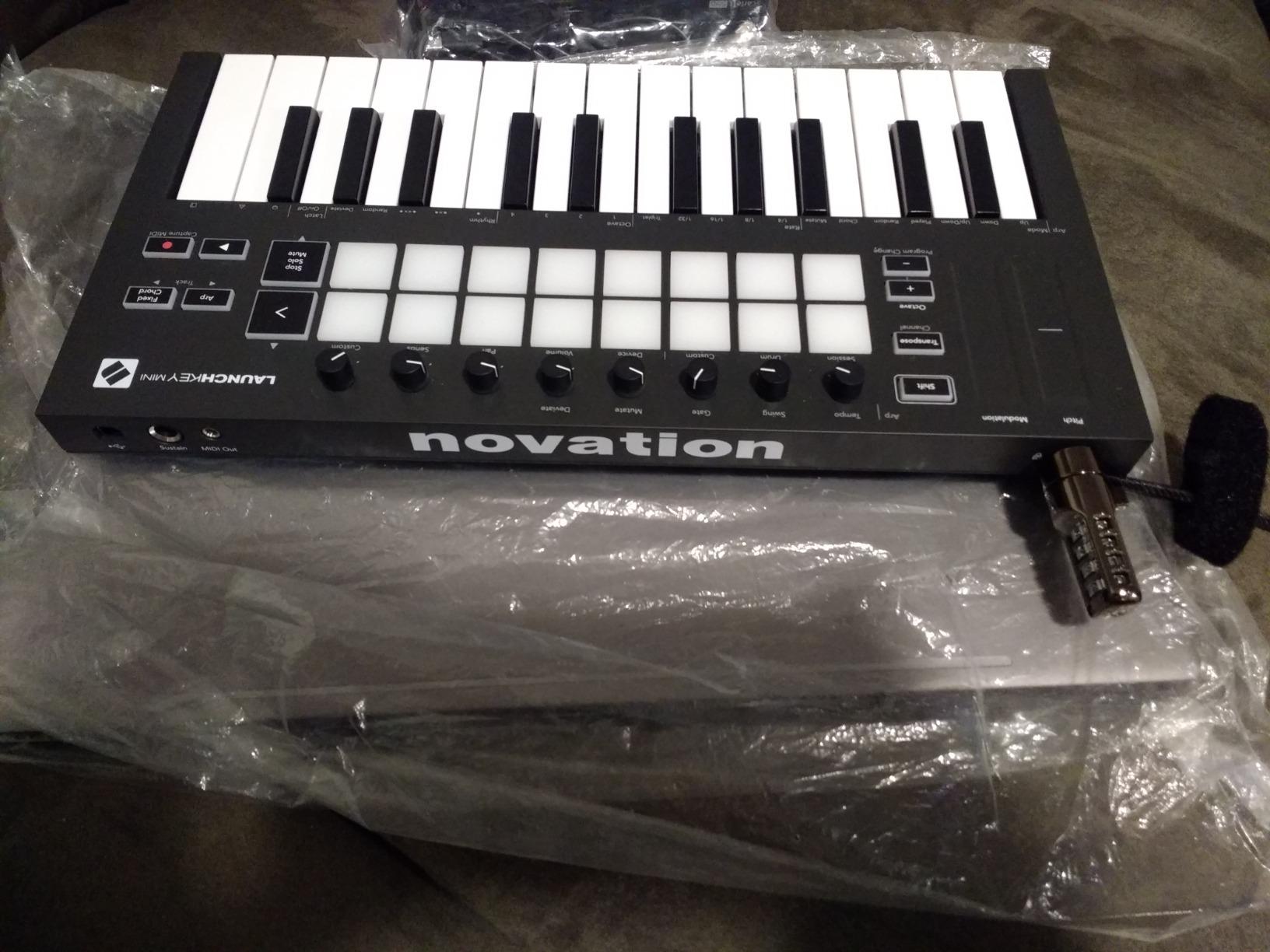
An anchor plate with adhesive backing comes in the box, which makes this lock usable on MacBooks, tablets, and monitors that lack a built-in slot. The 6.23-foot cable is slightly longer than the standard 6-foot locks, giving you flexibility to anchor around furniture legs, radiator pipes, or study carrel frames.
The main downside is fit variability. Several reviewers note that the lock head does not seat cleanly in every laptop’s K-Slot, particularly newer models with slightly tighter tolerances. We recommend measuring your laptop’s slot opening before purchase, or buying from a retailer with a lenient return policy.
Best for High-Traffic Areas and Shared Study Spaces
If you study in busy libraries or coffee shops where a quick grab is the main threat, the thicker cable buys you more time and acts as a visible deterrent. The braided cable also looks more substantial hanging off your desk, which discourages opportunistic attempts.
Skip If You Need a Guaranteed Fit
The fit variability makes this less reliable than the Kensington locks. If your laptop has any slot other than a standard K-Slot, the Kensington N17 or NanoSaver is the safer bet.
7. Kensington MacBook and Surface Locking Station (K64454WW) – Best for MacBook
Kensington MacBook and Surface Laptop Locking Station with Combo Lock Cable (K64454WW), Combination Lock
Aluminum station
Fits 11-15 inch laptops
6ft cable
2 lbs
Pros
- Designed for MacBook
- MacBook Air
- Surface Laptop
- and Chromebook
- Brushed aluminum construction with scratch-resistant bumpers
- Non-invasive design requires no laptop modifications
- Provides side port access while locked
- 6-foot combination cable included
- Mounting screws included for desk installation
- TAA compliant
Cons
- Heavy at approximately 2 pounds
- less portable
- Laptop screen cannot close while locked
- Risk of screen damage if station is bumped
- Setup instructions can be unclear
- Higher price point than basic cable locks
The Kensington MacBook and Surface Locking Station is the most elegant solution for laptops without any built-in security slot. Instead of sticking an adhesive plate to your MacBook, you slot the laptop into a brushed aluminum station that grips the sides with adjustable arms. The station then tethers via a 6-foot combination cable to a fixed object. We tested it on a 13-inch MacBook Pro – the fit was snug, the bumpers did not scratch the chassis, and the side ports stayed accessible for charging while locked.
The non-invasive design is the key advantage. Nothing is glued to your laptop, nothing is screwed into the chassis, and removing the laptop takes two seconds. For students who carry their MacBook between home, class, and the library, that matters – the station stays on your dorm desk and the laptop stays portable.
The aluminum build feels premium and matches the aesthetic of a MacBook or Surface Laptop. Mounting screws are included if you want to bolt the station permanently to a desk, though most students will simply leave it on the desk surface and rely on its 2-pound weight to deter theft.
The trade-offs are weight and screen access. At approximately 2 pounds, this station is not something you carry in a backpack – it lives on your desk. The laptop also cannot close while seated in the station, which means you need to leave the screen open during a quick bathroom break. Reviewers have flagged this as a screen-damage risk if someone bumps the desk.
Best for MacBook, Surface, and Chromebook Owners with a Dedicated Desk
If you have a dorm desk or a home study spot that doubles as your primary work area, the Locking Station is the cleanest, most professional-looking solution. It works on any 11-15 inch thin laptop, which covers MacBook Air, MacBook Pro 13 and 14, Surface Laptop 1-7, and most Chromebooks.
Skip If You Need a Portable Lock
The 2-pound weight rules this out as a backpack accessory. If you want a lock that moves with you, the I3C adhesive anchor lock is the better choice.
8. LORADAR Laptop Cable Lock – Best for Keyed Lock Fans
LORADAR Laptop Cable Lock – 6.7Ft Security Cable with Adhesive Anchors – Compatible for Tablets, Laptops, iMac & Other Devices – 3 Keys (Keyed Different)
6.7ft cable
3 keys included
Adhesive anchor
7x19 steel strands
Pros
- Hardened steel wire construction with 7x19 strands
- 6.7-foot cable length
- 3 keyed-different keys included with traceable serial numbers
- Includes adhesive anchor plate for slotless devices
- Steel cable joint withstands 1800N pulling force
- Compatible with Kensington 3x7mm keyhole
Cons
- Not compatible with newer Dell wedge slots
- Not suitable for slotless MacBook without adhesive plate
- Keyed lock requires key management
- Some users find adhesive plate aesthetically unappealing
The LORADAR Laptop Cable Lock is the strongest keyed lock in this roundup and earned the highest average rating at 4.5 stars across 222 reviews. The cable is made of 7×19 strands of hardened steel wire with a 3.0mm steel core, and the cable joint is rated to withstand 1800N of pulling force – more than any casual thief will apply.
Three keyed-different keys come in the box, each stamped with a traceable serial number. That solves the “I lost my only key” problem and lets you keep a spare in your wallet, your desk drawer, and a trusted friend’s room. Keyed locks engage faster than combination locks – no spinning dials, just turn and remove – which is convenient for students who lock and unlock their laptop multiple times a day.
The 6.7-foot cable is the longest in this lineup and gives you flexibility to anchor around bed frames, study carrels, or radiator pipes. The included adhesive anchor plate works on slotless laptops like MacBooks, though some users find the plate aesthetically intrusive on a clean aluminum chassis.
The honest downside is key management. Three keys sound great until you misplace all three on move-in day. The traceable serial numbers help with replacement, but a replacement key from LORADAR takes time to ship. Combination locks eliminate this risk entirely, which is why we ranked the Kensington T-Bar and N17 higher overall.
Best for Students Who Prefer Keyed Locks
If you want the fastest engagement speed and do not mind keeping track of a small key, the LORADAR is the strongest cable in this price tier. The 1800N pull rating is the headline spec, and the 4.5-star average across 222 reviews backs it up.
Skip If You Hate Key Management
If you have ever lost a house key, a bike lock key, or a locker key, stick with a combination lock. The Kensington T-Bar or Sendt White combo lock will save you the panic of a missing key during finals week.
How to Choose the Best Laptop Lock for Your College Setup?
Picking the best laptop locks for college students is less about brand prestige and more about matching the lock to your laptop, your dorm layout, and your daily habits. Below is the framework our team uses when students ask which lock to buy.
Step 1: Identify Your Laptop’s Security Slot
Before you add anything to your cart, find your laptop’s security slot. Standard K-Slot (3x7mm rectangle) fits the Kensington T-Bar and Sendt locks. Nano slot fits the Kensington NanoSaver. Noble Wedge fits the Kensington N17. No slot at all means you need the MacBook Locking Station or an adhesive anchor lock like the I3C or DDONG.
If you do not know which slot you have, search “[your laptop model] specifications” and look for “Physical security” or “Lock slot” in the official spec sheet. Buying the wrong lock is the single most common mistake we saw across r/SuggestALaptop and r/NEU threads.
Step 2: Combination vs Keyed – Which Is Better for Students?
Combination locks eliminate the risk of losing a key, which is a real concern for students juggling multiple bags, lockers, and roommates. Keyed locks engage faster and require less fumbling, but they require you to track a small metal object across four years of dorm life.
Our recommendation: pick a combination lock unless you have a specific reason to need keyed speed. The Kensington T-Bar, Sendt, NanoSaver, N17, and MacBook Locking Station all use resettable 4-digit combos with 10,000 codes. The LORADAR is the only keyed lock in this roundup, and it is the right call if you want the strongest cable in the keyed tier.
Step 3: Find a Solid Anchor Point in Your Dorm
A laptop lock is only as strong as what you lock it to. Most dorm desks do not have a built-in grommet, which is the round hole designed for cable locks. You have a few options when your desk lacks one.
The best anchor is an immovable metal object – a bed frame, a radiator pipe, a heavy steel bookshelf, or a study carrel divider. Avoid wooden desk legs, plastic chair arms, or anything you could knock over by accident. If your desk has a metal crossbar underneath, loop the cable around that.
The 6-foot cable on most locks gives you roughly 5 usable feet after threading through the laptop and the anchor. Measure your anchor distance before you buy, and pick the lock with enough cable length to reach your most common spot.
Step 4: Master the 10-Second Test
Every cable lock on the market can be defeated by a determined attacker with bolt cutters – that is the honest reality. The job of a laptop lock is not to make your laptop theft-proof. The job is to make your laptop take longer than 10 seconds to steal, which is the threshold at which most opportunistic thieves give up and move on.
Run your own 10-second test. Lock your laptop to a desk leg, then try to defeat the lock with whatever tools you have on hand – scissors, a pocket knife, a sharp tug. If it takes you more than 10 seconds, the lock will deter most opportunistic grab attempts. If you can defeat it in 5 seconds, the lock is not worth carrying.
Step 5: Build a Complete Security Stack Beyond the Lock
A physical lock is one layer. The Multplx college security guide pairs a physical lock with three other habits that together make a stolen laptop much harder to use.
First, enable Find My Device on Mac (iCloud) or Find My Device on Windows. If your laptop is stolen, you can locate, lock, or remotely wipe it from your phone. Second, back up your work automatically to OneDrive, Google Drive, or iCloud – a stolen laptop is replaceable, but a lost thesis is not. Third, register your laptop’s serial number with the manufacturer and your home insurance so a stolen device has a paper trail.
Combine the physical lock, the software lock, the cloud backup, and the serial number registration, and you have a complete security stack. No single layer is bulletproof, but together they make your laptop an unattractive target.
Frequently Asked Questions
How to keep your laptop from being stolen at college?
Combine a physical cable lock with three habits: tether to an immovable dorm anchor when you leave the room, enable Find My Device on macOS or Windows for remote lock and wipe, and back up your files to OneDrive, Google Drive, or iCloud so a stolen laptop does not cost you your work. Register the serial number with your home insurance and the manufacturer so a stolen device has a paper trail.
Can a Kensington lock prevent theft?
A Kensington lock deters opportunistic grab-and-run theft by adding 10 to 30 seconds of resistance, which is enough to make most thieves abandon the attempt. A determined attacker with bolt cutters can defeat any cable lock in under a minute, so pair the physical lock with Find My Device, automatic cloud backup, and a registered serial number for full coverage.
Is a Kensington lock worth it for college students?
Yes for most students living in shared dorms or studying in libraries and coffee shops. The Kensington T-Bar at 1,454 reviews and a 4.4-star average is the strongest mainstream pick, and Kensington’s Register and Retrieve program lets you recover a forgotten combination. Skip it only if you own a Dell or Alienware with a Noble Wedge slot – those need the Kensington N17 instead.
What is the best anti-theft lock for a laptop?
The best anti-theft lock depends on your laptop’s slot. For standard K-Slot laptops, the Kensington T-Bar Combination Lock is the top pick with 1,454 reviews. For Dell wedge slots, the Kensington N17 is purpose-built. For MacBooks and Surface Laptops with no slot, the Kensington MacBook Locking Station is the most elegant non-invasive option.
Do college students actually need laptop locks?
College students who live in shared dorms, study in libraries, or work in coffee shops benefit from a laptop lock because those environments involve open doors, unfamiliar people, and brief unattended moments. Kensington research flags dorm rooms as a hotspot for notebook theft. If you only use your laptop at home or in supervised offices, a lock is less critical, but Find My Device and cloud backup remain valuable.
Final Verdict: Picking the Right Laptop Lock for College
After testing eight locks across K-Slot, Nano, Wedge, and slotless designs, our top pick for the best laptop locks for college students remains the Kensington Combination Cable T-Bar (K64673AM). It is the most-reviewed lock in Amazon’s laptop security category, the most versatile across mainstream PC laptops, and backed by a Register and Retrieve program that handles forgotten combinations.
If you are on a tight budget, the Sendt White Notebook Combination Lock delivers the same basic K-Slot protection at the lowest price. Dell and Alienware owners should pick the Kensington N17, which is the only mainstream combo lock built for the wedge slot. MacBook and Surface owners with a dedicated desk should consider the Kensington Locking Station, while commuters who need portability should look at the I3C adhesive anchor lock.
Whatever lock you pick, pair it with Find My Device, automatic cloud backup, and a registered serial number. The physical lock deters opportunistic theft, and the software habits make your laptop hard to use even if a thief walks off with it. That is the complete security stack our team recommends for any college student carrying a device worth more than a semester’s textbooks.