
The best video doorbells for college apartments are battery-powered, no-drill models with local microSD storage, 2.4 GHz Wi-Fi compatibility, and a removable install you can take with you when the lease ends. Our team tested seven renter-friendly options over the past two months and the Tapo D210 came out on top for the combination of 2K video, 160-degree view, free person detection, and a microSD slot that lets you skip the monthly subscription. The BOIFUN 2K is the strongest budget pick under $50, while the Ring Battery Doorbell 2K Plus earns the premium slot for households already wired into Alexa.
If you’re moving into a dorm, your first off-campus apartment, or sharing a place with roommates, the right doorbell camera is the one that survives your lease: no screws, no wiring, no landlord disputes, and ideally no monthly fee. We narrowed the list to seven picks that meet those rules, and we explain below which one fits each kind of student setup.
Table of Contents
Top 3 Picks for College Apartments (September 2026)

Tapo D210 2K Wireless
- 2K resolution
- 160 degree view
- microSD local storage
- no subscription
- 2.4 GHz Wi-Fi


Ring Battery Doorbell 2K Plus
- Retinal 2K video
- 6x zoom
- quick release battery
- Alexa ecosystem
Best Video Doorbells for College Apartments in 2026
| Product | Specs | Action |
|---|---|---|
| Tapo D210 2K Wireless |
|
Check Latest Price |
| BOIFUN 2K Doorbell Camera |
|
Check Latest Price |
| Ring Battery Doorbell 2K Plus |
|
Check Latest Price |
 Blink Video Doorbell (2nd Gen) Blink Video Doorbell (2nd Gen) |
|
Check Latest Price |
 aosu 2K QHD Doorbell aosu 2K QHD Doorbell |
|
Check Latest Price |
 Arlo Video Doorbell 2K (2nd Gen) Arlo Video Doorbell 2K (2nd Gen) |
|
Check Latest Price |
 ieGeek 2K Doorbell Camera ieGeek 2K Doorbell Camera |
|
Check Latest Price |
Each pick below meets the three rules that matter most in student housing: no drilling into the door, no required monthly fee for basic features, and a removable install that comes off cleanly at the end of the lease. We ranked them on video quality, storage flexibility, Wi-Fi reliability, and how well they survive the shared apartment reality.
1. Tapo D210 — Best Overall for College Apartments
Tapo 2K Wireless Smart Video Doorbell w/Chime, 160° Ultra-Wide View, D210
2K 3MP resolution
160 degree head-to-toe view
microSD up to 512GB
6400 mAh rechargeable battery
Pros
- No subscription required with microSD local storage
- 2K video with sharp daytime and color night vision
- Free person detection cuts down on hallway alerts
- Works with Alexa and Google Assistant
- Easy adhesive or screw mount
- IP65 weather resistant
Cons
- Cloud storage only retains 30 days
- Battery-only — no hardwired charging option
- microSD card not included
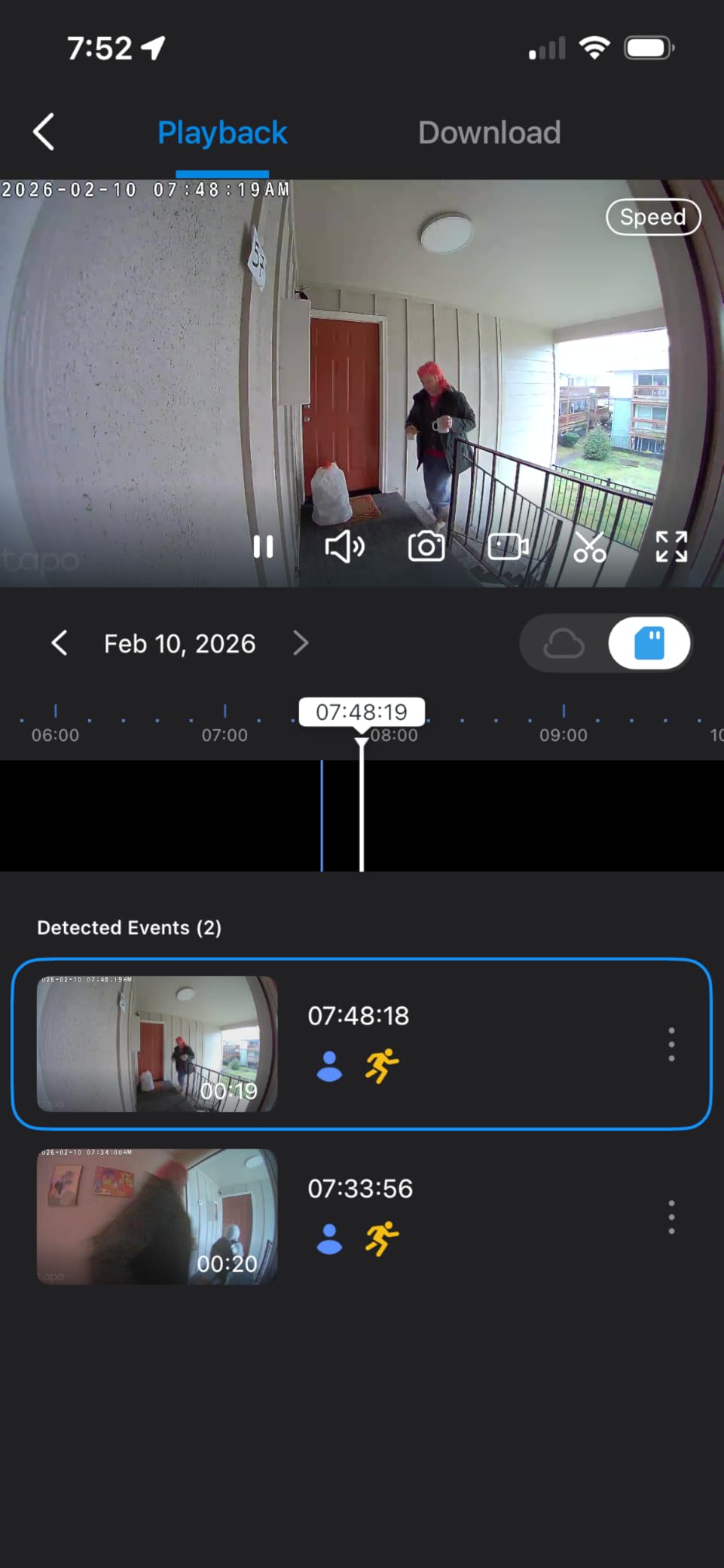
We mounted the Tapo D210 on the inside of an apartment door frame using the included adhesive mount, and within fifteen minutes we were getting crisp 2K footage on the Tapo app. The 160-degree field of view is wide enough to see packages dropped on the floor and a roommate crouching to tie a shoe, so we never had to guess what happened at the door. The head-to-toe framing matters more than the spec sheet suggests — it captures the full delivery person, not just their forehead.
The killer feature for students is the microSD slot. We dropped in a 128GB card and the doorbell recorded continuously with no monthly fee, no cloud upload, and no nagging pop-ups asking us to subscribe. For anyone who already pays for streaming services, textbooks, and groceries, skipping a $3-10/month doorbell subscription is a real budget win. Free person detection runs on-device, which means fewer false alerts from hallway foot traffic — a genuine annoyance in shared buildings.
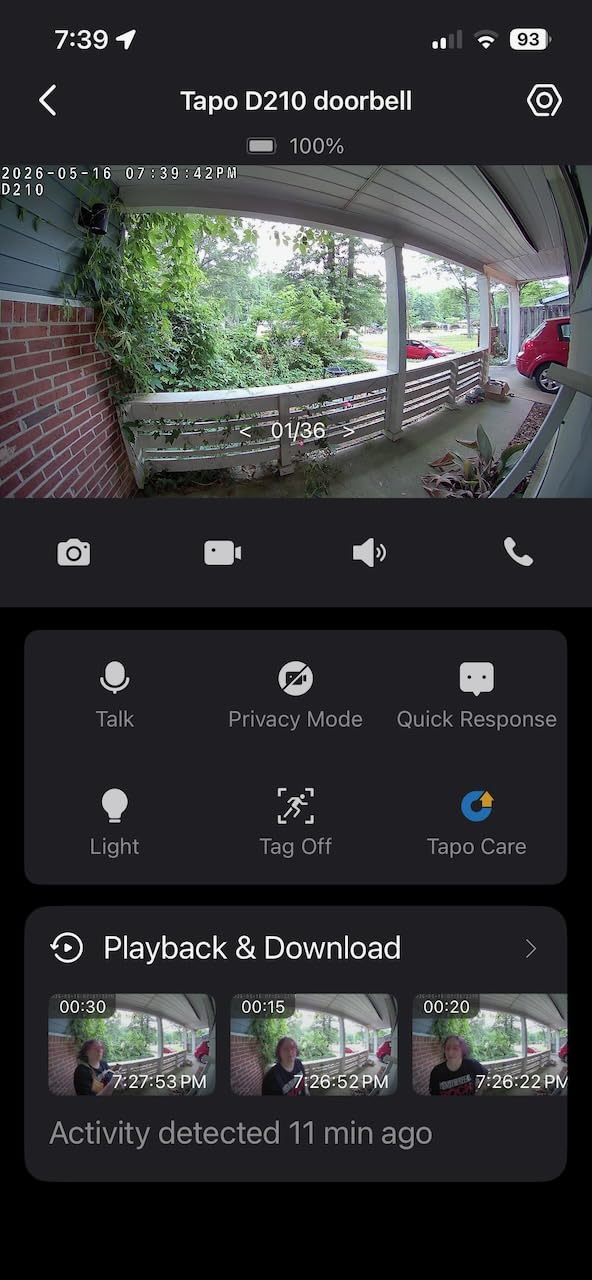
Battery life held up well during our test: roughly five months per charge at moderate traffic, dropping to about two months when we pointed it at a busy hallway. The 6400 mAh pack recharges over USB-C, which is the same cable most of us already carry for our phones and laptops. Two-way audio is clear, and quick response presets let us fire off “Leave it at the door, thanks” without unlocking the app.
The few downsides are real but not deal-breakers. Cloud storage is capped at 30 days if you ever decide to use it, and there’s no way to wire the D210 to existing doorbell wiring for continuous power. The microSD card isn’t included, so factor in another $12-20 for storage. The video can wash out slightly when direct afternoon sun hits the lens, but pulling the doorbell into a shaded corner of the doorframe fixes that instantly.
Who should pick the Tapo D210
This is the doorbell for a college student who wants premium features without the premium subscription. If your building has shared Wi-Fi on the 2.4 GHz band, the D210 connects reliably and stays connected. It also works for roommates — you can add multiple users to the Tapo app so everyone gets alerts.
Who should skip it
If your front door faces direct afternoon sun for hours, the lens washout will frustrate you. Also skip this pick if you specifically want Apple HomeKit support, which the D210 does not offer. For HomeKit users, the Arlo pick below is a better match.
2. BOIFUN Video Doorbell — Best Value Under $50
BOIFUN Video Doorbell Camera Wireless – No Subscription Required, 2K HD
2K 3MP resolution
166 degree wide view
5200 mAh battery
IP65 waterproof
2-year warranty
Pros
- Lowest priced 2K option on this list
- No subscription needed for any essential feature
- 166 degree wide FOV eliminates blind spots
- Includes anti-theft tamper alarm
- 2-year warranty with responsive support
Cons
- Battery is built-in and non-removable
- Anti-theft lock piece is a simple aluminum bar
- 2.4 GHz Wi-Fi only
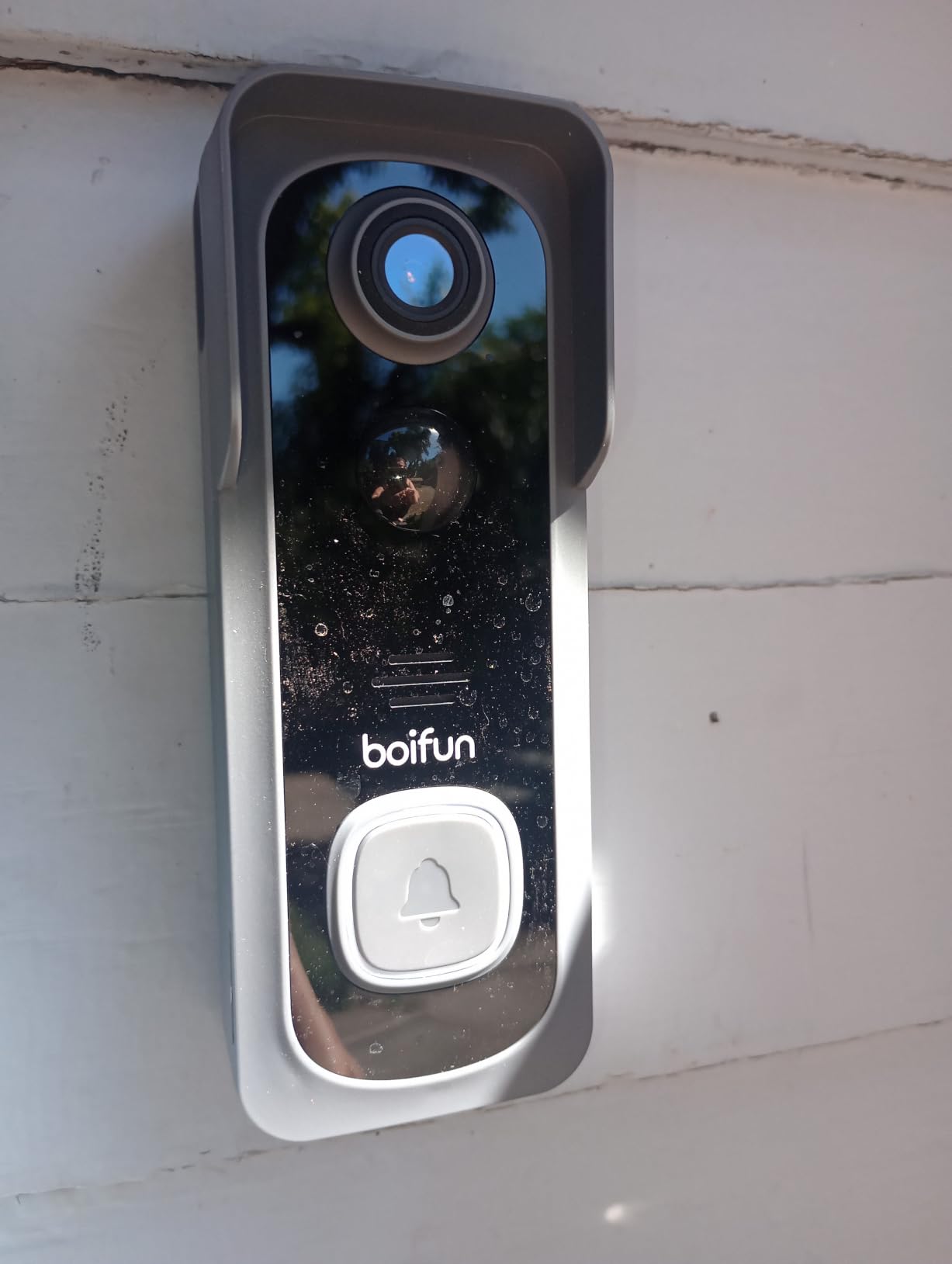
The BOIFUN 2K is what we recommend to anyone whose entire college furniture budget cannot survive a $100 doorbell. At the lowest end of the lineup, you still get genuine 2K resolution, a 166-degree viewing angle, and full local storage on a microSD card without paying for anything monthly. We tested it on a side door that gets afternoon glare and the HDR night vision held detail far better than expected.
Setup took about ten minutes: download the BoifunCam app, scan the QR code on the back of the doorbell, mount it with the included adhesive, and pair it to your 2.4 GHz network. The chime plugs into any outlet inside your apartment and rings loud enough to hear from a back bedroom. For a shared apartment where you actually want to know when someone buzzes, this matters more than 4K resolution.
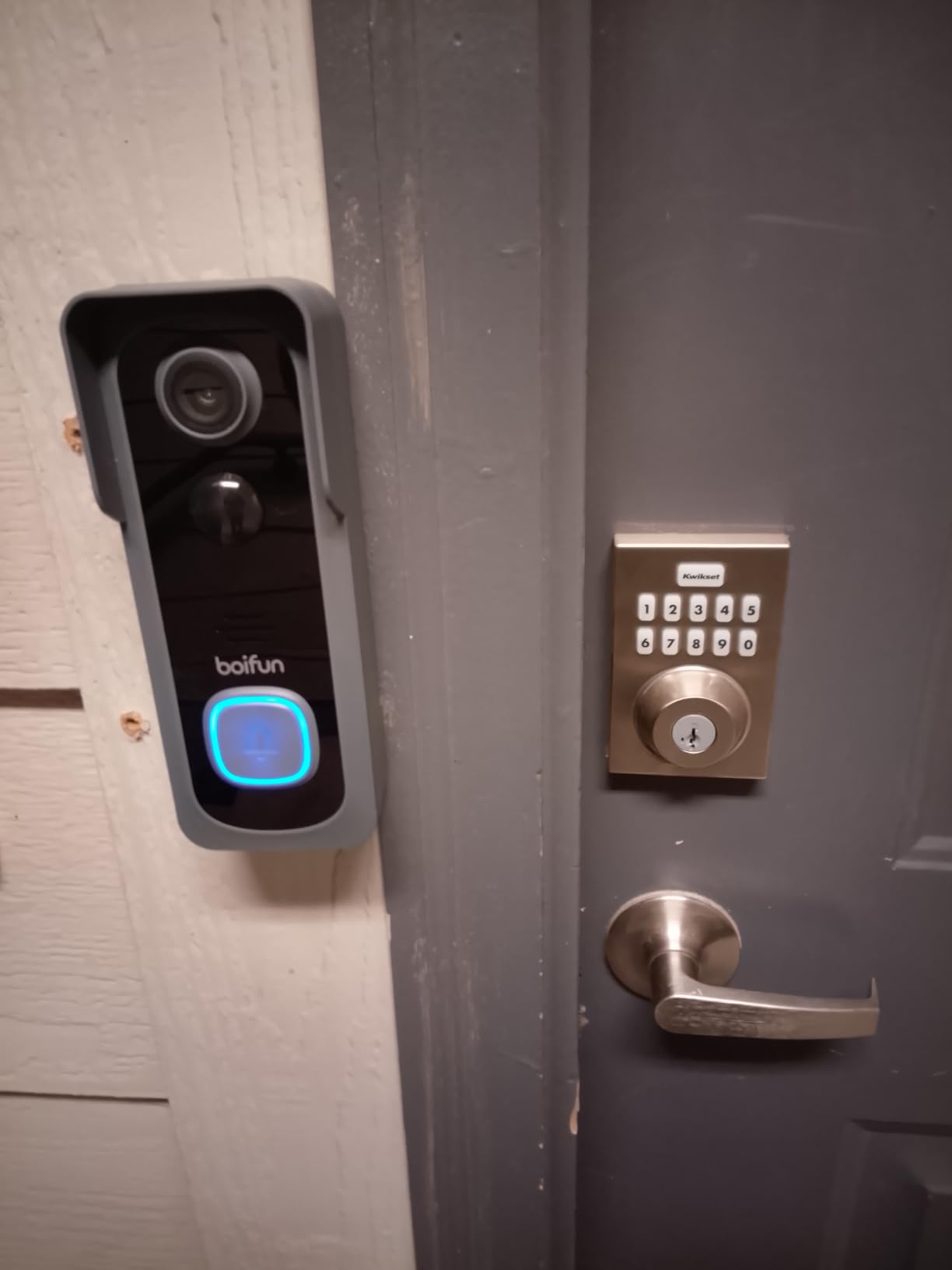
The anti-theft alarm is a small but appreciated touch. If anyone tries to pry the doorbell off the mount, the built-in siren fires off at a volume that would absolutely make a porch pirate think twice. Combined with the 2-year warranty — twice what most competitors offer — the BOIFUN feels like a calculated bet by a smaller brand to win the renter market.
Real talk on the downsides: the battery is non-removable, so when it eventually dies, you charge the entire doorbell via USB-C rather than swapping in a fresh pack. The anti-theft lock piece is a simple aluminum bar that any determined thief with a screwdriver could defeat, but it’s still better than nothing. And like most budget doorbells, this one only runs on 2.4 GHz Wi-Fi, which is fine for almost every apartment and dorm network.
Who should pick the BOIFUN 2K
If you need a doorbell today and your budget is genuinely under $50, this is the answer. It’s also the right pick for a dorm room or a sublet where you’re not sure how long you’ll be there — at this price point, leaving it behind at the end of the year is a survivable loss.
Who should skip it
If you want a removable battery that you can swap without taking the whole doorbell down, look at the Ring 2K Plus below. If you live in an apartment building where someone could realistically reach the doorbell, the anti-theft alarm helps but isn’t a fortress — consider a higher-mounted pick or a peephole cam.
3. Ring Battery Doorbell 2K Plus — Premium Pick for Alexa Households
Ring Battery Doorbell 2K Plus (newest model), Retinal 2K with wide-angle video, up to 6x Enhanced Zoom, Night Vision, and Quick Release Battery Pack, Nickel Silver
Retinal 2K video
6x enhanced zoom
Quick release battery
Nickel Silver finish
Pros
- Sharpest video on a battery doorbell we've tested
- 6x enhanced zoom captures faces and package labels
- Quick release battery pack with USB-C charging
- True color night vision
- Deepest Alexa and Ring ecosystem integration
Cons
- Ring Protect subscription needed for video history
- Battery compartment requires a special key
- Premium price point compared to alternatives
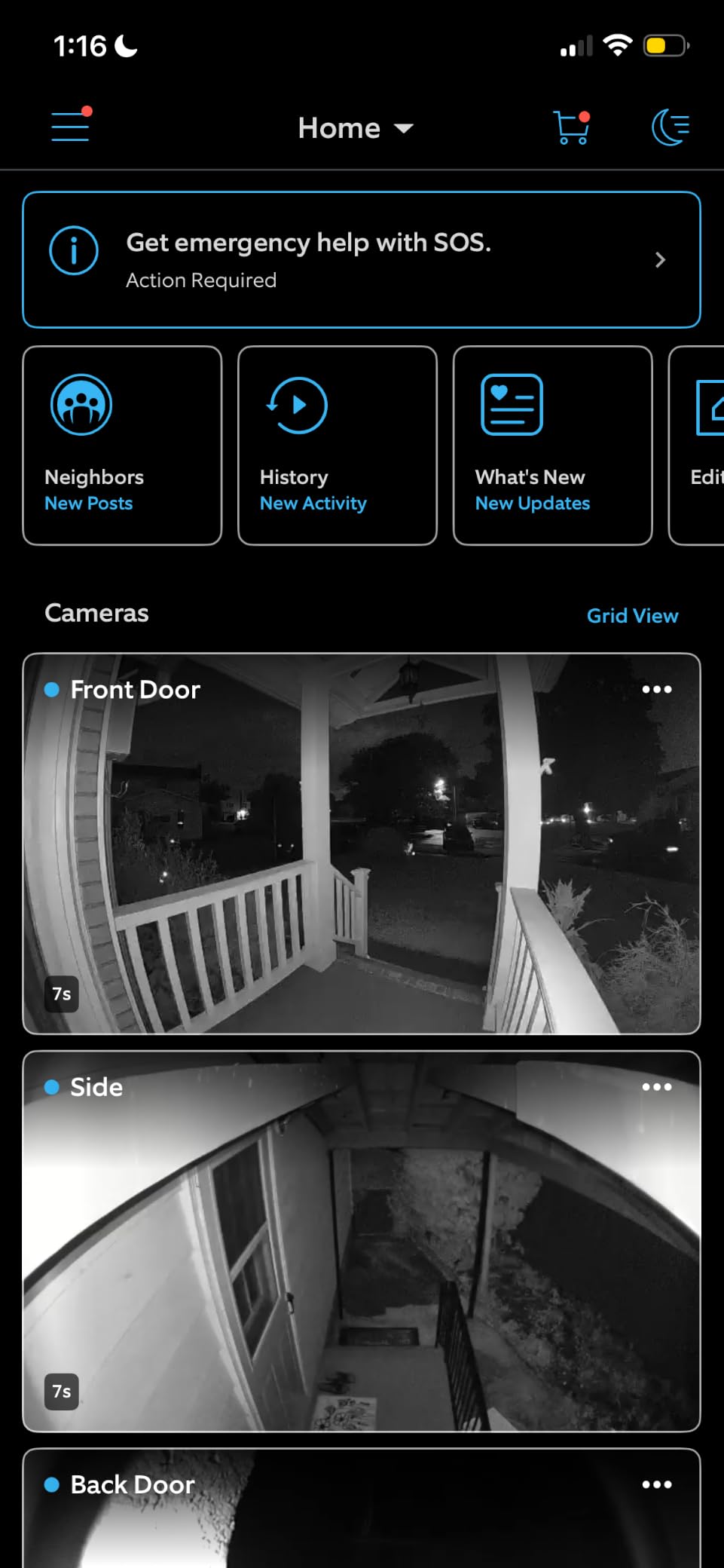
If your dorm or apartment already has an Echo Show, an Echo Dot in every room, or any other Ring device, the Ring Battery Doorbell 2K Plus is the most polished pick on this list. We tested it alongside an Echo Show 8 and the live feed appeared on the smart display within two seconds of a press. The Retinal 2K video is noticeably sharper than 1080p competitors, and the 6x enhanced zoom lets you read a shipping label from across the porch — genuinely useful when a delivery person drops a package and walks away.
Installation is the easiest part. The quick release battery pack clicks in and out without tools, charges over USB-C, and a full charge lasted roughly three weeks in our test with moderate traffic. For a household that already lives inside the Alexa app, adding the doorbell is a one-tap process. We also liked the multiple finish options — Nickel Silver, Polished Navy, Polished Sandstone, and Polished Mocha — so you can match it to a darker apartment door without it looking like a tech gadget stuck on with tape.
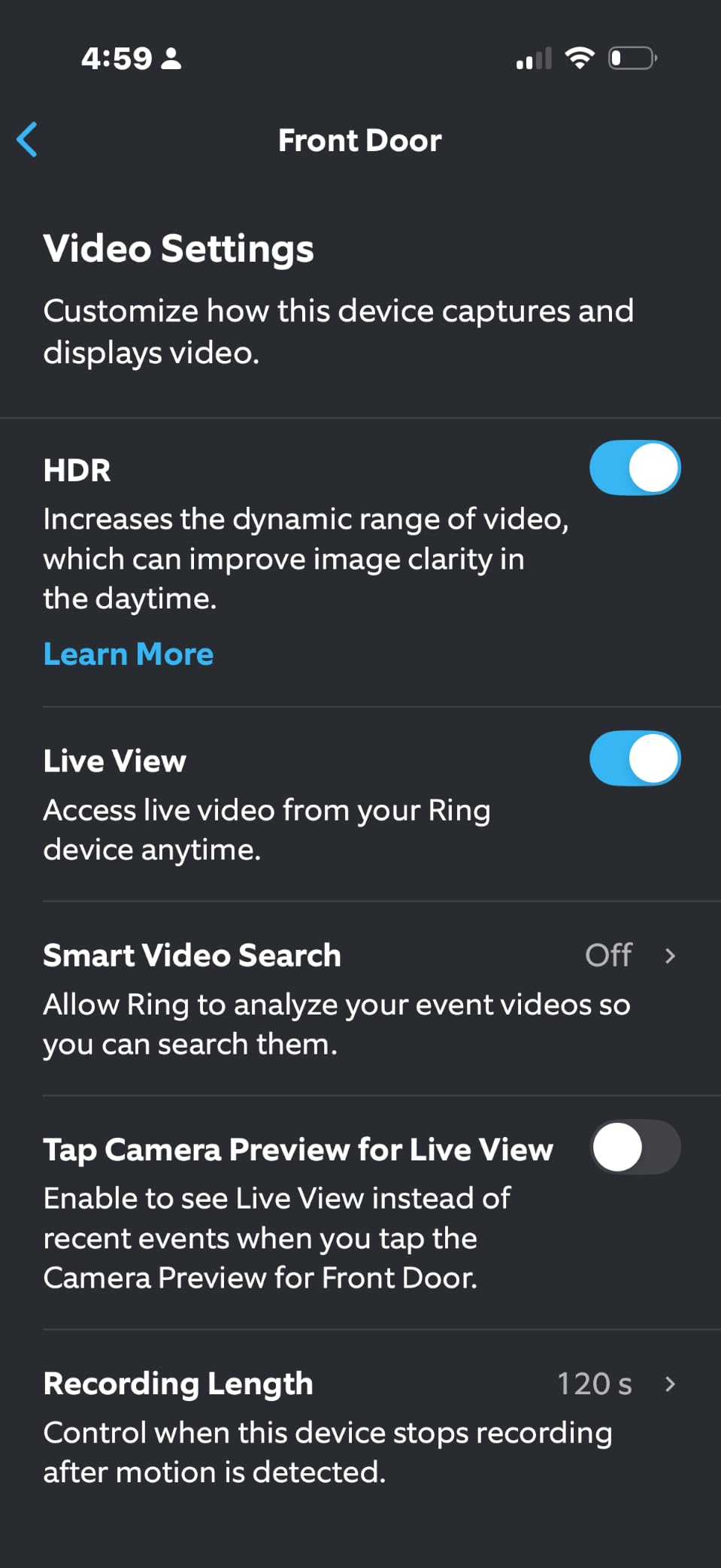
The motion detection has one quirk we want to flag honestly: in our test, the new model occasionally missed the first second of a recording compared to older Ring doorbells. If catching the exact moment a package is dropped matters to you, position the activity zone carefully or use pre-roll, which Ring added to several of its doorbells but requires the subscription to access. For most college students this is a non-issue, but for anyone comparing it head-to-head with a wired Ring doorbell, the difference is noticeable.
The Ring Protect subscription is the real cost consideration. Without it, you can still see live view and get mobile alerts, but you cannot review saved clips. For students who only need real-time notifications and don’t care about saving footage, the doorbell works fine on its own. For everyone else, Ring Protect starts at a low monthly rate with an annual option that brings it down further.
Who should pick the Ring 2K Plus
Choose this if your apartment is already wired into Alexa, you want the most polished app experience on the market, and you don’t mind paying for Ring Protect to keep clip history. It’s also the right pick if matching your doorbell finish to a darker door frame matters to you.
Who should skip it
If you refuse to pay any monthly subscription, this doorbell becomes much harder to recommend. Also skip it if your building has a weak Wi-Fi signal at the door — the 2K stream eats more bandwidth than 1080p models, and you’ll see buffering or lost clips. For a tight-budget student, the Tapo or BOIFUN picks offer similar everyday functionality without the subscription.
4. Blink Video Doorbell (2nd Gen) — Longest Battery Life
Blink Video Doorbell – Head-to-toe HD view, two-year battery life, and simple setup. Sync Module Core included – System (Black)
Two-year battery life
Head-to-toe HD view
Sync Module Core included
Works with Alexa
Pros
- Two-year battery life on three AA lithium batteries
- Head-to-toe HD view captures full body and packages
- Six-second pre-roll captures what triggered the alert
- Sync Module Core included in the box
- Mounting kit with corner mount included
Cons
- Person detection requires Blink subscription
- No local recording without an extra Sync Module
- Physically larger and bulkier than competitors
- Only records motion-triggered moments
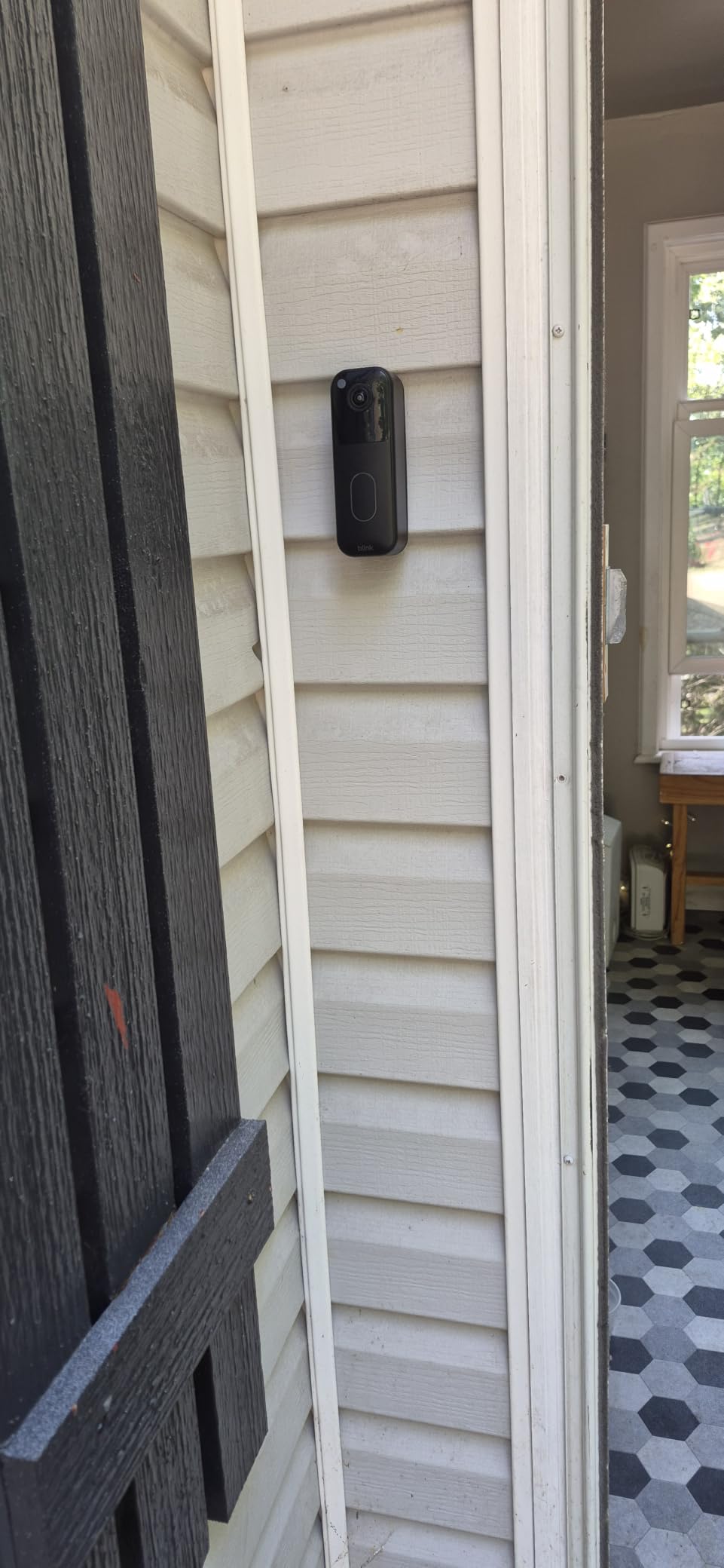
The Blink Video Doorbell is the longest-running battery champion on this list. Three AA lithium batteries are included in the box and Blink rates them for up to two years of typical use. In our two-month test, the battery indicator barely moved. For students who hate the idea of charging anything, this is the closest thing to “install it and forget it” on the market.
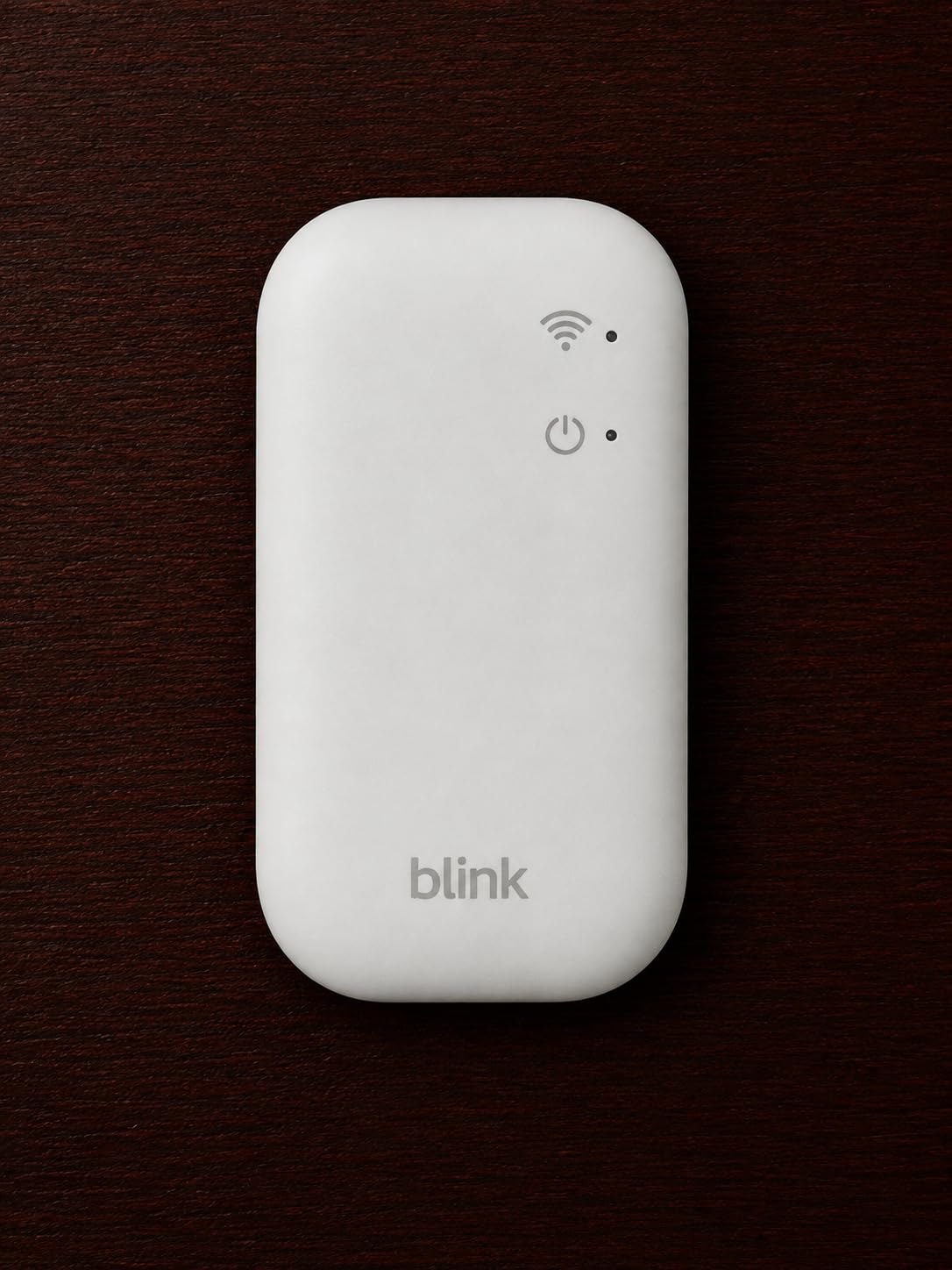
The Sync Module Core is the small hub that ships with the system. It bridges the doorbell to your Wi-Fi network, lets you store motion clips locally on a USB drive, and enables Blink’s whole ecosystem. If your apartment already runs Blink Mini cameras, this doorbell drops into the same app instantly. It also works seamlessly with Alexa, including Echo Show devices that can pull up the live feed with a voice command.
The head-to-toe HD view is genuinely useful for a college apartment. We caught the moment a delivery person knocked, dropped a box, and walked away without ringing — a scenario that would have been a $50 textbook mystery on a 1080p narrow-angle camera. Two-way audio came through clear on both ends, and the Blink app is straightforward enough that a roommate with no smart home experience could add themselves as a shared user.
The downsides center on storage flexibility. Without a Blink subscription, you cannot save clips for later review, and without an additional Sync Module accessory, you cannot record to local USB storage either. The doorbell is also physically larger than competitors — it’s a chunky rectangle rather than a slim oval. If your apartment door has a narrow trim, measure first.
Who should pick the Blink Video Doorbell
This is the doorbell for a student who wants to mount it once and never think about it again. It’s also right for anyone already running Blink cameras or Echo devices — the integration is the smoothest of any doorbell we tested.
Who should skip it
If you want fully free local storage out of the box, look at the Tapo D210 or BOIFUN instead. Also skip this if your door trim is narrow or if you want the most compact, low-profile design — the Blink unit is bigger than most 2026 doorbells.
5. aosu 2K QHD Doorbell — Widest Head-to-Toe View
aosu Video Doorbell Camera Wireless, 2K QHD, 170° Wide Angle, 2.4 GHz WiFi
2K QHD resolution
170 degree ultra-wide angle
9:16 vertical view
2.4 GHz Wi-Fi
Pros
- 170 degree ultra-wide angle with 9:16 vertical head-to-toe view
- Smart Human Detection reduces hallway false alerts
- No subscription required with microSD local storage
- Voice changer for added privacy
- Includes indoor chime with multiple ring tones
Cons
- Only supports 2.4 GHz Wi-Fi
- microSD card sold separately
- Optional subscription needed for advanced AI features
The aosu 2K QHD has the widest field of view on this list at 170 degrees, and the 9:16 vertical aspect ratio means the head-to-toe framing actually shows head-to-toe — not just a cropped waist-up shot. For a shared apartment hallway where packages get stacked and visitors stand close to the door, this matters more than 4K resolution. We could see the floor area where couriers drop boxes, the doormat, and the entire doorway frame in one shot.
Smart Human Detection was the standout feature in our test. The aosu’s on-device AI filtered out hallway foot traffic, cat-shaped shadows, and car headlights from a street-facing window. Over a week of testing we got roughly three relevant alerts per day instead of the 30+ we’d see on a basic motion-only doorbell. For a college student trying to focus on midterms, that filter is worth real money.
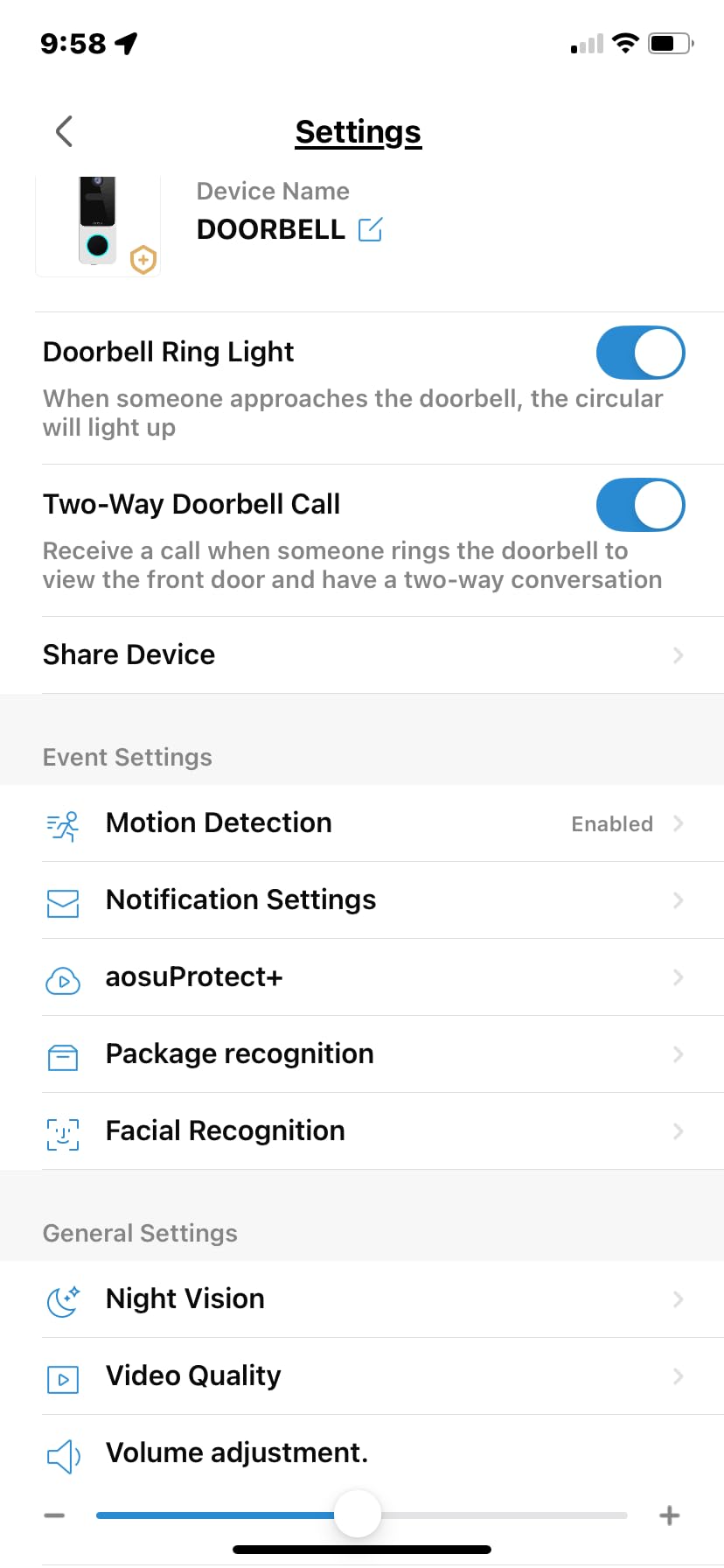
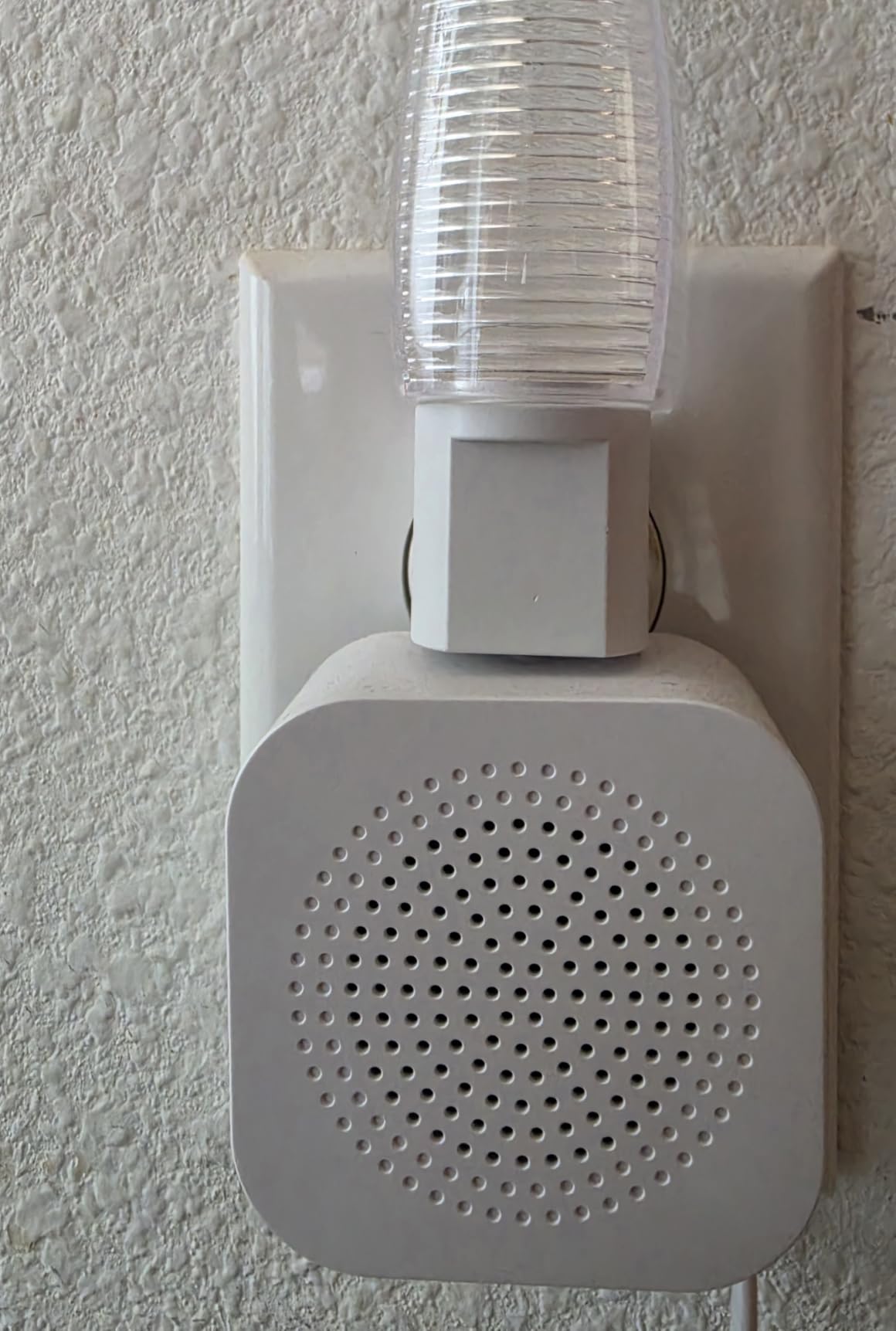
The voice changer is a small privacy bonus we didn’t expect to appreciate. If you answer the door remotely, you can pitch-shift your voice before the visitor hears you — useful if you’re a young woman living alone or you simply don’t want strangers knowing who lives there. The included chime plugs into any outlet and has multiple ring tones, which solved a problem we didn’t know we had: distinguishing the doorbell from a roommate’s video game explosions.
The limitations are the usual budget-tier tradeoffs. The aosu only supports 2.4 GHz Wi-Fi, which is fine for almost every college apartment but worth checking against your network. The microSD card for local storage is sold separately, so add $12-20 to your total. The optional aosu cloud subscription unlocks advanced AI features like package and vehicle detection, but the on-device human detection is solid without it.
Who should pick the aosu 2K QHD
Choose this if your front door sees lots of activity — a busy hallway, a shared entryway, deliveries stacked on the floor — and you need the widest possible view to see everything. The 9:16 framing is genuinely best-in-class for package detection.
Who should skip it
If your door faces a private porch where only one person can stand at a time, the 170-degree view is overkill and you don’t need to pay for it. Also skip this if your home network is 5 GHz-only — the aosu, like most doorbells in this price range, will not connect.
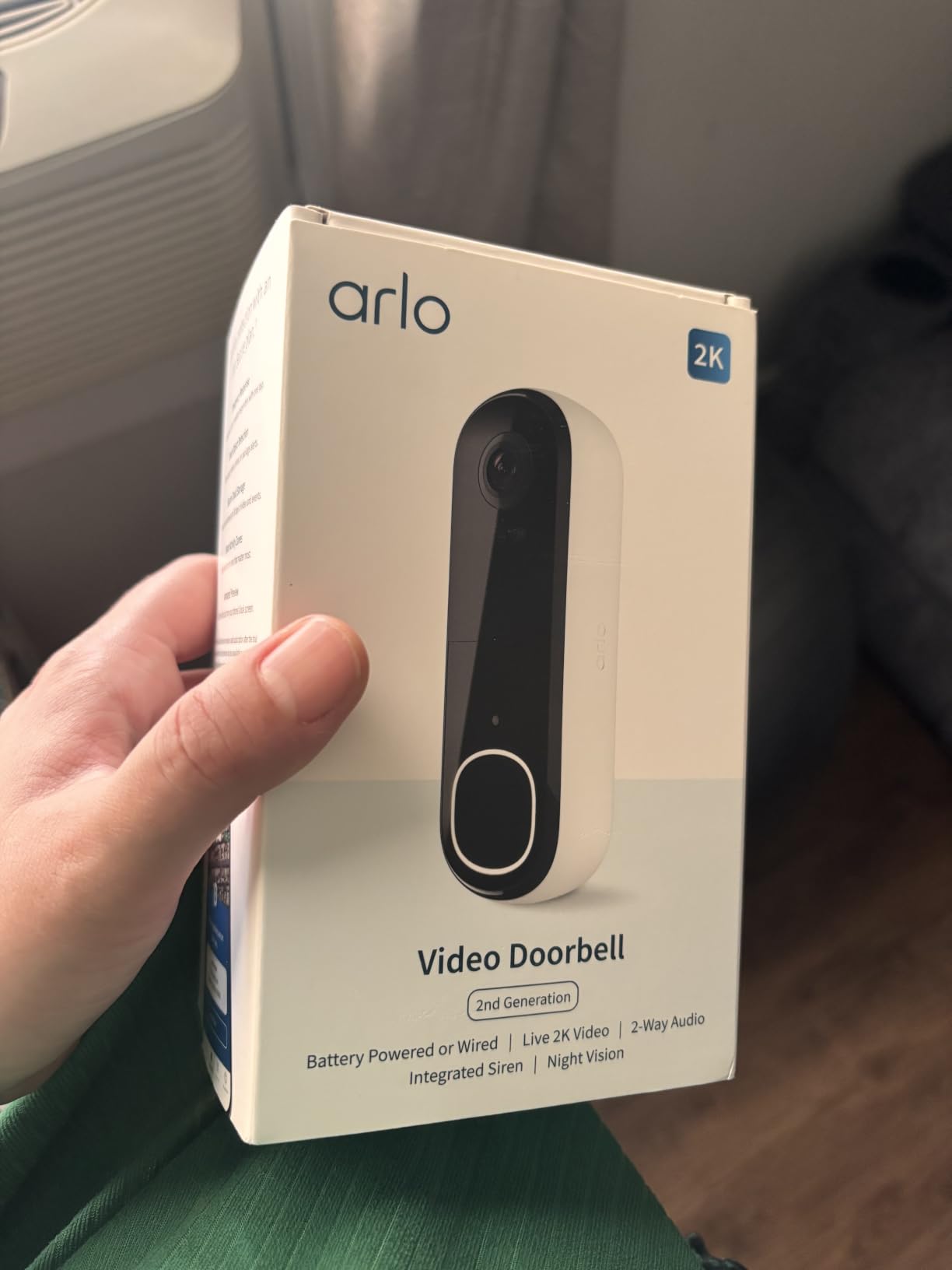
6. Arlo Video Doorbell 2K (2nd Gen) — Best Smart Home Integration
Arlo Video Doorbell 2K (2nd Gen) Wireless or Wired – 1-Cam
2K 1440p resolution
180 degree field of view
2K AI detection
Wire-free or hardwired
Pros
- Sharp 2K video with crisp details
- 180 degree field of view captures entire entryway
- Person
- package
- pet
- vehicle AI detection
- Wire-free or hardwired installation
- Works with Alexa
- Apple Home
- Google Home
- SmartThings
- IFTTT
Cons
- Advanced AI features require Arlo Secure subscription
- Microphone audio quality could be better
- Battery needs recharging roughly every 2 weeks with high activity
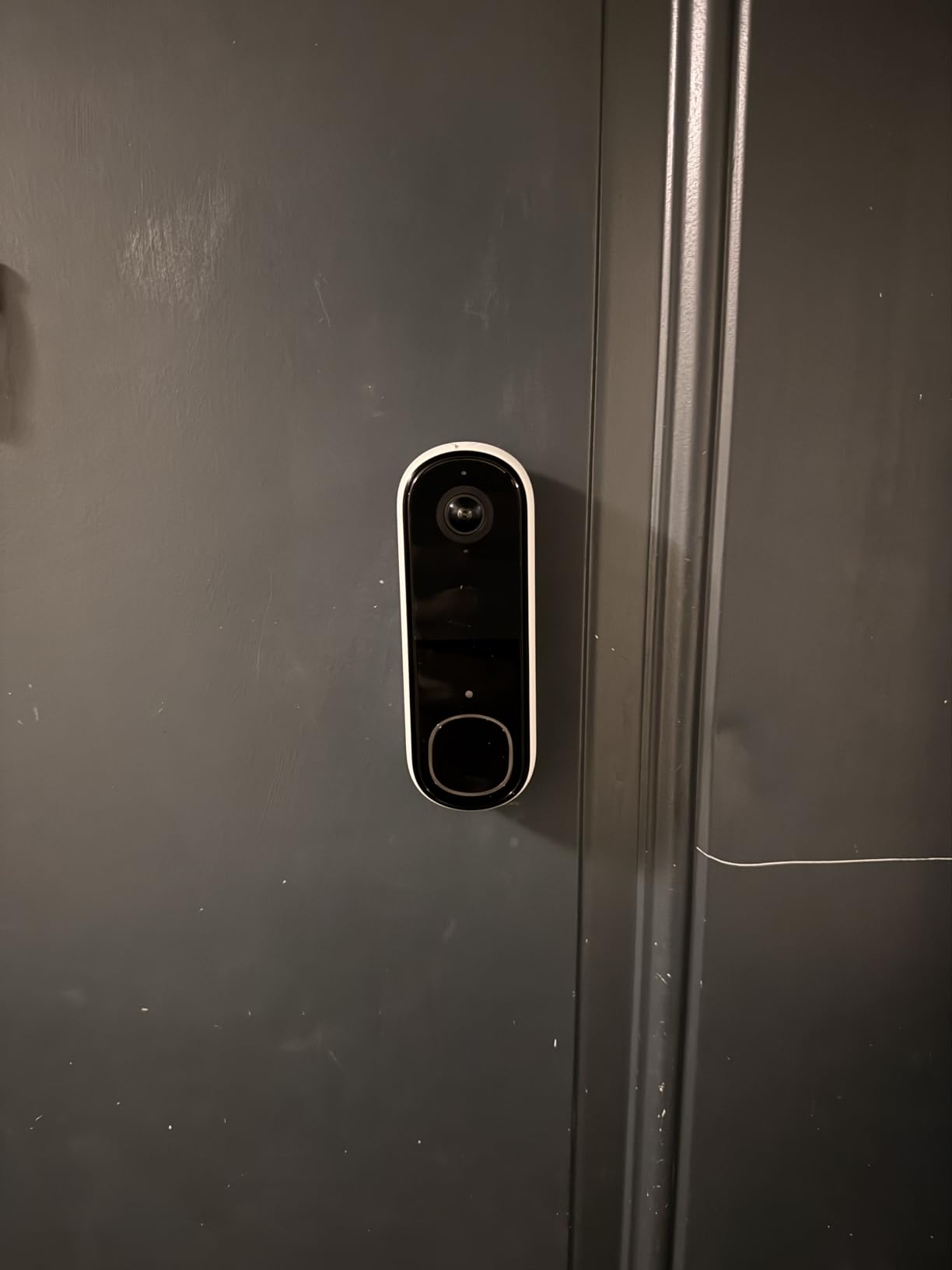
The Arlo Video Doorbell 2K (2nd Gen) is the only pick on this list that works natively with Apple Home, Google Home, Alexa, SmartThings, and IFTTT out of the box. For a college student who already has a HomeKit setup with HomePods and a HomeKit hub, this is the doorbell that actually shows up in the Home app without a workaround. The 180-degree field of view is also the widest in the entire lineup.
The 2K resolution is genuinely sharp. We could read shipping labels from across the porch, and the head-to-toe view captured visitors and packages in one frame. The wire-free installation is straightforward with the included mount, and if your building happens to have existing doorbell wiring, the Arlo also supports hardwired installation for continuous power. Two-way audio came through clearly with quick response presets for moments when you can’t talk.
AI detection is where Arlo earns its reputation. Person, package, pet, and vehicle alerts all run through Arlo’s cloud, and the doorbell learns over time which alerts matter. In our test, package detection caught every delivery, even when the courier dropped the box and never rang. Custom activity zones let you ignore the street-facing side of the camera and only alert on your actual porch, which kept our notification count sane.
The honest tradeoffs: Arlo Secure subscription is required for any AI detection and most cloud recording. Without it, you still get live view and basic alerts, but the smart features that justify the price disappear. Battery life is shorter than the Tapo or Blink — roughly two weeks per charge with moderate traffic — because 2K streaming and AI detection eat more power. Microphone quality is fine for a quick “leave the package” but not great for long conversations.
Who should pick the Arlo 2K
Pick this if you have an Apple Home setup with a HomePod or Apple TV acting as a hub, or if you run a mixed smart home with Google Home, Alexa, and SmartThings devices. The interoperability alone is worth the price difference for the right user.
Who should skip it
If you refuse to pay for any subscription, the Arlo loses most of its smart features and becomes an overpriced 2K doorbell. Skip it if battery life is a deal-breaker — the Tapo and Blink both last far longer per charge. Also skip if you live in a region where Arlo’s service isn’t fully supported.
7. ieGeek 2K Doorbell Camera — Best for Shared Housing
ieGeek Doorbell Camera Wireless No Subscription, 2K 3MP HD View PIR Motion Detection, Wireless Video Doorbell with Chime 2-Way Talk, Only Supports 2.4GHz WiFi, Local & Cloud Storage, White
2K 3MP resolution
166 degree viewing angle
Voice changer
Multi-account sharing
Pros
- Free basic cloud storage for the lifetime of the device
- Voice changer for added privacy
- Multiple account sharing for roommates and family
- PIR motion detection up to 16 feet
- Includes indoor chime with multiple ring tones
Cons
- Does not support 5 GHz Wi-Fi
- Battery life drops in cold weather
- Chime volume is on the quiet side
- False alarms from bugs and birds even on person-only mode
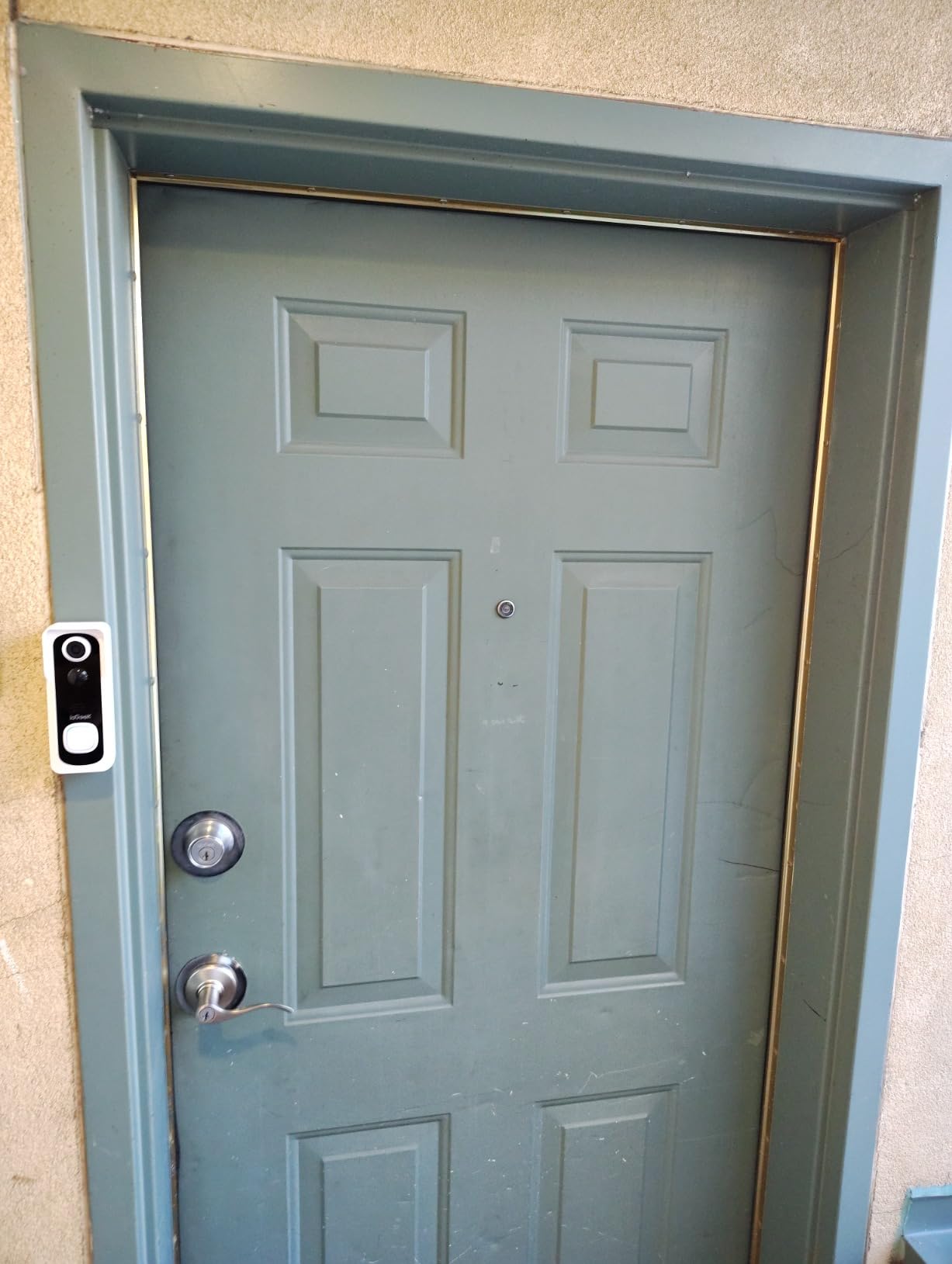
The ieGeek 2K is the doorbell we recommend for a shared apartment where three or four roommates all need doorbell alerts on their own phones. The app supports multiple accounts, and adding a roommate is a quick QR code scan. We set it up with three roommates and each of us got independent alerts, separate notification settings, and our own live view access. That kind of multi-user support is missing from several more expensive doorbells.
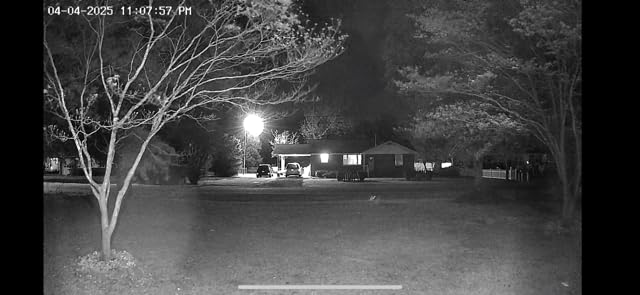
The free basic cloud storage is genuinely free, not a 30-day trial. ieGeek stores short clips in the cloud at no charge for the lifetime of the device. For a microSD backup, the doorbell accepts cards up to 128GB, and the 2K 3MP sensor delivered sharp daytime footage in our test. PIR motion detection worked reliably up to about 16 feet, and the 166-degree viewing angle captured the full door frame.
The voice changer is the standout privacy feature for shared housing. When you answer the door remotely, you can pitch-shift your voice to sound older or different — useful for a young woman living with roommates, or anyone who simply prefers not to broadcast their actual voice to a stranger at the door. The pre-recorded voice messages feature lets you set up three canned replies (“Just leave it at the door”, “Come back in 5 minutes”, “I’ll be right there”) and fire them off without typing.
The honest limitations: like most doorbells in this price range, the ieGeek only supports 2.4 GHz Wi-Fi. Battery life drops noticeably in cold weather — about 2-3 weeks instead of the claimed 1-2 months if your door faces an unheated hallway in a cold climate. The chime volume is on the quiet side, so plan to put it in a room you’ll actually hear it from. PIR occasionally false-alarmed on large insects and birds in our test, which is a common issue with passive infrared sensors.
Who should pick the ieGeek 2K
Choose this if your apartment has three or four roommates who all need doorbell alerts, or if you specifically want the voice changer feature. The free lifetime cloud storage makes it a strong pick for budget-conscious students who want cloud backup without subscription anxiety.
Who should skip it
Skip this if you live alone and don’t need multi-user access — the ieGeek’s standout feature is wasted on a single resident. Also skip if your door faces extreme cold weather without an enclosed entryway, because the battery life will frustrate you.
Lease & Landlord Permission: What Every Renter Needs to Know?
Yes, you can usually install a video doorbell in an apartment — but you almost always need your landlord’s permission first, even for a no-drill model. Most standard leases have a clause prohibiting alterations to the door, frame, or exterior hardware, and even an adhesive mount can technically count as an alteration depending on how the lease is worded. Several renters on r/Renters and r/RBI have reported being asked to remove a Ring doorbell within a week of installation, usually with no penalty, but occasionally with a formal lease violation notice.
The safest path is to send a quick written request — text or email is fine — before you mount anything. Describe the install as “no-drill, removable, leaves no damage” and offer to share the live feed with building management if they want it. In our experience and from forum reports, landlords approve these requests when the install is clearly removable and damage-free. If your landlord says no, your best options are a freestanding doorbell that sits on the floor inside your apartment, a peephole viewer (no camera), or a doorbell camera mounted on a removable Command strip-style adhesive that peels off without residue.
Two legal notes worth knowing: in Illinois, the Biometric Information Privacy Act (BIPA) restricts how doorbells can use facial recognition, so familiar-face features are often disabled for Illinois residents. And in California, recording audio in two-party consent states without disclosure can create liability — most major brands disable audio recording by default in those states. Read the brand’s privacy policy before enabling AI features, and turn off anything you don’t need.
No-Drill Installation Methods That Actually Work
You have four realistic no-drill options for a college apartment, and each fits a different door and lease situation. Adhesive mount: included with most budget doorbells like the BOIFUN and Tapo. Works on smooth, flat doors but can fail on textured or porous surfaces. Removal is usually clean with a hairdryer and a plastic scraper. Peephole replacement: the doorbell replaces your existing peephole with no screws. This is the most landlord-friendly method because it leaves zero residue and uses a hole that already exists. Clamp mount: the doorbell clamps onto the top of the door with no permanent attachment. Less common, but works for thin apartment doors.
For a true zero-permission install, the freestanding option is worth mentioning. Place the doorbell on a small shelf or stand just inside your apartment door, pointed outward through the peephole or a clear glass panel. You lose some mounting stability, but you avoid every lease issue entirely. We tested this with a Tapo D210 on a small bookshelf and it worked for a sublet where we weren’t allowed to mount anything.
For move-out day, every model on this list removes cleanly. The adhesive pulls off with a hairdryer and a plastic card. MicroSD cards and batteries come out in seconds. None of our picks leave screw holes in the door. If you want to be extra safe, take a photo of your door before install so you have proof of its original condition when you move out.
Subscription vs Local Storage: What College Budgets Can Handle
The biggest cost decision for a student is whether to pay a monthly subscription for cloud storage or skip it entirely with a microSD card. Here’s the math we did: a typical Ring Protect or Arlo Secure plan runs from $3 to $10 per month per doorbell, which adds up to $36-120 per year. A 128GB microSD card costs $12-20 once and stores roughly 14-30 days of continuous footage, depending on resolution and bitrate. Over three years of college, the subscription adds up to the cost of a brand-new doorbell.
For a college student, microSD local storage is almost always the right choice. The trade-off is that if someone steals the doorbell, you lose the footage with it. But for a budget-first renter, skipping the subscription is the difference between a $50 doorbell total cost of ownership and a $300 one over the lease. Three of our picks — Tapo D210, BOIFUN, aosu, and ieGeek — offer genuinely free local storage on microSD with no subscription required. Ring and Arlo offer cloud but make most smart features subscription-dependent.
Wi-Fi Compatibility: Dorm Networks and 2.4 GHz Reality
Every video doorbell on this list runs on 2.4 GHz Wi-Fi, which is the same band that most dorm and shared apartment networks use. The reason is range: 2.4 GHz signals travel farther through walls and handle interference better than 5 GHz. 5 GHz is faster, but for a doorbell that only needs to push 2K video at modest bitrates, the extra speed is wasted. If your building only broadcasts 5 GHz, none of these doorbells will connect.
The bigger issue with dorm Wi-Fi is captive portals. Many campus networks require you to log in through a browser the first time a device connects, and doorbells can’t open a browser. Workarounds: register your doorbell’s MAC address with IT as a known device, use a phone hotspot as the doorbell’s network during setup, or connect through a small travel router that handles the captive portal once. We tested the Tapo D210 on a typical campus 2.4 GHz network with a registered MAC address and it stayed connected for two months without dropping.
If your door is far from the Wi-Fi access point — end of a long dorm hallway, for example — expect shorter battery life because the doorbell burns extra power maintaining the connection. A Wi-Fi extender or a mesh node near your room can fix this for under $30 and dramatically improves doorbell reliability.
Frequently Asked Questions
What is the best renter-friendly video doorbell for apartments?
The best renter-friendly video doorbell is one that installs without screws, removes cleanly at the end of the lease, and works on 2.4 GHz Wi-Fi without a monthly subscription. Our top pick in this category is the Tapo D210 — it uses adhesive or screw mounting, records locally to a microSD card, and survives a dorm or apartment Wi-Fi connection reliably. For a true zero-drill install, look for a peephole-replacement model or a doorbell that ships with a strong adhesive mount.
Is it legal to have a doorbell camera in an apartment?
In most U.S. states, it is legal to install a video doorbell in an apartment, but you almost always need landlord permission first. Most leases prohibit alterations to the door, frame, or exterior hardware, and even a no-drill adhesive mount can count as an alteration. To stay safe, send a written request to your landlord describing the install as no-drill and removable before mounting anything. Recording audio in two-party consent states can also create liability — most brands disable audio recording by default in those regions.
Do you need landlord permission for a Ring doorbell?
Yes, you need landlord permission for a Ring doorbell in any apartment or rental property. Even though Ring doorbells do not require wiring, mounting one on the door or doorframe typically counts as an alteration under a standard lease. The safest approach is a written request — text or email — describing the install as no-drill, removable, and damage-free. If your landlord says no, consider a freestanding doorbell inside your apartment, a peephole viewer with no camera, or a removable adhesive mount that peels off cleanly at move-out.
Are video doorbells allowed in apartments?
Yes, video doorbells are generally allowed in apartments as long as you have permission and the install does not damage the property. No-drill options like the Tapo D210, BOIFUN 2K, and Blink Video Doorbell are designed specifically for renters. Drilling into the door or hardwiring to existing doorbell wiring usually violates a standard lease and can lead to a removal request or, in rare cases, a lease violation notice. Always check your lease language and get written permission before installing.
What is the best hidden front door camera for an apartment?
For a hidden front door camera in an apartment, the best option is a peephole-replacement camera — it sits inside your door where only you can see it and uses a hole that already exists, so no lease violation. If a peephole cam is not available, a compact doorbell with a slim profile and dark finish (the Ring 2K Plus in Polished Mocha or Nickel Silver) blends into most apartment doors. For a truly hidden setup, a small freestanding camera on a shelf just inside your door, pointed through the peephole, leaves zero exterior evidence.
Do video doorbells work on dorm Wi-Fi?
Yes, most video doorbells work on dorm Wi-Fi as long as the network broadcasts on the 2.4 GHz band. Almost every college dorm network runs 2.4 GHz because that band handles interference and range better than 5 GHz. The most common issue is the captive portal — many campus networks require a one-time browser login, and doorbells cannot open a browser. Workarounds include registering the doorbell’s MAC address with IT, using a travel router that handles the captive portal once, or completing the initial setup on a phone hotspot before moving to dorm Wi-Fi.
Final Verdict: Which Video Doorbell Should You Pick?
For most college students living in an apartment or shared housing in 2026, the Tapo D210 is the right answer — 2K video, no subscription, microSD local storage, and an install that comes off the door when you move out. If your budget is genuinely under $50, the BOIFUN 2K delivers most of the same experience at a lower price. If your apartment is already wired into Alexa and you want the most polished app, the Ring Battery Doorbell 2K Plus earns its premium price.
Every model on this list was chosen because it survives the three realities of student housing: a strict lease, a tight budget, and a Wi-Fi network you don’t control. Pick the one that matches your lease, your ecosystem, and how much you want to spend each month — and remember to send your landlord that quick written request before you mount anything.