

If you want one router and nothing more, buy the TP-Link Archer AX21 V5. It is a dual-band Wi-Fi 6 router rated at 4.4 stars across more than 24000 reviews, and it handles a crowded dorm room or a shared apartment better than the gateway your internet provider lends you. Spend less and the Archer A54 is the cheapest way into dual-band Wi-Fi. Spend the whole budget and the TP-Link Archer AXE75 adds a 6 GHz band and a 2.5 Gbps WAN port. All eight picks below cost under 100 dollars and none of them need a monthly fee to work properly.
That last point matters more than any spec on the box. The routers your provider hands out are often the weakest link in a student connection, and they are usually fine on paper. What they are not is good at balancing a dozen devices at once, which is the normal state of a dorm room with four people, three laptops, a smart TV and a room full of phones. A router in this price bracket has a faster Wi-Fi 6 chipset, more antennas and a much better app than the ISP unit sitting on your desk.
There is a limit worth stating up front. A better router cannot make a slow internet line faster. If your plan tops out at 80 Mbps, no hardware change will turn that into a 300 Mbps connection, and people who spend three times the budget chasing that result are the ones who end up disappointed. What a better router fixes is coverage, congestion, dead zones and the constant buffering that happens when four people stream at the same time on one access point. This roundup is built for that problem, in the small spaces that dominate student housing.
We spent several weeks reading the review data on all eight models, comparing chipset generation, band split, port speed, antenna count, stated coverage and the security features that cost nothing versus the ones that do not. Prices and specs were checked on our last research pass and change constantly, so treat every figure as a snapshot and use the price button on each card to see the current number. Our line-up, ordering and verdicts:
1. TP-Link Archer AX21 V5 – the one to buy if you buy one router. 4.4 stars, more than 24000 ratings, gigabit ports and WPA3.
2. Tenda AC6 – the cheapest dual-band option with gigabit-free 100 Mbps ports and access point mode. A 4.0 average, the lowest here.
3. TP-Link Archer AXE75 – the only pick with a 6 GHz band and a 2.5 Gbps WAN port, for students with newer phones and laptops.
4. TP-Link Archer A54 – the cheapest router in the roundup, with four external antennas and WPA3 at a price most students forget about.
5. ASUS RT-AX1800S – all five ports are gigabit and the security suite is free forever, with no subscription attached.
6. NETGEAR Nighthawk R6700AX – the widest stated coverage in the affordable band, with the best guided setup app of the group.
7. NETGEAR Nighthawk RAX36 – built-in VPN and a USB 3.0 port, the two features other budget routers drop first.
8. NETGEAR Nighthawk RAX41 – five gigabit ports, 160 MHz channels and 2250 sq. ft. of stated coverage, on a thin review history.
Table of Contents
Top 3 Router Picks Under 100 Dollars in 2026
Three of these stand out. The Archer AX21 V5 wins on proven reliability rather than headline specs, the ASUS RT-AX1800S wins on hardware quality and free security, and the Archer AXE75 wins on raw capability. If your space is tiny and your budget is smaller, look at the full table below first.

TP-Link Archer AX21 V5
- AX1800 dual-band Wi-Fi 6
- Up to 1200 Mbps on 5 GHz
- OFDMA and MU-MIMO
- 4 gigabit ports
- OpenVPN and PPTP server

ASUS RT-AX1800S
- AX1800 dual-band Wi-Fi 6
- 5 gigabit ports
- AiProtection included free
- ASUS Instant Guard VPN
- AiMesh expandable

TP-Link Archer AXE75
- AXE5400 tri-band Wi-Fi 6E
- Dedicated 6 GHz band
- 2.5 Gbps WAN port
- 512 MB RAM
- EasyMesh compatible
All 8 Routers at a Glance
Every model below is a router only. Except where noted, you still need a modem or an ISP gateway feeding it an Ethernet line. The one-line verdicts are here so you can scan first and read the details only for the two or three you actually care about.
One: the Archer AX21 V5 is the safe pick for a shared apartment, with the largest proven review base in the group. Two: the Tenda AC6 is the low-cost dual-band option for a single room with a small device count. Three: the Archer AXE75 is the performance pick, tri-band Wi-Fi 6E with a 2.5 Gbps WAN port. Four: the Archer A54 is the cheapest way to get a decent dual-band router. Five: the ASUS RT-AX1800S is the pick if you want gigabit ports everywhere and security that stays free. Six: the NETGEAR R6700AX is the pick for the largest apartment on the tightest budget. Seven: the NETGEAR RAX36 adds a USB port and VPN to a strong 3 Gbps AX3000 platform. Eight: the NETGEAR RAX41 has the most ports and the widest coverage claim, but the thinnest history of any pick.
| Product | Specs | Action |
|---|---|---|
| TP-Link Archer AX21 V5 |
|
Check Latest Price |
 Tenda AC6 Tenda AC6 |
|
Check Latest Price |
| TP-Link Archer AXE75 |
|
Check Latest Price |
 TP-Link Archer A54 TP-Link Archer A54 |
|
Check Latest Price |
| ASUS RT-AX1800S |
|
Check Latest Price |
 NETGEAR Nighthawk R6700AX NETGEAR Nighthawk R6700AX |
|
Check Latest Price |
 NETGEAR Nighthawk RAX36 NETGEAR Nighthawk RAX36 |
|
Check Latest Price |
 NETGEAR Nighthawk RAX41 NETGEAR Nighthawk RAX41 |
|
Check Latest Price |
1. TP-Link Archer AX21 V5 – the Best Router Under 100 Dollars Overall
TP-Link AX1800 WiFi 6 Router (Archer AX21 V5)
AX1800 dual-band Wi-Fi 6
1200 Mbps 5 GHz plus 574 Mbps 2.4 GHz
4 gigabit ports
4 high-gain antennas
Pros
- Largest proven review base in the group
- OFDMA and MU-MIMO for crowded rooms
- 4 gigabit ports
- Built-in OpenVPN and PPTP server
- 2-year warranty
Cons
- Dual-band only with no 6 GHz band
- Requires a separate modem
- Only 4 Ethernet ports total
The Archer AX21 is the router I recommend to any student who asks for a single recommendation. It is a dual-band Wi-Fi 6 unit rated at 1200 Mbps on 5 GHz and 574 Mbps on 2.4 GHz, which adds up to the AX1800 class name. That number is a theoretical ceiling rather than a real-world speed, but in a 400 to 800 square foot space it is more than a 200 Mbps campus plan can use, so the gap never matters.
What actually sets it apart is the review history. More than 24000 ratings at a 4.4 average is a bigger sample than any other router in this roundup, and 74 percent of those ratings sit at five stars. When a model has been installed in this many dorm rooms and apartments, the odd hardware failure has already shown up and been resolved. Reviewers repeatedly point to coverage, device capacity and app-based setup as the reasons they are happy.
Four high-gain antennas plus beamforming and an advanced front-end module chipset handle the signal side. OFDMA is the feature that matters most when four people are online at once: it lets the router talk to several devices simultaneously instead of serving them one at a time. That is the difference between a video call that stays clear at 9pm and one that turns to static.
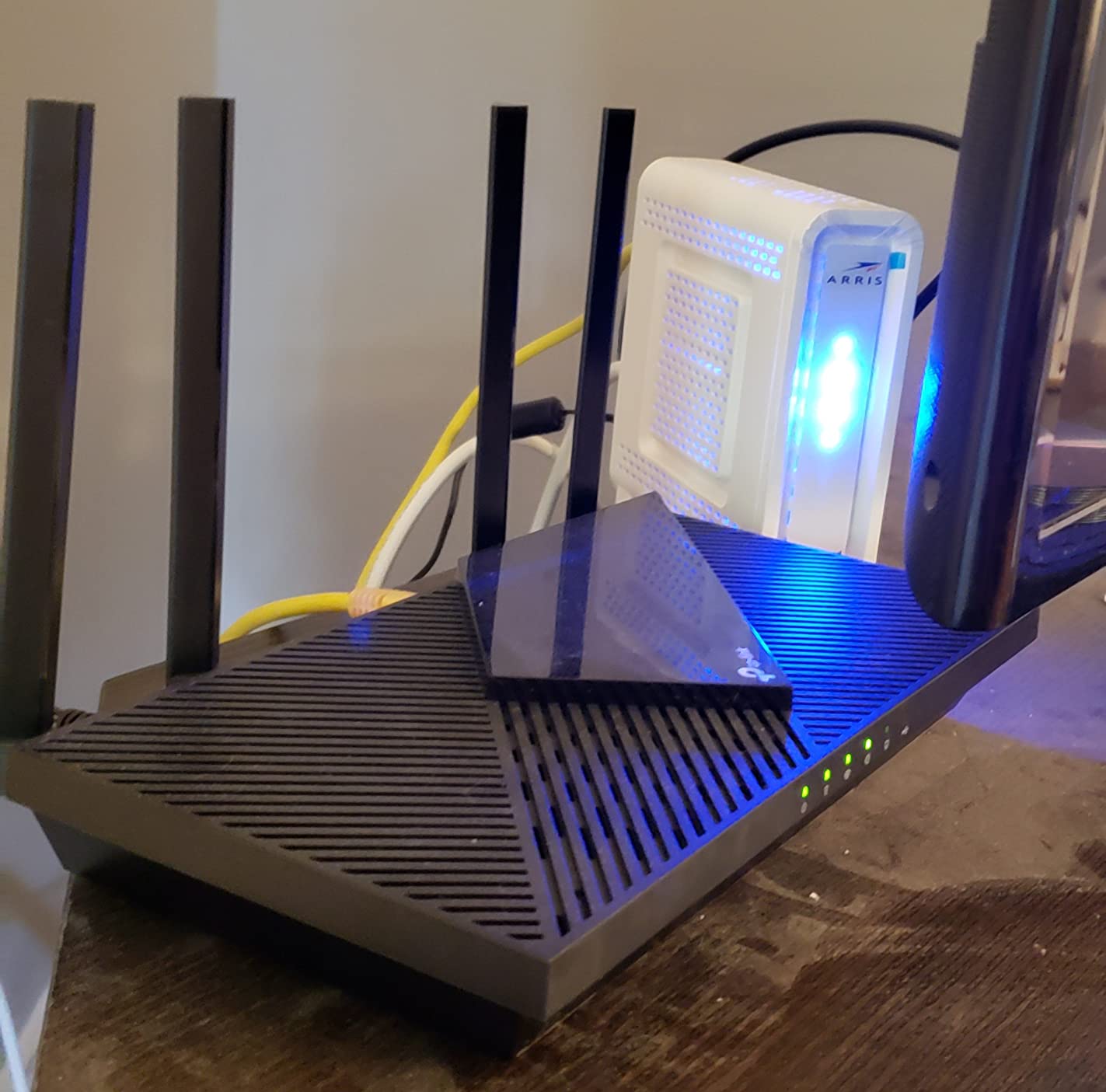
On the software side, the Tether app handles setup, guest networks, parental controls and QoS device prioritisation. There is a built-in VPN server supporting both OpenVPN and PPTP at no extra cost, which is unusual at this price and useful if you need to reach a school network from off campus. Security covers WPA, WPA2 and WPA3, and the box includes a power adapter, a quick installation guide and an RJ45 Ethernet cable.
Two things it does not do. There is no 6 GHz band, so a Wi-Fi 6E phone cannot use the wide new spectrum here, and there are four ports in total, one WAN and three LAN, which is one fewer than the ASUS. The unit measures 10.28 by 5.3 by 1.61 inches and weighs 1.1 pounds, so it fits on a shelf without dominating it.
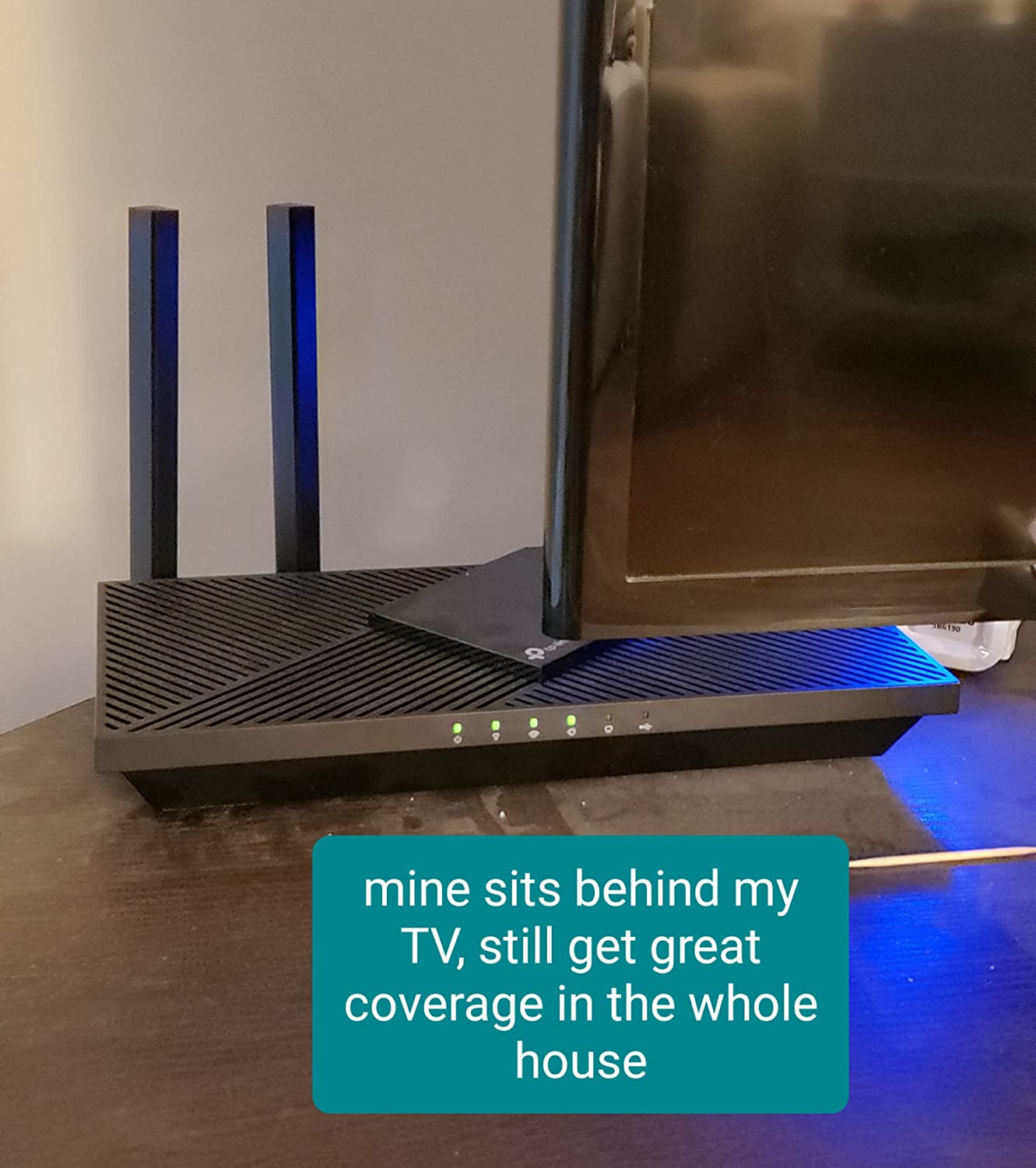
What you get for the money and what you do not
You are getting OFDMA, MU-MIMO, beamforming, four antennas, gigabit Ethernet and a VPN server in one box that carries a two-year warranty. You are not getting a 6 GHz band, a USB port, more than three LAN ports, or a bundled modem. Every one of those omissions has a workaround except the modem, and the modem question depends entirely on whether your provider already gives you one.
Who should skip it
Skip the AX21 if your building is larger than roughly 1200 square feet and you have internal brick or concrete walls, or if you already own a phone or laptop that supports 6 GHz and you want that band. If your internet plan runs at 1 Gbps or more, this AX1800 class is the ceiling you will feel, and the AXE75 or the RAX36 make more sense. If you are in a single dorm room with three devices, the A54 does the same job for less money.
2. Tenda AC6 – the Cheapest Dual-Band Router With Access Point Mode
Tenda AC1200 Smart WiFi Router, High Speed Dual Band Wireless Internet Router with Smart APP, 4 x 100 Mbps Fast Ethernet Ports, Supports Guest WiFi, Access Point Mode, IPv6 and Parental Controls(AC6)
AC1200 dual-band Wi-Fi 5
867 Mbps 5 GHz plus 300 Mbps 2.4 GHz
4 x 100 Mbps LAN ports
Access Point mode
Pros
- Lowest cost in the roundup
- AC1200 dual-band throughput
- 4 x 6dBi antennas with beamforming
- Access Point mode for a wired network
- 3-year warranty
Cons
- 100 Mbps LAN ports only
- Wi-Fi 5 with no WPA3
- Lowest average rating here at 4.0
The Tenda AC6 is the router to buy when the number that matters is the one at the end of your budget. It delivers 867 Mbps on 5 GHz and 300 Mbps on 2.4 GHz through four 6 dBi antennas with beamforming, and it can run as an access point so you can hang it off an existing wired network instead of replacing it. For a single dorm room with a handful of devices, that is enough hardware.
It also has close to 19000 ratings behind it, which is more review history than anything except the AX21 in this list. The sentiment is noticeably more mixed, though: 61 percent five-star against 12 percent one-star, and a 4.0 average that is the lowest here. Owners who are happy cite the low cost, the strength of the 5 GHz range and how quickly the Tenda app sets everything up. The complaints cluster around the Ethernet ports and the age of the platform.
That platform is the issue. This is Wi-Fi 5 hardware, so you get none of the OFDMA or higher-density behaviour that makes a Wi-Fi 6 router hold together in a crowded room, and the security protocol is WPA2-PSK with no WPA3. The four LAN ports run at 100 Mbps rather than gigabit, which is fine for a laptop and frustrating for anything doing fast local file transfers.
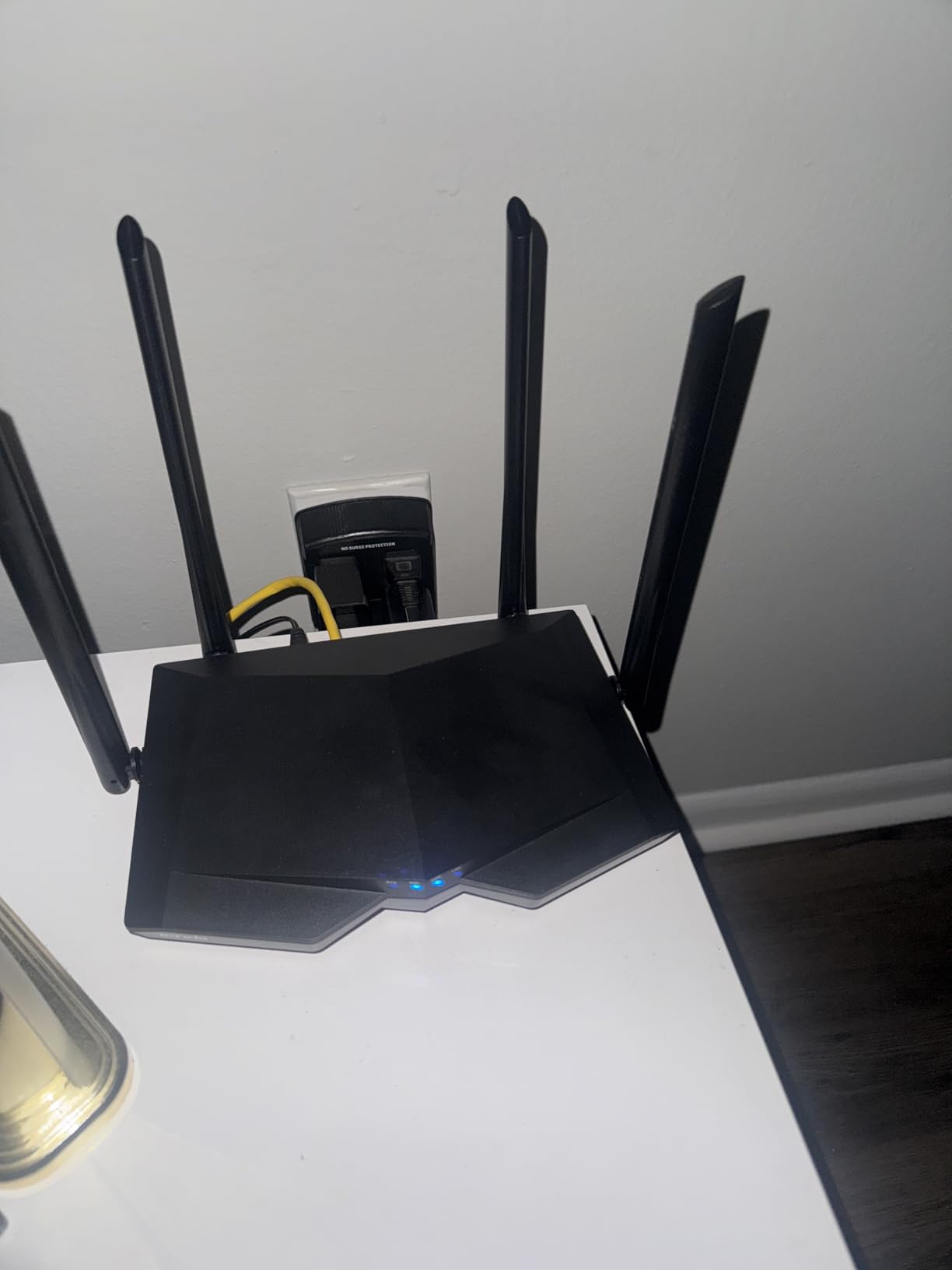
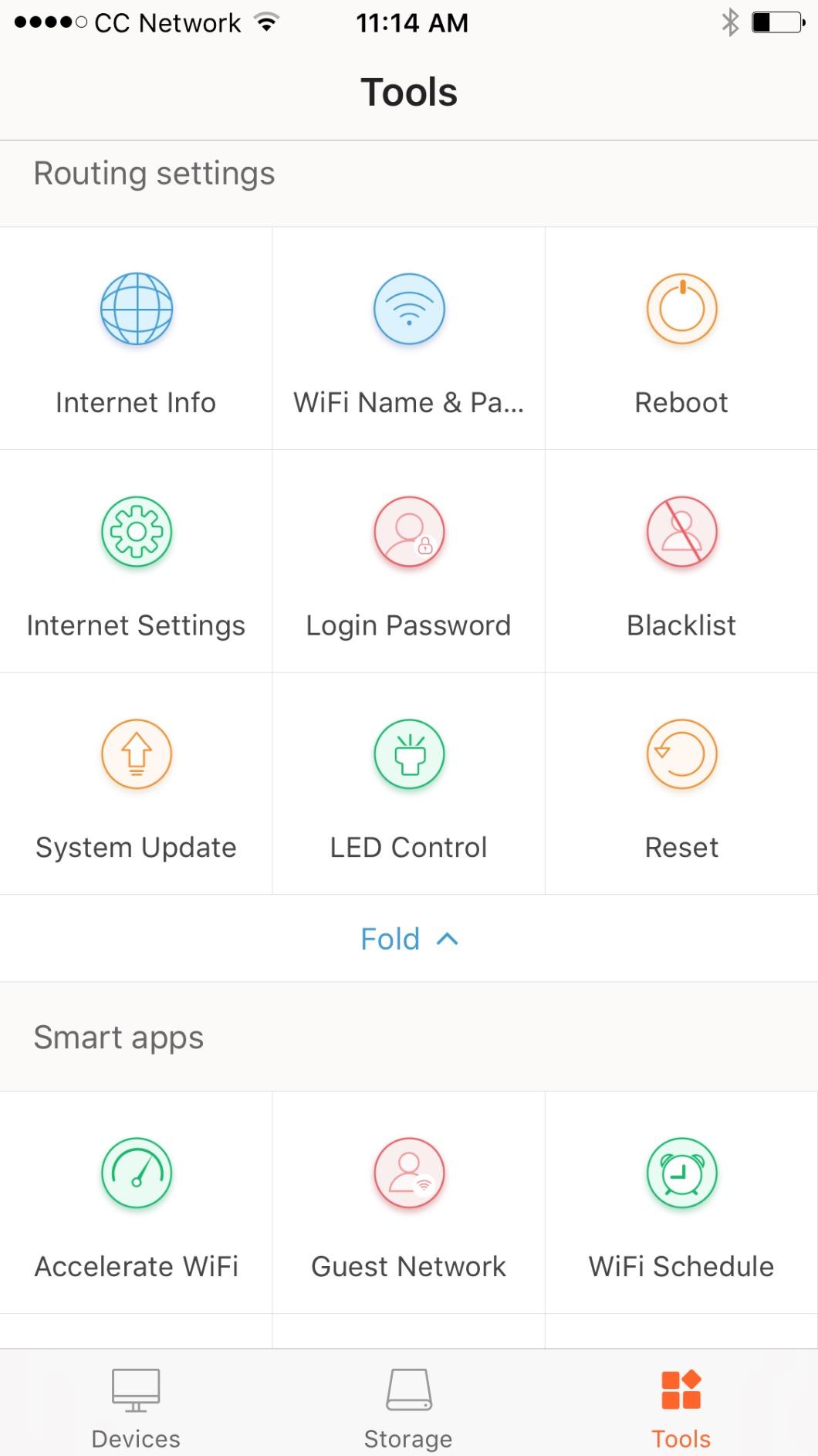
MU-MIMO does work on the 5 GHz band here, which helps when several devices are on the fast band at once, and the Tenda app covers setup, monitoring, parental controls and internet scheduling. The box includes a Gigabit Ethernet cable, a power adapter and a quick guide. The warranty runs three years, the longest in this roundup, and the unit itself is small at 5.57 by 1.93 by 8.66 inches and 11.99 ounces.
One practical note about the 100 Mbps ports. If you plan to connect a desktop by wire and move large files between your own machines, that port caps you at 100 Mbps and you will notice. For streaming, video calls and browsing, nothing changes. The device runs Linux internally and pairs through the Tenda Wi-Fi app.
Where the money you save goes
Saving here means giving up the Wi-Fi 6 chipset, the gigabit ports, WPA3 and the newest band-splitting technology. In a quiet single room with a handful of phones and one laptop, none of that is visible in daily use. In a four-person apartment where everyone streams at once, the AX21’s OFDMA and gigabit ports start to matter and this one stops being the bargain.
Who should buy it and who should not
Buy the AC6 if you are in one room, you have fewer than about eight connected devices, and you want to spend as little as possible on hardware you will keep for the year. Do not buy it if you share a connection with roommates, if you need WPA3 for a security policy at work, or if anything in your home needs a fast wired connection. The access point mode is a genuine reason to pick it over an even cheaper unit, since it lets you extend a wired network rather than fight with it.
3. TP-Link Archer AXE75 – the Best Router for 6 GHz Devices and Big Crowds
TP-Link AXE5400 Tri-Band WiFi 6E Router, 2025 PCMag Editors’ Choice
AXE5400 tri-band Wi-Fi 6E
2402 Mbps on 6 GHz, 2402 on 5 GHz, 574 on 2.4 GHz
2.5 Gbps WAN port
512 MB RAM
Pros
- Only pick here with a dedicated 6 GHz band
- 1.0 GHz dual-core CPU with 512 MB memory
- 2.5 Gbps WAN port
- VPN server and client
- EasyMesh expansion
Cons
- HomeShield extras need a paid subscription
- Setup involves more default changes
- 6 GHz unused by most current devices
The Archer AXE75 is the most capable router you can get in this bracket, and the reason is the third band. It is tri-band Wi-Fi 6E: 2402 Mbps on 6 GHz, 2402 Mbps on 5 GHz and 574 Mbps on 2.4 GHz for 5400 Mbps in aggregate. The 6 GHz band is wide and uncluttered, so latency on a compatible device is close to zero and the connection does not fight with your neighbours’ networks the way 5 GHz does in a crowded apartment building.
The processing matches the radio. A 1.0 GHz dual-core CPU with 512 MB of memory and a vented housing for heat dissipation is more headroom than any other router here, and that headroom is why reviewers describe it as the performance-per-dollar winner for congested homes. True tri-band with OFDMA is the answer to a house where twenty devices are online and the evening streaming window is a bottleneck.
There is also a 2.5 Gbps WAN port, which no other router in this list has, so a faster fibre or cable line can actually feed the wireless side properly. VPN server and client support covers OpenVPN, PPTP and L2TP, and EasyMesh compatibility means you can expand later without changing platforms.
Now the honest caveats. TP-Link HomeShield gives you basic parental controls, IoT protection and QoS for free, but the advanced security and scheduling tools sit behind a subscription, which is exactly the pattern students should push back on. Setup is also more involved than the dual-band models, with defaults that several owners changed before they were happy. Identifying individual clients in the app is awkward, especially with Apple devices that rotate their MAC address.
The unit is the largest here at 12.91 by 10.43 by 4.72 inches and 0.69 kg, so it needs a real surface rather than a shelf edge. The warranty is two years. With 5474 ratings at 4.3, including 71 percent five-star, the review base is large enough to trust, though the one-star share of 10 percent is worth reading before you commit.
Who benefits from the 6 GHz band
You benefit if you already own at least one device with a 6 GHz radio, which today means recent high-end phones, tablets and some newer laptops. Those devices get a wide, quiet channel when they are in the same room as the router. Everyone else on the 2.4 and 5 GHz bands gets a router with a much faster processor and more memory than the rest of the list, which shows up as steadier performance when everything is running at once.
Where the extra spend goes
The premium over a dual-band AX1800 model buys you the 6 GHz band, the 2.5 Gbps WAN port, 512 MB of memory and the strongest congestion handling here. It also costs you subscription-gated security features, a more complicated first setup and a larger box. If you have a 100 Mbps plan, a single room and three devices, none of that capability is reachable and the AX21 is the smarter purchase.
4. TP-Link Archer A54 – the Cheapest Router Worth Buying
TP-Link AC1200 WiFi Router Dual Band Wireless Internet Router (Archer A54)
AC1200 dual-band Wi-Fi 5
867 Mbps 5 GHz plus 300 Mbps 2.4 GHz
Up to 1000 sq. ft.
4 external antennas
Pros
- Lowest cost in the roundup
- Covers up to 1000 sq. ft. with 4 external antennas
- WPA3 encryption included
- EasyMesh compatible
- 2-year warranty
Cons
- 100 Mbps LAN ports cap wired transfers
- Wi-Fi 5 with no OFDMA
- Coverage limited to about 1000 sq. ft.
The Archer A54 costs less than half of anything else in this roundup and still holds a 4.3 average across more than 5000 ratings, with 69 percent at five stars. For a first apartment, a dorm room or a rental where you need something that simply works, that combination is hard to argue with. You get 867 Mbps on 5 GHz and 300 Mbps on 2.4 GHz and four external antennas covering up to 1000 square feet.
It is also one of the few cheap routers that includes WPA3 encryption alongside WPA-PSK and WPA2-Enterprise, and it carries IGMP Proxy and Snooping plus Bridge and Tag VLAN support, features normally associated with pricier hardware because they help with IPTV streaming. EasyMesh compatibility means you can add mesh nodes later without changing brand.
Management runs through the TP-Link Tether app, and access point mode is available if you need to extend a wired network rather than route a new one. The warranty is two years, and the box measures 11 by 10 by 3 inches at 1.5 pounds, so it is a full-size router in physical terms despite the low price.
The compromise is Ethernet. The five ports are 10/100 Mbps rather than gigabit, so any wired device is capped at 100 Mbps. That is invisible for web browsing and video calls, obvious the first time you copy a large file between two machines on the same network. The hardware is also Wi-Fi 5, so there is no OFDMA to help when many devices transmit at once.
Coverage is stated at up to 1000 square feet, which is the smallest claim in this roundup apart from the Tenda, and it assumes a normal number of walls. Thick dorm concrete or a multi-floor walk-up will exceed it. Reviewers in small apartments and first-time setups mention the low price, the WPA3 inclusion and painless Tether configuration as the deciding factors.
When the cheapest option is the right option
The A54 wins whenever your total device count is low, your space is small, and you are not transferring large files over the wired ports. Streaming, video calls, browsing, online classes and a couple of smart devices all run on this hardware without complaint. You also keep WPA3, which many cheaper alternatives drop, so the security posture is better than the price suggests.
What you give up for the lowest price
You give up gigabit Ethernet, Wi-Fi 6 and OFDMA, and a meaningful amount of coverage compared with anything else here. If you share a connection with roommates, if you move large files over the network, or if your apartment has more than about 1000 square feet and thick walls, step up to the AX21 or the ASUS rather than trying to make this one stretch. It is a router for one person, not for a house.
5. ASUS RT-AX1800S – the Best Router for Free Security and Gigabit Ports
ASUS RT-AX1800S Dual Band WiFi 6 Extendable Router, Subscription-Free Network Security, Parental Control, Built-in VPN, AiMesh Compatible, Gaming & Streaming, Smart Home
AX1800 dual-band Wi-Fi 6
1 WAN plus 4 gigabit LAN ports
AiProtection by Trend Micro included free
256 MB RAM
Pros
- AiProtection security included with no subscription
- All five ports are gigabit
- Deep QoS and per-device controls
- Built-in VPN and Instant Guard
- 3-year warranty
Cons
- Firmware bug can disable the 2.4 GHz band
- Parental controls lack per-site lists
- Only 256 MB RAM
The ASUS RT-AX1800S is the pick for anyone who plans to keep the same router for a few years and does not want to pay a subscription later. AiProtection Classic, powered by Trend Micro, is included free of charge, which is the opposite of the pattern where security features unlock only after you start paying. Buyers name that free security suite and the polished ASUS app as the deciding factors, and 72 percent of ratings sit at five stars.
On hardware it is the most complete dual-band option in the list. You get one gigabit WAN port and four gigabit LAN ports, so every wired device runs at full speed, which the 100 Mbps models cannot offer. Wi-Fi 6 with MU-MIMO, OFDMA and 1024-QAM gives you the same dense-connection behaviour as the AX21, and the stated throughput is 1800 Mbps with up to 1201 Mbps upstream.
For people who like to tune their network, the depth here is a real advantage. QoS, firewall rules and per-device control go well past what the Tether and Tenda apps expose, and ASUS Instant Guard gives you one-click secure VPN access for connecting back to your own network. AiMesh compatibility extends the system later if you move to a larger place.
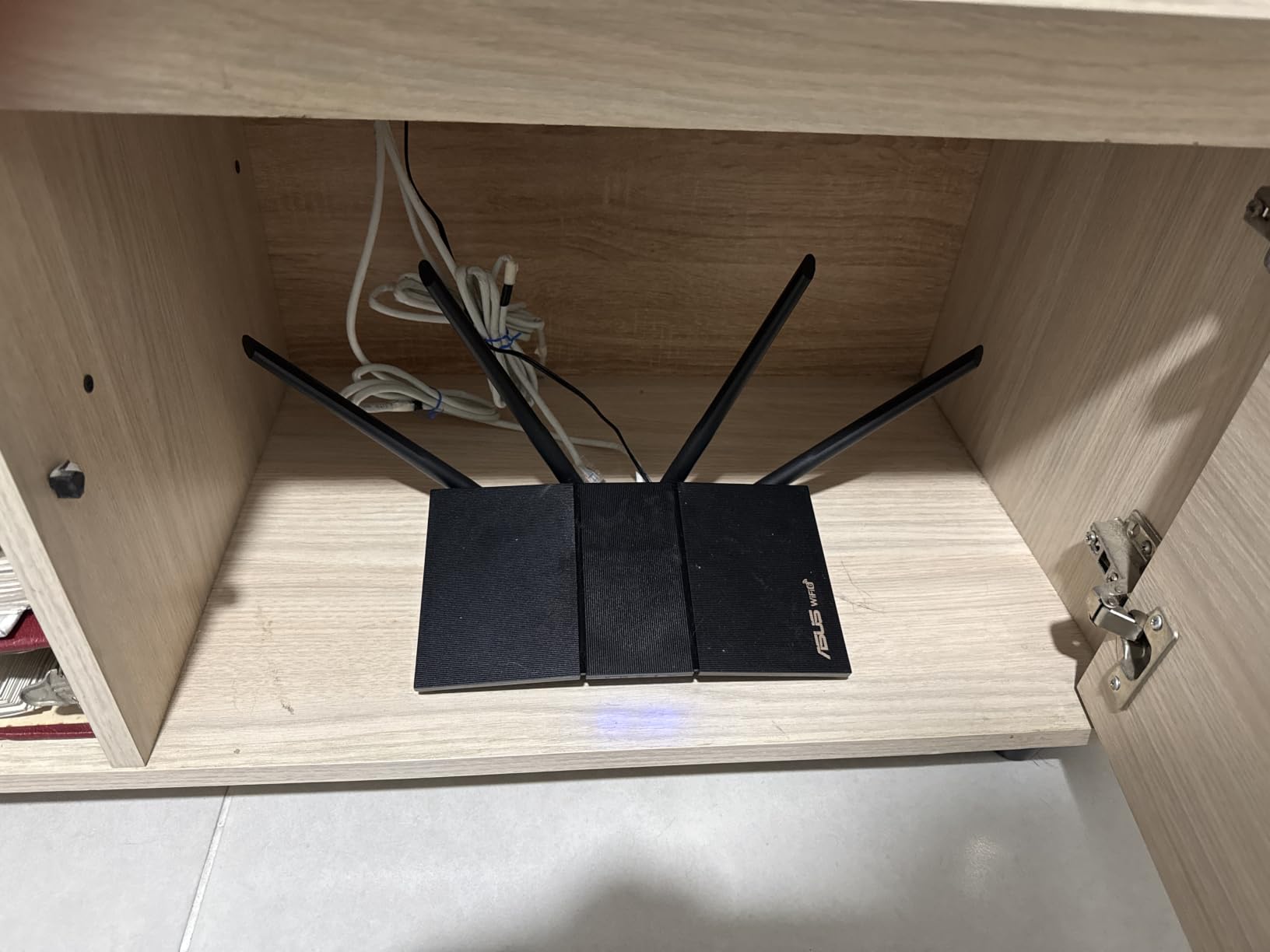
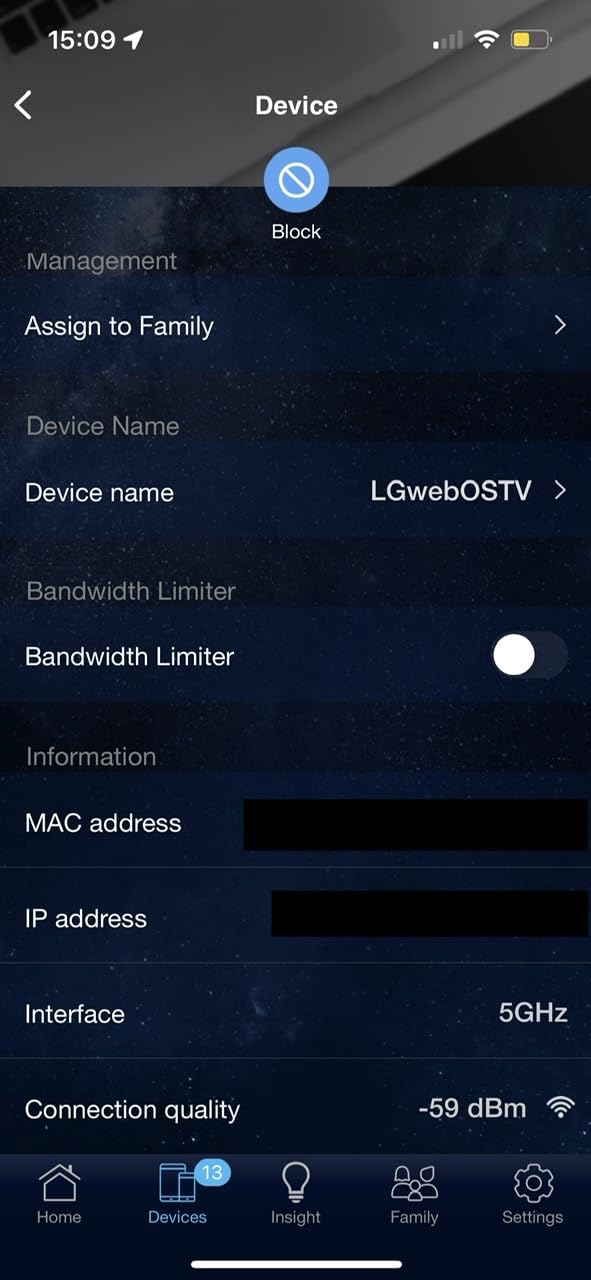
The catch is a specific firmware bug. Some ASUSWRT builds on these chipsets can disable the 2.4 GHz radio when Smart Connect and Wi-Fi 6 on 2.4 GHz are both switched on, and the fix owners use is to turn one of them off. That is not a serious problem, but you should know it exists before you spend an evening wondering why half your smart bulbs went quiet.
Parental controls are also less detailed than the name suggests, with no custom site blacklist, whitelist or per-site visit history. Memory is 256 MB, half what the AXE75 carries. The unit is compact at 9.06 by 5.28 by 2.2 inches and 13.12 ounces, and the warranty runs three years.
Why free security matters more than you think
Because these routers are bought on a student budget, a security suite that stops working the moment the trial ends is worse than one that never existed, since you have to rebuild your configuration to replace it. The ASUS gives you parental controls, malware filtering and intrusion protection with no ongoing cost, and the guest network lets you put untrusted devices on a separate segment. That is the clearest reason to pick it over a cheaper model with subscription extras.
Who should choose this over the Archer AX21
Choose the ASUS if you have more than two wired devices, if you want to configure the network yourself rather than accept app defaults, or if you dislike the idea of a vendor putting your security features behind a paywall. Stay with the Archer AX21 if the largest number of ratings makes you more comfortable, if you prefer the Tether app’s simplicity, or if you want the AX21’s four high-gain antennas and its broader EasyMesh ecosystem for later expansion.
6. NETGEAR Nighthawk R6700AX – the Best Router for Larger Apartments
NETGEAR Nighthawk WiFi 6 Router R6700AX, Up to 1,500 sq ft, 1.8 Gbps
AX1800 dual-band Wi-Fi 6
Up to 1500 sq. ft. and 20 devices
4 gigabit LAN ports
WPA3 and automatic updates
Pros
- Widest stated coverage for a dual-band model at 1500 sq. ft.
- NETGEAR app gives unusually good guided setup
- WPA3 and guest network enabled out of the box
- 4 gigabit LAN ports
Cons
- Phone support limited to 3 months by the warranty
- Some advanced defaults are loose
- Minority report wireless dropouts
The R6700AX covers up to 1500 square feet for up to 20 connected devices, which makes it the widest stated reach of any dual-band router in this roundup. If you are in a two-bedroom apartment, a large studio with thick walls, or a shared house where the router sits in a hallway, that extra coverage is the reason to pick it. AX1800 speeds reach 1.8 Gbps combined, and four gigabit LAN ports come with a separate gigabit WAN port.
The other argument for it is the app. NETGEAR’s guided setup is unusually good at diagnosing problems, and owners specifically mention it pointing out which phone setting caused a connection to fail, which is a genuinely useful thing for a setup wizard to do. WPA3 encryption, automatic firmware updates and a guest network are all enabled out of the box, and there is a built-in speed test in the app. The free NETGEAR app covers setup, monitoring and pausing individual devices.
It works with any existing cable, fibre, DSL or satellite modem, though bridge mode may be required on some providers. That flexibility matters if you move between ISP types during a lease, which students do often.
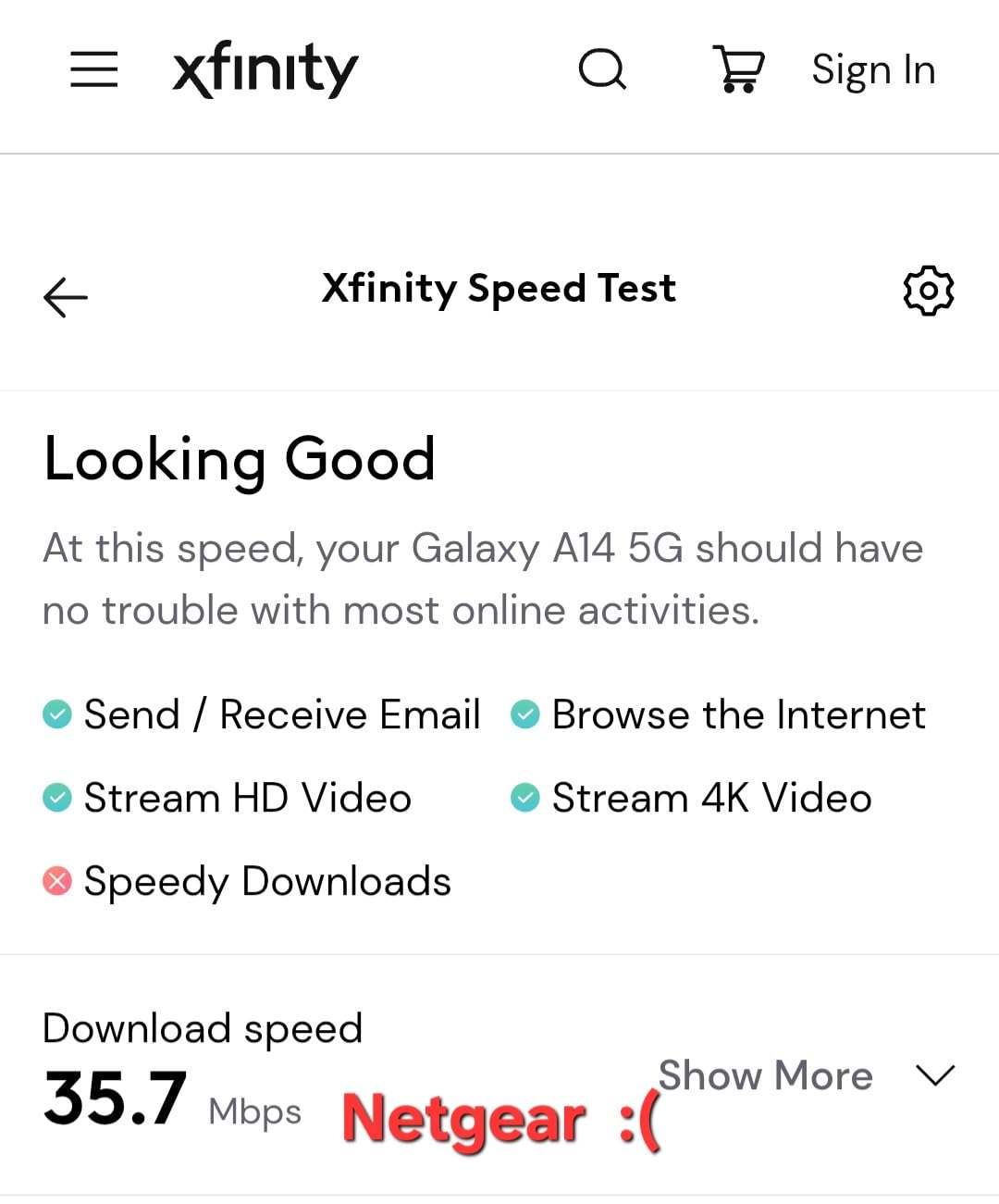
Two caveats sit alongside the praise. NETGEAR’s phone support is limited to three months by the hardware warranty, after which a paid service plan is expected, and that is a real cost if something goes wrong in month eight. A minority of buyers also report intermittent wireless dropouts that needed troubleshooting, and some advanced settings ship with gamer-friendly values such as open NAT filtering and UPnP enabled, which you should tighten yourself.
NETGEAR Armor, the Bitdefender-based security option, comes as a 30-day free trial and then requires a subscription. You do not need it for core protection, which WPA3 already provides. The warranty is one year, the shortest tier in this list, and with 870 ratings at 4.2 and 69 percent five-star the review history is thinner than the TP-Link and ASUS entries. The unit weighs 0.64 kg and has two antennas, which is fewer than the AX21’s four.
When coverage matters more than antenna count
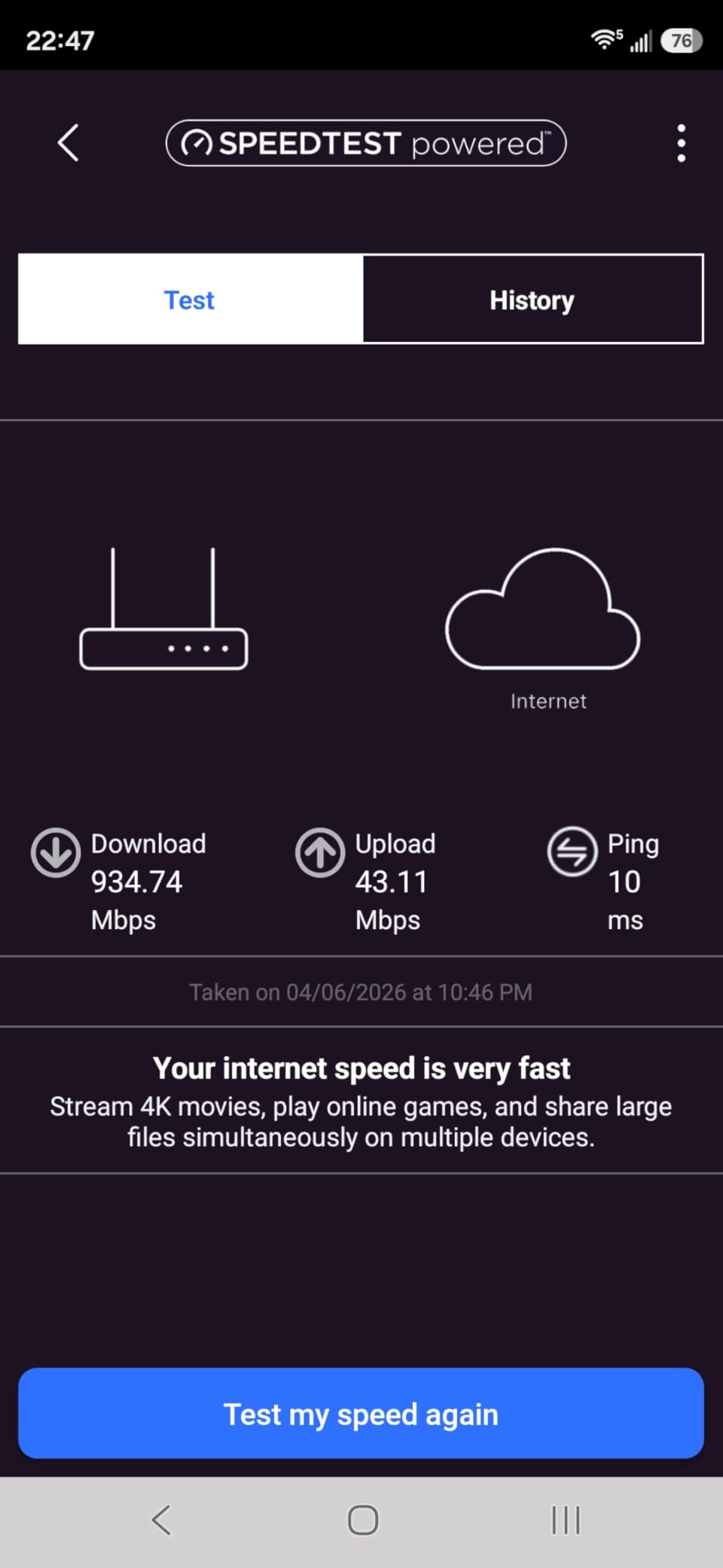
Two antennas and a smaller 4.3-style price point can still beat four antennas in a specific layout: a long, narrow apartment where the router sits at one end, or a building where the signal has to pass through more walls. The stated 1500 square feet and 20-device capacity is the largest number on any dual-band model here, so start here if your space is awkward and your budget is not.
What to watch after setup
Change the default administrator password, review the NAT filtering and UPnP settings that arrive open, and confirm WPA3 is actually active on both bands, since some units report only WPA2-AES on the wireless security type. Then note the date you set it up: if the three-month support window matters to you, this is the point to decide whether the coverage gain outweighs the shorter warranty. The app’s device pause feature is the fastest way to cut off a roommate’s console during an exam.
7. NETGEAR Nighthawk RAX36 – the Best Router for USB and Built-in VPN
NETGEAR Nighthawk WiFi 6 Router (RAX36) – Router Only, AX3000 3 Gbps Wireless Speed – Dual-Band Gigabit Internet – Covers 2,000 sq. ft., 25 Devices – Built-in VPN, USB 3.0, Gaming
AX3000 dual-band Wi-Fi 6
Up to 3 Gbps combined
Up to 2000 sq. ft. and 25 devices
Built-in VPN and USB 3.0
Pros
- Largest device capacity statement at 25 devices
- AX3000 up to 3 Gbps
- Built-in VPN plus USB 3.0 port
- 4 gigabit Ethernet ports
Cons
- WPA3 only
- which can exclude older smart devices
- Router only
- needs a separate modem
- 1-year warranty
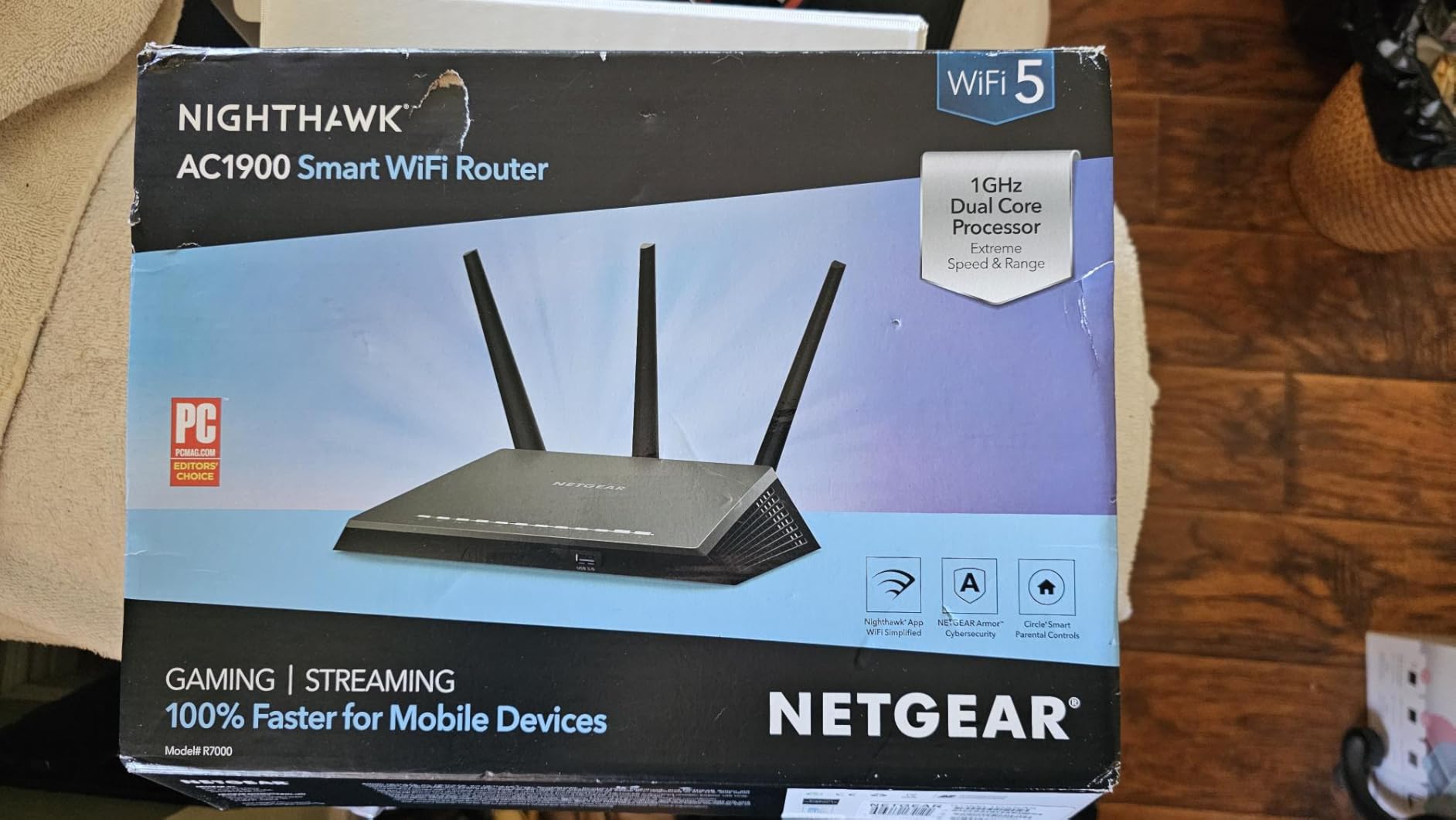
The RAX36 is the one to buy when you need a USB port or a VPN server and refuse to pay for a standalone box for either. It is AX3000 dual-band Wi-Fi 6 rated at up to 3 Gbps combined, covering up to 2000 square feet for up to 25 devices, and the built-in VPN plus USB 3.0 combination is genuinely rare below 100 dollars. Four gigabit Ethernet ports handle consoles, PCs and streaming players.
It runs on a Linux-based system with app control, and it is compatible with cable, satellite, fibre and DSL providers up to 1 Gbps, which covers essentially every plan a student is likely to sign up for. The stated upstream figure is 1500 Mbps, so a gigabit line is comfortably inside its range rather than right at the edge.
Where coverage is the goal, 2000 square feet and 25 devices is a serious claim for a router-only unit at this price, and it makes sense for a shared house where the router is centrally placed. Feedback centres on the throughput, the device capacity and the unusual inclusion of a USB port and VPN at this price point.
The security choice is the one thing to plan around. It supports WPA3, and WPA3 is what it runs, which is better for security but can lock out older smart bulbs, plugs or printers that only speak WPA2. The workaround is real but fiddly: put the legacy devices on the guest network. Check your smart home inventory before you buy if you have more than a handful of devices.
It is router only, so you need to source a cable modem separately if your provider has not supplied one. The warranty is one year, the shortest available here, and with 520 ratings at 4.3 and 72 percent five-star it has the smallest review base in the roundup, so there is less long-term history to lean on than with the TP-Link models.
Who needs the USB and VPN features
The USB 3.0 port is for a local storage drive you can share over the network, and the built-in VPN is for running a server on your own hardware so you can connect back into your dorm or apartment from campus. If you do not need either, both are wasted hardware and you should spend the money on a model with more proven reviews, which is exactly why this is not our top pick despite strong specs.
Where the platform ends
WPA3-only security and a one-year warranty are the two limits worth weighing. The first can strand older smart devices until you move them to a guest network, and the second is a real risk on a device you expect to run for two years in an apartment. It is also the heaviest unit here at 2.4 pounds. For a shared house with more than 20 devices, the capacity numbers are the reason it works; for a single room, they are overkill.
8. NETGEAR Nighthawk RAX41 – the Most Ports and the Most Coverage
Netgear Nighthawk 5-Stream AX3600 Dual-Band WiFi 6 Router (up to 3.45Gbps) – RAX41
5-stream AX3600 Wi-Fi 6
Up to 3.45 Gbps with 160 MHz channels
Up to 2250 sq. ft.
5 gigabit Ethernet ports
Pros
- Largest coverage claim here at 2250 sq. ft.
- 5 gigabit Ethernet ports
- 160 MHz channels deliver over 1 Gbps to modern phones
- 1.5 GHz triple-core processor
- 1024-QAM
Cons
- Smallest review base at 161 ratings
- Router only
- needs a modem
- WPA3 only with no built-in VPN
The RAX41 has the widest coverage claim of the eight, at up to 2250 square feet for up to 25 devices, and the most Ethernet ports, with five gigabit connections. If you are in a large shared house, a three-bedroom flat, or a two-floor walk-up and you want as few compromises as the budget allows, this is the one to look at first.
It is a 5-stream AX3600 unit with 160 MHz channel support, rated up to 3.45 Gbps with more than 1 Gbps delivered to newer mobile devices. The 1.5 GHz triple-core processor has the headroom for 4K streaming, gaming and video calls at once, and 1024-QAM delivers 25 percent more data efficiency than 256-QAM routers. Four external antennas are joined by four more included in the box.
It is also tied for the highest average rating in this roundup at 4.4, with 73 percent five-star, though that rating rests on only 161 ratings. Feedback is very positive on raw speed, the coverage claim and the port count. The honest reading is that the hardware is strong and the sample is thin.
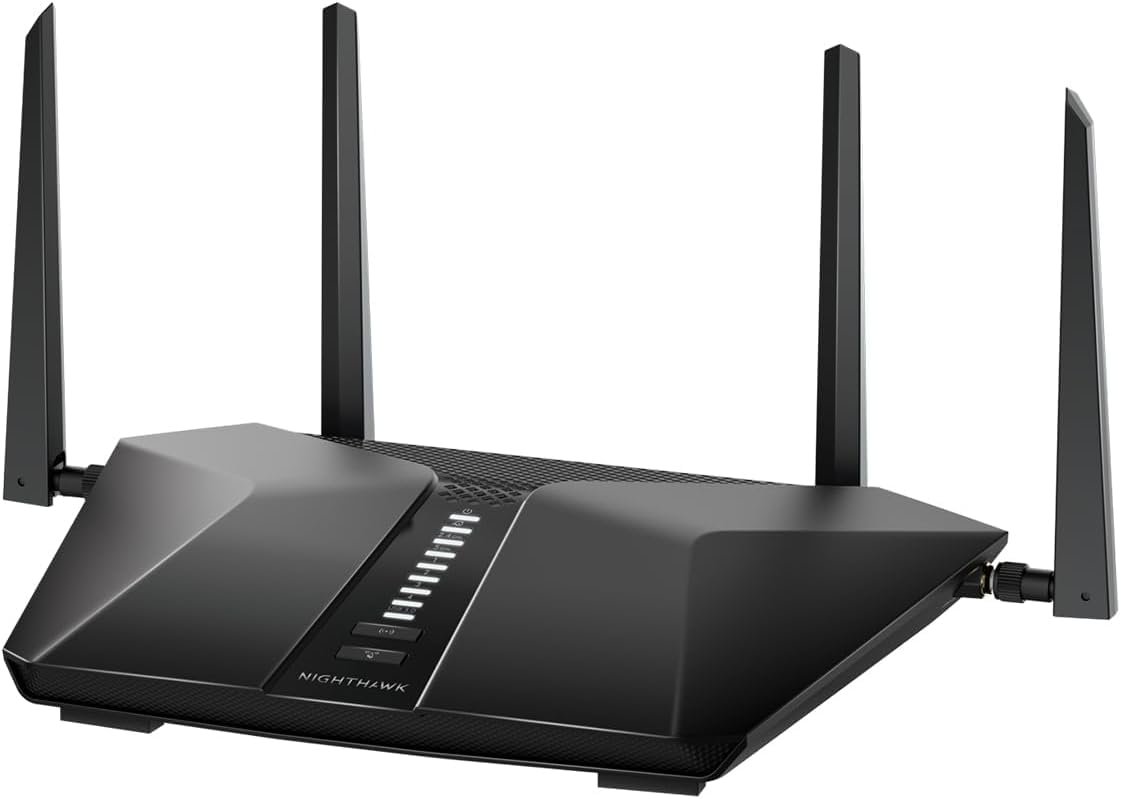
It is a router only and connects to an existing cable modem, so you need a modem or an ISP gateway feeding it. Security is WPA3, and there is no built-in VPN despite the Nighthawk branding, which is a genuine miss for anyone who wanted that from a premium-sounding model. The warranty is one year.
One more technical note: the 5 GHz side is two streams per band, which is less dense than newer tri-band designs when many devices sit on that band at once. For a house where 5 GHz is the main band, that partially offsets the extra raw throughput. The unit weighs 1.3 pounds, and it is compatible with ISPs up to 1 Gbps.
When the extra coverage is worth it
It is worth it when the router is not in the same room as most of your devices, when the building has more than one floor, or when you genuinely need five wired connections for a desk, a console, a TV and two more things. Those cases are real, and no other router here serves them. If your space is under about 1000 square feet, you are paying for reach you will not use.
What the thin review history means for you
With 161 ratings, there is no multi-year track record, and a handful of buyers note the lack of built-in VPN and the router-only design. Reviewers on budget hardware consistently tell us to weight proven reliability above headline speed, and that is the case for treating this as the enthusiast pick rather than the safe one. Buy it for the ports and the coverage; buy the Archer AX21 for certainty.
How to Choose a Router for a Dorm Room or Small Apartment?
Here is the short version: for a single room, a cheap dual-band model is genuinely enough. For anything with more than about six connected devices or more than one room, buy a Wi-Fi 6 unit with gigabit ports and get it as close to the middle of the room as the building rules allow. The rest of this section is the reasoning behind those two sentences.
Is Wi-Fi 6 worth it under 100 dollars?
Yes, when more than one person is using the connection at once, and it is the reason we would not recommend a new Wi-Fi 5 router in 2026. Wi-Fi 6, also written 802.11ax, adds OFDMA and MU-MIMO, which let the router serve several devices at the same time instead of making them wait. In a room where four people are streaming, on calls and downloading, that difference is the whole game. If you are one person on one device, a Wi-Fi 5 router will feel the same as a Wi-Fi 6 one.
The AX1800 and AX3000 labels are aggregate numbers that add the two bands together. AX1800 means up to 1200 Mbps on 5 GHz plus 574 Mbps on 2.4 GHz, and AX3000 means about 2402 plus 574. Treat every one of them as a laboratory ceiling. If your plan delivers 200 Mbps, an AX1800 router has more than enough radio capability to hit it, which is the reassurance you need when the marketing says 1.8 Gbps.
Wi-Fi 6E adds the 6 GHz band, which is wider and quieter, and Wi-Fi 7 is faster again. Under 100 dollars you can have 6E through the Archer AXE75. 6E needs a compatible device to be worth anything, so check your phone and laptop specifications before spending the extra on it.
Which band should each device use
Put 5 GHz on anything that streams video, joins video calls or sits in another room, because it is fast and the congestion there is manageable. Leave 2.4 GHz for smart bulbs, plugs, thermostats and printers, which prefer reach and stability over speed and have no business competing for a wide channel. A good router lets you set that split once and forget it, which is worth paying a little more for.
Which brand should you trust
TP-Link is the broadest and the most proven in this bracket, and it is the brand we would pick by default. The ASUS here is the one to choose when you want security features that stay free. NETGEAR is the easiest to set up and the most awkward to support after the warranty window, because phone support is capped at three months. The Tenda is the value option with the most mixed feedback of the four.
The difference between them matters less than the differences between Wi-Fi generations and port speeds. Buyers who regret budget routers most often regret buying a no-name range extender or an unknown-brand unit advertised with a huge coverage number. That is a category we would avoid entirely; a proper router from a brand you can look up, with a documented warranty, is worth the small premium.
What not to buy under 100 dollars
First, single-band 2.4 GHz-only routers. They are cheap because the 5 GHz band, which is what you actually want, is missing. Second, no-name range boosters and repeaters. Forum shoppers consistently distrust them for good reason: they halve throughput and they usually resell a rebadged chipset. Third, a Wi-Fi 5 refresh model at nearly the price of a Wi-Fi 6 unit, which means paying for old hardware. Fourth, anything that bundles a modem you already have, since ISP gateways are frequently better than a cheap bundled one.
Fifth, subscription-locked security. If a router only gives you parental controls or malware filtering during a free trial, you will either pay or rebuild the configuration later. The ASUS in this list avoids that entirely, and the NETGEAR Armor trial is optional rather than mandatory. Check what stops working when the trial ends before you commit.
Should You Buy a Router When Your ISP Provides One?
Usually yes, and the reason is not speed. It is control. ISP gateways are built to a cost target, and the features that matter in a shared student household, device prioritisation, a real guest network, decent antennas and a firmware team that still updates the software, are the first things cut. Replacing the gateway does not change your download speed. It changes how that speed behaves when four people are using it.
There is a cost argument too, though we will keep it general since fees change constantly. Most providers charge a monthly equipment fee for the gateway or modem, and twelve months of that adds up to more than any router in this list. Ask your provider what you are paying per month for the equipment, then compare that figure against the router price. If the provider lets you return the equipment, the maths is straightforward.
One important exception. If your dorm or campus network gives you a single Ethernet port and authenticates through a browser portal, a personal router will not simply work, because the router itself cannot complete a portal login on your devices. In that case put the new router into access point or bridge mode, give it a static address inside the existing network, and join Wi-Fi to the campus network. It will broadcast your own network name and behave like a private one. The Tenda AC6 and the TP-Link models in this list all support access point mode.
Students in halls that shut Wi-Fi off overnight report this as the main reason they bought their own hardware, and access point mode is the cleanest answer when the wired port stays live after the wireless network is cut. Confirm with your housing office first, because some networks block personal devices outright and no router setting fixes a policy.
Frequently Asked Questions
What is the best Wi-Fi router under 100 dollars?
The TP-Link Archer AX21 V5 is our pick. It is dual-band Wi-Fi 6 at 1200 Mbps on 5 GHz and 574 Mbps on 2.4 GHz, with four gigabit ports, OFDMA and MU-MIMO for crowded rooms, and a 4.4 average across more than 24000 ratings. For smaller budgets, the Archer A54 covers a studio on the least money in this roundup.
What is the best low-budget Wi-Fi router?
The best low-budget option for a single room is the TP-Link Archer A54, which gives you dual-band Wi-Fi 5, four external antennas, up to 1000 sq. ft. of stated coverage and WPA3 at the lowest price in this roundup. Its LAN ports run at 100 Mbps, so it suits browsing, streaming and video calls rather than fast wired file transfers.
What is the best affordable Wi-Fi 6 router?
Among Wi-Fi 6 models, the Archer AX21 V5 is the most affordable that we would recommend without hesitation, because it combines gigabit ports, OFDMA, WPA3 and a proven review history. If you want a 6 GHz band as well, the TP-Link Archer AXE75 is tri-band Wi-Fi 6E with a 2.5 Gbps WAN port, and it still fits inside the 100 dollar ceiling.
Is the Archer AX21 a good router?
Yes. With more than 24000 ratings at a 4.4 average and 74 percent of those at five stars, it is one of the most proven budget Wi-Fi 6 routers available. Reviewers consistently praise its coverage, its ability to hold many devices at once and its app-based setup. The criticisms are the lack of a 6 GHz band and the need for a separate modem.
Is TP-Link or NETGEAR better?
For most students TP-Link is the better buy, because the models here have far larger review histories, longer feature lists at free tiers and easier long-term ownership. NETGEAR is easier to set up and its app gives unusually good guided troubleshooting, but phone support is limited to three months by the warranty and its security suite is a paid subscription after the trial.
What is the best Wi-Fi router for a small apartment or dorm room?
For a dorm room under about 500 sq. ft., the TP-Link Archer A54 is enough for a handful of devices. For a one or two-bedroom apartment shared with roommates, choose the Archer AX21 V5 or the ASUS RT-AX1800S, both of which handle many simultaneous devices and give you gigabit ports for wired machines. Keep the router off the floor and out of a cabinet, and central if you can.
Do I need a modem and a router?
Most of the routers in this roundup are router-only devices, so you need a modem or an ISP gateway to feed them an Ethernet line. If your provider already supplies a gateway, that is all you need. If you want a faster plan, the RAX36 and the Archer AXE75 are the only picks here that can take advantage of a gigabit or faster line.
Conclusion: The Best Router Under 100 Dollars for 2026
Buy the TP-Link Archer AX21 V5 and stop reading. It is the only model in this roundup that combines a proven track record, gigabit ports, Wi-Fi 6 with OFDMA, WPA3 and a free VPN server, and more than 24000 ratings give you a reliability picture nothing else here can match. Place it centrally, off the floor, and leave the 2.4 GHz band for your smart devices.
If you are one person in one room, the Archer A54 does the same job for a fraction of the cost. If you need free security and five gigabit ports, the ASUS RT-AX1800S is the better long-term buy. If your building is awkward or you genuinely have 25 devices, the RAX36 or the RAX41 have the headroom. Whatever you choose, check what your provider charges for equipment, and remember that a faster router improves how your connection behaves, not how fast your line is.