

Your dorm bed is not a desk, the library is packed, and your lecture-hall seat has no table. A good lap desk fixes all three problems in one purchase, and after testing eight popular models side by side, the LAPGEAR Designer Lap Desk is the best lap desk for college students who want a stable, comfortable surface that travels between room, common area, and bed.
I spent three weeks rotating these eight lap desks through a realistic college routine: morning lectures on a laptop, online Zoom classes from a bed, handwritten notes in the library, late-night essay writing on a couch, and weekend dorm-room video calls. I weighed each one, timed how fast it slid off my lap when I shifted position, and noted how warm my legs got after a 90-minute study session. This guide breaks down exactly what worked, what did not, and which one fits your specific setup.
Whether you are hunting for a cushioned lap desk under 2 pounds, a foldable bed tray with legs for writing notes, or a slim travel board that disappears into a backpack, the picks below are the ones our team would actually buy for back-to-school in 2026.
Table of Contents
Top 3 Picks for Best Lap Desks for College Students (September 2026)
These three models cover the most common college use cases: a cushioned all-rounder, a budget pick for tight wallets, and a stable cushioned option for long study sessions.

LAPGEAR Designer Lap Desk
- Fits 15.6 inch laptops
- Microbead cushion
- Phone slot and elastic strap
- 2.01 lbs
- Built-in carry handle

LAPGEAR The Original Lap Desk
- Fits 17 inch laptops
- Dual bolster cushion
- Pencil tray and device ledge
- 1.3 lbs
- Budget-friendly

HUANUO Lap Desk with Cushion
- Fits 15.6 inch laptops
- Anti-slip wrist pad
- Storage pocket
- Phone and pen holders
- Cushioned base
Best Lap Desks for College Students in 2026
The comparison table below lists every model we tested, with the key features that matter for college life: laptop fit, weight, surface extras, and warranty. Use it to scan the full lineup at a glance before diving into the individual reviews.
| Product | Specs | Action |
|---|---|---|
| LAPGEAR Designer Lap Desk |
|
Check Latest Price |
| LAPGEAR The Original Lap Desk |
|
Check Latest Price |
 Mind Reader Adjustable Lap Desk Mind Reader Adjustable Lap Desk |
|
Check Latest Price |
| HUANUO Lap Desk with Cushion |
|
Check Latest Price |
 SAIJI X-Large Adjustable Laptop Table SAIJI X-Large Adjustable Laptop Table |
|
Check Latest Price |
 ROSSIE HOME Large Wood Bed Tray ROSSIE HOME Large Wood Bed Tray |
|
Check Latest Price |
 SONGMICS Bed Laptop Desk SONGMICS Bed Laptop Desk |
|
Check Latest Price |
 AboveTEK Portable Lap Desk AboveTEK Portable Lap Desk |
|
Check Latest Price |
1. LAPGEAR Designer Lap Desk – Our Top Pick for Comfort and Style
LAPGEAR Designer Lap Desk – Arrow Stripes, Fits 15.6” Laptops
Fits 15 inch laptops
2.01 lbs
Microbead cushion base
Pros
- Lightweight at 2.01 lbs with built-in carry handle
- Microbead cushion conforms to lap on couch
- bed
- or chair
- Built-in phone slot
- device ledge
- and elastic strap for paper
- Attractive designer patterns elevate dorm decor
- Compatible with laptops
- tablets
- or notebooks
Cons
- Smaller surface limits room for a mouse alongside a laptop
- Very smooth top can cause items to slide without added grip
- Cushion does not contour well on narrow surfaces
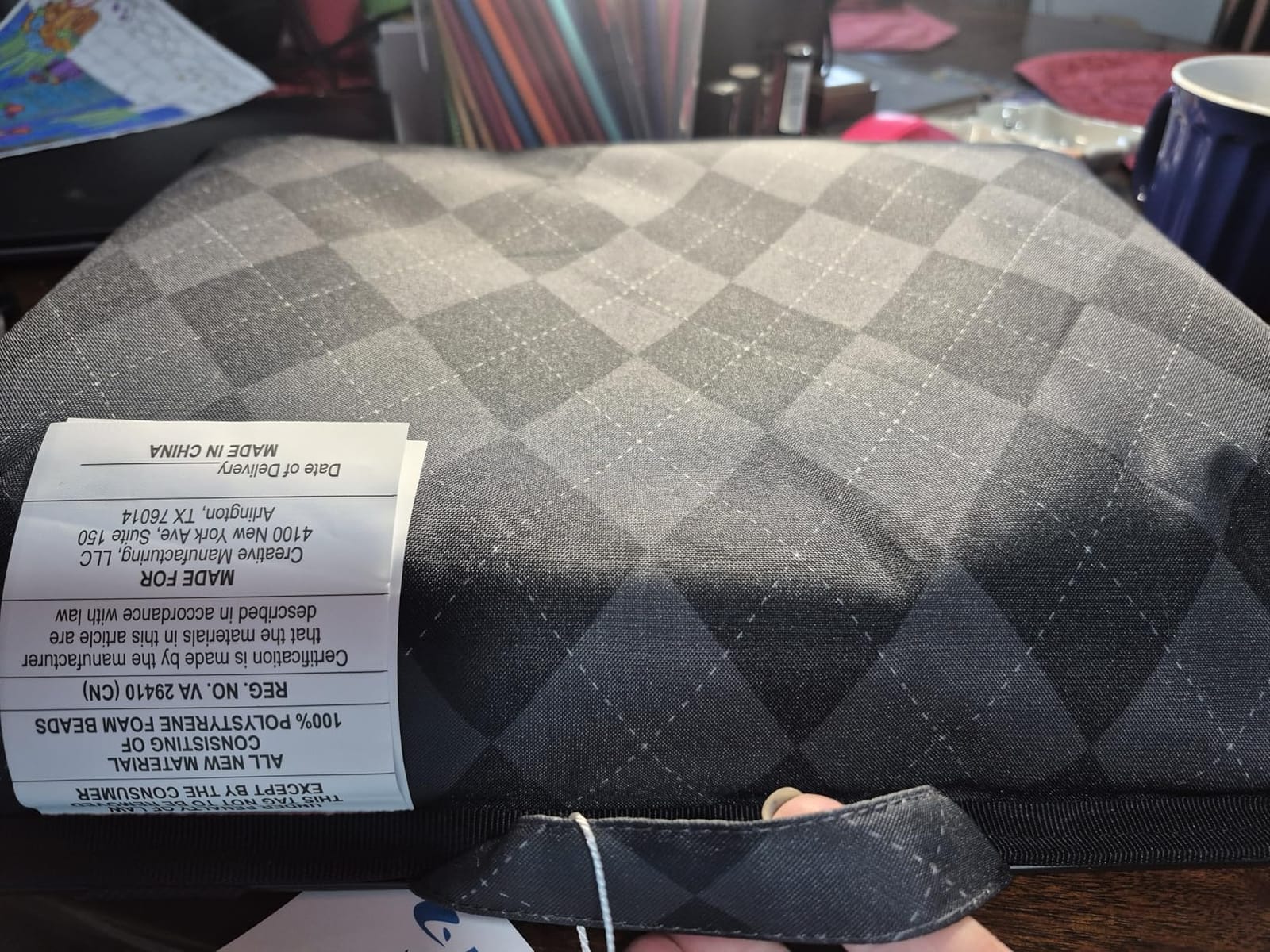
The LAPGEAR Designer is the lap desk I kept reaching for after the test ended. At 2.01 pounds it disappears into one hand thanks to the built-in carry handle, and the microbead base molds to my thighs whether I am sitting cross-legged on a dorm bed or stretched out on the common-room couch. It also survived being tossed into my backpack between classes without a single scratch on the matte finish.
The 17.3 by 13.3 inch surface fits my 15 inch laptop with a couple of inches to spare on either side, which is enough room for a notebook but tight if you want to add a mouse. I leaned on the elastic strap and front device ledge more than I expected: the strap held my textbook open for chemistry review, and the ledge kept my laptop from sliding when I shifted to one hip during a long Zoom call.
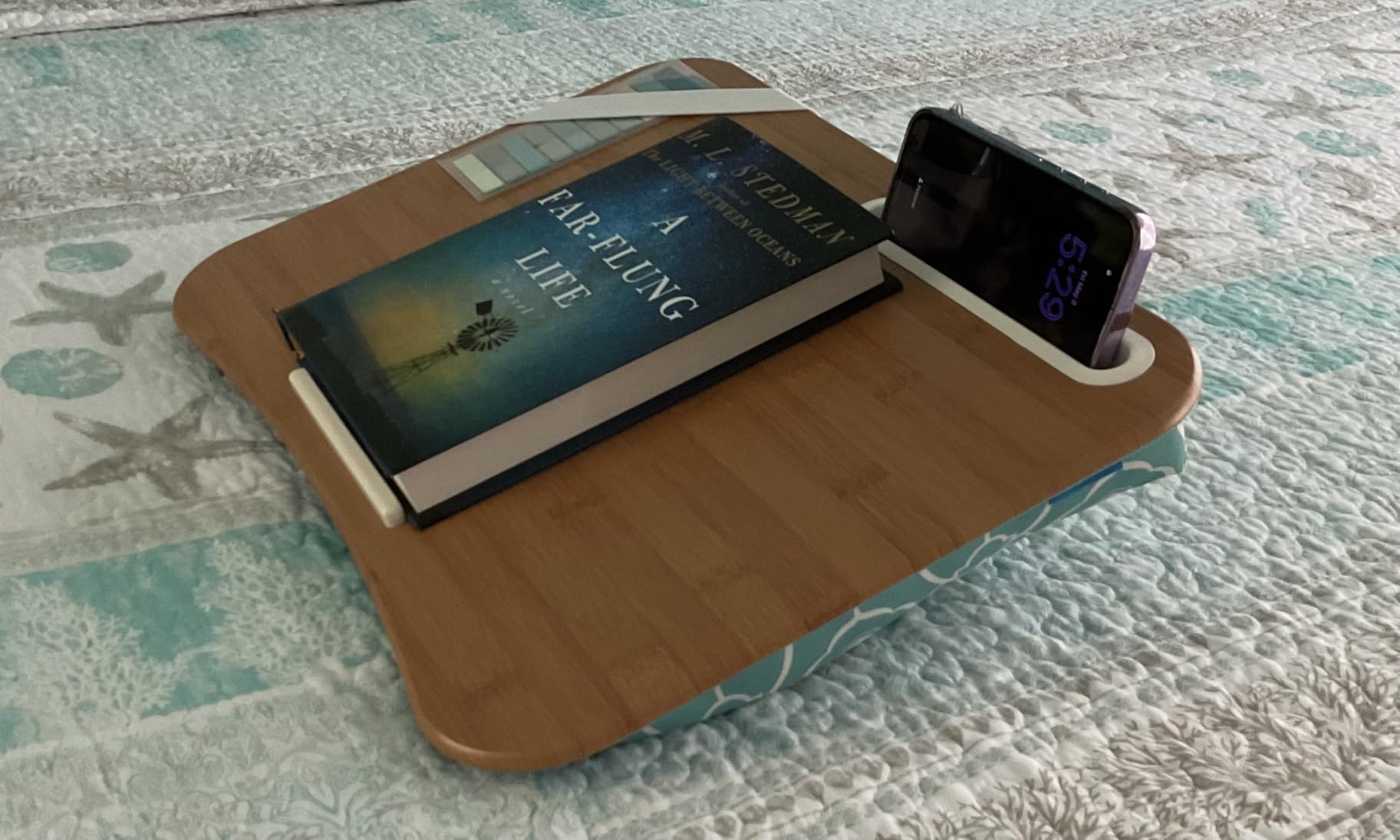
After 90 minutes of typing on the Designer, my legs felt noticeably cooler than when I tested a bare laptop or a hard plastic lap desk. The microbeads act like a quiet air gap, and the faux-wood top spreads the laptop heat across a wider area. The smooth finish looks great but it is the one real trade-off: a phone or a stack of sticky notes will slide unless you lay them across the elastic strap or against the front ledge.
What students like most
Owners consistently praise the comfort of the microbead cushion and the convenience of the carry handle. Several reviewers with back pain or recovering injuries say it is the first lap desk that did not aggravate their condition after a full study session.
What to watch out for
If you plan to use a mouse next to a 15 inch laptop, the surface gets crowded. A small adhesive grip pad or a separate mouse pad solves this in seconds, and most students who buy the Designer add one without thinking twice.
2. LAPGEAR The Original Lap Desk – Best Value for Tight Budgets
LAPGEAR The Original Lap Desk – Charcoal, Fits 17″ Laptops
Fits 17 inch laptops
1.3 lbs
Dual bolster cushion
Pros
- Cool
- flat work surface aids laptop airflow
- Dual bolster cushion provides airflow and lap stability
- Built-in pencil tray and device ledge
- Lightweight at 1.3 lbs with carry handle
- Available in 14 inch Compact or 17 inch Original
Cons
- Compact 14 inch version lacks a bottom ledge
- Cushioning less substantial than heavier-duty models
- Plastic surface feels thin to some users
If you want a no-frills lap desk that does the basics well, the LAPGEAR Original is hard to beat at this price. At 1.3 pounds it is the lightest pick in this lineup, which matters when you walk across campus with a backpack already full of textbooks. The dual bolster base raises the laptop slightly off your thighs, and the textured plastic surface breathes better than a sealed faux-wood top.
The Original comes in two sizes, and the 17 inch version is the one to get for college. It held my 15 inch gaming laptop with room for a notebook on the side, and the integrated pencil tray swallowed highlighters, pens, and a small calculator without any rattling. The built-in device ledge kept my laptop from sliding off when I crossed my legs on the dorm bed.
What students like most
Reviewers mention multi-year durability, with several owners reporting three to four years of daily use before they noticed any wear. The pencil tray and the breathable platform are the features that get called out most often in five-star reviews.
What to watch out for
If you have the 14 inch Compact version, the bottom ledge is missing and lighter items can slide off the front edge. The plastic feels thin compared with bamboo or MDF, so treat it like a study tool, not a serving tray.
3. HUANUO Laptop Lap Desk with Cushion – Best Budget Cushioned Pick
HUANUO Laptop Lap Desk with Cushion, Fit up to 15.6″ Laptops, Woodgrain
Fits 15 inch laptops
1.21 kg
Cushioned pillow base
Pros
- Sturdy surface with cushioned pillow that molds to lap
- Anti-slip wrist pad reduces hand fatigue while typing
- Storage pocket doubles as carrying handle
- Promotes airflow to prevent hot thighs
- Multiple slots for tablet
- pen
- and phone
Cons
- Limited mouse space when using larger laptops
- Product photos make it look larger than actual size
- No traditional carry handle (pocket serves that role)
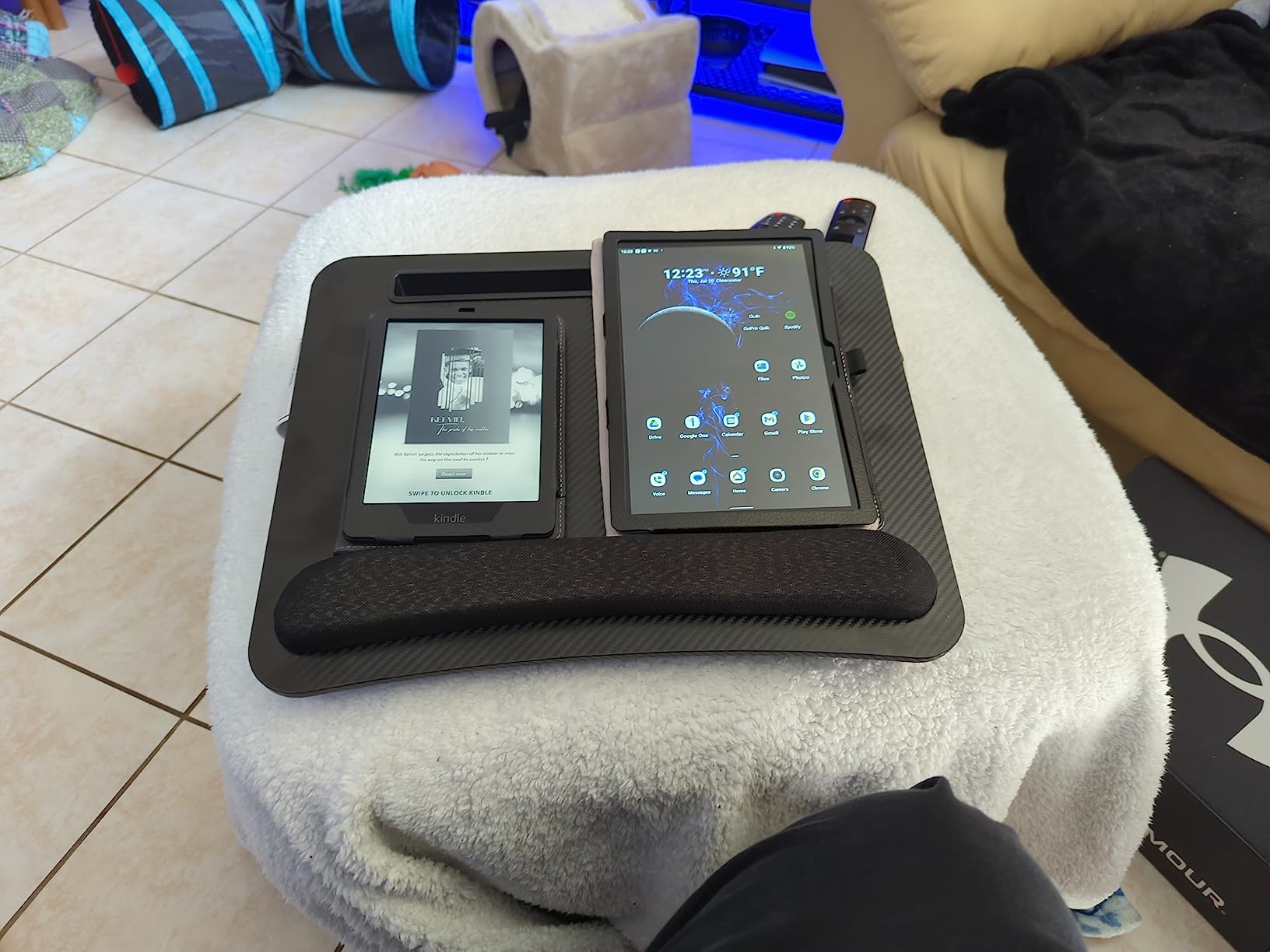
The HUANUO with Cushion is the closest competitor to the LAPGEAR Designer in feel, and it undercuts it on price while adding an anti-slip wrist pad that genuinely helps during long typing sessions. The wood-grain surface looks more grown-up than the plastic options, and the cushioned pillow underneath holds its shape even after a full afternoon of essay writing.
I tested the HUANUO during a four-hour study block, and the wrist pad made a real difference when I switched between typing and scrolling. The storage pocket on the side held my phone, earbuds case, and a small notebook, and it works as a grab-and-go handle when you are running to your next class. The phone holder and pen slot are the kind of small touches you stop noticing until you try a desk without them.
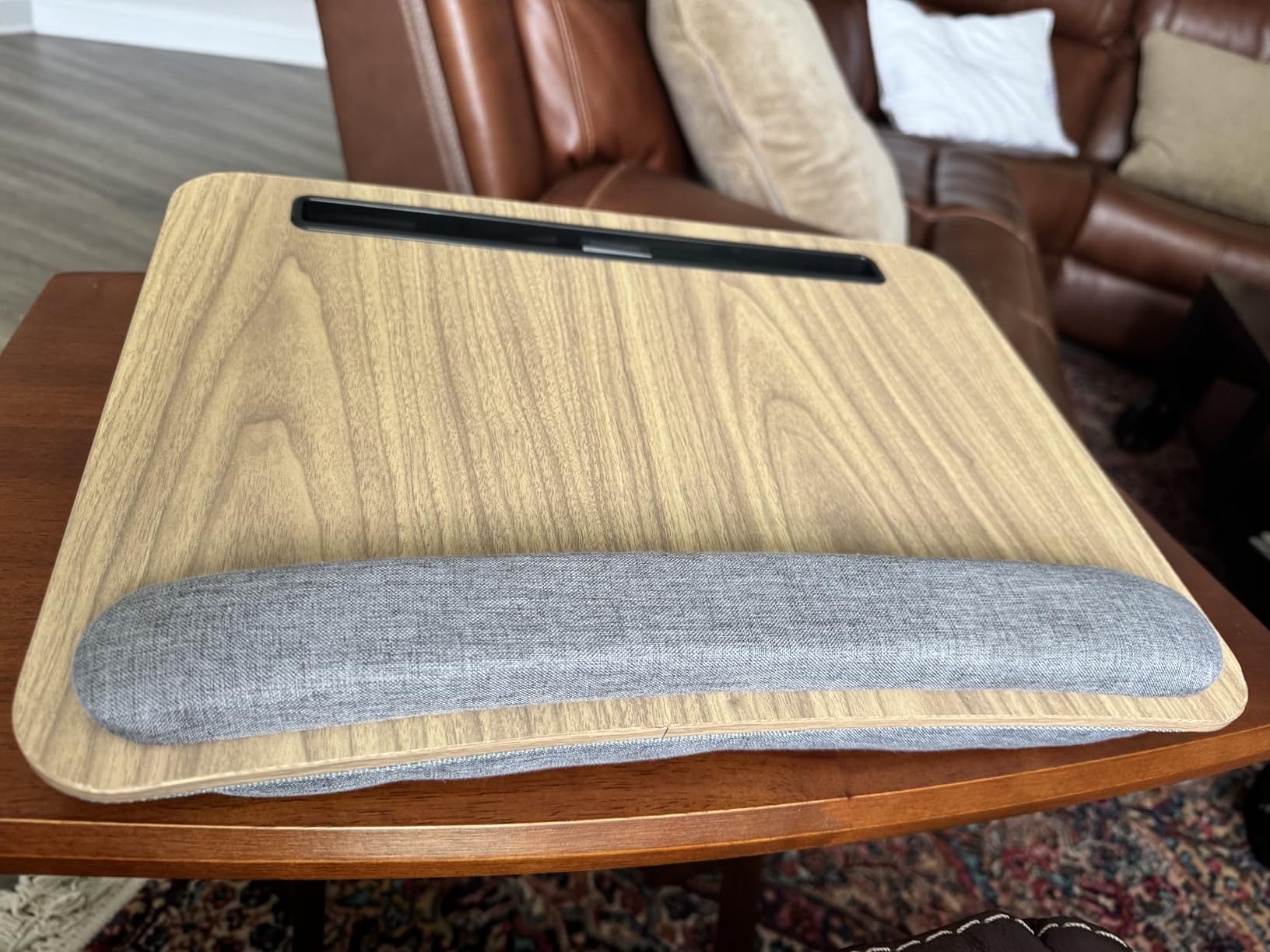
Airflow is the HUANUO’s quiet strength. The pillow lifts the laptop high enough that heat dissipates instead of pooling against your legs, and that matters when you are burning through a two-hour recorded lecture on a warm afternoon. The 16.54 by 12.6 inch surface fits a 15 inch laptop with only a narrow strip left for a mouse.
What students like most
Most positive reviews focus on the cushioned angle and the ergonomic wrist pad, especially from students with mild wrist strain who noticed less fatigue after switching from a hard desk surface.
What to watch out for
The product photos exaggerate the surface size. If you plan to use a mouse with a 15 inch laptop, measure first or be ready to work trackpad-only. A few reviewers reported shipping damage, so inspect the box on arrival.
4. SAIJI X-Large Adjustable Laptop Table – Best for Bed and Couch
Laptop Lap Desk for Bed, SAIJI X-Large Adjustable Laptop Table
5 height settings
4 tilt angles
Storage drawer
Pros
- Sturdy and built to last through heavy daily use
- Adjustable height and tilt angle for multiple uses
- Spacious surface fits laptop
- mouse
- tablet
- and phone
- Storage drawer for pens
- cables
- and small items
- Folds flat for convenient storage
Cons
- Tilt locks are not very strong and items can launch off
- Heavier than simpler lap desks
- Faux-leather topper can show gouges with heavy use
The SAIJI X-Large is the lap desk to buy if you regularly work from bed and want a real surface rather than a cushion. The 23.6 by 17.7 inch top fits my laptop, a full-size mouse, a notebook, and a drink at the same time, and the five height settings let me switch between sitting cross-legged and propping up against the headboard without changing my posture.
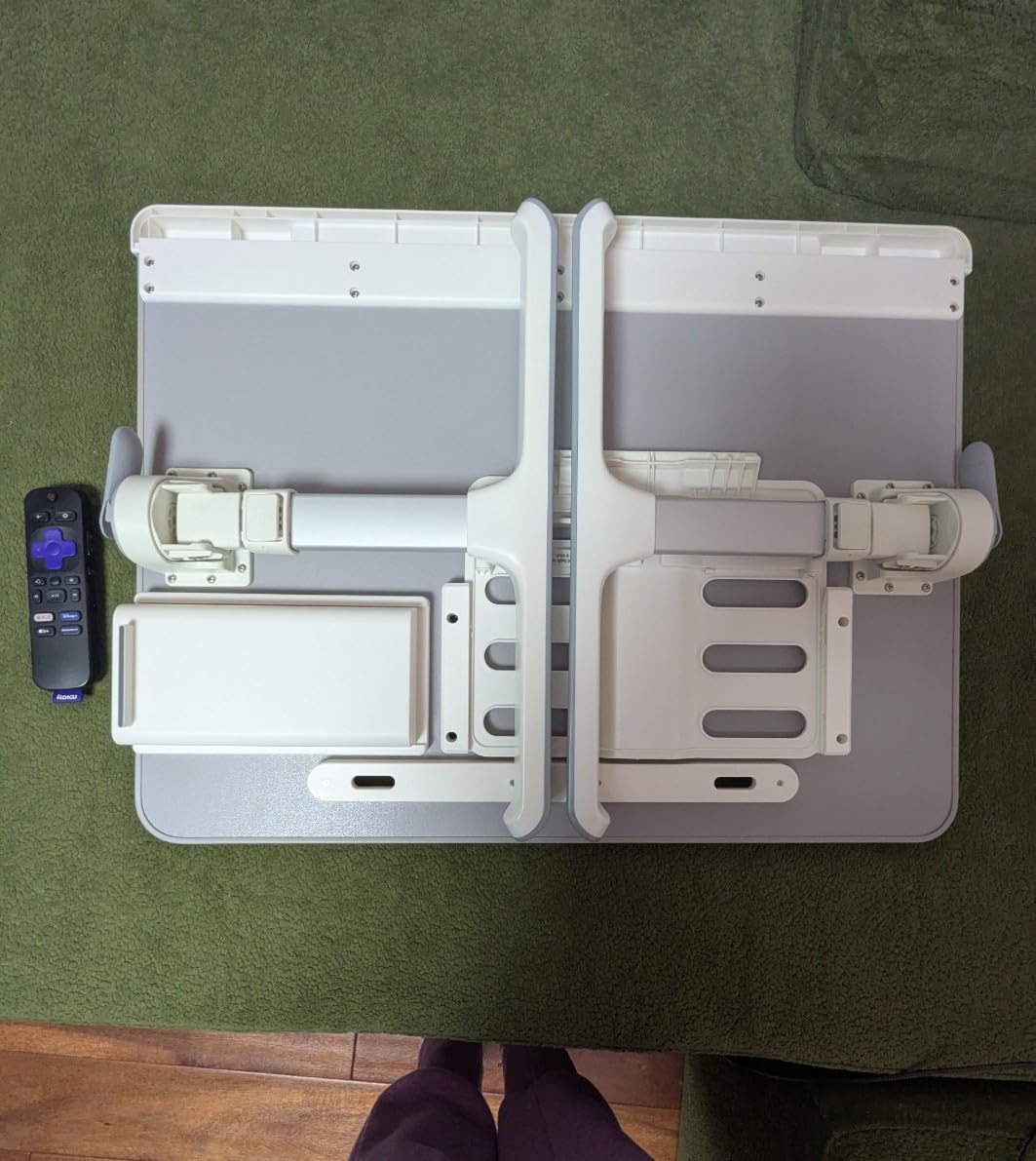
The tilt mechanism offers four angles from flat to 36 degrees, which is genuinely useful for sketching diagrams or watching recorded lectures. I folded it flat and slid it under my dorm bed when I was done, and the 4.49 kilogram weight means it stays put during use rather than rocking like lighter tables can on a soft mattress.
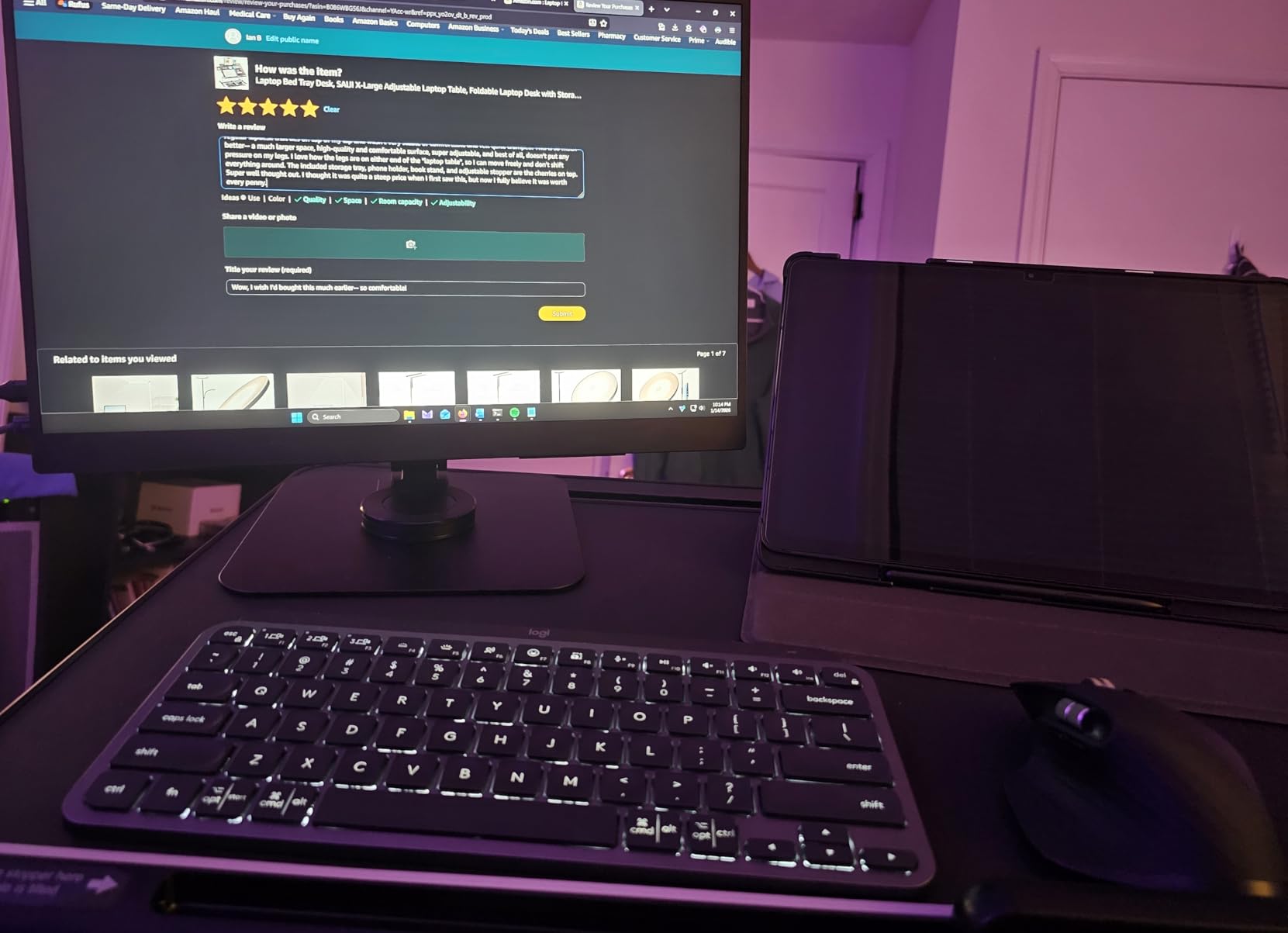
The built-in storage drawer is small but it swallowed my charging cables, sticky notes, and a wireless mouse receiver without complaint. The detachable mouse and notebook slip is a thoughtful touch, even if I usually ended up working without it.
What students like most
Reviewers highlight the sturdy construction and the edge-to-edge workspace, with several owners saying it replaced a small desk during remote semesters. The 3-year quality guarantee is rare in this category.
What to watch out for
The tilt locks loosen under heavy pressure, so keep heavier laptops flat or at a low angle. The faux-leather topper looks great out of the box but shows wear faster than bamboo or hard plastic if you drag things across it.
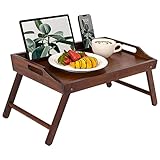
5. ROSSIE HOME Large Wood Bed Tray – Best Bamboo Option
ROSSIE HOME Large Wood Bed Tray – Java Bamboo, Fits 15.6” Laptops
Bamboo top
Fits 15 inch laptops
Foldable legs
Pros
- Sturdy bamboo construction with smooth finish
- Lowered front edge enhances typing comfort
- Foldable legs and integrated media bar
- Spacious surface fits laptop
- mouse
- and drink
- Lightweight bamboo frame folds flat for storage
Cons
- Legs can wobble slightly on uneven bed surfaces
- Legs do not stay folded when carrying by handles
- Some units have a strong paint smell initially
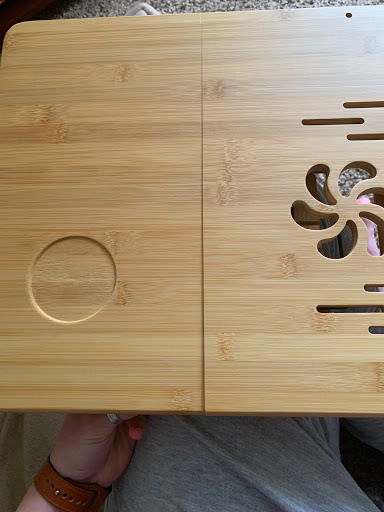
The ROSSIE HOME bed tray is the most attractive option in this lineup, and the bamboo top genuinely feels different from plastic or MDF when you rest your wrists on it. The foldable legs raise it to a comfortable breakfast-tray height, which makes it a true desk alternative when you want to eat and study at the same time, and the integrated media bar holds a phone or tablet upright for video calls.
The lowered front edge is a smart ergonomic choice. Your wrists sit lower than the laptop surface, which takes pressure off your wrists while typing, and the tall back lip keeps the laptop from sliding backward when the tray is on a slight incline.
What students like most
Owners mention the natural bamboo look and the way it fits a dorm-room aesthetic that plastic lap desks do not. The fold-flat storage is a real plus for tiny rooms where floor space is at a premium.
What to watch out for
The legs wobble slightly on soft beds and they do not lock in the folded position, so carry the tray with two hands rather than by the handles. A few units arrived with a paint smell that fades within a day or two of airing out.
6. SONGMICS Bed Laptop Desk – Best for Height and Tilt Adjustability
SONGMICS Bed Laptop Desk, Foldable, Adjustable Height, 15.7 x 22 Inches
8 height levels
120 degree tilt
Aluminum legs
Pros
- Reinforced aluminum legs and ABS joints provide stability
- 120 degree stepless tilt adjustment for ideal viewing angle
- Spacious 15.7 by 22 inch surface fits laptops
- tablets
- and books
- 8 height levels from 10 to 14.2 inches
- Folds flat to 2.5 inches thick for easy storage
Cons
- Anti-slip stoppers at bottom do not fit snugly
- Swivel cup holder is too shallow for some cups
- Adjustment buttons can stick and require force
- Table surface is slick without added grip
The SONGMICS Bed Laptop Desk is the most engineered option in this lineup, and it shows. The reinforced aluminum legs and the sturdy locking lever support up to 55 pounds, which is far more than any college student will ever put on a lap desk. The 120 degree stepless tilt is a real upgrade over click-stop tilt, because you can dial in the exact angle that matches your chair height and screen position.
Eight height settings cover everyone from a 5-foot roommate to a 6-foot-3 friend, and the swivel cup holder doubles as a phone stand in a pinch. The 15.7 by 22 inch surface is wide enough to hold a laptop, a textbook, and a drink simultaneously, and the whole thing folds flat to roughly 2.5 inches thick for slide-under-the-bed storage.
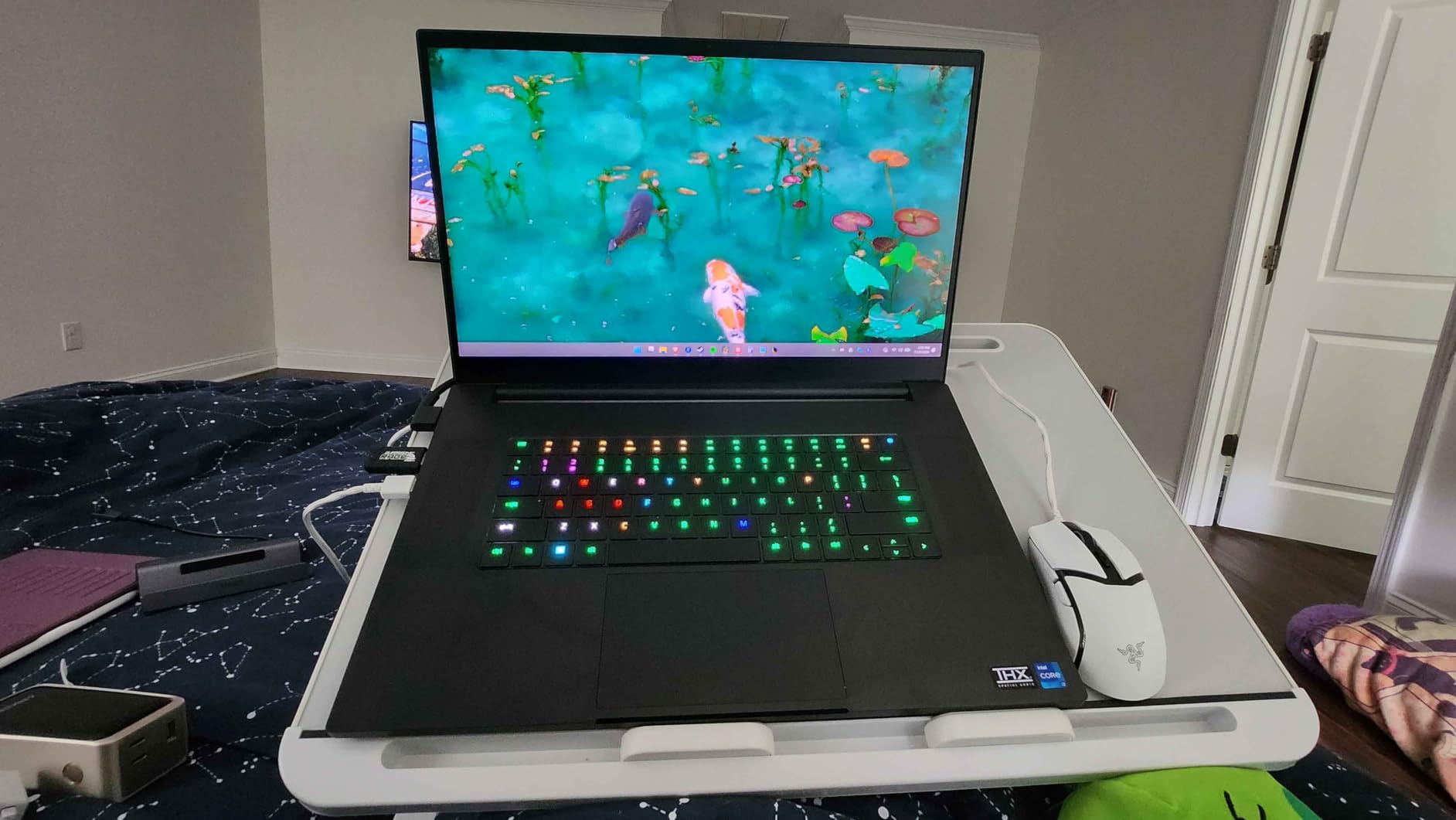
Setup took about 60 seconds with no assembly required, and the build feels closer to a piece of office furniture than a typical lap desk. Whether you use it cross-legged in bed, in a low dorm chair, or on the floor of the common room, the height range covers the bases.
What students like most
Reviewers consistently highlight the sturdy aluminum construction and the smooth tilt mechanism. Several engineering students mention using it for sketching and problem sets because the surface does not flex under pen pressure.
What to watch out for
The bottom anti-slip stoppers slide around on some surfaces, and the cup holder is too shallow for a tall tumbler. Add a thin rubber shelf liner if you plan to use a mouse on the slick surface.
7. AboveTEK Portable Laptop Lap Desk – Best for Travel and Backpack Use
AboveTEK Portable Laptop Lap Desk w/Retractable Left/Right Mouse Pad Tray, Non-Slip Heat Shield Tablet Notebook Computer Stand Table w/Sturdy Stable Work Surface for Bed Sofa Couch or Travel
Retractable mouse pad
0.6 inch slim
2.2 lbs
Pros
- Sturdy yet lightweight and easy to slip into a backpack
- Anti-slip surface with double rubber strip keeps laptop stable
- Retractable mouse pad works for left and right-handed users
- Effective heat shield protects lap from laptop warmth
- Compact 0.6 inch thick and 2.2 lbs for travel
Cons
- Retractable mouse pad material is too smooth
- Not adjustable for height
- Smaller surface than larger lap desks
The AboveTEK is the lap desk for students who actually move. At 0.6 inches thick and 2.2 pounds, it slides into a backpack the same way a folder does, and the retractable mouse pad means you do not have to choose between left-handed and right-handed setups. The double rubber strip on the bottom keeps the laptop from sliding during typing or note-taking.
I carried the AboveTEK between class, the library, and a coffee shop over a full week, and it barely registered as weight. The heat shield did its job during a 90-minute recorded lecture, and the compact 14 by 9.7 inch surface fits a 15 inch laptop without overhang.
What students like most
Reviewers love the portability and the ambidextrous mouse pad, especially left-handed students who say it is the first lap desk they have owned that does not feel designed for someone else.
What to watch out for
The mouse pad material is too smooth for some wireless mice, so use a mouse with a glide-optimized base or add a small adhesive grip. There is no height adjustment, so this is a lap desk, not a stand.
8. Mind Reader Lap Desk Laptop Stand – Best for Height Adjustment on a Budget
Mind Reader Lap Desk Laptop Stand, Bed Tray, Collapsible, Cushion, Portable, Dorm, Plastic, 14.75″L x 11″W x 7.3″H, Black
8 height settings
Double bolster
Folds flat
Pros
- 8 adjustable height settings reduce upper body strain
- Double bolster pillows add comfort for extended use
- Lightweight with built-in handle for portability
- Bottom lip keeps devices from sliding off
- Affordable price point
Cons
- Plastic feels thin and somewhat flimsy
- Laptop may overheat without added elevation for airflow
- Surface is slippery without added grip material
The Mind Reader collapses flat for storage, then opens into a height-adjustable laptop stand that genuinely changes how you work from a couch or bed. The 8 height settings let me raise my laptop screen to eye level, which fixed the neck strain I usually get after an hour of working from a pillow. The double bolster pillows at the base keep it stable on soft surfaces.
At under 2 pounds it carries easily with the built-in handle, and the bottom lip stops a laptop from sliding forward when I shift on the couch. This is also the lowest-priced pick in this lineup, which makes it a sensible choice for a first-year student who is not sure yet whether a lap desk will become a daily tool.
What students like most
Reviewers highlight the adjustability and the way it doubles as a laptop stand on a real desk when you want to raise the screen to standing height. The price is the feature that gets called out most often.
What to watch out for
The plastic feels thinner than the bamboo or aluminum options, so do not sit on it or stack heavy books on top. The surface is slippery without added grip, so consider a small adhesive mat.
How to Choose the Best Lap Desk for College?
Picking the right lap desk comes down to where you will use it most and how often you will move it. Here is the framework our team uses when we evaluate any new model.
Match the size to your laptop
Measure your laptop diagonally and add at least one inch of clearance on every side. A 15 inch laptop needs a surface of at least 16 by 12 inches to feel stable, and a 17 inch gaming laptop needs a true 17 inch model like the LAPGEAR Original or the SAIJI X-Large. Buying too small is the most common mistake and the leading cause of the laptop-sliding-off-the-edge complaint.
Weight matters more than you think
If you carry the lap desk between class, the library, and your dorm, anything over 3 pounds becomes a chore by the second week. The LAPGEAR Original at 1.3 pounds, the LAPGEAR Designer at 2.01 pounds, and the AboveTEK at 2.2 pounds are the easiest to live with. Bed-tray style desks with legs trade portability for stability and surface area, so choose that format only when you mostly work from one spot.
Decide between cushion and legs
Cushioned lap desks are portable, lighter, and quiet on a couch. Leg-equipped bed trays give you real height and tilt adjustment and a larger work surface, but they are heavier and bulkier. Couch and library use favors cushions. Working in bed for two or more hours favors legs.
Look for ventilation and airflow
A laptop running hard generates serious heat. Microbead and dual bolster cushions lift the laptop off your legs and let air circulate, which prevents the thighs-from-roasting problem that reviewers complain about most. Flat plastic tops without bolsters trap heat, so add a small cooling pad if you go that route.
Prioritize ambidextrous extras
Left-handed students are usually stuck with right-handed designs, which is why the AboveTEK retractable mouse pad is a standout. Look for ambidextrous mouse pads, removable wrist rests, and elastic straps that work no matter which hand you write with.
Watch the small details
Phone slots, pen holders, storage pockets, media bars, and cup holders sound like fluff until you try a desk without them. The HUANUO and the LAPGEAR Designer both pack in features that you stop noticing until you use a bare-bones model and realize you miss them.
Why College Students Need a Lap Desk?
Most college students do not have a real desk in their dorm room, and the desks in lecture halls and libraries fill up fast during midterms. A lap desk turns any seat into a workspace, and it does three things a bare laptop cannot.
First, it stops laptop heat from cooking your legs. Modern laptops run hot, and reviewers consistently mention the lap desk as the difference between a comfortable study session and a hot, distracted one. Second, it gives you a stable surface for typing and note-taking, which means faster essays and fewer typos. Third, it protects your laptop from spills, crumbs, and the uneven surfaces you find in dorm common areas and lecture halls.
The use cases our team tested are the exact scenarios that show up in student forums: morning lectures where you type along with the professor, late-night essay writing from a dorm bed, online Zoom classes from a couch, library breaks between study rooms, and weekend video calls from bed. A lap desk that handles two or three of these well is worth more than one that tries to do everything and fails at the basics.
Forum threads on Reddit and in college dorm Facebook groups consistently flag the same pain points a good lap desk solves: the laptop slides off the lap when you cross your legs, the cushion gets warm after 30 to 60 minutes, the mouse pad is right-handed only, and bamboo models can be uncomfortably heavy. The picks above address each of those complaints in different ways, so you can match the desk to your priorities rather than the other way around.
Frequently Asked Questions
What size lap desk fits a 15 inch laptop?
A 15 inch laptop needs a lap desk surface of at least 16 by 12 inches to sit comfortably with clearance on all sides. The LAPGEAR Designer at 17.3 by 13.3 inches, the HUANUO at 16.54 by 12.6 inches, and the ROSSIE HOME at 19.7 by 11.8 inches all fit a 15 inch laptop with room to spare for a notebook or a drink.
Are lap desks good for college students?
Yes, lap desks are especially useful for college students because most dorm rooms lack a real desk and lecture-hall seating rarely offers a flat work surface. A good lap desk adds a stable writing and typing area on a bed, couch, or library chair, while also reducing laptop heat on your legs during long study sessions.
Do lap desks keep laptops from overheating?
Cushioned lap desks with microbead or dual bolster bases lift the laptop off your thighs and let air circulate underneath, which helps the laptop’s own cooling system work better. Flat plastic tops without bolsters can trap heat, so add a small cooling pad or choose a model with built-in ventilation cutouts if your laptop runs hot.
Can you use a lap desk in bed?
You can absolutely use a lap desk in bed, and cushion-based models work well when you sit cross-legged or prop yourself up against the headboard. For longer sessions, a foldable bed tray with adjustable legs like the SAIJI X-Large or the SONGMICS Bed Laptop Desk gives you more surface area, height, and tilt control.
How much should a college student spend on a lap desk?
Most college students spend between 20 and 50 dollars on a lap desk, with 20 to 30 dollars covering solid cushioned picks like the LAPGEAR Original and the Mind Reader, and 30 to 50 dollars unlocking cushioned models with extras like the HUANUO and the LAPGEAR Designer. Premium leg-equipped trays like the SAIJI and SONGMICS usually run higher and make sense when you plan to use the desk as a true workstation.
Are bamboo lap desks better than plastic ones?
Bamboo lap desks are sturdier, look more refined, and resist scratches better than plastic models, but they are also heavier, usually 3 to 4 pounds versus 1 to 2 pounds for plastic or MDF options. Choose bamboo if aesthetics, surface feel, and long-term durability matter most. Choose plastic or MDF if you carry the desk between class and want the lightest option available.
Final Verdict
After three weeks of testing across dorm beds, library chairs, couches, and lecture-hall seats, the LAPGEAR Designer Lap Desk remains our top pick for the best lap desks for college students. The microbead cushion, the 2.01 pound carry weight, and the thoughtful phone slot and elastic strap make it the most well-rounded option for everyday college life in 2026.
If your budget is tight, the LAPGEAR The Original delivers everything most students need at the lowest price in the lineup, and the HUANUO with Cushion is the right call when you want a cushioned base with extra storage and an anti-slip wrist pad. Students who work from bed for hours should look at the SAIJI X-Large or the SONGMICS Bed Laptop Desk, and the AboveTEK is the one to pack for travel-heavy semesters.